

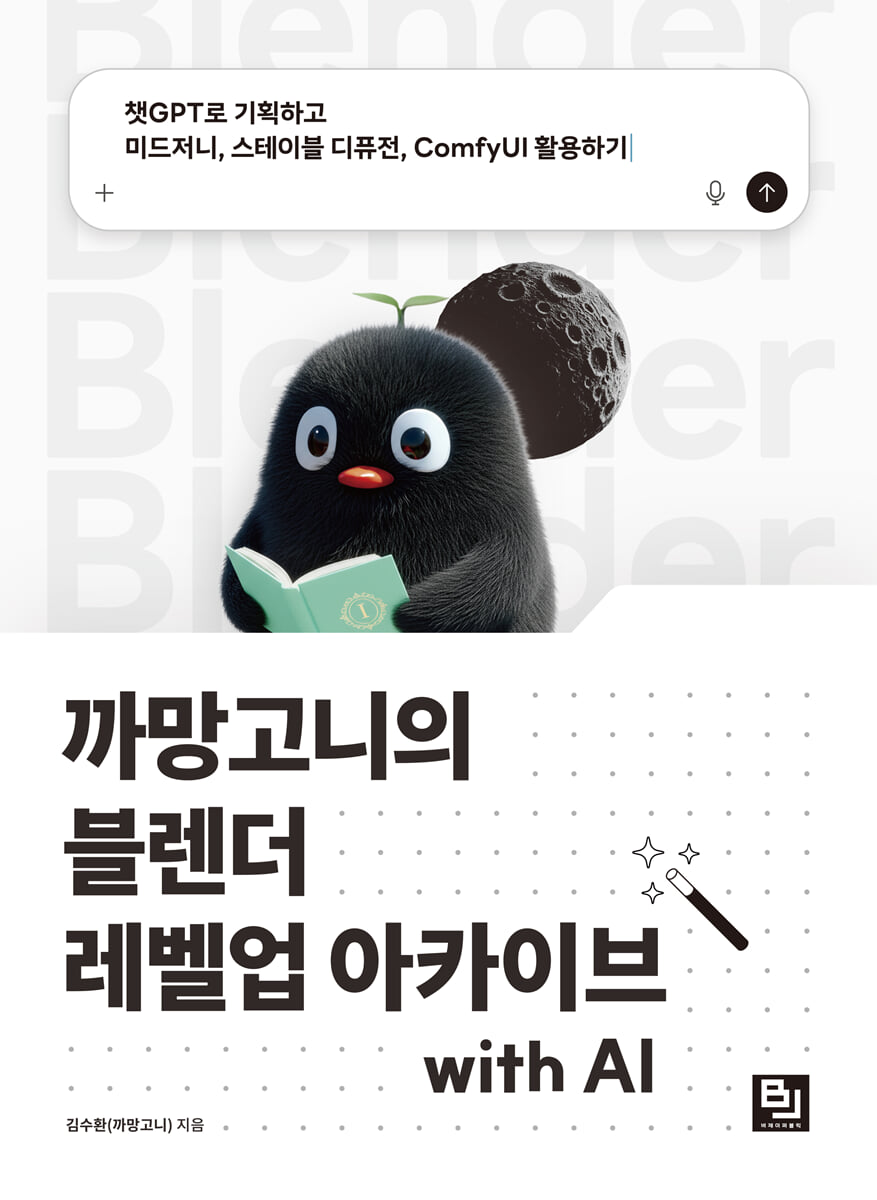
Kamangoni's Blender Level Up Archive with AI
 |
Description
Book Introduction
ChatGPT, Midjourney, Stable Diffusion, ComfyUI
An easy way to flesh out and colorize your 3D models.
High-quality modeling work is also possible with Blender, a free 3D graphics creation software.
And the combination of modeling technology and artificial intelligence (AI) offers sophisticated ways to refine details to create more stunning results more easily.
The repetitive practice consisting of beginner, intermediate, and advanced levels allows you to grasp both the 'basics' and 'utilization' of the tool at once without having to sequentially learn the basic usage.
This course covers not only how to use Blender's single tool, but also how to create a variety of results, from simple objects (clocks, washing machines, cars) to natural objects (minerals, planets, plants), characters, landscape images, 3D spaces, and interiors, based on the connectivity between ChatGPT, Midjourney, Stable Diffusion, and Stable Diffusion's node-based interface ComfyUI.
If you've already mastered the basics of Blender through various learning resources, this will be an opportunity to broaden your horizons in 3D design. Even if you're a Blender beginner, this collection of easy-to-follow examples at varying difficulty levels will help you level up right away with a wealth of practical exercises.
This book provides advanced tips and know-how to create high-quality artwork with Blender and AI in a short period of time.
An easy way to flesh out and colorize your 3D models.
High-quality modeling work is also possible with Blender, a free 3D graphics creation software.
And the combination of modeling technology and artificial intelligence (AI) offers sophisticated ways to refine details to create more stunning results more easily.
The repetitive practice consisting of beginner, intermediate, and advanced levels allows you to grasp both the 'basics' and 'utilization' of the tool at once without having to sequentially learn the basic usage.
This course covers not only how to use Blender's single tool, but also how to create a variety of results, from simple objects (clocks, washing machines, cars) to natural objects (minerals, planets, plants), characters, landscape images, 3D spaces, and interiors, based on the connectivity between ChatGPT, Midjourney, Stable Diffusion, and Stable Diffusion's node-based interface ComfyUI.
If you've already mastered the basics of Blender through various learning resources, this will be an opportunity to broaden your horizons in 3D design. Even if you're a Blender beginner, this collection of easy-to-follow examples at varying difficulty levels will help you level up right away with a wealth of practical exercises.
This book provides advanced tips and know-how to create high-quality artwork with Blender and AI in a short period of time.
- You can preview some of the book's contents.
Preview
index
Chapter 1 Which AI is Right for Me?
1.1 New Horizons in 3D Content Creation
1.2 PC Requirements
1.3 Choosing an AI
Chapter 2 Ideation with ChatGPT
2.1 Why You Should Learn GPT
2.2 How to get started
2.3 Effective Communication Methods
2.4 How to use Blender
Chapter 3: Using Generative AI Images with Midjourney
3.1 Why You Should Learn Midjourney
3.2 How to get started
3.3 How to use it effectively
3.4 How to use Blender
Chapter 4 Blender Practice with GPT, Midjourney
4.1 Blender with GPT (Beginner)
- Storyline planning, persona design, concept image, pattern image
4.2 Blender with GPT (Intermediate)
- Clocks, cooking, planets, 3D space
4.3 Blender with Midjourney (Intermediate)
- Images of minerals, washing machines, and landscapes
4.4 Blender with Midjourney (Advanced)
- Plants, cat characters, cars
Chapter 5: Modifiable Modeling with Stable Diffusion
5.1 Why You Should Learn Stable Diffusion
5.2 How to get started
5.3 Effective Use Methods
5.4 How to Use Blender
Chapter 6 Blender Practice with ComfyUI
6.1 Modern House
6.2 Interior (Cozy & European)
6.3 Interior (Black & White)
Learn more
1 Official documentation and useful tools and resources
2 Blender Key Shortcuts
3 List of various prompts
1.1 New Horizons in 3D Content Creation
1.2 PC Requirements
1.3 Choosing an AI
Chapter 2 Ideation with ChatGPT
2.1 Why You Should Learn GPT
2.2 How to get started
2.3 Effective Communication Methods
2.4 How to use Blender
Chapter 3: Using Generative AI Images with Midjourney
3.1 Why You Should Learn Midjourney
3.2 How to get started
3.3 How to use it effectively
3.4 How to use Blender
Chapter 4 Blender Practice with GPT, Midjourney
4.1 Blender with GPT (Beginner)
- Storyline planning, persona design, concept image, pattern image
4.2 Blender with GPT (Intermediate)
- Clocks, cooking, planets, 3D space
4.3 Blender with Midjourney (Intermediate)
- Images of minerals, washing machines, and landscapes
4.4 Blender with Midjourney (Advanced)
- Plants, cat characters, cars
Chapter 5: Modifiable Modeling with Stable Diffusion
5.1 Why You Should Learn Stable Diffusion
5.2 How to get started
5.3 Effective Use Methods
5.4 How to Use Blender
Chapter 6 Blender Practice with ComfyUI
6.1 Modern House
6.2 Interior (Cozy & European)
6.3 Interior (Black & White)
Learn more
1 Official documentation and useful tools and resources
2 Blender Key Shortcuts
3 List of various prompts
Detailed image

Publisher's Review
Design sense in the AI era
The most complete know-how to expand your horizons
With the right tips, you can achieve advanced modeling using just Blender.
The author has proven that it is possible to create sensational modeling using only free tools, without the need for advanced modeling tools.
But now, we live in an era of AI where change is faster and uncertainty is higher than ever before.
New technologies change and disappear as soon as they appear.
To develop a design sense appropriate for this era and broaden your horizons, you must constantly learn about new technologies, practice incorporating them into existing ones, and internalize your own methodology.
In 『Kkamangoni's Blender Level Up Archive with AI』, we train you on how to apply artificial intelligence technology to the 3D modeling process.
Rather than simply teaching you how to use Blender and its tools like ChatGPT, MidJourney, Stable Diffusion, and ComfyUI, we provide a hands-on approach to creating prompts in 3D modeling, the terminology you'll need when you first encounter each technology, helpful resources, and helpful additional information, allowing you to develop at your own pace.
The most complete know-how to expand your horizons
With the right tips, you can achieve advanced modeling using just Blender.
The author has proven that it is possible to create sensational modeling using only free tools, without the need for advanced modeling tools.
But now, we live in an era of AI where change is faster and uncertainty is higher than ever before.
New technologies change and disappear as soon as they appear.
To develop a design sense appropriate for this era and broaden your horizons, you must constantly learn about new technologies, practice incorporating them into existing ones, and internalize your own methodology.
In 『Kkamangoni's Blender Level Up Archive with AI』, we train you on how to apply artificial intelligence technology to the 3D modeling process.
Rather than simply teaching you how to use Blender and its tools like ChatGPT, MidJourney, Stable Diffusion, and ComfyUI, we provide a hands-on approach to creating prompts in 3D modeling, the terminology you'll need when you first encounter each technology, helpful resources, and helpful additional information, allowing you to develop at your own pace.
GOODS SPECIFICS
- Date of issue: October 2, 2025
- Page count, weight, size: 444 pages | 188*257*30mm
- ISBN13: 9791165923358
- ISBN10: 1165923351
You may also like
카테고리
korean


korean

![GQ KOREA Mark (Monthly): December [2025]](http://librairie.coreenne.fr/cdn/shop/files/8ef265dbbfbf186523ed75ba7319009d.jpg?v=1765340328&width=3840)


