

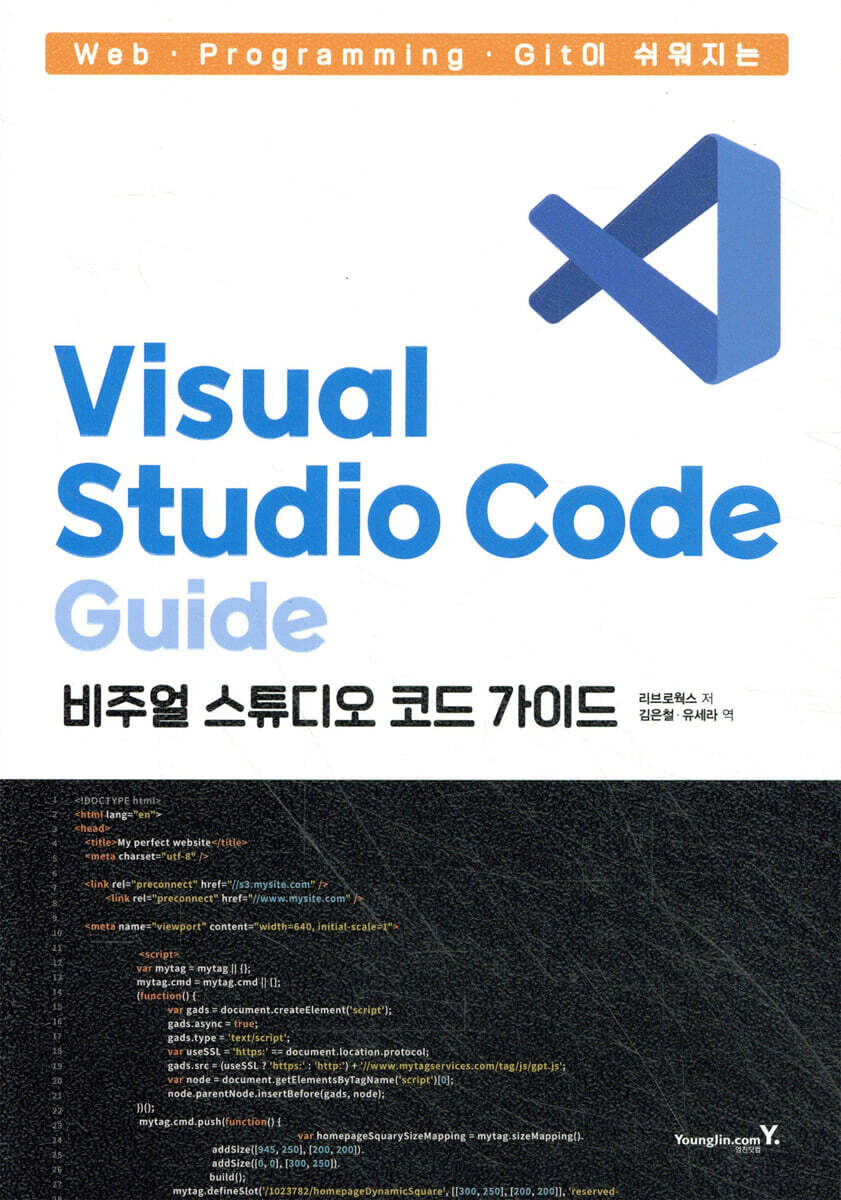
Visual Studio Code Guide: Making Web, Programming, and Git Easy
 |
Description
Book Introduction
An Easy Guide to Visual Studio Code
Visual Studio Code (VSCode) is an open source text (code) editor that has become the de facto standard in the programming and web world.
The number of users is rapidly increasing, and the user base is expanding to include engineers, web creators, and beginners in programming.
Because it is so popular, many people switch from other text editors, but the complexity of the new generation editors due to their unique multi-functionality can be a hindrance.
This book is an 'easy commentary' that aims to remove those hurdles.
It covers everything from the basics to customization and efficiency enhancement features, and even how to use Git, which is standard support in Visual Studio Code, to make it more convenient for web designers, programmers, and even those who use Visual Studio Code as a plain text editor.
This book consists of six chapters. The first three chapters briefly introduce the editor and then introduce useful features and shortcuts that can be used.
After that, we will introduce extensions and their usage methods suitable for each usage environment such as web and programming, and finally, we will show you how to work with Git by linking it to VSCode.
After learning all the contents of the book, you will be able to experience the usability of the tools you have been using simply so far.
Visual Studio Code (VSCode) is an open source text (code) editor that has become the de facto standard in the programming and web world.
The number of users is rapidly increasing, and the user base is expanding to include engineers, web creators, and beginners in programming.
Because it is so popular, many people switch from other text editors, but the complexity of the new generation editors due to their unique multi-functionality can be a hindrance.
This book is an 'easy commentary' that aims to remove those hurdles.
It covers everything from the basics to customization and efficiency enhancement features, and even how to use Git, which is standard support in Visual Studio Code, to make it more convenient for web designers, programmers, and even those who use Visual Studio Code as a plain text editor.
This book consists of six chapters. The first three chapters briefly introduce the editor and then introduce useful features and shortcuts that can be used.
After that, we will introduce extensions and their usage methods suitable for each usage environment such as web and programming, and finally, we will show you how to work with Git by linking it to VSCode.
After learning all the contents of the book, you will be able to experience the usability of the tools you have been using simply so far.
- You can preview some of the book's contents.
Preview
index
As we begin
CHAPTER 1: Introducing VSCode
01 The new standard for code editors, Visual Studio Code
02 Install VSCode
03 Perform initial settings
04 VSCode screen layout
05 Set file settings in the status bar
CHAPTER 2 Let's try basic file editing.
01 Open and edit folders and files
02 Open multiple folders in the workspace
03 Essential Techniques to Help You Edit Text
04 Edit the Markdown file
05 Use search and replace
CHAPTER 3 Understanding Settings and Customization
01 Find out what you can do in VSCode
02 Customize VSCode to your liking
03 Change settings by work area
04 Advanced settings in JSON file
05 Synchronize settings with other computers
06 Register frequently used tasks to shortcut keys
07 Introducing extensions
08 Manage expansion
CHAPTER 4 Optimizing for Web Development
01 Standard features to help you edit HTML and CSS
02 Organize your code with Prettier
03 Preview HTML files in real time
04 Freely move between CSS and HTML
05 Preview the image in the editor
06 Features to help you enter code
07 Features that make code easier to view
CHAPTER 5 Optimizing for Programming
01 Techniques that help with programming
02 Customize the code supplement function
03 Make more use of code snippets
04 Freely move between definitions and references across files
05 Techniques for Improving Code
06 Debugging Basics
07 Check program details while debugging
CHAPTER 6: Using Git in VSCode
01 Version Control System Git
02 Prepare to use Git
03 Create a local repository
04 Working on a local repository
05 Publish your local repository to GitHub
06 Clone the remote repository
07 Resolve the conflict
08 Divide the commit history into branches
09 Merge branches using pull requests
Make Git even more convenient with 10 GitLens extensions.
11 Use the online version of VSCode
Appendix
INDEX
CHAPTER 1: Introducing VSCode
01 The new standard for code editors, Visual Studio Code
02 Install VSCode
03 Perform initial settings
04 VSCode screen layout
05 Set file settings in the status bar
CHAPTER 2 Let's try basic file editing.
01 Open and edit folders and files
02 Open multiple folders in the workspace
03 Essential Techniques to Help You Edit Text
04 Edit the Markdown file
05 Use search and replace
CHAPTER 3 Understanding Settings and Customization
01 Find out what you can do in VSCode
02 Customize VSCode to your liking
03 Change settings by work area
04 Advanced settings in JSON file
05 Synchronize settings with other computers
06 Register frequently used tasks to shortcut keys
07 Introducing extensions
08 Manage expansion
CHAPTER 4 Optimizing for Web Development
01 Standard features to help you edit HTML and CSS
02 Organize your code with Prettier
03 Preview HTML files in real time
04 Freely move between CSS and HTML
05 Preview the image in the editor
06 Features to help you enter code
07 Features that make code easier to view
CHAPTER 5 Optimizing for Programming
01 Techniques that help with programming
02 Customize the code supplement function
03 Make more use of code snippets
04 Freely move between definitions and references across files
05 Techniques for Improving Code
06 Debugging Basics
07 Check program details while debugging
CHAPTER 6: Using Git in VSCode
01 Version Control System Git
02 Prepare to use Git
03 Create a local repository
04 Working on a local repository
05 Publish your local repository to GitHub
06 Clone the remote repository
07 Resolve the conflict
08 Divide the commit history into branches
09 Merge branches using pull requests
Make Git even more convenient with 10 GitLens extensions.
11 Use the online version of VSCode
Appendix
INDEX
Detailed image

Publisher's Review
* Main contents
CHAPTER 1: Introducing VSCode
This chapter introduces VSCode, prepares the practice environment, and explains screen composition. It provides a basic understanding for those unfamiliar with VSCode, and even for experienced users, it provides information about each screen component that may not be readily apparent.
CHAPTER 2 Let's try basic file editing.
This chapter introduces VSCode's core file editing features that are useful no matter what file you're editing, as well as the workspace, which is VSCode's work unit.
After reading this chapter, you will have a better understanding of the structure of VSCode and will be able to greatly improve your work efficiency.
CHAPTER 3 Understanding Settings and Customization
This chapter will help you understand the various adjustable settings and their structure in VSCode, and learn how to customize them for your own personal use. It will also teach you how to use extensions, the powerful elements that have made VSCode what it is today.
CHAPTER 4 Optimizing for Web Development
This chapter introduces VSCode's features and extensions, useful for editing HTML and CSS. It will be a great help in setting up a VSCode-centric web development environment that spans HTML, CSS, and JavaScript.
CHAPTER 5 Optimizing for Programming
We'll show you how to use IntelliSense and code snippets to speed up your code writing, and how to set up debugging directly in VSCode.
By adopting the methods in this chapter, VSCode will be able to support almost all languages.
CHAPTER 6: Using Git in VSCode
This article introduces how to manage versions in VSCode using the Git integration feature officially supported by VSCode.
We'll also show you how to use the GitLen extension, which works great with Git integration features, to help you get the most out of Git even if you don't actively use the terminal.
* Author's Note
Have you, those of you holding this book, ever heard of a tool called Visual Studio Code (hereafter VSCode)? And what are your impressions of it?
"A great tool for programmers," "Something like Visual Studio"... These impressions aren't entirely wrong, but aren't there many people who feel that "It's a tool for software developers, and it seems like it requires specialized knowledge to use it?"
Although VSCode is a free text editor released by Microsoft, it is true that it is similar to an IDE (integrated development environment) with software development features such as Visual Studio or Android Studio.
Therefore, many people may feel that the barrier to entry is high due to the image of it being for professional engineers.
But VSCode isn't just a tool for software developers and engineers.
The beauty of VSCode is that it can handle everything from everyday tasks like text editing and folder manipulation to serious development tasks like programming and version control.
If you're a web creator or engineer who reads this book and incorporates VSCode into your work, you'll not only be able to work more efficiently, but you'll also find yourself saying at the end of the day that the only apps that worked that day were a web browser and VSCode.
That said, there's a lot of information in the official VSCode documentation released by Microsoft that's only available in English, and while there are a few manuals for engineers, they can be difficult to read without prior knowledge.
This book provides step-by-step, illustrated explanations of VSCode, from its introduction to its full use.
From basic setup and customization to features specific to web development and programming, we've provided step-by-step instructions with screenshots so you can master the controls without getting lost.
Each chapter begins with an explanation of VSCode's basic functions, then moves on to introduce features for web creation and programming.
Those who are about to introduce VSCode should start by reading from CHAPTER 1. Those who are already using it and know the basic operation methods should read the parts that are relevant to their development purposes in CHAPTER 3 to 6.
CHAPTER 1: Introducing VSCode
CHAPTER 2 Let's try basic file editing.
CHAPTER 3 Understanding Settings and Customization
CHAPTER 4 Optimizing for Web Development
CHAPTER 5 Optimizing for Programming
CHAPTER 6: Using Git in VSCode
By understanding the contents of this book, I hope it will not only enable you to perform your daily tasks with VSCode, but also help you update the way you work.
CHAPTER 1: Introducing VSCode
This chapter introduces VSCode, prepares the practice environment, and explains screen composition. It provides a basic understanding for those unfamiliar with VSCode, and even for experienced users, it provides information about each screen component that may not be readily apparent.
CHAPTER 2 Let's try basic file editing.
This chapter introduces VSCode's core file editing features that are useful no matter what file you're editing, as well as the workspace, which is VSCode's work unit.
After reading this chapter, you will have a better understanding of the structure of VSCode and will be able to greatly improve your work efficiency.
CHAPTER 3 Understanding Settings and Customization
This chapter will help you understand the various adjustable settings and their structure in VSCode, and learn how to customize them for your own personal use. It will also teach you how to use extensions, the powerful elements that have made VSCode what it is today.
CHAPTER 4 Optimizing for Web Development
This chapter introduces VSCode's features and extensions, useful for editing HTML and CSS. It will be a great help in setting up a VSCode-centric web development environment that spans HTML, CSS, and JavaScript.
CHAPTER 5 Optimizing for Programming
We'll show you how to use IntelliSense and code snippets to speed up your code writing, and how to set up debugging directly in VSCode.
By adopting the methods in this chapter, VSCode will be able to support almost all languages.
CHAPTER 6: Using Git in VSCode
This article introduces how to manage versions in VSCode using the Git integration feature officially supported by VSCode.
We'll also show you how to use the GitLen extension, which works great with Git integration features, to help you get the most out of Git even if you don't actively use the terminal.
* Author's Note
Have you, those of you holding this book, ever heard of a tool called Visual Studio Code (hereafter VSCode)? And what are your impressions of it?
"A great tool for programmers," "Something like Visual Studio"... These impressions aren't entirely wrong, but aren't there many people who feel that "It's a tool for software developers, and it seems like it requires specialized knowledge to use it?"
Although VSCode is a free text editor released by Microsoft, it is true that it is similar to an IDE (integrated development environment) with software development features such as Visual Studio or Android Studio.
Therefore, many people may feel that the barrier to entry is high due to the image of it being for professional engineers.
But VSCode isn't just a tool for software developers and engineers.
The beauty of VSCode is that it can handle everything from everyday tasks like text editing and folder manipulation to serious development tasks like programming and version control.
If you're a web creator or engineer who reads this book and incorporates VSCode into your work, you'll not only be able to work more efficiently, but you'll also find yourself saying at the end of the day that the only apps that worked that day were a web browser and VSCode.
That said, there's a lot of information in the official VSCode documentation released by Microsoft that's only available in English, and while there are a few manuals for engineers, they can be difficult to read without prior knowledge.
This book provides step-by-step, illustrated explanations of VSCode, from its introduction to its full use.
From basic setup and customization to features specific to web development and programming, we've provided step-by-step instructions with screenshots so you can master the controls without getting lost.
Each chapter begins with an explanation of VSCode's basic functions, then moves on to introduce features for web creation and programming.
Those who are about to introduce VSCode should start by reading from CHAPTER 1. Those who are already using it and know the basic operation methods should read the parts that are relevant to their development purposes in CHAPTER 3 to 6.
CHAPTER 1: Introducing VSCode
CHAPTER 2 Let's try basic file editing.
CHAPTER 3 Understanding Settings and Customization
CHAPTER 4 Optimizing for Web Development
CHAPTER 5 Optimizing for Programming
CHAPTER 6: Using Git in VSCode
By understanding the contents of this book, I hope it will not only enable you to perform your daily tasks with VSCode, but also help you update the way you work.
GOODS SPECIFICS
- Date of issue: April 25, 2024
- Page count, weight, size: 280 pages | 148*210*20mm
- ISBN13: 9788931475388
- ISBN10: 8931475381
You may also like
카테고리
korean


korean

![GQ KOREA Mark (Monthly): December [2025]](http://librairie.coreenne.fr/cdn/shop/files/8ef265dbbfbf186523ed75ba7319009d.jpg?v=1765340328&width=3840)


