

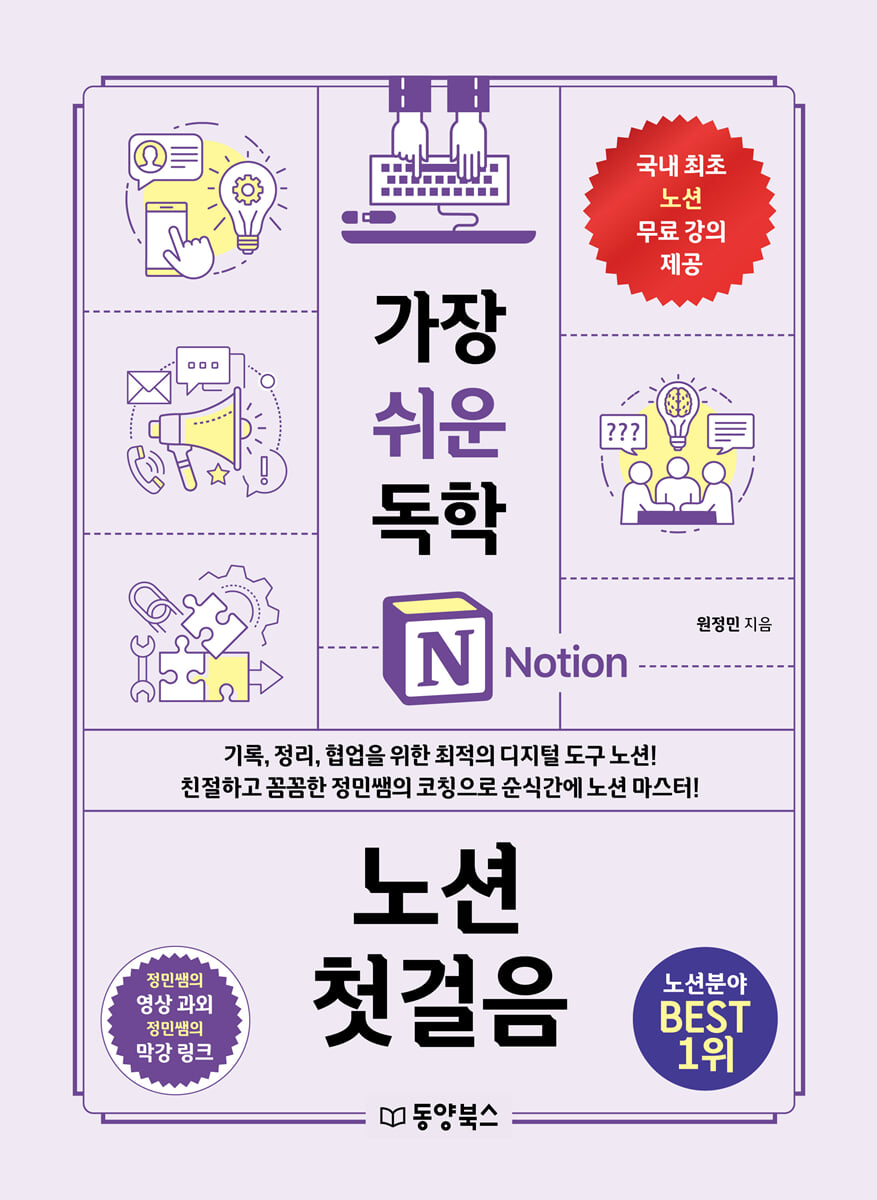
The easiest self-study first step to Notion
 |
Description
Book Introduction
From explanations of key features to video lectures and practical templates.
The world's easiest and most user-friendly Notion guide
Teacher Jeongmin's video lessons, which easily explain Notion's core features, are embedded in QR codes throughout.
It is packed with useful tips that go beyond functionality, right where you need them.
We share practical templates that you can use right away, from financial planning templates to wedding templates.
From how to decorate beautifully to search functions, we've increased its usability with useful tips and tricks.
It's loaded with the latest features, from upgraded formulas to how to use Notion AI.
The world's easiest and most user-friendly Notion guide
Teacher Jeongmin's video lessons, which easily explain Notion's core features, are embedded in QR codes throughout.
It is packed with useful tips that go beyond functionality, right where you need them.
We share practical templates that you can use right away, from financial planning templates to wedding templates.
From how to decorate beautifully to search functions, we've increased its usability with useful tips and tricks.
It's loaded with the latest features, from upgraded formulas to how to use Notion AI.
- You can preview some of the book's contents.
Preview
index
Chapter 1: Getting Started with Notion
01 What is Notion?
Notion, an all-in-one collaboration tool / Notion's emotional design / A database with a completely different appeal from Excel or Hangul / Notion's convenience for organizing work or daily data / Notion's support for connecting with other programs
02 Installing Notion
Sign up for Notion / Install and use it on your computer / Install it on your mobile or tablet / Use Notion on the web
03 Notion Basic Settings
Change language and region / Set theme / Set workspace / Create & delete workspaces by purpose
04 Notion Plan
A quick look at Notion's pricing plans. Does the free personal plan have many limitations? How to use the Plus plan for free with an education account.
Tip 1: Duplicate a Template
Chapter 2: Learning Notion's Basic Features
01 Learn the basic functions
Add pages / Add and change icons / Add and change covers / Subpages / Titles / Transitions / To-do lists, numbered lists, bulleted lists / Toggle lists
02 Decorating the main page
Change color / Split column / Move page / Go to another page / Page-by-page settings / Callout
03 Using various blocks
Math Blocks / Copy Links and Attach Files / Code Blocks / Create a Table of Contents / Sync Blocks / Copy Page Links / Create Simple Tables / Buttons / Dividers / Specify Ranges
Tip 2: Make your page icons look prettier
Chapter 3: Using Notion Properly with Databases
01 Learn the basics of Notion databases with table views.
Creating a Table View / Table View Properties / Database Properties / Must-Know Attribute Features / Sorting, Filtering, and Grouping
02 Notion database in various view formats
Calendar view / Gallery view / Board view / List view / Timeline view / Setting properties to be visible / Adding views to make the most of Notion / Database automation button / Bulk changing property data / Automation / Column fixing
Tip 3: Prepare for Frequent Notion Upgrades
Chapter 4: Learning Collaboration & Sharing Features
01 How to Share
Share/Invite Pages & Grant Permissions
02 The Flower of Collaboration: Mentions and Comments
Mentions / Comments
Tip 4: Everything in Notion is a block!
Chapter 5: Using Excel Like Formulas
01 Formulas and Functions
Basic formulas / Rounding functions / IF functions / Learning the principles of functions / Date functions
02 Linked Database
Create a linked database / Create a custom database
03 Relational Attributes and Rollups
Relational Attributes / Rollups
5 Tips for Understanding the Confusing Linked Database vs. Relational Database Attributes
Chapter 6: How to Use Notion Smarter
01 Print Notion pages as Word documents
Export to PDF
02 Enrich your main page with widgets
indify.co
03 Using Notion AI
Learn about Notion AI / Create the data you want with Notion AI
6 Tips for Using Notion on Your Smartphone or Tablet
Chapter 7: Improving Your Quality of Life with Various Notion Templates
01 Building Your Own Template
My own pretty main page / Daily plan management automation / Reading log / Real estate listing / Personal portfolio / Date calculation template / Membership fee calculation template / Household account book template
02 Daily Organization Template
Restaurant List / Workout Log (Health) / Workout Log (Running) / Smart Shopping Comparison / Class Summary Template
03 Travel Template
Travel Planning / Traveling Places Summary
04 Investment Template
Trading Journal / Asset Management
05 Wedding Preparation Template
Wedding Settlement / Sudme Template / Wedding Day Template
06 Template for Teachers
Digital School Notebook / Collaboration with teachers in the same grade and subject
7 Tips for Finding the Perfect Notion with Search
01 What is Notion?
Notion, an all-in-one collaboration tool / Notion's emotional design / A database with a completely different appeal from Excel or Hangul / Notion's convenience for organizing work or daily data / Notion's support for connecting with other programs
02 Installing Notion
Sign up for Notion / Install and use it on your computer / Install it on your mobile or tablet / Use Notion on the web
03 Notion Basic Settings
Change language and region / Set theme / Set workspace / Create & delete workspaces by purpose
04 Notion Plan
A quick look at Notion's pricing plans. Does the free personal plan have many limitations? How to use the Plus plan for free with an education account.
Tip 1: Duplicate a Template
Chapter 2: Learning Notion's Basic Features
01 Learn the basic functions
Add pages / Add and change icons / Add and change covers / Subpages / Titles / Transitions / To-do lists, numbered lists, bulleted lists / Toggle lists
02 Decorating the main page
Change color / Split column / Move page / Go to another page / Page-by-page settings / Callout
03 Using various blocks
Math Blocks / Copy Links and Attach Files / Code Blocks / Create a Table of Contents / Sync Blocks / Copy Page Links / Create Simple Tables / Buttons / Dividers / Specify Ranges
Tip 2: Make your page icons look prettier
Chapter 3: Using Notion Properly with Databases
01 Learn the basics of Notion databases with table views.
Creating a Table View / Table View Properties / Database Properties / Must-Know Attribute Features / Sorting, Filtering, and Grouping
02 Notion database in various view formats
Calendar view / Gallery view / Board view / List view / Timeline view / Setting properties to be visible / Adding views to make the most of Notion / Database automation button / Bulk changing property data / Automation / Column fixing
Tip 3: Prepare for Frequent Notion Upgrades
Chapter 4: Learning Collaboration & Sharing Features
01 How to Share
Share/Invite Pages & Grant Permissions
02 The Flower of Collaboration: Mentions and Comments
Mentions / Comments
Tip 4: Everything in Notion is a block!
Chapter 5: Using Excel Like Formulas
01 Formulas and Functions
Basic formulas / Rounding functions / IF functions / Learning the principles of functions / Date functions
02 Linked Database
Create a linked database / Create a custom database
03 Relational Attributes and Rollups
Relational Attributes / Rollups
5 Tips for Understanding the Confusing Linked Database vs. Relational Database Attributes
Chapter 6: How to Use Notion Smarter
01 Print Notion pages as Word documents
Export to PDF
02 Enrich your main page with widgets
indify.co
03 Using Notion AI
Learn about Notion AI / Create the data you want with Notion AI
6 Tips for Using Notion on Your Smartphone or Tablet
Chapter 7: Improving Your Quality of Life with Various Notion Templates
01 Building Your Own Template
My own pretty main page / Daily plan management automation / Reading log / Real estate listing / Personal portfolio / Date calculation template / Membership fee calculation template / Household account book template
02 Daily Organization Template
Restaurant List / Workout Log (Health) / Workout Log (Running) / Smart Shopping Comparison / Class Summary Template
03 Travel Template
Travel Planning / Traveling Places Summary
04 Investment Template
Trading Journal / Asset Management
05 Wedding Preparation Template
Wedding Settlement / Sudme Template / Wedding Day Template
06 Template for Teachers
Digital School Notebook / Collaboration with teachers in the same grade and subject
7 Tips for Finding the Perfect Notion with Search
Detailed image

Publisher's Review
Notion, the best digital tool to centralize your records!
From personal records to team collaboration, all in one Notion!
From automated daily plans, reading logs, portfolios, and even financial management, start a fulfilling and fulfilling life with this book today!
One of the key habits of successful people is keeping records.
By writing things down, you can organize things you need to remember for a long time, and the process of writing them down itself can help you remember the information better.
Notion is the best digital tool for centralizing your records.
If you write in Notion, you can search and save data by tab, so there is less chance of getting lost and not knowing what you wrote where.
You can easily organize various links, files, photos, and videos, and you can also change the same data into the desired format, such as a table, gallery, or calendar.
Notion also makes it easy to collaborate by sharing pages with others or granting them editing permissions.
For business purposes, Notion can be used for managing tasks by person in charge, managing tasks, managing schedules, meeting minutes, and organizing various materials. For personal purposes, it can be used for things like sales journals, real estate management, shopping management, exercise records, and gratitude journals. The ways to use Notion are endless.
This book explains the basic functions of Notion in the easiest way possible.
But it doesn't stop at a tool usage manual.
No matter how many great features you have, they are useless if you don't use them.
This book is a practical workbook and practice book that will become yours if you follow it step by step.
Anything that might be confusing or cause questions is organized so that you can supplement or deepen your studies whenever you need to, and video lessons I created myself are included as QR codes throughout.
This book also helps readers create templates that can be used in various fields, such as automated daily plans, reading logs, portfolios, and financial records.
In the process, you will develop the ability to modify templates and plan and create your own templates.
This book also covers Notion's latest features, including automation, upgraded formulas, and Notion AI, to help you use Notion more conveniently.
Notion, the easiest and most systematic way to learn from the basics!
One of the key habits that successful people commonly talk about is keeping records.
By writing things down, you can organize things you need to remember for a long time, and the process of writing them down itself can help you remember the information better.
Notion is the best digital tool for centralizing your records.
Writing in Notion makes it searchable, and because data is saved by tab, you're less likely to get lost and forget what you wrote where.
It is optimized for organizing various links, files, photos, and videos, and you can also convert the same data into the desired format, such as a table, gallery, or calendar.
This book provides detailed and helpful explanations of Notion, from its basic functions to its various uses.
Teacher Jeongmin's video lessons, which easily explain Notion's core features, are available in QR codes everywhere!
Notion is a personal note-taking tool that can be used to improve work efficiency, as well as a productivity and collaboration tool.
Because its usability is so diverse and extensive, it may not be easy to actually use it just by reading the concept and function explanations.
This book contains video lectures, painstakingly produced by the author based on his extensive practical teaching experience, and QR links are included throughout the book.
By watching video lectures and practicing what you've learned from books, you can enjoy a smart daily life using Notion without any obstacles.
It is packed with useful tips that go beyond functionality, right where you need them!
Can I change the email address where the login code is sent later? It's set to English, but when I change the language, it says Korean.
What should I do? How do I restore deleted pages? Are shortcuts different from those in word processors? Can I add emojis to database titles? Even if you've mastered the basic and core functions, you're bound to have questions.
This book anticipates and analyzes readers' various curiosities and provides a wealth of useful tips to neatly answer them.
Sharing practical templates you can use right away, from financial planning templates to wedding templates!
Notion templates are a feature that helps users create the pages they want without spending a lot of time.
You can experience a smarter everyday life by utilizing Notion templates, which include your own homepage, your own website, your own library, your own design reference, and even templates for work and collaboration.
This book shares 22 simple, ready-to-use templates for everyday life, including exercise logs, smart shopping comparisons, asset management, and membership fee calculation templates.
Equipped with the latest features, from upgraded formulas to Notion AI!
Notion can be used like Excel with formulas.
This book details upgraded Notion formulas, as well as relational properties and rollups.
Notion also supports an artificial intelligence program called Notion AI. You can ask questions to the AI and receive answers in any format, such as tables, or request translations to create desired data.
You can request drafts in various forms, such as brainstorming, social media posts, and even coding.
This book thoroughly covers all of Notion's latest features, with practical examples of their use.
Recommended Post (Review of Teacher Jeongmin's Notion Class)
· flo***: Teacher, I'm really impressed ㅠㅠ I'm really looking forward to starting with Notion because it seems like I'll be able to do everything I used to do with GoodNotes, Excel, Hangul, and even analog paper..!!
· ny***: All I knew about Notion was the name, but thank you for teaching me step-by-step, starting from the very basics, like changing the name.
Thanks to this, I think I'll be able to easily organize the class materials and plans that were scattered across my post-it notes and notepads. ^^
· hyu***: I needed something to organize my complicated life with work and personal matters.
I tried organizing things by category in my diary and even color-coding them, but I didn't really like anything.
I was wondering if Notion would help me manage my time and absurdity, but it's completely fascinating.
Because you can organize it neatly as needed.
I also introduced it to the teachers around me.
· ami***: Organizing all this data, files, and schedules was always a struggle, so thank you so much!! The explanations were easy to follow~○○
· ko*** : This is really very useful.
I had so much data that I didn't know how to organize it, but Notion is the best.
Learning like this is so much fun right now.
I can't believe I'm having so much fun listening to this even though it's Sunday... Thank you so much, teacher.
· win***: Teacher!!!! This was so helpful!!!!!! I'm addicted to writing, and I think I'll finally be able to neatly organize all the scattered notes I've kept on my Naver blog, Somnote, diary, etc.
I will make each day more productive based on what I learned today. Thank you for the kind explanation.
· rain***: I think I can throw away my diary right now.
The biggest advantage is that it is interoperable, but it is so difficult that I have never even dared to try it.
Thank you for your kind and detailed explanation!
· kim***: I heard that Notion is widely used in companies, so I wanted to try it out, but I was too overwhelmed to try it on my own.
And I was always dissatisfied with the notebook format that I didn't like, so I used to manage my to-do list, diary, etc. here and there using memo widgets and other methods, but this was really practical and helpful.
Recommended Post (Jeongmin Teacher's YouTube Comment)
· seong***: Thanks to you, I'm starting to grasp the concept, so I think I'll be able to build what I want soon.
Thank you so much for the detailed explanation.
· alex***: It was simple and easy to understand with good examples.
thank you
· eslk*** : Wow, this is the best Notion explanation video I've ever seen.
thank you!
· miss***: I watched the whole video.
I think it's really helpful and explains everything you need to know.
The relational and rollup videos in particular were really helpful to me.
thank you
· sewon***: I had a headache because I didn't understand the roll-up, but I understood it in one go~ Thank you.
· you*** : I'm new to Notion...
It was a huge help.
My teacher recommended it to me, and it's the best!
· terry***: This is the best Notion lecture!!
· hy***: I'm just getting started with Notion and I'm studying, and I finally found the horizontal calculation video I was looking for.
I found it really useful.
· skr***: I am really enjoying the lecture.
I think I've found the right course for me.
I am following along and studying hard.
Until the day we conquer the database^^
· ck8***: I learned this from another YouTuber with difficulty and am currently studying it for review. The easy-to-understand explanations are really helpful! Thank you.
· nb***: You explain really well~ I'm listening with admiration^^ Thank you for the great video~
· the***: This is a useful tip! I've been sharing materials with my colleagues for a year now, and I plan to use it again starting in March.
I'm learning a lot from watching the videos you uploaded^^
· mo***: I am a beginner in Notion.
Thank you for explaining the concept of embed so well :) I think it can be used in many ways.
From personal records to team collaboration, all in one Notion!
From automated daily plans, reading logs, portfolios, and even financial management, start a fulfilling and fulfilling life with this book today!
One of the key habits of successful people is keeping records.
By writing things down, you can organize things you need to remember for a long time, and the process of writing them down itself can help you remember the information better.
Notion is the best digital tool for centralizing your records.
If you write in Notion, you can search and save data by tab, so there is less chance of getting lost and not knowing what you wrote where.
You can easily organize various links, files, photos, and videos, and you can also change the same data into the desired format, such as a table, gallery, or calendar.
Notion also makes it easy to collaborate by sharing pages with others or granting them editing permissions.
For business purposes, Notion can be used for managing tasks by person in charge, managing tasks, managing schedules, meeting minutes, and organizing various materials. For personal purposes, it can be used for things like sales journals, real estate management, shopping management, exercise records, and gratitude journals. The ways to use Notion are endless.
This book explains the basic functions of Notion in the easiest way possible.
But it doesn't stop at a tool usage manual.
No matter how many great features you have, they are useless if you don't use them.
This book is a practical workbook and practice book that will become yours if you follow it step by step.
Anything that might be confusing or cause questions is organized so that you can supplement or deepen your studies whenever you need to, and video lessons I created myself are included as QR codes throughout.
This book also helps readers create templates that can be used in various fields, such as automated daily plans, reading logs, portfolios, and financial records.
In the process, you will develop the ability to modify templates and plan and create your own templates.
This book also covers Notion's latest features, including automation, upgraded formulas, and Notion AI, to help you use Notion more conveniently.
Notion, the easiest and most systematic way to learn from the basics!
One of the key habits that successful people commonly talk about is keeping records.
By writing things down, you can organize things you need to remember for a long time, and the process of writing them down itself can help you remember the information better.
Notion is the best digital tool for centralizing your records.
Writing in Notion makes it searchable, and because data is saved by tab, you're less likely to get lost and forget what you wrote where.
It is optimized for organizing various links, files, photos, and videos, and you can also convert the same data into the desired format, such as a table, gallery, or calendar.
This book provides detailed and helpful explanations of Notion, from its basic functions to its various uses.
Teacher Jeongmin's video lessons, which easily explain Notion's core features, are available in QR codes everywhere!
Notion is a personal note-taking tool that can be used to improve work efficiency, as well as a productivity and collaboration tool.
Because its usability is so diverse and extensive, it may not be easy to actually use it just by reading the concept and function explanations.
This book contains video lectures, painstakingly produced by the author based on his extensive practical teaching experience, and QR links are included throughout the book.
By watching video lectures and practicing what you've learned from books, you can enjoy a smart daily life using Notion without any obstacles.
It is packed with useful tips that go beyond functionality, right where you need them!
Can I change the email address where the login code is sent later? It's set to English, but when I change the language, it says Korean.
What should I do? How do I restore deleted pages? Are shortcuts different from those in word processors? Can I add emojis to database titles? Even if you've mastered the basic and core functions, you're bound to have questions.
This book anticipates and analyzes readers' various curiosities and provides a wealth of useful tips to neatly answer them.
Sharing practical templates you can use right away, from financial planning templates to wedding templates!
Notion templates are a feature that helps users create the pages they want without spending a lot of time.
You can experience a smarter everyday life by utilizing Notion templates, which include your own homepage, your own website, your own library, your own design reference, and even templates for work and collaboration.
This book shares 22 simple, ready-to-use templates for everyday life, including exercise logs, smart shopping comparisons, asset management, and membership fee calculation templates.
Equipped with the latest features, from upgraded formulas to Notion AI!
Notion can be used like Excel with formulas.
This book details upgraded Notion formulas, as well as relational properties and rollups.
Notion also supports an artificial intelligence program called Notion AI. You can ask questions to the AI and receive answers in any format, such as tables, or request translations to create desired data.
You can request drafts in various forms, such as brainstorming, social media posts, and even coding.
This book thoroughly covers all of Notion's latest features, with practical examples of their use.
Recommended Post (Review of Teacher Jeongmin's Notion Class)
· flo***: Teacher, I'm really impressed ㅠㅠ I'm really looking forward to starting with Notion because it seems like I'll be able to do everything I used to do with GoodNotes, Excel, Hangul, and even analog paper..!!
· ny***: All I knew about Notion was the name, but thank you for teaching me step-by-step, starting from the very basics, like changing the name.
Thanks to this, I think I'll be able to easily organize the class materials and plans that were scattered across my post-it notes and notepads. ^^
· hyu***: I needed something to organize my complicated life with work and personal matters.
I tried organizing things by category in my diary and even color-coding them, but I didn't really like anything.
I was wondering if Notion would help me manage my time and absurdity, but it's completely fascinating.
Because you can organize it neatly as needed.
I also introduced it to the teachers around me.
· ami***: Organizing all this data, files, and schedules was always a struggle, so thank you so much!! The explanations were easy to follow~○○
· ko*** : This is really very useful.
I had so much data that I didn't know how to organize it, but Notion is the best.
Learning like this is so much fun right now.
I can't believe I'm having so much fun listening to this even though it's Sunday... Thank you so much, teacher.
· win***: Teacher!!!! This was so helpful!!!!!! I'm addicted to writing, and I think I'll finally be able to neatly organize all the scattered notes I've kept on my Naver blog, Somnote, diary, etc.
I will make each day more productive based on what I learned today. Thank you for the kind explanation.
· rain***: I think I can throw away my diary right now.
The biggest advantage is that it is interoperable, but it is so difficult that I have never even dared to try it.
Thank you for your kind and detailed explanation!
· kim***: I heard that Notion is widely used in companies, so I wanted to try it out, but I was too overwhelmed to try it on my own.
And I was always dissatisfied with the notebook format that I didn't like, so I used to manage my to-do list, diary, etc. here and there using memo widgets and other methods, but this was really practical and helpful.
Recommended Post (Jeongmin Teacher's YouTube Comment)
· seong***: Thanks to you, I'm starting to grasp the concept, so I think I'll be able to build what I want soon.
Thank you so much for the detailed explanation.
· alex***: It was simple and easy to understand with good examples.
thank you
· eslk*** : Wow, this is the best Notion explanation video I've ever seen.
thank you!
· miss***: I watched the whole video.
I think it's really helpful and explains everything you need to know.
The relational and rollup videos in particular were really helpful to me.
thank you
· sewon***: I had a headache because I didn't understand the roll-up, but I understood it in one go~ Thank you.
· you*** : I'm new to Notion...
It was a huge help.
My teacher recommended it to me, and it's the best!
· terry***: This is the best Notion lecture!!
· hy***: I'm just getting started with Notion and I'm studying, and I finally found the horizontal calculation video I was looking for.
I found it really useful.
· skr***: I am really enjoying the lecture.
I think I've found the right course for me.
I am following along and studying hard.
Until the day we conquer the database^^
· ck8***: I learned this from another YouTuber with difficulty and am currently studying it for review. The easy-to-understand explanations are really helpful! Thank you.
· nb***: You explain really well~ I'm listening with admiration^^ Thank you for the great video~
· the***: This is a useful tip! I've been sharing materials with my colleagues for a year now, and I plan to use it again starting in March.
I'm learning a lot from watching the videos you uploaded^^
· mo***: I am a beginner in Notion.
Thank you for explaining the concept of embed so well :) I think it can be used in many ways.
GOODS SPECIFICS
- Date of issue: December 20, 2023
- Page count, weight, size: 304 pages | 648g | 188*257*14mm
- ISBN13: 9791157689927
- ISBN10: 1157689922
You may also like
카테고리
korean


korean

![GQ KOREA Mark (Monthly): December [2025]](http://librairie.coreenne.fr/cdn/shop/files/8ef265dbbfbf186523ed75ba7319009d.jpg?v=1765340328&width=3840)


