

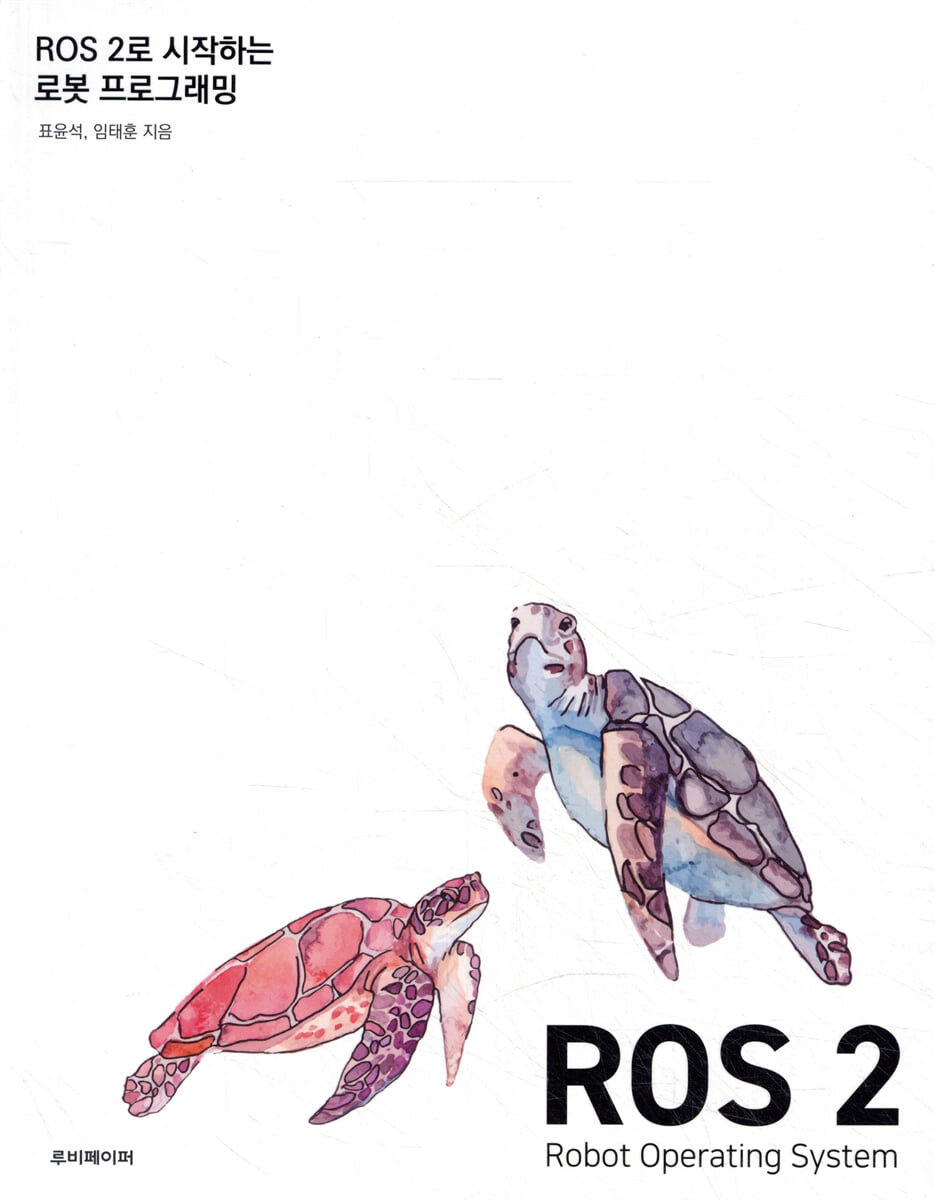
Robot Programming Starting with ROS 2
 |
Description
Book Introduction
This book is a ROS robot programming guide written by the authors, who are developers of TurtleBot3, the official ROS platform, and robotics engineers who have worked on ROS-based projects for over 10 years, based on their practical experience and community activities.
We reflected readers' learning objectives and opinions through feedback received from various training sessions, seminars, and open lectures held in the Korean ROS community.
"ROS 2 Robot Programming" is an updated version of "ROS Robot Programming," published in 2015. For readers new to robot programming with ROS 2, the book breaks down the content into sections: Introduction to ROS, Basic ROS 2 Programming, and Advanced ROS 2 Programming.
It also faithfully contains everything about ROS 2 programming for existing developers who used ROS 1.
We hope this book will lead you on an enjoyable journey with ROS 2 and lead to the creation of some amazing ROS-based robots.
We reflected readers' learning objectives and opinions through feedback received from various training sessions, seminars, and open lectures held in the Korean ROS community.
"ROS 2 Robot Programming" is an updated version of "ROS Robot Programming," published in 2015. For readers new to robot programming with ROS 2, the book breaks down the content into sections: Introduction to ROS, Basic ROS 2 Programming, and Advanced ROS 2 Programming.
It also faithfully contains everything about ROS 2 programming for existing developers who used ROS 1.
We hope this book will lead you on an enjoyable journey with ROS 2 and lead to the creation of some amazing ROS-based robots.
index
Part 1: Introduction to ROS 2
Chapter 1: Introduction to ROS 2
__1.1.
Tools for robot development
__1.2.
meta operating system
__1.3. Purpose of ROS
__1.4. ROS configuration
__1.5. History of ROS
__1.6. ROS version
__1.7.
Version cycle
__1.8.
Select version
Chapter 2: Information Required for ROS 2-Based Robot Development
__2.1.
Community-centered development culture
__2.2.
Favorite ROS 2 information and development resources
__2.3. ROS Community Bulletin Board
__2.4. ROS Documentation
__2.5. ROS 2 source code
__2.6. ROS 2 Package Distribution Status
__2.7. ROS Questions and Answers
__2.8.
etc
Chapter 3: Building a ROS 2 Development Environment
__3.1.
Development environment
__3.2.
Install the basic operating system
__3.3.
Installing the robot operating system
__3.4. Installing ROS development tools
__3.5. ROS 2 build test
__3.6.
Set Run commands
__3.7.
Installing an integrated development environment (IDE)
__3.8. ROS 2 removal
Chapter 4: Why should we move to ROS 2?
__4.1.
Why should I move to ROS 2?
__4.2.
The trend is now ROS 2!
Chapter 5: Key Concepts of ROS 2
__5.1.
Why ROS 2?
Chapter 6: Features of ROS 2 as seen through the differences between ROS 1 and 2
__6.1. The Need for ROS 2 Development
__6.2. Differences between ROS 1 and ROS 2
__6.3. Features of ROS 2
Chapter 7 ROS 2 and DDS
__7.1. ROS 2 and DDS
__7.2. What is DDS?
__7.3. Features of DDS
__7.4. Usage in ROS
Chapter 8 DDS QoS
__8.1. DDS Quality of Service (QoS)
__8.2.
Types of QoS
__8.3. QoS options used in ROS 2
__8.4.
Using rmw_qos_profile and using user QoS profiles
__8.5.
QoS test
Chapter 9: Installing Packages and Running Node
__9.1.
Installing the Turtlesim package
__9.2.
What is Turtlesim?
__9.3.
Turtlesim package and nodes
__9.4.
Running nodes in the Turtlesim package
__9.5.
Query nodes, topics, services, and actions
__9.6.
Graph view of nodes and topics with rqt_graph
Chapter 10: ROS 2 Nodes and Data Communication
__10.1.
Node and message communication
__10.2.
Run node (ros2 run)
__10.3.
Node list (ros2 node list)
__10.4.
Node information (ros2 node info)
Chapter 11 ROS 2 Topics
__11.1.
Topic
__11.2.
Check the topic list (ros2 topic list)
__11.3.
Check topic information (ros2 topic info)
__11.4.
Check topic contents (ros2 topic echo)
__11.5.
Check topic bandwidth (ros2 topic bw)
__11.6.
Check topic cycle (ros2 topic hz)
__11.7.
Check topic delay (ros2 topic delay)
__11.8.
Topic Publish (ros2 topic pub)
__11.9.
bag record (ros2 bag record)
__11.10.
bag information (ros2 bag info)
__11.11.
bag play (ros2 bag play)
Chapter 12 ROS 2 Services
__12.1.
service
__12.2.
Check the service list (ros2 service list)
__12.3.
Check service type (ros2 service type)
__12.4.
Find Service (ros2 service find)
__12.5.
Service request (ros2 service call)
Chapter 13 ROS 2 Actions
__13.1.
Action
__13.2.
Action Server and Client
__13.3.
Node information (ros2 node info)
__13.4.
Action list (ros2 action list -t)
__13.5.
Action information (ros2 action info)
__13.6.
Communicate action goals
Chapter 14 ROS 2 Interface
__14.1. ROS 2 Interface
__14.2.
Message interface (msg)
__14.3.
Service interface (srv)
__14.4.
Action interface (action)
Chapter 15: Summary and Comparison of ROS 2 Topics/Services/Actions
__15.1.
Compare topics, services, and actions
Chapter 16 ROS 2 Parameters
__16.1.
Parameters
__16.2.
Check the parameter list (ros2 param list)
__16.3.
Check parameter contents (ros2 param describe)
__16.4.
Reading parameters (ros2 param get)
__16.5.
Write parameters (ros2 param set)
__16.6.
Saving parameters (ros2 param dump)
__16.7.
Delete parameter (ros2 param delete)
Chapter 17 ROS 2 Tools and CLI Commands
__17.1. ROS Tools
__17.2. ROS 2 CLI Commands
__17.3. How to use ROS 2 CLI
__17.4. ROS 2 CLI types and functions of each sub-verb
__17.5.
ROS 2 CLI is under continuous development
Chapter 18: RQt for ROS 2 GUI Development
__18.1. RQt, a comprehensive GUI tool for ROS
__18.2. RQt Framework
__18.3. Installing and Running RQt
__18.4. Types of RQt plugins
__18.5. Example of using RQt
__18.6. ROS CLI and GUI tools
Chapter 19 Standard Units of ROS 2
__19.1. The need for standard units in ROS 2
__19.2. Standard units of ROS 2
__19.3. Using standard units in ROS 2
Chapter 20 Coordinate Representation in ROS 2
__20.1. The need for unification of coordinate representation in ROS 2
__20.2.
Basic rules for representing coordinates
__20.3.
Axis Orientation Rules for Coordinate Representation
__20.4.
Rotation representation rules for coordinate representation
Chapter 21: Time in ROS 2
__21.1.
Clock and Time
__21.2.
Time Abstractions
__21.3.
Time API
Chapter 22 ROS 2's File System
__22.1.
file system
__22.2.
Packages and metapackages
__22.3.
Binary installation and source code installation
__22.4.
Default installation folder and user work folder
Chapter 23: ROS 2's Build System and Build Tools
__23.1.
Build systems and build tools
__23.2.
Build system
__23.3.
Build tools
__23.4.
Create a package
__23.5.
Build the package
__23.6.
Additional features required for the build system
Chapter 24 ROS 2 Package Files
__24.1.
package file
__24.2.
Package configuration file (package.xml)
__24.3.
Build settings file (CMakeLists.txt)
__24.4.
Python package configuration file (setup.py)
__24.5.
Python package configuration file (setup.cfg)
__24.6. RQt plugin configuration file (plugin.xml)
__24.7.
Package change log file (CHANGELOG.rst)
__24.8.
License file (LICENSE)
__24.9.
Package description file (README.md)
Part 2: ROS 2 Basic Programming
Chapter 1 ROS Programming Rules (Code Style)
__1.1.
Code Style Guide
__1.2.
Basic naming rules
__1.3.
C++ Style
__1.4.
Python Style
__1.5.
Other languages
Chapter 2: ROS Programming Basics (Python)
__2.1. Hello World of ROS, rclpy version
__2.2.
Create a package
__2.3.
Package settings
__2.4.
Creating a publisher node
__2.5.
Creating a subscriber node
__2.6.
Build
__2.7.
execution
Chapter 3 ROS Programming Basics (C++)
__3.1. Hello World of ROS, rclcpp version
__3.2.
Create a package
__3.3.
Package settings
__3.4.
Creating a publisher node
__3.5.
Creating a subscriber node
__3.6.
Build
__3.7.
execution
Chapter 4 ROS 2 Tips
__4.1.
setup script
__4.2.
setup.bash vs local_setup.bash
__4.3.
colcon_cd
__4.4. ROS_DOMAIN_ID vs Namespace
__4.5.
Added auto-completion for colcon and vcstool commands.
Chapter 5: Topic, Service, and Action Interfaces
__5.1. Creating a new ROS 2 interface
__5.2.
Creating an interface package
__5.3.
Package configuration file (package.xml)
__5.4.
Build settings file (CMakeLists.txt)
__5.5.
Build
Chapter 6 ROS 2 Package Design (Python)
__6.1.
Package design
__6.2.
Create a node
__6.3.
Package configuration file (package.xml)
__6.4.
Python package configuration file (setup.py)
__6.5.
Download and build the source code
__6.6.
execution
Chapter 7 Topic Programming (Python)
__7.1.
Topic
__7.2.
Topic Publisher Code
__7.3.
Topic Subscriber Code
__7.4.
Node execution code
Chapter 8 Service Programming (Python)
__8.1.
service
__8.2.
Service server code
__8.3.
Service client code
__8.4.
Node execution code
Chapter 9 Action Programming (Python)
__9.1.
Action
__9.2.
Action Server Code
__9.3.
Action client code
__9.4.
Node execution code
Chapter 10: Parametric Programming (Python)
__10.1.
Parameters
__10.2.
Parameter settings
__10.3.
How to use parameters (CLI)
__10.4.
How to use parameters (service client)
__10.5.
How to set basic parameters
Chapter 11: Programming Execution Arguments (Python)
__11.1.
Execution arguments
__11.2. Handling execution arguments in ROS 2
__11.3.
Parsing the syntax of execution arguments
Chapter 12 ROS 2 Package Design (C++)
__12.1.
Package design
__12.2.
Create a node
__12.3.
Package configuration file (package.xml)
__12.4.
Build settings file (CMakeLists.txt)
__12.5.
Download source code and build
__12.6.
execution
Chapter 13 Topic Programming (C++)
__13.1.
Topic
__13.2.
Topic Publisher Code
__13.3.
Topic Subscriber Code
__13.4.
Node execution code
Chapter 14 Service Programming (C++)
__14.1.
service
__14.2.
Service server code
__14.3.
Service client code
__14.4.
Node execution code
Chapter 15 Action Programming (C++)
__15.1.
Action
__15.2.
Action Server Code
__15.3.
Action client code
__15.4.
Node execution code
Chapter 16: Parameter Programming (C++)
__16.1.
Parameters
__16.2.
Parameter Server and Initialization
__16.3.
Parameter Client
Chapter 17: Programming Execution Arguments (C++)
__17.1.
Execution arguments
__17.2.
Execution argument code
__17.3. ROS 2 parameters and execution arguments
Chapter 18: Launch Programming (Python, C++)
__18.1. ROS 2 Launch System
__18.2.
Create launch
__18.3.
Build the package
Part 3: Advanced ROS 2 Programming
Chapter 1 Logging
__1.1.
Log
__1.2.
Log settings
__1.3.
Example code
Chapter 2 ROS 2 CLI
__2.1. ROS 2 CLI
__2.2. ROS 2 CLI Practice
__2.3. Quick start of ROS 2 CLI
__2.4. Using ROS arguments in CLI commands
__2.5.
How to write a new ROS 2 CLI
Chapter 3 Intra-process communication
__3.1. ROS Node and Nodelets
__3.2.
Intra-procedures communication
__3.3.
Demo code
Chapter 4 QoS
__4.1.
QoS (Quality of Service)
__4.2.
QoS settings for Topic, Service, and Action
__4.3.
QoS practice
__4.4.
Useful QoS Examples
Chapter 5 Components
__5.1.
Static linking and dynamic linking
__5.2.
Dynamic Loading and ROS 2 Components
__5.3.
Demo code
__5.4.
How to run
Chapter 6 RQt plugin
__6.1. RQt
__6.2. RQt plugin
__6.3. RQt development environment
__6.4. RQt plugin writing order
__6.5. Structure of the RQt example
__6.6. Looking at the RQt example UI
__6.7. Examining the RQt Example Settings File
__6.8. Examining the RQt example source code
__6.9. Running the RQt plugin example
__6.10.
Running an example of integrating with other nodes and RQt plugins
Chapter 7 Lifecycle
__7.1.
Node Management
__7.2.
Lifecycle
__7.3.
Demo code
Chapter 8 Security
__8.1. Security in ROS 2
__8.2. SROS2 (Secure Robot Operating System 2)
__8.3. Authentication, Access Control, and Encryption Features of ROS 2
__8.4.
Security vs. Performance
__8.5. ROS 2 Robotic Systems Threat Model
Chapter 9 Real-time
__9.1.
Definition of Real-time
__9.2.
Background knowledge about real-time
__9.3. ROS 2 Real-time
__9.4.
Demo code
Chapter 1: Introduction to ROS 2
__1.1.
Tools for robot development
__1.2.
meta operating system
__1.3. Purpose of ROS
__1.4. ROS configuration
__1.5. History of ROS
__1.6. ROS version
__1.7.
Version cycle
__1.8.
Select version
Chapter 2: Information Required for ROS 2-Based Robot Development
__2.1.
Community-centered development culture
__2.2.
Favorite ROS 2 information and development resources
__2.3. ROS Community Bulletin Board
__2.4. ROS Documentation
__2.5. ROS 2 source code
__2.6. ROS 2 Package Distribution Status
__2.7. ROS Questions and Answers
__2.8.
etc
Chapter 3: Building a ROS 2 Development Environment
__3.1.
Development environment
__3.2.
Install the basic operating system
__3.3.
Installing the robot operating system
__3.4. Installing ROS development tools
__3.5. ROS 2 build test
__3.6.
Set Run commands
__3.7.
Installing an integrated development environment (IDE)
__3.8. ROS 2 removal
Chapter 4: Why should we move to ROS 2?
__4.1.
Why should I move to ROS 2?
__4.2.
The trend is now ROS 2!
Chapter 5: Key Concepts of ROS 2
__5.1.
Why ROS 2?
Chapter 6: Features of ROS 2 as seen through the differences between ROS 1 and 2
__6.1. The Need for ROS 2 Development
__6.2. Differences between ROS 1 and ROS 2
__6.3. Features of ROS 2
Chapter 7 ROS 2 and DDS
__7.1. ROS 2 and DDS
__7.2. What is DDS?
__7.3. Features of DDS
__7.4. Usage in ROS
Chapter 8 DDS QoS
__8.1. DDS Quality of Service (QoS)
__8.2.
Types of QoS
__8.3. QoS options used in ROS 2
__8.4.
Using rmw_qos_profile and using user QoS profiles
__8.5.
QoS test
Chapter 9: Installing Packages and Running Node
__9.1.
Installing the Turtlesim package
__9.2.
What is Turtlesim?
__9.3.
Turtlesim package and nodes
__9.4.
Running nodes in the Turtlesim package
__9.5.
Query nodes, topics, services, and actions
__9.6.
Graph view of nodes and topics with rqt_graph
Chapter 10: ROS 2 Nodes and Data Communication
__10.1.
Node and message communication
__10.2.
Run node (ros2 run)
__10.3.
Node list (ros2 node list)
__10.4.
Node information (ros2 node info)
Chapter 11 ROS 2 Topics
__11.1.
Topic
__11.2.
Check the topic list (ros2 topic list)
__11.3.
Check topic information (ros2 topic info)
__11.4.
Check topic contents (ros2 topic echo)
__11.5.
Check topic bandwidth (ros2 topic bw)
__11.6.
Check topic cycle (ros2 topic hz)
__11.7.
Check topic delay (ros2 topic delay)
__11.8.
Topic Publish (ros2 topic pub)
__11.9.
bag record (ros2 bag record)
__11.10.
bag information (ros2 bag info)
__11.11.
bag play (ros2 bag play)
Chapter 12 ROS 2 Services
__12.1.
service
__12.2.
Check the service list (ros2 service list)
__12.3.
Check service type (ros2 service type)
__12.4.
Find Service (ros2 service find)
__12.5.
Service request (ros2 service call)
Chapter 13 ROS 2 Actions
__13.1.
Action
__13.2.
Action Server and Client
__13.3.
Node information (ros2 node info)
__13.4.
Action list (ros2 action list -t)
__13.5.
Action information (ros2 action info)
__13.6.
Communicate action goals
Chapter 14 ROS 2 Interface
__14.1. ROS 2 Interface
__14.2.
Message interface (msg)
__14.3.
Service interface (srv)
__14.4.
Action interface (action)
Chapter 15: Summary and Comparison of ROS 2 Topics/Services/Actions
__15.1.
Compare topics, services, and actions
Chapter 16 ROS 2 Parameters
__16.1.
Parameters
__16.2.
Check the parameter list (ros2 param list)
__16.3.
Check parameter contents (ros2 param describe)
__16.4.
Reading parameters (ros2 param get)
__16.5.
Write parameters (ros2 param set)
__16.6.
Saving parameters (ros2 param dump)
__16.7.
Delete parameter (ros2 param delete)
Chapter 17 ROS 2 Tools and CLI Commands
__17.1. ROS Tools
__17.2. ROS 2 CLI Commands
__17.3. How to use ROS 2 CLI
__17.4. ROS 2 CLI types and functions of each sub-verb
__17.5.
ROS 2 CLI is under continuous development
Chapter 18: RQt for ROS 2 GUI Development
__18.1. RQt, a comprehensive GUI tool for ROS
__18.2. RQt Framework
__18.3. Installing and Running RQt
__18.4. Types of RQt plugins
__18.5. Example of using RQt
__18.6. ROS CLI and GUI tools
Chapter 19 Standard Units of ROS 2
__19.1. The need for standard units in ROS 2
__19.2. Standard units of ROS 2
__19.3. Using standard units in ROS 2
Chapter 20 Coordinate Representation in ROS 2
__20.1. The need for unification of coordinate representation in ROS 2
__20.2.
Basic rules for representing coordinates
__20.3.
Axis Orientation Rules for Coordinate Representation
__20.4.
Rotation representation rules for coordinate representation
Chapter 21: Time in ROS 2
__21.1.
Clock and Time
__21.2.
Time Abstractions
__21.3.
Time API
Chapter 22 ROS 2's File System
__22.1.
file system
__22.2.
Packages and metapackages
__22.3.
Binary installation and source code installation
__22.4.
Default installation folder and user work folder
Chapter 23: ROS 2's Build System and Build Tools
__23.1.
Build systems and build tools
__23.2.
Build system
__23.3.
Build tools
__23.4.
Create a package
__23.5.
Build the package
__23.6.
Additional features required for the build system
Chapter 24 ROS 2 Package Files
__24.1.
package file
__24.2.
Package configuration file (package.xml)
__24.3.
Build settings file (CMakeLists.txt)
__24.4.
Python package configuration file (setup.py)
__24.5.
Python package configuration file (setup.cfg)
__24.6. RQt plugin configuration file (plugin.xml)
__24.7.
Package change log file (CHANGELOG.rst)
__24.8.
License file (LICENSE)
__24.9.
Package description file (README.md)
Part 2: ROS 2 Basic Programming
Chapter 1 ROS Programming Rules (Code Style)
__1.1.
Code Style Guide
__1.2.
Basic naming rules
__1.3.
C++ Style
__1.4.
Python Style
__1.5.
Other languages
Chapter 2: ROS Programming Basics (Python)
__2.1. Hello World of ROS, rclpy version
__2.2.
Create a package
__2.3.
Package settings
__2.4.
Creating a publisher node
__2.5.
Creating a subscriber node
__2.6.
Build
__2.7.
execution
Chapter 3 ROS Programming Basics (C++)
__3.1. Hello World of ROS, rclcpp version
__3.2.
Create a package
__3.3.
Package settings
__3.4.
Creating a publisher node
__3.5.
Creating a subscriber node
__3.6.
Build
__3.7.
execution
Chapter 4 ROS 2 Tips
__4.1.
setup script
__4.2.
setup.bash vs local_setup.bash
__4.3.
colcon_cd
__4.4. ROS_DOMAIN_ID vs Namespace
__4.5.
Added auto-completion for colcon and vcstool commands.
Chapter 5: Topic, Service, and Action Interfaces
__5.1. Creating a new ROS 2 interface
__5.2.
Creating an interface package
__5.3.
Package configuration file (package.xml)
__5.4.
Build settings file (CMakeLists.txt)
__5.5.
Build
Chapter 6 ROS 2 Package Design (Python)
__6.1.
Package design
__6.2.
Create a node
__6.3.
Package configuration file (package.xml)
__6.4.
Python package configuration file (setup.py)
__6.5.
Download and build the source code
__6.6.
execution
Chapter 7 Topic Programming (Python)
__7.1.
Topic
__7.2.
Topic Publisher Code
__7.3.
Topic Subscriber Code
__7.4.
Node execution code
Chapter 8 Service Programming (Python)
__8.1.
service
__8.2.
Service server code
__8.3.
Service client code
__8.4.
Node execution code
Chapter 9 Action Programming (Python)
__9.1.
Action
__9.2.
Action Server Code
__9.3.
Action client code
__9.4.
Node execution code
Chapter 10: Parametric Programming (Python)
__10.1.
Parameters
__10.2.
Parameter settings
__10.3.
How to use parameters (CLI)
__10.4.
How to use parameters (service client)
__10.5.
How to set basic parameters
Chapter 11: Programming Execution Arguments (Python)
__11.1.
Execution arguments
__11.2. Handling execution arguments in ROS 2
__11.3.
Parsing the syntax of execution arguments
Chapter 12 ROS 2 Package Design (C++)
__12.1.
Package design
__12.2.
Create a node
__12.3.
Package configuration file (package.xml)
__12.4.
Build settings file (CMakeLists.txt)
__12.5.
Download source code and build
__12.6.
execution
Chapter 13 Topic Programming (C++)
__13.1.
Topic
__13.2.
Topic Publisher Code
__13.3.
Topic Subscriber Code
__13.4.
Node execution code
Chapter 14 Service Programming (C++)
__14.1.
service
__14.2.
Service server code
__14.3.
Service client code
__14.4.
Node execution code
Chapter 15 Action Programming (C++)
__15.1.
Action
__15.2.
Action Server Code
__15.3.
Action client code
__15.4.
Node execution code
Chapter 16: Parameter Programming (C++)
__16.1.
Parameters
__16.2.
Parameter Server and Initialization
__16.3.
Parameter Client
Chapter 17: Programming Execution Arguments (C++)
__17.1.
Execution arguments
__17.2.
Execution argument code
__17.3. ROS 2 parameters and execution arguments
Chapter 18: Launch Programming (Python, C++)
__18.1. ROS 2 Launch System
__18.2.
Create launch
__18.3.
Build the package
Part 3: Advanced ROS 2 Programming
Chapter 1 Logging
__1.1.
Log
__1.2.
Log settings
__1.3.
Example code
Chapter 2 ROS 2 CLI
__2.1. ROS 2 CLI
__2.2. ROS 2 CLI Practice
__2.3. Quick start of ROS 2 CLI
__2.4. Using ROS arguments in CLI commands
__2.5.
How to write a new ROS 2 CLI
Chapter 3 Intra-process communication
__3.1. ROS Node and Nodelets
__3.2.
Intra-procedures communication
__3.3.
Demo code
Chapter 4 QoS
__4.1.
QoS (Quality of Service)
__4.2.
QoS settings for Topic, Service, and Action
__4.3.
QoS practice
__4.4.
Useful QoS Examples
Chapter 5 Components
__5.1.
Static linking and dynamic linking
__5.2.
Dynamic Loading and ROS 2 Components
__5.3.
Demo code
__5.4.
How to run
Chapter 6 RQt plugin
__6.1. RQt
__6.2. RQt plugin
__6.3. RQt development environment
__6.4. RQt plugin writing order
__6.5. Structure of the RQt example
__6.6. Looking at the RQt example UI
__6.7. Examining the RQt Example Settings File
__6.8. Examining the RQt example source code
__6.9. Running the RQt plugin example
__6.10.
Running an example of integrating with other nodes and RQt plugins
Chapter 7 Lifecycle
__7.1.
Node Management
__7.2.
Lifecycle
__7.3.
Demo code
Chapter 8 Security
__8.1. Security in ROS 2
__8.2. SROS2 (Secure Robot Operating System 2)
__8.3. Authentication, Access Control, and Encryption Features of ROS 2
__8.4.
Security vs. Performance
__8.5. ROS 2 Robotic Systems Threat Model
Chapter 9 Real-time
__9.1.
Definition of Real-time
__9.2.
Background knowledge about real-time
__9.3. ROS 2 Real-time
__9.4.
Demo code
Publisher's Review
What this book covers
- What is ROS?
- Introduction to important concepts and features of ROS 2, topics, services, actions, parameters, and the build system.
- ROS 2 Basic Programming (Learn basic programming from code style to topics, services, actions, parameters, etc.)
- Advanced ROS 2 Programming (Learn advanced features of ROS 2 such as logging, CLI, GUI, QoS, Component, Life cycle, and Security)
A word from readers
If you're studying ROS, this is the #1 must-read! I'm grateful to the authors for their hard work in creating this book, which provides a comprehensive overview of ROS 2, following the success of ROS 1.
- Kim Jae-hoon -
I had a really hard time learning ROS because there weren't many resources and it was difficult, but this course was a ray of light. Thank you! - Jeong Min-jae -
Dr. Pyo Yoon-seok, a pioneer in Korean open-source robotics software development, presents his second cotton seed: ROS 2 robot programming! I'm really looking forward to it.
- Jeong Hwan-seok -
- What is ROS?
- Introduction to important concepts and features of ROS 2, topics, services, actions, parameters, and the build system.
- ROS 2 Basic Programming (Learn basic programming from code style to topics, services, actions, parameters, etc.)
- Advanced ROS 2 Programming (Learn advanced features of ROS 2 such as logging, CLI, GUI, QoS, Component, Life cycle, and Security)
A word from readers
If you're studying ROS, this is the #1 must-read! I'm grateful to the authors for their hard work in creating this book, which provides a comprehensive overview of ROS 2, following the success of ROS 1.
- Kim Jae-hoon -
I had a really hard time learning ROS because there weren't many resources and it was difficult, but this course was a ray of light. Thank you! - Jeong Min-jae -
Dr. Pyo Yoon-seok, a pioneer in Korean open-source robotics software development, presents his second cotton seed: ROS 2 robot programming! I'm really looking forward to it.
- Jeong Hwan-seok -
GOODS SPECIFICS
- Date of issue: August 5, 2021
- Page count, weight, size: 636 pages | 188*240*35mm
- ISBN13: 9791186710722
- ISBN10: 1186710721
You may also like
카테고리
korean


korean

![GQ KOREA Mark (Monthly): December [2025]](http://librairie.coreenne.fr/cdn/shop/files/8ef265dbbfbf186523ed75ba7319009d.jpg?v=1765340328&width=3840)


