

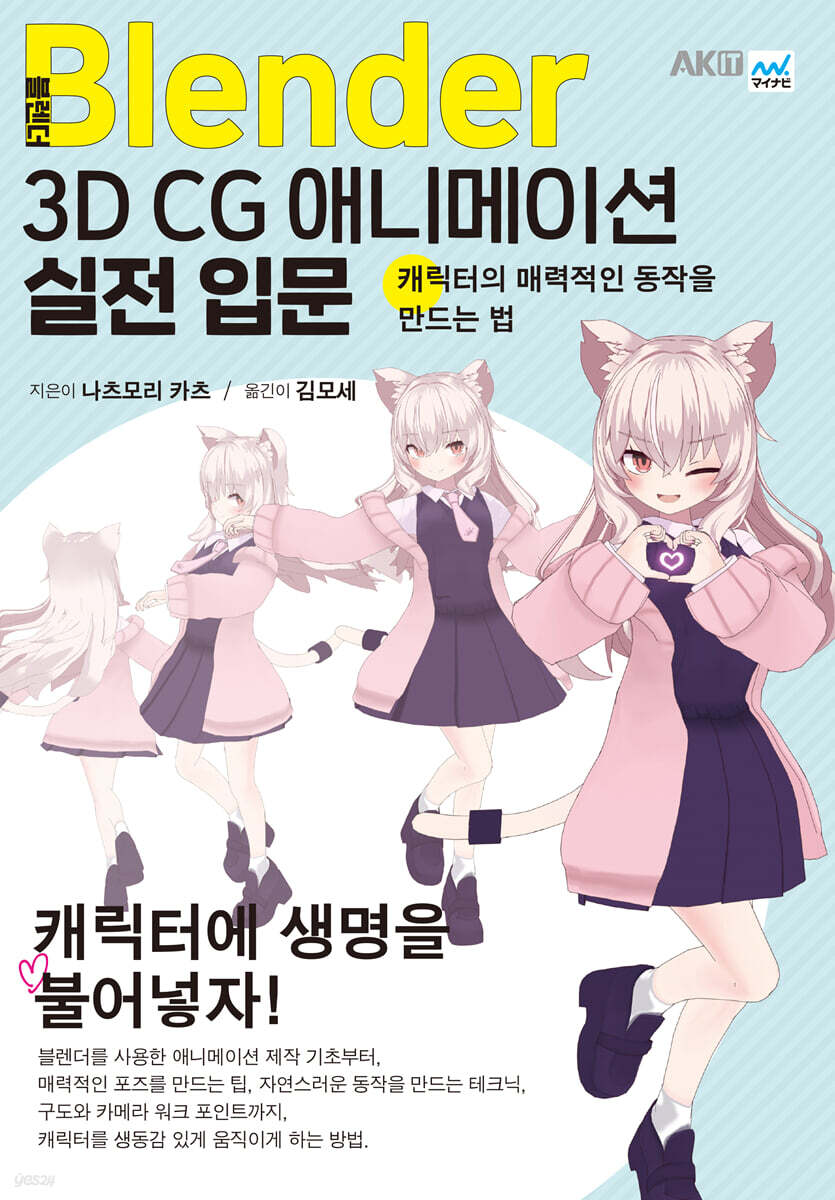
Blender 3D CG Animation Practical Introduction
 |
Description
Book Introduction
Practical 3D CG animation tips from the bestselling Blender author!
From the basics of creating animations using Blender,
Tips for creating attractive poses, techniques for creating natural movements, and even composition and camera work points!
Here are some tips for bringing your characters to life.
From the basics of creating animations using Blender,
Tips for creating attractive poses, techniques for creating natural movements, and even composition and camera work points!
Here are some tips for bringing your characters to life.
- You can preview some of the book's contents.
Preview
index
About the model material of this book
Entering
Chapter 1 Basic Animation Operations
1. Introduction
1-1 Blender Installation
1-2 Blender Recommended Specifications
1-3 Character data covered in this book
2 Preferences for Animation
2-1 Open Preferences
2-2 Each item in the settings
3 Screen Description
3-1 Layout tab
3-2 Animation tab
3-3 3D Viewport
3-4 Outliner
3-5 properties
3-6 Save
4 Basic Operations
4-1 Point of view movement
4-2 selection
4-3 Move, rotate, accumulate
4-4 Show/Hide
5 Header of the 3D viewport
5-1 Mode Switching
5-2 Transform pivot points
5-3 Transformation Orientation
5-4 Viewport Shading
6 dope sheets
6-1 Screen Description
6-2 Dope Sheet Screen Operation
6-3 frame move
Insert 6-4 key frames
6-5 How to select and display key frames
6-6 Key Frame Basic Operations
6-7 Manipulating key frames in numeric input fields
7 Timeline
7-1 Play and Stop
7-2 Start and End
7-3 Auto Keying
7-4 Active Keying Set
8 Cameras and Rendering
8-1 How to operate the camera
8-2 Rendering Engine
8-3 Image Rendering Method
8-4 Video Rendering Method
9 Area Customization
9-1 Area Boundary Movement
9-2 Area Division and Integration
9-3 Editor Type
Chapter 2 Let's Create a Pose
1 Workflow
1-1 poses bring out the character's charm
1-2 Learn the pose creation sequence
1-3 Character Data Structure
2 Read the character data
2-1 Addition and Connection
Let's read the character with 2-2 connection
Applying 2-3 library redefinition
Let's import 2-4 hand poses to add them.
3 leagues
3-1 Role of each script
3-2 Let's move each script
3-3 Move the pattern of hands and feet
3-4 Controlling the face and eyes
3-5 Body controlling mechanism
4 IK and FK
4-1 What are IK and FK?
4-2 Let's switch between IK and FK
About 5 Bone Collections
5-1 How to operate Bone Collections
5-2 List of Bone Collections
Let's make 6 line poses
6-1 Let's prepare before creating a pose.
6-2 Practice! First, let's determine your waist position.
Let's adjust the 6-3 foot
6-4 Adjust the upper and lower body
6-5 Let's adjust the hands
6-6 Let's adjust the elbow direction
6-7 Adjust the shoulder direction
6-8 Let's adjust the eye alignment
Adjusting fingers 6-9
6-10 Adjust the hair, skirt, and tail
6-11 About Solid Shading
Let's check the 6-12 silhouette
6-13 Let's change our expressions
7 Let's rotate the camera and render
7-1 Rendering Settings
7-2 How to create an attractive pose?
Chapter 3: Learn the Basics of Animation
1 Let's create a simple animation!
Let's make a 1-1 ball animation!
1-2 Open the sample file
1-3 Let's decide the starting position of the ball
Let's move the ball 1-4
1-5 Adjust the movement with the graph editor 1
1-6 Adjust the movement with the graph editor 2
Let's spin the ball 1-7
Let's express the softness of the 1-8 ball
2 Let's make some shakes!
2-1 To make the shaking look natural
2-2 Let's create a shaking animation
Chapter 4: Let's Create Character Animation
1 Let's create a nodding animation
1-1 Entering
1-2 Preparation and Confirmation
Let's create 1-3 main poses
1-4 Let's adjust the graph editor
Let's fix movements 1-5
1-6 Let's shake our hair
1-7 Let's change our expressions
Let's fix movements 1-8
1-9 Consider camera work
Let's output the video 1-10
2 Let's create a hand waving animation
2-1 Preparation
2-2 Let's create the main pose
2-3 Let's adjust in the graph editor
Let's duplicate key frames 2-4
2-5 Let's create movement in the hair and skirt
Let's do 2-6 rendering
3 Let's create a jumping animation
Let's check out the poses that make up the 3-1 jump.
3-2 First, let's adjust the waist and feet. 1
3-3 First, let's adjust the waist and feet 2
3-4 Adjust the body, head, and arms
3-5 Let's make a movement to look back
3-6 Let's make the hair wave
3-7 Let's make the skirt shake
Let's do 3-8 rendering
4 Let's create an animation of grabbing an object
4-1 Points for creating a grabbing pose
4-2 Let's create a pose to hold an object.
4-3 Let's set constraints
4-4 Let's create a pose to look at an object.
4-5 Let's shake the hair
Let's do 4-6 renderings
5 Let's create a walking animation
5-1 Poses that make up walking
5-2 Making order
5-3 Preparation
5-4 Let's move our waist first
5-5 Let's decide the body direction
Let's decide on the position of 5-6 feet
Let's adjust from the 5-7 forward viewpoint
Adjust the arms 5-8
5-9 Let's make some detailed corrections
Let's shake the hair 5-10 times
5-11 Let's make the skirt sway
Let's loop the 5-12 animation
Let's do 5-13 rendering
5-14 Shortcut Key Collection
Chapter 5 Learning Camera Work and Creating a Rig
1 About the layout
1-1 Let's learn about camera angles
Let's choose 1-2 lenses
1-3 Avoid this layout
2 Let's decide on the camera work for the dance animation!
2-1 About the dancing animation
2-2 First Camera ~ A shot often used in the introduction of a video ~
2-3 Second Camera ~ Tips for Splitting Cuts ~
2-4 Third Camera ~Guiding the Viewer's Eye~
2-5 Last Camera ~Finish~
About the 3 League Add-on
3-1 Rigify
Be careful before creating a 3-2 league.
Let's create a 3-3 league
Let's move 3-4 leagues
3-5 Skinning
3-6 How to switch between IK and FK, etc.
Index (Search)
Entering
Chapter 1 Basic Animation Operations
1. Introduction
1-1 Blender Installation
1-2 Blender Recommended Specifications
1-3 Character data covered in this book
2 Preferences for Animation
2-1 Open Preferences
2-2 Each item in the settings
3 Screen Description
3-1 Layout tab
3-2 Animation tab
3-3 3D Viewport
3-4 Outliner
3-5 properties
3-6 Save
4 Basic Operations
4-1 Point of view movement
4-2 selection
4-3 Move, rotate, accumulate
4-4 Show/Hide
5 Header of the 3D viewport
5-1 Mode Switching
5-2 Transform pivot points
5-3 Transformation Orientation
5-4 Viewport Shading
6 dope sheets
6-1 Screen Description
6-2 Dope Sheet Screen Operation
6-3 frame move
Insert 6-4 key frames
6-5 How to select and display key frames
6-6 Key Frame Basic Operations
6-7 Manipulating key frames in numeric input fields
7 Timeline
7-1 Play and Stop
7-2 Start and End
7-3 Auto Keying
7-4 Active Keying Set
8 Cameras and Rendering
8-1 How to operate the camera
8-2 Rendering Engine
8-3 Image Rendering Method
8-4 Video Rendering Method
9 Area Customization
9-1 Area Boundary Movement
9-2 Area Division and Integration
9-3 Editor Type
Chapter 2 Let's Create a Pose
1 Workflow
1-1 poses bring out the character's charm
1-2 Learn the pose creation sequence
1-3 Character Data Structure
2 Read the character data
2-1 Addition and Connection
Let's read the character with 2-2 connection
Applying 2-3 library redefinition
Let's import 2-4 hand poses to add them.
3 leagues
3-1 Role of each script
3-2 Let's move each script
3-3 Move the pattern of hands and feet
3-4 Controlling the face and eyes
3-5 Body controlling mechanism
4 IK and FK
4-1 What are IK and FK?
4-2 Let's switch between IK and FK
About 5 Bone Collections
5-1 How to operate Bone Collections
5-2 List of Bone Collections
Let's make 6 line poses
6-1 Let's prepare before creating a pose.
6-2 Practice! First, let's determine your waist position.
Let's adjust the 6-3 foot
6-4 Adjust the upper and lower body
6-5 Let's adjust the hands
6-6 Let's adjust the elbow direction
6-7 Adjust the shoulder direction
6-8 Let's adjust the eye alignment
Adjusting fingers 6-9
6-10 Adjust the hair, skirt, and tail
6-11 About Solid Shading
Let's check the 6-12 silhouette
6-13 Let's change our expressions
7 Let's rotate the camera and render
7-1 Rendering Settings
7-2 How to create an attractive pose?
Chapter 3: Learn the Basics of Animation
1 Let's create a simple animation!
Let's make a 1-1 ball animation!
1-2 Open the sample file
1-3 Let's decide the starting position of the ball
Let's move the ball 1-4
1-5 Adjust the movement with the graph editor 1
1-6 Adjust the movement with the graph editor 2
Let's spin the ball 1-7
Let's express the softness of the 1-8 ball
2 Let's make some shakes!
2-1 To make the shaking look natural
2-2 Let's create a shaking animation
Chapter 4: Let's Create Character Animation
1 Let's create a nodding animation
1-1 Entering
1-2 Preparation and Confirmation
Let's create 1-3 main poses
1-4 Let's adjust the graph editor
Let's fix movements 1-5
1-6 Let's shake our hair
1-7 Let's change our expressions
Let's fix movements 1-8
1-9 Consider camera work
Let's output the video 1-10
2 Let's create a hand waving animation
2-1 Preparation
2-2 Let's create the main pose
2-3 Let's adjust in the graph editor
Let's duplicate key frames 2-4
2-5 Let's create movement in the hair and skirt
Let's do 2-6 rendering
3 Let's create a jumping animation
Let's check out the poses that make up the 3-1 jump.
3-2 First, let's adjust the waist and feet. 1
3-3 First, let's adjust the waist and feet 2
3-4 Adjust the body, head, and arms
3-5 Let's make a movement to look back
3-6 Let's make the hair wave
3-7 Let's make the skirt shake
Let's do 3-8 rendering
4 Let's create an animation of grabbing an object
4-1 Points for creating a grabbing pose
4-2 Let's create a pose to hold an object.
4-3 Let's set constraints
4-4 Let's create a pose to look at an object.
4-5 Let's shake the hair
Let's do 4-6 renderings
5 Let's create a walking animation
5-1 Poses that make up walking
5-2 Making order
5-3 Preparation
5-4 Let's move our waist first
5-5 Let's decide the body direction
Let's decide on the position of 5-6 feet
Let's adjust from the 5-7 forward viewpoint
Adjust the arms 5-8
5-9 Let's make some detailed corrections
Let's shake the hair 5-10 times
5-11 Let's make the skirt sway
Let's loop the 5-12 animation
Let's do 5-13 rendering
5-14 Shortcut Key Collection
Chapter 5 Learning Camera Work and Creating a Rig
1 About the layout
1-1 Let's learn about camera angles
Let's choose 1-2 lenses
1-3 Avoid this layout
2 Let's decide on the camera work for the dance animation!
2-1 About the dancing animation
2-2 First Camera ~ A shot often used in the introduction of a video ~
2-3 Second Camera ~ Tips for Splitting Cuts ~
2-4 Third Camera ~Guiding the Viewer's Eye~
2-5 Last Camera ~Finish~
About the 3 League Add-on
3-1 Rigify
Be careful before creating a 3-2 league.
Let's create a 3-3 league
Let's move 3-4 leagues
3-5 Skinning
3-6 How to switch between IK and FK, etc.
Index (Search)
Publisher's Review
This book is an introductory guide to 3D character animation production. It is structured to teach the basics of animation by creating various poses and animations using character data from sample files.
Since the focus is solely on learning animation, explanations on modeling and shading have been omitted, and only the minimum necessary structures for rigging have been explained.
If you want to learn more about modeling, shading, and rigging, please refer to the author's "Let's Create Anime-Style Characters with Blender! (Modeling/Cartoon Rendering)" which guides you through the basics in detail.
I hope this book will help you discover the joy of animation production.
Since the focus is solely on learning animation, explanations on modeling and shading have been omitted, and only the minimum necessary structures for rigging have been explained.
If you want to learn more about modeling, shading, and rigging, please refer to the author's "Let's Create Anime-Style Characters with Blender! (Modeling/Cartoon Rendering)" which guides you through the basics in detail.
I hope this book will help you discover the joy of animation production.
GOODS SPECIFICS
- Date of issue: September 10, 2025
- Page count, weight, size: 256 pages | 954g | 182*257*20mm
- ISBN13: 9791127475796
- ISBN10: 1127475797
You may also like
카테고리
korean


korean

![GQ KOREA Mark (Monthly): December [2025]](http://librairie.coreenne.fr/cdn/shop/files/8ef265dbbfbf186523ed75ba7319009d.jpg?v=1765340328&width=3840)


