

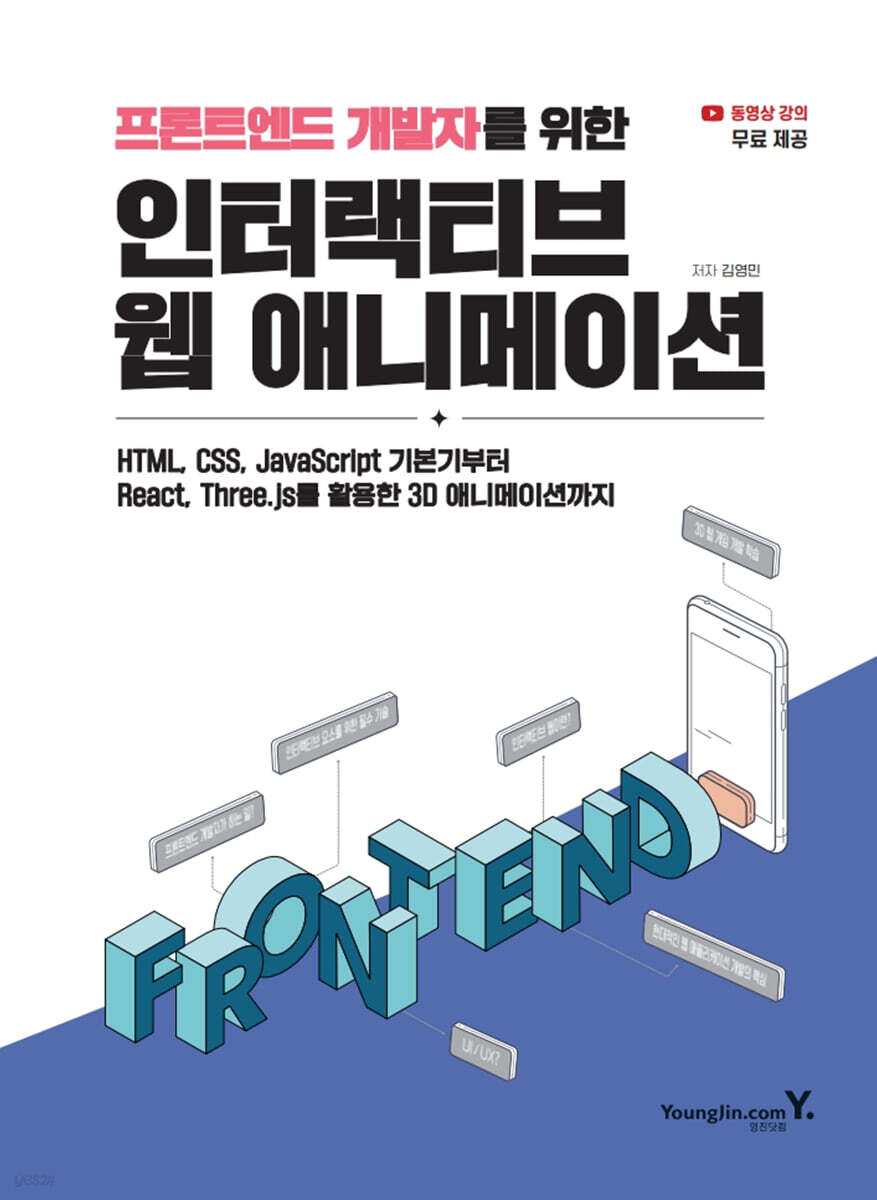
Interactive Web Animation for Front-End Developers
 |
Description
Book Introduction
From web developers to designers,
A practical guide to web interactive use for everyone!
"Interactive Web Animation for Front-End Developers" is one of the most practical web development books available.
By implementing animation effects that are actually used, you can learn technical understanding along with implementation methods.
Additionally, the book focuses on user experience (UX) and explains how to apply animations and improve the user experience.
This content is very useful and helpful not only for web developers, but also for UX designers, designers, planners, and anyone else who builds web services.
This book is largely divided into 12 chapters.
Chapters 1 through 5 cover the basic concepts of HTML, CSS, and JavaScript before moving on to interactive web practice.
In detail, Chapter 1 covers setting up an environment for front-end web development, Chapter 2 covers basic HTML concepts, Chapter 3 covers basic CSS concepts, and Chapter 4 covers additional knowledge for interactive web.
Chapter 5 supplements the basic concepts of JavaScript, and from Chapter 6 onwards, we will implement and practice various interactive web applications used in actual work.
Starting in Chapter 11, you'll learn how to create advanced interactive web content and web games using the React framework and the Three.js library.
With a hands-on approach, you can immediately apply the completed code to your portfolio, making this book ideal for readers who want to understand interactive web development.
A practical guide to web interactive use for everyone!
"Interactive Web Animation for Front-End Developers" is one of the most practical web development books available.
By implementing animation effects that are actually used, you can learn technical understanding along with implementation methods.
Additionally, the book focuses on user experience (UX) and explains how to apply animations and improve the user experience.
This content is very useful and helpful not only for web developers, but also for UX designers, designers, planners, and anyone else who builds web services.
This book is largely divided into 12 chapters.
Chapters 1 through 5 cover the basic concepts of HTML, CSS, and JavaScript before moving on to interactive web practice.
In detail, Chapter 1 covers setting up an environment for front-end web development, Chapter 2 covers basic HTML concepts, Chapter 3 covers basic CSS concepts, and Chapter 4 covers additional knowledge for interactive web.
Chapter 5 supplements the basic concepts of JavaScript, and from Chapter 6 onwards, we will implement and practice various interactive web applications used in actual work.
Starting in Chapter 11, you'll learn how to create advanced interactive web content and web games using the React framework and the Three.js library.
With a hands-on approach, you can immediately apply the completed code to your portfolio, making this book ideal for readers who want to understand interactive web development.
- You can preview some of the book's contents.
Preview
index
Chapter 1: Web Front-End Development: Preparing for Your Work Environment
1-1 Front-end Development Onboarding
1-2 Setting up your working environment - browser, Node.js
1-3 Configuring the working environment - IDE
1-4 Configuring Your Work Environment - Installing and Setting Up VS Code Extensions
Chapter 2: Learning HTML Grammar
2-1 HTML (Hyper Text Markup Language)
2-2 The 〈meta〉 tag and how browsers work
2-3 Types of HTML elements and HTML debugging
2-4 Learn commonly used HTML basic elements
Chapter 3: Learning CSS Grammar
3-1 CSS files and basic settings
3-2 Using CSS selectors
3-3 CSS Layout
3-4 Using web page resources
Chapter 4: Adding UI and UX to the Web
4-1 What is the Interactive Web?
4-2 Make the layout gradually exposed
Animation from the 4-3 card list
4-4 Using SVG
4-5 Responsive Web
Chapter 5: Learning JavaScript Grammar
5-1 Creating a JavaScript File
5-2 Setting up JavaScript
5-3 Using the JavaScript DOM
5-4 JavaScript Events
5-5 JavaScript functions
5-6 Asynchronous processing
Chapter 6: Creating a Responsive Card Layout Loading UI
6-1 Responsive Card Layout and Spinner UI
6-2 SVG Loading UI
6-3 Skeleton UI
Chapter 7: Eye-Catching Interactive Login
7-1 Login Form Layout
7-2 Implementing an eye that follows the input field
Chapter 8: Responsive Dashboards Using Grid Layout and Dynamic UI
8-1 Creating a Dashboard Using Grid
8-2 Creating a Card UI and a List UI with a Single HTML
8-3 Creating a mobile menu (position fixed)
8-4 Dark Mode and Light Mode
Implementing the 8-5 Like feature
8-6 Saving state when leaving a web page
8-7 Creating a search function
Chapter 9: Creating a Landing Page That Converts Pages
9-1 Markup with SEO in mind
9-2 FullPage Animation Using Scroll-Snap-Type and Animation-Timeline
9-3 Minimizing Media Query Work for Responsive Environments
9-4 Using the @supports keyword for unsupported browsers
9-5 Theme Management Using setProperty in JavaScript
9-6 State Management Using Proxies and Observers
9-7 Backward function, rendering optimization, and smooth content exposure
Chapter 10: Weather Application Using External APIs
10-1 What is a REST API?
10-2 Issuing API KEY
10-3 Weather Application Markup
10-4 Weather Application Styling
10-5 Learning JavaScript Class Grammar
10-6 Get and display weather information
10-7 Change weather units
10-8 Create a video transition effect based on the weather
10-9 Creating a Weather Search Function
Chapter 11 Rotating Donut Along the Scroll (R3F)
11-1 React and Three.js
11-2 Setting up a React development environment using Vite
11-3 Setting up a Three.js development environment using R3F
11-4 Creating a box that rotates according to the scroll
11-5 Applying the GSAP Library
11-6 Creating a Donut That Rotates with the Scroll
11-7 Creating a Scroll Donut Landing Page
Chapter 12: Creating Web Games Using WebGL
12-1 Creating a Game Project and Setting Up Basic Settings
12-2 Loading 3D characters using useGLTF
12-3 Creating environmental and directional lighting
12-4 Configuring Camera Position and Movement
12-5 Creating a floor using TextureLoader
12-6 Character size adjustment and animation application
12-7 Implementing character movement with mouse interaction
Implementing character jumps with 12-8 keyboard interactions
Implementing soccer ball exposure through the 12-9 event
1-1 Front-end Development Onboarding
1-2 Setting up your working environment - browser, Node.js
1-3 Configuring the working environment - IDE
1-4 Configuring Your Work Environment - Installing and Setting Up VS Code Extensions
Chapter 2: Learning HTML Grammar
2-1 HTML (Hyper Text Markup Language)
2-2 The 〈meta〉 tag and how browsers work
2-3 Types of HTML elements and HTML debugging
2-4 Learn commonly used HTML basic elements
Chapter 3: Learning CSS Grammar
3-1 CSS files and basic settings
3-2 Using CSS selectors
3-3 CSS Layout
3-4 Using web page resources
Chapter 4: Adding UI and UX to the Web
4-1 What is the Interactive Web?
4-2 Make the layout gradually exposed
Animation from the 4-3 card list
4-4 Using SVG
4-5 Responsive Web
Chapter 5: Learning JavaScript Grammar
5-1 Creating a JavaScript File
5-2 Setting up JavaScript
5-3 Using the JavaScript DOM
5-4 JavaScript Events
5-5 JavaScript functions
5-6 Asynchronous processing
Chapter 6: Creating a Responsive Card Layout Loading UI
6-1 Responsive Card Layout and Spinner UI
6-2 SVG Loading UI
6-3 Skeleton UI
Chapter 7: Eye-Catching Interactive Login
7-1 Login Form Layout
7-2 Implementing an eye that follows the input field
Chapter 8: Responsive Dashboards Using Grid Layout and Dynamic UI
8-1 Creating a Dashboard Using Grid
8-2 Creating a Card UI and a List UI with a Single HTML
8-3 Creating a mobile menu (position fixed)
8-4 Dark Mode and Light Mode
Implementing the 8-5 Like feature
8-6 Saving state when leaving a web page
8-7 Creating a search function
Chapter 9: Creating a Landing Page That Converts Pages
9-1 Markup with SEO in mind
9-2 FullPage Animation Using Scroll-Snap-Type and Animation-Timeline
9-3 Minimizing Media Query Work for Responsive Environments
9-4 Using the @supports keyword for unsupported browsers
9-5 Theme Management Using setProperty in JavaScript
9-6 State Management Using Proxies and Observers
9-7 Backward function, rendering optimization, and smooth content exposure
Chapter 10: Weather Application Using External APIs
10-1 What is a REST API?
10-2 Issuing API KEY
10-3 Weather Application Markup
10-4 Weather Application Styling
10-5 Learning JavaScript Class Grammar
10-6 Get and display weather information
10-7 Change weather units
10-8 Create a video transition effect based on the weather
10-9 Creating a Weather Search Function
Chapter 11 Rotating Donut Along the Scroll (R3F)
11-1 React and Three.js
11-2 Setting up a React development environment using Vite
11-3 Setting up a Three.js development environment using R3F
11-4 Creating a box that rotates according to the scroll
11-5 Applying the GSAP Library
11-6 Creating a Donut That Rotates with the Scroll
11-7 Creating a Scroll Donut Landing Page
Chapter 12: Creating Web Games Using WebGL
12-1 Creating a Game Project and Setting Up Basic Settings
12-2 Loading 3D characters using useGLTF
12-3 Creating environmental and directional lighting
12-4 Configuring Camera Position and Movement
12-5 Creating a floor using TextureLoader
12-6 Character size adjustment and animation application
12-7 Implementing character movement with mouse interaction
Implementing character jumps with 12-8 keyboard interactions
Implementing soccer ball exposure through the 12-9 event
Detailed image

Publisher's Review
We will help you thoroughly prepare for web front-end development.
We will teach you HTML, CSS, and JavaScript grammar that you must know before learning front-end in earnest.
So even people who don't know anything about the web can start with this book.
Implement a website UI
This book goes beyond simply learning grammar; it teaches you the concepts of animation by implementing frequently used UI components, such as loading screens, card lists, and responsive layouts, that are actually applied to websites.
Create interactive web experiences that respond to user behavior.
You'll learn a variety of techniques for creating dynamic web pages that engage users, such as content appearing naturally based on scroll position and animations that begin when certain elements enter the screen.
Implementing animation features linked to data
We create web apps that link real-time data, such as weather APIs and fine dust APIs, and whose UI changes based on current weather or environmental information.
You can practice UI design that considers both functional data processing and visual responses, thereby developing a sense for service planning.
Learning support through the author's YouTube lectures, GitHub, etc.
Please practice the book thoroughly through the author's direct lecture videos on Youngjin.com's IT YouTube lectures.
Youngjin.com IT YouTube Channel: https://www.youtube.com/@IT-Youngjin
GitHub address: https://github.com/Youngjin-com/interactive_web
Learn the fundamentals and structure of web front-ends, complete web UI, and implement interactive, user-focused web experiences.
【 Target Readership 】
- Beginners and junior developers who are unfamiliar with implementing UI animations
- Web planners and designers who want to deeply understand UI/UX
- Job seekers who want to add a high-quality project to their portfolio
Author's Note
This is truly the era of AI.
We stand at a huge turning point, where artificial intelligence is rapidly replacing human occupations and we are moving towards a future no one has ever seen before.
In this day and age, you might be wondering if it's even necessary to learn the fundamentals of front-end development. AI can write code, suggest designs, and even contribute to the implementation of entire services.
However, I dare to assert through this book that there are core values of front-end development that will remain unchanged—if not, even become even more important—in the AI era. AI is merely a tool, and it remains our responsibility as human developers to utilize it to deliver the best possible experience to users.
The ability to accurately understand a planner's intent, translate a designer's vision into code, and identify and improve even subtle user inconveniences is a realm that AI cannot easily surpass.
This book goes beyond simply slapping together code, and aims to expose you to the inherent fun and creative possibilities of web front-end development.
Rather than complex theories, we've structured it in a friendly and intuitive way so that you can gain hands-on experience and insight while creating an actual website.
In Chapter 1, you'll build a solid working environment for development, and in Chapters 2 and 3, you'll learn the grammar of HTML, the backbone of the web, and CSS, which dresses it up.
In Chapter 4, you'll learn how to integrate UI/UX elements that enhance the user experience into the web, and Chapter 5 delves into the JavaScript syntax that makes the web dynamic.
And based on all this knowledge, we will create an actual project starting from Chapter 6.
You'll experience the joy of front-end development by implementing a variety of web components you'll see in real-world services, including responsive card layouts, interactive logins, dynamic dashboards, and page transition landing pages.
Beyond that, there are a variety of projects waiting to spark your imagination, from weather applications utilizing external APIs, scroll interactions, and even web games using WebGL.
I sincerely hope that through this book, you will go beyond simply acquiring skills and grow into a front-end developer who can freely implement your own ideas on the web and deliver value to users.
We will teach you HTML, CSS, and JavaScript grammar that you must know before learning front-end in earnest.
So even people who don't know anything about the web can start with this book.
Implement a website UI
This book goes beyond simply learning grammar; it teaches you the concepts of animation by implementing frequently used UI components, such as loading screens, card lists, and responsive layouts, that are actually applied to websites.
Create interactive web experiences that respond to user behavior.
You'll learn a variety of techniques for creating dynamic web pages that engage users, such as content appearing naturally based on scroll position and animations that begin when certain elements enter the screen.
Implementing animation features linked to data
We create web apps that link real-time data, such as weather APIs and fine dust APIs, and whose UI changes based on current weather or environmental information.
You can practice UI design that considers both functional data processing and visual responses, thereby developing a sense for service planning.
Learning support through the author's YouTube lectures, GitHub, etc.
Please practice the book thoroughly through the author's direct lecture videos on Youngjin.com's IT YouTube lectures.
Youngjin.com IT YouTube Channel: https://www.youtube.com/@IT-Youngjin
GitHub address: https://github.com/Youngjin-com/interactive_web
Learn the fundamentals and structure of web front-ends, complete web UI, and implement interactive, user-focused web experiences.
【 Target Readership 】
- Beginners and junior developers who are unfamiliar with implementing UI animations
- Web planners and designers who want to deeply understand UI/UX
- Job seekers who want to add a high-quality project to their portfolio
Author's Note
This is truly the era of AI.
We stand at a huge turning point, where artificial intelligence is rapidly replacing human occupations and we are moving towards a future no one has ever seen before.
In this day and age, you might be wondering if it's even necessary to learn the fundamentals of front-end development. AI can write code, suggest designs, and even contribute to the implementation of entire services.
However, I dare to assert through this book that there are core values of front-end development that will remain unchanged—if not, even become even more important—in the AI era. AI is merely a tool, and it remains our responsibility as human developers to utilize it to deliver the best possible experience to users.
The ability to accurately understand a planner's intent, translate a designer's vision into code, and identify and improve even subtle user inconveniences is a realm that AI cannot easily surpass.
This book goes beyond simply slapping together code, and aims to expose you to the inherent fun and creative possibilities of web front-end development.
Rather than complex theories, we've structured it in a friendly and intuitive way so that you can gain hands-on experience and insight while creating an actual website.
In Chapter 1, you'll build a solid working environment for development, and in Chapters 2 and 3, you'll learn the grammar of HTML, the backbone of the web, and CSS, which dresses it up.
In Chapter 4, you'll learn how to integrate UI/UX elements that enhance the user experience into the web, and Chapter 5 delves into the JavaScript syntax that makes the web dynamic.
And based on all this knowledge, we will create an actual project starting from Chapter 6.
You'll experience the joy of front-end development by implementing a variety of web components you'll see in real-world services, including responsive card layouts, interactive logins, dynamic dashboards, and page transition landing pages.
Beyond that, there are a variety of projects waiting to spark your imagination, from weather applications utilizing external APIs, scroll interactions, and even web games using WebGL.
I sincerely hope that through this book, you will go beyond simply acquiring skills and grow into a front-end developer who can freely implement your own ideas on the web and deliver value to users.
GOODS SPECIFICS
- Date of issue: July 1, 2025
- Page count, weight, size: 816 pages | 1,662g | 189*257*32mm
- ISBN13: 9788931479393
You may also like
카테고리
korean


korean

![GQ KOREA Mark (Monthly): December [2025]](http://librairie.coreenne.fr/cdn/shop/files/8ef265dbbfbf186523ed75ba7319009d.jpg?v=1765340328&width=3840)


