

Introduction to Unity Game Development
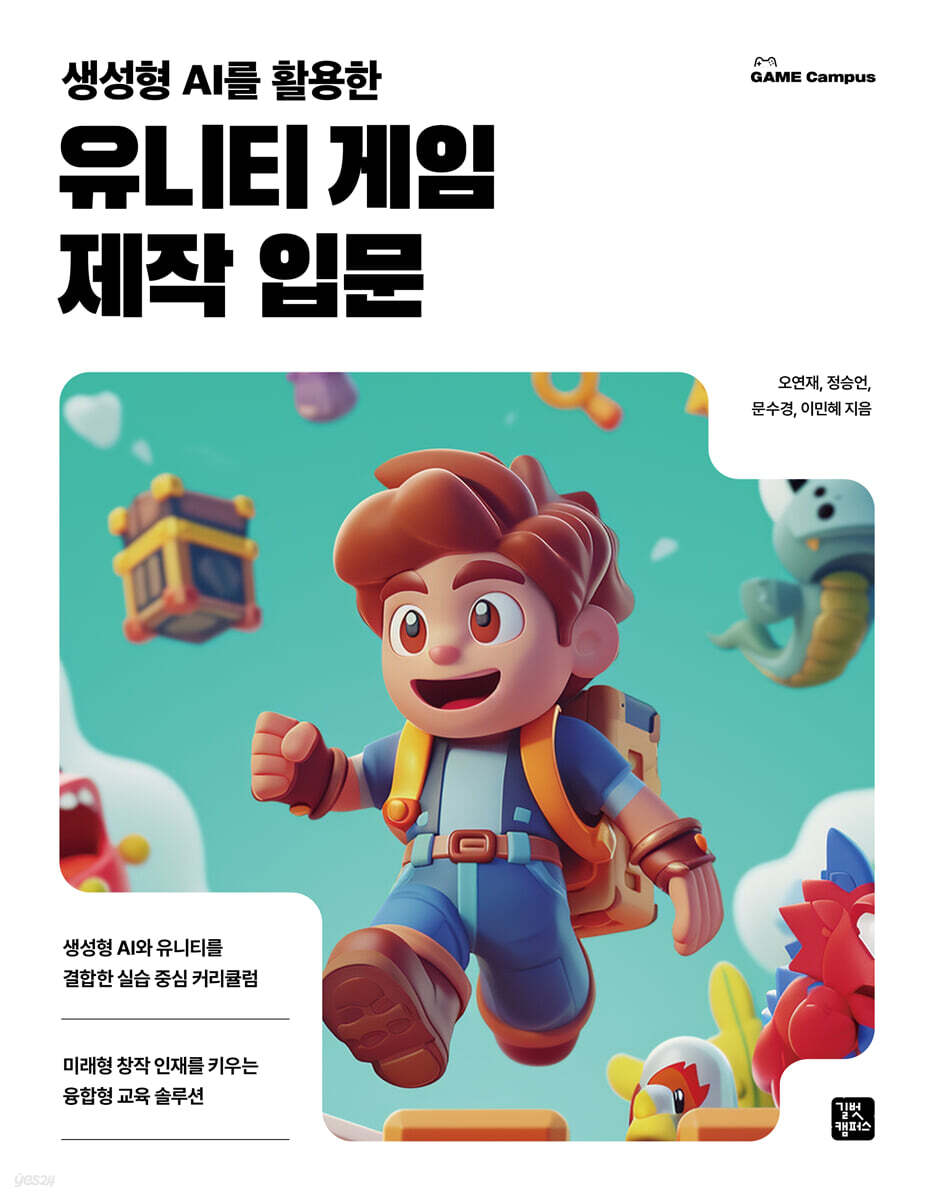 |
Description
Book Introduction
A hands-on curriculum combining generative AI and Unity.
A convergent education solution that fosters future creative talent.
"Introduction to Unity Game Creation Using Generative AI" covers the process of implementing games, simulations, augmented reality (AR), virtual reality (VR), metaverse, and other content by integrating generative AI with Unity 6.0.
In particular, this book is composed of educational planning and structure, such as a step-by-step project-based learning structure, practical application of the latest artificial intelligence (AI) tools, reflection of the latest function system of Unity 6.0, composition of industry-linked, practice-oriented content, and lecture design for 15-week classes, providing readers with hands-on experience in understanding generative AI and creating their own games or content using Unity.
A convergent education solution that fosters future creative talent.
"Introduction to Unity Game Creation Using Generative AI" covers the process of implementing games, simulations, augmented reality (AR), virtual reality (VR), metaverse, and other content by integrating generative AI with Unity 6.0.
In particular, this book is composed of educational planning and structure, such as a step-by-step project-based learning structure, practical application of the latest artificial intelligence (AI) tools, reflection of the latest function system of Unity 6.0, composition of industry-linked, practice-oriented content, and lecture design for 15-week classes, providing readers with hands-on experience in understanding generative AI and creating their own games or content using Unity.
- You can preview some of the book's contents.
Preview
index
Chapter 1 | What is Generative AI?
1.1 Fundamentals of Artificial Intelligence (AI) - Concepts and Principles
What is artificial intelligence?
Understanding the working mechanisms of artificial intelligence
1.2 The Many Faces of Artificial Intelligence
Exploring key AI fields
Real-Life Applications of Artificial Intelligence
1.3 AI Technology in 2025: Key Trends
1.4 Generative AI Language Models
1.5 AI Platform Exploration
1.6 Ethical Issues and Countermeasures for Artificial Intelligence
An Overview of Ethical Issues in Artificial Intelligence
Key Ethical Issues of Artificial Intelligence
Countermeasures for AI Ethics
1.7 Practice Problems
Chapter 2 | Installing Unity Programs Using Generative AI
2.1 What is Unity?
The concept of Unity
Build platforms supported by Unity
Key Features of Unity
2.2 Installing Unity
Download Unity Hub
Installing Unity versions from the Unity Hub
Creating a Unity Project
2.3 A look at the basic Unity screen for creating 3D games
〔Scene〕 View
〔Game〕 View Overview
2.4 Creating a Project
Creating a Unity Project
Create a hexahedron
Applying gravity (RigidBody)
Creating a cube and applying gravity with a script
2.5 Practice Problems
Chapter 3 | Modeling with Generative AI
3.1 Creating a Classroom Space
Creating a Unity Project
3.2 Making a desk and chair
Making a desk
Making a chair
3.3 Applying materials like physical space
Creating Materials with Generative AI
Chapter 4 | Creating Augmented Reality Using Generative AI
4.1 Extracting data from ChatGPT to YouTube
How to make good augmented reality (AR)?
What if I ask ChatGPT to explain a YouTube link?
4.2 Understanding the Concept of Augmented Reality
What is Augmented Reality?
Where will augmented reality (AR) be used?
About your own augmented reality (AR) project
4.3 Creating Augmented Reality
Creating a new project in Unity
Add AR related packages
Activating AR features on your smartphone
Setting up Build Settings in Unity
4.4 Creating a script that implements AR functionality
Add a free 3D chicken model from the Unity Asset Store.
How to Setup the Input System
Creating an InputHandler Script in Unity
Applying the script
After building, install it on your smartphone and check.
4.5 Creating Augmented Reality with Questions in ChatGPT
4.6 Practice Problems
Chapter 5 | Creating 2D Games Using Generative AI
5.1 Application of Generative AI in 2D Game Planning
The Role of Generative AI in 2D Game Design
Combining Unity and AI
5.2 Types of Generative AI Chatbots
ChatGPT (Open AI)
Gemini (Google)
Perplexity (AI)
Copilot (Microsoft)
5.3 Planning a Game Using Gemini
Sign up and log in to Gemini
Game Planning at Gemini
Creating Assets: The Core of Game Development
5.4 Creating the assets needed for your game project
Downloading images from the Asset Store
Downloading Images in the Unity Editor
Download images from Gemini
5.5 Creating a Game Project in Unity
Creating and placing characters
Create a maze escape game
5.6 Practice Problems
Chapter 6 | Physics-Based Movement Control Using Generative AI
6.1 Establishing game design concepts and setting goals
6.2 Games using generative artificial intelligence
Design of ideas and key elements
Games using generative artificial intelligence
Idea generation
Designing the core elements of the game
AI-based game design automation
Using generative artificial intelligence
Prototype development
6.3 Implementing AI-based game behavior and physics
Implementing basic movements using Rigidbody 2D
Collision handling for physics-based characters
Controlling character rotation and gravity
6.4 Adjusting the game environment and difficulty using generative AI
Ball Bounce Game Overview
Implementing a ball bouncing game
Setting up a bouncing ball project
Preparing the game object
Moving the sprite
6.5 Practice Problems
Chapter 7 | Bringing Games to Life
7.1 Game Overview and Goal Setting
7.2 Creating a Simple Particle Effect
Creating a particle system
Adding a particle system
Setting up a particle system
Handling mouse click events
Writing a script
Connecting particle systems
7.3 Implementing a Bubble Pop Adventure Game
Setting up a project
Preparing the balloon image
Move the balloon
Create balloons in random locations
Preparing particle effects
7.4 Implementing a Fireworks Particle System
Moving the spaceship
Falling stars
Generate stars in random locations
Add particle effects on collision
7.5 Practice Problems
Chapter 8 | Creating a Prefab Game Using Generative AI
8.1 Planning a Game Using Perplexity
Sign up for Perplexity
Game Planning at Perplexity
8.2 Creating the assets needed for your game project
Creating object images in Copilot
Download game sound effects
Organizing assets needed for the game
8.3 Creating a Unity Game Project
Creating a Project and Scene in Unity
Placing objects in the scene
8.4 Creating and Using Game Scripts Using Generative AI
Creating a Player Script Using Perplexity
Applying the Player script created with Perplexity to Unity
Make raindrops fall randomly from above
Raindrops disappear when they hit the player
8.5 Game Prefab Concepts and Prefabs Application
Creating a raindrop prefab
Creating a generator script to produce a raindrop prefab
8.6 Practice Problems
Chapter 9 | UI Game Controls and Scene Transitions Using Generative AI
9.1 Creating a UI and Writing a Script for the UI
Displaying the UI in the project
Adjust HP status
Creating a supervisor script that updates the UI
When a player touches a raindrop, notify the manager.
9.2 Download character objects and animate them
Download character objects
To the player character
Applying animation effects
9.3 Add a sound effect when raindrops hit the player
Adding sound effects in Unity
9.4 Switching scenes in the game
Creating an Ending Scene
9.5 Building on Mobile (Android)
Creating left and right buttons for mobile
Move the player when clicking the left and right buttons
Build on your smartphone
9.6 Practice Problems
Chapter 10 | Unity ProBuilder and UV Mapping with Generative AI
10.1 Installing and Setting Up Unity 3D ProBuilder
Installing ProBuilder
Setting up ProBuilder Basics
10.2 Creating Basic Shapes in ProBuilder
ProBuilder Basic Shapes
ProBuilder Selection Tool
Designing game spaces with ProBuilder's basic shapes
10.3 Creating Objects with ProBuilder
Creating 3D objects (game items) using ProBuilder
10.4 Creating Materials
Making basic plastic materials
Making metal materials
Making glass materials
Creating luminescent materials
Creating external image files as materials
10.5 UV Mapping and Texture Editing
Using the UV Editor Window
Modifying textures using the UV Editor window
10.6 Creating an object created with ProBuilder as a prefab
Create an object as a prefab
10.7 Practice Problems
Chapter 11 | Creating a Drone Control 3D Game Using Generative AI 1
11.1 Designing a Game Using ChatGPT
Using ChatGPT
Find out what game to make
11.2 Preparing Assets for Game Use
Download the Asset Store Player (Drone) model
Download the Asset Store Game Element (Circle) Model
Asset Store - Download background assets to build your game map.
Creating Terrain Textures Using Generative AI, Luton
Creating Game Background Music Using Generative AI Suno
Download game sound effects
11.3 Creating a Unity Project and Initial Setup
Create a new project
Setting up the build environment
Save scene
Add AI-generated assets to your project
Adding assets to your project
Check 3D assets and apply materials
11.4 Creating Game Terrain Using Terrain
Understanding Terrain
Adding terrain to the screen
Creating terrain using the Terrain tool
Applying textures to terrain
Adding a tree object to the terrain
Placing city buildings on terrain
11.5 Modifying Camera Placement and Light Sources
Fix the camera position
Check the direct sunlight location
11.6 Placing Players and Game Elements
Placing drone objects
Place the first circle
Add multiple circles
Add a Goal object to the destination
11.7 Practice Problems
Chapter 12 | Creating a Drone Control 3D Game Using Generative AI (Part 2)
12.1 Writing Drone Motion Scripts Using ChatGPT
Writing a basic drone movement script
Writing a drone application motion script
12.2 Writing a script to change the camera viewpoint using ChatGPT
Making a camera that follows a drone
12.3 Adding a Timer and Score UI Using ChatGPT
Adding a Timer and Score UI Using ChatGPT
Adding a timer and score UI
Writing a timer action script
12.4 Creating a collision event between a drone and a circle
Designing a collision event using ChatGPT
Add a collider to the circle
Adding a collision script to a circle
Setting up drone and other collision elements behavior
Writing a scoring script for collision events
12.5 Add particle effects for clearing the game
Adding particles to the Goal object
Adding a Collider to the Goal Object
Adding a Goal Object Collision Script Using ChatGPT
12.6 Adding background music and sound effects to your game
Adding background music using ChatGPT
Add sound effects when circle collisions occur
12.7 Building the Game and Checking for Errors
Setting up the build
12.8 Practice Problems
Chapter 13 | Creating a 3D Arcade Game Using Generative AI
13.1 Designing a Game Using ChatGPT
Running ChatGPT
Find out what game to make
13.2 Creating a Unity Project and Initial Setup
Create a new project
Setting up the build environment
Save scene
13.3 Preparing Assets for Your Game
Download character models and background assets from the Asset Store
Creating Skybox Textures Using Generative AI
Creating a Gem Collection UI Image Using Generative AI
Creating Game Background Music Using Generative AI
13.4 Placing Characters and Game Elements
Placing buildings
Placing characters
Creating Gems with Unity Probuilder
Setting up a skybox using a single panoramic image
Setting up a skybox using a cube map
13.5 Writing Character Movement and Interaction Scripts
Creating player character movement behavior
Adding a player character jump feature
Play animation when character moves (movement motion)
Implementing a third-person perspective using the Cinemachine Camera
13.6 Creating a Gem Item Placement and Collection System UI
Implementing a Gem Clash Event with ChatGPT
Place various gems throughout the game map
Creating a Gem Collection UI
13.7 Adding background music and sound effects
Add background music to the main camera
Add a gem collecting sound effect
Add game clear sound effects and stop background music
13.8 Building the Game and Checking for Errors
Check build settings
13.9 Practice Problems
Search
1.1 Fundamentals of Artificial Intelligence (AI) - Concepts and Principles
What is artificial intelligence?
Understanding the working mechanisms of artificial intelligence
1.2 The Many Faces of Artificial Intelligence
Exploring key AI fields
Real-Life Applications of Artificial Intelligence
1.3 AI Technology in 2025: Key Trends
1.4 Generative AI Language Models
1.5 AI Platform Exploration
1.6 Ethical Issues and Countermeasures for Artificial Intelligence
An Overview of Ethical Issues in Artificial Intelligence
Key Ethical Issues of Artificial Intelligence
Countermeasures for AI Ethics
1.7 Practice Problems
Chapter 2 | Installing Unity Programs Using Generative AI
2.1 What is Unity?
The concept of Unity
Build platforms supported by Unity
Key Features of Unity
2.2 Installing Unity
Download Unity Hub
Installing Unity versions from the Unity Hub
Creating a Unity Project
2.3 A look at the basic Unity screen for creating 3D games
〔Scene〕 View
〔Game〕 View Overview
2.4 Creating a Project
Creating a Unity Project
Create a hexahedron
Applying gravity (RigidBody)
Creating a cube and applying gravity with a script
2.5 Practice Problems
Chapter 3 | Modeling with Generative AI
3.1 Creating a Classroom Space
Creating a Unity Project
3.2 Making a desk and chair
Making a desk
Making a chair
3.3 Applying materials like physical space
Creating Materials with Generative AI
Chapter 4 | Creating Augmented Reality Using Generative AI
4.1 Extracting data from ChatGPT to YouTube
How to make good augmented reality (AR)?
What if I ask ChatGPT to explain a YouTube link?
4.2 Understanding the Concept of Augmented Reality
What is Augmented Reality?
Where will augmented reality (AR) be used?
About your own augmented reality (AR) project
4.3 Creating Augmented Reality
Creating a new project in Unity
Add AR related packages
Activating AR features on your smartphone
Setting up Build Settings in Unity
4.4 Creating a script that implements AR functionality
Add a free 3D chicken model from the Unity Asset Store.
How to Setup the Input System
Creating an InputHandler Script in Unity
Applying the script
After building, install it on your smartphone and check.
4.5 Creating Augmented Reality with Questions in ChatGPT
4.6 Practice Problems
Chapter 5 | Creating 2D Games Using Generative AI
5.1 Application of Generative AI in 2D Game Planning
The Role of Generative AI in 2D Game Design
Combining Unity and AI
5.2 Types of Generative AI Chatbots
ChatGPT (Open AI)
Gemini (Google)
Perplexity (AI)
Copilot (Microsoft)
5.3 Planning a Game Using Gemini
Sign up and log in to Gemini
Game Planning at Gemini
Creating Assets: The Core of Game Development
5.4 Creating the assets needed for your game project
Downloading images from the Asset Store
Downloading Images in the Unity Editor
Download images from Gemini
5.5 Creating a Game Project in Unity
Creating and placing characters
Create a maze escape game
5.6 Practice Problems
Chapter 6 | Physics-Based Movement Control Using Generative AI
6.1 Establishing game design concepts and setting goals
6.2 Games using generative artificial intelligence
Design of ideas and key elements
Games using generative artificial intelligence
Idea generation
Designing the core elements of the game
AI-based game design automation
Using generative artificial intelligence
Prototype development
6.3 Implementing AI-based game behavior and physics
Implementing basic movements using Rigidbody 2D
Collision handling for physics-based characters
Controlling character rotation and gravity
6.4 Adjusting the game environment and difficulty using generative AI
Ball Bounce Game Overview
Implementing a ball bouncing game
Setting up a bouncing ball project
Preparing the game object
Moving the sprite
6.5 Practice Problems
Chapter 7 | Bringing Games to Life
7.1 Game Overview and Goal Setting
7.2 Creating a Simple Particle Effect
Creating a particle system
Adding a particle system
Setting up a particle system
Handling mouse click events
Writing a script
Connecting particle systems
7.3 Implementing a Bubble Pop Adventure Game
Setting up a project
Preparing the balloon image
Move the balloon
Create balloons in random locations
Preparing particle effects
7.4 Implementing a Fireworks Particle System
Moving the spaceship
Falling stars
Generate stars in random locations
Add particle effects on collision
7.5 Practice Problems
Chapter 8 | Creating a Prefab Game Using Generative AI
8.1 Planning a Game Using Perplexity
Sign up for Perplexity
Game Planning at Perplexity
8.2 Creating the assets needed for your game project
Creating object images in Copilot
Download game sound effects
Organizing assets needed for the game
8.3 Creating a Unity Game Project
Creating a Project and Scene in Unity
Placing objects in the scene
8.4 Creating and Using Game Scripts Using Generative AI
Creating a Player Script Using Perplexity
Applying the Player script created with Perplexity to Unity
Make raindrops fall randomly from above
Raindrops disappear when they hit the player
8.5 Game Prefab Concepts and Prefabs Application
Creating a raindrop prefab
Creating a generator script to produce a raindrop prefab
8.6 Practice Problems
Chapter 9 | UI Game Controls and Scene Transitions Using Generative AI
9.1 Creating a UI and Writing a Script for the UI
Displaying the UI in the project
Adjust HP status
Creating a supervisor script that updates the UI
When a player touches a raindrop, notify the manager.
9.2 Download character objects and animate them
Download character objects
To the player character
Applying animation effects
9.3 Add a sound effect when raindrops hit the player
Adding sound effects in Unity
9.4 Switching scenes in the game
Creating an Ending Scene
9.5 Building on Mobile (Android)
Creating left and right buttons for mobile
Move the player when clicking the left and right buttons
Build on your smartphone
9.6 Practice Problems
Chapter 10 | Unity ProBuilder and UV Mapping with Generative AI
10.1 Installing and Setting Up Unity 3D ProBuilder
Installing ProBuilder
Setting up ProBuilder Basics
10.2 Creating Basic Shapes in ProBuilder
ProBuilder Basic Shapes
ProBuilder Selection Tool
Designing game spaces with ProBuilder's basic shapes
10.3 Creating Objects with ProBuilder
Creating 3D objects (game items) using ProBuilder
10.4 Creating Materials
Making basic plastic materials
Making metal materials
Making glass materials
Creating luminescent materials
Creating external image files as materials
10.5 UV Mapping and Texture Editing
Using the UV Editor Window
Modifying textures using the UV Editor window
10.6 Creating an object created with ProBuilder as a prefab
Create an object as a prefab
10.7 Practice Problems
Chapter 11 | Creating a Drone Control 3D Game Using Generative AI 1
11.1 Designing a Game Using ChatGPT
Using ChatGPT
Find out what game to make
11.2 Preparing Assets for Game Use
Download the Asset Store Player (Drone) model
Download the Asset Store Game Element (Circle) Model
Asset Store - Download background assets to build your game map.
Creating Terrain Textures Using Generative AI, Luton
Creating Game Background Music Using Generative AI Suno
Download game sound effects
11.3 Creating a Unity Project and Initial Setup
Create a new project
Setting up the build environment
Save scene
Add AI-generated assets to your project
Adding assets to your project
Check 3D assets and apply materials
11.4 Creating Game Terrain Using Terrain
Understanding Terrain
Adding terrain to the screen
Creating terrain using the Terrain tool
Applying textures to terrain
Adding a tree object to the terrain
Placing city buildings on terrain
11.5 Modifying Camera Placement and Light Sources
Fix the camera position
Check the direct sunlight location
11.6 Placing Players and Game Elements
Placing drone objects
Place the first circle
Add multiple circles
Add a Goal object to the destination
11.7 Practice Problems
Chapter 12 | Creating a Drone Control 3D Game Using Generative AI (Part 2)
12.1 Writing Drone Motion Scripts Using ChatGPT
Writing a basic drone movement script
Writing a drone application motion script
12.2 Writing a script to change the camera viewpoint using ChatGPT
Making a camera that follows a drone
12.3 Adding a Timer and Score UI Using ChatGPT
Adding a Timer and Score UI Using ChatGPT
Adding a timer and score UI
Writing a timer action script
12.4 Creating a collision event between a drone and a circle
Designing a collision event using ChatGPT
Add a collider to the circle
Adding a collision script to a circle
Setting up drone and other collision elements behavior
Writing a scoring script for collision events
12.5 Add particle effects for clearing the game
Adding particles to the Goal object
Adding a Collider to the Goal Object
Adding a Goal Object Collision Script Using ChatGPT
12.6 Adding background music and sound effects to your game
Adding background music using ChatGPT
Add sound effects when circle collisions occur
12.7 Building the Game and Checking for Errors
Setting up the build
12.8 Practice Problems
Chapter 13 | Creating a 3D Arcade Game Using Generative AI
13.1 Designing a Game Using ChatGPT
Running ChatGPT
Find out what game to make
13.2 Creating a Unity Project and Initial Setup
Create a new project
Setting up the build environment
Save scene
13.3 Preparing Assets for Your Game
Download character models and background assets from the Asset Store
Creating Skybox Textures Using Generative AI
Creating a Gem Collection UI Image Using Generative AI
Creating Game Background Music Using Generative AI
13.4 Placing Characters and Game Elements
Placing buildings
Placing characters
Creating Gems with Unity Probuilder
Setting up a skybox using a single panoramic image
Setting up a skybox using a cube map
13.5 Writing Character Movement and Interaction Scripts
Creating player character movement behavior
Adding a player character jump feature
Play animation when character moves (movement motion)
Implementing a third-person perspective using the Cinemachine Camera
13.6 Creating a Gem Item Placement and Collection System UI
Implementing a Gem Clash Event with ChatGPT
Place various gems throughout the game map
Creating a Gem Collection UI
13.7 Adding background music and sound effects
Add background music to the main camera
Add a gem collecting sound effect
Add game clear sound effects and stop background music
13.8 Building the Game and Checking for Errors
Check build settings
13.9 Practice Problems
Search
Detailed image

Publisher's Review
Generative AI meets Unity 6.0!
With the latest AI tools such as ChatGPT, Gemini, and Perplexity,
Create your own games, simulations, and AR/VR content.
Through the combination of generative AI and Unity 6.0, you can learn the latest AI tools like ChatGPT, Gemini, and Perplexity through hands-on learning, and create games, simulations, and AR/VR content yourself.
From understanding generative AI to project-based practice utilizing Unity's latest features (URP, ProBuilder, etc.), the course is structured step-by-step to help you develop both creative problem-solving skills and digital production capabilities.
With practical, industry-focused content, it can be utilized in a variety of fields, including IT, gaming, education, and design, and will serve as the foundation for future talent equipped with technology and creativity.
STEP 1: Understanding Generative AI
STEP 2 Learning Unity Tools
STEP 3 Creative Content Creation Practice
With the latest AI tools such as ChatGPT, Gemini, and Perplexity,
Create your own games, simulations, and AR/VR content.
Through the combination of generative AI and Unity 6.0, you can learn the latest AI tools like ChatGPT, Gemini, and Perplexity through hands-on learning, and create games, simulations, and AR/VR content yourself.
From understanding generative AI to project-based practice utilizing Unity's latest features (URP, ProBuilder, etc.), the course is structured step-by-step to help you develop both creative problem-solving skills and digital production capabilities.
With practical, industry-focused content, it can be utilized in a variety of fields, including IT, gaming, education, and design, and will serve as the foundation for future talent equipped with technology and creativity.
STEP 1: Understanding Generative AI
STEP 2 Learning Unity Tools
STEP 3 Creative Content Creation Practice
GOODS SPECIFICS
- Date of issue: May 30, 2025
- Page count, weight, size: 544 pages | 994g | 183*235*22mm
- ISBN13: 9791140713424
You may also like
카테고리
korean


korean

![GQ KOREA Mark (Monthly): December [2025]](http://librairie.coreenne.fr/cdn/shop/files/8ef265dbbfbf186523ed75ba7319009d.jpg?v=1765340328&width=3840)


