

Gemini AI Programming
 |
Description
Book Introduction
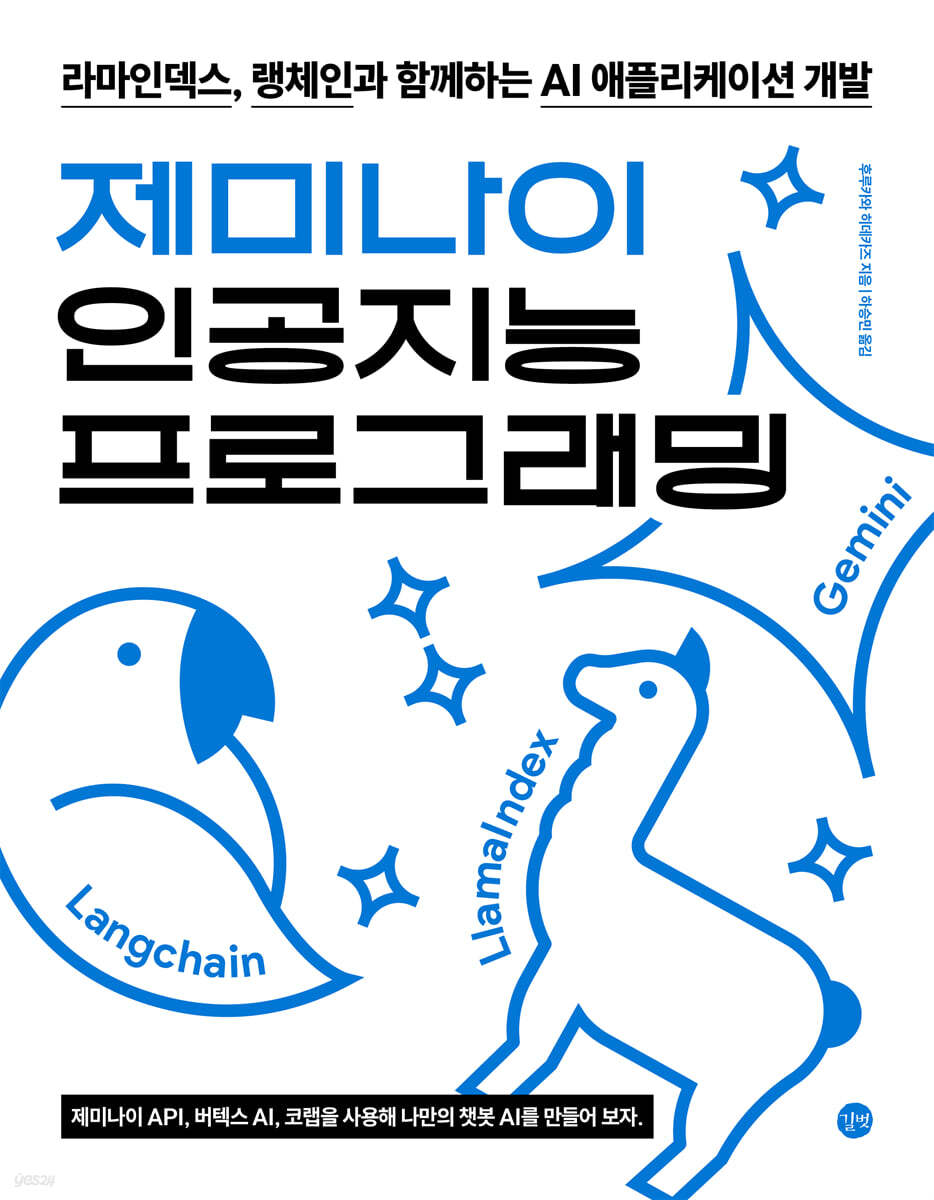
Create your own custom AI applications on various platforms, including Colab, Android, and iOS, with Gemini, RamaIndex, and Langchain!
Gemini is a multimodal AI that processes various data such as text, images, videos, and voices, and can be used to create advanced AI services.
"Gemini AI Programming" is an introductory book on developing "chatbot AI" using Google Gemini. It explains step-by-step how to utilize Gemini as well as how to create customized chatbot AI using the Gemini API.
Additionally, it has been configured so that it can be implemented in Google Cloud services such as Google Colab, Android Studio, and Xcode.
Here, we also introduce RamaIndex and LangChain, frameworks for developing LLM applications.
RamaIndex is a framework that makes it very easy to build augmented search engines that answer questions using your own data, while LangChain is a framework suitable for building agents that manipulate tools such as APIs, functions, and databases with a natural language interface.
I recommend this book to anyone who wants to start an AI project using Gemini, and I hope it will serve as an opportunity to utilize AI in various fields.
Gemini is a multimodal AI that processes various data such as text, images, videos, and voices, and can be used to create advanced AI services.
"Gemini AI Programming" is an introductory book on developing "chatbot AI" using Google Gemini. It explains step-by-step how to utilize Gemini as well as how to create customized chatbot AI using the Gemini API.
Additionally, it has been configured so that it can be implemented in Google Cloud services such as Google Colab, Android Studio, and Xcode.
Here, we also introduce RamaIndex and LangChain, frameworks for developing LLM applications.
RamaIndex is a framework that makes it very easy to build augmented search engines that answer questions using your own data, while LangChain is a framework suitable for building agents that manipulate tools such as APIs, functions, and databases with a natural language interface.
I recommend this book to anyone who wants to start an AI project using Gemini, and I hope it will serve as an opportunity to utilize AI in various fields.
- You can preview some of the book's contents.
Preview
index
Chapter 1: Getting to Know Gemini
1.1 Getting to Know Gemini
__1.1.1 Gemini
__1.1.2 Gemini Model Types
__1.1.3 Overview of Large-Scale Language Models
__1.1.4 Getting to Know the Gemini API
__1.1.5 Use Cases for Large-Scale Language Models
1.2 Gemini Start
__1.2.1 Getting Started with Gemini
__1.2.2 Gemini Advanced
1.3 Artificial Intelligence, Machine Learning, and Deep Learning
__1.3.1 Artificial Intelligence, Machine Learning, and Deep Learning
__1.3.2 Neurons and Neural Networks
__1.3.3 Model building, training, and inference
1.4 Natural Language Processing and Deep Learning Models
__1.4.1 History of Deep Learning Models in Natural Language Processing
__1.4.2 Image Processing Using Deep Learning Models
__1.4.3 Speech Processing Using Deep Learning
Chapter 2 Using Gemini
2.1 How to Use Gemini
__2.1.1 Gemini Screen Configuration
__2.1.2 Key tasks that can be performed on Gemini
2.2 How to Use Google AI Studio
__2.2.1 Getting Started with Google AI Studio
__2.2.2 Screen composition of Google AI Studio
__2.2.3 Get API Key
__2.2.4 Writing new prompts and tuning models, libraries
__2.2.5 Documentation
__2.2.6 Settings
__2.2.7 Toolbar
__2.2.8 System Instructions
__2.2.9 Running the prompt
__2.2.10 Setting up execution
2.3 How to Use Vertex AI Studio
__2.3.1 Getting Started with Vertex AI Studio
__2.3.2 Vertex AI Gemini API Usage Fees
__2.3.3 Screen composition of Vertex AI Studio
__2.3.4 Left menu
__2.3.5 Toolbar
__2.3.6 System Instructions
__2.3.7 Running the prompt
__2.3.8 Setting up execution
Chapter 3: Preparing the Python Development Environment
3.1 Python Overview
__3.1.1 What is Python?
3.2 Getting to Know Google Colab
__3.2.1 What is Google Colab?
__3.2.2 Getting Started with Google Colab
__3.2.3 Running a Python Script
__3.2.4 Installing Python Packages
__3.2.5 Adding Text
__3.2.6 Configuring the Google Colab Screen
__3.2.7 Google Colab's menu
__3.2.8 Using GPU
__3.2.9 Mount Google Drive
__3.2.10 Google Colab Usage Limits and Countermeasures
__3.2.11 Google Colab Pricing Plan
3.3 Basic Python Grammar
__3.3.1 Outputting a string
__3.3.2 Variables and Operators
__3.3.3 string
__3.3.4 List
__3.3.5 Dictionary
__3.3.6 Tuple
__3.3.7 Control statements
__3.3.8 Functions and Lambda Expressions
__3.3.9 class
__3.3.10 Importing packages and calling components directly
Chapter 4: Gemini API (Python Edition)
4.1 Text Generation
__4.1.1 Overview of Text Generation
__4.1.2 Gemini API Overview
__4.1.3 Overview of Google AI Gemini API
__4.1.4 Google AI Gemini API Fees
__4.1.5 Get API Key
__4.1.6 Preparing the Gemini API
__4.1.7 Check the model list
__4.1.8 Text Generation
__4.1.9 Streaming
__4.1.10 Chat
__4.1.11 Creation Parameters
__4.1.12 Check the number of tokens
__4.1.13 Safety Settings
__4.1.14 System Instructions
__4.1.15 JSON mode
4.2 Multimodal
__4.2.1 Multimodal Overview
__4.2.2 Supported file formats
__4.2.3 Preparing the Gemini API
__4.2.4 Image Q&A
__4.2.5 Image Query and Answer Using the File API
__4.2.6 Voice Q&A
__4.2.7 Video Q&A
4.3 Embedding
__4.3.1 Embedding Overview
__4.3.2 Preparing the Gemini API
__4.3.3 Types of embedding models
__4.3.4 How to use text-embedding-004
__4.3.5 Neighborhood Search Using Text-Embedding-004
__4.3.6 How to use bge-m3
__4.3.7 Neighborhood Search Using bge-m3
4.4 Function Calls
__4.4.1 Overview of Function Calls
__4.4.2 Preparing the Gemini API
__4.4.3 Calling automatic functions
__4.4.4 Setting up tools
__4.4.5 Manually calling functions
__4.4.6 Calling Parallel Functions
4.5 Fine Tuning
__4.5.1 Overview of Fine Tuning
__4.5.2 Gemini API Fees
__4.5.3 Get the list of fine-tuned models
__4.5.4 Preparing training data
__4.5.5 Learning
__4.5.6 Inference
__4.5.7 Updating the Fine Tuning Model Description
__4.5.8 Deleting a Fine Tuning Model
__4.5.9 Credentials File
4.6 Vertex AI Gemini API
__4.6.1 Overview of the Vertex AI Gemini API
__4.6.2 Vertex AI Gemini API Fees
__4.6.3 Preparing the service account key
__4.6.4 Preparing the Vertex AI Gemini API
__4.6.5 Generating Text
__4.6.6 Image Q&A
Chapter 5: Gemini API (Android Edition)
5.1 Text Generation
__5.1.1 Overview of Text Generation
__5.1.2 Overview of the Google AI Gemini API
__5.1.3 Gemini API Fees
__5.1.4 Retrieving API Keys
__5.1.5 Preparing the Gemini API
__5.1.6 Generating Text
__5.1.7 Streaming
__5.1.8 Chat
__5.1.9 Creation Parameters
__5.1.10 Safety Settings
5.2 Multimodal
__5.2.1 Multimodal Overview
__5.2.2 Preparing the Gemini API
__5.2.3 Image Q&A
5.3 Local LLM
__5.3.1 Overview of Local LLM
__5.3.2 Gemini Nano and Gemma
__5.3.3 Local language model execution environment on Android
__5.3.4 Running the Llama.cpp Demo Application
Chapter 6: Gemini API (iOS Edition)
6.1 Text Generation
__6.1.1 Overview of Text Generation
__6.1.2 Overview of Google AI Gemini API
__6.1.3 Gemini API Fees
__6.1.4 Retrieving API Keys
__6.1.5 Preparing the Gemini API
__6.1.6 Generating Text
__6.1.7 Streaming
__6.1.8 Chat
__6.1.9 Creation Parameters
__6.1.10 Safety Settings
6.2 Multimodal
__6.2.1 Multimodal Overview
__6.2.2 Preparing the Gemini API
__6.2.3 Image Q&A
6.3 Local LLM
__6.3.1 Overview of Local LLM
__6.3.2 Local LLM execution environment on iOS
__6.3.3 Running the Llama.cpp Demo Application
__6.3.4 Running the MLX Swift Demo Application
Chapter 7 Rama Index
7.1 Starting the Rama Index
__7.1.1 What is Rama Index?
__7.1.2 Rama Index Core Steps
__7.1.3 Preparing the Document
__7.1.4 Preparing the Rama Index
__7.1.5 Q&A using Rama Index
__7.1.6 Saving and Loading Indexes
7.2 Customizing Rama Index
__7.2.1 Overview of Rama Index Customization
__7.2.2 Preparing the Rama Index
__7.2.3 Preparing the Document
__7.2.4 Customizing LLM
__7.2.5 Customizing the Embedding Model
__7.2.6 Customizing the Tokenizer
__7.2.7 Customizing the Text Separator
__7.2.8 Customizing the Query Engine
__7.2.9 Reranker
7.3 Data Loader
__7.3.1 Data Loader Overview
__7.3.2 Q&A using web pages
__7.3.3 Q&A using YouTube videos
7.4 Vector Store
__7.4.1 Overview of the Vector Store
__7.4.2 Preparing the Rama Index
__7.4.3 Preparing the Document
__7.4.4 Order of use of Pie
__7.4.5 Pinecon Overview and API Import
__7.4.6 Pinecone usage order
7.5 rating
__7.5.1 Evaluating the Rama Index
__7.5.2 Preparing the Rama Index
__7.5.3 Preparing the Document
__7.5.4 Creating a Question Context Dataset
__7.5.5 Retrieval Evaluation
__7.5.6 Evaluating Response Performance
Chapter 8: Langchain
8.1 Starting the Langchain
__8.1.1 Langchain Overview
__8.1.2 Langchain Usage Cases
__8.1.3 Configuring the Langchain package
__8.1.4 Introducing Langchain's modules
__8.1.5 Preparing the Langchain
__8.1.6 LLM
__8.1.7 Prompt Template
__8.1.8 Output Parser
__8.1.9 Chain
__8.1.10 Agent
__8.1.11 Langsmith
8.2 LLM
__8.2.1 LLM Overview
__8.2.2 Preparing the Langchain
__8.2.3 How to use LLM
__8.2.4 How to use ChatModel
__8.2.5 Streaming
__8.2.6 How to Use LLM in the Vertex AI Gemini API
8.3 Prompt Templates
__8.3.1 Overview of the Prompt Template Module
__8.3.2 Preparing the Langchain
__8.3.3 How to use string prompt templates
__8.3.4 How to use chat prompt templates
__8.3.5 How to use message placeholders
8.4 Output Parser
__8.4.1 Overview of the Output Parser
__8.4.2 Preparing the Langchain
__8.4.3 How to use the string output parser
__8.4.4 How to use the simple JSON output parser
__8.4.5 How to use the Pydantic Output Parser
8.5 chain
__8.5.1 Chain Overview
__8.5.2 LCEL Overview
__8.5.3 Runnable Overview
__8.5.4 Preparing the Langchain
__8.5.5 How to use chains
__8.5.6 How to use Runnable
__8.5.7 Checking the input/output schema of Runnable
8.6 Chatbot
__8.6.1 Chatbot Overview
__8.6.2 Preparing the Langchain
__8.6.3 Preparing for LLM
__8.6.4 Preparing the Chatbot
__8.6.5 Custom Directives
__8.6.6 Managing conversation history
__8.6.7 Checking the rangesmith
8.7 Augmented Search Creation
__8.7.1 Overview of Augmented Search Generation
__8.7.2 Preparing the Langchain
__8.7.3 Preparing the embedding model
__8.7.4 Preparing the Vector Store
__8.7.5 Preparing the Retriever
__8.7.6 Implementing Augmented Search Generation
__8.7.7 Processing Documents with Augmented Search Generation
__8.7.8 Checking the rangesmith
8.8 Agent
__8.8.1 Agent Overview
__8.8.2 Preparing the Langchain
__8.8.3 Preparing the embedding model
__8.8.4 Preparing Tools
__8.8.5 Implementing an Agent
__8.8.6 Message Streaming
__8.8.7 Implementing an Agent with Conversation History
__8.8.8 Checking the rangesmith
1.1 Getting to Know Gemini
__1.1.1 Gemini
__1.1.2 Gemini Model Types
__1.1.3 Overview of Large-Scale Language Models
__1.1.4 Getting to Know the Gemini API
__1.1.5 Use Cases for Large-Scale Language Models
1.2 Gemini Start
__1.2.1 Getting Started with Gemini
__1.2.2 Gemini Advanced
1.3 Artificial Intelligence, Machine Learning, and Deep Learning
__1.3.1 Artificial Intelligence, Machine Learning, and Deep Learning
__1.3.2 Neurons and Neural Networks
__1.3.3 Model building, training, and inference
1.4 Natural Language Processing and Deep Learning Models
__1.4.1 History of Deep Learning Models in Natural Language Processing
__1.4.2 Image Processing Using Deep Learning Models
__1.4.3 Speech Processing Using Deep Learning
Chapter 2 Using Gemini
2.1 How to Use Gemini
__2.1.1 Gemini Screen Configuration
__2.1.2 Key tasks that can be performed on Gemini
2.2 How to Use Google AI Studio
__2.2.1 Getting Started with Google AI Studio
__2.2.2 Screen composition of Google AI Studio
__2.2.3 Get API Key
__2.2.4 Writing new prompts and tuning models, libraries
__2.2.5 Documentation
__2.2.6 Settings
__2.2.7 Toolbar
__2.2.8 System Instructions
__2.2.9 Running the prompt
__2.2.10 Setting up execution
2.3 How to Use Vertex AI Studio
__2.3.1 Getting Started with Vertex AI Studio
__2.3.2 Vertex AI Gemini API Usage Fees
__2.3.3 Screen composition of Vertex AI Studio
__2.3.4 Left menu
__2.3.5 Toolbar
__2.3.6 System Instructions
__2.3.7 Running the prompt
__2.3.8 Setting up execution
Chapter 3: Preparing the Python Development Environment
3.1 Python Overview
__3.1.1 What is Python?
3.2 Getting to Know Google Colab
__3.2.1 What is Google Colab?
__3.2.2 Getting Started with Google Colab
__3.2.3 Running a Python Script
__3.2.4 Installing Python Packages
__3.2.5 Adding Text
__3.2.6 Configuring the Google Colab Screen
__3.2.7 Google Colab's menu
__3.2.8 Using GPU
__3.2.9 Mount Google Drive
__3.2.10 Google Colab Usage Limits and Countermeasures
__3.2.11 Google Colab Pricing Plan
3.3 Basic Python Grammar
__3.3.1 Outputting a string
__3.3.2 Variables and Operators
__3.3.3 string
__3.3.4 List
__3.3.5 Dictionary
__3.3.6 Tuple
__3.3.7 Control statements
__3.3.8 Functions and Lambda Expressions
__3.3.9 class
__3.3.10 Importing packages and calling components directly
Chapter 4: Gemini API (Python Edition)
4.1 Text Generation
__4.1.1 Overview of Text Generation
__4.1.2 Gemini API Overview
__4.1.3 Overview of Google AI Gemini API
__4.1.4 Google AI Gemini API Fees
__4.1.5 Get API Key
__4.1.6 Preparing the Gemini API
__4.1.7 Check the model list
__4.1.8 Text Generation
__4.1.9 Streaming
__4.1.10 Chat
__4.1.11 Creation Parameters
__4.1.12 Check the number of tokens
__4.1.13 Safety Settings
__4.1.14 System Instructions
__4.1.15 JSON mode
4.2 Multimodal
__4.2.1 Multimodal Overview
__4.2.2 Supported file formats
__4.2.3 Preparing the Gemini API
__4.2.4 Image Q&A
__4.2.5 Image Query and Answer Using the File API
__4.2.6 Voice Q&A
__4.2.7 Video Q&A
4.3 Embedding
__4.3.1 Embedding Overview
__4.3.2 Preparing the Gemini API
__4.3.3 Types of embedding models
__4.3.4 How to use text-embedding-004
__4.3.5 Neighborhood Search Using Text-Embedding-004
__4.3.6 How to use bge-m3
__4.3.7 Neighborhood Search Using bge-m3
4.4 Function Calls
__4.4.1 Overview of Function Calls
__4.4.2 Preparing the Gemini API
__4.4.3 Calling automatic functions
__4.4.4 Setting up tools
__4.4.5 Manually calling functions
__4.4.6 Calling Parallel Functions
4.5 Fine Tuning
__4.5.1 Overview of Fine Tuning
__4.5.2 Gemini API Fees
__4.5.3 Get the list of fine-tuned models
__4.5.4 Preparing training data
__4.5.5 Learning
__4.5.6 Inference
__4.5.7 Updating the Fine Tuning Model Description
__4.5.8 Deleting a Fine Tuning Model
__4.5.9 Credentials File
4.6 Vertex AI Gemini API
__4.6.1 Overview of the Vertex AI Gemini API
__4.6.2 Vertex AI Gemini API Fees
__4.6.3 Preparing the service account key
__4.6.4 Preparing the Vertex AI Gemini API
__4.6.5 Generating Text
__4.6.6 Image Q&A
Chapter 5: Gemini API (Android Edition)
5.1 Text Generation
__5.1.1 Overview of Text Generation
__5.1.2 Overview of the Google AI Gemini API
__5.1.3 Gemini API Fees
__5.1.4 Retrieving API Keys
__5.1.5 Preparing the Gemini API
__5.1.6 Generating Text
__5.1.7 Streaming
__5.1.8 Chat
__5.1.9 Creation Parameters
__5.1.10 Safety Settings
5.2 Multimodal
__5.2.1 Multimodal Overview
__5.2.2 Preparing the Gemini API
__5.2.3 Image Q&A
5.3 Local LLM
__5.3.1 Overview of Local LLM
__5.3.2 Gemini Nano and Gemma
__5.3.3 Local language model execution environment on Android
__5.3.4 Running the Llama.cpp Demo Application
Chapter 6: Gemini API (iOS Edition)
6.1 Text Generation
__6.1.1 Overview of Text Generation
__6.1.2 Overview of Google AI Gemini API
__6.1.3 Gemini API Fees
__6.1.4 Retrieving API Keys
__6.1.5 Preparing the Gemini API
__6.1.6 Generating Text
__6.1.7 Streaming
__6.1.8 Chat
__6.1.9 Creation Parameters
__6.1.10 Safety Settings
6.2 Multimodal
__6.2.1 Multimodal Overview
__6.2.2 Preparing the Gemini API
__6.2.3 Image Q&A
6.3 Local LLM
__6.3.1 Overview of Local LLM
__6.3.2 Local LLM execution environment on iOS
__6.3.3 Running the Llama.cpp Demo Application
__6.3.4 Running the MLX Swift Demo Application
Chapter 7 Rama Index
7.1 Starting the Rama Index
__7.1.1 What is Rama Index?
__7.1.2 Rama Index Core Steps
__7.1.3 Preparing the Document
__7.1.4 Preparing the Rama Index
__7.1.5 Q&A using Rama Index
__7.1.6 Saving and Loading Indexes
7.2 Customizing Rama Index
__7.2.1 Overview of Rama Index Customization
__7.2.2 Preparing the Rama Index
__7.2.3 Preparing the Document
__7.2.4 Customizing LLM
__7.2.5 Customizing the Embedding Model
__7.2.6 Customizing the Tokenizer
__7.2.7 Customizing the Text Separator
__7.2.8 Customizing the Query Engine
__7.2.9 Reranker
7.3 Data Loader
__7.3.1 Data Loader Overview
__7.3.2 Q&A using web pages
__7.3.3 Q&A using YouTube videos
7.4 Vector Store
__7.4.1 Overview of the Vector Store
__7.4.2 Preparing the Rama Index
__7.4.3 Preparing the Document
__7.4.4 Order of use of Pie
__7.4.5 Pinecon Overview and API Import
__7.4.6 Pinecone usage order
7.5 rating
__7.5.1 Evaluating the Rama Index
__7.5.2 Preparing the Rama Index
__7.5.3 Preparing the Document
__7.5.4 Creating a Question Context Dataset
__7.5.5 Retrieval Evaluation
__7.5.6 Evaluating Response Performance
Chapter 8: Langchain
8.1 Starting the Langchain
__8.1.1 Langchain Overview
__8.1.2 Langchain Usage Cases
__8.1.3 Configuring the Langchain package
__8.1.4 Introducing Langchain's modules
__8.1.5 Preparing the Langchain
__8.1.6 LLM
__8.1.7 Prompt Template
__8.1.8 Output Parser
__8.1.9 Chain
__8.1.10 Agent
__8.1.11 Langsmith
8.2 LLM
__8.2.1 LLM Overview
__8.2.2 Preparing the Langchain
__8.2.3 How to use LLM
__8.2.4 How to use ChatModel
__8.2.5 Streaming
__8.2.6 How to Use LLM in the Vertex AI Gemini API
8.3 Prompt Templates
__8.3.1 Overview of the Prompt Template Module
__8.3.2 Preparing the Langchain
__8.3.3 How to use string prompt templates
__8.3.4 How to use chat prompt templates
__8.3.5 How to use message placeholders
8.4 Output Parser
__8.4.1 Overview of the Output Parser
__8.4.2 Preparing the Langchain
__8.4.3 How to use the string output parser
__8.4.4 How to use the simple JSON output parser
__8.4.5 How to use the Pydantic Output Parser
8.5 chain
__8.5.1 Chain Overview
__8.5.2 LCEL Overview
__8.5.3 Runnable Overview
__8.5.4 Preparing the Langchain
__8.5.5 How to use chains
__8.5.6 How to use Runnable
__8.5.7 Checking the input/output schema of Runnable
8.6 Chatbot
__8.6.1 Chatbot Overview
__8.6.2 Preparing the Langchain
__8.6.3 Preparing for LLM
__8.6.4 Preparing the Chatbot
__8.6.5 Custom Directives
__8.6.6 Managing conversation history
__8.6.7 Checking the rangesmith
8.7 Augmented Search Creation
__8.7.1 Overview of Augmented Search Generation
__8.7.2 Preparing the Langchain
__8.7.3 Preparing the embedding model
__8.7.4 Preparing the Vector Store
__8.7.5 Preparing the Retriever
__8.7.6 Implementing Augmented Search Generation
__8.7.7 Processing Documents with Augmented Search Generation
__8.7.8 Checking the rangesmith
8.8 Agent
__8.8.1 Agent Overview
__8.8.2 Preparing the Langchain
__8.8.3 Preparing the embedding model
__8.8.4 Preparing Tools
__8.8.5 Implementing an Agent
__8.8.6 Message Streaming
__8.8.7 Implementing an Agent with Conversation History
__8.8.8 Checking the rangesmith
Detailed image

Into the book
This book provides a basic guide to developing with large-scale language models.
In particular, we will introduce the knowledge necessary to effectively design and implement applications by covering simple practical examples focusing on major libraries and platforms such as Gemini, RamaIndex, and LangChain.
Libraries covered in this book, including Gemini, RamaIndex, and LangChain, go beyond simply leveraging AI model functions. They are useful for expanding the scope of AI applications in diverse areas, including data processing, information retrieval, and application design.
I am confident that these technologies will play a key role in the AI ecosystem, both now and in the future.
AI is developing very rapidly.
This will enable humans and machines to interact more naturally in the future.
In particular, API-centric service design plays a critical role in maximizing the flexibility and scalability of AI.
In this trend, the combination of AI models and APIs has become an essential element in developing AI into a practical business tool.
In fact, even while translating this book, Gemini continued its research, releasing new models such as 2.0 and Deep Research.
That doesn't mean that the exercises and cases based on Gemini 1.5 are meaningless.
Rather, I believe that if readers compare past models and the services based on them with the latest versions based on this book, they will be able to understand the flow of change and design and develop applications in a more advanced direction.
In particular, we will introduce the knowledge necessary to effectively design and implement applications by covering simple practical examples focusing on major libraries and platforms such as Gemini, RamaIndex, and LangChain.
Libraries covered in this book, including Gemini, RamaIndex, and LangChain, go beyond simply leveraging AI model functions. They are useful for expanding the scope of AI applications in diverse areas, including data processing, information retrieval, and application design.
I am confident that these technologies will play a key role in the AI ecosystem, both now and in the future.
AI is developing very rapidly.
This will enable humans and machines to interact more naturally in the future.
In particular, API-centric service design plays a critical role in maximizing the flexibility and scalability of AI.
In this trend, the combination of AI models and APIs has become an essential element in developing AI into a practical business tool.
In fact, even while translating this book, Gemini continued its research, releasing new models such as 2.0 and Deep Research.
That doesn't mean that the exercises and cases based on Gemini 1.5 are meaningless.
Rather, I believe that if readers compare past models and the services based on them with the latest versions based on this book, they will be able to understand the flow of change and design and develop applications in a more advanced direction.
--- From the "Book Introduction"
Publisher's Review
The first step to multimodal AI programming, starting with Gemini!
Crossing text, images, videos, and voices
The Complete Guide to AI Application Development!
Gemini, a generative AI developed by Google, is a multimodal AI that simultaneously processes various data such as text, images, videos, and voices.
This can be used to create advanced AI services such as text + image analysis, voice-based chatbots, and video summary AI.
This book aims to develop personalized chatbot AI applications using Gemini.
It is structured around AI development using the Gemini API, and can be practiced in various development environments such as Colab, Android, and iOS.
Additionally, we will explain RamaIndex and LangChain, which are standard frameworks for AI development, to guide you in developing advanced applications more easily.
It goes beyond simply explaining examples, providing step-by-step exercises and code that can be followed and executed, allowing even novice developers to easily build AI applications.
Additionally, through this book, you can gain a comprehensive understanding of generative AI and learn how to apply it in practice.
Crossing text, images, videos, and voices
The Complete Guide to AI Application Development!
Gemini, a generative AI developed by Google, is a multimodal AI that simultaneously processes various data such as text, images, videos, and voices.
This can be used to create advanced AI services such as text + image analysis, voice-based chatbots, and video summary AI.
This book aims to develop personalized chatbot AI applications using Gemini.
It is structured around AI development using the Gemini API, and can be practiced in various development environments such as Colab, Android, and iOS.
Additionally, we will explain RamaIndex and LangChain, which are standard frameworks for AI development, to guide you in developing advanced applications more easily.
It goes beyond simply explaining examples, providing step-by-step exercises and code that can be followed and executed, allowing even novice developers to easily build AI applications.
Additionally, through this book, you can gain a comprehensive understanding of generative AI and learn how to apply it in practice.
GOODS SPECIFICS
- Date of issue: May 13, 2025
- Page count, weight, size: 388 pages | 720g | 183*235*16mm
- ISBN13: 9791140713370
You may also like
카테고리
korean


korean

![GQ KOREA Mark (Monthly): December [2025]](http://librairie.coreenne.fr/cdn/shop/files/8ef265dbbfbf186523ed75ba7319009d.jpg?v=1765340328&width=3840)


