

Midjourney in one volume
 |
Description
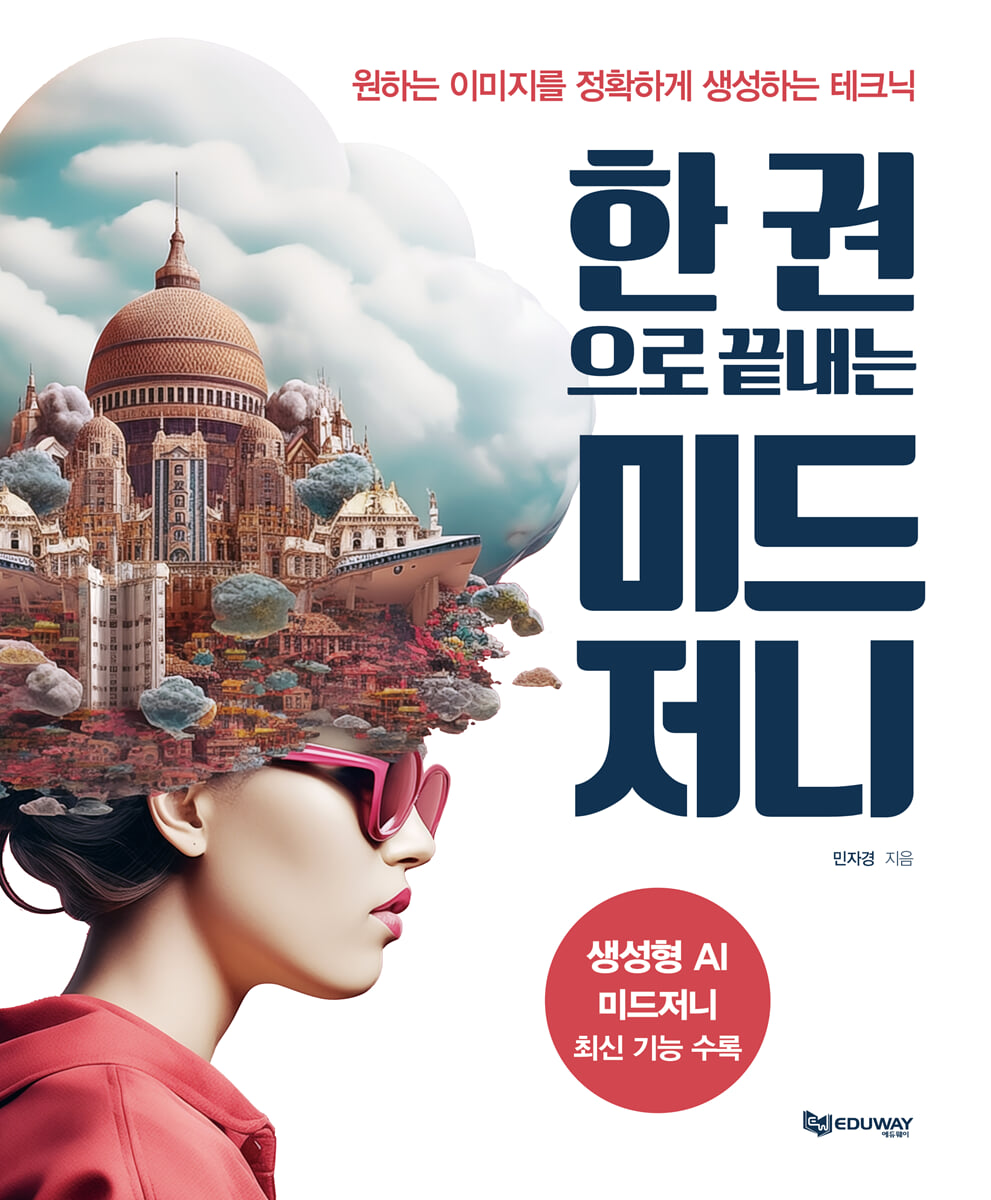
Book Introduction
Generative AI Midjourney includes the latest features
Advances in AI technology are transforming the way we create with image-generating AI, and Midjourney has established itself as an innovative tool.
It is useful in various fields because it can quickly create basic image elements for video production such as concept art, backgrounds, and character designs.
This book covers everything from the basics to advanced features of Midjourney, helping you easily create images with the style and quality you want.
Accordingly, it is designed to help you learn Midjourney's features and expand your creative work through various examples and practical exercises.
The latest version of Midjourney will open up creative possibilities, making image creation, once the domain of experts, accessible to everyone.
Now, let's simplify complex design tasks and efficiently realize your unique ideas using Midjourney.
Advances in AI technology are transforming the way we create with image-generating AI, and Midjourney has established itself as an innovative tool.
It is useful in various fields because it can quickly create basic image elements for video production such as concept art, backgrounds, and character designs.
This book covers everything from the basics to advanced features of Midjourney, helping you easily create images with the style and quality you want.
Accordingly, it is designed to help you learn Midjourney's features and expand your creative work through various examples and practical exercises.
The latest version of Midjourney will open up creative possibilities, making image creation, once the domain of experts, accessible to everyone.
Now, let's simplify complex design tasks and efficiently realize your unique ideas using Midjourney.
index
Part 01: Creating Images Using Generative AI
01 Understanding the Concept of Generative AI
1│Learning Stage: Understanding Data Patterns and Characteristics
2│Image Creation Stage: Creating New Content
02 Applications of Generative AI
1│Support for creative work in the arts
2│Innovation in Design
3│Visual Content Creation in the Film Industry
4│Content Creation in the Gaming Industry
03 Create the image you want using generative AI
1│Custom image creation possible
2│Free from copyright issues!
3│Cost savings
4│Improving work speed
5│Use in various styles and formats
6│Easy image editing and regeneration
7│Ability to create unique and differentiated content
04 Using ChatGPT to Create Images
1│Detailed and precise expression possible
2│Reflecting style and technical elements
3│Prompt testing and improvement can be repeated
4│Linguistic Optimization and English Translation
5│Various creative experiments possible
6│Advantages and Limitations of Using ChatGPT
05 Which generative AI image toolkit should I use?
1│Midjourney, a powerful AI tool for creative image creation
Midjourney's scope of application
Midjourney's Advantages and Limitations
2│Open-source based stable diffusion
Business Use of Stable Diffusion
Key Advantages of Stable Diffusion
3│ Design and Creative Work, Adobe Firefly
Adobe Firefly Business Utilization
Key Benefits of Adobe Firefly
4│From image creation to video editing, Runway
Runway Advantages and Limitations
5│OpenAI's Image-Generating AI, DALL·E
Advantages and Limitations of DALL·E
06 Why Midjourney excels in image-generating AI toolkits
1│Creative and unique visual style
2│Detailed texture and color expression
3│Customize your style and mood
4│ Emphasize unique atmosphere and emotional elements
5│ Fast and efficient image creation
6│ Customization and Flexibility
07 The Basics of Image Creation: Combining Images
1│Frame-based video generation
2│Maintaining a consistent style and diversity in the video
3│Creating Efficiency and High-Quality Visuals
4│Unique visual style and efficient prototyping
Part 02 How to write a prompt to create an image
01 Installing Midjourney
02 Basic structure of the prompt
1│Basic prompt
2│Advanced prompt
Image prompt
Text prompt
Parameters
03 How to Design Effective Prompts
1│Components of a prompt
Main Subject
Additional Details
Style (Style or Mood Description)
Parameter
2│Prompt Grammar Elements and Expression Techniques
Spacing
Comma (,) - element separator
and & with - linking elements
3│Prompt order
4│Word expressions in the prompt
5│Sentence expressions in the prompt
Practical Use - Examples of Category-Specific Prompts
CATEGORY 1 Art Nouveau style poster
CATEGORY 2 App Icon Design
CATEGORY 3 Dark Forest
CATEGORY 4 Village
CATEGORY 5 Wooden texture
CATEGORY 6 Spray Painting
CATEGORY 7 Bird's-Eye View
CATEGORY 8 Bunny Character
CATEGORY 9 Floating in space
CATEGORY 10 Chevron pattern
04 How to create image prompts with different categories?
1 Character Type
2 Types of Lighting & Natural Light
3 Camera Shot Types
4 animal types
5 Camera View Types
6 Lens Types
7 types of animation
8 color tone types
9 Types of Foreground and Background
10 Game Types
11 Photo Style Types
12 Art Style Types
Part 03: All You Need to Know! Midjourney's Core Features
01 Blending Images _ Blend
Change the background of a specific object
Combining objects
Mixing styles
1│Change the background of a specific object
2│Creating an image by combining objects _ Emphasizing shape
3│Creating an image by combining objects _ Emphasizing poses
4│Creating images by mixing styles
02 Extract image information to create an image
_ Describe
Upload image
Attach image link
1│ Upload an image to create a prompt and image
2│ Creating prompts and images by attaching image links
03 Setting up image creation _ Settings
1│Version change
2│RAW Mode
3│Stylize Mo
4│Quality Mode
5│Public Mode
6│Stealth Mode
Switch to Stealth Mode 1
Switching to Stealth Mode 2
7│Remix mode
How to enable Remix mode
8│Editing images using Remix mode
Change the item you are holding
Converting a photorealistic image to an anime-style image
Change the aspect ratio of the image
04 Effectively Shortening Prompts _ Shorten
1│ Effectively reduce prompts to create the desired image
Part 04 Midjourney features to improve work efficiency
01 Expanding the image _ Pan
1│General Panning
2│Panning using Remix mode
3│Expanding an image using general panning
4│ Expand by adding images using Remix Mode
02 Reducing and Enlarging Images _ Zoom Out
2x Zoom and 1.5x Zoom
Custom Zoom
1│1.5x Zoom Out, 2.0x Zoom Out
2│Custom Zoom Out
03 Image Transformation _ Vary
1│Vary (Strong)
2│Vary (Subtle)
3│ Vary Strong and Vary Subtle
Comparison of degree of deformation
4│Transforming an image using the Vary (Strong) function
5│Adjusting the image with Vary (Subtle)
Vary (Region)
6│ Select a specific area and transform it using the Vary (Region) function.
Part 05 Using Parameters to Create Sophisticated Images
01 Parameters that control the prompt contents
02 Emphasize decorative elements in the image --s(--stylize)
03 Set version --v(--version)
04 Adjusting image weights --iw(image weight)
05 Applying weights to styles --sw(stylize weight)
06 Expressing experimental images --w(--weird)
07 Setting image quality --q(--quality)
08 Generating unexpected results --c(--chaos)
09 Setting the aspect ratio --ar, --aspect (Aspect Ratio)
10 Do not express specific content --no
11 Generate prompt as is --style raw
12 Creating Japanese Anime-Style Images --niji 309
13 Matching the mood of an image --seed
14 Set the number of times to regenerate images --r/--repeat 316
15 Create pattern image --tile
16 Stop generation at intermediate stage --stop
01 Understanding the Concept of Generative AI
1│Learning Stage: Understanding Data Patterns and Characteristics
2│Image Creation Stage: Creating New Content
02 Applications of Generative AI
1│Support for creative work in the arts
2│Innovation in Design
3│Visual Content Creation in the Film Industry
4│Content Creation in the Gaming Industry
03 Create the image you want using generative AI
1│Custom image creation possible
2│Free from copyright issues!
3│Cost savings
4│Improving work speed
5│Use in various styles and formats
6│Easy image editing and regeneration
7│Ability to create unique and differentiated content
04 Using ChatGPT to Create Images
1│Detailed and precise expression possible
2│Reflecting style and technical elements
3│Prompt testing and improvement can be repeated
4│Linguistic Optimization and English Translation
5│Various creative experiments possible
6│Advantages and Limitations of Using ChatGPT
05 Which generative AI image toolkit should I use?
1│Midjourney, a powerful AI tool for creative image creation
Midjourney's scope of application
Midjourney's Advantages and Limitations
2│Open-source based stable diffusion
Business Use of Stable Diffusion
Key Advantages of Stable Diffusion
3│ Design and Creative Work, Adobe Firefly
Adobe Firefly Business Utilization
Key Benefits of Adobe Firefly
4│From image creation to video editing, Runway
Runway Advantages and Limitations
5│OpenAI's Image-Generating AI, DALL·E
Advantages and Limitations of DALL·E
06 Why Midjourney excels in image-generating AI toolkits
1│Creative and unique visual style
2│Detailed texture and color expression
3│Customize your style and mood
4│ Emphasize unique atmosphere and emotional elements
5│ Fast and efficient image creation
6│ Customization and Flexibility
07 The Basics of Image Creation: Combining Images
1│Frame-based video generation
2│Maintaining a consistent style and diversity in the video
3│Creating Efficiency and High-Quality Visuals
4│Unique visual style and efficient prototyping
Part 02 How to write a prompt to create an image
01 Installing Midjourney
02 Basic structure of the prompt
1│Basic prompt
2│Advanced prompt
Image prompt
Text prompt
Parameters
03 How to Design Effective Prompts
1│Components of a prompt
Main Subject
Additional Details
Style (Style or Mood Description)
Parameter
2│Prompt Grammar Elements and Expression Techniques
Spacing
Comma (,) - element separator
and & with - linking elements
3│Prompt order
4│Word expressions in the prompt
5│Sentence expressions in the prompt
Practical Use - Examples of Category-Specific Prompts
CATEGORY 1 Art Nouveau style poster
CATEGORY 2 App Icon Design
CATEGORY 3 Dark Forest
CATEGORY 4 Village
CATEGORY 5 Wooden texture
CATEGORY 6 Spray Painting
CATEGORY 7 Bird's-Eye View
CATEGORY 8 Bunny Character
CATEGORY 9 Floating in space
CATEGORY 10 Chevron pattern
04 How to create image prompts with different categories?
1 Character Type
2 Types of Lighting & Natural Light
3 Camera Shot Types
4 animal types
5 Camera View Types
6 Lens Types
7 types of animation
8 color tone types
9 Types of Foreground and Background
10 Game Types
11 Photo Style Types
12 Art Style Types
Part 03: All You Need to Know! Midjourney's Core Features
01 Blending Images _ Blend
Change the background of a specific object
Combining objects
Mixing styles
1│Change the background of a specific object
2│Creating an image by combining objects _ Emphasizing shape
3│Creating an image by combining objects _ Emphasizing poses
4│Creating images by mixing styles
02 Extract image information to create an image
_ Describe
Upload image
Attach image link
1│ Upload an image to create a prompt and image
2│ Creating prompts and images by attaching image links
03 Setting up image creation _ Settings
1│Version change
2│RAW Mode
3│Stylize Mo
4│Quality Mode
5│Public Mode
6│Stealth Mode
Switch to Stealth Mode 1
Switching to Stealth Mode 2
7│Remix mode
How to enable Remix mode
8│Editing images using Remix mode
Change the item you are holding
Converting a photorealistic image to an anime-style image
Change the aspect ratio of the image
04 Effectively Shortening Prompts _ Shorten
1│ Effectively reduce prompts to create the desired image
Part 04 Midjourney features to improve work efficiency
01 Expanding the image _ Pan
1│General Panning
2│Panning using Remix mode
3│Expanding an image using general panning
4│ Expand by adding images using Remix Mode
02 Reducing and Enlarging Images _ Zoom Out
2x Zoom and 1.5x Zoom
Custom Zoom
1│1.5x Zoom Out, 2.0x Zoom Out
2│Custom Zoom Out
03 Image Transformation _ Vary
1│Vary (Strong)
2│Vary (Subtle)
3│ Vary Strong and Vary Subtle
Comparison of degree of deformation
4│Transforming an image using the Vary (Strong) function
5│Adjusting the image with Vary (Subtle)
Vary (Region)
6│ Select a specific area and transform it using the Vary (Region) function.
Part 05 Using Parameters to Create Sophisticated Images
01 Parameters that control the prompt contents
02 Emphasize decorative elements in the image --s(--stylize)
03 Set version --v(--version)
04 Adjusting image weights --iw(image weight)
05 Applying weights to styles --sw(stylize weight)
06 Expressing experimental images --w(--weird)
07 Setting image quality --q(--quality)
08 Generating unexpected results --c(--chaos)
09 Setting the aspect ratio --ar, --aspect (Aspect Ratio)
10 Do not express specific content --no
11 Generate prompt as is --style raw
12 Creating Japanese Anime-Style Images --niji 309
13 Matching the mood of an image --seed
14 Set the number of times to regenerate images --r/--repeat 316
15 Create pattern image --tile
16 Stop generation at intermediate stage --stop
Detailed image

GOODS SPECIFICS
- Date of issue: April 20, 2025
- Page count, weight, size: 328 pages | 190*230*30mm
- ISBN13: 9791194328179
- ISBN10: 1194328172
You may also like
카테고리
korean


korean

![GQ KOREA Mark (Monthly): December [2025]](http://librairie.coreenne.fr/cdn/shop/files/8ef265dbbfbf186523ed75ba7319009d.jpg?v=1765340328&width=3840)


