

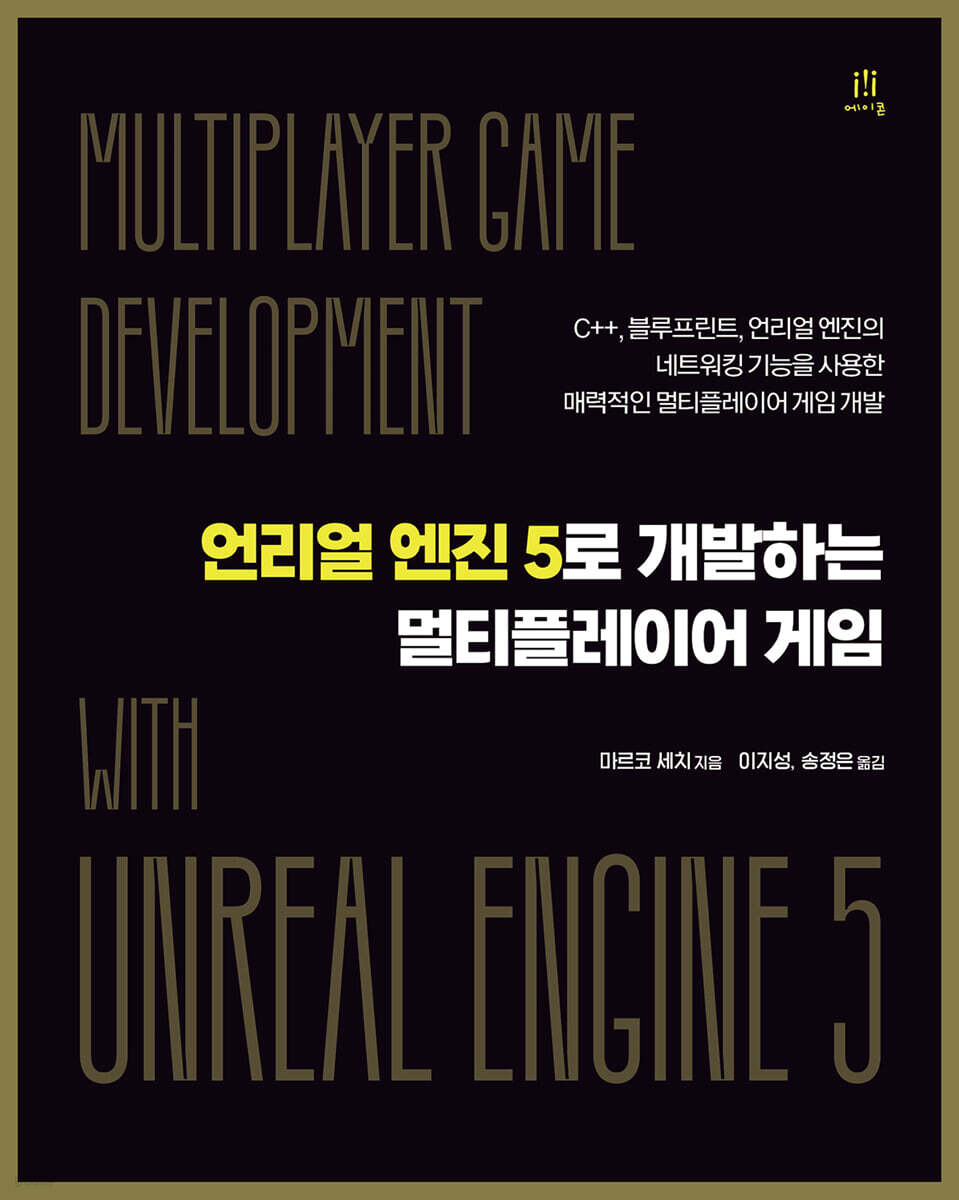
Multiplayer game developed with Unreal Engine 5
 |
Description
Book Introduction
This book is for beginners and intermediate developers who want to develop multiplayer games using Unreal Engine 5.
Starting with the fundamentals of networking, you'll learn key concepts like replication, RPC, associations, AI systems, and session management, as well as network debugging and optimization methods using a profiler.
The latter part also covers advanced topics such as Unreal Engine compilation, dedicated server setup, and Epic Online Services.
Starting with the fundamentals of networking, you'll learn key concepts like replication, RPC, associations, AI systems, and session management, as well as network debugging and optimization methods using a profiler.
The latter part also covers advanced topics such as Unreal Engine compilation, dedicated server setup, and Epic Online Services.
- You can preview some of the book's contents.
Preview
index
Chapter 1.
Start developing multiplayer games
__Technical Requirements
____Prior knowledge
____Hardware specifications
____Software Specifications
__Introducing Multiplayer Games
____Becoming a Network Programmer in the Video Game Industry
__Understanding Multiplayer Game Categories
____First-person shooter
____Third-person shooter
____Real-time strategy
____Massively multiplayer online role-playing game
____Multi-user dungeon
____Multiplayer Online Battle Arena
__Review of gameplay modification elements
____Asymmetric gameplay
____Hide and Seek Gameplay
____Asynchronous gameplay
__Is multiplayer technology only used in games?
____Cinematography
____building
____education
____Unreal's Collaboration Viewer Template
__summation
Chapter 2.
Networking Basics
__Technical Requirements
__What is computer networking?
__Types of computer networks
____local area network
____long distance communication network
____Virtual Private Network
__Introduction to Network Protocols
____packet exchange
____TCP/IP Suite
__Understanding network issues
____security
____packet loss
____Delay time
__Introducing the Unreal Engine Multiplayer System
____Network mode and server type
____Replication System
____Network Role
____Phone and player controller
____Relevance and Priority
____Remote Procedure Call
__summation
__credit
Chapter 3.
Testing the multiplayer system with a project prototype
__Technical Requirements
__Creating a multiplayer game prototype
Setting up a project in the ____ template
____Added QuickSell Megascans
____Fix player controller
__Testing multiplayer games locally
Play on ____Listen Server
____Update via network
____Added additional character spawn points
__Updating properties over the network
____Create a blueprint for the pickup item
____Added modified pickup items
Added point calculation to ____ character
__Executing functions over the network
____Actor Spawn
____Change character skin
____Game Test
__summation
Part 2 - Networking and Multiplayer Games in Unreal Engine
Chapter 4.
Setting up your first multiplayer environment
__Technical Requirements
__Introducing 『Unreal Shadows - Legacy of the Lich King』
____Project Overview Description
____Project Start
__Understanding C++ in Unreal Engine
____Blueprints and C++
Understanding ____C++ Classes
____Unreal Engine C++ Header Analysis
____Unreal Engine Reflection System
____Memory Management and Garbage Collection
__Starting an Unreal Multiplayer Project
____Create project file
____Create a project game instance
____Creating game modes and game states
__Added player class
____Compile source code
____Create a character blueprint class
Add player classes to ____game mode
__summation
Chapter 5.
Managing actors in a multiplayer environment
__Technical Requirements
__Character settings
Add default settings to ____character
Add interaction to ____character
____Import the improved input module
Add user interaction to ____character
____Character movement test
__Actor connection control
Understanding Actor Relationships
Understanding ____relationships
____Relationship Test
____Relationship Setting Test
__Introduction of authority
Control permissions using ____actor roles and remote role properties
____Autonomous and Simulated Proxies
__summation
Chapter 6.
Property replication over the network
__Technical Requirements
__Added character stats
Create ____stat structure
____Create stat data table
Reading data table from ____ character
Add a data table to the ____ character
Understanding __Property Duplication
____Enable property replication
____Referencing actors and components across networks
__Processing character level ups
____making a plan
____PlayerState property and member function declaration
____Implementing PlayerState logic
Add coin item to level ____
__Adding a HUD to your game
____Create a widget blueprint
____Add code logic to the widget blueprint
Add a HUD to your ____character
____Game Test
__summation
Chapter 7.
Using remote procedure calls
__Technical Requirements
Understanding __RPC
____RPC reliability
____RPC authentication
__Running RPC over the network
Calling a function on the ____server
__Door System Implementation
____Creating an interactive interface
Implementing ____interaction actions
Create a ____door blueprint
____Testing Interaction Actions
__summation
Part 3 - Game Improvements
Chapter 8.
Bringing AI to multiplayer environments
__Technical Requirements
__AI system settings
__AI enemy creation
____Add navigation module
____Creating a Minion class
Implementing ____minion behavior
Add enemies to level __
____Create a spawner class
____Implementing the spawner logic
____Spawner Test
__summation
Chapter 9. Extending AI Behavior
__Technical Requirements
__Making AI enemies more difficult
____Making noise
____Activate hearing
____Take a hearing test
__Implementation of an alert system
____Game mode function declaration
____AI sends an alert message
__Added stamina to AI
__Added a weapon system to the character
____Creates a dagger projectile
Implementing ____weapon components
Attach the WeaponProjectile component to the ____character
Added input system for ____weapons
____Weapon System Test
__AI variant creation
____AI border guard creation
____AI mid-boss creation
____Minion Spawner Update
__summation
Chapter 10.
Improving Player Experience
__Technical Requirements
__Character animation
____Creating animation assets
Added animation system to ____character
Added ____throwing animation
__Added NPC actor
____NPC character creation
____NPC Actor Test
__Further improvements to the game
____Let's make some noise!
I need a ____key!
____Heroes, let's strengthen our weapons!
____player is not a machine gun
____There is no time to delay
____Various uses of data tables
____Need help?
__summation
Chapter 11.
Debugging multiplayer games
__Technical Requirements
__Introduction to Network Debugging
____Game Debugging Instructions
____Introducing Multiplayer Options
Logging in a ____network environment
____Filter LogNet categories
____Create a custom log category
__Network environment emulation
____Enable network emulation
____Testing games with network emulation
__Using Network Profiler
____Recording a profiling session
____Analyzing profiling sessions
__Improved performance and bandwidth usage
____Enable replication only when needed
____Avoid unnecessary or unimportant RPC calls
____Distinguishing between trusted and untrusted RPCs
____Verify data
____game mode exists only on servers
Using naming conventions for ____RPC
__summation
Part 4 - Distributing the Game Online
Chapter 12.
Multiplayer Session Management
__Technical Requirements
__Understanding Game Sessions
____Introducing the Online Subsystem
Understanding ____Session Commands
Understanding ____connection errors
__Preparing for a Project Game Session
__Create session
____Add visual elements
____Implementing visual scripting logic
__Participate in session
Create a ____SessionItemRenderer widget
____Creating the FindSessions widget
____Create Main Menu Widget
__summation
Chapter 13.
Processing data during a session
__Technical Requirements
__Create a main menu level
Create ____phone
____Create a game mode
Create ____level
____Session System Test
__Processing data during a session
Update the ____US_GameInstance class
____Added character skin data
____US_MainMenuPawn class update
____BP_MainMenuPawn Blueprint Update
____US_Character class update
____BP_Character Blueprint Update
__Additional improvement work
____Leaving and destroying the session
____Player death processing
____Select Player Skin
__summation
Chapter 14.
Multiplayer game distribution
__Technical Requirements
__Preparing the online environment
__Unreal Engine Compilation
____Download the Unreal Engine source project
Compile from ____source code
__Dedicated server settings
Create a ____project
Build the ____project solution
____Dedicated server build
____Project Test
__summation
Chapter 15.
Add Epic Online Services
__Technical Requirements
__Introducing EOS
__Access the Dev Portal
____Access the Epic Games Dev Portal
____Product Creation
____Product Service Composition
__Getting Started with the EOS SDK
____Download the EOS SDK
____Integrating the system into the game
__summation
Korean version appendix
Start developing multiplayer games
__Technical Requirements
____Prior knowledge
____Hardware specifications
____Software Specifications
__Introducing Multiplayer Games
____Becoming a Network Programmer in the Video Game Industry
__Understanding Multiplayer Game Categories
____First-person shooter
____Third-person shooter
____Real-time strategy
____Massively multiplayer online role-playing game
____Multi-user dungeon
____Multiplayer Online Battle Arena
__Review of gameplay modification elements
____Asymmetric gameplay
____Hide and Seek Gameplay
____Asynchronous gameplay
__Is multiplayer technology only used in games?
____Cinematography
____building
____education
____Unreal's Collaboration Viewer Template
__summation
Chapter 2.
Networking Basics
__Technical Requirements
__What is computer networking?
__Types of computer networks
____local area network
____long distance communication network
____Virtual Private Network
__Introduction to Network Protocols
____packet exchange
____TCP/IP Suite
__Understanding network issues
____security
____packet loss
____Delay time
__Introducing the Unreal Engine Multiplayer System
____Network mode and server type
____Replication System
____Network Role
____Phone and player controller
____Relevance and Priority
____Remote Procedure Call
__summation
__credit
Chapter 3.
Testing the multiplayer system with a project prototype
__Technical Requirements
__Creating a multiplayer game prototype
Setting up a project in the ____ template
____Added QuickSell Megascans
____Fix player controller
__Testing multiplayer games locally
Play on ____Listen Server
____Update via network
____Added additional character spawn points
__Updating properties over the network
____Create a blueprint for the pickup item
____Added modified pickup items
Added point calculation to ____ character
__Executing functions over the network
____Actor Spawn
____Change character skin
____Game Test
__summation
Part 2 - Networking and Multiplayer Games in Unreal Engine
Chapter 4.
Setting up your first multiplayer environment
__Technical Requirements
__Introducing 『Unreal Shadows - Legacy of the Lich King』
____Project Overview Description
____Project Start
__Understanding C++ in Unreal Engine
____Blueprints and C++
Understanding ____C++ Classes
____Unreal Engine C++ Header Analysis
____Unreal Engine Reflection System
____Memory Management and Garbage Collection
__Starting an Unreal Multiplayer Project
____Create project file
____Create a project game instance
____Creating game modes and game states
__Added player class
____Compile source code
____Create a character blueprint class
Add player classes to ____game mode
__summation
Chapter 5.
Managing actors in a multiplayer environment
__Technical Requirements
__Character settings
Add default settings to ____character
Add interaction to ____character
____Import the improved input module
Add user interaction to ____character
____Character movement test
__Actor connection control
Understanding Actor Relationships
Understanding ____relationships
____Relationship Test
____Relationship Setting Test
__Introduction of authority
Control permissions using ____actor roles and remote role properties
____Autonomous and Simulated Proxies
__summation
Chapter 6.
Property replication over the network
__Technical Requirements
__Added character stats
Create ____stat structure
____Create stat data table
Reading data table from ____ character
Add a data table to the ____ character
Understanding __Property Duplication
____Enable property replication
____Referencing actors and components across networks
__Processing character level ups
____making a plan
____PlayerState property and member function declaration
____Implementing PlayerState logic
Add coin item to level ____
__Adding a HUD to your game
____Create a widget blueprint
____Add code logic to the widget blueprint
Add a HUD to your ____character
____Game Test
__summation
Chapter 7.
Using remote procedure calls
__Technical Requirements
Understanding __RPC
____RPC reliability
____RPC authentication
__Running RPC over the network
Calling a function on the ____server
__Door System Implementation
____Creating an interactive interface
Implementing ____interaction actions
Create a ____door blueprint
____Testing Interaction Actions
__summation
Part 3 - Game Improvements
Chapter 8.
Bringing AI to multiplayer environments
__Technical Requirements
__AI system settings
__AI enemy creation
____Add navigation module
____Creating a Minion class
Implementing ____minion behavior
Add enemies to level __
____Create a spawner class
____Implementing the spawner logic
____Spawner Test
__summation
Chapter 9. Extending AI Behavior
__Technical Requirements
__Making AI enemies more difficult
____Making noise
____Activate hearing
____Take a hearing test
__Implementation of an alert system
____Game mode function declaration
____AI sends an alert message
__Added stamina to AI
__Added a weapon system to the character
____Creates a dagger projectile
Implementing ____weapon components
Attach the WeaponProjectile component to the ____character
Added input system for ____weapons
____Weapon System Test
__AI variant creation
____AI border guard creation
____AI mid-boss creation
____Minion Spawner Update
__summation
Chapter 10.
Improving Player Experience
__Technical Requirements
__Character animation
____Creating animation assets
Added animation system to ____character
Added ____throwing animation
__Added NPC actor
____NPC character creation
____NPC Actor Test
__Further improvements to the game
____Let's make some noise!
I need a ____key!
____Heroes, let's strengthen our weapons!
____player is not a machine gun
____There is no time to delay
____Various uses of data tables
____Need help?
__summation
Chapter 11.
Debugging multiplayer games
__Technical Requirements
__Introduction to Network Debugging
____Game Debugging Instructions
____Introducing Multiplayer Options
Logging in a ____network environment
____Filter LogNet categories
____Create a custom log category
__Network environment emulation
____Enable network emulation
____Testing games with network emulation
__Using Network Profiler
____Recording a profiling session
____Analyzing profiling sessions
__Improved performance and bandwidth usage
____Enable replication only when needed
____Avoid unnecessary or unimportant RPC calls
____Distinguishing between trusted and untrusted RPCs
____Verify data
____game mode exists only on servers
Using naming conventions for ____RPC
__summation
Part 4 - Distributing the Game Online
Chapter 12.
Multiplayer Session Management
__Technical Requirements
__Understanding Game Sessions
____Introducing the Online Subsystem
Understanding ____Session Commands
Understanding ____connection errors
__Preparing for a Project Game Session
__Create session
____Add visual elements
____Implementing visual scripting logic
__Participate in session
Create a ____SessionItemRenderer widget
____Creating the FindSessions widget
____Create Main Menu Widget
__summation
Chapter 13.
Processing data during a session
__Technical Requirements
__Create a main menu level
Create ____phone
____Create a game mode
Create ____level
____Session System Test
__Processing data during a session
Update the ____US_GameInstance class
____Added character skin data
____US_MainMenuPawn class update
____BP_MainMenuPawn Blueprint Update
____US_Character class update
____BP_Character Blueprint Update
__Additional improvement work
____Leaving and destroying the session
____Player death processing
____Select Player Skin
__summation
Chapter 14.
Multiplayer game distribution
__Technical Requirements
__Preparing the online environment
__Unreal Engine Compilation
____Download the Unreal Engine source project
Compile from ____source code
__Dedicated server settings
Create a ____project
Build the ____project solution
____Dedicated server build
____Project Test
__summation
Chapter 15.
Add Epic Online Services
__Technical Requirements
__Introducing EOS
__Access the Dev Portal
____Access the Epic Games Dev Portal
____Product Creation
____Product Service Composition
__Getting Started with the EOS SDK
____Download the EOS SDK
____Integrating the system into the game
__summation
Korean version appendix
Detailed image

Publisher's Review
◈ What this book covers ◈
◆ Basic knowledge required for multiplayer game development
◆ Understanding key elements at the network level
Explore Unreal multiplayer features like replication, RPCs, relevance, and roles.
◆ Code debugging and optimization to improve game performance
◆ Game distribution on LAN or online platforms
◆ Improving player experience using Epic Online Services
◈ Target audience of this book ◈
Game programmers with limited knowledge of video game networking systems, especially Unreal Engine developers, who want to delve deeper into this topic will find this book helpful.
Developers who are proficient in other game engines but want to understand the principles of Unreal's multiplayer system will also benefit greatly from this book.
However, basic knowledge of Unreal Engine and C++ is required.
◈ Structure of this book ◈
Chapter 1, "Getting Started with Multiplayer Game Development," provides a friendly introduction to the world of multiplayer game development from a developer's perspective.
Chapter 2, "Networking Fundamentals," explores the fundamental concepts of network programming to get you started with multiplayer development in Unreal Engine.
Chapter 3, "Testing Multiplayer Systems with a Project Prototype," guides you through the process of setting up a project template and creating a simple multiplayer prototype that can test basic multiplayer functionality.
Chapter 4, "Setting Up Your First Multiplayer Environment," lays the foundation for developing multiplayer C++ projects in Unreal Engine.
In Chapter 5, "Managing Actors in a Multiplayer Environment," you'll learn the basics of creating multiplayer characters and handling them in a multiplayer environment.
Chapter 6, "Property Replication Over the Network," explores how to handle properties and synchronize them across clients in a multiplayer environment.
Chapter 7, "Using Remote Procedure Calls," explores how to call functions in a network environment, either from a server to a client or from a client to a server.
Chapter 8, "Introducing AI to a Multiplayer Environment," covers creating enemy characters and adding simple AI to make them work in a multiplayer system.
Chapter 9, "Extending AI Behaviors," adds more features to the AI to make the game more immersive.
Chapter 10, "Enhancing the Player Experience," adds more features to the game, such as animations and NPCs.
In Chapter 11, "Debugging Multiplayer Games," you'll learn the fundamentals of debugging and profiling network games.
Chapter 12, "Managing Multiplayer Sessions," introduces game sessions and their characteristics.
Chapter 13, "Handling Data During a Session," explores how to handle data during a multiplayer session.
Chapter 14, "Deploying a Multiplayer Game," covers the basics of building a dedicated server for a multiplayer game.
Chapter 15, "Adding Epic Online Services," introduces the Epic Games Developer Portal and provides an overview of Epic Online Services, a powerful suite of services designed to deliver the most immersive online experiences.
◈ Author's Note ◈
The advent of multiplayer games brought a revolution to the gaming industry, allowing players to experience new ways of playing games.
That is, unlike traditional single-player games, multiplayer games provided a dynamic and colorful space for players to interact in real time.
Advances in technology in recent years have made multiplayer games more accessible than ever.
As a result, multiplayer games have become one of the most popular genres, enjoyed by millions of players every day across a variety of platforms around the world.
Game engines like Unreal Engine (UE) are becoming increasingly popular among game developers.
Because it provides a variety of tools and features specifically designed to support high-quality multiplayer experiences, including cross-platform multiplayer support and advanced lag compensation technology.
Unreal Engine also has a large and active game developer community, providing support, resources, and opportunities for collaboration and networking.
So if you're interested in network game development, there's no reason not to use it!
◈ Translator's Note ◈
With the gaming industry growing rapidly, the importance of multiplayer games is greater than ever.
Online experiences that bring players from all over the world together have become an essential part of gaming.
In this trend, Unreal Engine 5, optimized for multiplayer game development, has excellent graphic performance and powerful networking capabilities.
This book is for beginner-intermediate developers who want to develop multiplayer games using Unreal Engine 5.
Additionally, since there are very few books on Unreal Engine 5 currently available in Korea that focus on multiplayer game development, this book will be of great help if you wish to learn about that topic.
However, if you are a beginner who is new to Unreal Engine, it may be a bit difficult, so we recommend that you first learn the basics of Unreal Engine Blueprint and C++.
This book covers the fundamentals of networking and details key concepts related to multiplayer game development.
Additionally, advanced topics like compiling Unreal Engine source and setting up a dedicated server, which are rarely covered in other books, will be of great help when working on customization tasks.
For reference, Unreal Engine supports Korean, but there are still many parts that have not been translated or are awkward expressions.
Of course, you can change the language in 'Editor Preferences', but we decided that the Korean screen and menu would be more convenient than the English screen and menu, so we translated the original content based on the Korean screen.
Additionally, while the original book was written based on Unreal Engine version 5.1, the translation was revised to match Unreal version 5.3.
I have tried my best in this process, but there may be some shortcomings.
If you have any questions or concerns, please contact the Acorn Publishing editorial team or my email and I will do my best to answer them.
◆ Basic knowledge required for multiplayer game development
◆ Understanding key elements at the network level
Explore Unreal multiplayer features like replication, RPCs, relevance, and roles.
◆ Code debugging and optimization to improve game performance
◆ Game distribution on LAN or online platforms
◆ Improving player experience using Epic Online Services
◈ Target audience of this book ◈
Game programmers with limited knowledge of video game networking systems, especially Unreal Engine developers, who want to delve deeper into this topic will find this book helpful.
Developers who are proficient in other game engines but want to understand the principles of Unreal's multiplayer system will also benefit greatly from this book.
However, basic knowledge of Unreal Engine and C++ is required.
◈ Structure of this book ◈
Chapter 1, "Getting Started with Multiplayer Game Development," provides a friendly introduction to the world of multiplayer game development from a developer's perspective.
Chapter 2, "Networking Fundamentals," explores the fundamental concepts of network programming to get you started with multiplayer development in Unreal Engine.
Chapter 3, "Testing Multiplayer Systems with a Project Prototype," guides you through the process of setting up a project template and creating a simple multiplayer prototype that can test basic multiplayer functionality.
Chapter 4, "Setting Up Your First Multiplayer Environment," lays the foundation for developing multiplayer C++ projects in Unreal Engine.
In Chapter 5, "Managing Actors in a Multiplayer Environment," you'll learn the basics of creating multiplayer characters and handling them in a multiplayer environment.
Chapter 6, "Property Replication Over the Network," explores how to handle properties and synchronize them across clients in a multiplayer environment.
Chapter 7, "Using Remote Procedure Calls," explores how to call functions in a network environment, either from a server to a client or from a client to a server.
Chapter 8, "Introducing AI to a Multiplayer Environment," covers creating enemy characters and adding simple AI to make them work in a multiplayer system.
Chapter 9, "Extending AI Behaviors," adds more features to the AI to make the game more immersive.
Chapter 10, "Enhancing the Player Experience," adds more features to the game, such as animations and NPCs.
In Chapter 11, "Debugging Multiplayer Games," you'll learn the fundamentals of debugging and profiling network games.
Chapter 12, "Managing Multiplayer Sessions," introduces game sessions and their characteristics.
Chapter 13, "Handling Data During a Session," explores how to handle data during a multiplayer session.
Chapter 14, "Deploying a Multiplayer Game," covers the basics of building a dedicated server for a multiplayer game.
Chapter 15, "Adding Epic Online Services," introduces the Epic Games Developer Portal and provides an overview of Epic Online Services, a powerful suite of services designed to deliver the most immersive online experiences.
◈ Author's Note ◈
The advent of multiplayer games brought a revolution to the gaming industry, allowing players to experience new ways of playing games.
That is, unlike traditional single-player games, multiplayer games provided a dynamic and colorful space for players to interact in real time.
Advances in technology in recent years have made multiplayer games more accessible than ever.
As a result, multiplayer games have become one of the most popular genres, enjoyed by millions of players every day across a variety of platforms around the world.
Game engines like Unreal Engine (UE) are becoming increasingly popular among game developers.
Because it provides a variety of tools and features specifically designed to support high-quality multiplayer experiences, including cross-platform multiplayer support and advanced lag compensation technology.
Unreal Engine also has a large and active game developer community, providing support, resources, and opportunities for collaboration and networking.
So if you're interested in network game development, there's no reason not to use it!
◈ Translator's Note ◈
With the gaming industry growing rapidly, the importance of multiplayer games is greater than ever.
Online experiences that bring players from all over the world together have become an essential part of gaming.
In this trend, Unreal Engine 5, optimized for multiplayer game development, has excellent graphic performance and powerful networking capabilities.
This book is for beginner-intermediate developers who want to develop multiplayer games using Unreal Engine 5.
Additionally, since there are very few books on Unreal Engine 5 currently available in Korea that focus on multiplayer game development, this book will be of great help if you wish to learn about that topic.
However, if you are a beginner who is new to Unreal Engine, it may be a bit difficult, so we recommend that you first learn the basics of Unreal Engine Blueprint and C++.
This book covers the fundamentals of networking and details key concepts related to multiplayer game development.
Additionally, advanced topics like compiling Unreal Engine source and setting up a dedicated server, which are rarely covered in other books, will be of great help when working on customization tasks.
For reference, Unreal Engine supports Korean, but there are still many parts that have not been translated or are awkward expressions.
Of course, you can change the language in 'Editor Preferences', but we decided that the Korean screen and menu would be more convenient than the English screen and menu, so we translated the original content based on the Korean screen.
Additionally, while the original book was written based on Unreal Engine version 5.1, the translation was revised to match Unreal version 5.3.
I have tried my best in this process, but there may be some shortcomings.
If you have any questions or concerns, please contact the Acorn Publishing editorial team or my email and I will do my best to answer them.
GOODS SPECIFICS
- Date of issue: February 27, 2025
- Page count, weight, size: 492 pages | 188*235*23mm
- ISBN13: 9791161759685
- ISBN10: 1161759689
You may also like
카테고리
korean


korean

![GQ KOREA Mark (Monthly): December [2025]](http://librairie.coreenne.fr/cdn/shop/files/8ef265dbbfbf186523ed75ba7319009d.jpg?v=1765340328&width=3840)


