

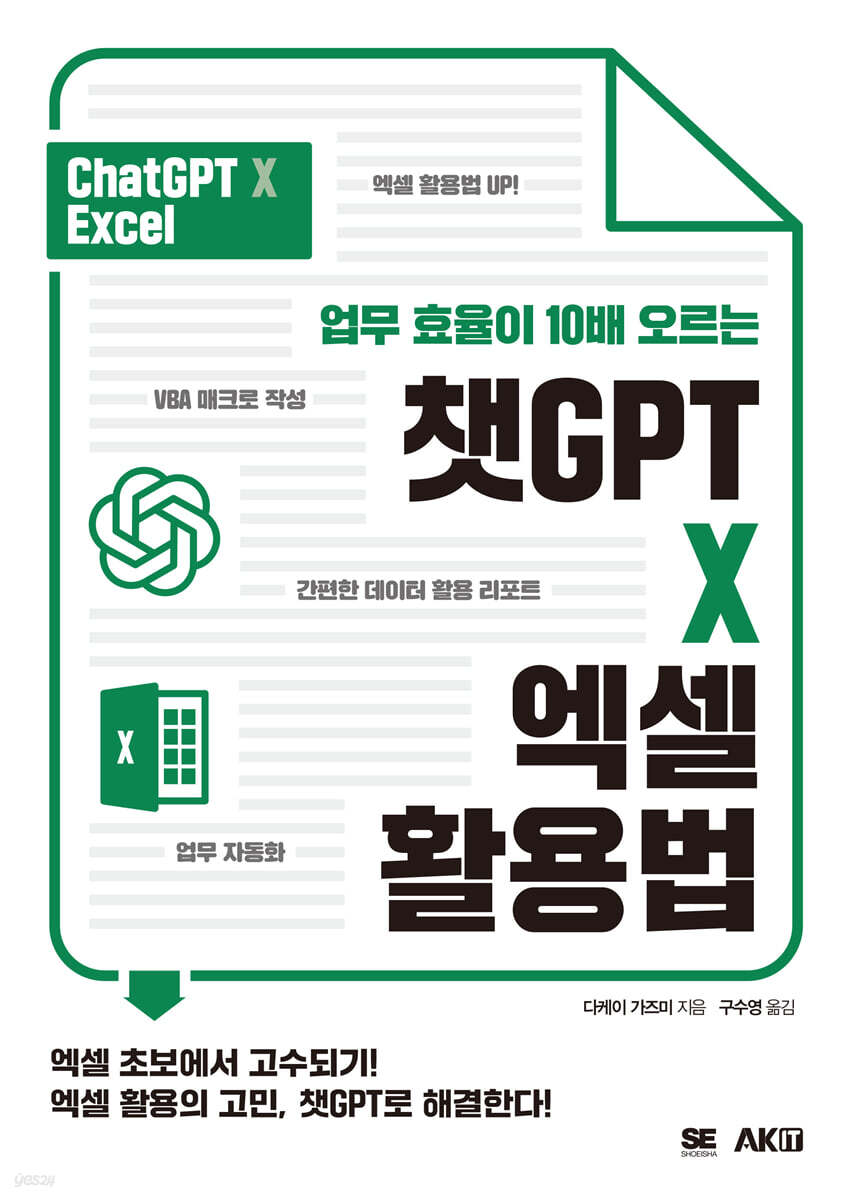
How to Use ChatGPT X Excel to Increase Work Efficiency 10x
 |
Description
Book Introduction
Difficult Excel?
How can I use Excel well?
Solve it with ChatGPT!
Excel, which is essential for work, can improve work efficiency by utilizing formulas and functions.
Memorizing functions and formulas or using macros can make work more efficient and convenient, but many people struggle to create macros because they don't even have enough time to study them.
But now, let's use ChatGPT without any worries.
ChatGPT provides you with the functions, formulas, and macro code you need, allowing you to automate tasks with a simple 'copy and paste'.
How can I use Excel well?
Solve it with ChatGPT!
Excel, which is essential for work, can improve work efficiency by utilizing formulas and functions.
Memorizing functions and formulas or using macros can make work more efficient and convenient, but many people struggle to create macros because they don't even have enough time to study them.
But now, let's use ChatGPT without any worries.
ChatGPT provides you with the functions, formulas, and macro code you need, allowing you to automate tasks with a simple 'copy and paste'.
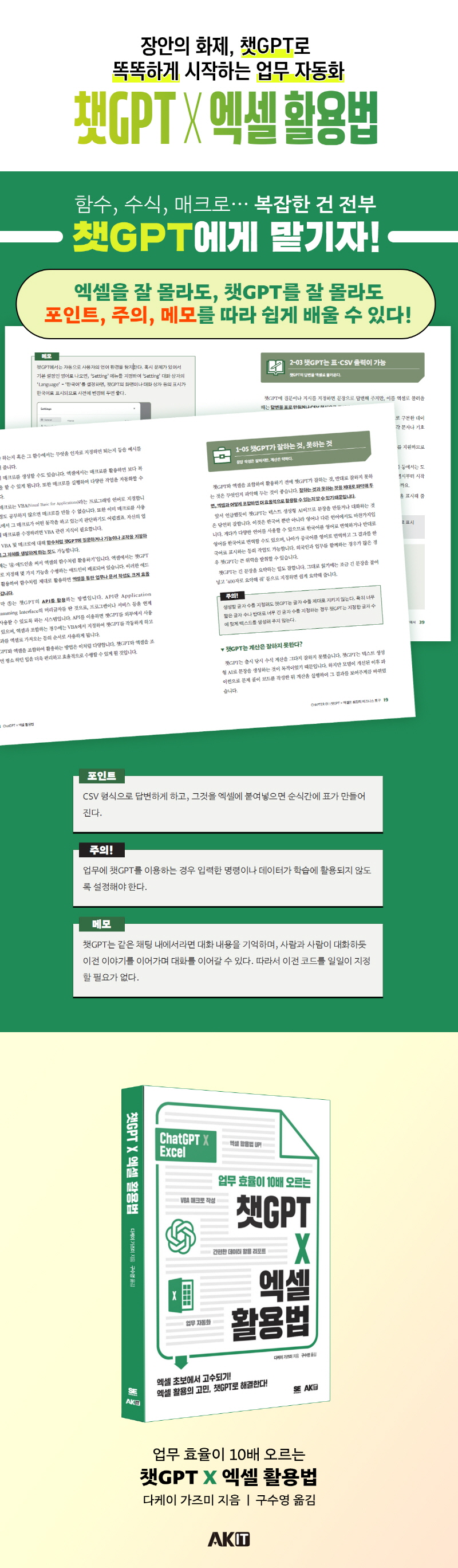
- You can preview some of the book's contents.
Preview
index
CHAPTER 01 ChatGPT × Excel is the most powerful business tool
1-01 ChatGPT Dramatically Increases Productivity
-Please note that there are errors in the answer.
- Productivity increased by more than 10 times!
1-02 Generating Text with ChatGPT
- Prompt input is required to elicit an answer
1-03 Using ChatGPT and Excel in Combination
-How to display in CSV format
1-04 What is possible with ChatGPT × Excel?
-Can be used in various situations when combined
1-05 What ChatGPT is good at and what it is bad at
-Chat GPT isn't good at calculations?
-Sentence editing is a specialty
-Creation isn't that weak
1-06 New Chat and Chat History
-ChatGPT screen configuration
-Chat GPT's history
1-07 Precautions when using for business
-Caution is also needed regarding copyright.
CHAPTER 02 From Text Creation to Excel
2-01 ChatGPT becomes a powerful weapon for Excel.
-Solve your Excel work worries in one fell swoop with ChatGPT!
2-02 Basic Prompt Writing
-The magic spell that turns ChatGPT into an Excel pro
2-03 ChatGPT supports table and CSV output.
2-04 Creating a document template in Excel
- A designation that can be used in any situation
2-05 Ask ChatGPT how to use Excel
- Learn how to create a pivot table
-It also tells you which functions or designation methods to use.
2-06 Learn more about some of the answers
-Conversation with ChatGPT
Translating sentence 2-07
-Translation in just 2-3 seconds
2-08 Rewriting Sentences
- Generate sentences by specifying a theme
2-09 Correcting sentences
-Cannot surpass a professional proofreader or reviewer
Summarize 2-10 sentences
- Combine with the translation function to summarize
Ask a question by specifying a cell range of 2-11
- Ask a question by specifying the scope
2-12 Ask about the cause and solution for formula errors
- Data separated by tabs is recognized as a table.
2-13 Seeking advice on which charts are good for effective visualization
- Create a vertical bar chart based on the answers
2-14 Unifying address expression formats
-The optimal method varies depending on the data.
2-15 Splitting the performance name
Splitting addresses 2-16
2-17 Write the name in its original language
2-18 Creating dummy data
- Generate dummy product sales data
2-19 Importing data from the web in Excel format
- Extract various up-to-date information from the web and import it into Excel.
CHAPTER 03 Learning Excel Functions and Macros
3-01 Learn Excel Functions
- Asking which function to use
3-02 Learn how to use the VLOOKUP function
- Ask questions by specifying more specifically what you want to achieve
3-03 Learn how to use the IF function, optimized for time reduction.
3-04 Ask a question about a function that changes the rows and columns of a table.
- Ask a question about how to use the TRANSPOSE function
3-05 Analyzing Accounting Data
3-06 Understanding Excel Macros
-How to write a macro
3-07 Secrets and Prompts for Creating Macros
-How to integrate macros into Excel sheets
-Test if the macro actually works
3-08 Paste VBA code to ask a question
3-09 Preparing to Use GPT Functions in Google Spreadsheets
-How to install the 'GPT for Sheets and Docs' add-in
3-10 Registering an OpenAI API Key in Add-ins
3-11 Using GPT Functions in Spreadsheets
3-12 More detailed GPT function usage
CHAPTER 04 Using Functions with the ChatGPT API
4-01 Using ChatGPT as an Excel add-in
-How to use add-ins in Excel
-There are two rate plans.
4-02 Creating Content Using ChatGPT for Excel - AI.ASK Function
-Specify the cell as an argument
4-03 Creating a Table Using ChatGPT for Excel - AI.TABLE Function
-You can also add additional information to the cell.
4-04 ChatGPT for Excel Translation - AI.TRANSLATE Function
-You can also create your own vocabulary list.
4-05 Converting Data Formats with ChatGPT for Excel - AI.FORMAT Function
-Various formats can be specified
4-06 Extracting Specific Data with ChatGPT for Excel - AI.EXTRACT Function
-Extract company names and sales figures from news articles.
4-07 Filling a Range by Predicting with ChatGPT for Excel - AI.FILL Function
4-08 Creating Lists with ChatGPT for Excel - AI.LIST Function
4-09 Using ChatGPT Functions with the Official Excel Labs Add-in
-Similar to the AI.ASK function
-ChatGPT parameters
4-10 Retrieving ChatGPT's Answers with the LABS.GENERATIVEAI Function
Create a 4-11 formula and apply it immediately.
CHAPTER 05 Using VBA Macros Generated by ChatGPT
5-01 VBA Macro Automation with ChatGPT
-Specify chart type
5-02 Improving the written macro
- Create a chart of the specified range
Paste the code 5-03 and request an explanation.
- Ask what is written in the macro
5-04 Inquiry about the cause and solution of error
- Ask for a solution by specifying a number
Adding new features to code 5-05
- Added a function to paste by swapping rows/columns in the selection range.
5-06 Creating an Original Function
-Using ChatGPT with the original function
5-07 Customizing ChatGPT Using GPTs
- Sign up for ChatGPT PLUS
5-08 Business Analysis with GPTs
-GPT 'Data Analysis' that analyzes data
CHAPTER 06 Automating Work with ChatGPT and Excel
6-01 ChatGPT × Automation with Excel
Anyone can automate tasks to handle multiple times the workload.
6-02 Splitting the customer list and extracting by gender
- Divide the address field into metropolitan autonomous body units.
-The greatest advantage of automation
6-03 Save the created data in PDF format
-Complete multiple tasks with one operation
Convert to display the day of the week on 6-04 date
6-05 Creating a chart on another sheet with a macro
-There's nothing special about ChatGPT?
6-06 Automatically Aggregating Data Tables
6-07 Organize the results into a table on another sheet.
6-08 Displaying the aggregate results in a chart
-Macroize a series of flows
Microsoft Copilot Replaces ChatGPT
-Copilot provision begins
1-01 ChatGPT Dramatically Increases Productivity
-Please note that there are errors in the answer.
- Productivity increased by more than 10 times!
1-02 Generating Text with ChatGPT
- Prompt input is required to elicit an answer
1-03 Using ChatGPT and Excel in Combination
-How to display in CSV format
1-04 What is possible with ChatGPT × Excel?
-Can be used in various situations when combined
1-05 What ChatGPT is good at and what it is bad at
-Chat GPT isn't good at calculations?
-Sentence editing is a specialty
-Creation isn't that weak
1-06 New Chat and Chat History
-ChatGPT screen configuration
-Chat GPT's history
1-07 Precautions when using for business
-Caution is also needed regarding copyright.
CHAPTER 02 From Text Creation to Excel
2-01 ChatGPT becomes a powerful weapon for Excel.
-Solve your Excel work worries in one fell swoop with ChatGPT!
2-02 Basic Prompt Writing
-The magic spell that turns ChatGPT into an Excel pro
2-03 ChatGPT supports table and CSV output.
2-04 Creating a document template in Excel
- A designation that can be used in any situation
2-05 Ask ChatGPT how to use Excel
- Learn how to create a pivot table
-It also tells you which functions or designation methods to use.
2-06 Learn more about some of the answers
-Conversation with ChatGPT
Translating sentence 2-07
-Translation in just 2-3 seconds
2-08 Rewriting Sentences
- Generate sentences by specifying a theme
2-09 Correcting sentences
-Cannot surpass a professional proofreader or reviewer
Summarize 2-10 sentences
- Combine with the translation function to summarize
Ask a question by specifying a cell range of 2-11
- Ask a question by specifying the scope
2-12 Ask about the cause and solution for formula errors
- Data separated by tabs is recognized as a table.
2-13 Seeking advice on which charts are good for effective visualization
- Create a vertical bar chart based on the answers
2-14 Unifying address expression formats
-The optimal method varies depending on the data.
2-15 Splitting the performance name
Splitting addresses 2-16
2-17 Write the name in its original language
2-18 Creating dummy data
- Generate dummy product sales data
2-19 Importing data from the web in Excel format
- Extract various up-to-date information from the web and import it into Excel.
CHAPTER 03 Learning Excel Functions and Macros
3-01 Learn Excel Functions
- Asking which function to use
3-02 Learn how to use the VLOOKUP function
- Ask questions by specifying more specifically what you want to achieve
3-03 Learn how to use the IF function, optimized for time reduction.
3-04 Ask a question about a function that changes the rows and columns of a table.
- Ask a question about how to use the TRANSPOSE function
3-05 Analyzing Accounting Data
3-06 Understanding Excel Macros
-How to write a macro
3-07 Secrets and Prompts for Creating Macros
-How to integrate macros into Excel sheets
-Test if the macro actually works
3-08 Paste VBA code to ask a question
3-09 Preparing to Use GPT Functions in Google Spreadsheets
-How to install the 'GPT for Sheets and Docs' add-in
3-10 Registering an OpenAI API Key in Add-ins
3-11 Using GPT Functions in Spreadsheets
3-12 More detailed GPT function usage
CHAPTER 04 Using Functions with the ChatGPT API
4-01 Using ChatGPT as an Excel add-in
-How to use add-ins in Excel
-There are two rate plans.
4-02 Creating Content Using ChatGPT for Excel - AI.ASK Function
-Specify the cell as an argument
4-03 Creating a Table Using ChatGPT for Excel - AI.TABLE Function
-You can also add additional information to the cell.
4-04 ChatGPT for Excel Translation - AI.TRANSLATE Function
-You can also create your own vocabulary list.
4-05 Converting Data Formats with ChatGPT for Excel - AI.FORMAT Function
-Various formats can be specified
4-06 Extracting Specific Data with ChatGPT for Excel - AI.EXTRACT Function
-Extract company names and sales figures from news articles.
4-07 Filling a Range by Predicting with ChatGPT for Excel - AI.FILL Function
4-08 Creating Lists with ChatGPT for Excel - AI.LIST Function
4-09 Using ChatGPT Functions with the Official Excel Labs Add-in
-Similar to the AI.ASK function
-ChatGPT parameters
4-10 Retrieving ChatGPT's Answers with the LABS.GENERATIVEAI Function
Create a 4-11 formula and apply it immediately.
CHAPTER 05 Using VBA Macros Generated by ChatGPT
5-01 VBA Macro Automation with ChatGPT
-Specify chart type
5-02 Improving the written macro
- Create a chart of the specified range
Paste the code 5-03 and request an explanation.
- Ask what is written in the macro
5-04 Inquiry about the cause and solution of error
- Ask for a solution by specifying a number
Adding new features to code 5-05
- Added a function to paste by swapping rows/columns in the selection range.
5-06 Creating an Original Function
-Using ChatGPT with the original function
5-07 Customizing ChatGPT Using GPTs
- Sign up for ChatGPT PLUS
5-08 Business Analysis with GPTs
-GPT 'Data Analysis' that analyzes data
CHAPTER 06 Automating Work with ChatGPT and Excel
6-01 ChatGPT × Automation with Excel
Anyone can automate tasks to handle multiple times the workload.
6-02 Splitting the customer list and extracting by gender
- Divide the address field into metropolitan autonomous body units.
-The greatest advantage of automation
6-03 Save the created data in PDF format
-Complete multiple tasks with one operation
Convert to display the day of the week on 6-04 date
6-05 Creating a chart on another sheet with a macro
-There's nothing special about ChatGPT?
6-06 Automatically Aggregating Data Tables
6-07 Organize the results into a table on another sheet.
6-08 Displaying the aggregate results in a chart
-Macroize a series of flows
Microsoft Copilot Replaces ChatGPT
-Copilot provision begins
Detailed image
Publisher's Review
Excel is an essential tool for work, and you can use formulas and functions to improve work efficiency.
Memorizing functions and formulas or using macros can make work more efficient and convenient, but many people struggle to create macros because they don't even have enough time to study them.
But now, you can use ChatGPT without any worries.
ChatGPT provides you with the functions, formulas, and macro code you need, allowing you to automate tasks with a simple 'copy and paste'.
The combination of Excel and ChatGPT allows you to automate tasks quickly and easily, even without detailed knowledge. Even those unfamiliar with Excel can become expert-level users.
If you tell ChatGPT specifically what you want to do or what function you want to implement, it will immediately display the macro code for it.
By simply copying and pasting this code, you can now instantly accomplish tasks that were previously too difficult to even attempt using macros.
I want to work more conveniently using ChatGPT and Excel. I want to automatically visualize and analyze data by simply entering it. I want to increase work efficiency through automation.
I hope this book will be helpful to many people who have this hope.
Memorizing functions and formulas or using macros can make work more efficient and convenient, but many people struggle to create macros because they don't even have enough time to study them.
But now, you can use ChatGPT without any worries.
ChatGPT provides you with the functions, formulas, and macro code you need, allowing you to automate tasks with a simple 'copy and paste'.
The combination of Excel and ChatGPT allows you to automate tasks quickly and easily, even without detailed knowledge. Even those unfamiliar with Excel can become expert-level users.
If you tell ChatGPT specifically what you want to do or what function you want to implement, it will immediately display the macro code for it.
By simply copying and pasting this code, you can now instantly accomplish tasks that were previously too difficult to even attempt using macros.
I want to work more conveniently using ChatGPT and Excel. I want to automatically visualize and analyze data by simply entering it. I want to increase work efficiency through automation.
I hope this book will be helpful to many people who have this hope.
GOODS SPECIFICS
- Date of issue: December 15, 2024
- Page count, weight, size: 246 pages | 566g | 170*240*16mm
- ISBN13: 9791127484071
- ISBN10: 1127484079
You may also like
카테고리
korean


korean

![GQ KOREA Mark (Monthly): December [2025]](http://librairie.coreenne.fr/cdn/shop/files/8ef265dbbfbf186523ed75ba7319009d.jpg?v=1765340328&width=3840)


