

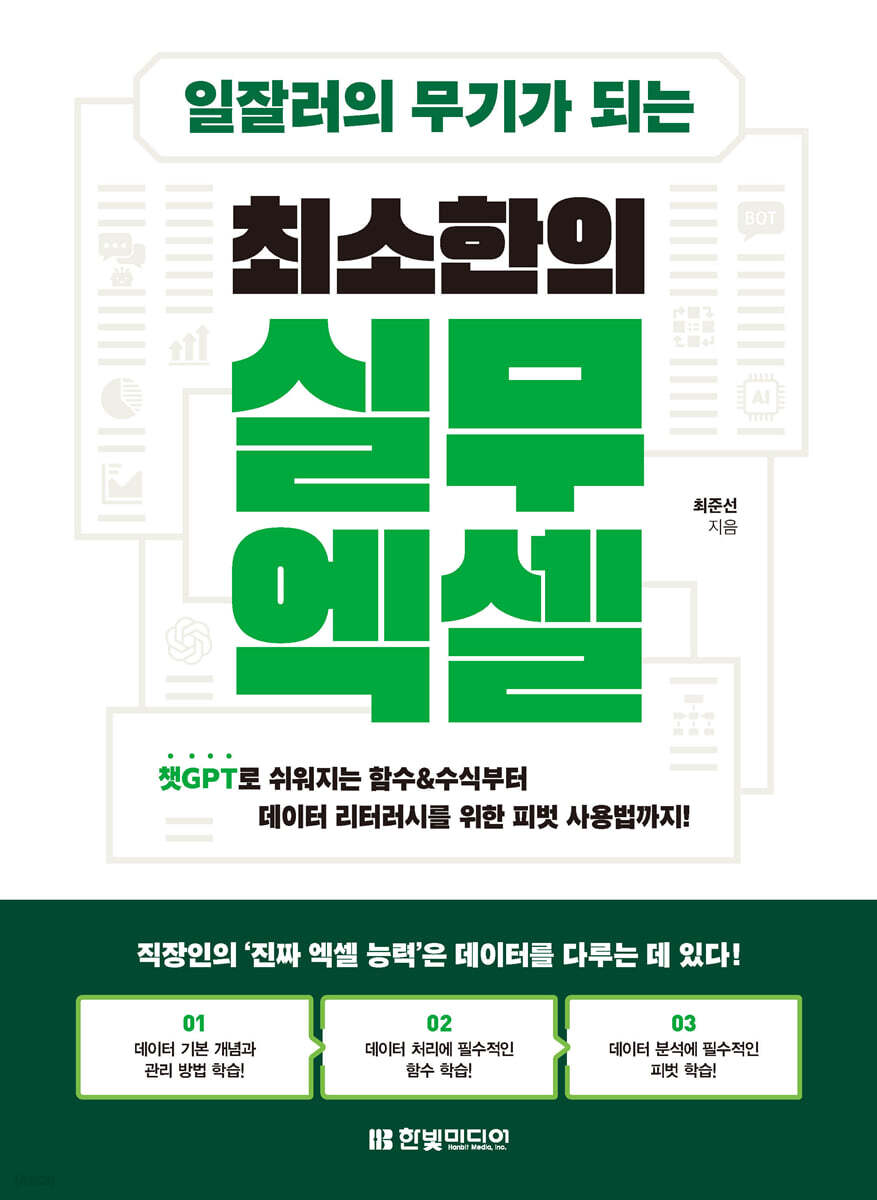
The minimal practical Excel that becomes a weapon for successful workers.
 |
Description
Book Introduction
Learn only the essentials of practical Excel that will become the weapon of a successful professional!
Learn how to easily use Excel with ChatGPT! It perfectly covers how to manage, process, and analyze data with Excel, which is the Excel skill that is truly essential for office workers. You can smoothly learn everything from understanding and managing the basic concepts of data to processing data with core functions essential for work, to summarizing and analyzing processed data with pivot tables. In particular, you can easily use functions and formulas using ChatGPT and even learn how to resolve formula errors. You can learn all versions of Excel, from the latest version to lower versions, based on various practical examples, and we even provide free YouTube video lectures. In today's business environment, the most important thing is data. Data literacy, the ability to understand and explain data, is a skill that modern workers must possess. By learning how to manage, process, and analyze data with this book, you will acquire a powerful weapon to become a successful worker in the big data era. |
- You can preview some of the book's contents.
Preview
index
Preface / Excel Learning: A Weapon for Success / This Book's Structure / Download Sample Files
CHAPTER 01 Excel becomes easier when you know your data.
SECTION 01 Data, Data Format, and Display Format
Data format
Display format
[Practice] Checking Why You Shouldn't Judge Data with Your Eyes
SECTION 02 Why are date and time data numbers?
Date data
Time data
Numeric/Date/Time Data Entry Examples
CHAPTER 02 Data Management Methods Using Tables
SECTION 01 Types of tables distinguished by computers
Table
Cross-Tab
Template
SECTION 02 Data Management Using Excel Tables
Convert Excel table
[Practice] Converting a Table to an Excel Table
What you need to know when using Excel tables
Automatically expand ranges in Excel tables
[Practice] Checking Automatic Range Expansion in Excel Tables
What if I use an Excel table and it doesn't automatically expand?
Unpacking an Excel table
SECTION 03 Structural References in Excel Tables
structural reference
Rules to follow when naming tables
Computed columns using structured references
[Practice] Using Calculated Columns with Formulas in Excel Tables
Referencing an Excel table range from another table
[Practice] Writing Formulas by Referencing Excel Table Ranges from Other Tables
Advantages of structural references
CHAPTER 03 Four things you must know before using functions
SECTION 01 What is an operator?
Four types of operators
SECTION 02 How many functions does Excel provide?
How many Excel functions do I use?
SECTION 03 How to resolve formula errors?
How to Use AI to Fix Errors
SECTION 04 How to quickly understand complex formulas?
Formula Analysis ①: Using Referenced Cell Tracking
[Practice] Analyzing formulas by visually checking reference locations in formulas.
Formula Analysis ②: Using Formula Calculations
[Practice] Check the calculation process of complex formulas using the formula calculation function.
Formula Analysis ③: Using ChatGPT
CHAPTER 04 Key Functions You Must Know①: Judgment Functions
SECTION 01 How does Excel evaluate data?
Judgment through comparison operators
Judgment through IS series functions
SECTION 02 How to use the IF function?
IF function
[Practice] Checking data using comparison operators and replacing desired values with the IF function.
[Practice with ChatGPT] Writing a formula to return gender from a resident registration number
SECTION 03 Using nested IF functions when making complex decisions
[Practice with ChatGPT] Using the IF function to determine various situations and achieve desired results.
When you need to judge various situations, use the IFS function.
AND and OR functions to minimize the inconvenience of nesting
[Practice with ChatGPT] Minimizing IF Function Nesting with AND and OR Functions
SECTION 04 Configuring the IF function for date/time data processing
[Practice with ChatGPT] Calculating Years of Service and Differentiating Rewards Based on Years of Service
[Practice with ChatGPT] Calculating Overtime Hours Using the IF Function
SECTION 05 IFERROR and IFNA functions for error control
IFERROR, IFNA functions
[Practice with ChatGPT] Replacing Formula Errors with Desired Values
CHAPTER 05 Essential Functions You Must Know②: Aggregate/Statistical Functions
SECTION 01 Aggregate/Statistical Functions that Summarize and Describe Data
SUM, AVERAGE, COUNT, MAX, MIN functions
[Practice] Understanding How to Describe Data with Aggregate/Statistical Functions
SECTION 02 Various COUNT functions for counting numbers
COUNT, COUNTA, COUNTBLANK, COUNTIF, COUNTIFS functions
[Practice] Quickly grasp the overall situation using the COUNT series of functions and a donut chart.
SECTION 03 RANK, COUNTIF, COUNTIFS functions for finding rankings
RANK, RANK.EQ functions
SECTION 04 When summarizing data, use the SUM, SUMIF, and SUMIFS functions.
SUM, SUMIF, SUMIFS functions
[Practice] Aggregating data to meet desired conditions using the SUM series of functions.
SECTION 05: Finding the top unit sum from date data
Date-related top unit
Higher unit of time
[Practice with ChatGPT] Aggregating Data by Month with Dates
SECTION 06 When SUMIFS Doesn't Work, Use the SUMPRODUCT Function
SUMPRODUCT function
Functions replaced by the SUMPRODUCT function
[Practice] Aggregating Tables Difficult to Aggregate with the SUMIFS Function Using the SUMPRODUCT Function
SECTION 07 AVERAGE function with the same usage as SUM
AVERAGE, AVERAGEIF, AVERAGEIFS functions
SECTION 08 When analyzing sales based on data, use the MAX and MIN functions.
MAX, MIN functions
[Practice] Analyzing Sales by Discount Using the MAX and MIN Functions
SECTION 09 When obtaining the nth data, use the LARGE and SMALL functions.
LARGE, SMALL functions
[Practice] Organizing Upper and Lower Lists Using the LARGE and SMALL Functions
[Getting Formulas with ChatGPT] How to Get the LAERGE Function Formula
CHAPTER 06 Key functions you must know③: Reference functions
SECTION 01 VLOOKUP and HLOOKUP functions when referencing data values
VLOOKUP, HLOOKUP functions
[Practice] Summarizing only the necessary information from the first processed summary table.
[Practice] Finding the Position of a Number in an Ascending Sorted Range and Referencing Data
SECTION 02 How to find values in multiple columns using the VLOOKUP function
[Practice] Using the VLOOKUP function when the value to be found is in multiple columns
SECTION 03 Referencing values using INDEX and MATCH functions
INDEX, MATCH functions
[Practice] Find the location of the desired value in the table and refer to the unit price and discount rate values.
[Practice] Finding values in a descending sorted interval and referencing the desired value.
SECTION 04 XLOOKUP function, which finds values in the opposite way to VLOOKUP
XLOOKUP function
XMATCH function
[Practice] Referring to the latest unit prices in the unit price table
CHAPTER 07 Quick Filling Essential for Work
SECTION 01 Splitting column data using quick fill
What is Quick Fill?
[Practice] Extracting Part of Data Entered in Another Cell Using Quick Fill
[Practice] Obtaining some data with irregular digits entered in parentheses
[Practice] Distinguishing between Korean and English in a mixed cell
[Practice] Separating Korean characters and numbers without a delimiter
[Getting Formulas with ChatGPT] How to Get a Formula That Separates Korean Characters and Numbers
SECTION 02 Merging column data using quick fill
[Practice] Concatenating data entered in multiple cells using a delimiter
[Getting Formulas with ChatGPT] How to Get Formulas Connected by Delimiters
SECTION 03 Modifying/Deleting Data Using Quick Fill
[Practice] Changing Email Domain Addresses in Bulk
[Practice] Swapping strings entered within parentheses with strings entered outside parentheses
[Getting Formulas with ChatGPT] How to Get a Formula to Change a String
[Practice] Deleting unnecessary parts entered in parentheses
SECTION 04 Data Format Conversion Using Quick Fill
[Practice] Converting numeric data in text format to the correct numeric data type.
[Getting Formulas with ChatGPT] How to Get Formulas to Fix Errors
[Practice] Converting incorrectly entered date and time data to the correct data format.
SECTION 05 How to solve the problem of quick filling?
How to fix when the Quick Fill Preview list does not appear
How to Use Quick Fill in a Merged Table
[Practice] Returning Results Using Quick Fill in a Table with Merged Cells
Quick Fill with Power Query
[Practice] Working with Power Query in situations where data can be added.
CHAPTER 08 Pivot Tables for Data Literacy
SECTION 01 What is a Pivot Table?
Pivot tables for data analysis
SECTION 02 A good table to use for pivot table reports
Table structured table
How to Transform a Table Using Power Query
[Practice] Identifying Table Issues and Transforming Tables Using Power Query
SECTION 03 Changes in the method of creating pivot table reports
Changes by Excel version
SECTION 04 Understanding the Basics of PivotTable Reports
Understanding PivotTable Report Layout
Understanding PivotTable Report Areas
How to Configure a PivotTable Report
[Practice] Creating a desired report using the pivot table function from the original table.
PivotTable task pane settings
SECTION 05 Configuring the Header of a PivotTable Report
[Practice] Understanding How PivotTables Display Headers and Troubleshooting
[Practice] Understanding how to insert multiple fields within [Row] and [Column] areas and their dependencies.
SECTION 06 Creating a Header Using Group Fields
[Practice] Creating a PivotTable Report Using Group Fields for Date and Number Fields
[Practice] Creating a new analysis field by grouping desired items.
SECTION 07 [Value] Summary/Analysis Using Area Fields
[Practice] Understanding Field Aggregation Methods in the [Value] Area
[Practice] Understanding how to insert calculated results into the [Values] area using calculated fields.
SECTION 08 [Value] Calculating the percentage or increase/decrease in data in the area field
[Practice] Displaying the percentage of aggregated data in the [Value] area
[Practice] Calculating the increase/decrease rate using [Value display format] and [Calculation item]
SECTION 09 [Filter] Areas and Slicers
[Practice] [Filter] Check the benefits of replacing fields in the area with slicers.
Search
CHAPTER 01 Excel becomes easier when you know your data.
SECTION 01 Data, Data Format, and Display Format
Data format
Display format
[Practice] Checking Why You Shouldn't Judge Data with Your Eyes
SECTION 02 Why are date and time data numbers?
Date data
Time data
Numeric/Date/Time Data Entry Examples
CHAPTER 02 Data Management Methods Using Tables
SECTION 01 Types of tables distinguished by computers
Table
Cross-Tab
Template
SECTION 02 Data Management Using Excel Tables
Convert Excel table
[Practice] Converting a Table to an Excel Table
What you need to know when using Excel tables
Automatically expand ranges in Excel tables
[Practice] Checking Automatic Range Expansion in Excel Tables
What if I use an Excel table and it doesn't automatically expand?
Unpacking an Excel table
SECTION 03 Structural References in Excel Tables
structural reference
Rules to follow when naming tables
Computed columns using structured references
[Practice] Using Calculated Columns with Formulas in Excel Tables
Referencing an Excel table range from another table
[Practice] Writing Formulas by Referencing Excel Table Ranges from Other Tables
Advantages of structural references
CHAPTER 03 Four things you must know before using functions
SECTION 01 What is an operator?
Four types of operators
SECTION 02 How many functions does Excel provide?
How many Excel functions do I use?
SECTION 03 How to resolve formula errors?
How to Use AI to Fix Errors
SECTION 04 How to quickly understand complex formulas?
Formula Analysis ①: Using Referenced Cell Tracking
[Practice] Analyzing formulas by visually checking reference locations in formulas.
Formula Analysis ②: Using Formula Calculations
[Practice] Check the calculation process of complex formulas using the formula calculation function.
Formula Analysis ③: Using ChatGPT
CHAPTER 04 Key Functions You Must Know①: Judgment Functions
SECTION 01 How does Excel evaluate data?
Judgment through comparison operators
Judgment through IS series functions
SECTION 02 How to use the IF function?
IF function
[Practice] Checking data using comparison operators and replacing desired values with the IF function.
[Practice with ChatGPT] Writing a formula to return gender from a resident registration number
SECTION 03 Using nested IF functions when making complex decisions
[Practice with ChatGPT] Using the IF function to determine various situations and achieve desired results.
When you need to judge various situations, use the IFS function.
AND and OR functions to minimize the inconvenience of nesting
[Practice with ChatGPT] Minimizing IF Function Nesting with AND and OR Functions
SECTION 04 Configuring the IF function for date/time data processing
[Practice with ChatGPT] Calculating Years of Service and Differentiating Rewards Based on Years of Service
[Practice with ChatGPT] Calculating Overtime Hours Using the IF Function
SECTION 05 IFERROR and IFNA functions for error control
IFERROR, IFNA functions
[Practice with ChatGPT] Replacing Formula Errors with Desired Values
CHAPTER 05 Essential Functions You Must Know②: Aggregate/Statistical Functions
SECTION 01 Aggregate/Statistical Functions that Summarize and Describe Data
SUM, AVERAGE, COUNT, MAX, MIN functions
[Practice] Understanding How to Describe Data with Aggregate/Statistical Functions
SECTION 02 Various COUNT functions for counting numbers
COUNT, COUNTA, COUNTBLANK, COUNTIF, COUNTIFS functions
[Practice] Quickly grasp the overall situation using the COUNT series of functions and a donut chart.
SECTION 03 RANK, COUNTIF, COUNTIFS functions for finding rankings
RANK, RANK.EQ functions
SECTION 04 When summarizing data, use the SUM, SUMIF, and SUMIFS functions.
SUM, SUMIF, SUMIFS functions
[Practice] Aggregating data to meet desired conditions using the SUM series of functions.
SECTION 05: Finding the top unit sum from date data
Date-related top unit
Higher unit of time
[Practice with ChatGPT] Aggregating Data by Month with Dates
SECTION 06 When SUMIFS Doesn't Work, Use the SUMPRODUCT Function
SUMPRODUCT function
Functions replaced by the SUMPRODUCT function
[Practice] Aggregating Tables Difficult to Aggregate with the SUMIFS Function Using the SUMPRODUCT Function
SECTION 07 AVERAGE function with the same usage as SUM
AVERAGE, AVERAGEIF, AVERAGEIFS functions
SECTION 08 When analyzing sales based on data, use the MAX and MIN functions.
MAX, MIN functions
[Practice] Analyzing Sales by Discount Using the MAX and MIN Functions
SECTION 09 When obtaining the nth data, use the LARGE and SMALL functions.
LARGE, SMALL functions
[Practice] Organizing Upper and Lower Lists Using the LARGE and SMALL Functions
[Getting Formulas with ChatGPT] How to Get the LAERGE Function Formula
CHAPTER 06 Key functions you must know③: Reference functions
SECTION 01 VLOOKUP and HLOOKUP functions when referencing data values
VLOOKUP, HLOOKUP functions
[Practice] Summarizing only the necessary information from the first processed summary table.
[Practice] Finding the Position of a Number in an Ascending Sorted Range and Referencing Data
SECTION 02 How to find values in multiple columns using the VLOOKUP function
[Practice] Using the VLOOKUP function when the value to be found is in multiple columns
SECTION 03 Referencing values using INDEX and MATCH functions
INDEX, MATCH functions
[Practice] Find the location of the desired value in the table and refer to the unit price and discount rate values.
[Practice] Finding values in a descending sorted interval and referencing the desired value.
SECTION 04 XLOOKUP function, which finds values in the opposite way to VLOOKUP
XLOOKUP function
XMATCH function
[Practice] Referring to the latest unit prices in the unit price table
CHAPTER 07 Quick Filling Essential for Work
SECTION 01 Splitting column data using quick fill
What is Quick Fill?
[Practice] Extracting Part of Data Entered in Another Cell Using Quick Fill
[Practice] Obtaining some data with irregular digits entered in parentheses
[Practice] Distinguishing between Korean and English in a mixed cell
[Practice] Separating Korean characters and numbers without a delimiter
[Getting Formulas with ChatGPT] How to Get a Formula That Separates Korean Characters and Numbers
SECTION 02 Merging column data using quick fill
[Practice] Concatenating data entered in multiple cells using a delimiter
[Getting Formulas with ChatGPT] How to Get Formulas Connected by Delimiters
SECTION 03 Modifying/Deleting Data Using Quick Fill
[Practice] Changing Email Domain Addresses in Bulk
[Practice] Swapping strings entered within parentheses with strings entered outside parentheses
[Getting Formulas with ChatGPT] How to Get a Formula to Change a String
[Practice] Deleting unnecessary parts entered in parentheses
SECTION 04 Data Format Conversion Using Quick Fill
[Practice] Converting numeric data in text format to the correct numeric data type.
[Getting Formulas with ChatGPT] How to Get Formulas to Fix Errors
[Practice] Converting incorrectly entered date and time data to the correct data format.
SECTION 05 How to solve the problem of quick filling?
How to fix when the Quick Fill Preview list does not appear
How to Use Quick Fill in a Merged Table
[Practice] Returning Results Using Quick Fill in a Table with Merged Cells
Quick Fill with Power Query
[Practice] Working with Power Query in situations where data can be added.
CHAPTER 08 Pivot Tables for Data Literacy
SECTION 01 What is a Pivot Table?
Pivot tables for data analysis
SECTION 02 A good table to use for pivot table reports
Table structured table
How to Transform a Table Using Power Query
[Practice] Identifying Table Issues and Transforming Tables Using Power Query
SECTION 03 Changes in the method of creating pivot table reports
Changes by Excel version
SECTION 04 Understanding the Basics of PivotTable Reports
Understanding PivotTable Report Layout
Understanding PivotTable Report Areas
How to Configure a PivotTable Report
[Practice] Creating a desired report using the pivot table function from the original table.
PivotTable task pane settings
SECTION 05 Configuring the Header of a PivotTable Report
[Practice] Understanding How PivotTables Display Headers and Troubleshooting
[Practice] Understanding how to insert multiple fields within [Row] and [Column] areas and their dependencies.
SECTION 06 Creating a Header Using Group Fields
[Practice] Creating a PivotTable Report Using Group Fields for Date and Number Fields
[Practice] Creating a new analysis field by grouping desired items.
SECTION 07 [Value] Summary/Analysis Using Area Fields
[Practice] Understanding Field Aggregation Methods in the [Value] Area
[Practice] Understanding how to insert calculated results into the [Values] area using calculated fields.
SECTION 08 [Value] Calculating the percentage or increase/decrease in data in the area field
[Practice] Displaying the percentage of aggregated data in the [Value] area
[Practice] Calculating the increase/decrease rate using [Value display format] and [Calculation item]
SECTION 09 [Filter] Areas and Slicers
[Practice] [Filter] Check the benefits of replacing fields in the area with slicers.
Search
Detailed image
.jpg)
Publisher's Review
What kind of readers is this book for?
- Those who want to increase the use of Excel in their work
- Anyone who wants to know how to manage, process, and analyze data with Excel
- Those who want to use Excel easily using ChatGPT
- Those who want to develop data literacy skills in the big data era
- Those who want to learn practical Excel before getting a job
The Weapon of a Hard Worker 01.
Learn the basic concepts and management methods of data!
The reason Excel feels difficult is because it doesn't handle data properly.
We guide you through everything from the basic concepts of data to how to manage data in Excel.
The Weapon of a Hard Worker 02.
Learn essential data processing functions! [with ChatGPT]
To process data well, you need to know the core functions essential for practical use.
This book broadly explains the functions that office workers must know, dividing them into 'judgment functions', 'aggregate/statistical functions', and 'reference functions'.
In particular, it guides you through everything from how to easily obtain functions and formulas needed for various work situations with ChatGPT to how to resolve formula errors.
The Weapon of a Hard Worker 03.
Learn pivot tables, essential for data analysis!
The purpose of managing and processing data is to analyze it to gain clear insights and make clear decisions.
This guide details how to summarize and analyze data using the pivot table function, which is the fastest and most effective way to analyze large amounts of data in Excel.
+Learn with free YouTube video lectures!
The author provides video lectures on his YouTube channel.
Upgrade your practical skills with content that is useful to know along with what you learned in books and content that is effective when learned through videos.
- Those who want to increase the use of Excel in their work
- Anyone who wants to know how to manage, process, and analyze data with Excel
- Those who want to use Excel easily using ChatGPT
- Those who want to develop data literacy skills in the big data era
- Those who want to learn practical Excel before getting a job
The Weapon of a Hard Worker 01.
Learn the basic concepts and management methods of data!
The reason Excel feels difficult is because it doesn't handle data properly.
We guide you through everything from the basic concepts of data to how to manage data in Excel.
The Weapon of a Hard Worker 02.
Learn essential data processing functions! [with ChatGPT]
To process data well, you need to know the core functions essential for practical use.
This book broadly explains the functions that office workers must know, dividing them into 'judgment functions', 'aggregate/statistical functions', and 'reference functions'.
In particular, it guides you through everything from how to easily obtain functions and formulas needed for various work situations with ChatGPT to how to resolve formula errors.
The Weapon of a Hard Worker 03.
Learn pivot tables, essential for data analysis!
The purpose of managing and processing data is to analyze it to gain clear insights and make clear decisions.
This guide details how to summarize and analyze data using the pivot table function, which is the fastest and most effective way to analyze large amounts of data in Excel.
+Learn with free YouTube video lectures!
The author provides video lectures on his YouTube channel.
Upgrade your practical skills with content that is useful to know along with what you learned in books and content that is effective when learned through videos.
GOODS SPECIFICS
- Date of issue: September 13, 2024
- Page count, weight, size: 344 pages | 734g | 188*257*14mm
- ISBN13: 9791169212816
- ISBN10: 1169212816
You may also like
카테고리
korean


korean

![GQ KOREA Mark (Monthly): December [2025]](http://librairie.coreenne.fr/cdn/shop/files/8ef265dbbfbf186523ed75ba7319009d.jpg?v=1765340328&width=3840)


