

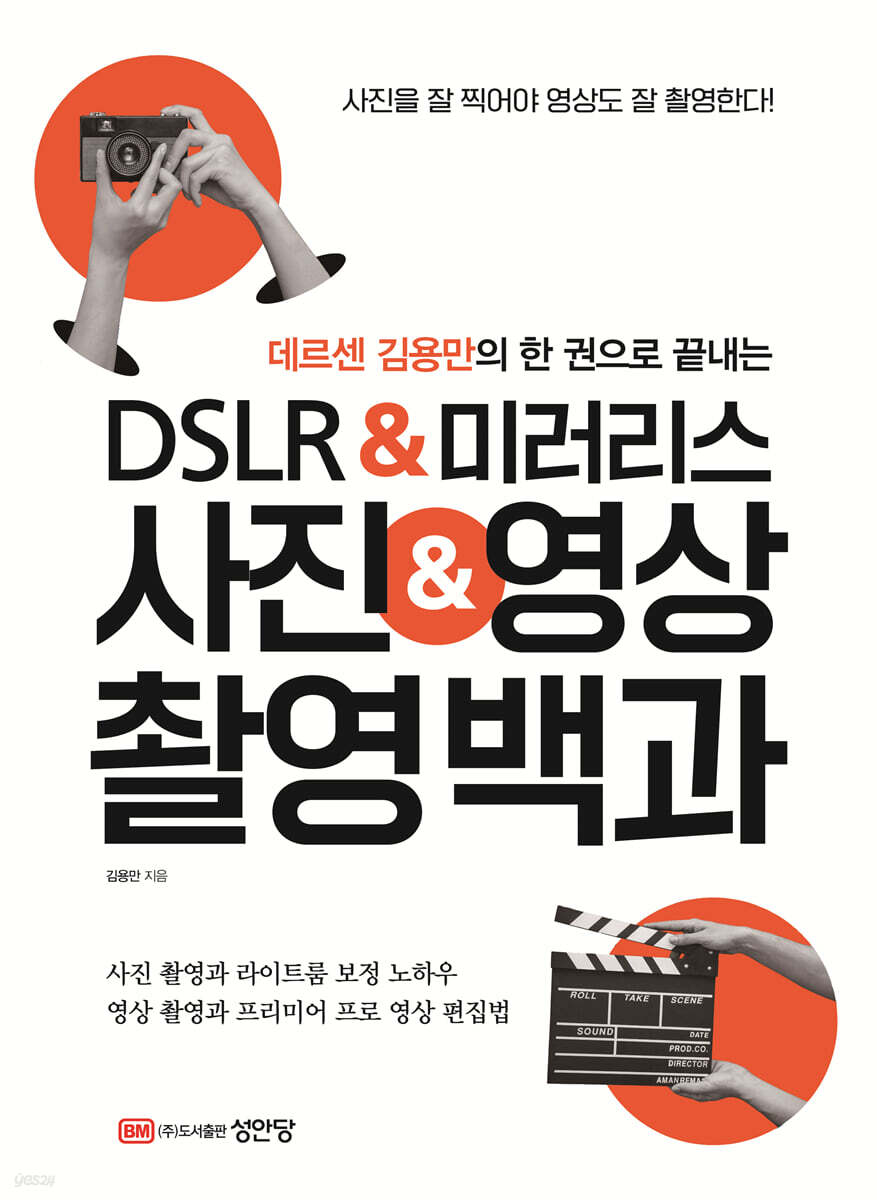
DSLR & Mirrorless Photography & Video Encyclopedia
 |
Description
Book Introduction
Ending with one volume of Dessen Kim Yong-man
DSLR & Mirrorless
Photo & Video Encyclopedia
All-in-one! The Complete Guide to Photography & Video Shooting and Production in One Book
The features and lens usage of DSLR and mirrorless cameras apply equally to both photography and videography.
All the skills and know-how needed to take great photos also apply to videography.
This book is written by YouTuber and professional photographer/videographer Dersen Kim Yong-man, and guides readers through the application of his photography skills to video production. It also explains in detail everything from the basics to advanced features of DSLR and mirrorless cameras.
In particular, it introduces photography and video shooting techniques under various lighting conditions, and contains the core know-how up to now, such as post-processing correction and video editing, in one master book format.
Master photography, videography, and post-production through the author's YouTube channel (@Dersen_photo) along with the book.
DSLR & Mirrorless
Photo & Video Encyclopedia
All-in-one! The Complete Guide to Photography & Video Shooting and Production in One Book
The features and lens usage of DSLR and mirrorless cameras apply equally to both photography and videography.
All the skills and know-how needed to take great photos also apply to videography.
This book is written by YouTuber and professional photographer/videographer Dersen Kim Yong-man, and guides readers through the application of his photography skills to video production. It also explains in detail everything from the basics to advanced features of DSLR and mirrorless cameras.
In particular, it introduces photography and video shooting techniques under various lighting conditions, and contains the core know-how up to now, such as post-processing correction and video editing, in one master book format.
Master photography, videography, and post-production through the author's YouTube channel (@Dersen_photo) along with the book.
- You can preview some of the book's contents.
Preview
index
Preface
Preview
Part 1
DSLR and mirrorless cameras for photography and videography
01 Which Camera Should I Use? Camera Types
1. DSLR (single-lens reflex camera)
2..
mirrorless camera
3..
camcorder
4.
Action cam
02 Quality Upgrade! Lenses for a Variety of Photography
1.
Still and cine lenses
2.
Zoom lenses and prime lenses
3.
Understanding Lenses by Focal Length
03 Shooting Support, Auxiliary Equipment I Need
1.
tripod
2.
lighting
3.
gimbal
4.
Slide cam
5..
mike
6.
camera cage
7.
Preview monitor
04 Microphones required for video
1..
Classification by microphone structure
2..
Microphone directivity
3.
Microphone classification by appearance
4.
Microphone specifications
055 How to Use a Gimbal for Stable Video Shooting
1.
Gimbal principle
2.
Types of gimbals by axis
3.
Gimbal Settings
4.
Gimbal Training
Part 2
If you take good photos, you can also shoot good videos!
01 Start Professional Photography! Manual Mode
1.
Exposure - the brightness of photos and videos
2. Aperture - the size of the hole through which light passes
3.
Shutter speed - the speed at which the shutter opens and closes
4. ISO sensitivity - the camera's sensitivity to light
5.
Stop - Difference in brightness
6.
White Balance - The Process of Representing White
7..Photometry - Light Measurement
8.
Codec - Analog/Digital Signal Conversion
020 Videography Terminology You Must Know
1.
Frame rate - the speed of the scene
2.
Drop Frame and Non-Drop Frame - Frame-by-Frame Editing
3.
Interlaced and Progressive - Screen Output Methods
4.
Resolution of the image (pixels)
033 The Ultimate Guide to Fail-Proof Video Shooting
1.
Don't choose video equipment based on cost-effectiveness.
2.
Even if the scene is short, film it for at least 10 seconds.
3.
Approach the whole from its parts
4.
Always have a video source ready
5.
Create a field trip and storyboard
6.
Practice shooting from time to time
7.
Imitation is the mother of creation! Learn from commercials, movies, and dramas.
8.
Get into the habit of taking breaks
Part 3
Light and color that lead the mood
01 Light that determines the shooting result
1.
Direct and diffuse light
2.
Direction and effects of light
3.
Light and Shadow
4.
Understanding and Using Lighting
02 Colors created by various combinations of light
1.
The three primary colors of light
2.
The three primary colors
3.
The three properties of color
4.
Contrast and clarity
Part 4
Composition and composition for sharp photos and videos
01 Frame and composition of photos and videos
1.
1/3 composition - golden ratio composition
2.
Looking Room - The Beauty of White Space
3.
Diagonal composition - three-dimensional effect
4.
Diagonal composition - concentration
5.
Lead Room - Direction of Progress
6.
Your shot - upper body
7.
Waist Shot - Expressing a Character's Emotions
8.
Burst Shot - Expression
9.
Medium Shot - Dialogue
10.
Close-up shots - detailed psychological descriptions
11.
Extreme Close-Up Shot - Super Close-Up
12.
Over the shoulder shot - conversation
13. POV Shot - First-Person Point of View
14.
Dutch Angle - Tension
02 Composition of a well-structured video
1.
Take pictures only of the subjects you want to show.
2.
Find or create contrasting conditions.
3.
Divide the screen composition into three parts.
4..
When there are more than two main subjects, use symmetry and asymmetry appropriately.
5.
Clean up the background using an appropriate shallow depth of field.
6.
Capture the background clearly with deep depth of field
7.
Use rack focus
8.
Demand movement
03 Changes according to height difference of angle
1.
Low Level Shot - Grandeur and Intensity
2.
Ground Level Shot - Dynamics
3.
Eye Level Shot - The subject's eye level
4.
High Level Shot - Top Down
5.
Overhead shot - looking down
Part 5
Capture eye-catching time-lapse and slow-motion footage
01 Hour Compression, Time-lapse
1.
Understanding Time-lapse
2.
Three Fast Motion Filming Methods
3.
How to shoot timelapse
4.
How to Shoot Hyperlapse Using Photos
5.
How to Shoot Hyperlapse Using Video
6.
How to shoot motion lapse
02 Slow motion for increased immersion
1.
What is slow motion?
2.
How to film slow motion
Part 6
Anyone can easily film travel videos
01 Tips for Successful Travel Photography
1.
Take a combination of foreground, detail, and close-up shots.
2.
Shoot so that the main character stands out
3.
Think of the atmosphere of the scene as bright
4.
People are also important subjects in travel photography.
5.
Pay attention to your behavior while traveling.
02 Things to know before shooting a travel video
1.
Pre-travel information and weather forecasts are essential.
2.
The importance of scene transition speed
3.
Slow motion and time-lapse
4.
A video with a clear message
5.
Types of travel videos
03 Preparing to film a travel video
1.
Filming location and concept planning
2.
Prepare the necessary equipment
3.
Music selection
4.
Storyboarding
04 3 Tips for Filming Travel Videos
1.
Avoid monotony
2..
Transition scenes in a relevant way
3.
Approach the whole from its parts
Special 1
Log gamma shooting to enhance the visual beauty
1.
Advantages of Log Gamma Photography
2.
Disadvantages of log gamma photography
3.
Should I always use log gamma?
Part 7
Studio interview video recording for informational purposes
01 Studio portrait photography that even beginners can easily do
1.
Natural light studio and artificial light studio
2.
Preparing for studio shooting
3.
Studio shooting know-how
02 Things to prepare for an interview shoot
1.
Complete the interview questionnaire
2.
Studio Recruitment
3.
Shooting time and costume settings
03 Interview Video Shooting Settings
1.
Camera position settings
2.
Check the brightness of the background
3.
Microphone settings
4.
Cameraman and PD Checklist
04 Practical Studio Interview Shooting
1.
Selecting a filming location
2.
Camera settings
3.
Lighting settings and sync
4.
Filming progress and coordination
Special 2
Preparing and filming a live broadcast using a mirrorless camera
1.
Preparing for live shooting
2.
Setting up your camera and lighting
3.
Learn about live broadcast filming
What is Special 3 Decibels?
Part 8
Product video shooting for promotion and marketing
01 Easy Product Photography Tips Anyone Can Do
1.
Photography using natural and artificial light
2.
Photos using shadows
3.
A photo with a gradient effect on metal
4.
High-quality food photography made easy with just one light
02 Product video shooting according to the mood
1.
Mood according to background
2.
Atmosphere according to light
03 0 Equipment required for product video shooting
1.
Video tripod
2.
slide cam
3..
turntable for filming
4.
continuous lighting
04 Preparing to shoot a product video
1.
Concept selection
2..
Selecting a filming location
05 Things you must know when taking product photos
1.
Understanding and Using Studio Light
2.
For foolproof product video production, just keep this in mind.
Special 4 Drone Filming Preparation
1.
drone license
2.
Drone flight filming permit
3.
Types of drones based on operating method
4.
Which drone is good?
Special 5 Real-World Drone Footage
1.
Controller names and functions
2.
Power operation and takeoff and landing
3.
Flight Fundamentals
4.
Drone filming techniques
Part 9
Photo editing using Lightroom
01 Installing Lightroom
1.
Sign up for Adobe's website
2.
Installing Lightroom
Edit photos quickly and easily with Lightroom 020
1.
Converting Lightroom between Korean and English versions
2.
Importing Lightroom Photos
3.
Export photos
4.
Editing photos
Part 10
Video editing using Premiere Pro
01 Subscribe to and install Premiere Pro
1.
Subscribe to Premiere Pro
2.
Installing Premiere Pro
3.
Update Premiere Pro
4.
Revert to a previous version of Premiere Pro
02 This is a must! Learn the configuration and features for video editing.
1.
Take a look at the Start Screen
2.
Explore the basic tabs for importing, editing, and exporting.
3.
Take a look at the Premiere Pro workspace
4.
Explore the Project panel
5.
Explore the Tools panel
6.
Explore the Timeline panel
7.
Exploring the Program Monitor panel
8.
[Export] Check out the tab
03 Start video editing
1.
Creating and Managing Projects
2.
Create a sequence
3.
Adding a source to the timeline
040 Cut and Paste! Video Editing
1.
Editing cuts
0505 Add subtitles
1.
Add subtitles to your video
066 Adjust brightness and color as desired
1.
Adjusting brightness and color in the Lumetri Color panel
2.
Create the desired color using Premiere Pro
070 Editing audio to save video
1.
Editing Audio for Better Sound
080 Playback speed control and export
1.
Adjust video playback speed
2.
Editing the video screen
3.
Export video
Index
Preview
Part 1
DSLR and mirrorless cameras for photography and videography
01 Which Camera Should I Use? Camera Types
1. DSLR (single-lens reflex camera)
2..
mirrorless camera
3..
camcorder
4.
Action cam
02 Quality Upgrade! Lenses for a Variety of Photography
1.
Still and cine lenses
2.
Zoom lenses and prime lenses
3.
Understanding Lenses by Focal Length
03 Shooting Support, Auxiliary Equipment I Need
1.
tripod
2.
lighting
3.
gimbal
4.
Slide cam
5..
mike
6.
camera cage
7.
Preview monitor
04 Microphones required for video
1..
Classification by microphone structure
2..
Microphone directivity
3.
Microphone classification by appearance
4.
Microphone specifications
055 How to Use a Gimbal for Stable Video Shooting
1.
Gimbal principle
2.
Types of gimbals by axis
3.
Gimbal Settings
4.
Gimbal Training
Part 2
If you take good photos, you can also shoot good videos!
01 Start Professional Photography! Manual Mode
1.
Exposure - the brightness of photos and videos
2. Aperture - the size of the hole through which light passes
3.
Shutter speed - the speed at which the shutter opens and closes
4. ISO sensitivity - the camera's sensitivity to light
5.
Stop - Difference in brightness
6.
White Balance - The Process of Representing White
7..Photometry - Light Measurement
8.
Codec - Analog/Digital Signal Conversion
020 Videography Terminology You Must Know
1.
Frame rate - the speed of the scene
2.
Drop Frame and Non-Drop Frame - Frame-by-Frame Editing
3.
Interlaced and Progressive - Screen Output Methods
4.
Resolution of the image (pixels)
033 The Ultimate Guide to Fail-Proof Video Shooting
1.
Don't choose video equipment based on cost-effectiveness.
2.
Even if the scene is short, film it for at least 10 seconds.
3.
Approach the whole from its parts
4.
Always have a video source ready
5.
Create a field trip and storyboard
6.
Practice shooting from time to time
7.
Imitation is the mother of creation! Learn from commercials, movies, and dramas.
8.
Get into the habit of taking breaks
Part 3
Light and color that lead the mood
01 Light that determines the shooting result
1.
Direct and diffuse light
2.
Direction and effects of light
3.
Light and Shadow
4.
Understanding and Using Lighting
02 Colors created by various combinations of light
1.
The three primary colors of light
2.
The three primary colors
3.
The three properties of color
4.
Contrast and clarity
Part 4
Composition and composition for sharp photos and videos
01 Frame and composition of photos and videos
1.
1/3 composition - golden ratio composition
2.
Looking Room - The Beauty of White Space
3.
Diagonal composition - three-dimensional effect
4.
Diagonal composition - concentration
5.
Lead Room - Direction of Progress
6.
Your shot - upper body
7.
Waist Shot - Expressing a Character's Emotions
8.
Burst Shot - Expression
9.
Medium Shot - Dialogue
10.
Close-up shots - detailed psychological descriptions
11.
Extreme Close-Up Shot - Super Close-Up
12.
Over the shoulder shot - conversation
13. POV Shot - First-Person Point of View
14.
Dutch Angle - Tension
02 Composition of a well-structured video
1.
Take pictures only of the subjects you want to show.
2.
Find or create contrasting conditions.
3.
Divide the screen composition into three parts.
4..
When there are more than two main subjects, use symmetry and asymmetry appropriately.
5.
Clean up the background using an appropriate shallow depth of field.
6.
Capture the background clearly with deep depth of field
7.
Use rack focus
8.
Demand movement
03 Changes according to height difference of angle
1.
Low Level Shot - Grandeur and Intensity
2.
Ground Level Shot - Dynamics
3.
Eye Level Shot - The subject's eye level
4.
High Level Shot - Top Down
5.
Overhead shot - looking down
Part 5
Capture eye-catching time-lapse and slow-motion footage
01 Hour Compression, Time-lapse
1.
Understanding Time-lapse
2.
Three Fast Motion Filming Methods
3.
How to shoot timelapse
4.
How to Shoot Hyperlapse Using Photos
5.
How to Shoot Hyperlapse Using Video
6.
How to shoot motion lapse
02 Slow motion for increased immersion
1.
What is slow motion?
2.
How to film slow motion
Part 6
Anyone can easily film travel videos
01 Tips for Successful Travel Photography
1.
Take a combination of foreground, detail, and close-up shots.
2.
Shoot so that the main character stands out
3.
Think of the atmosphere of the scene as bright
4.
People are also important subjects in travel photography.
5.
Pay attention to your behavior while traveling.
02 Things to know before shooting a travel video
1.
Pre-travel information and weather forecasts are essential.
2.
The importance of scene transition speed
3.
Slow motion and time-lapse
4.
A video with a clear message
5.
Types of travel videos
03 Preparing to film a travel video
1.
Filming location and concept planning
2.
Prepare the necessary equipment
3.
Music selection
4.
Storyboarding
04 3 Tips for Filming Travel Videos
1.
Avoid monotony
2..
Transition scenes in a relevant way
3.
Approach the whole from its parts
Special 1
Log gamma shooting to enhance the visual beauty
1.
Advantages of Log Gamma Photography
2.
Disadvantages of log gamma photography
3.
Should I always use log gamma?
Part 7
Studio interview video recording for informational purposes
01 Studio portrait photography that even beginners can easily do
1.
Natural light studio and artificial light studio
2.
Preparing for studio shooting
3.
Studio shooting know-how
02 Things to prepare for an interview shoot
1.
Complete the interview questionnaire
2.
Studio Recruitment
3.
Shooting time and costume settings
03 Interview Video Shooting Settings
1.
Camera position settings
2.
Check the brightness of the background
3.
Microphone settings
4.
Cameraman and PD Checklist
04 Practical Studio Interview Shooting
1.
Selecting a filming location
2.
Camera settings
3.
Lighting settings and sync
4.
Filming progress and coordination
Special 2
Preparing and filming a live broadcast using a mirrorless camera
1.
Preparing for live shooting
2.
Setting up your camera and lighting
3.
Learn about live broadcast filming
What is Special 3 Decibels?
Part 8
Product video shooting for promotion and marketing
01 Easy Product Photography Tips Anyone Can Do
1.
Photography using natural and artificial light
2.
Photos using shadows
3.
A photo with a gradient effect on metal
4.
High-quality food photography made easy with just one light
02 Product video shooting according to the mood
1.
Mood according to background
2.
Atmosphere according to light
03 0 Equipment required for product video shooting
1.
Video tripod
2.
slide cam
3..
turntable for filming
4.
continuous lighting
04 Preparing to shoot a product video
1.
Concept selection
2..
Selecting a filming location
05 Things you must know when taking product photos
1.
Understanding and Using Studio Light
2.
For foolproof product video production, just keep this in mind.
Special 4 Drone Filming Preparation
1.
drone license
2.
Drone flight filming permit
3.
Types of drones based on operating method
4.
Which drone is good?
Special 5 Real-World Drone Footage
1.
Controller names and functions
2.
Power operation and takeoff and landing
3.
Flight Fundamentals
4.
Drone filming techniques
Part 9
Photo editing using Lightroom
01 Installing Lightroom
1.
Sign up for Adobe's website
2.
Installing Lightroom
Edit photos quickly and easily with Lightroom 020
1.
Converting Lightroom between Korean and English versions
2.
Importing Lightroom Photos
3.
Export photos
4.
Editing photos
Part 10
Video editing using Premiere Pro
01 Subscribe to and install Premiere Pro
1.
Subscribe to Premiere Pro
2.
Installing Premiere Pro
3.
Update Premiere Pro
4.
Revert to a previous version of Premiere Pro
02 This is a must! Learn the configuration and features for video editing.
1.
Take a look at the Start Screen
2.
Explore the basic tabs for importing, editing, and exporting.
3.
Take a look at the Premiere Pro workspace
4.
Explore the Project panel
5.
Explore the Tools panel
6.
Explore the Timeline panel
7.
Exploring the Program Monitor panel
8.
[Export] Check out the tab
03 Start video editing
1.
Creating and Managing Projects
2.
Create a sequence
3.
Adding a source to the timeline
040 Cut and Paste! Video Editing
1.
Editing cuts
0505 Add subtitles
1.
Add subtitles to your video
066 Adjust brightness and color as desired
1.
Adjusting brightness and color in the Lumetri Color panel
2.
Create the desired color using Premiere Pro
070 Editing audio to save video
1.
Editing Audio for Better Sound
080 Playback speed control and export
1.
Adjust video playback speed
2.
Editing the video screen
3.
Export video
Index
Detailed image

GOODS SPECIFICS
- Date of issue: April 24, 2024
- Page count, weight, size: 464 pages | 1,204g | 188*257*23mm
- ISBN13: 9788931571288
- ISBN10: 8931571283
You may also like
카테고리
korean


korean

![GQ KOREA Mark (Monthly): December [2025]](http://librairie.coreenne.fr/cdn/shop/files/8ef265dbbfbf186523ed75ba7319009d.jpg?v=1765340328&width=3840)


