

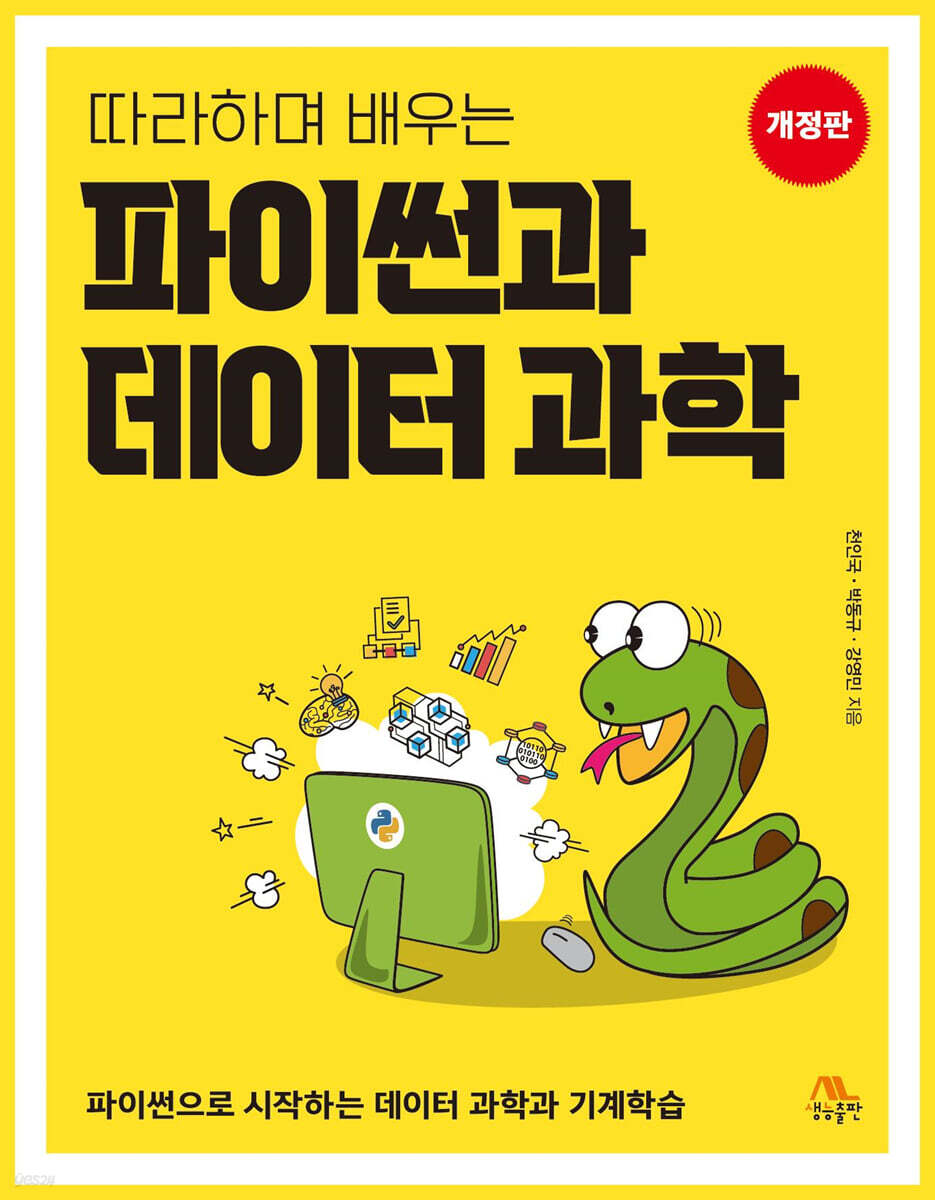
Learn Python and Data Science by Following
 |
Description
Book Introduction
This book is for readers who want to quickly learn the Python language.
It was also written for readers who want to broadly learn about data analysis, machine learning, and deep learning using Python.
Python can do a lot with concise code, and that's the main reason it's enjoyed such acclaim.
In particular, it is the optimal language for data science, which is the most important field in recent computer science, and it is the language that can most efficiently carry out software development in the fields of machine learning and artificial intelligence.
The authors wanted to do more than just explain Python's syntax to readers.
For that reason, this book was designed to reveal Python's powerful capabilities and guide readers into a deeper and richer world of programming.
The purpose of this book is to convey the core of the Python language to readers and help them handle numerical, text, and image data like experts.
Additionally, example code and explanations were added here and there to help you understand object-oriented programming techniques, which are a major feature of Python.
It was also written for readers who want to broadly learn about data analysis, machine learning, and deep learning using Python.
Python can do a lot with concise code, and that's the main reason it's enjoyed such acclaim.
In particular, it is the optimal language for data science, which is the most important field in recent computer science, and it is the language that can most efficiently carry out software development in the fields of machine learning and artificial intelligence.
The authors wanted to do more than just explain Python's syntax to readers.
For that reason, this book was designed to reveal Python's powerful capabilities and guide readers into a deeper and richer world of programming.
The purpose of this book is to convey the core of the Python language to readers and help them handle numerical, text, and image data like experts.
Additionally, example code and explanations were added here and there to help you understand object-oriented programming techniques, which are a major feature of Python.
index
PART 1 Building Basic Python Skills
Chapter 01: Entering the World of Data Science and Python
1.1 Discovering Hidden Treasures in Data: Entering the World of Data Science
1.2 Data processing process and program
1.3 Do I really need to know programming?
1.4 Installing Python Development Tools
1.5 Let's print 'Hello World' in Python development tools.
1.6 Let's start with the calculations first.
1.7 Let's learn about interactive mode and script mode.
1.8 Let's create visible results with turtle graphics.
1.9 Why Python is Really Convenient: Installing Modules
LAB 1-1 Let's practice the print() function, which we will use frequently.
LAB 1-2 Let's draw a triangle with turtle graphics.
Key Summary
subjective questions
Advanced problems
Chapter 02 Let's handle values
2.1 Space to store data: Variables
2.2 How to name variables
LAB 2-1 Calculating Body Mass Index with Python
LAB 2-2 Let's calculate the area of a pizza.
LAB 2-3 Drawing Pizza with Turtle Graphics
LAB 2-4 Calculating Compound Interest
2.3 What are the benefits of using variables?
2.4 To know the data type of a variable: type() function
2.5 Limitations of computer numerical representation and limitations of computers
2.6 How to create a string
2.7 Why an error occurs: Data type conversion
2.8 Getting integer input from the user
LAB 2-5 Robot Reporter Writes Baseball Articles
2.9 Objects, Methods, and Functions
LAB 2-6 Let's Challenge Yourself to Create a Real Estate Advertisement
Key Summary
subjective questions
Advanced problems
Chapter 03 Let's do calculations with operators
3.1 Formulas are everywhere
3.2 How to use formulas and operators
3.3 Exponentiation Operator: **
LAB 3-1 Converting Fahrenheit to Celsius
LAB 3-2 Calculating BMI by Entering Weight and Height
LAB 3-3 Let's create a vending machine program.
3.4 A convenient operator called the compound assignment operator
3.5 AND, OR, NOT can also be used as operators: Logical operators
LAB 3-4 Finding the Mean - Operator Precedence
3.6 Operators optimized for computers that handle binary numbers well: Bitwise operators
3.7 There are also things that are processed first between operators.
3.8 Let's try out various functions with the random and math modules.
Key Summary
subjective questions
Advanced problems
Chapter 04 Let's run it by considering the conditions.
4.1 There are three main control structures in a program.
4.2 If statement that executes only when a condition is met
4.3 if-else statement executed according to exclusive condition
4.4 Various Turtle Graphics Commands
4.5 Turtle Objects and Screen Objects
LAB 4-1 Let's control turtle graphics based on input numbers.
LAB 4-2 Let's check the age limit for watching the movie.
LAB 4-3 Controlling the Turtle
LAB 4-4 How to determine leap year
LAB 4-5 Let's create a coin tossing game using a random function.
LAB 4-6 Is it a point inside or outside the circle?
4.6 Checking other conditions consecutively when a condition is false
LAB 4-7 Login Processing
LAB 4-8 Let's create a penalty shootout game with the computer.
Let's try drawing a shape using LAB 4-9 input.
Key Summary
subjective questions
Advanced problems
Chapter 05 Let's do something that is repeated many times
5.1 Why loops are important
5.2 Set a number of repetitions
5.3 The range() function, a perfect match for the for loop
LAB 5-1 Let's draw several circles using turtle graphics.
LAB 5-2 Let's draw shapes using repetition
LAB 5-3 Drawing N-gons
LAB 5-4 Calculating Factorials Using Iteration
5.4 While statement that executes repeatedly according to conditions
Log in by receiving a password from a LAB 5-5 user
5.5 Using while for a fixed number of repetitions
LAB 5-6 Outputting the multiplication table using the input numbers
LAB 5-7 Let's draw stars using the while loop.
LAB 5-8 Draw a cool spiral shape with simple code
LAB 5-9 Let's create a number guessing game using an infinite loop.
LAB 5-10 Let's create a mental arithmetic problem
5.6 Breaking out of an infinite loop with break
5.7 Formatting to make the output look pretty
Key Summary
subjective questions
Advanced problems
Chapter 06: Organizing work with functions
6.1 A cool feature for creating structured functionality: functions
6.2 Let's create a function and call it to do some work 158
6.3 Let's make the function do some work and get the value back.
6.4 Passing multiple values and receiving multiple values back
LAB 6-1 Creating a function to draw a rectangle
6.5 What is the scope of a variable?
6.6 Default arguments that make functions work easier
LAB 6-2 Weekly Wage Calculation Program
LAB 6-3 Creating a function to draw an n-gon
LAB 6-4 Function to find maximum/minimum values in a list
LAB 6-5 A function that finds the maximum/minimum value in a list and returns two of them.
6.7 Recursive functions that call themselves
LAB 6-6 Calculating the Fibonacci Function
6.8 Let's reuse functions using modules
6.9 Creating Modules and Aliases
Key Summary
subjective questions
Advanced problems
Chapter 07 Let's group data into lists and tuples.
7.1 What is a list and why is it needed?
7.2 Let's try list operations
Let's create a list of delicious fruits using LAB 7-1 input.
LAB 7-2 Let's find the prime numbers from 2 to 100.
7.3 Let's try indexing and slicing.
7.4 Let's freely manipulate the element values of the list.
LAB 7-3 Let's slice the city's population data.
7.5 List methods and various functions
7.6 Let's sort the list by size.
LAB 7-4 Let's create a feature that selects today's famous quote.
LAB 7-5 Let's group the city name and population into a tuple.
7.7 Reinventing the wheel?
7.8 In-depth concept of creating and referencing list objects
7.9 List comprehensions are used to make code shorter and more concise.
7.10 Data types whose values cannot be changed once created: Tuples
7.11 Integration using the zip() function
7.12 What are classes and objects?
Key Summary
subjective questions
Advanced problems
Chapter 08 Pairing Related Data into a Dictionary
8.1 Let's store data as a dictionary with keys and values.
8.2 Comparison of Dictionaries and Lists
8.3 Various methods of dictionaries
8.4 Lambda function = function without a name
LAB 8-1 Let's Create a Convenience Store Inventory Management Program
LAB 8-2 Let's Make an English-Korean Dictionary
8.5 When objects whose order is not important are gathered together: a set
8.6 Let's look at various operations that can be applied to sets.
8.7 Compare lists, tuples, sets, and dictionaries
Find out who attended the LAB 8-3 party at the same time
Let's read and save data from file 8.8.
Finding words used in LAB 8-4 files
8.9 Divisors and greatest common divisor of two numbers and programming thinking
Key Summary
subjective questions
Advanced problems
PART 2 DATA SCIENCE AND ARTIFICIAL INTELLIGENCE
Chapter 09 Let's Process Text
9.1 The Impact of ChatGPT
9.2 Basic Text Processing
9.3 How to change and format text
LAB 9-1 Character Count, Word Count, Average Word Length
LAB 9-2 Removing Stop Words
9.4 Let's handle stop words easily
LAB 9-3 Twitter Message Processing
LAB 9-4 Word Frequency Calculation
LAB 9-5 Movie Review Analysis
9.5 Word Cloud
9.6 Creating Korean word clouds and images
LAB 9-6 Wikipedia Word Cloud
9.7 Let's learn regular expressions
9.8 Finding Specific Patterns Using Regular Expressions
9.9 Replacing Patterns Using Regular Expressions
LAB 9-7 Let's remove HTML tags
Key Summary
subjective questions
Advanced problems
Chapter 10: Processing Numeric Data with NumPy
10.1 NumPy arrays are much faster than lists.
10.2 Creating NumPy Aliases and Performing Simple Array Operations
10.3 Let's learn about powerful NumPy array operations.
LAB 10-1 Let's create an ndarray object and learn about its properties.
LAB 10-2 Calculating BMI for Multiple People Quickly and Easily
10.4 Indexing and slicing can also be done in NumPy.
10.5 Indexing Two-Dimensional Arrays
10.6 Two-dimensional array slicing in NumPy style
LAB 10-3 Two-Dimensional Array Practice
LAB 10-4 Finding the shape of a NumPy array and performing operations by slicing
10.7 Comparison of the arange() and range() functions
LAB 10-5 Extracting only rows that satisfy a specific condition from a two-dimensional array
10.8 linspace() and logspace() functions
10.9 Let's generate random numbers
10.10 Generating Normally Distributed Random Numbers
Let's change the shape of the LAB 10-6 array.
LAB 10-7 Practice Calculating Mean and Median
10.11 Calculating Correlations
Key Summary
subjective questions
Advanced problems
Chapter 11 Let's Draw a Cool Chart
11.1 Data Visualization
11.2 Try using matplotlib blindly
11.3 Various techniques to help decorate charts
LAB 11-1 Let's draw math functions easily.
11.4 Let's plot multiple data on one chart.
LAB 11-2 Drawing the graph of sine, the basic trigonometric function
11.5 Let's draw a bar chart easily.
11.6 Drawing a Scatter Graph Representing Data as Points
11.7 Let's take a quick look at the data distribution with a histogram.
LAB 11-3 Visually verifying random numbers generated from a normal distribution
LAB 11-4 Let's display sales by vehicle type in a pie chart.
11.8 Let's learn about box charts, which effectively represent data.
11.9 Drawing multiple graphs on one screen: subplots( )
Using the LAB 11-5 subplot
Key Summary
subjective questions
Advanced problems
Chapter 12: Analyzing Data with Pandas
12.1 Pandas for faster processing than Excel
Have you heard of 12.2 CSV?
12.3 Let's extract the desired data from CSV.
LAB 12-1 In which month is the wind strongest on Ulleungdo?
12.4 Pandas Data Structures: Series and DataFrames
12.5 Reading Data Files with Pandas
12.6 Selecting data by column
12.7 Selecting rows by slicing
12.8 There is a function to easily analyze data.
12.9 DatetimeIndex and Grouping for Year, Month, and Day
12.10 Grouping data based on specific values: Grouping
LAB 12-2 In which month is the windiest on Ulleungdo? - Using groupby()
12.11 Let's select according to the conditions: Filtering
12.12 Let's fill in the missing data.
12.13 Let's change the data structure.
LAB 12-3 Applying concat in various ways
12.14 Merging data using database join method - merge
LAB 12-4 Applying Merge in Various Ways
Key Summary
subjective questions
Advanced problems
Chapter 13: A Sample for Understanding the Nature of Data
13.1 Let's find out the relationship between the data.
13.2 Introduction to the Google Colab Environment
13.3 Correlation Coefficients and Visualization
13.4 Visualizing and Interpreting Correlation Coefficients
13.5 Getting Started with a Simple Seaborn Tutorial
13.6 Tips Data Structure
13.7 Let's show the relationship in detail with a scatter plot graph.
13.8 Paired graphs are useful for exploring relationships between variables.
13.9 Anscombe's quartet data set
13.10 Describing Data Using Nonlinear Functions
13.11 Airline Passenger Data Set
13.12 Let's fix the airline passenger data set.
13.13 Let's take a look at the heatmap.
Key Summary
subjective questions
Advanced problems
Chapter 14: Building Smart Computers with Machine Learning
14.1 The Computer Program That Beat Lee Sedol: What's the Secret?
14.2 Let's dive deeper into machine learning.
14.3 Let's learn about regression problems.
14.4 The Simplest Regression: Linear Regression Analysis
14.5 Predicting with Linear Regression: Are Height and Weight Correlated?
LAB 14-1 Men and women will have different weights even if their heights are similar: Multidimensional linear regression
LAB 14-2 Housing's actual area, public transportation accessibility, and price
14.6 Creating a Diabetes Example and Training Data in Scikit-Learn
14.7 What is the correlation between body mass index and blood sugar levels?
14.8 Let's divide the diabetes example into training and test data.
LAB 14-3: Comparison of predicted results and actual data using 80% of the data
14.9 Errors in the Algorithm
14.10 Problem of Classifying Dachshunds and Samoyeds
14.11 Classification using the k-NN algorithm
14.12 Let's look at the data to which the k-NN algorithm will be applied.
14.13 Let's apply the model to new flowers and classify them.
14.14 Case Study - Linear Regression: Predicting Life Expectancy
14.15 Let's look at the correlation between each feature.
14.16 Let's create a simple regression model.
Key Summary
subjective questions
Advanced problems
Chapter 15: A Taste of Deep Learning
15.1 Perceptrons that mimic human neurons
15.2 Let's learn about the structure of deep learning.
15.3 Let's learn about teachable machines.
15.4 Recognizing Images Without Coding with Teachable Machines
15.5 The Most Popular Machine Learning and Deep Learning Platform: TensorFlow
15.6 Let's look at an example data called MNIST.
15.7 Structure of MNIST Data and Images
15.8 Steps to Create a Deep Learning Model
15.9 Let's train a deep learning model.
15.10 Let's predict the image
15.11 Explore the example data called Fashion MNIST
15.12 Let's build an artificial neural network again.
15.13 Let's apply the trained neural network to new image recognition.
15.14 Let's see with our own eyes how much better it is to build a 15.14 floor.
Key Summary
subjective questions
Advanced problems
Chapter 01: Entering the World of Data Science and Python
1.1 Discovering Hidden Treasures in Data: Entering the World of Data Science
1.2 Data processing process and program
1.3 Do I really need to know programming?
1.4 Installing Python Development Tools
1.5 Let's print 'Hello World' in Python development tools.
1.6 Let's start with the calculations first.
1.7 Let's learn about interactive mode and script mode.
1.8 Let's create visible results with turtle graphics.
1.9 Why Python is Really Convenient: Installing Modules
LAB 1-1 Let's practice the print() function, which we will use frequently.
LAB 1-2 Let's draw a triangle with turtle graphics.
Key Summary
subjective questions
Advanced problems
Chapter 02 Let's handle values
2.1 Space to store data: Variables
2.2 How to name variables
LAB 2-1 Calculating Body Mass Index with Python
LAB 2-2 Let's calculate the area of a pizza.
LAB 2-3 Drawing Pizza with Turtle Graphics
LAB 2-4 Calculating Compound Interest
2.3 What are the benefits of using variables?
2.4 To know the data type of a variable: type() function
2.5 Limitations of computer numerical representation and limitations of computers
2.6 How to create a string
2.7 Why an error occurs: Data type conversion
2.8 Getting integer input from the user
LAB 2-5 Robot Reporter Writes Baseball Articles
2.9 Objects, Methods, and Functions
LAB 2-6 Let's Challenge Yourself to Create a Real Estate Advertisement
Key Summary
subjective questions
Advanced problems
Chapter 03 Let's do calculations with operators
3.1 Formulas are everywhere
3.2 How to use formulas and operators
3.3 Exponentiation Operator: **
LAB 3-1 Converting Fahrenheit to Celsius
LAB 3-2 Calculating BMI by Entering Weight and Height
LAB 3-3 Let's create a vending machine program.
3.4 A convenient operator called the compound assignment operator
3.5 AND, OR, NOT can also be used as operators: Logical operators
LAB 3-4 Finding the Mean - Operator Precedence
3.6 Operators optimized for computers that handle binary numbers well: Bitwise operators
3.7 There are also things that are processed first between operators.
3.8 Let's try out various functions with the random and math modules.
Key Summary
subjective questions
Advanced problems
Chapter 04 Let's run it by considering the conditions.
4.1 There are three main control structures in a program.
4.2 If statement that executes only when a condition is met
4.3 if-else statement executed according to exclusive condition
4.4 Various Turtle Graphics Commands
4.5 Turtle Objects and Screen Objects
LAB 4-1 Let's control turtle graphics based on input numbers.
LAB 4-2 Let's check the age limit for watching the movie.
LAB 4-3 Controlling the Turtle
LAB 4-4 How to determine leap year
LAB 4-5 Let's create a coin tossing game using a random function.
LAB 4-6 Is it a point inside or outside the circle?
4.6 Checking other conditions consecutively when a condition is false
LAB 4-7 Login Processing
LAB 4-8 Let's create a penalty shootout game with the computer.
Let's try drawing a shape using LAB 4-9 input.
Key Summary
subjective questions
Advanced problems
Chapter 05 Let's do something that is repeated many times
5.1 Why loops are important
5.2 Set a number of repetitions
5.3 The range() function, a perfect match for the for loop
LAB 5-1 Let's draw several circles using turtle graphics.
LAB 5-2 Let's draw shapes using repetition
LAB 5-3 Drawing N-gons
LAB 5-4 Calculating Factorials Using Iteration
5.4 While statement that executes repeatedly according to conditions
Log in by receiving a password from a LAB 5-5 user
5.5 Using while for a fixed number of repetitions
LAB 5-6 Outputting the multiplication table using the input numbers
LAB 5-7 Let's draw stars using the while loop.
LAB 5-8 Draw a cool spiral shape with simple code
LAB 5-9 Let's create a number guessing game using an infinite loop.
LAB 5-10 Let's create a mental arithmetic problem
5.6 Breaking out of an infinite loop with break
5.7 Formatting to make the output look pretty
Key Summary
subjective questions
Advanced problems
Chapter 06: Organizing work with functions
6.1 A cool feature for creating structured functionality: functions
6.2 Let's create a function and call it to do some work 158
6.3 Let's make the function do some work and get the value back.
6.4 Passing multiple values and receiving multiple values back
LAB 6-1 Creating a function to draw a rectangle
6.5 What is the scope of a variable?
6.6 Default arguments that make functions work easier
LAB 6-2 Weekly Wage Calculation Program
LAB 6-3 Creating a function to draw an n-gon
LAB 6-4 Function to find maximum/minimum values in a list
LAB 6-5 A function that finds the maximum/minimum value in a list and returns two of them.
6.7 Recursive functions that call themselves
LAB 6-6 Calculating the Fibonacci Function
6.8 Let's reuse functions using modules
6.9 Creating Modules and Aliases
Key Summary
subjective questions
Advanced problems
Chapter 07 Let's group data into lists and tuples.
7.1 What is a list and why is it needed?
7.2 Let's try list operations
Let's create a list of delicious fruits using LAB 7-1 input.
LAB 7-2 Let's find the prime numbers from 2 to 100.
7.3 Let's try indexing and slicing.
7.4 Let's freely manipulate the element values of the list.
LAB 7-3 Let's slice the city's population data.
7.5 List methods and various functions
7.6 Let's sort the list by size.
LAB 7-4 Let's create a feature that selects today's famous quote.
LAB 7-5 Let's group the city name and population into a tuple.
7.7 Reinventing the wheel?
7.8 In-depth concept of creating and referencing list objects
7.9 List comprehensions are used to make code shorter and more concise.
7.10 Data types whose values cannot be changed once created: Tuples
7.11 Integration using the zip() function
7.12 What are classes and objects?
Key Summary
subjective questions
Advanced problems
Chapter 08 Pairing Related Data into a Dictionary
8.1 Let's store data as a dictionary with keys and values.
8.2 Comparison of Dictionaries and Lists
8.3 Various methods of dictionaries
8.4 Lambda function = function without a name
LAB 8-1 Let's Create a Convenience Store Inventory Management Program
LAB 8-2 Let's Make an English-Korean Dictionary
8.5 When objects whose order is not important are gathered together: a set
8.6 Let's look at various operations that can be applied to sets.
8.7 Compare lists, tuples, sets, and dictionaries
Find out who attended the LAB 8-3 party at the same time
Let's read and save data from file 8.8.
Finding words used in LAB 8-4 files
8.9 Divisors and greatest common divisor of two numbers and programming thinking
Key Summary
subjective questions
Advanced problems
PART 2 DATA SCIENCE AND ARTIFICIAL INTELLIGENCE
Chapter 09 Let's Process Text
9.1 The Impact of ChatGPT
9.2 Basic Text Processing
9.3 How to change and format text
LAB 9-1 Character Count, Word Count, Average Word Length
LAB 9-2 Removing Stop Words
9.4 Let's handle stop words easily
LAB 9-3 Twitter Message Processing
LAB 9-4 Word Frequency Calculation
LAB 9-5 Movie Review Analysis
9.5 Word Cloud
9.6 Creating Korean word clouds and images
LAB 9-6 Wikipedia Word Cloud
9.7 Let's learn regular expressions
9.8 Finding Specific Patterns Using Regular Expressions
9.9 Replacing Patterns Using Regular Expressions
LAB 9-7 Let's remove HTML tags
Key Summary
subjective questions
Advanced problems
Chapter 10: Processing Numeric Data with NumPy
10.1 NumPy arrays are much faster than lists.
10.2 Creating NumPy Aliases and Performing Simple Array Operations
10.3 Let's learn about powerful NumPy array operations.
LAB 10-1 Let's create an ndarray object and learn about its properties.
LAB 10-2 Calculating BMI for Multiple People Quickly and Easily
10.4 Indexing and slicing can also be done in NumPy.
10.5 Indexing Two-Dimensional Arrays
10.6 Two-dimensional array slicing in NumPy style
LAB 10-3 Two-Dimensional Array Practice
LAB 10-4 Finding the shape of a NumPy array and performing operations by slicing
10.7 Comparison of the arange() and range() functions
LAB 10-5 Extracting only rows that satisfy a specific condition from a two-dimensional array
10.8 linspace() and logspace() functions
10.9 Let's generate random numbers
10.10 Generating Normally Distributed Random Numbers
Let's change the shape of the LAB 10-6 array.
LAB 10-7 Practice Calculating Mean and Median
10.11 Calculating Correlations
Key Summary
subjective questions
Advanced problems
Chapter 11 Let's Draw a Cool Chart
11.1 Data Visualization
11.2 Try using matplotlib blindly
11.3 Various techniques to help decorate charts
LAB 11-1 Let's draw math functions easily.
11.4 Let's plot multiple data on one chart.
LAB 11-2 Drawing the graph of sine, the basic trigonometric function
11.5 Let's draw a bar chart easily.
11.6 Drawing a Scatter Graph Representing Data as Points
11.7 Let's take a quick look at the data distribution with a histogram.
LAB 11-3 Visually verifying random numbers generated from a normal distribution
LAB 11-4 Let's display sales by vehicle type in a pie chart.
11.8 Let's learn about box charts, which effectively represent data.
11.9 Drawing multiple graphs on one screen: subplots( )
Using the LAB 11-5 subplot
Key Summary
subjective questions
Advanced problems
Chapter 12: Analyzing Data with Pandas
12.1 Pandas for faster processing than Excel
Have you heard of 12.2 CSV?
12.3 Let's extract the desired data from CSV.
LAB 12-1 In which month is the wind strongest on Ulleungdo?
12.4 Pandas Data Structures: Series and DataFrames
12.5 Reading Data Files with Pandas
12.6 Selecting data by column
12.7 Selecting rows by slicing
12.8 There is a function to easily analyze data.
12.9 DatetimeIndex and Grouping for Year, Month, and Day
12.10 Grouping data based on specific values: Grouping
LAB 12-2 In which month is the windiest on Ulleungdo? - Using groupby()
12.11 Let's select according to the conditions: Filtering
12.12 Let's fill in the missing data.
12.13 Let's change the data structure.
LAB 12-3 Applying concat in various ways
12.14 Merging data using database join method - merge
LAB 12-4 Applying Merge in Various Ways
Key Summary
subjective questions
Advanced problems
Chapter 13: A Sample for Understanding the Nature of Data
13.1 Let's find out the relationship between the data.
13.2 Introduction to the Google Colab Environment
13.3 Correlation Coefficients and Visualization
13.4 Visualizing and Interpreting Correlation Coefficients
13.5 Getting Started with a Simple Seaborn Tutorial
13.6 Tips Data Structure
13.7 Let's show the relationship in detail with a scatter plot graph.
13.8 Paired graphs are useful for exploring relationships between variables.
13.9 Anscombe's quartet data set
13.10 Describing Data Using Nonlinear Functions
13.11 Airline Passenger Data Set
13.12 Let's fix the airline passenger data set.
13.13 Let's take a look at the heatmap.
Key Summary
subjective questions
Advanced problems
Chapter 14: Building Smart Computers with Machine Learning
14.1 The Computer Program That Beat Lee Sedol: What's the Secret?
14.2 Let's dive deeper into machine learning.
14.3 Let's learn about regression problems.
14.4 The Simplest Regression: Linear Regression Analysis
14.5 Predicting with Linear Regression: Are Height and Weight Correlated?
LAB 14-1 Men and women will have different weights even if their heights are similar: Multidimensional linear regression
LAB 14-2 Housing's actual area, public transportation accessibility, and price
14.6 Creating a Diabetes Example and Training Data in Scikit-Learn
14.7 What is the correlation between body mass index and blood sugar levels?
14.8 Let's divide the diabetes example into training and test data.
LAB 14-3: Comparison of predicted results and actual data using 80% of the data
14.9 Errors in the Algorithm
14.10 Problem of Classifying Dachshunds and Samoyeds
14.11 Classification using the k-NN algorithm
14.12 Let's look at the data to which the k-NN algorithm will be applied.
14.13 Let's apply the model to new flowers and classify them.
14.14 Case Study - Linear Regression: Predicting Life Expectancy
14.15 Let's look at the correlation between each feature.
14.16 Let's create a simple regression model.
Key Summary
subjective questions
Advanced problems
Chapter 15: A Taste of Deep Learning
15.1 Perceptrons that mimic human neurons
15.2 Let's learn about the structure of deep learning.
15.3 Let's learn about teachable machines.
15.4 Recognizing Images Without Coding with Teachable Machines
15.5 The Most Popular Machine Learning and Deep Learning Platform: TensorFlow
15.6 Let's look at an example data called MNIST.
15.7 Structure of MNIST Data and Images
15.8 Steps to Create a Deep Learning Model
15.9 Let's train a deep learning model.
15.10 Let's predict the image
15.11 Explore the example data called Fashion MNIST
15.12 Let's build an artificial neural network again.
15.13 Let's apply the trained neural network to new image recognition.
15.14 Let's see with our own eyes how much better it is to build a 15.14 floor.
Key Summary
subjective questions
Advanced problems
Publisher's Review
Features of the revised edition
- Includes friendly, detailed explanations and many example illustrations for readers who are new to Python.
- Each chapter is divided into short sections that fit the core topic, allowing you to grasp the main points concisely.
- A chapter on learning the Seaborn library for data visualization, which was lacking in the first edition, has been added.
- Includes labs and challenge problems that allow readers to practice and check their understanding.
- It starts with the basics of Python, but covers data processing and visualization techniques that can be applied in practice.
- We have made it easy for readers to understand the basics of machine learning and artificial intelligence.
- We used sckit-learn, a major machine learning library, and the latest version of TensorFlow 2.0.
Structure of this book
1.
'What You'll Learn in This Chapter' begins each chapter with a summary of the key points the reader should know from that chapter.
2.
Each chapter is divided into small sections of 1-2 pages, and the section titles indicate the main topic.
3.
Through 'challenge problems', readers can review what they have learned and enjoy the pleasure of solving problems.
4.
The "Just a Minute" column is a place to take a break, filled with a wealth of current events and common sense information related to data science that readers might find useful.
5.
'LAB' contains problems that allow you to practice what you have learned in each section.
Not only problems, but also hints and solution codes are provided, so you can improve your coding skills by comparing your solutions with the solution codes.
6.
You can review the key points of each chapter through 'Key Summary'.
7.
You can review the important contents of each chapter through 'subjective questions'.
8.
'Advanced Problems' contains a variety of problems that will help you further review the content learned in each chapter.
- Includes friendly, detailed explanations and many example illustrations for readers who are new to Python.
- Each chapter is divided into short sections that fit the core topic, allowing you to grasp the main points concisely.
- A chapter on learning the Seaborn library for data visualization, which was lacking in the first edition, has been added.
- Includes labs and challenge problems that allow readers to practice and check their understanding.
- It starts with the basics of Python, but covers data processing and visualization techniques that can be applied in practice.
- We have made it easy for readers to understand the basics of machine learning and artificial intelligence.
- We used sckit-learn, a major machine learning library, and the latest version of TensorFlow 2.0.
Structure of this book
1.
'What You'll Learn in This Chapter' begins each chapter with a summary of the key points the reader should know from that chapter.
2.
Each chapter is divided into small sections of 1-2 pages, and the section titles indicate the main topic.
3.
Through 'challenge problems', readers can review what they have learned and enjoy the pleasure of solving problems.
4.
The "Just a Minute" column is a place to take a break, filled with a wealth of current events and common sense information related to data science that readers might find useful.
5.
'LAB' contains problems that allow you to practice what you have learned in each section.
Not only problems, but also hints and solution codes are provided, so you can improve your coding skills by comparing your solutions with the solution codes.
6.
You can review the key points of each chapter through 'Key Summary'.
7.
You can review the important contents of each chapter through 'subjective questions'.
8.
'Advanced Problems' contains a variety of problems that will help you further review the content learned in each chapter.
GOODS SPECIFICS
- Date of issue: November 20, 2023
- Page count, weight, size: 484 pages | 215*275*30mm
- ISBN13: 9791192932347
- ISBN10: 119293234X
You may also like
카테고리
korean


korean

![GQ KOREA Mark (Monthly): December [2025]](http://librairie.coreenne.fr/cdn/shop/files/8ef265dbbfbf186523ed75ba7319009d.jpg?v=1765340328&width=3840)


