

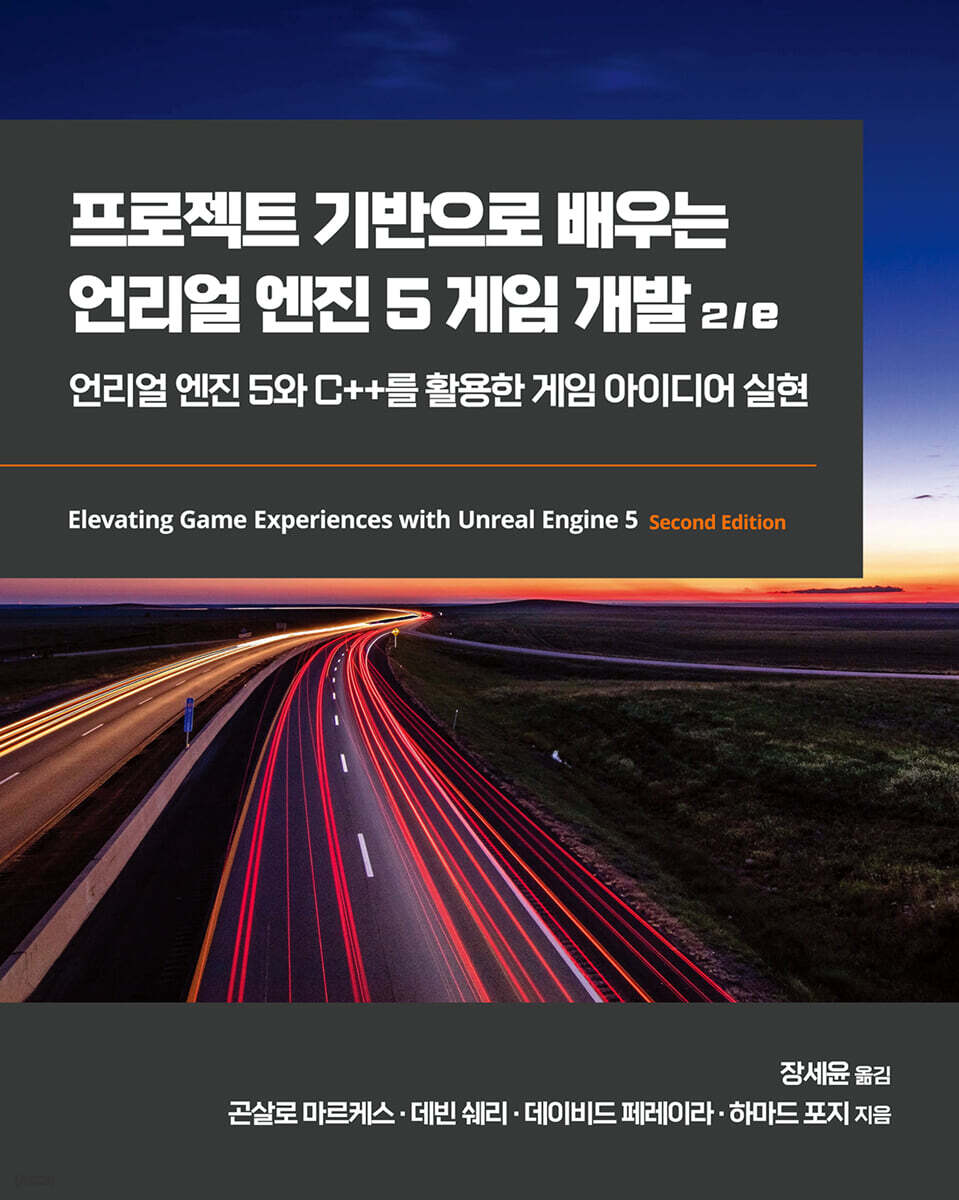
Project-Based Learning of Unreal Engine 5 Game Development 2/e
 |
Description
Book Introduction
It faithfully explains the skills required for game development using Unreal Engine 5.
Starting with an introduction to Unreal Engine 5, it covers all the essentials for creating games using Unreal Engine 5, including the gameplay framework, how to load content imported into the engine from C++, how to integrate Unreal C++ classes with Blueprints, handling player input, line traces, handling collisions between objects, how to use Unreal Engine 5 utilities such as actor components, interfaces, and Blueprint function libraries, how to use the user interface, how to use sound and audio effects, how to use animation such as blend spaces and animation montages, developing artificial intelligence systems using behavior trees and Blackboard, and even multiplayer.
Rather than just explaining each topic, we proceed with the project step by step so that you can apply what you have learned.
Because it covers multiplayer, it could be a good book for developers preparing multiplayer games as well as single-player games.
Starting with an introduction to Unreal Engine 5, it covers all the essentials for creating games using Unreal Engine 5, including the gameplay framework, how to load content imported into the engine from C++, how to integrate Unreal C++ classes with Blueprints, handling player input, line traces, handling collisions between objects, how to use Unreal Engine 5 utilities such as actor components, interfaces, and Blueprint function libraries, how to use the user interface, how to use sound and audio effects, how to use animation such as blend spaces and animation montages, developing artificial intelligence systems using behavior trees and Blackboard, and even multiplayer.
Rather than just explaining each topic, we proceed with the project step by step so that you can apply what you have learned.
Because it covers multiplayer, it could be a good book for developers preparing multiplayer games as well as single-player games.
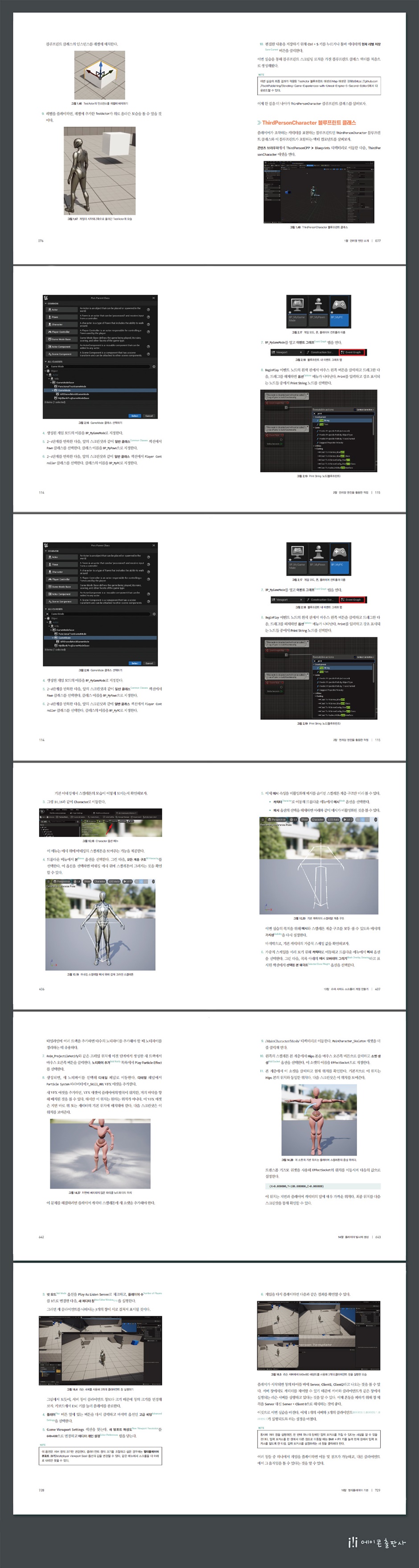
- You can preview some of the book's contents.
Preview
index
Chapter 1.
Introducing Unreal Engine
__Technical Requirements
____Practice 1.01: Creating an Unreal Engine 5 Project
__Exploring Unreal Engine
__Exploring the editor window
__Viewport Navigation
__Manipulating Actors
____Practice 1.02: Adding and Deleting Actors
__Blueprint Actor
____Practice 1.03: Creating a Blueprint Actor
__Exploring the Blueprint Editor
__Exploring the Event Graph Window
____Practice 1.04: Creating Blueprint Variables
____Practice 1.05: Creating a Blueprint Function
Understanding the __multiplication node
Exploring the __BeginPlay and Tick Events
____Practice 1.06: Moving the TestActor Class along the Z-Axis
__ThirdPersonCharacter Blueprint Class
__Exploring how to use meshes and materials
____message
____material
__Manipulating Materials in UE5
____Activity 1.01: Moving the TESTACTOR along the Z-axis
__summation
Chapter 2.
Working with Unreal Engine
__Technical Requirements
__Create and set up an empty C++ project
____Practice 2.01: Creating a Blank C++ Project
__Unreal Engine Content Folder Structure
__Working with Visual Studio Solutions
____Debugging code in Visual Studio
____Practice 2.02: Debugging Third-Person Template Code
__Import the required assets
____Practice 2.03: Importing a Character FBX File
__Unreal Game Mod Class
____Game Mode Base Class
____Gameplay Event
____Networking
____Comparing GameModeBase and GameMode
__Understanding Levels and Level Blueprints
____Unreal Phone Class
____Unreal Player Controller Class
____Practice 2.04: Setting up Game Modes, Player Controllers, and Phones
__Using animation
____Animation Blueprint
____Event Graph
____anim's graph
____state machine
____Transition Rules
____Blend Space
____Practice 2.05: Creating a Mannequin Animation
____Activity 2.01: Attaching Animation to a Character
__summation
Chapter 3.
Character class component and blueprint setup
__Technical Requirements
__Unreal Character Class
____Extend the character class
____Practice 3.01: Creating and Setting Up a Third-Person Character C++ Class
__Extending a C++ class in Blueprint
____Practice 3.02: Extending C++ Classes with Blueprints
____Activity 3.01: Extending a C++ Character Class with Blueprints in an Animation Project
__summation
Chapter 4.
Start player input
__Technical Requirements
__Understanding input actions and input context
____Practice 4.01: Creating Movement and Jump Input Actions
__Handling player input
____Practice 4.02: Receiving Movement and Jump Input Actions
__Rotate the camera around the character
____Activity 4.01: Adding Walking Logic to Your Character
__summation
Chapter 5.
Collision handling using line traces
__Technical Requirements
__Introducing Collision
__Project Settings
____Practice 5.01: Converting DodgeballCharacter to Top-Down View
Understanding Line Tracing
Creating an __EnemyCharacter C++ class
____Practice 5.02: Creating a CanSeeActor Function That Performs a Line Trace
__Visualizing line traces
____Practice 5.03: Creating a LookAtActor Function
Creating an __EnemyCharacter Blueprint Class
__Sweep Trace
____Practice 5.04: Running a Sweep Trace
____Change the Visibility Trace Reaction
____Multi-line trace
____Camera Trace Channel
____Practice 5.05: Creating a Custom EnemySight Trace Channel
____Activity 5.01: Creating a SightSource Property
__summation
Chapter 6.
Setting up collision objects
__Technical Requirements
Collision between objects in UE5
__Collision component
__Understanding Collision Events
__Understanding Collision Channels
____Practice 6.01: Creating a Dodgeball Class
__Creating a physical material
____Practice 6.02: Adding a Projectile Movement Component to DodgeballProjectile
__Introducing a timer
__Understanding how to create an actor
____Practice 6.03: Adding Projectile Throwing Logic to the EnemyCharacter Class
Creating a __Wall class
____Practice 6.04: Creating a Wall Class
__Create a Victory Box
____Practice 6.05: Creating a VictoryBox Class
____Practice 6.06: Adding ProjectileMovementComponent Access Functions to DodgeballProjectile
____Activity 6.01: Replace EnemyCharacter's SpawnActor with the SpawnActorDeferred function
__summation
Chapter 7. Using UE5 Utilities
__Technical Requirements
__Best Practice: Loose Coupling
__Blueprint function library
____Practice 7.01: Moving the CanSeeActor Function to the Blueprint Function Library
__Actor Component
____Practice 7.02: Creating the HealthComponent Actor Component
____Practice 7.03: Integrating the HealthComponent Actor Component
__Explore the interface
__Blueprint Native Events
____Practice 7.04: Creating a HealthInterface Class
____Activity 7.01: Moving LookAtActor Logic to an Actor Component
__summation
Chapter 8. Creating User Interfaces with UMG
__Technical Requirements
__Game UI
__UMG Basics
____Practice 8.01: Creating a Widget Blueprint
__Introducing the anchor
____Practice 8.02: Editing UMG Anchors
____Practice 8.03: Creating a RestartWidget C++ Class
____Practice 8.04: Creating logic to add the RestartWidget to the screen
____Practice 8.05: Setting up the DodgeballPlayerController Blueprint Class
__Understanding the Progress Bar
____Lab 8.06: Adding C++ logic to the health bar
____Activity 8.01: Improving the RestartWidget
__summation
Chapter 9.
Add audio-visual elements
__Technical Requirements
Audio in __UE5
____Practice 9.01: Importing Audio Files
____Practice 9.02: Play a sound whenever the dodgeball hits a surface
__Sound Attenuation
____Practice 9.03: Converting BOUND SOUND to 3D Sound
____Practice 9.04: Adding Background Music to Your Game
__Understanding particle systems
____Practice 9.05: Creating a particle system when the dodgeball hits the player
____Activity 9.01: Play audio when the dodgeball hits the player
__A look at the level design
____Practice 9.06: Creating a Level Blockout
__Additional features
__summation
Chapter 10.
Creating a Super Side-Scroller Game
__Technical Requirements
__Project Analysis
__Player Character
__Converting a 3rd person template to a side-scroller
____Practice 10.01: Creating a Side-Scrolling Project and Using the Character Movement Component
____Activity 10.01: Make your character jump higher
__A look at the features of the super side-scroller game
____ enemy character
____Power Up
____Collectible Items
____head-up display
____Practice 10.02: Adjusting the Weights of the Persona Editor and the Default Mannequin Skeleton
____Activity 10.02: Skeletal Bone Manipulation and Animation
__Understanding Animation in Unreal Engine 5
____Skeleton
____Skeletal mesh
____Animation sequence
____Practice 10.03: Importing and Setting Up Characters and Animations
____Activity 10.03: Import more custom animations and check the character's running animation
__summation
Chapter 11.
Blendspace 1D, key bindings, state machines
__Technical Requirements
__Creating a Blend Space
____1D Blend Space vs.
General Blend Space
____Practice 11.01: Creating a CharacterMovement Blend Space 1D
____Activity 11.01: Adding Walking and Running Animations to Blend Spaces
__Main Character Animation Blueprint
____Animation Blueprint
____Practice 11.02: Adding Blend Spaces to a Character Animation Blueprint
__What is a velocity vector?
____Practice 11.03: Passing a Character's Speed Variable to a Blend Space
____Activity 11.02: Previewing the Running Animation in the Game
__Improved input system
____Practice 11.04: Adding Input for Sprinting
____Practice 11.05: Resetting the Parent Class of a Character Blueprint
____Practice 11.06: Coding the Character Sprint Function
____Activity 11.03: Implementing Throw Input
__Animation State Machine
____Practice 11.07: Player Character Movement and Jump State Machine
____Transition Rules
____Practice 11.08: Adding New States and Transition Rules to a State Machine
____Practice 11.09: Time Remaining Ratio Function
____Activity 11.04: Complete the Movement and Jumping State Machine
__summation
Chapter 12.
Animation blending and montage
__Technical Requirements
__Animation blending, animation slots, animation montages
____Practice 12.01: Setting up an Animation Montage
__Animation montage
____Practice 12.02: Adding a Throw Animation to a Montage
__Anim Slot Manager
____Practice 12.03: Adding a New Anim Slot
__Save Cached Pose
____Practice 12.04: Save Cached Pose in the Movement State Machine
__Layered blend per bone
____Practice 12.05: Blending Upper Body Anim Slots and Animations
____Practice 12.06: Previewing the Throw Animation
__The enemy of super side-scroller games
____Practice 12.07: Creating a Basic C++ Class
____Practice 12.08: Creating and Applying Enemy Animation Blueprints
__Materials and Material Instances
____Practice 12.09: Creating and Applying Enemy Material Instances
____Activity 12.01: Updating Blend Weights
__summation
Chapter 13.
Create and add enemy AI
__Technical Requirements
__ enemy AI
__AI Controller
____Auto Possess AI
____Practice 13.01: Implementing an AI Controller
__Navigation Message
____Practice 13.02: Implementing a Nav Mesh Volume for Enemies
__Recasting Nav Mesh
____Practice 13.03: Recasting Nav Mesh Volume Parameters
____Activity 13.01: Creating a New Level
__Behavior Tree and Blackboard
____task
____Decoradar
____service
____Practice 13.04: Creating an AI Behavior Tree and Blackboard
____Practice 13.05: Creating a Behavior Tree Task
____Practice 13.06: Creating Behavior Tree Logic
____Activity 13.02: AI moving to player location
____Practice 13.07: Creating Enemy Recon Positions
__Vector conversion
____Practice 13.08: Selecting a Random Location in an Array
____Practice 13.09: Referencing the Reconnaissance Position Actor
____Practice 13.10: Updating BTTask_FindLocation
__Player Projectile
____Practice 13.11: Creating Player Projectiles
____Practice 13.12: Initializing the PlayerProjectile Class's Settings
____Activity 13.03: Creating a Player Projectile Blueprint
__summation
Chapter 14.
Player Projectile Creation
__Technical Requirements
__Anim Notify and Anim Notify State
____Practice 14.01: Creating a UAnimNotify Class
____Practice 14.02: Adding a New Notify to the Throw Animation Montage
__Play animation montage
____Playing an animation montage in Blueprint
____Playing an animation montage in C++
____Practice 14.03: Playing Throw Animations in C++
____Practice 14.04: Creating a Projectile Spawning Socket
____Practice 14.05: Preparing the SpawnProjectile() Function
____Practice 14.06: Updating the Anim_ProjectileNotify Class
__Remove actor
____Practice 14.07: Creating a DestroyEnemy() Function
____Practice 14.08: Removing Projectiles
____Activity 14.01: Projectiles that destroy enemies
__Visual effects and audio effects
____Visual Effects
____Audio Effects
____Practice 14.09: Adding effects when enemies are destroyed
____Practice 14.10: Adding Effects to Player Projectiles
____Practice 14.11: Adding VFX and SFX Notifies
____Activity 14.02: Adding an effect when a projectile is destroyed
__summation
Chapter 15.
Collectible items, enhancement items, and pickup items
__Technical Requirements
Understanding __URotatingMovementComponent
____Practice 15.01: Creating a PickableActor_Base Actor Class and Adding a URotatingMovementComponent
____Activity 15.01: Detecting Player Overlaps and Creating Effects in PickableActor_Base
____Practice 15.02: Creating a PickableActor_Collectable Class
____Activity 15.02: Finishing the PickableActor_Collectable Actor
Outputting variables using __UE_LOG
____Practice 15.03: Tracking the Number of Coins Collected by a Player
__Introducing Unreal Motion Graphics UI
Understanding the __Text Widget
____Anchor
____Text Format
____Practice 15.04: Creating a Coin Counter UI HUD Element
__Adding and Creating UMG User Widgets
____Practice 15.05: Adding a Coin Counter UI to the Player Screen
Using the __timer
____Practice 15.06: Adding a Power-Up Potion Behavior to the Player
____Activity 15.03: Creating a Power-Up Potion Actor
____Practice 15.07: Creating a Brick Class
____Practice 15.08: Adding C++ Logic to the Brick Class
__summation
__Additional Challenges
Chapter 16.
Multiplayer Basics
__Technical Requirements
__Multiplayer Basics
__Understanding the Server
____Dedicated Server
____Listen Server
__Understanding the Client
____Practice 16.01: Testing the Third-Person Template in Multiplayer
__Packaging the project
____Explore Connections and Ownership
____Look at the roll
____Actor created on the server
____Actor is created on the client
____A pawn owned by the player is created on the server
____A pawn owned by a player is created on the client.
____Practice 16.02: Implementing Ownership and Roles
____Output of the server window
____server character
____Client 1 Character
____OwnershipTest actor
____Output of Client 1 window
Understanding Variable Replication
____Copied variables
____Practice 16.03: Replicating Variables Using Replicated, ReplicatedUsing, DOREPLIFETIME, and DOREPLIFETIME_CONDITION
____Output of the server window
____Output of Client 1 window
__2D Blend Space
____Practice 16.04: Creating a Movement 2D Blend Space
__Convert this
____Practice 16.05: Creating a Character that Looks Up and Down
____Activity 16.01: Creating a Character for a Multiplayer FPS Project
__summation
Chapter 17.
Using remote procedure calls
__Technical Requirements
__Understanding Remote Procedure Calls
____Server RPC
____Multicast RPC
____Client RPC
Things to keep in mind when using ____RPC
____Practice 17.01: Using Remote Procedure Calls
__Exposing enumerations to the editor
____TEnumAsByte
____UMETA
____BlueprintType
____Practice 17.02: Using C++ Enumerations in the Editor
__Circular Array Indexing
____Practice 17.03: Enumeration Looping Using Bidirectional Circular Array Indexing
____Activity 17.01: Adding Weapons and Ammo to a Multiplayer FPS Game
__summation
Chapter 18.
Using Gameplay Framework Classes in Multiplayer
__Technical Requirements
__Accessing Gameplay Framework Classes in Multiplayer
____Practice 18.01: Displaying Gameplay Framework Instance Values
____Server window output
____Client 1 window
__Using game mode, player state, and game state
____game mode
____Player State
____game state
____Useful built-in features
____Practice 18.02: Creating a Simple Multiplayer Item Pickup Game
____Activity 18.01: Death, respawn, scoreboard, kill limit, in multiplayer FPS games.
Add ____item
__summation
Introducing Unreal Engine
__Technical Requirements
____Practice 1.01: Creating an Unreal Engine 5 Project
__Exploring Unreal Engine
__Exploring the editor window
__Viewport Navigation
__Manipulating Actors
____Practice 1.02: Adding and Deleting Actors
__Blueprint Actor
____Practice 1.03: Creating a Blueprint Actor
__Exploring the Blueprint Editor
__Exploring the Event Graph Window
____Practice 1.04: Creating Blueprint Variables
____Practice 1.05: Creating a Blueprint Function
Understanding the __multiplication node
Exploring the __BeginPlay and Tick Events
____Practice 1.06: Moving the TestActor Class along the Z-Axis
__ThirdPersonCharacter Blueprint Class
__Exploring how to use meshes and materials
____message
____material
__Manipulating Materials in UE5
____Activity 1.01: Moving the TESTACTOR along the Z-axis
__summation
Chapter 2.
Working with Unreal Engine
__Technical Requirements
__Create and set up an empty C++ project
____Practice 2.01: Creating a Blank C++ Project
__Unreal Engine Content Folder Structure
__Working with Visual Studio Solutions
____Debugging code in Visual Studio
____Practice 2.02: Debugging Third-Person Template Code
__Import the required assets
____Practice 2.03: Importing a Character FBX File
__Unreal Game Mod Class
____Game Mode Base Class
____Gameplay Event
____Networking
____Comparing GameModeBase and GameMode
__Understanding Levels and Level Blueprints
____Unreal Phone Class
____Unreal Player Controller Class
____Practice 2.04: Setting up Game Modes, Player Controllers, and Phones
__Using animation
____Animation Blueprint
____Event Graph
____anim's graph
____state machine
____Transition Rules
____Blend Space
____Practice 2.05: Creating a Mannequin Animation
____Activity 2.01: Attaching Animation to a Character
__summation
Chapter 3.
Character class component and blueprint setup
__Technical Requirements
__Unreal Character Class
____Extend the character class
____Practice 3.01: Creating and Setting Up a Third-Person Character C++ Class
__Extending a C++ class in Blueprint
____Practice 3.02: Extending C++ Classes with Blueprints
____Activity 3.01: Extending a C++ Character Class with Blueprints in an Animation Project
__summation
Chapter 4.
Start player input
__Technical Requirements
__Understanding input actions and input context
____Practice 4.01: Creating Movement and Jump Input Actions
__Handling player input
____Practice 4.02: Receiving Movement and Jump Input Actions
__Rotate the camera around the character
____Activity 4.01: Adding Walking Logic to Your Character
__summation
Chapter 5.
Collision handling using line traces
__Technical Requirements
__Introducing Collision
__Project Settings
____Practice 5.01: Converting DodgeballCharacter to Top-Down View
Understanding Line Tracing
Creating an __EnemyCharacter C++ class
____Practice 5.02: Creating a CanSeeActor Function That Performs a Line Trace
__Visualizing line traces
____Practice 5.03: Creating a LookAtActor Function
Creating an __EnemyCharacter Blueprint Class
__Sweep Trace
____Practice 5.04: Running a Sweep Trace
____Change the Visibility Trace Reaction
____Multi-line trace
____Camera Trace Channel
____Practice 5.05: Creating a Custom EnemySight Trace Channel
____Activity 5.01: Creating a SightSource Property
__summation
Chapter 6.
Setting up collision objects
__Technical Requirements
Collision between objects in UE5
__Collision component
__Understanding Collision Events
__Understanding Collision Channels
____Practice 6.01: Creating a Dodgeball Class
__Creating a physical material
____Practice 6.02: Adding a Projectile Movement Component to DodgeballProjectile
__Introducing a timer
__Understanding how to create an actor
____Practice 6.03: Adding Projectile Throwing Logic to the EnemyCharacter Class
Creating a __Wall class
____Practice 6.04: Creating a Wall Class
__Create a Victory Box
____Practice 6.05: Creating a VictoryBox Class
____Practice 6.06: Adding ProjectileMovementComponent Access Functions to DodgeballProjectile
____Activity 6.01: Replace EnemyCharacter's SpawnActor with the SpawnActorDeferred function
__summation
Chapter 7. Using UE5 Utilities
__Technical Requirements
__Best Practice: Loose Coupling
__Blueprint function library
____Practice 7.01: Moving the CanSeeActor Function to the Blueprint Function Library
__Actor Component
____Practice 7.02: Creating the HealthComponent Actor Component
____Practice 7.03: Integrating the HealthComponent Actor Component
__Explore the interface
__Blueprint Native Events
____Practice 7.04: Creating a HealthInterface Class
____Activity 7.01: Moving LookAtActor Logic to an Actor Component
__summation
Chapter 8. Creating User Interfaces with UMG
__Technical Requirements
__Game UI
__UMG Basics
____Practice 8.01: Creating a Widget Blueprint
__Introducing the anchor
____Practice 8.02: Editing UMG Anchors
____Practice 8.03: Creating a RestartWidget C++ Class
____Practice 8.04: Creating logic to add the RestartWidget to the screen
____Practice 8.05: Setting up the DodgeballPlayerController Blueprint Class
__Understanding the Progress Bar
____Lab 8.06: Adding C++ logic to the health bar
____Activity 8.01: Improving the RestartWidget
__summation
Chapter 9.
Add audio-visual elements
__Technical Requirements
Audio in __UE5
____Practice 9.01: Importing Audio Files
____Practice 9.02: Play a sound whenever the dodgeball hits a surface
__Sound Attenuation
____Practice 9.03: Converting BOUND SOUND to 3D Sound
____Practice 9.04: Adding Background Music to Your Game
__Understanding particle systems
____Practice 9.05: Creating a particle system when the dodgeball hits the player
____Activity 9.01: Play audio when the dodgeball hits the player
__A look at the level design
____Practice 9.06: Creating a Level Blockout
__Additional features
__summation
Chapter 10.
Creating a Super Side-Scroller Game
__Technical Requirements
__Project Analysis
__Player Character
__Converting a 3rd person template to a side-scroller
____Practice 10.01: Creating a Side-Scrolling Project and Using the Character Movement Component
____Activity 10.01: Make your character jump higher
__A look at the features of the super side-scroller game
____ enemy character
____Power Up
____Collectible Items
____head-up display
____Practice 10.02: Adjusting the Weights of the Persona Editor and the Default Mannequin Skeleton
____Activity 10.02: Skeletal Bone Manipulation and Animation
__Understanding Animation in Unreal Engine 5
____Skeleton
____Skeletal mesh
____Animation sequence
____Practice 10.03: Importing and Setting Up Characters and Animations
____Activity 10.03: Import more custom animations and check the character's running animation
__summation
Chapter 11.
Blendspace 1D, key bindings, state machines
__Technical Requirements
__Creating a Blend Space
____1D Blend Space vs.
General Blend Space
____Practice 11.01: Creating a CharacterMovement Blend Space 1D
____Activity 11.01: Adding Walking and Running Animations to Blend Spaces
__Main Character Animation Blueprint
____Animation Blueprint
____Practice 11.02: Adding Blend Spaces to a Character Animation Blueprint
__What is a velocity vector?
____Practice 11.03: Passing a Character's Speed Variable to a Blend Space
____Activity 11.02: Previewing the Running Animation in the Game
__Improved input system
____Practice 11.04: Adding Input for Sprinting
____Practice 11.05: Resetting the Parent Class of a Character Blueprint
____Practice 11.06: Coding the Character Sprint Function
____Activity 11.03: Implementing Throw Input
__Animation State Machine
____Practice 11.07: Player Character Movement and Jump State Machine
____Transition Rules
____Practice 11.08: Adding New States and Transition Rules to a State Machine
____Practice 11.09: Time Remaining Ratio Function
____Activity 11.04: Complete the Movement and Jumping State Machine
__summation
Chapter 12.
Animation blending and montage
__Technical Requirements
__Animation blending, animation slots, animation montages
____Practice 12.01: Setting up an Animation Montage
__Animation montage
____Practice 12.02: Adding a Throw Animation to a Montage
__Anim Slot Manager
____Practice 12.03: Adding a New Anim Slot
__Save Cached Pose
____Practice 12.04: Save Cached Pose in the Movement State Machine
__Layered blend per bone
____Practice 12.05: Blending Upper Body Anim Slots and Animations
____Practice 12.06: Previewing the Throw Animation
__The enemy of super side-scroller games
____Practice 12.07: Creating a Basic C++ Class
____Practice 12.08: Creating and Applying Enemy Animation Blueprints
__Materials and Material Instances
____Practice 12.09: Creating and Applying Enemy Material Instances
____Activity 12.01: Updating Blend Weights
__summation
Chapter 13.
Create and add enemy AI
__Technical Requirements
__ enemy AI
__AI Controller
____Auto Possess AI
____Practice 13.01: Implementing an AI Controller
__Navigation Message
____Practice 13.02: Implementing a Nav Mesh Volume for Enemies
__Recasting Nav Mesh
____Practice 13.03: Recasting Nav Mesh Volume Parameters
____Activity 13.01: Creating a New Level
__Behavior Tree and Blackboard
____task
____Decoradar
____service
____Practice 13.04: Creating an AI Behavior Tree and Blackboard
____Practice 13.05: Creating a Behavior Tree Task
____Practice 13.06: Creating Behavior Tree Logic
____Activity 13.02: AI moving to player location
____Practice 13.07: Creating Enemy Recon Positions
__Vector conversion
____Practice 13.08: Selecting a Random Location in an Array
____Practice 13.09: Referencing the Reconnaissance Position Actor
____Practice 13.10: Updating BTTask_FindLocation
__Player Projectile
____Practice 13.11: Creating Player Projectiles
____Practice 13.12: Initializing the PlayerProjectile Class's Settings
____Activity 13.03: Creating a Player Projectile Blueprint
__summation
Chapter 14.
Player Projectile Creation
__Technical Requirements
__Anim Notify and Anim Notify State
____Practice 14.01: Creating a UAnimNotify Class
____Practice 14.02: Adding a New Notify to the Throw Animation Montage
__Play animation montage
____Playing an animation montage in Blueprint
____Playing an animation montage in C++
____Practice 14.03: Playing Throw Animations in C++
____Practice 14.04: Creating a Projectile Spawning Socket
____Practice 14.05: Preparing the SpawnProjectile() Function
____Practice 14.06: Updating the Anim_ProjectileNotify Class
__Remove actor
____Practice 14.07: Creating a DestroyEnemy() Function
____Practice 14.08: Removing Projectiles
____Activity 14.01: Projectiles that destroy enemies
__Visual effects and audio effects
____Visual Effects
____Audio Effects
____Practice 14.09: Adding effects when enemies are destroyed
____Practice 14.10: Adding Effects to Player Projectiles
____Practice 14.11: Adding VFX and SFX Notifies
____Activity 14.02: Adding an effect when a projectile is destroyed
__summation
Chapter 15.
Collectible items, enhancement items, and pickup items
__Technical Requirements
Understanding __URotatingMovementComponent
____Practice 15.01: Creating a PickableActor_Base Actor Class and Adding a URotatingMovementComponent
____Activity 15.01: Detecting Player Overlaps and Creating Effects in PickableActor_Base
____Practice 15.02: Creating a PickableActor_Collectable Class
____Activity 15.02: Finishing the PickableActor_Collectable Actor
Outputting variables using __UE_LOG
____Practice 15.03: Tracking the Number of Coins Collected by a Player
__Introducing Unreal Motion Graphics UI
Understanding the __Text Widget
____Anchor
____Text Format
____Practice 15.04: Creating a Coin Counter UI HUD Element
__Adding and Creating UMG User Widgets
____Practice 15.05: Adding a Coin Counter UI to the Player Screen
Using the __timer
____Practice 15.06: Adding a Power-Up Potion Behavior to the Player
____Activity 15.03: Creating a Power-Up Potion Actor
____Practice 15.07: Creating a Brick Class
____Practice 15.08: Adding C++ Logic to the Brick Class
__summation
__Additional Challenges
Chapter 16.
Multiplayer Basics
__Technical Requirements
__Multiplayer Basics
__Understanding the Server
____Dedicated Server
____Listen Server
__Understanding the Client
____Practice 16.01: Testing the Third-Person Template in Multiplayer
__Packaging the project
____Explore Connections and Ownership
____Look at the roll
____Actor created on the server
____Actor is created on the client
____A pawn owned by the player is created on the server
____A pawn owned by a player is created on the client.
____Practice 16.02: Implementing Ownership and Roles
____Output of the server window
____server character
____Client 1 Character
____OwnershipTest actor
____Output of Client 1 window
Understanding Variable Replication
____Copied variables
____Practice 16.03: Replicating Variables Using Replicated, ReplicatedUsing, DOREPLIFETIME, and DOREPLIFETIME_CONDITION
____Output of the server window
____Output of Client 1 window
__2D Blend Space
____Practice 16.04: Creating a Movement 2D Blend Space
__Convert this
____Practice 16.05: Creating a Character that Looks Up and Down
____Activity 16.01: Creating a Character for a Multiplayer FPS Project
__summation
Chapter 17.
Using remote procedure calls
__Technical Requirements
__Understanding Remote Procedure Calls
____Server RPC
____Multicast RPC
____Client RPC
Things to keep in mind when using ____RPC
____Practice 17.01: Using Remote Procedure Calls
__Exposing enumerations to the editor
____TEnumAsByte
____UMETA
____BlueprintType
____Practice 17.02: Using C++ Enumerations in the Editor
__Circular Array Indexing
____Practice 17.03: Enumeration Looping Using Bidirectional Circular Array Indexing
____Activity 17.01: Adding Weapons and Ammo to a Multiplayer FPS Game
__summation
Chapter 18.
Using Gameplay Framework Classes in Multiplayer
__Technical Requirements
__Accessing Gameplay Framework Classes in Multiplayer
____Practice 18.01: Displaying Gameplay Framework Instance Values
____Server window output
____Client 1 window
__Using game mode, player state, and game state
____game mode
____Player State
____game state
____Useful built-in features
____Practice 18.02: Creating a Simple Multiplayer Item Pickup Game
____Activity 18.01: Death, respawn, scoreboard, kill limit, in multiplayer FPS games.
Add ____item
__summation
Detailed image
Publisher's Review
What this book covers
- Create fully featured third-person characters and enemies
- Implemented level navigation using keyboard, mouse, and gamepad
- Implement program logic and game mechanics using collision and particle effects.
- Implementing AI exploration using blackboards and behavior trees
- Character animation creation using animation blueprints and animation montages
- How to polish your game using cool visual and audio effects
- Creation of a basic game UI using a head-up display (HUD).
- How to implement multiplayer in a game
Target audience for this book
This book is aimed at game developers who are new to using Unreal Engine 5 for their projects.
However, it is also useful for those who have previously used Unreal Engine and want to integrate and improve their skills.
To fully understand the concepts explained in this book, you need a basic knowledge of C++ and an understanding of variables, functions, classes, polymorphism, and pointers.
We also recommend a Windows system for full compatibility with the IDE used in the book.
Structure of this book
Chapter 1.
In 'Introducing Unreal Engine', we take a look at the Unreal Engine editor.
This course introduces the editor interface, covers how to manipulate actors in a level, and covers the basics of Blueprints, a visual scripting language.
We'll also learn how to create material assets that can be used in your meshes.
Chapter 2.
Working with Unreal Engine introduces the fundamentals of Unreal Engine games, including how to create a C++ project and set up the project's Content Folder.
We also look at animation-related content.
Chapter 3.
'Character Class Components and Blueprint Setup' introduces the Unreal Character class, along with concepts of object inheritance and how to leverage input mapping.
Chapter 4.
In 'Start Player Input', we look at player input.
Learn how to use action mapping and axis mapping to link key presses or touch inputs to in-game actions, such as jumping or moving.
Chapter 5.
In 'Collision Handling Using Line Traces', we start a new project called Dodgeball.
In this chapter, you will learn the concept of line tracing and the various ways in which line tracing can be used in game creation.
Chapter 6.
In 'Collision Object Settings', we learn about object collision.
In this chapter, you'll learn about collision components, collision events, and physics simulation, as well as timers, projectile movement components, and physics materials.
Chapter 7.
'Using Unreal Engine 5 Utilities' explains how to implement some useful utilities that can be used in Unreal Engine.
This includes descriptions of actor components, interfaces, and blueprint function libraries.
These utilities help others joining the development team keep the project well-structured and easily accessible.
Chapter 8.
'Creating User Interfaces with UMG' explains game UI.
Learn how to create menus and HUDs using UMG, Unreal Engine's UI system.
We'll also look at how to use a progress bar to display a player character's health.
Chapter 9.
'Adding Audio-Visual Elements' introduces Unreal Engine's sound and particle effects.
Learn how to import sound files into your project, use them as 2D and 3D sounds, and add existing particle systems to your game.
Finally, we'll create a new level that will complete the Dodgeball project using all the game mechanics we've created over the past few chapters.
Chapter 10.
'Making a Super Side-Scroller Game' takes a detailed look at the goals of the SuperSideScroller project and covers how animation works in Unreal Engine 5, with examples of manipulating a basic mannequin skeleton.
Chapter 11.
In 'Working with Blend Space 1D, Key Bindings, and State Machines', you'll learn how to use Blend Space 1D, Animation State Machines, and Unreal Engine 5's enhanced input system to create movement-based animation logic for a player character.
Chapter 12.
In 'Animation Blending and Montage', you will learn additional animation concepts such as animation blending and animation montage in Unreal Engine 5 to enable animations to play simultaneously when the player character moves and throws a projectile.
Chapter 13.
In 'Creating and Adding Enemy AI', you'll learn how to use Unreal Engine 5's AI Controller, Blackboard, and Behavior Trees to create simple AI functionality for enemies the player might encounter.
Chapter 14.
In 'Creating Player Projectiles' you will learn how to create and destroy game objects.
We'll also look at how to use additional animation features like AnimNotify and AnimNotifyState to create player projectiles during animations.
Chapter 15.
In 'Collectibles, Enhanced Items, and Pickup Items', we introduce the UMG UI concepts of Unreal Engine 5 and create collectibles and enhanced items for players.
Chapter 16.
'Multiplayer Basics' introduces how the server-client architecture works and covers multiplayer concepts such as connections, actor ownership, roles, and variable replication.
You'll also explore 2D blend spaces, create animation grids for two-dimensional movement, and learn how to change a bone's transform at runtime using the Transform Modify Bone control.
Chapter 17.
Using Remote Procedure Calls explains how remote procedure calls work, the different types of RPCs, and what to consider when using RPCs.
We also show how to expose enumerations to the editor and how to iterate over arrays in both directions using array index wrapping.
Chapter 18.
'Using Gameplay Framework Classes in Multiplayer' explains how to use the most important classes of the Gameplay Framework in multiplayer.
We'll also look at game modes, player states, game states, and some useful built-in engine features.
Author's Note
Written by four experts with extensive experience with Unreal Engine, this book will not only immerse you in Unreal game projects, but also help you get hands-on with a variety of game production projects and guide you through the latest version of Unreal Engine.
Starting with the Unreal Editor, we'll introduce core concepts like actors, blueprints, animation, inheritance, and player input, before moving on to creating the first of three projects: the Dodgeball game.
In this process, you will learn concepts such as line tracing, collisions, projectiles, user interfaces, and sound effects, and you will also learn how to combine various concepts to showcase new techniques.
The second project, a side-scrolling game, will help implement concepts such as animation blending, enemy AI, object spawning, and collectible items.
Finally, we cover the core concepts of building a multiplayer environment while creating our third project, an FPS game.
By the end of this book, you'll have a broad understanding of how to create your own games using the various tools provided by game engines.
Translator's Note
This book covers everything from the basics of developing games using Unreal Engine 5 to its multiplayer features, making it a great book for readers who want to learn Unreal Engine 5 from the basics to advanced content in one volume.
This book covers everything from the essentials for using Unreal Engine 5 to advanced multiplayer features.
Since it contains everything you need to learn as an Unreal Engine 5 developer, I think it will be very helpful not only to aspiring developers who want to start with Unreal Engine 5, but also to existing developers who want to refer to each feature of Unreal Engine 5.
While translating, I put a lot of effort into understanding the author's intentions in each sentence, but there may be parts that were not properly understood or that were translated incorrectly.
We value any feedback regarding the book, including any suggestions for errors, and promise to use them as reference material to correct any errors and make the book even better.
I would like to express my love to my wife, who always supports me, and to my children, who are growing up healthy, and I would like to express my gratitude to Acorn Publishing for giving me the opportunity to translate.
- Create fully featured third-person characters and enemies
- Implemented level navigation using keyboard, mouse, and gamepad
- Implement program logic and game mechanics using collision and particle effects.
- Implementing AI exploration using blackboards and behavior trees
- Character animation creation using animation blueprints and animation montages
- How to polish your game using cool visual and audio effects
- Creation of a basic game UI using a head-up display (HUD).
- How to implement multiplayer in a game
Target audience for this book
This book is aimed at game developers who are new to using Unreal Engine 5 for their projects.
However, it is also useful for those who have previously used Unreal Engine and want to integrate and improve their skills.
To fully understand the concepts explained in this book, you need a basic knowledge of C++ and an understanding of variables, functions, classes, polymorphism, and pointers.
We also recommend a Windows system for full compatibility with the IDE used in the book.
Structure of this book
Chapter 1.
In 'Introducing Unreal Engine', we take a look at the Unreal Engine editor.
This course introduces the editor interface, covers how to manipulate actors in a level, and covers the basics of Blueprints, a visual scripting language.
We'll also learn how to create material assets that can be used in your meshes.
Chapter 2.
Working with Unreal Engine introduces the fundamentals of Unreal Engine games, including how to create a C++ project and set up the project's Content Folder.
We also look at animation-related content.
Chapter 3.
'Character Class Components and Blueprint Setup' introduces the Unreal Character class, along with concepts of object inheritance and how to leverage input mapping.
Chapter 4.
In 'Start Player Input', we look at player input.
Learn how to use action mapping and axis mapping to link key presses or touch inputs to in-game actions, such as jumping or moving.
Chapter 5.
In 'Collision Handling Using Line Traces', we start a new project called Dodgeball.
In this chapter, you will learn the concept of line tracing and the various ways in which line tracing can be used in game creation.
Chapter 6.
In 'Collision Object Settings', we learn about object collision.
In this chapter, you'll learn about collision components, collision events, and physics simulation, as well as timers, projectile movement components, and physics materials.
Chapter 7.
'Using Unreal Engine 5 Utilities' explains how to implement some useful utilities that can be used in Unreal Engine.
This includes descriptions of actor components, interfaces, and blueprint function libraries.
These utilities help others joining the development team keep the project well-structured and easily accessible.
Chapter 8.
'Creating User Interfaces with UMG' explains game UI.
Learn how to create menus and HUDs using UMG, Unreal Engine's UI system.
We'll also look at how to use a progress bar to display a player character's health.
Chapter 9.
'Adding Audio-Visual Elements' introduces Unreal Engine's sound and particle effects.
Learn how to import sound files into your project, use them as 2D and 3D sounds, and add existing particle systems to your game.
Finally, we'll create a new level that will complete the Dodgeball project using all the game mechanics we've created over the past few chapters.
Chapter 10.
'Making a Super Side-Scroller Game' takes a detailed look at the goals of the SuperSideScroller project and covers how animation works in Unreal Engine 5, with examples of manipulating a basic mannequin skeleton.
Chapter 11.
In 'Working with Blend Space 1D, Key Bindings, and State Machines', you'll learn how to use Blend Space 1D, Animation State Machines, and Unreal Engine 5's enhanced input system to create movement-based animation logic for a player character.
Chapter 12.
In 'Animation Blending and Montage', you will learn additional animation concepts such as animation blending and animation montage in Unreal Engine 5 to enable animations to play simultaneously when the player character moves and throws a projectile.
Chapter 13.
In 'Creating and Adding Enemy AI', you'll learn how to use Unreal Engine 5's AI Controller, Blackboard, and Behavior Trees to create simple AI functionality for enemies the player might encounter.
Chapter 14.
In 'Creating Player Projectiles' you will learn how to create and destroy game objects.
We'll also look at how to use additional animation features like AnimNotify and AnimNotifyState to create player projectiles during animations.
Chapter 15.
In 'Collectibles, Enhanced Items, and Pickup Items', we introduce the UMG UI concepts of Unreal Engine 5 and create collectibles and enhanced items for players.
Chapter 16.
'Multiplayer Basics' introduces how the server-client architecture works and covers multiplayer concepts such as connections, actor ownership, roles, and variable replication.
You'll also explore 2D blend spaces, create animation grids for two-dimensional movement, and learn how to change a bone's transform at runtime using the Transform Modify Bone control.
Chapter 17.
Using Remote Procedure Calls explains how remote procedure calls work, the different types of RPCs, and what to consider when using RPCs.
We also show how to expose enumerations to the editor and how to iterate over arrays in both directions using array index wrapping.
Chapter 18.
'Using Gameplay Framework Classes in Multiplayer' explains how to use the most important classes of the Gameplay Framework in multiplayer.
We'll also look at game modes, player states, game states, and some useful built-in engine features.
Author's Note
Written by four experts with extensive experience with Unreal Engine, this book will not only immerse you in Unreal game projects, but also help you get hands-on with a variety of game production projects and guide you through the latest version of Unreal Engine.
Starting with the Unreal Editor, we'll introduce core concepts like actors, blueprints, animation, inheritance, and player input, before moving on to creating the first of three projects: the Dodgeball game.
In this process, you will learn concepts such as line tracing, collisions, projectiles, user interfaces, and sound effects, and you will also learn how to combine various concepts to showcase new techniques.
The second project, a side-scrolling game, will help implement concepts such as animation blending, enemy AI, object spawning, and collectible items.
Finally, we cover the core concepts of building a multiplayer environment while creating our third project, an FPS game.
By the end of this book, you'll have a broad understanding of how to create your own games using the various tools provided by game engines.
Translator's Note
This book covers everything from the basics of developing games using Unreal Engine 5 to its multiplayer features, making it a great book for readers who want to learn Unreal Engine 5 from the basics to advanced content in one volume.
This book covers everything from the essentials for using Unreal Engine 5 to advanced multiplayer features.
Since it contains everything you need to learn as an Unreal Engine 5 developer, I think it will be very helpful not only to aspiring developers who want to start with Unreal Engine 5, but also to existing developers who want to refer to each feature of Unreal Engine 5.
While translating, I put a lot of effort into understanding the author's intentions in each sentence, but there may be parts that were not properly understood or that were translated incorrectly.
We value any feedback regarding the book, including any suggestions for errors, and promise to use them as reference material to correct any errors and make the book even better.
I would like to express my love to my wife, who always supports me, and to my children, who are growing up healthy, and I would like to express my gratitude to Acorn Publishing for giving me the opportunity to translate.
GOODS SPECIFICS
- Date of issue: September 27, 2023
- Page count, weight, size: 912 pages | 188*235*42mm
- ISBN13: 9791161757872
- ISBN10: 1161757872
You may also like
카테고리
korean


korean

![GQ KOREA Mark (Monthly): December [2025]](http://librairie.coreenne.fr/cdn/shop/files/8ef265dbbfbf186523ed75ba7319009d.jpg?v=1765340328&width=3840)


