

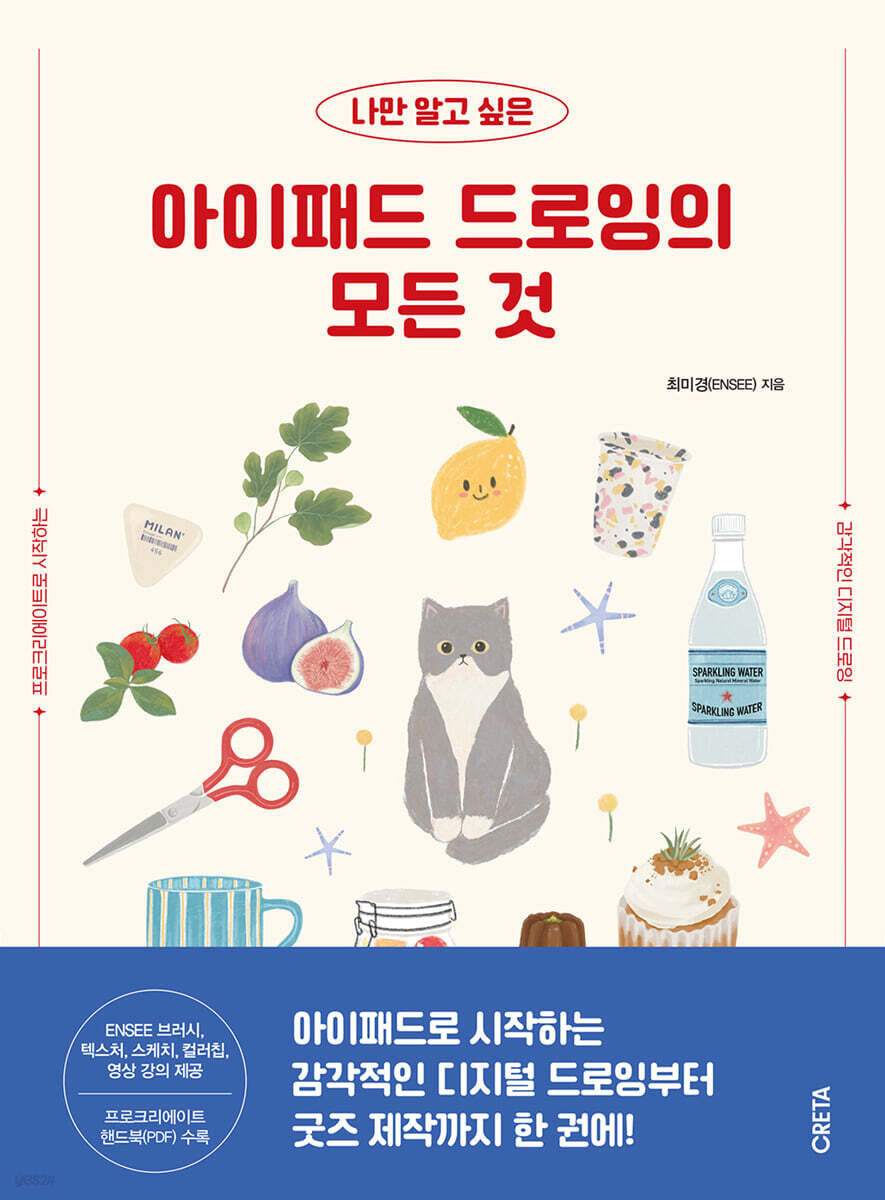
Everything You Want to Know About iPad Drawing
 |
Description
Book Introduction
The era of one iPad per person, The joy of digital drawing These days, there aren't many people who don't have an iPad, but it's difficult to use it properly. The iPad that you bought with great determination becomes an object of curiosity, but it often ends up being relegated to being just a video player. For those who feel they can't use their iPad properly, I want to share how to add small joys to their daily lives and how to utilize it properly through digital drawing. Illustrator Choi Mi-kyung (ENSEE) will guide you through digital drawing techniques using the 'Procreate' app, which is the most cost-effective and versatile digital drawing app. Artist Choi Mi-kyung, who has collaborated with various companies such as Naver, Riot Games, Amore Pacific, Olive Young, Yuhan Kimberly, ABC Mart, and LG Household & Health Care, and is active in various fields both domestically and internationally, such as book covers, album covers, product packaging, lectures, and exhibitions, has included everything about digital drawing starting with Procreate in this first book for readers who want to get started with iPad drawing. Author Choi Mi-kyung received positive reviews from many students for her systematic class structure, diverse practical examples, and elaborate class curriculum in her courses offered on the creative network 'Notefolio'. To this end, we have developed a new curriculum to make digital drawing more accessible to those who wish to learn it, and we are pleased to present it to you through this book. This book contains the author's digital drawing know-how for more efficient drawing, including the core functions of Procreate, as well as how to use brushes and textures to express the feel of various materials, and easy coloring methods using layers. |
- You can preview some of the book's contents.
Preview
index
Author's Note
start.
Preparing to Draw on Your iPad
01 Preparation for iPad Drawing
02 Procreate App
03 Preparing the sample file
CHAPTER 1.
Getting Started with iPad Digital Drawing
01 Take a look at the first screen
02 Creating a New Canvas
03 Interface at a glance
04 Convenient with gesture function
05 The Flower of Digital Drawing, Layers
06 Brush Usage and Drawing Tools
07 A collection of Procreate's core features for drawing
CHAPTER 2.
Mastering Core Features
_My collection of tastes, collection notes
*Prepare sketch files and color palettes
01 Collecting pieces
|Brush usage and coloring practice
02 Sea Collection
|Lock the wave channel / Color with a clipping mask
03 Travel Collection
|Using Text and Drawing Guides
CHAPTER 3.
Drawing with various materials
_Planterium, a plant guide starting with pictures
*Add a hand-drawn feel with textures
01 Pilea peperomioides
|ENSEE Pen Brush, Watercolor Illustration
02 Fig Tree
|ENSEE Dry Ink + ENSEE Gouache Brush, Gouache Illustration
03 Freesia
|ENSEE Oil Pastel Brush, Oil Pastel Illustration
CHAPTER 4.
Create titles in various styles
_Tastes you want to record, recipe notes
01 Basil Tomato Ade
|Outline Title
02 Fig Open Sandwich
|Arched title
03 Tomato Cold Pasta
|Handwritten title
CHAPTER 5.
Saving and using illustration sources
_How to love more, wish list
*Save and use illustration source
01 Pretty cups, bowls, and tableware
|Goblet glasses, retro plates, teapots, mugs, flower bowls, marble enamel cups
02 Stationery Geek, Stationery Store in a Drawer
|Crayons, clips, eraser, mechanical pencil, scissors, stationery knife, composition notebook
03 Bread and Dessert, Bread Pilgrimage
Saltine bread, pretzels, pretzel bagels, pumpkin pie, canelés and madeleines, and carrot cupcakes
CHAPTER 6.
Upgrade your drawing skills
How to cherish a day, a picture diary
*Apply gradient at once
01 Today's Seoul Sky
Drawing a Landscape of Nodeul Island with Gradients and Minimal Expressions
02 Our cat today
|Expressing distance and movement using blur effects
03 Today's Cafe Tour
|Creating Light and Shadows with Blending Modes
CHAPTER 7.
Create your own goods
From Hobby to N-Job, How I Use My Drawings
01 Making posters and postcards
Paper Type and Thickness / Setting the Margin Canvas for Printing / Creating Paper Goods
02 Creating Stickers
|Creating and producing knife line stickers
03 Creating GoodNotes Stickers
|Digital content creation and use
04 Making an Acrylic Keychain
|Making a shaped acrylic keychain
05 Create animated emoticons
|Animation Assist / Custom Brush
Procreate Handbook
Explore Procreate features
start.
Preparing to Draw on Your iPad
01 Preparation for iPad Drawing
02 Procreate App
03 Preparing the sample file
CHAPTER 1.
Getting Started with iPad Digital Drawing
01 Take a look at the first screen
02 Creating a New Canvas
03 Interface at a glance
04 Convenient with gesture function
05 The Flower of Digital Drawing, Layers
06 Brush Usage and Drawing Tools
07 A collection of Procreate's core features for drawing
CHAPTER 2.
Mastering Core Features
_My collection of tastes, collection notes
*Prepare sketch files and color palettes
01 Collecting pieces
|Brush usage and coloring practice
02 Sea Collection
|Lock the wave channel / Color with a clipping mask
03 Travel Collection
|Using Text and Drawing Guides
CHAPTER 3.
Drawing with various materials
_Planterium, a plant guide starting with pictures
*Add a hand-drawn feel with textures
01 Pilea peperomioides
|ENSEE Pen Brush, Watercolor Illustration
02 Fig Tree
|ENSEE Dry Ink + ENSEE Gouache Brush, Gouache Illustration
03 Freesia
|ENSEE Oil Pastel Brush, Oil Pastel Illustration
CHAPTER 4.
Create titles in various styles
_Tastes you want to record, recipe notes
01 Basil Tomato Ade
|Outline Title
02 Fig Open Sandwich
|Arched title
03 Tomato Cold Pasta
|Handwritten title
CHAPTER 5.
Saving and using illustration sources
_How to love more, wish list
*Save and use illustration source
01 Pretty cups, bowls, and tableware
|Goblet glasses, retro plates, teapots, mugs, flower bowls, marble enamel cups
02 Stationery Geek, Stationery Store in a Drawer
|Crayons, clips, eraser, mechanical pencil, scissors, stationery knife, composition notebook
03 Bread and Dessert, Bread Pilgrimage
Saltine bread, pretzels, pretzel bagels, pumpkin pie, canelés and madeleines, and carrot cupcakes
CHAPTER 6.
Upgrade your drawing skills
How to cherish a day, a picture diary
*Apply gradient at once
01 Today's Seoul Sky
Drawing a Landscape of Nodeul Island with Gradients and Minimal Expressions
02 Our cat today
|Expressing distance and movement using blur effects
03 Today's Cafe Tour
|Creating Light and Shadows with Blending Modes
CHAPTER 7.
Create your own goods
From Hobby to N-Job, How I Use My Drawings
01 Making posters and postcards
Paper Type and Thickness / Setting the Margin Canvas for Printing / Creating Paper Goods
02 Creating Stickers
|Creating and producing knife line stickers
03 Creating GoodNotes Stickers
|Digital content creation and use
04 Making an Acrylic Keychain
|Making a shaped acrylic keychain
05 Create animated emoticons
|Animation Assist / Custom Brush
Procreate Handbook
Explore Procreate features
Detailed image

Publisher's Review
If you follow the basics step by step, you will be done in no time!
From sensational digital drawing to goods production starting with iPad.
Students who met the artist through online and offline classes all start with the question, “Can I draw something like this?” after seeing the artist’s unique and detailed examples. However, as they follow the artist’s instructions step by step, they are surprised to find that they can draw pictures that are just as good as the examples.
“Anyone can draw if they know a little bit of the method.
Digital drawing with an iPad is easy to use and allows you to undo mistakes with a single touch, making it the perfect drawing tool for beginners to draw without feeling overwhelmed.”
At the heart of everything you can do with drawings—hobbies, Instagram, merchandise, stickers, emoticons, etc.—is the iPad and Procreate.
This book will be a helpful guide for anyone who wants to learn how to use Procreate from A to Z, document their daily lives on iPad, and learn various tips for creating stickers, goods, and emoticons.
Structure and features of this book
It is designed so that even those who are new to iPad digital drawing can follow along on their own.
Starting with a look at the first screen of Procreate, we will guide you step by step through the preparatory steps for drawing, including gesture functions like computer shortcuts and layers, the flower of digital drawing.
Going further, we help you master core features through easy examples organized into 'collection notes' that capture your tastes.
In the full-fledged drawing stage, you can gradually upgrade your drawing skills by drawing small, meaningful things from your daily life, such as pretty plants, recipes for your favorite dishes, wish lists in your shopping cart, and days you want to remember. You can also use the drawings you started as a hobby to create various goods such as posters, stickers, key rings, and emoticons.
*Provides 6 custom brushes created by ENSEE artists and 73 sketch, color chip, and texture files
*Includes video lectures produced by the author to aid understanding.
*Provides the latest Procreate Handbook PDF file with in-depth content on Brush Studio, Layer Blending Modes, and more.
From sensational digital drawing to goods production starting with iPad.
Students who met the artist through online and offline classes all start with the question, “Can I draw something like this?” after seeing the artist’s unique and detailed examples. However, as they follow the artist’s instructions step by step, they are surprised to find that they can draw pictures that are just as good as the examples.
“Anyone can draw if they know a little bit of the method.
Digital drawing with an iPad is easy to use and allows you to undo mistakes with a single touch, making it the perfect drawing tool for beginners to draw without feeling overwhelmed.”
At the heart of everything you can do with drawings—hobbies, Instagram, merchandise, stickers, emoticons, etc.—is the iPad and Procreate.
This book will be a helpful guide for anyone who wants to learn how to use Procreate from A to Z, document their daily lives on iPad, and learn various tips for creating stickers, goods, and emoticons.
Structure and features of this book
It is designed so that even those who are new to iPad digital drawing can follow along on their own.
Starting with a look at the first screen of Procreate, we will guide you step by step through the preparatory steps for drawing, including gesture functions like computer shortcuts and layers, the flower of digital drawing.
Going further, we help you master core features through easy examples organized into 'collection notes' that capture your tastes.
In the full-fledged drawing stage, you can gradually upgrade your drawing skills by drawing small, meaningful things from your daily life, such as pretty plants, recipes for your favorite dishes, wish lists in your shopping cart, and days you want to remember. You can also use the drawings you started as a hobby to create various goods such as posters, stickers, key rings, and emoticons.
*Provides 6 custom brushes created by ENSEE artists and 73 sketch, color chip, and texture files
*Includes video lectures produced by the author to aid understanding.
*Provides the latest Procreate Handbook PDF file with in-depth content on Brush Studio, Layer Blending Modes, and more.
GOODS SPECIFICS
- Date of issue: August 8, 2023
- Page count, weight, size: 392 pages | 982g | 185*250*23mm
- ISBN13: 9791192742120
- ISBN10: 1192742125
You may also like
카테고리
korean


korean

![GQ KOREA Mark (Monthly): December [2025]](http://librairie.coreenne.fr/cdn/shop/files/8ef265dbbfbf186523ed75ba7319009d.jpg?v=1765340328&width=3840)


