

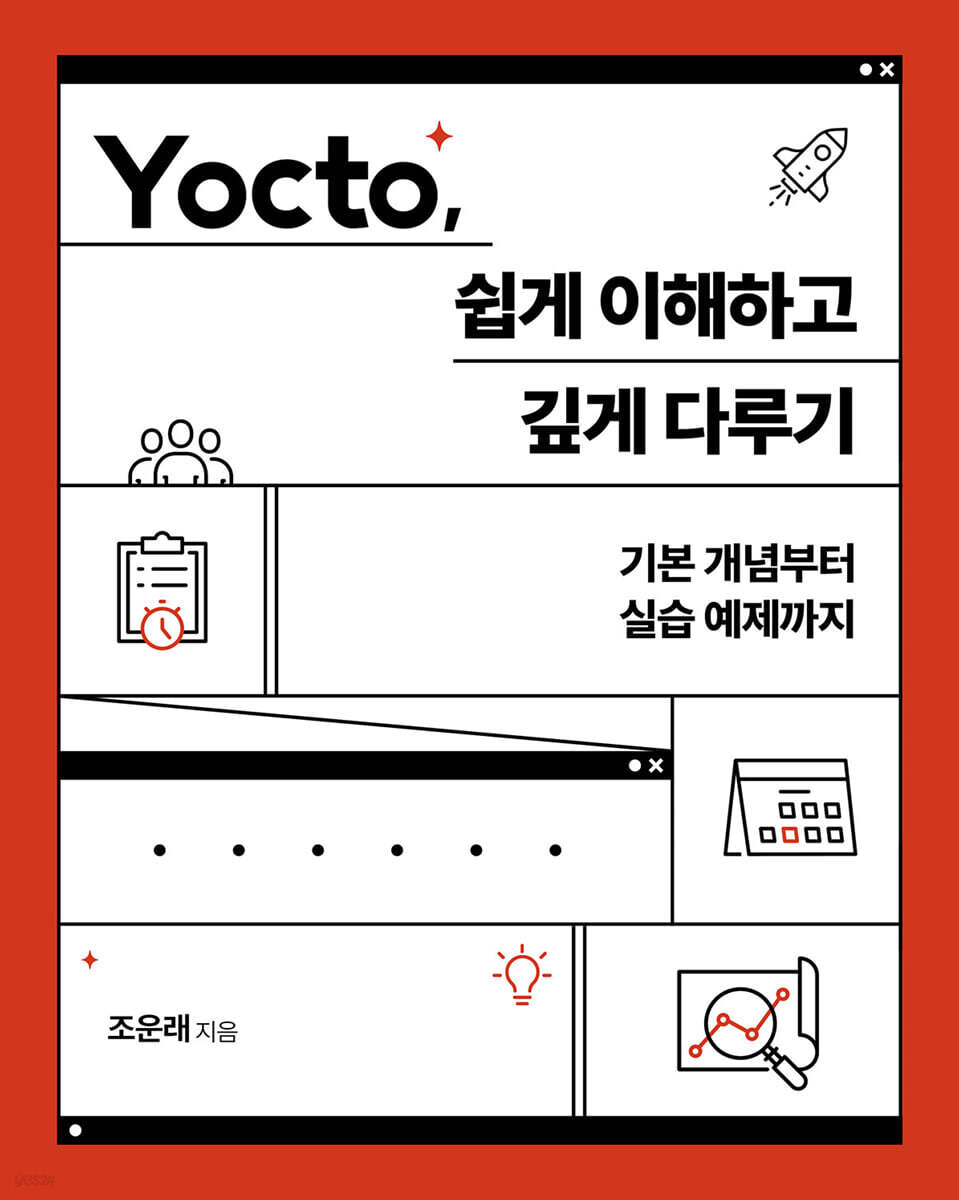
Yocto, easy to understand and deep
 |
Description
Book Introduction
Yocto is an open source project that helps develop custom Linux that runs on any hardware.
There are many cases where you have to learn Yocto in the field, or you know Yocto but only superficially.
This book is designed for developers who want to make development smoother.
It covers most of the knowledge you need to use in the field, starting with the build tool bitbake.
It includes simple examples to help you understand the concepts easily, and describes how to write everything from applications to kernel drivers using Yocto.
Additionally, the latest Yocto version, Kirkstone, is included to keep up with the latest trends.
Readers with experience with embedded Linux will find the book's practical guide to successfully using Yocto helpful.
There are many cases where you have to learn Yocto in the field, or you know Yocto but only superficially.
This book is designed for developers who want to make development smoother.
It covers most of the knowledge you need to use in the field, starting with the build tool bitbake.
It includes simple examples to help you understand the concepts easily, and describes how to write everything from applications to kernel drivers using Yocto.
Additionally, the latest Yocto version, Kirkstone, is included to keep up with the latest trends.
Readers with experience with embedded Linux will find the book's practical guide to successfully using Yocto helpful.
- You can preview some of the book's contents.
Preview
index
Chapter 1.
Introduction to Yocto and the Concept of Abstraction
1.1 Abstraction and the Yocto Project
1.2 Yocto and Future Learning Methods
1.3 Yocto Project
1.4 Installation files required for practice
1.5 Summary
Chapter 2.
bitbake
2.1 Get Bitbake source
2.2 Metadata
2.3 Metadata files
2.4 Bitbake Grammar First
2.5 Running bitbake
2.6 Print “Hello! bitbake world!” with bitbake
2.7 Interpreting the metadata generated so far
2.8 Example of bitbake execution procedure
2.9 Adding a task using the addtask directive
2.10 Summary
Chapter 3.
Poky
3.1 OpenEmbedded
3.2 Download Poky source and run the build
3.3 Running the build results in the QEMU emulator
3.4 Checking variable values through bitbake environment variable options
3.5 Comparison of the software build process for Linux hosts and the build process for the OpenEmbedded build system.
3.6 Summary
Chapter 4.
Work to improve build speed
4.1 Getting the source
4.2 Configuring your own source repository PREMIRRORS
4.3 Creating Your Own Shared State Cache
4.4 Summary
Chapter 5.
Create a new layer and create a recipe
5.1 Writing examples to practice grammar
5.2 Bitbake Grammar Part 2
5.3 Writing a Hello Application Recipe
5.4 License
5.5 Recipe Expansion File
5.6 The Role of BBFILE_COLLECTIONS and BBFILE_PATTERN Variables
5.7 Summary
Chapter 6.
Adding an initialization manager and debugging via log files
6.1 Adding a systemd initialization manager
6.2 Debugging with Logs
6.3 Summary
Chapter 7.
Optimizing your builds using useful OpenEmbedded core class features.
7.1 Building the nano editor using Autotools
7.2 Build History
7.3 Reducing disk space with rm-work
7.4 Building source from external sources using externalsrc
7.5 Summary
Chapter 8.
Dependency
8.1 Types of Dependencies
8.2 PROVIDES variable in recipes that provide dependencies
8.3 Summary
Chapter 9.
Building package groups and build environments
9.1 IMAGE_INSTALL, IMAGE_FEATURES variables
9.2 Package Group
9.3 Predefined Package Groups
9.4 Building a Build Environment with a Custom Build Script
9.5 Summary
Chapter 10.
Creating a custom image and BSP layer based on the Poky distribution
10.1 Creating a Custom Image Recipe
10.2 BSP Layer
10.3 Bitbake Grammar Part 3
10.4 Creating a Custom BSP Layer
10.5 Summary
Chapter 11.
Kernel Recipe
11.1 Kernel Configuration
11.2 Create patches for changed or added kernel environment options.
11.3 Create a patch for the changed or added kernel source
11.4 Add the generated patch and configuration fragment files to the kernel recipe.
11.5 Modifying code using devshell
11.6 Kernel Metadata
11.7 Configuring non-linux-yocto style kernel recipes
11.8 Summary
Chapter 12.
Extension of kernel recipes
12.1 Using local kernel sources via the externalsrc class
12.2 Using the defconfig file in the kernel source
12.3 Creating kernel modules outside the kernel source
12.4 Installing Kernel Modules Using the MACHINE_EXTRA_RDEPENDS and MACHINE_ESSENTIAL_EXTRA_RDEPENDS Variables
12.5 Summary
Chapter 13.
Distribution layer
13.1 Distribution Layer
13.2 Creating Your Own Distribution Layer
13.3 Differences Between DISTRO_FEATURES, IMAGE_FEATURES, and MACHINE_FEATURES.391
13.4 Summary
Chapter 14.
Customer Layer
14.1 Creating a Customer Layer
14.2 Summary of the Great System
14.3 Summary
Chapter 15.
Package
15.1 Package tasks during the build process
15.2 RPM package
15.3 yum
15.4 Package Practice through Library Creation
15.5 Improved library generation package
15.6 Summary
Chapter 16.
do_rootfs and do_image tasks that run the package installation process
16.1 do_rootfs task
16.2 Customizing the Root File System
16.3 Post-installation script
16.4 Creating the final image by executing the do_image task
16.5 Summary
Chapter 17.
Shared state cache and signatures
17.1 Shared State Cache
17.2 Signature
17.3 Optimizing the Already Created Shared State Cache
17.4 Summary
Chapter 18.
kirkstone
18.1 Features of Kirkstone
18.2 Installing Kirkstone
Migrating examples from version 18.3 dunfell to kirkstone
18.4 Summary
Chapter 19. SDK (Software Development Kit)
19.1 Creating an SDK
19.2 Creating a Target Application Using the Installed SDK
19.3 Creating a Target Kernel Module Using the Installed SDK
19.4 meta-toolchain
19.5 Summary
Chapter 20.
Other topics not covered
20.1 Python Function and Variable Extensions
20.2 Anonymous Python functions
20.3 Bitbake Grammar Fourth
20.4 Using the oe-pkgdata-util tool
20.5 PACKAGECONFIG variables
20.6 Distribution of Source Code
20.7 Porting an already created layer
20.8 Summary
Chapter 21.
devtool
21.1 Devtool Overview
21.2 Creating an application using devtool
21.3 Creating a kernel module using devtool
21.4 Summary
Special appendix
Introduction to Yocto and the Concept of Abstraction
1.1 Abstraction and the Yocto Project
1.2 Yocto and Future Learning Methods
1.3 Yocto Project
1.4 Installation files required for practice
1.5 Summary
Chapter 2.
bitbake
2.1 Get Bitbake source
2.2 Metadata
2.3 Metadata files
2.4 Bitbake Grammar First
2.5 Running bitbake
2.6 Print “Hello! bitbake world!” with bitbake
2.7 Interpreting the metadata generated so far
2.8 Example of bitbake execution procedure
2.9 Adding a task using the addtask directive
2.10 Summary
Chapter 3.
Poky
3.1 OpenEmbedded
3.2 Download Poky source and run the build
3.3 Running the build results in the QEMU emulator
3.4 Checking variable values through bitbake environment variable options
3.5 Comparison of the software build process for Linux hosts and the build process for the OpenEmbedded build system.
3.6 Summary
Chapter 4.
Work to improve build speed
4.1 Getting the source
4.2 Configuring your own source repository PREMIRRORS
4.3 Creating Your Own Shared State Cache
4.4 Summary
Chapter 5.
Create a new layer and create a recipe
5.1 Writing examples to practice grammar
5.2 Bitbake Grammar Part 2
5.3 Writing a Hello Application Recipe
5.4 License
5.5 Recipe Expansion File
5.6 The Role of BBFILE_COLLECTIONS and BBFILE_PATTERN Variables
5.7 Summary
Chapter 6.
Adding an initialization manager and debugging via log files
6.1 Adding a systemd initialization manager
6.2 Debugging with Logs
6.3 Summary
Chapter 7.
Optimizing your builds using useful OpenEmbedded core class features.
7.1 Building the nano editor using Autotools
7.2 Build History
7.3 Reducing disk space with rm-work
7.4 Building source from external sources using externalsrc
7.5 Summary
Chapter 8.
Dependency
8.1 Types of Dependencies
8.2 PROVIDES variable in recipes that provide dependencies
8.3 Summary
Chapter 9.
Building package groups and build environments
9.1 IMAGE_INSTALL, IMAGE_FEATURES variables
9.2 Package Group
9.3 Predefined Package Groups
9.4 Building a Build Environment with a Custom Build Script
9.5 Summary
Chapter 10.
Creating a custom image and BSP layer based on the Poky distribution
10.1 Creating a Custom Image Recipe
10.2 BSP Layer
10.3 Bitbake Grammar Part 3
10.4 Creating a Custom BSP Layer
10.5 Summary
Chapter 11.
Kernel Recipe
11.1 Kernel Configuration
11.2 Create patches for changed or added kernel environment options.
11.3 Create a patch for the changed or added kernel source
11.4 Add the generated patch and configuration fragment files to the kernel recipe.
11.5 Modifying code using devshell
11.6 Kernel Metadata
11.7 Configuring non-linux-yocto style kernel recipes
11.8 Summary
Chapter 12.
Extension of kernel recipes
12.1 Using local kernel sources via the externalsrc class
12.2 Using the defconfig file in the kernel source
12.3 Creating kernel modules outside the kernel source
12.4 Installing Kernel Modules Using the MACHINE_EXTRA_RDEPENDS and MACHINE_ESSENTIAL_EXTRA_RDEPENDS Variables
12.5 Summary
Chapter 13.
Distribution layer
13.1 Distribution Layer
13.2 Creating Your Own Distribution Layer
13.3 Differences Between DISTRO_FEATURES, IMAGE_FEATURES, and MACHINE_FEATURES.391
13.4 Summary
Chapter 14.
Customer Layer
14.1 Creating a Customer Layer
14.2 Summary of the Great System
14.3 Summary
Chapter 15.
Package
15.1 Package tasks during the build process
15.2 RPM package
15.3 yum
15.4 Package Practice through Library Creation
15.5 Improved library generation package
15.6 Summary
Chapter 16.
do_rootfs and do_image tasks that run the package installation process
16.1 do_rootfs task
16.2 Customizing the Root File System
16.3 Post-installation script
16.4 Creating the final image by executing the do_image task
16.5 Summary
Chapter 17.
Shared state cache and signatures
17.1 Shared State Cache
17.2 Signature
17.3 Optimizing the Already Created Shared State Cache
17.4 Summary
Chapter 18.
kirkstone
18.1 Features of Kirkstone
18.2 Installing Kirkstone
Migrating examples from version 18.3 dunfell to kirkstone
18.4 Summary
Chapter 19. SDK (Software Development Kit)
19.1 Creating an SDK
19.2 Creating a Target Application Using the Installed SDK
19.3 Creating a Target Kernel Module Using the Installed SDK
19.4 meta-toolchain
19.5 Summary
Chapter 20.
Other topics not covered
20.1 Python Function and Variable Extensions
20.2 Anonymous Python functions
20.3 Bitbake Grammar Fourth
20.4 Using the oe-pkgdata-util tool
20.5 PACKAGECONFIG variables
20.6 Distribution of Source Code
20.7 Porting an already created layer
20.8 Summary
Chapter 21.
devtool
21.1 Devtool Overview
21.2 Creating an application using devtool
21.3 Creating a kernel module using devtool
21.4 Summary
Special appendix
Publisher's Review
What this book covers
- Explains the basic operations of bitbake so that beginners can learn the structure and concepts of Yocto.
-Describes the basic operation of the Open Embedded build system, including Open Embedded Core and Bitbake.
-How to write code for applications, kernel drivers, etc. using Yocto
-The concept of kirkstone, the latest Yocto version, and how to migrate from the Dunfell version to kirkstone.
- Description and examples of the established Yocto layers based on a layered architecture.
- Explanation and examples of packages and dependencies, the tricky part of Yocto.
- Description and examples of package development using SDK and devtool
- Easy and efficient code writing using embedded cores provided by Yocto
Target audience for this book
- A beginner who has always been interested in Yocto but doesn't know where or how to start studying.
-A practitioner who is working with Yocto but only vaguely knows how to use it and does not know the overall structure and principles.
-Developers who want to create Linux-based programs using Yocto
Structure of this book
In Chapter 1, we will learn what Yocto is and understand the meaning of abstraction contained in Yocto.
Chapter 2 takes a closer look at bitbake, the heart of the build system in Yocto.
In Chapter 3, we learn about Poky, which contains an open embedded build system.
Chapter 4 presents two methods to speed up your build before getting started with the practical exercises.
So, you'll learn how to configure your own PREMIRRORS and shared state cache.
In Chapter 5, you will create a new layer, write your own recipe file, and learn the related grammar.
In Chapter 6, we will learn how to run the application binary created in Chapter 5 in the init system, systemd, and also learn how to debug it.
Chapter 7 covers build optimization methods using classes provided by Open Embedded Core.
Learn how to build applications easily using Autotools, externalsrc for locating sources locally, rm_work for deleting unnecessary build artifacts, and the buildhistory class for storing build information.
Chapter 8 covers dependencies between recipes and packages.
Dependencies include build dependencies and runtime dependencies, which we will examine in detail.
In Chapter 9, we'll learn about package groups and set up our own build environment for future exercises.
From Chapter 10 onwards, we will create custom images and custom BSP layers based on the Poky distribution.
This content is learned based on a layered architecture.
By creating layers one by one, we will understand the work actually done in the field.
In Chapter 11, we learn about kernel recipes.
The Open Embedded Build System provides classes that help you build kernels easily.
This class allows you to easily apply patches and configuration options.
We will also learn about kernel metadata provided by Yocto.
In Chapter 12, we expand on the kernel recipe we learned in Chapter 11 and add more functionality.
We will also learn how to store kernel sources externally by inheriting the externalsrc class and how to use the defconfig file in the kernel source.
You will also learn how to build kernel modules outside the kernel source tree.
In Chapter 13, we learn about the distribution layer.
This allows us to understand that the deployment layer has preferences for builds across deployments.
And create your own distribution layer to increase your understanding of the distribution layer.
In Chapter 14, we will create the customer layer, the top layer of the layered architecture, to understand how to add and change Yocto-based code distributed by chip vendors in real-world applications.
In Chapter 15, we learn about packages.
To put the results created in a cross-build environment into an actual target, they must be packaged.
To understand packages, we will also learn about creating shared libraries.
In Chapter 16, we will learn the package installation process.
You will learn how to create the root filesystem, which is the image that will ultimately be created.
Chapter 17 goes into more detail about the shared state cache we built in Chapter 4, and we also learn how to optimize the shared state cache.
In Chapter 18, we learn about Kirkstone, the long-term support version of Yocto.
Learn about Kirkstone's unique features and install an actual Kirkstone.
And let's migrate the example previously written in the dunfell version to kirkstone.
In Chapter 19, we learn about SDK.
Since SDK is used as a development environment when developing applications or kernel modules externally, learn how to create an SDK.
Then, install the generated SDK on the host and create an application and external kernel module using the generated SDK.
Chapter 20 covers Python functions, anonymous Python functions, and bitbake syntax.
You will also learn how to use the oe-pkgdta-util tool, how to configure builds on a feature-by-feature basis using the PACKAGECONFIG variable, how to distribute the source code provided by OpenEmbeddedCore, and how to port and use pre-built layers in your current project.
In Chapter 21, we learn about devtool.
Previously, when creating a new package, we created a layer, wrote a recipe, added the recipe to the layer.conf file, and added the package to the image recipe.
Performing this process requires some effort and basic knowledge of Yocto.
However, using devtool reduces the effort and allows you to develop applications or kernel modules easily even without basic knowledge of Yocto.
Therefore, in Chapter 21, we will learn the concept of devtool and learn how to use devtool through simple examples.
Author's Note
A developer's life seems very difficult.
Because in this rapidly changing era, there are many things to learn and know.
Especially when you jump into becoming a Linux developer, you will realize that the process is by no means easy.
When you look at Linux code, you can often be overwhelmed by its vast code and structure.
Just knowing the C language doesn't make Linux code stand out, and these days, you also need to learn Python, C++, Rust, and other codes, so the speed of interpreting the code is very slow.
When I first encountered Yocto, I roughly wrote code that would run by referencing code written by other developers, but I couldn't figure out why it had to be done this way or in what order it would be executed.
For example, there was a time when all I knew about writing a Linux driver was 'write the upstream address in SRC_URI, put the code so that it can be compiled in do_compile, and deploy it in do_install'.
Because of this situation, improving desired functions or reflecting new ideas was put on the back burner, and the sad reality of having to tailor code within the boundaries of narrow background knowledge was happening.
As a developer, you have to structure and create code the way you want.
Therefore, I think that developers at the same level as me at the time have a responsibility to increase their knowledge of Yocto to prevent such a sad incident from happening.
If there is anyone who is frustrated because they don't know Yocto well like I did back then, I would like to tell them that it is time to take some time to learn the basic concepts and usage of Yocto.
There is a phrase I like from a book by a popular YouTuber called 'Life is a battle.'
Don't worry about getting older, don't worry about starting too late, don't worry about not doing it right.
It's never too late in this world.
“There is only ‘completeness’ and ‘incompleteness’ in the world.”
- Explains the basic operations of bitbake so that beginners can learn the structure and concepts of Yocto.
-Describes the basic operation of the Open Embedded build system, including Open Embedded Core and Bitbake.
-How to write code for applications, kernel drivers, etc. using Yocto
-The concept of kirkstone, the latest Yocto version, and how to migrate from the Dunfell version to kirkstone.
- Description and examples of the established Yocto layers based on a layered architecture.
- Explanation and examples of packages and dependencies, the tricky part of Yocto.
- Description and examples of package development using SDK and devtool
- Easy and efficient code writing using embedded cores provided by Yocto
Target audience for this book
- A beginner who has always been interested in Yocto but doesn't know where or how to start studying.
-A practitioner who is working with Yocto but only vaguely knows how to use it and does not know the overall structure and principles.
-Developers who want to create Linux-based programs using Yocto
Structure of this book
In Chapter 1, we will learn what Yocto is and understand the meaning of abstraction contained in Yocto.
Chapter 2 takes a closer look at bitbake, the heart of the build system in Yocto.
In Chapter 3, we learn about Poky, which contains an open embedded build system.
Chapter 4 presents two methods to speed up your build before getting started with the practical exercises.
So, you'll learn how to configure your own PREMIRRORS and shared state cache.
In Chapter 5, you will create a new layer, write your own recipe file, and learn the related grammar.
In Chapter 6, we will learn how to run the application binary created in Chapter 5 in the init system, systemd, and also learn how to debug it.
Chapter 7 covers build optimization methods using classes provided by Open Embedded Core.
Learn how to build applications easily using Autotools, externalsrc for locating sources locally, rm_work for deleting unnecessary build artifacts, and the buildhistory class for storing build information.
Chapter 8 covers dependencies between recipes and packages.
Dependencies include build dependencies and runtime dependencies, which we will examine in detail.
In Chapter 9, we'll learn about package groups and set up our own build environment for future exercises.
From Chapter 10 onwards, we will create custom images and custom BSP layers based on the Poky distribution.
This content is learned based on a layered architecture.
By creating layers one by one, we will understand the work actually done in the field.
In Chapter 11, we learn about kernel recipes.
The Open Embedded Build System provides classes that help you build kernels easily.
This class allows you to easily apply patches and configuration options.
We will also learn about kernel metadata provided by Yocto.
In Chapter 12, we expand on the kernel recipe we learned in Chapter 11 and add more functionality.
We will also learn how to store kernel sources externally by inheriting the externalsrc class and how to use the defconfig file in the kernel source.
You will also learn how to build kernel modules outside the kernel source tree.
In Chapter 13, we learn about the distribution layer.
This allows us to understand that the deployment layer has preferences for builds across deployments.
And create your own distribution layer to increase your understanding of the distribution layer.
In Chapter 14, we will create the customer layer, the top layer of the layered architecture, to understand how to add and change Yocto-based code distributed by chip vendors in real-world applications.
In Chapter 15, we learn about packages.
To put the results created in a cross-build environment into an actual target, they must be packaged.
To understand packages, we will also learn about creating shared libraries.
In Chapter 16, we will learn the package installation process.
You will learn how to create the root filesystem, which is the image that will ultimately be created.
Chapter 17 goes into more detail about the shared state cache we built in Chapter 4, and we also learn how to optimize the shared state cache.
In Chapter 18, we learn about Kirkstone, the long-term support version of Yocto.
Learn about Kirkstone's unique features and install an actual Kirkstone.
And let's migrate the example previously written in the dunfell version to kirkstone.
In Chapter 19, we learn about SDK.
Since SDK is used as a development environment when developing applications or kernel modules externally, learn how to create an SDK.
Then, install the generated SDK on the host and create an application and external kernel module using the generated SDK.
Chapter 20 covers Python functions, anonymous Python functions, and bitbake syntax.
You will also learn how to use the oe-pkgdta-util tool, how to configure builds on a feature-by-feature basis using the PACKAGECONFIG variable, how to distribute the source code provided by OpenEmbeddedCore, and how to port and use pre-built layers in your current project.
In Chapter 21, we learn about devtool.
Previously, when creating a new package, we created a layer, wrote a recipe, added the recipe to the layer.conf file, and added the package to the image recipe.
Performing this process requires some effort and basic knowledge of Yocto.
However, using devtool reduces the effort and allows you to develop applications or kernel modules easily even without basic knowledge of Yocto.
Therefore, in Chapter 21, we will learn the concept of devtool and learn how to use devtool through simple examples.
Author's Note
A developer's life seems very difficult.
Because in this rapidly changing era, there are many things to learn and know.
Especially when you jump into becoming a Linux developer, you will realize that the process is by no means easy.
When you look at Linux code, you can often be overwhelmed by its vast code and structure.
Just knowing the C language doesn't make Linux code stand out, and these days, you also need to learn Python, C++, Rust, and other codes, so the speed of interpreting the code is very slow.
When I first encountered Yocto, I roughly wrote code that would run by referencing code written by other developers, but I couldn't figure out why it had to be done this way or in what order it would be executed.
For example, there was a time when all I knew about writing a Linux driver was 'write the upstream address in SRC_URI, put the code so that it can be compiled in do_compile, and deploy it in do_install'.
Because of this situation, improving desired functions or reflecting new ideas was put on the back burner, and the sad reality of having to tailor code within the boundaries of narrow background knowledge was happening.
As a developer, you have to structure and create code the way you want.
Therefore, I think that developers at the same level as me at the time have a responsibility to increase their knowledge of Yocto to prevent such a sad incident from happening.
If there is anyone who is frustrated because they don't know Yocto well like I did back then, I would like to tell them that it is time to take some time to learn the basic concepts and usage of Yocto.
There is a phrase I like from a book by a popular YouTuber called 'Life is a battle.'
Don't worry about getting older, don't worry about starting too late, don't worry about not doing it right.
It's never too late in this world.
“There is only ‘completeness’ and ‘incompleteness’ in the world.”
GOODS SPECIFICS
- Date of issue: August 28, 2023
- Page count, weight, size: 612 pages | 188*235*28mm
- ISBN13: 9791161757780
- ISBN10: 1161757783
You may also like
카테고리
korean


korean

![GQ KOREA Mark (Monthly): December [2025]](http://librairie.coreenne.fr/cdn/shop/files/8ef265dbbfbf186523ed75ba7319009d.jpg?v=1765340328&width=3840)


