

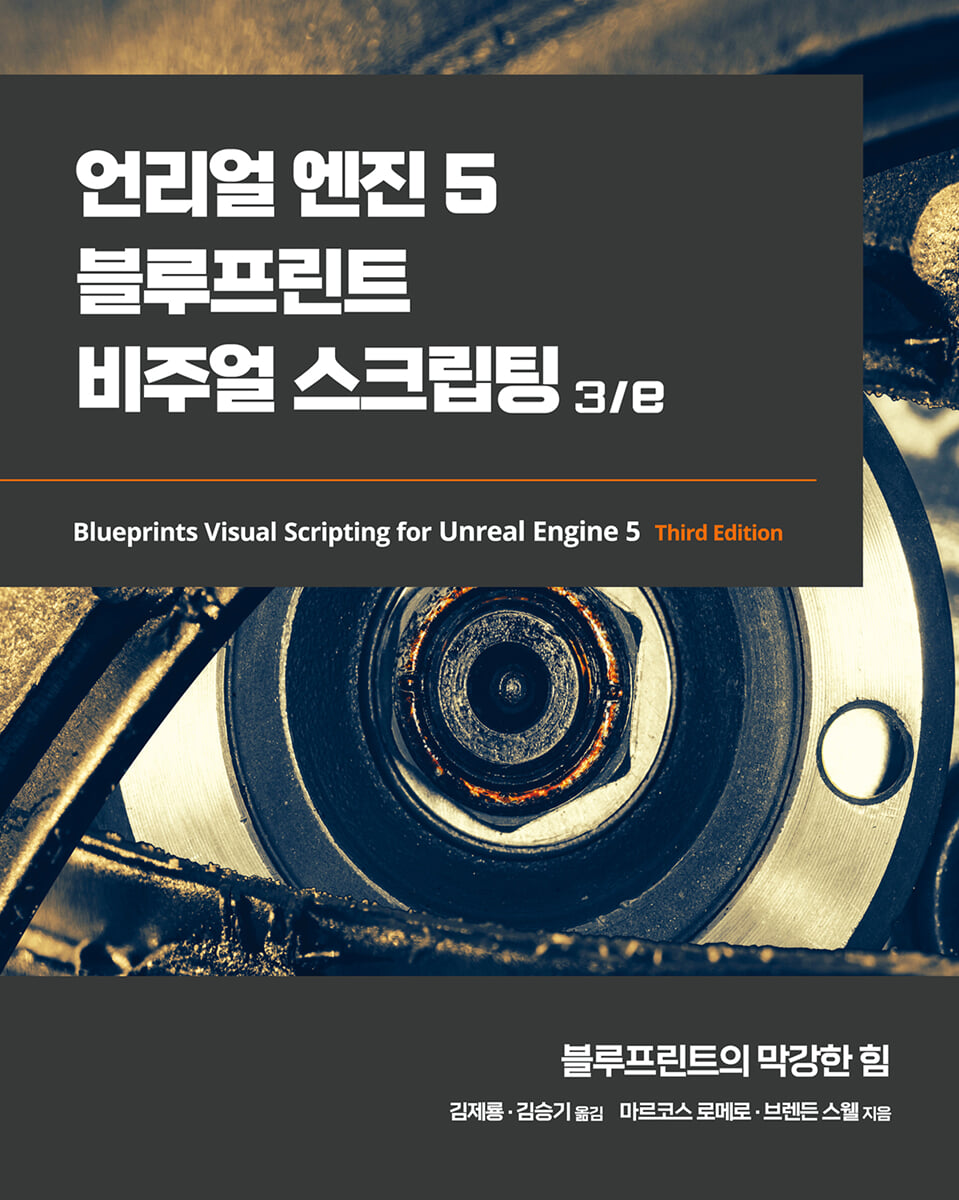
Unreal Engine 5 Blueprint Visual Scripting 3/e
 |
Description
Book Introduction
This book will guide you through using variables, macros, and functions, and help you learn about object-oriented programming (OOP).
We focus on building a gameplay framework and building the game step-by-step. Building on a first-person shooter (FPS) prototype, we create increasingly complex and powerful game experiences.
We also create a complete game that goes beyond creating basic shooting functions to adding user interface elements and intelligent enemy behavior.
We focus on building a gameplay framework and building the game step-by-step. Building on a first-person shooter (FPS) prototype, we create increasingly complex and powerful game experiences.
We also create a complete game that goes beyond creating basic shooting functions to adding user interface elements and intelligent enemy behavior.
- You can preview some of the book's contents.
Preview
index
Part 1.
Blueprint Basics
Chapter 1.
Navigating the Blueprint Editor
__Installing Unreal Engine
Create a new project using the __ template
__Blueprint Visual Scripting
Open the ____level blueprint editor
____Creating a Blueprint Class
__Blueprint Class Editor Interface
____Toolbar Panel
____Component Panel
____My Blueprint Panel
____Detail Panel
____Viewport Panel
____Event Graph Panel
__Add a component to a blueprint
__summation
__Quiz
Chapter 2.
Blueprint Programming
__Store a value in a variable
__Defining Blueprint Behavior with Events and Actions
____event
____action
____Execution path
Creating expressions using the __ operator
____arithmetic operator
____relational operator
____logical operator
__Structure your script using macros and functions
____Creating a macro
Create a ____ function
____Step-by-step example
____Macros vs. Functions vs. Events
__summation
__Quiz
Chapter 3.
Object-oriented programming and gameplay frameworks
__Getting familiar with OOP concepts
____class
____instance
____succession
__Actor Management
____Actor Reference
Spawning and destruction of ____actors
____Construction script
__Exploring Gameplay Framework Classes
____phone
____character
____Player Controller
____Game Mode Base
____game instance
__summation
__Quiz
Chapter 4.
Understanding Blueprint Communication
__Direct Blueprint Communication
__Type conversion in blueprints
__Level Blueprint Communication
__Event Dispatcher
__Event binding
__summation
__Quiz
Part 2.
Game development
Chapter 5.
Object Interaction Using Blueprints
__Create a new project and level
Add object to level __
__Material Exploration
____Material Creation
____Material properties and nodes
Adding a substance to the ____material
__Create target blueprint
____Hit detection
____Material replacement
____Blueprint Improvements
__Add move
____Change the actor's mobility and collision settings
____Share the goal
Direction prepared for ____calculation
____Gaining relative speed using delta time
____Update location
__turnabout
____Moving Target Test
__summation
__Quiz
Chapter 6.
Player Ability Enhancement
__Added run function
____Character Movement Analysis
Customizing ____control input
____Added sprint ability
__Apply animation to the zoomed view
Smooth transitions using the ____timeline
__Increased projectile speed
__Added sound and particle effects
Change the state of the target through the ____ branch
____Triggers for sound effects, explosions and destruction
__summation
__Quiz
Chapter 7.
Creating screen UI elements
Creating a Simple UI Meter Using __UMG
____Drawing shapes with widget blueprints
Customizing the appearance of ____meters
____Create ammo and target removal counts
____HUD output
__Connect UI value to player variable
____Creating bindings for health and stamina
____Create text bindings for ammo and target removal counters
__Ammunition and target removal tracking
____Ammo counter decreases
____Target removal counter increased
__summation
__Quiz
Chapter 8.
Create constraints and gameplay goals
__Player Action Limits
____Stamina consumption and regeneration
____Prevent firing action when out of ammo
__Creating a collectible object
__Setting game play victory conditions
____Show target on HUD
____Creating a Victory Menu Screen
____WinMenu display
____Victory Trigger
__summation
__Quiz
Part 3.
Improvements to the game
Chapter 9.
Creating Smart Enemies with AI
__Enable the enemy actor to explore
Import from ____Marketplace
____Expand play area
____Creating a movable level with NavMesh assets
____AI asset creation
____BP_EnemyCharacter Blueprint Setup
__Creating a navigation action
____Patrol point setting
____Creating a Blackboard Key
Create a variable in ____BP_EnemyCharacter
____Update current patrol point key
____Patrol point overlap
____Behavior tree execution in AI controller
____Teaching AI to Walk with Behavior Trees
Select patrol point for ____BP_EnemyCharacter instance
__Make AI track the player
____Give vision to enemies by detecting the phone
____Creating a Behavior Tree Task
____Add a condition to the behavior tree
____Creating a tracking behavior
__outline
__Quiz
Chapter 10. AI Enemy Upgrades
Create a __enemy attack
____Creating an attack task
____Using the Attack task in a behavior tree
____Health Meter Update
__Make enemies listen and investigate
____Add hearing to the behavior tree
____Creating variables and macros to update the Blackboard
____Interpret and store noise event data
____Add noise to player actions
__To be able to destroy enemies
__Spawn more enemies during gameplay
Creating the ____BP_EnemySpawner Blueprint
__Create enemy wandering behavior
____Identifying wandering points with custom tasks
____Add wander to the behavior tree
____Final tuning and testing
__summation
__Quiz
Chapter 11.
Apply game state and finishing touches
__Player death makes danger real
____ Defeat Screen Settings
____Display defeat screen
__Generating round-based scaling with saved games
____Save game information using the SaveGame class
____Save game information
____Load game information
____Increase in target goals
Create a transition screen to display between rounds
____If you win the current round, you will move to a new round
__Pause the game and reset the save file
____Create a pause menu
____Resume game
____Reset Save File
____Pause Trigger
__summation
__Quiz
Chapter 12.
Build and Deploy
__Optimize graphics settings
__Set up the game so others can play
__Packaging the game into a build
__Build configuration and packaging settings
__summation
__Quiz
Part 4.
Advanced Blueprints
Chapter 13.
Data Structures and Flow Control
__Exploring different container types
____arrangement
____set
____map
__Looking at other data structures
____enumeration
____structure
____data table
__Flow Control Node
____switch node
____Flip Flop
____sequence
____For Each Loop
____Do Once
____Do N
____Gate
____MultiGate
__summation
__Quiz
Chapter 14.
Math and Trace Nodes
__World transformation and relative transformation
__points and vectors
Representation of ____vector
Operations on ____vectors
__Introducing Trace and Trace Features
Tracking for ____objects
Tracking through ____channel
____Shape Trace
____debug line
____Example of vector and trace nodes
__summation
__Quiz
Chapter 15.
Blueprint Tips
__Blueprint Editor Shortcuts
__Blueprint Best Practices
____Blueprint Responsibility
____Managing Blueprint Complexity
__Using other blueprint nodes
____select
____teleport
____format text
____Math expression
____Set View Target with Blend
____AttachActorToComponent
____Enable Input and Disable Input
____Set Input Mode node
__summation
__Quiz
Chapter 16. Introduction to VR Development
__View Virtual Reality Templates
__VRPawn Blueprint
__Teleportation
__Catch object
Blueprint communication using the __interface
Interacting with the __menu
__summation
__Quiz
Part 5.
Additional tools
Chapter 17.
Animation Blueprint
__Animation Overview
____Animation Editor
____Skeleton and Skeletal Mesh
____Animation sequence
____Blend Space
__Creating an Animation Blueprint
____Event Graph
____Animgraph
__A look at state machines
__Get the Animation Starter Pack
__Add animation state
____Character Blueprint Modification
____Animation Blueprint Modification
__summation
__Quiz
Chapter 18.
Creating Blueprint Libraries and Components
__Blueprint macro and function library
____Blueprint function library example
____Creating and testing the third function
__Create an actor component
____Actor Component Test
__Create a scene component
__summation
__Quiz
Chapter 19.
Procedural generation
Procedural generation using __construction scripts
Create a script to add instances to level ____
__Create a Blueprint Spline
____Spline Mesh Component
__Editor Utility Blueprint
____Create Actor Action Utility
__summation
__Quiz
Chapter 20.
Creating a Product Configurator Using the A317 Variant Manager
__Product Configurator Template
__Variant Manager Panel and Variant Set
__BP_Configurator Blueprint
__UMG Widget Blueprint
__summation
__In conclusion
__Quiz
Blueprint Basics
Chapter 1.
Navigating the Blueprint Editor
__Installing Unreal Engine
Create a new project using the __ template
__Blueprint Visual Scripting
Open the ____level blueprint editor
____Creating a Blueprint Class
__Blueprint Class Editor Interface
____Toolbar Panel
____Component Panel
____My Blueprint Panel
____Detail Panel
____Viewport Panel
____Event Graph Panel
__Add a component to a blueprint
__summation
__Quiz
Chapter 2.
Blueprint Programming
__Store a value in a variable
__Defining Blueprint Behavior with Events and Actions
____event
____action
____Execution path
Creating expressions using the __ operator
____arithmetic operator
____relational operator
____logical operator
__Structure your script using macros and functions
____Creating a macro
Create a ____ function
____Step-by-step example
____Macros vs. Functions vs. Events
__summation
__Quiz
Chapter 3.
Object-oriented programming and gameplay frameworks
__Getting familiar with OOP concepts
____class
____instance
____succession
__Actor Management
____Actor Reference
Spawning and destruction of ____actors
____Construction script
__Exploring Gameplay Framework Classes
____phone
____character
____Player Controller
____Game Mode Base
____game instance
__summation
__Quiz
Chapter 4.
Understanding Blueprint Communication
__Direct Blueprint Communication
__Type conversion in blueprints
__Level Blueprint Communication
__Event Dispatcher
__Event binding
__summation
__Quiz
Part 2.
Game development
Chapter 5.
Object Interaction Using Blueprints
__Create a new project and level
Add object to level __
__Material Exploration
____Material Creation
____Material properties and nodes
Adding a substance to the ____material
__Create target blueprint
____Hit detection
____Material replacement
____Blueprint Improvements
__Add move
____Change the actor's mobility and collision settings
____Share the goal
Direction prepared for ____calculation
____Gaining relative speed using delta time
____Update location
__turnabout
____Moving Target Test
__summation
__Quiz
Chapter 6.
Player Ability Enhancement
__Added run function
____Character Movement Analysis
Customizing ____control input
____Added sprint ability
__Apply animation to the zoomed view
Smooth transitions using the ____timeline
__Increased projectile speed
__Added sound and particle effects
Change the state of the target through the ____ branch
____Triggers for sound effects, explosions and destruction
__summation
__Quiz
Chapter 7.
Creating screen UI elements
Creating a Simple UI Meter Using __UMG
____Drawing shapes with widget blueprints
Customizing the appearance of ____meters
____Create ammo and target removal counts
____HUD output
__Connect UI value to player variable
____Creating bindings for health and stamina
____Create text bindings for ammo and target removal counters
__Ammunition and target removal tracking
____Ammo counter decreases
____Target removal counter increased
__summation
__Quiz
Chapter 8.
Create constraints and gameplay goals
__Player Action Limits
____Stamina consumption and regeneration
____Prevent firing action when out of ammo
__Creating a collectible object
__Setting game play victory conditions
____Show target on HUD
____Creating a Victory Menu Screen
____WinMenu display
____Victory Trigger
__summation
__Quiz
Part 3.
Improvements to the game
Chapter 9.
Creating Smart Enemies with AI
__Enable the enemy actor to explore
Import from ____Marketplace
____Expand play area
____Creating a movable level with NavMesh assets
____AI asset creation
____BP_EnemyCharacter Blueprint Setup
__Creating a navigation action
____Patrol point setting
____Creating a Blackboard Key
Create a variable in ____BP_EnemyCharacter
____Update current patrol point key
____Patrol point overlap
____Behavior tree execution in AI controller
____Teaching AI to Walk with Behavior Trees
Select patrol point for ____BP_EnemyCharacter instance
__Make AI track the player
____Give vision to enemies by detecting the phone
____Creating a Behavior Tree Task
____Add a condition to the behavior tree
____Creating a tracking behavior
__outline
__Quiz
Chapter 10. AI Enemy Upgrades
Create a __enemy attack
____Creating an attack task
____Using the Attack task in a behavior tree
____Health Meter Update
__Make enemies listen and investigate
____Add hearing to the behavior tree
____Creating variables and macros to update the Blackboard
____Interpret and store noise event data
____Add noise to player actions
__To be able to destroy enemies
__Spawn more enemies during gameplay
Creating the ____BP_EnemySpawner Blueprint
__Create enemy wandering behavior
____Identifying wandering points with custom tasks
____Add wander to the behavior tree
____Final tuning and testing
__summation
__Quiz
Chapter 11.
Apply game state and finishing touches
__Player death makes danger real
____ Defeat Screen Settings
____Display defeat screen
__Generating round-based scaling with saved games
____Save game information using the SaveGame class
____Save game information
____Load game information
____Increase in target goals
Create a transition screen to display between rounds
____If you win the current round, you will move to a new round
__Pause the game and reset the save file
____Create a pause menu
____Resume game
____Reset Save File
____Pause Trigger
__summation
__Quiz
Chapter 12.
Build and Deploy
__Optimize graphics settings
__Set up the game so others can play
__Packaging the game into a build
__Build configuration and packaging settings
__summation
__Quiz
Part 4.
Advanced Blueprints
Chapter 13.
Data Structures and Flow Control
__Exploring different container types
____arrangement
____set
____map
__Looking at other data structures
____enumeration
____structure
____data table
__Flow Control Node
____switch node
____Flip Flop
____sequence
____For Each Loop
____Do Once
____Do N
____Gate
____MultiGate
__summation
__Quiz
Chapter 14.
Math and Trace Nodes
__World transformation and relative transformation
__points and vectors
Representation of ____vector
Operations on ____vectors
__Introducing Trace and Trace Features
Tracking for ____objects
Tracking through ____channel
____Shape Trace
____debug line
____Example of vector and trace nodes
__summation
__Quiz
Chapter 15.
Blueprint Tips
__Blueprint Editor Shortcuts
__Blueprint Best Practices
____Blueprint Responsibility
____Managing Blueprint Complexity
__Using other blueprint nodes
____select
____teleport
____format text
____Math expression
____Set View Target with Blend
____AttachActorToComponent
____Enable Input and Disable Input
____Set Input Mode node
__summation
__Quiz
Chapter 16. Introduction to VR Development
__View Virtual Reality Templates
__VRPawn Blueprint
__Teleportation
__Catch object
Blueprint communication using the __interface
Interacting with the __menu
__summation
__Quiz
Part 5.
Additional tools
Chapter 17.
Animation Blueprint
__Animation Overview
____Animation Editor
____Skeleton and Skeletal Mesh
____Animation sequence
____Blend Space
__Creating an Animation Blueprint
____Event Graph
____Animgraph
__A look at state machines
__Get the Animation Starter Pack
__Add animation state
____Character Blueprint Modification
____Animation Blueprint Modification
__summation
__Quiz
Chapter 18.
Creating Blueprint Libraries and Components
__Blueprint macro and function library
____Blueprint function library example
____Creating and testing the third function
__Create an actor component
____Actor Component Test
__Create a scene component
__summation
__Quiz
Chapter 19.
Procedural generation
Procedural generation using __construction scripts
Create a script to add instances to level ____
__Create a Blueprint Spline
____Spline Mesh Component
__Editor Utility Blueprint
____Create Actor Action Utility
__summation
__Quiz
Chapter 20.
Creating a Product Configurator Using the A317 Variant Manager
__Product Configurator Template
__Variant Manager Panel and Variant Set
__BP_Configurator Blueprint
__UMG Widget Blueprint
__summation
__In conclusion
__Quiz
Detailed image
Publisher's Review
What this book covers
- Understanding blueprint programming concepts
- Create prototypes and rapidly iterate on new game mechanics
- Building user interface elements and interactive menus
- Manage the complexity of your game using advanced blueprint nodes
- Explore all the features of the Blueprint Editor, such as the Components tab, Viewport, and Event Graph.
- Understanding and exploring OOP concepts
- Gameplay Framework
- Virtual reality development work in UE Blueprints
- Implement procedural generation and create product configurators
Target audience for this book
This book is for anyone interested in developing games or applications with Unreal Engine 5.
Even if you're new to game development or have no experience with Unreal Engine 5's Blueprint visual scripting system, you'll learn how to quickly and easily build complex game mechanics without writing any text code.
Structure of this book
Chapter 1, "Exploring the Blueprint Editor," covers the Blueprint Editor and all of the panels integrated into it.
Chapter 2, 'Blueprint Programming', explains the programming concepts used in Blueprints.
Chapter 3, "Object-Oriented Programming and Gameplay Frameworks," teaches OOP concepts and examines gameplay frameworks.
Chapter 4, "Understanding Blueprint Communication," explains the different types of blueprint communication that allow one blueprint to access information from another blueprint.
Chapter 5, "Object Interaction with Blueprints," covers how to create new objects that help build the world your game is set in.
Chapter 6, "Enhancing Player Abilities," explains how to use Blueprints to create new objects during gameplay and how to connect Blueprint actions to player control input.
Chapter 7, "Creating UI Elements," demonstrates setting up a graphical user interface (GUI) that tracks the player's status, health, ammo, and current objective.
Chapter 8, "Creating Constraints and Gameplay Goals," explores how to constrain player abilities, define gameplay goals as levels, and track those goals.
Chapter 9, "Creating Smart Enemies with AI," is a crucial chapter that covers how to create enemy zombie AI that follows the player.
Chapter 10, "Upgrading AI Enemies," shows you how to create engaging experiences by modifying zombie AI to have states to give them a bit more intelligence.
Chapter 11, "Game State and Finishing Touches," adds the finishing touches needed to complete your game before it's ready for release.
Chapter 12, "Building and Deploying," explains how to optimize graphics settings for optimal game performance and how to set up project information for deployment.
Chapter 13, "Data Structures and Flow Control," explains what data structures are and how they can be used to organize data in blueprints.
Chapter 14, "Math and Trace Nodes," covers some of the mathematical concepts necessary for 3D games.
Chapter 15, "Blueprint Tips," contains some tips for improving the quality of your Blueprints.
Chapter 16, "Introduction to VR Development," explains VR concepts and explores VR templates.
Chapter 17, "Animation Blueprints," covers the key elements of the Unreal Engine animation system, including skeletons, skeletal meshes, animation sequences, and blend spaces.
Chapter 18, "Creating Blueprint Libraries and Components," shows you how to create Blueprint macro and function libraries using common functionality that can be used throughout your project.
Chapter 19, "Procedural Generation," shows several ways to automatically generate level content.
Chapter 20, "Variant Manager," explains how to create a product configurator using Variant Manager, an application used in the industry to attract consumers to specific products.
'Appendix and Quiz Answers' contains the answers to all quiz questions by chapter.
Author's Note
Unreal Engine's Blueprint visual scripting system not only allows designers to script their games, but also allows programmers to create primitives that designers can extend.
Unreal Engine's Blueprint visual scripting system allows designers, as well as programmers, to script games by providing a foundational element that designers can extend.
This book explores all the features of the Blueprint Editor, along with expert tips, shortcuts, and best practices.
It also guides you through using variables, macros, and functions, and helps you learn about Object-Oriented Programming (OOP).
Learn about the gameplay framework and how Blueprint communication allows you to access information from other Blueprints.
In subsequent chapters, we will focus on building a fully functional game step by step.
Starting with a basic first-person shooter (FPS) template, each chapter builds on the prototype to create increasingly complex and robust game experiences.
We then progress from building basic mecha shooters to more complex systems like user interface elements and intelligent enemy behavior.
This book introduces how to use arrays, maps, enumerations, and vector operations, and introduces the elements necessary for VR game development.
The first chapter explains how to implement procedure creation and how to write a product configurator.
By the end of this book, you'll have the skills you need to create fully functional games and develop engaging experiences for your players.
Translator's Note
The present age is an age where content is created by utilizing existing tools rather than by creating authoring tools.
We live in an era where it's crucial to produce higher quality, faster results.
In the gaming industry, it has become important not to create a game engine, but to quickly create high-quality games that satisfy users' needs using a game engine.
Epic Games' Unreal Engine is the most feature-rich and powerful engine for creating high-quality games.
Getting the most out of this powerful Unreal Engine is no easy task.
Because there is a huge barrier called programming.
As a solution to this barrier, Epic Games offers Blueprint visual scripting.
Even if you're not a programmer, you can quickly and easily create the results you want by visually implementing actions.
Finally, I hope this book will be helpful to those studying Unreal Engine 5.
- Understanding blueprint programming concepts
- Create prototypes and rapidly iterate on new game mechanics
- Building user interface elements and interactive menus
- Manage the complexity of your game using advanced blueprint nodes
- Explore all the features of the Blueprint Editor, such as the Components tab, Viewport, and Event Graph.
- Understanding and exploring OOP concepts
- Gameplay Framework
- Virtual reality development work in UE Blueprints
- Implement procedural generation and create product configurators
Target audience for this book
This book is for anyone interested in developing games or applications with Unreal Engine 5.
Even if you're new to game development or have no experience with Unreal Engine 5's Blueprint visual scripting system, you'll learn how to quickly and easily build complex game mechanics without writing any text code.
Structure of this book
Chapter 1, "Exploring the Blueprint Editor," covers the Blueprint Editor and all of the panels integrated into it.
Chapter 2, 'Blueprint Programming', explains the programming concepts used in Blueprints.
Chapter 3, "Object-Oriented Programming and Gameplay Frameworks," teaches OOP concepts and examines gameplay frameworks.
Chapter 4, "Understanding Blueprint Communication," explains the different types of blueprint communication that allow one blueprint to access information from another blueprint.
Chapter 5, "Object Interaction with Blueprints," covers how to create new objects that help build the world your game is set in.
Chapter 6, "Enhancing Player Abilities," explains how to use Blueprints to create new objects during gameplay and how to connect Blueprint actions to player control input.
Chapter 7, "Creating UI Elements," demonstrates setting up a graphical user interface (GUI) that tracks the player's status, health, ammo, and current objective.
Chapter 8, "Creating Constraints and Gameplay Goals," explores how to constrain player abilities, define gameplay goals as levels, and track those goals.
Chapter 9, "Creating Smart Enemies with AI," is a crucial chapter that covers how to create enemy zombie AI that follows the player.
Chapter 10, "Upgrading AI Enemies," shows you how to create engaging experiences by modifying zombie AI to have states to give them a bit more intelligence.
Chapter 11, "Game State and Finishing Touches," adds the finishing touches needed to complete your game before it's ready for release.
Chapter 12, "Building and Deploying," explains how to optimize graphics settings for optimal game performance and how to set up project information for deployment.
Chapter 13, "Data Structures and Flow Control," explains what data structures are and how they can be used to organize data in blueprints.
Chapter 14, "Math and Trace Nodes," covers some of the mathematical concepts necessary for 3D games.
Chapter 15, "Blueprint Tips," contains some tips for improving the quality of your Blueprints.
Chapter 16, "Introduction to VR Development," explains VR concepts and explores VR templates.
Chapter 17, "Animation Blueprints," covers the key elements of the Unreal Engine animation system, including skeletons, skeletal meshes, animation sequences, and blend spaces.
Chapter 18, "Creating Blueprint Libraries and Components," shows you how to create Blueprint macro and function libraries using common functionality that can be used throughout your project.
Chapter 19, "Procedural Generation," shows several ways to automatically generate level content.
Chapter 20, "Variant Manager," explains how to create a product configurator using Variant Manager, an application used in the industry to attract consumers to specific products.
'Appendix and Quiz Answers' contains the answers to all quiz questions by chapter.
Author's Note
Unreal Engine's Blueprint visual scripting system not only allows designers to script their games, but also allows programmers to create primitives that designers can extend.
Unreal Engine's Blueprint visual scripting system allows designers, as well as programmers, to script games by providing a foundational element that designers can extend.
This book explores all the features of the Blueprint Editor, along with expert tips, shortcuts, and best practices.
It also guides you through using variables, macros, and functions, and helps you learn about Object-Oriented Programming (OOP).
Learn about the gameplay framework and how Blueprint communication allows you to access information from other Blueprints.
In subsequent chapters, we will focus on building a fully functional game step by step.
Starting with a basic first-person shooter (FPS) template, each chapter builds on the prototype to create increasingly complex and robust game experiences.
We then progress from building basic mecha shooters to more complex systems like user interface elements and intelligent enemy behavior.
This book introduces how to use arrays, maps, enumerations, and vector operations, and introduces the elements necessary for VR game development.
The first chapter explains how to implement procedure creation and how to write a product configurator.
By the end of this book, you'll have the skills you need to create fully functional games and develop engaging experiences for your players.
Translator's Note
The present age is an age where content is created by utilizing existing tools rather than by creating authoring tools.
We live in an era where it's crucial to produce higher quality, faster results.
In the gaming industry, it has become important not to create a game engine, but to quickly create high-quality games that satisfy users' needs using a game engine.
Epic Games' Unreal Engine is the most feature-rich and powerful engine for creating high-quality games.
Getting the most out of this powerful Unreal Engine is no easy task.
Because there is a huge barrier called programming.
As a solution to this barrier, Epic Games offers Blueprint visual scripting.
Even if you're not a programmer, you can quickly and easily create the results you want by visually implementing actions.
Finally, I hope this book will be helpful to those studying Unreal Engine 5.
GOODS SPECIFICS
- Date of issue: March 15, 2023
- Page count, weight, size: 620 pages | 188*235*35mm
- ISBN13: 9791161757285
- ISBN10: 1161757287
You may also like
카테고리
korean


korean

![GQ KOREA Mark (Monthly): December [2025]](http://librairie.coreenne.fr/cdn/shop/files/8ef265dbbfbf186523ed75ba7319009d.jpg?v=1765340328&width=3840)


