

This is Windows Server
 |
Description
Book Introduction
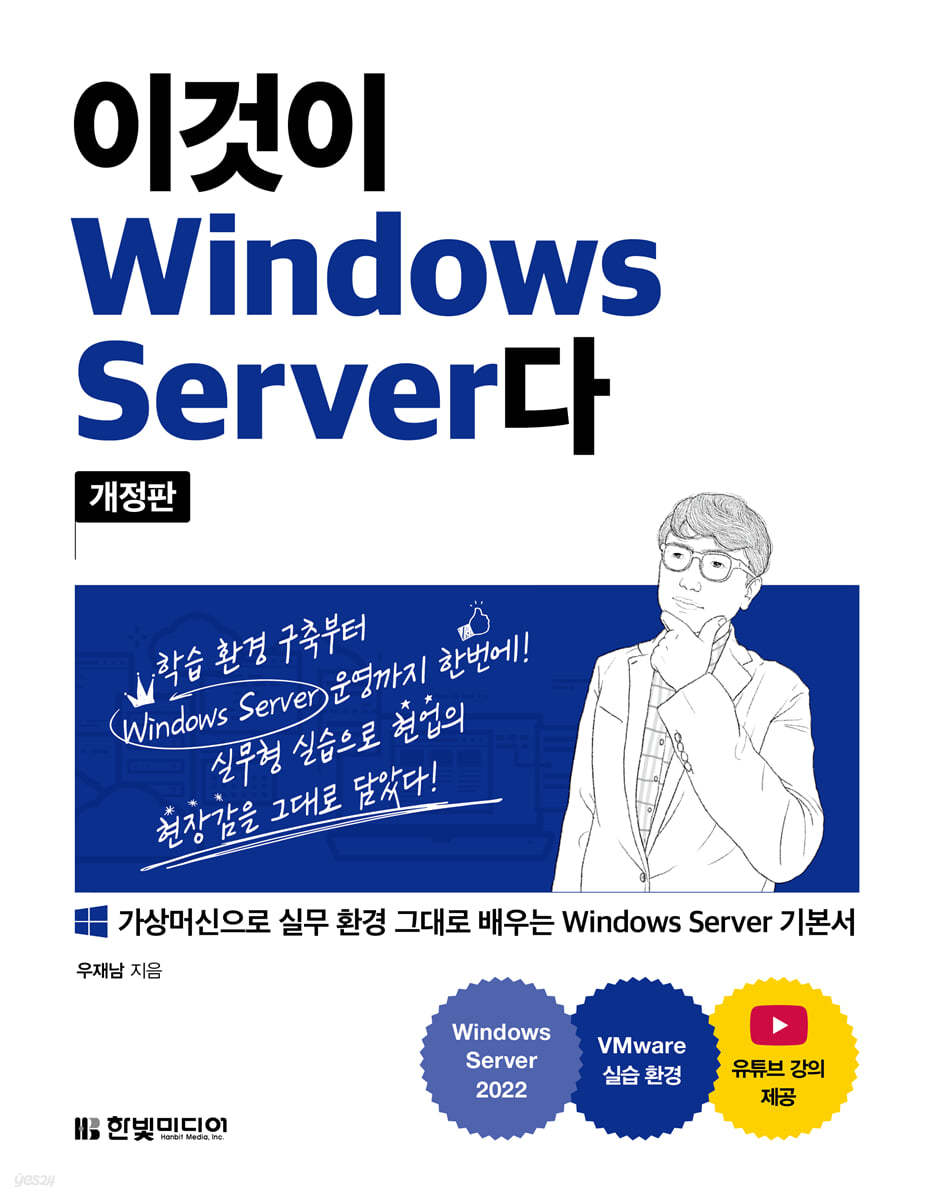
"This is Windows Server (Revised Edition)" reflecting the latest version for 2022 has been published!
"This is Windows Server," which has maintained its position as the undisputed #1 bestseller in the Windows Server book category since its publication in 2017, has been revised to reflect the Windows Server 2022 version.
This book creates a learning environment identical to the actual work by installing three Windows Servers and one Windows Client on one computer using a VMware virtual machine.
Additionally, it is structured around practical training, so you can improve your practical adaptability through thorough repetitive learning.
By following this book, even beginners who are new to Windows Server 2022 can build and operate Windows Server in a practical environment without any difficulties!
"This is Windows Server," which has maintained its position as the undisputed #1 bestseller in the Windows Server book category since its publication in 2017, has been revised to reflect the Windows Server 2022 version.
This book creates a learning environment identical to the actual work by installing three Windows Servers and one Windows Client on one computer using a VMware virtual machine.
Additionally, it is structured around practical training, so you can improve your practical adaptability through thorough repetitive learning.
By following this book, even beginners who are new to Windows Server 2022 can build and operate Windows Server in a practical environment without any difficulties!
- You can preview some of the book's contents.
Preview
index
Part 01 Windows Server 2022 Overview and Installation
Chapter 01 Building a Practice Environment
1.1 Introduction and installation of virtual machines
___1.1.1 Introduction to Virtual Machines
___1.1.2 Concept of virtual machine and virtual machine software
___1.1.3 Installing VMware Workstation Pro
1.2 Creating a virtual machine
___1.2.1 Appearance of the virtual machine
___1.2.2 Creating a Virtual Machine
1.3 VMware Features
1.4 Preparation for smooth practice
___1.4.1 VMware Shortcuts
___1.4.2 Close option when exiting VMware Player
___1.4.3 Use full screen
___1.4.4 Booting multiple virtual machines simultaneously
___1.4.5 Finding and Changing Network Information
___1.4.6 How to transfer files between the host OS and guest OS
Chapter 02 Windows Server 2022 Overview
2.1 History of the Windows operating system
2.2 Windows Server 2022 Edition
2.3 Common Windows Server Features Covered in This Book
2.4 What's New in Windows Server 2012 (including R2)
2.5 What's New in Windows Server 2016 and 2019
2.6 What's New in Windows Server 2022
Chapter 03 Installing Windows Server 2022
3.1 Installation and Configuration of Windows Server 2022
___3.1.1 Installing Windows Server 2022
___3.1.2 Windows Client Installation
___3.1.3 Server Core Installation
3.2 Restoration in case of problem
___3.2.1 Restoring the virtual machine to its original state when a problem occurs (snapshot)
Upgrading Windows Server from versions prior to 3.3
Part 02 Windows Server 2022 Basic Management
Chapter 04 Essentials for Server Operation
4.1 Boot and Autostart Programs
___4.1.1 Shutting down Windows
___4.1.2 Windows boot process
___4.1.3 Advanced Boot Options
___4.1.4 Autostart Programs
___4.1.5 Boot menu fix
4.2 User Accounts and Group Accounts
___4.2.1 User Accounts
___4.2.2 Group Accounts
4.3 How to Use Windows for Server Operation
___4.3.1 File and Folder Management
___4.3.2 System Setup Tips
___4.3.3 Security-related settings
___4.3.4 Sharing Files and Folders
4.4 Basic Operation of Server Core Managed by Commands
___4.4.1 Simple Operational Practice of Server Core
4.5 PowerShell Overview
___4.5.1 Basic PowerShell Concepts
Chapter 05 Hard Disk Management, RAID, and Storage Space
5.1 Adding a Hard Disk
___5.1.1 IDE, SATA, NVMe, SCSI devices
___5.1.2 Adding and Partitioning a Hard Disk
___5.1.3 Partitioning the hard disk in use
____Vitamin Quiz 5-1
5.2 RAID Overview
___5.2.1 RAID concept and classification
___5.2.2 RAID Level
___5.2.3 RAID Implementation Practice on Windows Server
___Vitamin Quiz 5-2
___5.2.4 Hard Disk Recovery Practice
___Vitamin Quiz 5-3
5.3 Storage Space
___5.3.1 The concept of storage space
___5.3.2 Structure and Features of Storage Space
___5.3.3 Application of Storage Space
___Vitamin Quiz 5-4
5.4 Introduction to Network Storage
Chapter 06 Data Backup in Case of Accidents
6.1 Backup Features Provided by Windows Server
6.2 Full and Incremental Backups
6.3 Scheduling Backups
6.4 If your computer won't boot at all
___Vitamin Quiz 6-1
Part 03 Windows Server 2022 Network Server
Chapter 07 Remote Access Server
7.1 Telnet Server
___7.1.1 Telnet Server Overview
___7.1.2 Building a Telnet Server
___Vitamin Quiz 7-1
7.2 SSH Server
___Vitamin Quiz 7-2
7.3 VNC Server
___Vitamin Quiz 7-3
7.4 Remote Desktop
7.5 PowerShell Remote Access
Chapter 08 Database Server
8.1 Database Overview
___8.1.1 Database Definition
___8.1.2 Relational Databases
___8.1.3 Database Modeling and Related Terminology
___8.1.4 Database Construction Procedure
8.2 SQL Server
___8.2.1 SQL Server Overview
___8.2.2 Install SQL Server 2019 Express
___8.2.3 Building a Database in SQL Server
___Vitamin Quiz 8-1
___8.2.4 Connecting SQL Server and Applications
___Vitamin Quiz 8-2
8.3 Oracle Database
___8.3.1 Oracle Database Overview
___8.3.2 Installing Oracle 18c XE
___Vitamin Quiz 8-3
___8.3.3 Building a Database in Oracle
___Vitamin Quiz 8-4
Chapter 09 Web Server and FTP Server
9.1 Installing IIS Services
9.2 IIS Management Tools
___9.2.1 Web Server Configuration
___9.2.2 FTP Server Settings
___Vitamin Quiz 9-1
9.3 Building a Website
___9.3.1 Building an Open Source Website
___9.3.2 Webhard Construction
___Vitamin Quiz 9-2
___9.3.3 Building a Cloud Storage
___Vitamin Quiz 9-3
Chapter 10 DNS Server
10.1 Overview of DNS Servers
___10.1.1 DNS Server Concept
10.2 Setting up a DNS server
___10.2.1 Domain Name System
___10.2.2 The order in which local DNS servers operate
___10.2.3 Caching-only DNS server
___10.2.4 DNS Server Role
___Vitamin Quiz 10-1
___10.2.5 Round-robin DNS server
___Vitamin Quiz 10-2
Chapter 11 E-Mail Server
11.1 The Need for E-Mail Server Construction
___11.1.1 Preliminary Concepts for Building an Email Server
___11.2 Building Two Email Servers
___11.2.1 Setting up a daum.net mail server
___11.2.2 Setting up the naver.com mail server
___Vitamin Quiz 11-1
Chapter 12 DHCP Server
12.1 DHCP Server Concept
12.2 DHCP Implementation
___Vitamin Quiz 12-1
Chapter 13 Windows Deployment Services
13.1 Windows Deployment Services Overview
___13.1.1 Windows Deployment Services Basics
___13.1.2 Windows Deployment Services Installation Practice
___Vitamin Quiz 13-1
Part 04 Windows Server 2022 Advanced Practice
Chapter 14 Active Directory Concepts and Installation
14.1 Active Directory
___14.1.1 Active Directory Overview
___14.1.2 Active Directory Terminology
14.2 Implementing Active Directory Domain Services
14.3 Active Directory Management Settings
Chapter 15 Managing Active Directory Users and Groups
15.1 Active Directory User Accounts and Organizational Units
___15.1.1 User Accounts
___15.1.2 Organizational Units
15.2 Active Directory Groups
___15.2.1 Concept and types of groups
___15.2.2 Recommendations for groups and permissions that are actually recommended
___15.2.3 Default Groups Provided by Windows Server 2022
Chapter 16 Configuring and Operating Group Policy
16.1 Group Policy Overview
___16.1.1 Basic concepts of Group Policy and GPO
___16.1.2 Group Policy Inheritance and Possible Actions
16.2 Applying Group Policy
___16.2.1 Basic Group Policy Practice
___16.2.2 Group Policy Inheritance Practice
___16.2.3 Group Policy Applies to Computers, Not Users
___16.2.4 Group Policy Using Logon Scripts
___16.2.5 Group Policy Modeling Wizard
___16.2.6 Managing Group Policy
___16.2.7 Folder Redirection Group Policy
Chapter 17 File Server
17.1 Building a File Server Using Shared Folders
___17.1.1 File Server Overview
___17.1.2 NTFS File System
___17.1.3 Shared Folder and NTFS Permission Practice
___17.1.4 NTFS Quotas
17.2 Building a File Server Using a Distributed File System
___17.2.1 Distributed File System Overview
___17.2.2 Distributed File System Implementation
___Vitamin Quiz 17-1
17.3 Building a File Server Using FSRM
___17.3.1 FSRM Overview
___17.3.2 FSRM Practice
___Vitamin Quiz 17-2
Chapter 18 Server Security and Failover Clustering
18.1 BitLocker Drive Encryption
___18.1.1 BitLocker Overview
___18.1.2 BitLocker Practice
18.2 Audit Policy
___18.2.1 Audit Overview
___18.2.2 Audit Policy Practice
18.3 Failover Clustering
___18.3.1 Failover Cluster Concepts
___18.3.2 Cluster Detailed Concepts and Structure
Part 05 Windows Server 2022 Virtualization Technology
Chapter 19 Hyper-V Virtualization Technology
19.1 Hyper-V Overview
19.2 What's New in Hyper-V in Windows Server Versions
19.3 Hyper-V Practice
___Vitamin Quiz 19-1
Chapter 20 Nano Server and Windows Containers
20.1 Nano Server
___20.1.1 Nano Server Overview
___20.1.2 Nano Server Practice
___Vitamin Quiz 20-1
20.2 Windows Containers
___20.2.1 Windows Container Overview
___20.2.2 Windows Server Container Lab
___Vitamin Quiz 20-2
Chapter 21 Using Linux on Windows
21.1 Installing Linux on Hyper-V and Windows Containers
___21.1.1 Understanding Linux
___21.1.2 Installing Linux on Hyper-V
21.2 WSL Overview
___21.2.1 A Brief History of WSL and WSL 2
___21.2.2 Installing WSL on Windows Server
___Vitamin Quiz 21-1
___Conclusion
___Find out
Chapter 01 Building a Practice Environment
1.1 Introduction and installation of virtual machines
___1.1.1 Introduction to Virtual Machines
___1.1.2 Concept of virtual machine and virtual machine software
___1.1.3 Installing VMware Workstation Pro
1.2 Creating a virtual machine
___1.2.1 Appearance of the virtual machine
___1.2.2 Creating a Virtual Machine
1.3 VMware Features
1.4 Preparation for smooth practice
___1.4.1 VMware Shortcuts
___1.4.2 Close option when exiting VMware Player
___1.4.3 Use full screen
___1.4.4 Booting multiple virtual machines simultaneously
___1.4.5 Finding and Changing Network Information
___1.4.6 How to transfer files between the host OS and guest OS
Chapter 02 Windows Server 2022 Overview
2.1 History of the Windows operating system
2.2 Windows Server 2022 Edition
2.3 Common Windows Server Features Covered in This Book
2.4 What's New in Windows Server 2012 (including R2)
2.5 What's New in Windows Server 2016 and 2019
2.6 What's New in Windows Server 2022
Chapter 03 Installing Windows Server 2022
3.1 Installation and Configuration of Windows Server 2022
___3.1.1 Installing Windows Server 2022
___3.1.2 Windows Client Installation
___3.1.3 Server Core Installation
3.2 Restoration in case of problem
___3.2.1 Restoring the virtual machine to its original state when a problem occurs (snapshot)
Upgrading Windows Server from versions prior to 3.3
Part 02 Windows Server 2022 Basic Management
Chapter 04 Essentials for Server Operation
4.1 Boot and Autostart Programs
___4.1.1 Shutting down Windows
___4.1.2 Windows boot process
___4.1.3 Advanced Boot Options
___4.1.4 Autostart Programs
___4.1.5 Boot menu fix
4.2 User Accounts and Group Accounts
___4.2.1 User Accounts
___4.2.2 Group Accounts
4.3 How to Use Windows for Server Operation
___4.3.1 File and Folder Management
___4.3.2 System Setup Tips
___4.3.3 Security-related settings
___4.3.4 Sharing Files and Folders
4.4 Basic Operation of Server Core Managed by Commands
___4.4.1 Simple Operational Practice of Server Core
4.5 PowerShell Overview
___4.5.1 Basic PowerShell Concepts
Chapter 05 Hard Disk Management, RAID, and Storage Space
5.1 Adding a Hard Disk
___5.1.1 IDE, SATA, NVMe, SCSI devices
___5.1.2 Adding and Partitioning a Hard Disk
___5.1.3 Partitioning the hard disk in use
____Vitamin Quiz 5-1
5.2 RAID Overview
___5.2.1 RAID concept and classification
___5.2.2 RAID Level
___5.2.3 RAID Implementation Practice on Windows Server
___Vitamin Quiz 5-2
___5.2.4 Hard Disk Recovery Practice
___Vitamin Quiz 5-3
5.3 Storage Space
___5.3.1 The concept of storage space
___5.3.2 Structure and Features of Storage Space
___5.3.3 Application of Storage Space
___Vitamin Quiz 5-4
5.4 Introduction to Network Storage
Chapter 06 Data Backup in Case of Accidents
6.1 Backup Features Provided by Windows Server
6.2 Full and Incremental Backups
6.3 Scheduling Backups
6.4 If your computer won't boot at all
___Vitamin Quiz 6-1
Part 03 Windows Server 2022 Network Server
Chapter 07 Remote Access Server
7.1 Telnet Server
___7.1.1 Telnet Server Overview
___7.1.2 Building a Telnet Server
___Vitamin Quiz 7-1
7.2 SSH Server
___Vitamin Quiz 7-2
7.3 VNC Server
___Vitamin Quiz 7-3
7.4 Remote Desktop
7.5 PowerShell Remote Access
Chapter 08 Database Server
8.1 Database Overview
___8.1.1 Database Definition
___8.1.2 Relational Databases
___8.1.3 Database Modeling and Related Terminology
___8.1.4 Database Construction Procedure
8.2 SQL Server
___8.2.1 SQL Server Overview
___8.2.2 Install SQL Server 2019 Express
___8.2.3 Building a Database in SQL Server
___Vitamin Quiz 8-1
___8.2.4 Connecting SQL Server and Applications
___Vitamin Quiz 8-2
8.3 Oracle Database
___8.3.1 Oracle Database Overview
___8.3.2 Installing Oracle 18c XE
___Vitamin Quiz 8-3
___8.3.3 Building a Database in Oracle
___Vitamin Quiz 8-4
Chapter 09 Web Server and FTP Server
9.1 Installing IIS Services
9.2 IIS Management Tools
___9.2.1 Web Server Configuration
___9.2.2 FTP Server Settings
___Vitamin Quiz 9-1
9.3 Building a Website
___9.3.1 Building an Open Source Website
___9.3.2 Webhard Construction
___Vitamin Quiz 9-2
___9.3.3 Building a Cloud Storage
___Vitamin Quiz 9-3
Chapter 10 DNS Server
10.1 Overview of DNS Servers
___10.1.1 DNS Server Concept
10.2 Setting up a DNS server
___10.2.1 Domain Name System
___10.2.2 The order in which local DNS servers operate
___10.2.3 Caching-only DNS server
___10.2.4 DNS Server Role
___Vitamin Quiz 10-1
___10.2.5 Round-robin DNS server
___Vitamin Quiz 10-2
Chapter 11 E-Mail Server
11.1 The Need for E-Mail Server Construction
___11.1.1 Preliminary Concepts for Building an Email Server
___11.2 Building Two Email Servers
___11.2.1 Setting up a daum.net mail server
___11.2.2 Setting up the naver.com mail server
___Vitamin Quiz 11-1
Chapter 12 DHCP Server
12.1 DHCP Server Concept
12.2 DHCP Implementation
___Vitamin Quiz 12-1
Chapter 13 Windows Deployment Services
13.1 Windows Deployment Services Overview
___13.1.1 Windows Deployment Services Basics
___13.1.2 Windows Deployment Services Installation Practice
___Vitamin Quiz 13-1
Part 04 Windows Server 2022 Advanced Practice
Chapter 14 Active Directory Concepts and Installation
14.1 Active Directory
___14.1.1 Active Directory Overview
___14.1.2 Active Directory Terminology
14.2 Implementing Active Directory Domain Services
14.3 Active Directory Management Settings
Chapter 15 Managing Active Directory Users and Groups
15.1 Active Directory User Accounts and Organizational Units
___15.1.1 User Accounts
___15.1.2 Organizational Units
15.2 Active Directory Groups
___15.2.1 Concept and types of groups
___15.2.2 Recommendations for groups and permissions that are actually recommended
___15.2.3 Default Groups Provided by Windows Server 2022
Chapter 16 Configuring and Operating Group Policy
16.1 Group Policy Overview
___16.1.1 Basic concepts of Group Policy and GPO
___16.1.2 Group Policy Inheritance and Possible Actions
16.2 Applying Group Policy
___16.2.1 Basic Group Policy Practice
___16.2.2 Group Policy Inheritance Practice
___16.2.3 Group Policy Applies to Computers, Not Users
___16.2.4 Group Policy Using Logon Scripts
___16.2.5 Group Policy Modeling Wizard
___16.2.6 Managing Group Policy
___16.2.7 Folder Redirection Group Policy
Chapter 17 File Server
17.1 Building a File Server Using Shared Folders
___17.1.1 File Server Overview
___17.1.2 NTFS File System
___17.1.3 Shared Folder and NTFS Permission Practice
___17.1.4 NTFS Quotas
17.2 Building a File Server Using a Distributed File System
___17.2.1 Distributed File System Overview
___17.2.2 Distributed File System Implementation
___Vitamin Quiz 17-1
17.3 Building a File Server Using FSRM
___17.3.1 FSRM Overview
___17.3.2 FSRM Practice
___Vitamin Quiz 17-2
Chapter 18 Server Security and Failover Clustering
18.1 BitLocker Drive Encryption
___18.1.1 BitLocker Overview
___18.1.2 BitLocker Practice
18.2 Audit Policy
___18.2.1 Audit Overview
___18.2.2 Audit Policy Practice
18.3 Failover Clustering
___18.3.1 Failover Cluster Concepts
___18.3.2 Cluster Detailed Concepts and Structure
Part 05 Windows Server 2022 Virtualization Technology
Chapter 19 Hyper-V Virtualization Technology
19.1 Hyper-V Overview
19.2 What's New in Hyper-V in Windows Server Versions
19.3 Hyper-V Practice
___Vitamin Quiz 19-1
Chapter 20 Nano Server and Windows Containers
20.1 Nano Server
___20.1.1 Nano Server Overview
___20.1.2 Nano Server Practice
___Vitamin Quiz 20-1
20.2 Windows Containers
___20.2.1 Windows Container Overview
___20.2.2 Windows Server Container Lab
___Vitamin Quiz 20-2
Chapter 21 Using Linux on Windows
21.1 Installing Linux on Hyper-V and Windows Containers
___21.1.1 Understanding Linux
___21.1.2 Installing Linux on Hyper-V
21.2 WSL Overview
___21.2.1 A Brief History of WSL and WSL 2
___21.2.2 Installing WSL on Windows Server
___Vitamin Quiz 21-1
___Conclusion
___Find out
Detailed image

Publisher's Review
- Readers who need this book
ㆍI am a beginner learning Windows Server for the first time.
ㆍI want to learn in a practical environment that operates with multiple servers.
ㆍI need to perform Windows Server management tasks, but I don't know how to do it.
- Features of this book
① Beginner? OK! Gain practical experience in a hands-on, hands-on environment.
This book is designed to enable students to learn effectively with the author in a classroom setting under a "practical, hands-on learning environment."
Therefore, you should not just learn it with your eyes, but you should learn all the contents of the book through practice.
Although this book is for Windows Server beginners, readers who finish all the chapters will feel ready to experience Windows Server in action.
② One computer? OK! Build multiple servers on one computer and practice.
VMware virtual machines allow you to build multiple servers, including Windows servers, Windows clients, and Linux servers, with just one computer.
You can improve your practical adaptability by creating a learning environment identical to the actual work environment where you work with multiple computers.
③ Self-study? OK! Take advantage of the video lectures and Q&A cafe where you can ask the author questions at any time.
Take advantage of free video lectures, example sources, and Q&A cafes.
If you have any questions while studying, you can post them on the Q&A bulletin board in Naver Cafe and receive answers directly from the author.
Let's feel the joy of solving our own problems by looking at the questions and answers posted by other learners.
Naver Cafe has been in operation since the first edition was published in 2017, so there's a lot of valuable knowledge accumulated here, so don't miss out and make active use of it to maximize your learning experience.
The author also answers questions about a book he wrote 10 years ago.
Video lecture: https://www.youtube.com/HanbitMedia93
ㆍQ&A Cafe: http://cafe.naver.com/thisislinux
Example source: https://www.hanbit.co.kr/src/11052
ㆍI am a beginner learning Windows Server for the first time.
ㆍI want to learn in a practical environment that operates with multiple servers.
ㆍI need to perform Windows Server management tasks, but I don't know how to do it.
- Features of this book
① Beginner? OK! Gain practical experience in a hands-on, hands-on environment.
This book is designed to enable students to learn effectively with the author in a classroom setting under a "practical, hands-on learning environment."
Therefore, you should not just learn it with your eyes, but you should learn all the contents of the book through practice.
Although this book is for Windows Server beginners, readers who finish all the chapters will feel ready to experience Windows Server in action.
② One computer? OK! Build multiple servers on one computer and practice.
VMware virtual machines allow you to build multiple servers, including Windows servers, Windows clients, and Linux servers, with just one computer.
You can improve your practical adaptability by creating a learning environment identical to the actual work environment where you work with multiple computers.
③ Self-study? OK! Take advantage of the video lectures and Q&A cafe where you can ask the author questions at any time.
Take advantage of free video lectures, example sources, and Q&A cafes.
If you have any questions while studying, you can post them on the Q&A bulletin board in Naver Cafe and receive answers directly from the author.
Let's feel the joy of solving our own problems by looking at the questions and answers posted by other learners.
Naver Cafe has been in operation since the first edition was published in 2017, so there's a lot of valuable knowledge accumulated here, so don't miss out and make active use of it to maximize your learning experience.
The author also answers questions about a book he wrote 10 years ago.
Video lecture: https://www.youtube.com/HanbitMedia93
ㆍQ&A Cafe: http://cafe.naver.com/thisislinux
Example source: https://www.hanbit.co.kr/src/11052
GOODS SPECIFICS
- Date of issue: January 16, 2023
- Page count, weight, size: 948 pages | 183*235mm
- ISBN13: 9791169210522
- ISBN10: 116921052X
You may also like
카테고리
korean


korean

![GQ KOREA Mark (Monthly): December [2025]](http://librairie.coreenne.fr/cdn/shop/files/8ef265dbbfbf186523ed75ba7319009d.jpg?v=1765340328&width=3840)


