

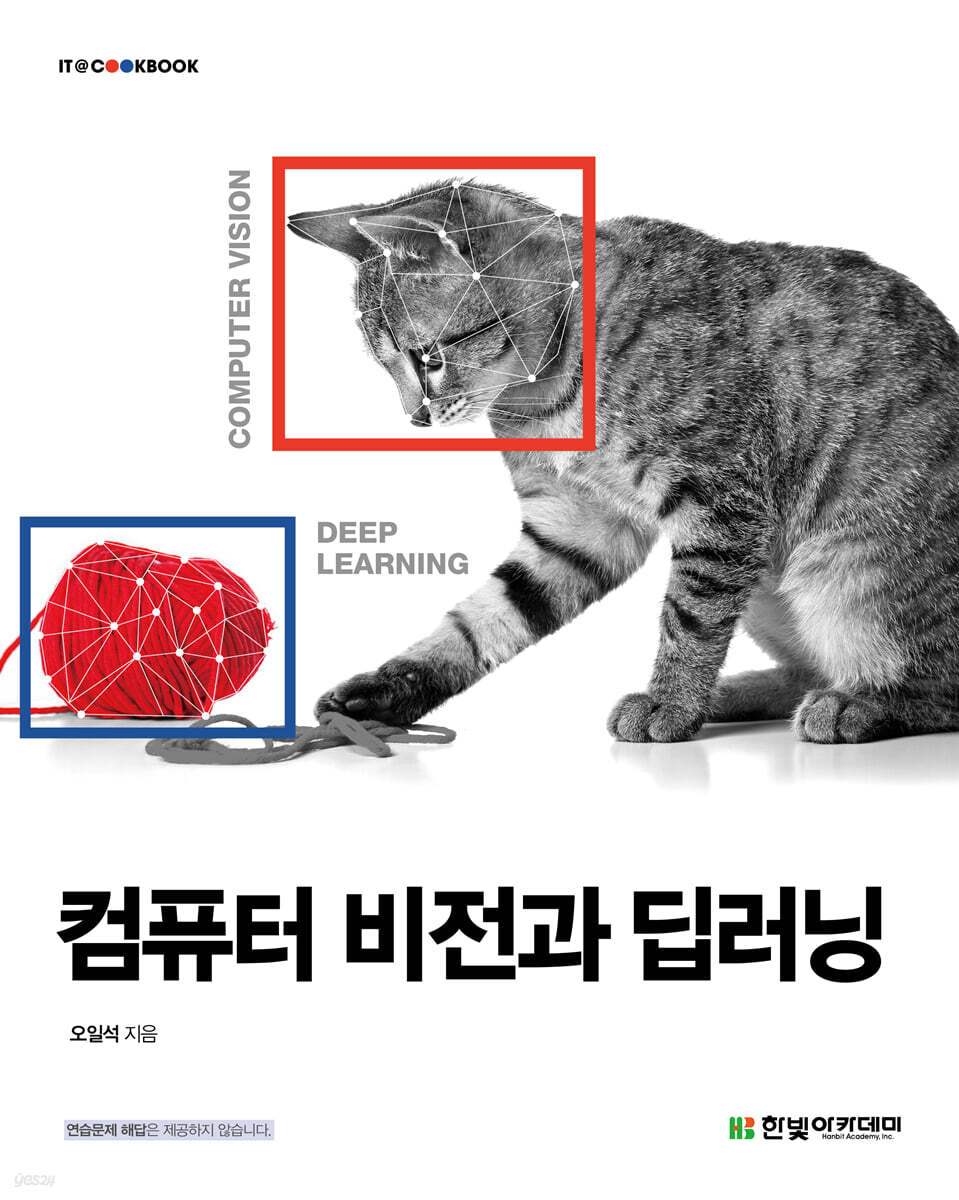
Computer Vision and Deep Learning
 |
Description
Book Introduction
Learn Computer Vision with 85 Python Programs Using OpenCV and TensorFlow
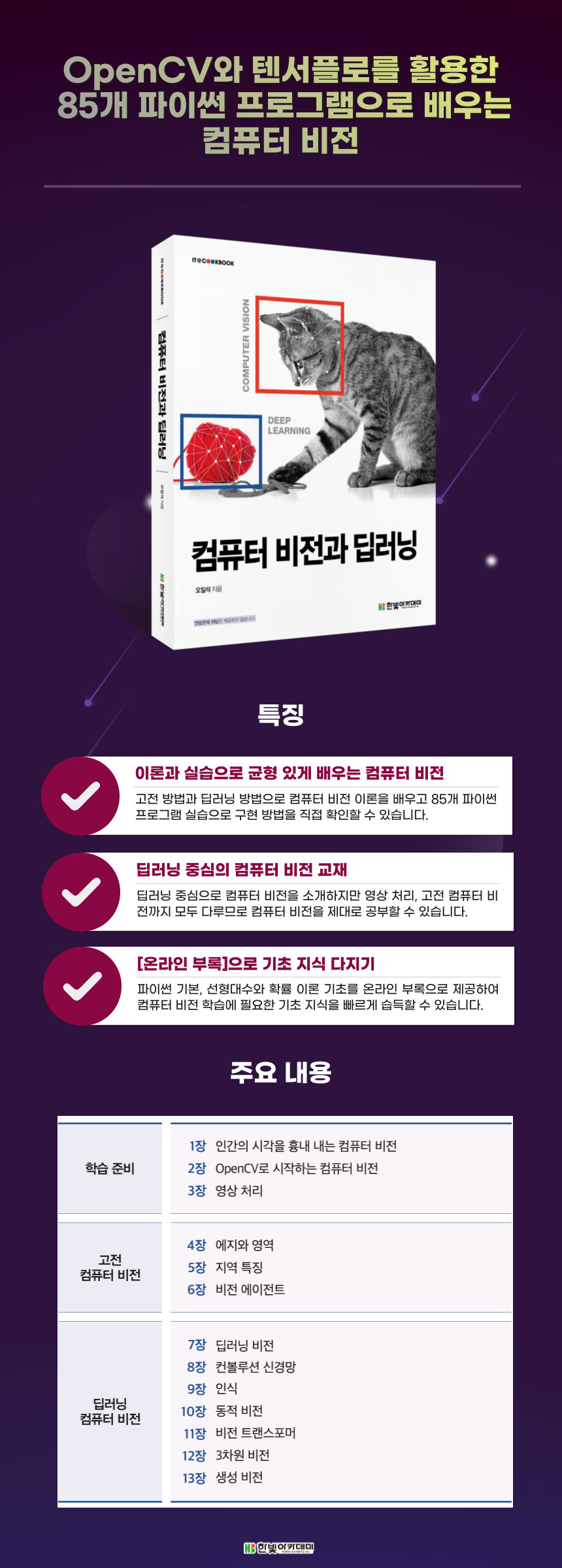
First! Learn computer vision through a balanced mix of theory and practice! Learn computer vision theory using classical and deep learning methods, and then see firsthand how to implement it through 85 Python program exercises.
Second, a computer vision textbook focused on deep learning! While introducing computer vision with a focus on deep learning, it also covers image processing and classical computer vision, ensuring a thorough study of computer vision.
Third, build your foundational knowledge with the [Online Appendix]! The online appendix provides basic Python, linear algebra, and probability theory, allowing you to quickly acquire the foundational knowledge needed to study computer vision.
* This book was developed as a textbook for university lectures, so it does not provide answers to practice problems.
First! Learn computer vision through a balanced mix of theory and practice! Learn computer vision theory using classical and deep learning methods, and then see firsthand how to implement it through 85 Python program exercises.
Second, a computer vision textbook focused on deep learning! While introducing computer vision with a focus on deep learning, it also covers image processing and classical computer vision, ensuring a thorough study of computer vision.
Third, build your foundational knowledge with the [Online Appendix]! The online appendix provides basic Python, linear algebra, and probability theory, allowing you to quickly acquire the foundational knowledge needed to study computer vision.
* This book was developed as a textbook for university lectures, so it does not provide answers to practice problems.
- You can preview some of the book's contents.
Preview
index
Chapter 01 Computer Vision that Mimics Human Vision
1.1 Human vision
1.2 Why Computer Vision?
1.3 Why is computer vision difficult?
1.4 History of Computer Vision
1.5 Computer Vision Experience Service
1.6 Building Computer Vision
1.7 Things to Read and See
Practice problems
Chapter 02 Computer Vision with OpenCV
2.1 Introduction to OpenCV
2.2 Programming Kickoff
2.3 Making Good Use of Object-Oriented Programming
[Program 2-1] Creating an object of the numpy.ndarray class type and applying member functions
2.4 [Programming Example 1] Reading and Displaying an Image
[Program 2-2] Reading a video file and displaying it in a window
2.5 [Programming Example 2] Converting Image Format and Reducing Size
[Program 2-3] Converting an image to a grayscale image and reducing its size by half
2.6 [Programming Example 3] Reading Video from a Webcam
[Program 2-4] Capturing Video with a Webcam
[Program 2-5] Joining images collected from a video
2.7 [Programming Example 4] Creating a Graphics Function and User Interface
[Program 2-6] Drawing shapes and writing text on the video
[Program 2-7] Drawing a rectangle where you click with the mouse
[Program 2-8] Drawing a rectangle by dragging the mouse
2.8 [Programming Example 5] Creating a Painting Function
[Program 2-9] Painting with red and blue brushes
Practice problems
Chapter 03 Image Processing
3.1 Digital Image Basics
[Program 3-1] Displaying RGB color images by channel
3.2 Binary images
[Program 3-2] Obtaining a Histogram from an Actual Image
[Program 3-3] Binarization using the Ochu algorithm
[Program 3-4] Applying Morphological Operations
3.3 Point Operations
[Program 3-5] Experimenting with Gamma Correction
[Program 3-6] Histogram Equalization
3.4 Domain Operations
[Program 3-7] Applying Convolution (Gaussian Smoothing and Embossing)
3.5 Geometric Operations
[Program 3-8] Geometrically transforming an image using interpolation
3.6 Time Efficiency of OpenCV
[Program 3-9] Comparing the times of a function written directly and a function provided by OpenCV
Practice problems
Chapter 04 Edges and Regions
4.1 Edge Detection
[Program 4-1] Sobel Edge Detection (Using the Sobel Function)
4.2 Canny Edge
[Program 4-2] Experimenting with Canny Edge
4.3 Straight line detection
[Program 4-3] Finding Boundaries in an Edge Map
[Program 4-4] Detecting Apples Using the Hough Transform
4.4 Area division
[Program 4-5] Super-pixel segmentation of input images using the SLIC algorithm
[Program 4-6] Segmenting a Region Using the Normalization Cut Algorithm
4.5 Interactive Segmentation
[Program 4-7] Segmenting objects using GrabCut
4.6 Area Features
[Program 4-8] Using a function to extract features from a binary region
Practice problems
Chapter 05 Regional Features
5.1 Idea
5.2 Translation and rotation invariant local features
[Program 5-1] Implementing Harris Feature Detection
5.3 Scale-invariant local features
5.4 SIFT
[Program 5-2] SIFT Detection
5.5 Matching
[Program 5-3] SIFT Matching Using the FLANN Library
5.6 Homography estimation
[Program 5-4] Estimating Homography Using RANSAC
Practice problems
Chapter 06 Vision Agent
6.1 Vision Agent as an Intelligent Agent
6.2 User Interface Using PyQt
[Program 6-1] Creating a simple GUI with PyQt (making a beep sound when clicking a button)
[Program 6-2] Attaching PyQt's GUI to OpenCV (Capturing and Saving Frames from a Video)
6.3 [Vision Agent 1] Orim
[Program 6-3] Using GrabCut to Cut Out Objects of Interest
6.4 [Vision Agent 2] Notification of Protection Zones for the Vulnerable
[Program 6-4] Implementing a Traffic Vulnerability Protection Zone Notification
6.5 [Vision Agent 3] Panoramic Video Production
[Program 6-5] Creating a panoramic image by stitching together images collected from a video
6.6 [Vision Agent 4] Special Effects
[Program 6-6] Applying special effects to photo and video
[Program 6-7] Applying special effects to video footage
Practice problems
Chapter 07 Deep Learning Vision
7.1 A major shift in methodology
7.2 Machine Learning Fundamentals
7.3 A Taste of Deep Learning Software
[Program 7-1] Checking Data with TensorFlow
7.4 The Birth of Artificial Neural Networks
7.5 Deep Multilayer Perceptron
7.6 Learning Algorithms
7.7 Implementing a Multilayer Perceptron
[Program 7-2] Recognizing MNIST with a Multilayer Perceptron (SGD Optimizer)
[Program 7-3] Recognizing MNIST with a Multilayer Perceptron (Adam Optimizer)
[Program 7-4] Recognizing MNIST with a Multilayer Perceptron (Comparing SGD and Adam Performance Graphs)
[Program 7-5] Recognizing MNIST with a Deep Multilayer Perceptron
[Program 7-6] Recognizing CIFAR-10 with a Deep Multilayer Perceptron
7.8 [Vision Agent 5] Zip Code Recognizer v.1
[Program 7-7] Implementing the Postal Code Recognition Tool v.1 (DMLP Version)
Practice problems
Chapter 08 Convolutional Neural Networks
8.1 Ideation and Development
8.2 Structure of a convolutional neural network
8.3 Training Convolutional Neural Networks
8.4 Convolutional Neural Network Implementation
[Program 8-1] Recognizing MNIST with LeNet-5
[Program 8-2] Recognizing Natural Images with Convolutional Neural Networks
8.5 [Vision Agent 6] Zip Code Recognizer v.2
[Program 8-3] Improving Handwritten Number Recognition Performance
[Program 8-4] Zip Code Recognizer v.2 (CNN Version)
8.6 Improving Deep Learning Algorithms
[Program 8-5] Checking the Augmented Image
8.7 Transfer Learning
[Program 8-6] Recognizing Natural Images with ResNet50
[Program 8-7] Dog Breed Recognition with DenseNet121
8.8 [Vision Agent 7] Dog Breed Recognition Program
[Program 8-8] Implementing a Dog Breed Recognition Program
Practice problems
Chapter 09 Perception
9.1 What is awareness?
9.2 Classification
9.3 Detection
[Program 9-1] Detecting Objects in Still Images with YOLO v3
[Program 9-2] Detecting Objects in Videos with YOLO v3
[Program 9-3] Measuring Video Throughput of YOLO v3
9.4 Split
[Program 9-4] Training U-net with the Oxford pets dataset
[Program 9-5] Semantic segmentation of still images using the pixellib library
[Program 9-6] Semantic segmentation of video using the pixellib library
[Program 9-7] Segmenting still images using the pixellib library
[Program 9-8] Segmenting a Video Using the Pixellib Library
9.5 [Vision Agent 8] Change the background as you like
[Program 9-9] Changing the background as you like using the pixellib library
9.6 People Recognition
Practice problems
Chapter 10 Dynamic Vision
10.1 Motion Analysis
[Program 10-1] Estimating Optical Flow Using the Farneback Algorithm
[Program 10-2] Tracking Objects with the KLT Tracking Algorithm
10.2 Tracking
[Program 10-3] Tracking People with SORT
10.3 Recognizing People in Video Using MediaPipe
[Program 10-4] Detecting Faces with BlazeFace
[Program 10-5] Detecting Faces in Video
[Program 10-6] Implementing Augmented Reality to Decorate Your Face
[Program 10-7] Detecting Face Meshes with FaceMesh
[Program 10-8] Detecting Hand Landmarks
10.4 Posture Estimation and Action Classification
[Program 10-9] Pose Estimation Using BlazePose
Practice problems
Chapter 11 Vision Transformer
11.1 Note
11.2 Recurrent Neural Networks and Attention
11.3 Transformer
11.4 Vision Transformer
[Program 11-1] Implementing a Vision Transformer to Classify CIFAR-10
[Program 11-2] Vision Transformer Classifying CIFAR-10: Improving Performance with Image Augmentation and Data Augmentation
11.5 Vision Transformer Programming Practice
[Program 11-3] Video Classification Using Hugging Face's ViT
[Program 11-4] Object Detection Using Hugging Face's DETR
[Program 11-5] Explaining Videos Using Hugging Face's CLIP
11.6 Characteristics of Transformers
Practice problems
Chapter 12 Three-Dimensional Vision
12.1 3D Geometry and Calibration
12.2 Depth estimation
12.3 RGB-D Image Recognition
12.4 Point Cloud Recognition
[Program 12-1] Generating and Displaying Point Clouds from the ModelNet Dataset
[Program 12-2] Classifying Point Cloud Images Using PointNet
Practice problems
Chapter 13 Creation Vision
13.1 Generative Model Basics
[Program 13-1] Creating a generative model that generates (height, weight)
[Program 13-2] Gaussian Modeling of MNIST and Generating Samples
[Program 13-3] Modeling MNIST with GMM and Generating Samples
13.2 Generative models using autoencoders
[Program 13-4] Modeling MNIST with an Autoencoder and Generating Samples
[Program 13-5] Modeling MNIST with a Variational Autoencoder and Generating Samples
13.3 Generative Adversarial Networks
[Program 13-6] Modeling fashion MNIST with a GAN and generating samples
[Program 13-7] Modeling CIFAR-10 Natural Images with a GAN and Generating Samples
13.4 Diffusion Model
13.5 Evaluation of the generative model
13.6 Multimodal Generative Models: Combining Language and Vision
[Program 13-8] Generating Samples with Stable Diffusion
13.7 Can Generative Models Be Art?
Practice problems
References
[Online Appendix](Download address: http://www.hanbit.co.kr/src/4548)
Appendix A: Python Programming Fundamentals
Appendix B: Basic Linear Algebra
Appendix C Probability Basics
Appendix D Diffusion Model Programming Practice
1.1 Human vision
1.2 Why Computer Vision?
1.3 Why is computer vision difficult?
1.4 History of Computer Vision
1.5 Computer Vision Experience Service
1.6 Building Computer Vision
1.7 Things to Read and See
Practice problems
Chapter 02 Computer Vision with OpenCV
2.1 Introduction to OpenCV
2.2 Programming Kickoff
2.3 Making Good Use of Object-Oriented Programming
[Program 2-1] Creating an object of the numpy.ndarray class type and applying member functions
2.4 [Programming Example 1] Reading and Displaying an Image
[Program 2-2] Reading a video file and displaying it in a window
2.5 [Programming Example 2] Converting Image Format and Reducing Size
[Program 2-3] Converting an image to a grayscale image and reducing its size by half
2.6 [Programming Example 3] Reading Video from a Webcam
[Program 2-4] Capturing Video with a Webcam
[Program 2-5] Joining images collected from a video
2.7 [Programming Example 4] Creating a Graphics Function and User Interface
[Program 2-6] Drawing shapes and writing text on the video
[Program 2-7] Drawing a rectangle where you click with the mouse
[Program 2-8] Drawing a rectangle by dragging the mouse
2.8 [Programming Example 5] Creating a Painting Function
[Program 2-9] Painting with red and blue brushes
Practice problems
Chapter 03 Image Processing
3.1 Digital Image Basics
[Program 3-1] Displaying RGB color images by channel
3.2 Binary images
[Program 3-2] Obtaining a Histogram from an Actual Image
[Program 3-3] Binarization using the Ochu algorithm
[Program 3-4] Applying Morphological Operations
3.3 Point Operations
[Program 3-5] Experimenting with Gamma Correction
[Program 3-6] Histogram Equalization
3.4 Domain Operations
[Program 3-7] Applying Convolution (Gaussian Smoothing and Embossing)
3.5 Geometric Operations
[Program 3-8] Geometrically transforming an image using interpolation
3.6 Time Efficiency of OpenCV
[Program 3-9] Comparing the times of a function written directly and a function provided by OpenCV
Practice problems
Chapter 04 Edges and Regions
4.1 Edge Detection
[Program 4-1] Sobel Edge Detection (Using the Sobel Function)
4.2 Canny Edge
[Program 4-2] Experimenting with Canny Edge
4.3 Straight line detection
[Program 4-3] Finding Boundaries in an Edge Map
[Program 4-4] Detecting Apples Using the Hough Transform
4.4 Area division
[Program 4-5] Super-pixel segmentation of input images using the SLIC algorithm
[Program 4-6] Segmenting a Region Using the Normalization Cut Algorithm
4.5 Interactive Segmentation
[Program 4-7] Segmenting objects using GrabCut
4.6 Area Features
[Program 4-8] Using a function to extract features from a binary region
Practice problems
Chapter 05 Regional Features
5.1 Idea
5.2 Translation and rotation invariant local features
[Program 5-1] Implementing Harris Feature Detection
5.3 Scale-invariant local features
5.4 SIFT
[Program 5-2] SIFT Detection
5.5 Matching
[Program 5-3] SIFT Matching Using the FLANN Library
5.6 Homography estimation
[Program 5-4] Estimating Homography Using RANSAC
Practice problems
Chapter 06 Vision Agent
6.1 Vision Agent as an Intelligent Agent
6.2 User Interface Using PyQt
[Program 6-1] Creating a simple GUI with PyQt (making a beep sound when clicking a button)
[Program 6-2] Attaching PyQt's GUI to OpenCV (Capturing and Saving Frames from a Video)
6.3 [Vision Agent 1] Orim
[Program 6-3] Using GrabCut to Cut Out Objects of Interest
6.4 [Vision Agent 2] Notification of Protection Zones for the Vulnerable
[Program 6-4] Implementing a Traffic Vulnerability Protection Zone Notification
6.5 [Vision Agent 3] Panoramic Video Production
[Program 6-5] Creating a panoramic image by stitching together images collected from a video
6.6 [Vision Agent 4] Special Effects
[Program 6-6] Applying special effects to photo and video
[Program 6-7] Applying special effects to video footage
Practice problems
Chapter 07 Deep Learning Vision
7.1 A major shift in methodology
7.2 Machine Learning Fundamentals
7.3 A Taste of Deep Learning Software
[Program 7-1] Checking Data with TensorFlow
7.4 The Birth of Artificial Neural Networks
7.5 Deep Multilayer Perceptron
7.6 Learning Algorithms
7.7 Implementing a Multilayer Perceptron
[Program 7-2] Recognizing MNIST with a Multilayer Perceptron (SGD Optimizer)
[Program 7-3] Recognizing MNIST with a Multilayer Perceptron (Adam Optimizer)
[Program 7-4] Recognizing MNIST with a Multilayer Perceptron (Comparing SGD and Adam Performance Graphs)
[Program 7-5] Recognizing MNIST with a Deep Multilayer Perceptron
[Program 7-6] Recognizing CIFAR-10 with a Deep Multilayer Perceptron
7.8 [Vision Agent 5] Zip Code Recognizer v.1
[Program 7-7] Implementing the Postal Code Recognition Tool v.1 (DMLP Version)
Practice problems
Chapter 08 Convolutional Neural Networks
8.1 Ideation and Development
8.2 Structure of a convolutional neural network
8.3 Training Convolutional Neural Networks
8.4 Convolutional Neural Network Implementation
[Program 8-1] Recognizing MNIST with LeNet-5
[Program 8-2] Recognizing Natural Images with Convolutional Neural Networks
8.5 [Vision Agent 6] Zip Code Recognizer v.2
[Program 8-3] Improving Handwritten Number Recognition Performance
[Program 8-4] Zip Code Recognizer v.2 (CNN Version)
8.6 Improving Deep Learning Algorithms
[Program 8-5] Checking the Augmented Image
8.7 Transfer Learning
[Program 8-6] Recognizing Natural Images with ResNet50
[Program 8-7] Dog Breed Recognition with DenseNet121
8.8 [Vision Agent 7] Dog Breed Recognition Program
[Program 8-8] Implementing a Dog Breed Recognition Program
Practice problems
Chapter 09 Perception
9.1 What is awareness?
9.2 Classification
9.3 Detection
[Program 9-1] Detecting Objects in Still Images with YOLO v3
[Program 9-2] Detecting Objects in Videos with YOLO v3
[Program 9-3] Measuring Video Throughput of YOLO v3
9.4 Split
[Program 9-4] Training U-net with the Oxford pets dataset
[Program 9-5] Semantic segmentation of still images using the pixellib library
[Program 9-6] Semantic segmentation of video using the pixellib library
[Program 9-7] Segmenting still images using the pixellib library
[Program 9-8] Segmenting a Video Using the Pixellib Library
9.5 [Vision Agent 8] Change the background as you like
[Program 9-9] Changing the background as you like using the pixellib library
9.6 People Recognition
Practice problems
Chapter 10 Dynamic Vision
10.1 Motion Analysis
[Program 10-1] Estimating Optical Flow Using the Farneback Algorithm
[Program 10-2] Tracking Objects with the KLT Tracking Algorithm
10.2 Tracking
[Program 10-3] Tracking People with SORT
10.3 Recognizing People in Video Using MediaPipe
[Program 10-4] Detecting Faces with BlazeFace
[Program 10-5] Detecting Faces in Video
[Program 10-6] Implementing Augmented Reality to Decorate Your Face
[Program 10-7] Detecting Face Meshes with FaceMesh
[Program 10-8] Detecting Hand Landmarks
10.4 Posture Estimation and Action Classification
[Program 10-9] Pose Estimation Using BlazePose
Practice problems
Chapter 11 Vision Transformer
11.1 Note
11.2 Recurrent Neural Networks and Attention
11.3 Transformer
11.4 Vision Transformer
[Program 11-1] Implementing a Vision Transformer to Classify CIFAR-10
[Program 11-2] Vision Transformer Classifying CIFAR-10: Improving Performance with Image Augmentation and Data Augmentation
11.5 Vision Transformer Programming Practice
[Program 11-3] Video Classification Using Hugging Face's ViT
[Program 11-4] Object Detection Using Hugging Face's DETR
[Program 11-5] Explaining Videos Using Hugging Face's CLIP
11.6 Characteristics of Transformers
Practice problems
Chapter 12 Three-Dimensional Vision
12.1 3D Geometry and Calibration
12.2 Depth estimation
12.3 RGB-D Image Recognition
12.4 Point Cloud Recognition
[Program 12-1] Generating and Displaying Point Clouds from the ModelNet Dataset
[Program 12-2] Classifying Point Cloud Images Using PointNet
Practice problems
Chapter 13 Creation Vision
13.1 Generative Model Basics
[Program 13-1] Creating a generative model that generates (height, weight)
[Program 13-2] Gaussian Modeling of MNIST and Generating Samples
[Program 13-3] Modeling MNIST with GMM and Generating Samples
13.2 Generative models using autoencoders
[Program 13-4] Modeling MNIST with an Autoencoder and Generating Samples
[Program 13-5] Modeling MNIST with a Variational Autoencoder and Generating Samples
13.3 Generative Adversarial Networks
[Program 13-6] Modeling fashion MNIST with a GAN and generating samples
[Program 13-7] Modeling CIFAR-10 Natural Images with a GAN and Generating Samples
13.4 Diffusion Model
13.5 Evaluation of the generative model
13.6 Multimodal Generative Models: Combining Language and Vision
[Program 13-8] Generating Samples with Stable Diffusion
13.7 Can Generative Models Be Art?
Practice problems
References
[Online Appendix](Download address: http://www.hanbit.co.kr/src/4548)
Appendix A: Python Programming Fundamentals
Appendix B: Basic Linear Algebra
Appendix C Probability Basics
Appendix D Diffusion Model Programming Practice
Detailed image
Publisher's Review
Computer Vision: A Balanced Study of Classical and Deep Learning Methods, Theory and Practice
It provides a balanced mix of theory and practice, from rule-based classical computer vision to data-driven deep learning computer vision.
We implement 85 Python programs using OpenCV, which supports classical computer vision, and TensorFlow, which supports deep learning computer vision.
This book will serve as a solid guide for learning computer vision, introducing Transformers, which boast excellent performance with outstanding scalability, and 3D vision and generative vision, which are essential for interfacing with robots.
It provides a balanced mix of theory and practice, from rule-based classical computer vision to data-driven deep learning computer vision.
We implement 85 Python programs using OpenCV, which supports classical computer vision, and TensorFlow, which supports deep learning computer vision.
This book will serve as a solid guide for learning computer vision, introducing Transformers, which boast excellent performance with outstanding scalability, and 3D vision and generative vision, which are essential for interfacing with robots.
GOODS SPECIFICS
- Date of issue: January 5, 2023
- Page count, weight, size: 664 pages | 188*235*35mm
- ISBN13: 9791156645481
- ISBN10: 1156645484
You may also like
카테고리
korean


korean

![GQ KOREA Mark (Monthly): December [2025]](http://librairie.coreenne.fr/cdn/shop/files/8ef265dbbfbf186523ed75ba7319009d.jpg?v=1765340328&width=3840)


