

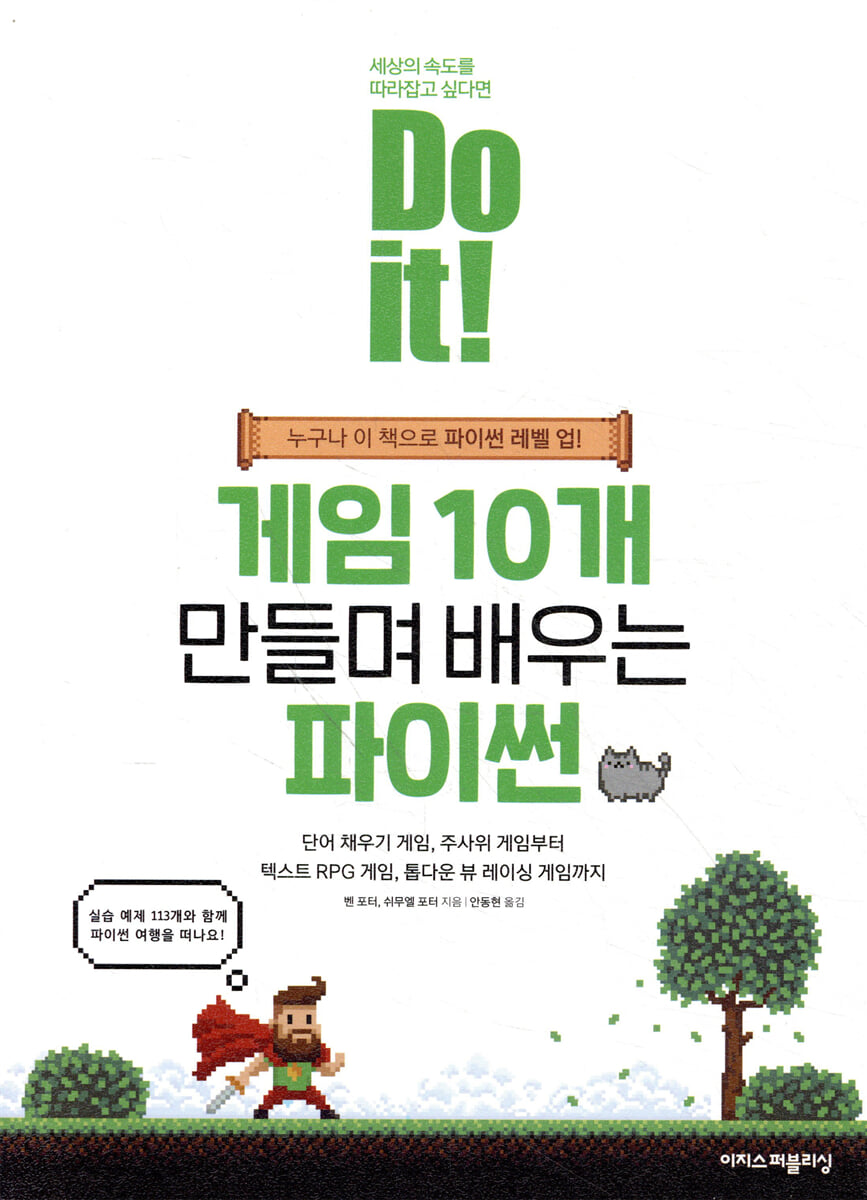
Do it! Learn Python by making 10 games.
 |
Description
Book Introduction
From simple games to text RPGs and graphic racing games,
Let's level up my Python coding skills!
You can learn Python syntax and programming by completing 10 games and many other games, from simple ones like coin toss or rock-paper-scissors to graphical racing games.
This book focuses on practice rather than theory, providing 113 practical examples.
After writing the code to complete the program from Chapters 1 to 24, it explains each step to help readers naturally acquire not only Python grammar but also programming principles.
Additionally, we introduced and enabled the use of basic Python functions, classes, dictionaries, libraries, etc.
It guides you on the path to becoming a 'real' programmer by learning techniques for managing code, including unit testing, debugging, code optimization and externalization, and refactoring.
Let's level up my Python coding skills!
You can learn Python syntax and programming by completing 10 games and many other games, from simple ones like coin toss or rock-paper-scissors to graphical racing games.
This book focuses on practice rather than theory, providing 113 practical examples.
After writing the code to complete the program from Chapters 1 to 24, it explains each step to help readers naturally acquire not only Python grammar but also programming principles.
Additionally, we introduced and enabled the use of basic Python functions, classes, dictionaries, libraries, etc.
It guides you on the path to becoming a 'real' programmer by learning techniques for managing code, including unit testing, debugging, code optimization and externalization, and refactoring.
- You can preview some of the book's contents.
Preview
index
First Yard: Creating Fun Games with Python
Chapter 1: Getting Started with Python
__01-1 What is computer programming?
__01-2 Preparing to Code
__01-3 Creating My First Python Program
Chapter 2: Creating a Word Fill-in Game
Understanding the __02-1 function
Using __02-2 variables
__02-3 Programming a word fill-in game
Chapter 3: Creating a Dice Rolling Game
Using the __03-1 library
__03-2 ″3″ is not 3!
__03-3 Comment on the code
__03-4 Programming a Dice Rolling Game
Chapter 4: Calculating Dates
__04-1 Handling Dates
__04-2 Deciding with a computer
__04-3 Creating a date calculation program
Chapter 5: Creating a Rock, Paper, Scissors Game
__05-1 Outputting various strings
__05-2 Creating a Rock-Paper-Scissors Game
Chapter 6: Unraveling the Secret Code
__06-1 What is a list?
__06-2 Understanding loops within loops
__06-3 Creating a Decryption Program
Chapter 7: Creating a Number Guessing Game
__07-1 What is a conditional loop?
__07-2 Programming a Number Guessing Game
Chapter 8 Let's become a programmer!
__08-1 How Programmers Code
__08-2 How to Plan a Game
Chapter 9: Creating a Word Guessing Game
__09-1 Complete the game
__09-2 Understanding How It Works
Chapter 10: Creating a Simple Program
__10-1 Creating a Birthday Countdown Program
__10-2 Creating a Service Tip Calculator
__10-3 Creating a password generator
Second Yard: Creating Retro Games with Python
Chapter 11: Creating Functions
__11-1 A closer look at the function
__11-2 Creating your own function
Chapter 12 Let's make a game!
__12-1 Designing a Game
__12-2 Game Creation
__12-3 Game Testing
Chapter 13: Organizing Code
__13-1 Optimizing Code
__13-2 Moving a string to another location
Chapter 14: Refactoring by Reducing and Reusing Code
__14-1 Understanding Refactoring
__14-2 Creating a User Selection Component
Chapter 15 Using Items
__15-1 Planning an Inventory System
__15-2 Developing an Inventory System
Chapter 16: Organizing into Classes
__16-1 Creating a Player System
__16-2 Creating a player class
__16-3 Using the newly created class
Chapter 17 Let's add some color to the game!
__17-1 Installing Third-Party Libraries
__17-2 Using Colorama
Chapter 18: Upgrading the Game
__18-1 Physical strength and life
__18-2 Purchase item
__18-3 Random Event
__18-4 Defeat the enemy
__18-5 Saving and Loading Games
Creating Python Games Using Third Yard Graphics
Chapter 19: Preparing for the Crazy Driver Game
__19-1 What is Pygame?
__19-2 Preparing for Game Development
__19-3 Getting Started with Game Coding
__19-4 Adding a Game Loop
Displaying an image on the screen in Chapter 20
__20-1 Specifying files and folders
__20-2 Setting the game background
__20-3 Displaying cars
Moving the car shown in Chapter 21
__21-1 Enemy movement
__21-2 Move the player
Chapter 22: Record your score and increase the game difficulty
__22-1 Handling Game Over
__22-2 Record the score
__22-3 Making it more and more difficult
Chapter 23: Finishing the Game
__23-1 Complete Game Over
__23-2 Pause the game
__23-3 Introducing various enemies
__23-4 Creating Obstacles
Chapter 24: Upgrading Graphics Games
__24-1 Creating a Splash Screen
__24-2 Displaying scores and high scores
__24-3 Slipping on an oil puddle
__24-4 Making multiple enemies appear at once
__24-5 Adding ideas
supplement
A closer look at A1 testing and debugging
Testing the __A1-1 code
__A1-2 Debugger Handling
A2 What do we learn next?
__A2-1 Digging Deeper into Python
__A2-2 Web App Development Challenge
__A2-3 Challenge yourself to develop a mobile app
__A2-4 Game Development Challenge
Chapter 1: Getting Started with Python
__01-1 What is computer programming?
__01-2 Preparing to Code
__01-3 Creating My First Python Program
Chapter 2: Creating a Word Fill-in Game
Understanding the __02-1 function
Using __02-2 variables
__02-3 Programming a word fill-in game
Chapter 3: Creating a Dice Rolling Game
Using the __03-1 library
__03-2 ″3″ is not 3!
__03-3 Comment on the code
__03-4 Programming a Dice Rolling Game
Chapter 4: Calculating Dates
__04-1 Handling Dates
__04-2 Deciding with a computer
__04-3 Creating a date calculation program
Chapter 5: Creating a Rock, Paper, Scissors Game
__05-1 Outputting various strings
__05-2 Creating a Rock-Paper-Scissors Game
Chapter 6: Unraveling the Secret Code
__06-1 What is a list?
__06-2 Understanding loops within loops
__06-3 Creating a Decryption Program
Chapter 7: Creating a Number Guessing Game
__07-1 What is a conditional loop?
__07-2 Programming a Number Guessing Game
Chapter 8 Let's become a programmer!
__08-1 How Programmers Code
__08-2 How to Plan a Game
Chapter 9: Creating a Word Guessing Game
__09-1 Complete the game
__09-2 Understanding How It Works
Chapter 10: Creating a Simple Program
__10-1 Creating a Birthday Countdown Program
__10-2 Creating a Service Tip Calculator
__10-3 Creating a password generator
Second Yard: Creating Retro Games with Python
Chapter 11: Creating Functions
__11-1 A closer look at the function
__11-2 Creating your own function
Chapter 12 Let's make a game!
__12-1 Designing a Game
__12-2 Game Creation
__12-3 Game Testing
Chapter 13: Organizing Code
__13-1 Optimizing Code
__13-2 Moving a string to another location
Chapter 14: Refactoring by Reducing and Reusing Code
__14-1 Understanding Refactoring
__14-2 Creating a User Selection Component
Chapter 15 Using Items
__15-1 Planning an Inventory System
__15-2 Developing an Inventory System
Chapter 16: Organizing into Classes
__16-1 Creating a Player System
__16-2 Creating a player class
__16-3 Using the newly created class
Chapter 17 Let's add some color to the game!
__17-1 Installing Third-Party Libraries
__17-2 Using Colorama
Chapter 18: Upgrading the Game
__18-1 Physical strength and life
__18-2 Purchase item
__18-3 Random Event
__18-4 Defeat the enemy
__18-5 Saving and Loading Games
Creating Python Games Using Third Yard Graphics
Chapter 19: Preparing for the Crazy Driver Game
__19-1 What is Pygame?
__19-2 Preparing for Game Development
__19-3 Getting Started with Game Coding
__19-4 Adding a Game Loop
Displaying an image on the screen in Chapter 20
__20-1 Specifying files and folders
__20-2 Setting the game background
__20-3 Displaying cars
Moving the car shown in Chapter 21
__21-1 Enemy movement
__21-2 Move the player
Chapter 22: Record your score and increase the game difficulty
__22-1 Handling Game Over
__22-2 Record the score
__22-3 Making it more and more difficult
Chapter 23: Finishing the Game
__23-1 Complete Game Over
__23-2 Pause the game
__23-3 Introducing various enemies
__23-4 Creating Obstacles
Chapter 24: Upgrading Graphics Games
__24-1 Creating a Splash Screen
__24-2 Displaying scores and high scores
__24-3 Slipping on an oil puddle
__24-4 Making multiple enemies appear at once
__24-5 Adding ideas
supplement
A closer look at A1 testing and debugging
Testing the __A1-1 code
__A1-2 Debugger Handling
A2 What do we learn next?
__A2-1 Digging Deeper into Python
__A2-2 Web App Development Challenge
__A2-3 Challenge yourself to develop a mobile app
__A2-4 Game Development Challenge
Detailed image

Publisher's Review
You can create games and programs like these!
ㆍYou can create a word fill-in game where a story is created based on the filled-in words.
ㆍYou can get a selection or random number by playing coin flip games and dice roll games.
ㆍYou can create a calculation game that calculates the birthday and guesses the day of the week the person was born.
ㆍ You can play rock, paper, scissors with the computer.
ㆍ You can encrypt messages in your own game.
ㆍYou can create a game where you guess numbers like playing Twenty Questions.
ㆍ You can plan and develop the word guessing game known as 'Hangman'.
ㆍYou can create a text RPG game set in space.
ㆍYou can create a racing game where you have to avoid oncoming cars on complex roads.
ㆍ You can create a variety of programs, including a countdown program that tells you how much time is left until your birthday, a service tip calculator to calculate tips, and a password generator to create website passwords.
I recommend this book to these people!
ㆍ Those who want to build a solid foundation in programming before starting development
ㆍ Those who want to learn Python while creating fun games rather than boring examples
ㆍ Those who want to take their skills to the next level after building a solid foundation in Python
ㆍThose who want to acquire programming skills and become a programmer
Recommended by Amazon readers who have already read this book!
ㆍ Anyone can easily follow the examples, text, and challenge questions in this book.
I highly recommend this book to anyone, young or old, who wants to start coding.
I can confidently say that this is the best coding book I've ever read.
- M, a programmer with 30 years of experience.
Hintze
ㆍ It is structured to be easy to understand and quick to read, to the point where you feel like it was written by people with a lot of teaching and coding experience.
For those who have never written code before, this guide will guide you smoothly through the process of completing a single program.
It may seem light because it's about games, but this book is perfect for anyone who's trying their hand at coding.
- Ray, who has been learning Python for over a year
ㆍ This book does not cover traditional learning methods or boring coding knowledge.
It teaches you how to become a `real` programmer.
We'll create familiar games on computers, then develop them into text-based adventure games and racing games, just like professional game programmers.
If you're just getting started with Python programming, there's no book more practical than this one.
- Avi is learning programming
ㆍ I was able to find answers to questions I had while using Python in this book.
In a world where introductory coding books written by people with no teaching experience are flooding the market, this book is essential for both students and teachers, as it's written by people who truly understand how to teach coding.
I think this is a must-read for any classroom.
I plan to keep one at home and a few more for my classroom.
- Nicholas, who teaches Python
It doesn't just teach you how to code.
Develop coding habits that will help you think like a programmer!
This book can be called an 'introductory book to Python'.
However, rather than focusing solely on the programming language called Python, this book will help you build a foundation in programming with Python and, by the time you've finished reading it, make learning programming a habit.
It allows you to understand and grow on your own by first writing code that is open to modification, then developing the code according to the explanation and completing a program.
You can install Python and VS Code and even create fun games!
In the first chapter of this book, you can build basic knowledge and concepts of coding in general, not just Python.
This time, we'll naturally lead you into the world of programming by creating simple but interesting games like 'Hangman' or 'Rock, Paper, Scissors' rather than boring explanations or common examples.
In chapters 8-10, you will apply what you have learned to create more complex games and programs that will help you develop your skills.
You can create a text-based RPG game with Python!
In the second yard, we will create a classic text-based adventure game based on the material covered in the first yard.
Text RPG games are a great topic for game enthusiasts and developers alike to create their own games.
As you progress through each chapter, you'll add new features to the game and evolve the code to create a complete text RPG game in Python.
You can create a racing game using graphics!
In the third yard, we will take it up a notch and create a game using graphics.
You can create a 'game-like' game by adding graphics, game character movements, and user interaction.
After learning about Pygame, the game engine required for creating games in Python, you will experience the process of planning, developing, and upgrading a game like a programmer.
If you're looking for an introductory Python or coding textbook, choose this one!
This book, written by programming education experts Ben & Shmuel Porter, shares their educational know-how and teaches you how to become a "real" programmer, rather than relying on traditional coding learning methods or boring coding knowledge.
If you're looking for an introductory Python or coding textbook for teenagers, I confidently recommend this book. It's packed with engaging and fun exercises, detailed code explanations, challenging problems, and a wealth of information on how to think like a programmer.
Additionally, the first chapter lays the foundation by completing one project per chapter, and the second and third chapters contain the process of developing the game by adding features to create a complete game.
Moreover, this book guides you on what to learn and do next after completing the course.
It is also recommended as a textbook for a semester's worth of college courses.
Let's study and grow together at the 'Do it! Study Room' cafe!
Study this book with your friends.
If I get help with things I don't understand and help my colleagues based on what I do understand, I can also enjoy the effect of reviewing.
Also, consider applying to the study group run by "Do it! Study Room"! If you complete this book and upload your study notes, we'll gift you a copy of your choice from Aegis Publishing!
Do it! Study Room Cafe: cafe.naver.com/doitstudyroom
ㆍYou can create a word fill-in game where a story is created based on the filled-in words.
ㆍYou can get a selection or random number by playing coin flip games and dice roll games.
ㆍYou can create a calculation game that calculates the birthday and guesses the day of the week the person was born.
ㆍ You can play rock, paper, scissors with the computer.
ㆍ You can encrypt messages in your own game.
ㆍYou can create a game where you guess numbers like playing Twenty Questions.
ㆍ You can plan and develop the word guessing game known as 'Hangman'.
ㆍYou can create a text RPG game set in space.
ㆍYou can create a racing game where you have to avoid oncoming cars on complex roads.
ㆍ You can create a variety of programs, including a countdown program that tells you how much time is left until your birthday, a service tip calculator to calculate tips, and a password generator to create website passwords.
I recommend this book to these people!
ㆍ Those who want to build a solid foundation in programming before starting development
ㆍ Those who want to learn Python while creating fun games rather than boring examples
ㆍ Those who want to take their skills to the next level after building a solid foundation in Python
ㆍThose who want to acquire programming skills and become a programmer
Recommended by Amazon readers who have already read this book!
ㆍ Anyone can easily follow the examples, text, and challenge questions in this book.
I highly recommend this book to anyone, young or old, who wants to start coding.
I can confidently say that this is the best coding book I've ever read.
- M, a programmer with 30 years of experience.
Hintze
ㆍ It is structured to be easy to understand and quick to read, to the point where you feel like it was written by people with a lot of teaching and coding experience.
For those who have never written code before, this guide will guide you smoothly through the process of completing a single program.
It may seem light because it's about games, but this book is perfect for anyone who's trying their hand at coding.
- Ray, who has been learning Python for over a year
ㆍ This book does not cover traditional learning methods or boring coding knowledge.
It teaches you how to become a `real` programmer.
We'll create familiar games on computers, then develop them into text-based adventure games and racing games, just like professional game programmers.
If you're just getting started with Python programming, there's no book more practical than this one.
- Avi is learning programming
ㆍ I was able to find answers to questions I had while using Python in this book.
In a world where introductory coding books written by people with no teaching experience are flooding the market, this book is essential for both students and teachers, as it's written by people who truly understand how to teach coding.
I think this is a must-read for any classroom.
I plan to keep one at home and a few more for my classroom.
- Nicholas, who teaches Python
It doesn't just teach you how to code.
Develop coding habits that will help you think like a programmer!
This book can be called an 'introductory book to Python'.
However, rather than focusing solely on the programming language called Python, this book will help you build a foundation in programming with Python and, by the time you've finished reading it, make learning programming a habit.
It allows you to understand and grow on your own by first writing code that is open to modification, then developing the code according to the explanation and completing a program.
You can install Python and VS Code and even create fun games!
In the first chapter of this book, you can build basic knowledge and concepts of coding in general, not just Python.
This time, we'll naturally lead you into the world of programming by creating simple but interesting games like 'Hangman' or 'Rock, Paper, Scissors' rather than boring explanations or common examples.
In chapters 8-10, you will apply what you have learned to create more complex games and programs that will help you develop your skills.
You can create a text-based RPG game with Python!
In the second yard, we will create a classic text-based adventure game based on the material covered in the first yard.
Text RPG games are a great topic for game enthusiasts and developers alike to create their own games.
As you progress through each chapter, you'll add new features to the game and evolve the code to create a complete text RPG game in Python.
You can create a racing game using graphics!
In the third yard, we will take it up a notch and create a game using graphics.
You can create a 'game-like' game by adding graphics, game character movements, and user interaction.
After learning about Pygame, the game engine required for creating games in Python, you will experience the process of planning, developing, and upgrading a game like a programmer.
If you're looking for an introductory Python or coding textbook, choose this one!
This book, written by programming education experts Ben & Shmuel Porter, shares their educational know-how and teaches you how to become a "real" programmer, rather than relying on traditional coding learning methods or boring coding knowledge.
If you're looking for an introductory Python or coding textbook for teenagers, I confidently recommend this book. It's packed with engaging and fun exercises, detailed code explanations, challenging problems, and a wealth of information on how to think like a programmer.
Additionally, the first chapter lays the foundation by completing one project per chapter, and the second and third chapters contain the process of developing the game by adding features to create a complete game.
Moreover, this book guides you on what to learn and do next after completing the course.
It is also recommended as a textbook for a semester's worth of college courses.
Let's study and grow together at the 'Do it! Study Room' cafe!
Study this book with your friends.
If I get help with things I don't understand and help my colleagues based on what I do understand, I can also enjoy the effect of reviewing.
Also, consider applying to the study group run by "Do it! Study Room"! If you complete this book and upload your study notes, we'll gift you a copy of your choice from Aegis Publishing!
Do it! Study Room Cafe: cafe.naver.com/doitstudyroom
GOODS SPECIFICS
- Publication date: December 15, 2022
- Page count, weight, size: 376 pages | 828g | 188*257*15mm
- ISBN13: 9791163034230
- ISBN10: 1163034231
You may also like
카테고리
korean


korean

![GQ KOREA Mark (Monthly): December [2025]](http://librairie.coreenne.fr/cdn/shop/files/8ef265dbbfbf186523ed75ba7319009d.jpg?v=1765340328&width=3840)


