

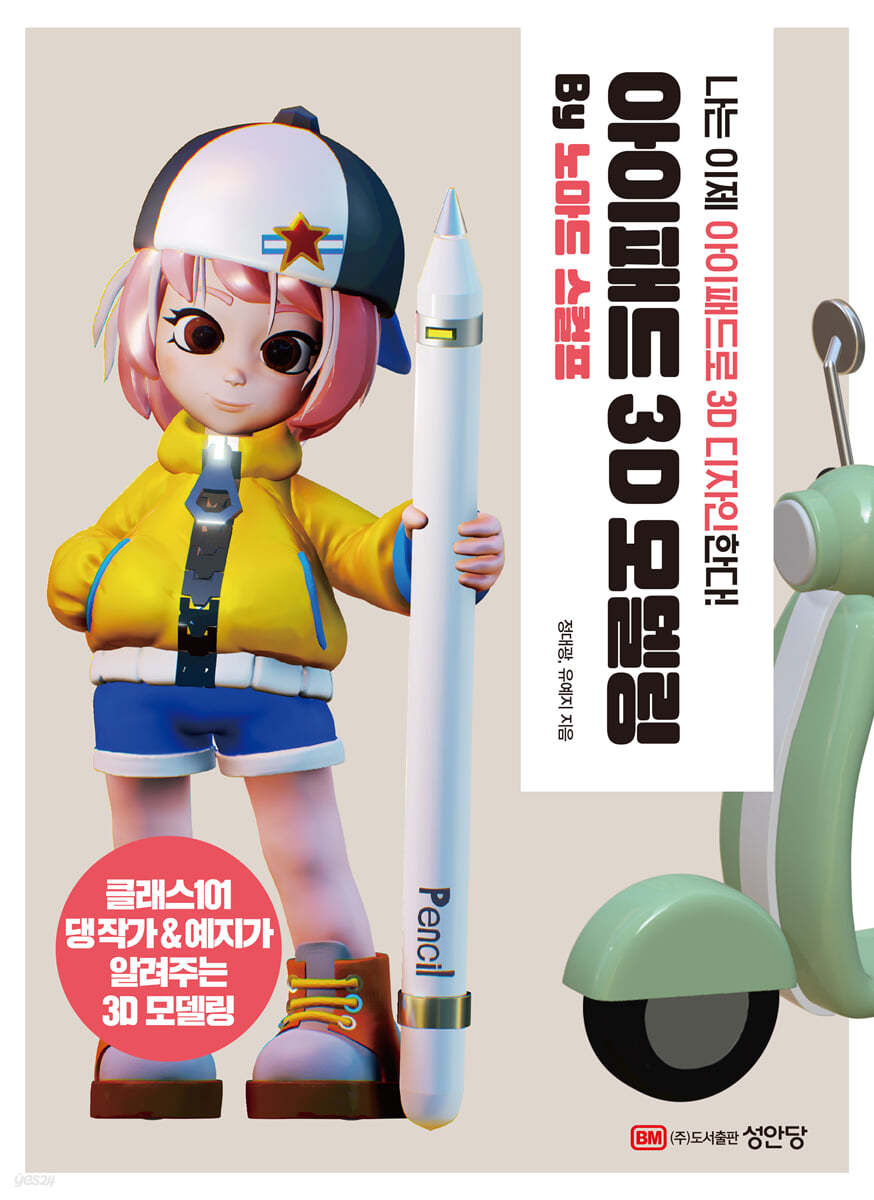
iPad 3D Modeling by Nomad Sculpt
 |
Description
Book Introduction
From 3D emoticons to metaverse props and game character designs! iPad 3D modeling work that turns a hobby into practical 3D design Procreate coloring, 3D printing know-how! 3D modeling is a design task that requires a high-spec PC and expensive programs, making it a burdensome task. With the expansion of remote work and flexible work environments, Nomad Sculpt enables 3D design work regardless of location. With just an iPad and Pencil, you can quickly create 3D work anytime, anywhere. This book introduces the work know-how of a practical 3D game designer in the field, from how to easily and quickly create the desired 3D objects to how to color with Procreate, and how to animate and 3D print. Now, let's create the 3D model of your imagination quickly and easily. |
- You can preview some of the book's contents.
Preview
index
PART 1: Getting Started with 3D Design on iPad
STEP 01 Learn the basic features of Nomad Sculpt
Take a look at the interface
Manipulating the screen
Learn about the sculpting features
Learn about the brush tool properties
Learn about modeling tool features
Learn about the brush and screen options
Learn about convenient work tool features
STEP 02 Modeling a Teddy Bear with Basic Functions
Capturing the shape of a teddy bear
Color the teddy bear and finish it
STEP 03 Making a chick with shapes
Modeling the chick's body
Making chick wings and legs
Making chick eyes and beaks
Coloring and completing the chick
PART 2: Basic 3D Modeling with Nomad Sculpt
STEP 01: Learn about Nomad Sculpt's menu features
Enjoy the screen with Nomad Sculpt
Manage various files with Files
Create models with Scenes and manage lists
Managing the modeling list
Combining models into one
Creating multiple shapes with primitives
Learn about Topology's polygon features
Managing polygons with Multires
Reordering polygons with Voxel
Optimizing Polygons with Dyntopo
Reducing the amount of polygons with decimation
Setting materials with Material
Learn about the material
Set Material from the left menu
Shading objects with Lighting
Learn about Shading
Learn about Lights
Learn about the types of lights
Learn about the Environment section
Add rendering effects with post-processing
Quality
Reflection (SSR)
Ambient Occlusion
Depth of Field
Bloom
Tone Mapping
Color Grading
Curvature
Chromatic Aberration
Vignette
Grain
Sharpness
Anti-aliasing (TAA)
Set the wallpaper as Background
Environment
Color
Reference image
Learn about Projection with Camera
Perspective
Orthographic
STEP 02: Making a Game Controller with a Cylinder and Box
Creating a Controller
Creating a controller cross key button
Making controller wires
STEP 03: Creating a Rocket with a Brush Using Functions
Building a rocket body
Making rocket wings
Making rocket detail parts
Adding Light and Effects to Your Rocket
Creating a rocket trajectory
STEP 04: Creating a Retro Keyboard Using Low Polygons
Creating keycaps with low polygons
Arranging your keyboard with keycaps
Creating the keyboard body
Setting up lighting and materials on your keyboard
PART 3: Creating 3D Characters from 3D Emojis
STEP 01 Making a Mango Mousse Cake with Whipped Cream
Making cake sheets
Making whipped cream and fruit
Making Herb Leaves and Stands
STEP 02 Making a Christmas Snowball with Snow
Modeling a Christmas Tree
Modeling a Gift Box
Modeling a Snowman
Coloring a Christmas Snowball
Making a Snowball Glass and Stand
STEP 03: Create a Cat Emoji Wearing a Hat
Modeling a cat
Coloring a cat model
Making a conical hat and sparkling stars
STEP 04: Creating a Welsh Corgi Puppy Emoticon
Building the Basic Puppy Skeleton
Creating a Welsh Corgi Shape
Coloring and completing the Welsh Corgi
STEP 05 Creating 3D Neon Sign Letters
Modeling text with masks
Applying a neon sign effect to text
STEP 06: Creating 3D Calligraphy Using Tubes
Modeling calligraphy
Complete the calligraphy by coloring it
SPECIAL 01 UV Coloring Using Procreate
PART 4: Creating Metaverse Character Clothes, Props, and Space
STEP 01: Creating Character Clothes and Props in the Metaverse
How to make a puff sleeve dress
Making Mary Jane Shoes
Making a Floppy Hat
Making a hobo bag
Making a necklace
Making earrings
STEP 02 Building a Fence House with a Garden
Making a house shape
Creating home details
Decorating your home garden
SPECIAL 02 Creating Animations with Procreate 334
PART 5 Creating a Character from Game Items
STEP 01 Making a transparent glass potion
Making a Round Potion Bottle
Making round potions and bubbles
Organizing the circular potion model
Adding light and effects to a round potion
Making a Long Potion Bottle
Making a long potion
STEP 02 Making a Battle Axe from Rough Metal
Making an axe shape
Expressing an axe blade
Making an axe metal part
Expressing a wooden handle
Making an axe rope
Detailing and completing the axe
STEP 03 Create your own cute avatar
Creating a character face
Creating a character's upper body
Making pants and legs
Setting the standard for arms and shoes
Creating hair modeling
Creating a helmet shape
Making a helmet and setting a reference point
Making a jacket and trimming the body
Creating character arms
Making a frying pan item
Making character shoes
Organizing jacket details
Applying materials and colors to characters
SPECIAL 03 Outputting Models with 3D Printing
STEP 01 Learn the basic features of Nomad Sculpt
Take a look at the interface
Manipulating the screen
Learn about the sculpting features
Learn about the brush tool properties
Learn about modeling tool features
Learn about the brush and screen options
Learn about convenient work tool features
STEP 02 Modeling a Teddy Bear with Basic Functions
Capturing the shape of a teddy bear
Color the teddy bear and finish it
STEP 03 Making a chick with shapes
Modeling the chick's body
Making chick wings and legs
Making chick eyes and beaks
Coloring and completing the chick
PART 2: Basic 3D Modeling with Nomad Sculpt
STEP 01: Learn about Nomad Sculpt's menu features
Enjoy the screen with Nomad Sculpt
Manage various files with Files
Create models with Scenes and manage lists
Managing the modeling list
Combining models into one
Creating multiple shapes with primitives
Learn about Topology's polygon features
Managing polygons with Multires
Reordering polygons with Voxel
Optimizing Polygons with Dyntopo
Reducing the amount of polygons with decimation
Setting materials with Material
Learn about the material
Set Material from the left menu
Shading objects with Lighting
Learn about Shading
Learn about Lights
Learn about the types of lights
Learn about the Environment section
Add rendering effects with post-processing
Quality
Reflection (SSR)
Ambient Occlusion
Depth of Field
Bloom
Tone Mapping
Color Grading
Curvature
Chromatic Aberration
Vignette
Grain
Sharpness
Anti-aliasing (TAA)
Set the wallpaper as Background
Environment
Color
Reference image
Learn about Projection with Camera
Perspective
Orthographic
STEP 02: Making a Game Controller with a Cylinder and Box
Creating a Controller
Creating a controller cross key button
Making controller wires
STEP 03: Creating a Rocket with a Brush Using Functions
Building a rocket body
Making rocket wings
Making rocket detail parts
Adding Light and Effects to Your Rocket
Creating a rocket trajectory
STEP 04: Creating a Retro Keyboard Using Low Polygons
Creating keycaps with low polygons
Arranging your keyboard with keycaps
Creating the keyboard body
Setting up lighting and materials on your keyboard
PART 3: Creating 3D Characters from 3D Emojis
STEP 01 Making a Mango Mousse Cake with Whipped Cream
Making cake sheets
Making whipped cream and fruit
Making Herb Leaves and Stands
STEP 02 Making a Christmas Snowball with Snow
Modeling a Christmas Tree
Modeling a Gift Box
Modeling a Snowman
Coloring a Christmas Snowball
Making a Snowball Glass and Stand
STEP 03: Create a Cat Emoji Wearing a Hat
Modeling a cat
Coloring a cat model
Making a conical hat and sparkling stars
STEP 04: Creating a Welsh Corgi Puppy Emoticon
Building the Basic Puppy Skeleton
Creating a Welsh Corgi Shape
Coloring and completing the Welsh Corgi
STEP 05 Creating 3D Neon Sign Letters
Modeling text with masks
Applying a neon sign effect to text
STEP 06: Creating 3D Calligraphy Using Tubes
Modeling calligraphy
Complete the calligraphy by coloring it
SPECIAL 01 UV Coloring Using Procreate
PART 4: Creating Metaverse Character Clothes, Props, and Space
STEP 01: Creating Character Clothes and Props in the Metaverse
How to make a puff sleeve dress
Making Mary Jane Shoes
Making a Floppy Hat
Making a hobo bag
Making a necklace
Making earrings
STEP 02 Building a Fence House with a Garden
Making a house shape
Creating home details
Decorating your home garden
SPECIAL 02 Creating Animations with Procreate 334
PART 5 Creating a Character from Game Items
STEP 01 Making a transparent glass potion
Making a Round Potion Bottle
Making round potions and bubbles
Organizing the circular potion model
Adding light and effects to a round potion
Making a Long Potion Bottle
Making a long potion
STEP 02 Making a Battle Axe from Rough Metal
Making an axe shape
Expressing an axe blade
Making an axe metal part
Expressing a wooden handle
Making an axe rope
Detailing and completing the axe
STEP 03 Create your own cute avatar
Creating a character face
Creating a character's upper body
Making pants and legs
Setting the standard for arms and shoes
Creating hair modeling
Creating a helmet shape
Making a helmet and setting a reference point
Making a jacket and trimming the body
Creating character arms
Making a frying pan item
Making character shoes
Organizing jacket details
Applying materials and colors to characters
SPECIAL 03 Outputting Models with 3D Printing
Detailed image

Publisher's Review
I now design in 3D on my iPad!
iPad 3D design that anyone can easily work on, anytime, anywhere!
I've always wanted to try 3D modeling, but the fact that I need to use a high-spec computer is a big burden.
However, Nomad Sculpt can reduce the burden on equipment and cost compared to 3D programs that require a computer, such as Maya or Max.
Moreover, the biggest advantage is that you can easily create 3D models anytime, anywhere, just by bringing an iPad and a pencil.
Because of this portability and convenience, I think Nomad Sculpt will be more appealing to those just starting out with 3D modeling.
This book explains how to configure and use the Nomad Sculpt app.
Nomad Sculpt is also an app that creates 3D objects, so it requires the concept and understanding of coordinates.
First, it is designed to help you learn the basic functions of Nomad Sculpt before working on 3D.
Second, we have introduced example previews and production points for each example and organized them in a follow-up format to enable easy creation of 3D objects in various forms.
Third, examples were organized by theme, including emoticons, three-dimensional characters, game items, and game characters.
Fourth, we provide useful tips for the 3D production process and have created a special page so that you can follow along and check various contents such as shape, material, work linkage, and output.
Nomad Sculpt's interface is intuitive and easy to get used to. However, it may feel daunting for first-time users due to unfamiliar terminology. However, it is a great tool that will inspire a desire to challenge yourself and say, "Should I give it a try?"
I hope that this book will help both beginners and practitioners learn the key features used when creating models step by step, so that they can use it for a variety of tasks, from hobby to professional work, and realize that 3D is easier and more fun than they thought.
iPad 3D design that anyone can easily work on, anytime, anywhere!
I've always wanted to try 3D modeling, but the fact that I need to use a high-spec computer is a big burden.
However, Nomad Sculpt can reduce the burden on equipment and cost compared to 3D programs that require a computer, such as Maya or Max.
Moreover, the biggest advantage is that you can easily create 3D models anytime, anywhere, just by bringing an iPad and a pencil.
Because of this portability and convenience, I think Nomad Sculpt will be more appealing to those just starting out with 3D modeling.
This book explains how to configure and use the Nomad Sculpt app.
Nomad Sculpt is also an app that creates 3D objects, so it requires the concept and understanding of coordinates.
First, it is designed to help you learn the basic functions of Nomad Sculpt before working on 3D.
Second, we have introduced example previews and production points for each example and organized them in a follow-up format to enable easy creation of 3D objects in various forms.
Third, examples were organized by theme, including emoticons, three-dimensional characters, game items, and game characters.
Fourth, we provide useful tips for the 3D production process and have created a special page so that you can follow along and check various contents such as shape, material, work linkage, and output.
Nomad Sculpt's interface is intuitive and easy to get used to. However, it may feel daunting for first-time users due to unfamiliar terminology. However, it is a great tool that will inspire a desire to challenge yourself and say, "Should I give it a try?"
I hope that this book will help both beginners and practitioners learn the key features used when creating models step by step, so that they can use it for a variety of tasks, from hobby to professional work, and realize that 3D is easier and more fun than they thought.
GOODS SPECIFICS
- Publication date: September 15, 2022
- Page count, weight, size: 448 pages | 918g | 188*257*22mm
- ISBN13: 9788931558999
- ISBN10: 8931558996
You may also like
카테고리
korean


korean

![GQ KOREA Mark (Monthly): December [2025]](http://librairie.coreenne.fr/cdn/shop/files/8ef265dbbfbf186523ed75ba7319009d.jpg?v=1765340328&width=3840)


