

LEGO Mindstorms EV3 Programming
 |
Description
Book Introduction
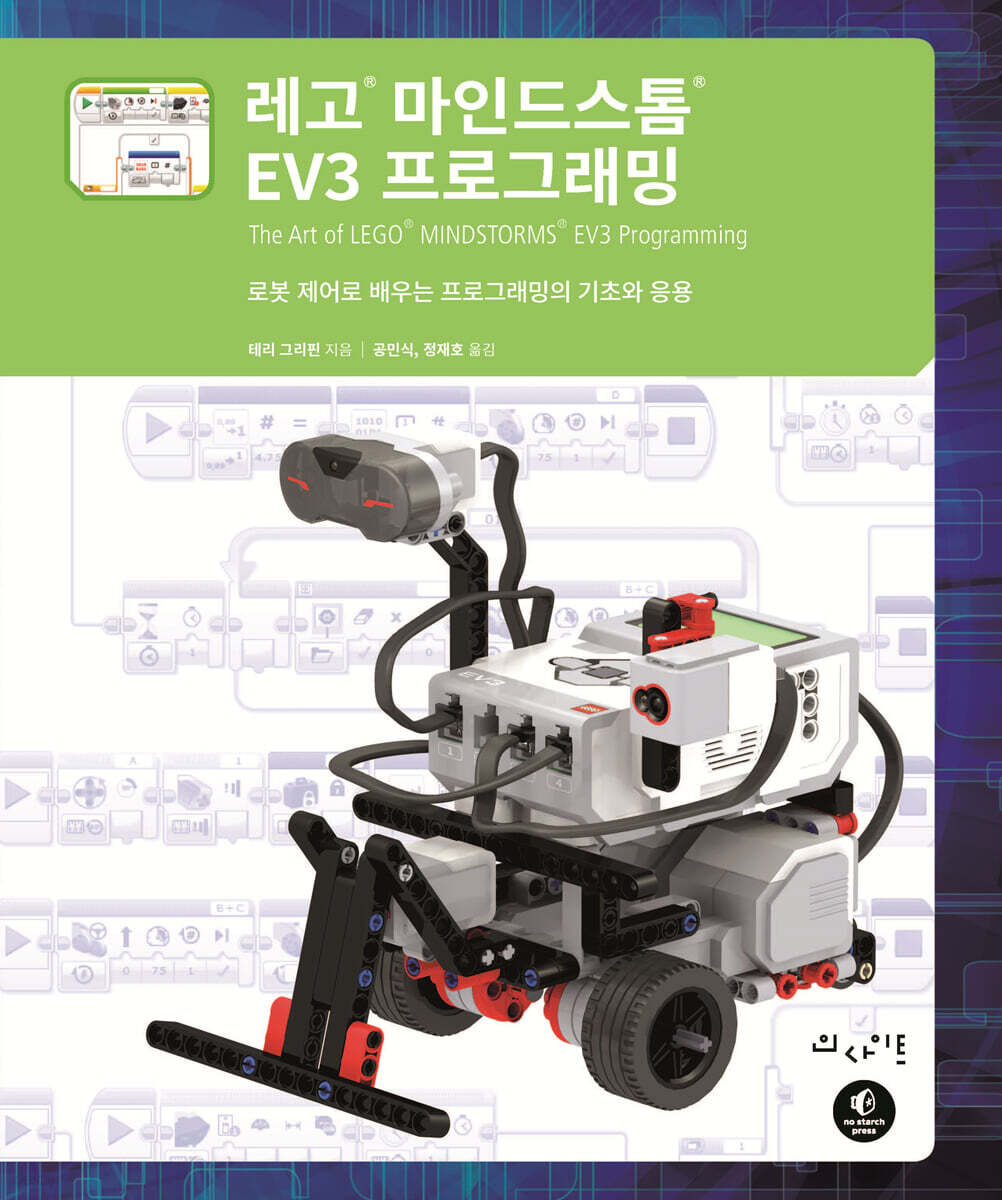
The Complete Beginner's Guide to EV3 Programming
- Respond to various environments and perform commands
- Explore the maze by following the walls
- Display the dial input in the form of a picture on the screen or display the sensor and data values on the screen.
- Experience how to use arrays in programs through simple games, such as keeping score.
- Line following using the PID control concept, an algorithm also used in industrial settings.
The LEGO MINDSTORMS EV3 programming language, with its colorful block-based interface, makes it easy for anyone to program intelligent robots once they get used to it, but the complexity and difficulty of the programming language can be intimidating for beginners.
This book is designed to address these fears with beginner-friendly content and detailed images.
Through this book, you will learn how to organically connect programming blocks, data wires, functions, variables, and files handled by EV3 programs internally. In the process, you will experience many concepts and habits that are considered important in programming languages, such as memory management and debugging techniques.
If you're interested in programming, this book will be of great help, as the concepts you'll learn apply not only to LEGO MINDSTORMS but also to other programming languages and control systems.
This book is organized into chapters and examples to maximize the use of basic robots, so you don't have to spend time building robot models. By practicing the examples step by step, you can learn the following:
- Respond to various environments and perform commands
- Explore the maze by following the walls
- Display the dial input in the form of a picture on the screen or display the sensor and data values on the screen.
- Experience how to use arrays in programs through simple games, such as keeping score.
- Line following using the PID control concept, an algorithm also used in industrial settings.
The LEGO MINDSTORMS EV3 programming language, with its colorful block-based interface, makes it easy for anyone to program intelligent robots once they get used to it, but the complexity and difficulty of the programming language can be intimidating for beginners.
This book is designed to address these fears with beginner-friendly content and detailed images.
Through this book, you will learn how to organically connect programming blocks, data wires, functions, variables, and files handled by EV3 programs internally. In the process, you will experience many concepts and habits that are considered important in programming languages, such as memory management and debugging techniques.
If you're interested in programming, this book will be of great help, as the concepts you'll learn apply not only to LEGO MINDSTORMS but also to other programming languages and control systems.
This book is organized into chapters and examples to maximize the use of basic robots, so you don't have to spend time building robot models. By practicing the examples step by step, you can learn the following:
- You can preview some of the book's contents.
Preview
index
Chapter 1: Legos and Robots: A Great Combination
LEGO Mindstorms EV3
LEGO Mindstorms EV3 set
LEGO MINDSTORMS EV3 Software
Software, firmware, hardware
Arts and Engineering
What makes a good program?
What you will learn from this book
LEGO Mindstorms Online Community
What we'll cover in the next chapter
Chapter 2 EV3 Programming Environment
Explore Mindstorms Software
Creating EV3 Programs
General structure of a block
Our first program
Running the program
Project Properties
Our second program
annotation
Context help
finish
Chapter 3 Trybot: A Test Robot
Components of a Tribot
Assembling the motor and wheel drive
Assembling the caster wheels
Installing the EV3 Brick
Mounting an infrared or ultrasonic sensor
Installing the color sensor
Installing the gyro sensor
Making a Touch Sensor Bumper
Connecting the Cable
Applications of color sensors
Applications of infrared/ultrasonic sensors
Assembling the lift arm
finish
Chapter 4: Moving
EV3 motor
Steering mode driving block
View Port
EV3 Intelligent Brick View Menu
ThereAndBack program
AroundTheBlock (moving in a square) program
Tank mode driving block
Large motor blocks and medium motor blocks
lift arm
Motor reversing block
CoastTest (slip test)
Further exploration
finish
Chapter 5 Sensors
Utilization of sensors
touch sensor
BumperBot program
color sensor
IsItBlue (blue detection) program
LineFinder program
Infrared sensor and remote control
BumperBotWithButtons program
ultrasonic sensor
DoorChime program
Gyro sensor
GyroTurn program
motor rotation sensor
Further exploration
finish
Chapter 6 Program Flow
switch block
LineFollower program
RedOrBlue (color detection) program
Loop block
Loop interrupt block
Further exploration
finish
Chapter 7: WallFollower Program: Maze Navigation
pseudocode
How to solve the maze
Program Requirements
home
Initial design
Follow the straight wall
Turning the corner
Move in the direction of the opening
Final Test
Further exploration
finish
Chapter 8 Data Wires
What is a data wire?
GentleStop program
Tips for using data wires
SoundMachine (sound output device) program
Understanding Data Types
Frequency and volume display
Further exploration
finish
Chapter 9 Data Wires and Switch Blocks
Value mode of switch block
Restructuring the GentleStop program
Passing data to the switch block
Advantages of using sensor blocks
Passing data out of the switch block
Simplifying the LineFollower program
Further exploration
finish
Chapter 10 Data Wires and Loop Blocks
Logical mode
Loop index
SpiralLineFinder (Follow a Spiral Path) program
Utilizes gyro sensor for improved rotation
Further exploration
finish
Chapter 11 Variables
Variable block
RedOrBlueCount (check color and display count) program
Managing variables in the project properties page
Comparison block
LightPointer (pointing to light source) program
Constant block
Further exploration
finish
Chapter 12 My Block
Create My Block
My Block Palette
Edit My Block
LogicToText My Block
DisplayNumber (Number output) My Block
Changing parameters of My Block
Variables and My Blocks
Further exploration
finish
Chapter 13: Mathematics and Logic
Advanced mode of math blocks
Proportional LineFollower
EV3 Timer
DisplayTimer (timer output) program
Raise/Lower Block
random block
Adding random rotation to BumperBot
Logical operation block
Adding logic to BumperBot
Range block
TagAlong (keep your distance) program
GyroPointer (direction maintenance) program
Further exploration
finish
Chapter 14 EV3 Brick Status Lights, Brick Buttons, and Display
EV3 Brick Buttons
PowerSetting program
Brick status indicator
ColorCopy program
display block
Eyes program
Drawing shapes on the EV3 screen
EV3Sketch (EV3 drawing) program
Further exploration
finish
Chapter 15 Array
Concepts and terminology for arrays
Creating an array
Array operation block
ArrayTest program
ButtonCommand (button controller) program
ColorCount program
MemoryGame program
Further exploration
finish
Chapter 16 File
File access block
Save your high score in MemoryGame
FileReader (file reading) program
Adding a Menu to the ColorCount Program
Memory Management
Further exploration
finish
Chapter 17 Data Logging
Data Collection and EV3
Check the current power value
SteeringTest program
VerifyLightPointer (light source pointing verification) program
Control the amount of data
Further exploration
finish
Chapter 18 Multitasking
Multiple starting blocks
Program Stop Block
Preventing busy loops
Adding a light to the DoorChime program
Understanding the rules of program flow
Synchronize two sequences
Preventing Problem Situations
Further exploration
finish
Chapter 19: LineFollower Program Using PID Control
PID controller
proportional control
Collect minimum and maximum sensor values
Normalization of sensor and target values
Improving the proportional control LineFollower
Applying PID control
Further exploration
finish
Appendix A Compatibility between NXT and EV3
Appendix B EV3 Website
Appendix C: Mathematical Considerations on PID Control
LEGO Mindstorms EV3
LEGO Mindstorms EV3 set
LEGO MINDSTORMS EV3 Software
Software, firmware, hardware
Arts and Engineering
What makes a good program?
What you will learn from this book
LEGO Mindstorms Online Community
What we'll cover in the next chapter
Chapter 2 EV3 Programming Environment
Explore Mindstorms Software
Creating EV3 Programs
General structure of a block
Our first program
Running the program
Project Properties
Our second program
annotation
Context help
finish
Chapter 3 Trybot: A Test Robot
Components of a Tribot
Assembling the motor and wheel drive
Assembling the caster wheels
Installing the EV3 Brick
Mounting an infrared or ultrasonic sensor
Installing the color sensor
Installing the gyro sensor
Making a Touch Sensor Bumper
Connecting the Cable
Applications of color sensors
Applications of infrared/ultrasonic sensors
Assembling the lift arm
finish
Chapter 4: Moving
EV3 motor
Steering mode driving block
View Port
EV3 Intelligent Brick View Menu
ThereAndBack program
AroundTheBlock (moving in a square) program
Tank mode driving block
Large motor blocks and medium motor blocks
lift arm
Motor reversing block
CoastTest (slip test)
Further exploration
finish
Chapter 5 Sensors
Utilization of sensors
touch sensor
BumperBot program
color sensor
IsItBlue (blue detection) program
LineFinder program
Infrared sensor and remote control
BumperBotWithButtons program
ultrasonic sensor
DoorChime program
Gyro sensor
GyroTurn program
motor rotation sensor
Further exploration
finish
Chapter 6 Program Flow
switch block
LineFollower program
RedOrBlue (color detection) program
Loop block
Loop interrupt block
Further exploration
finish
Chapter 7: WallFollower Program: Maze Navigation
pseudocode
How to solve the maze
Program Requirements
home
Initial design
Follow the straight wall
Turning the corner
Move in the direction of the opening
Final Test
Further exploration
finish
Chapter 8 Data Wires
What is a data wire?
GentleStop program
Tips for using data wires
SoundMachine (sound output device) program
Understanding Data Types
Frequency and volume display
Further exploration
finish
Chapter 9 Data Wires and Switch Blocks
Value mode of switch block
Restructuring the GentleStop program
Passing data to the switch block
Advantages of using sensor blocks
Passing data out of the switch block
Simplifying the LineFollower program
Further exploration
finish
Chapter 10 Data Wires and Loop Blocks
Logical mode
Loop index
SpiralLineFinder (Follow a Spiral Path) program
Utilizes gyro sensor for improved rotation
Further exploration
finish
Chapter 11 Variables
Variable block
RedOrBlueCount (check color and display count) program
Managing variables in the project properties page
Comparison block
LightPointer (pointing to light source) program
Constant block
Further exploration
finish
Chapter 12 My Block
Create My Block
My Block Palette
Edit My Block
LogicToText My Block
DisplayNumber (Number output) My Block
Changing parameters of My Block
Variables and My Blocks
Further exploration
finish
Chapter 13: Mathematics and Logic
Advanced mode of math blocks
Proportional LineFollower
EV3 Timer
DisplayTimer (timer output) program
Raise/Lower Block
random block
Adding random rotation to BumperBot
Logical operation block
Adding logic to BumperBot
Range block
TagAlong (keep your distance) program
GyroPointer (direction maintenance) program
Further exploration
finish
Chapter 14 EV3 Brick Status Lights, Brick Buttons, and Display
EV3 Brick Buttons
PowerSetting program
Brick status indicator
ColorCopy program
display block
Eyes program
Drawing shapes on the EV3 screen
EV3Sketch (EV3 drawing) program
Further exploration
finish
Chapter 15 Array
Concepts and terminology for arrays
Creating an array
Array operation block
ArrayTest program
ButtonCommand (button controller) program
ColorCount program
MemoryGame program
Further exploration
finish
Chapter 16 File
File access block
Save your high score in MemoryGame
FileReader (file reading) program
Adding a Menu to the ColorCount Program
Memory Management
Further exploration
finish
Chapter 17 Data Logging
Data Collection and EV3
Check the current power value
SteeringTest program
VerifyLightPointer (light source pointing verification) program
Control the amount of data
Further exploration
finish
Chapter 18 Multitasking
Multiple starting blocks
Program Stop Block
Preventing busy loops
Adding a light to the DoorChime program
Understanding the rules of program flow
Synchronize two sequences
Preventing Problem Situations
Further exploration
finish
Chapter 19: LineFollower Program Using PID Control
PID controller
proportional control
Collect minimum and maximum sensor values
Normalization of sensor and target values
Improving the proportional control LineFollower
Applying PID control
Further exploration
finish
Appendix A Compatibility between NXT and EV3
Appendix B EV3 Website
Appendix C: Mathematical Considerations on PID Control
Publisher's Review
This book is applicable to both the standard and modular LEGO MINDSTORMS EV3 sets, and is the perfect guide for children, parents, and teachers who want to experience robot programming.
Whether it's at home, in a school lab, or in a robotics center, this book is just what you need for anyone wanting to explore LEGO MINDSTORMS sets.
Whether it's at home, in a school lab, or in a robotics center, this book is just what you need for anyone wanting to explore LEGO MINDSTORMS sets.
GOODS SPECIFICS
- Date of issue: January 14, 2022
- Page count, weight, size: 340 pages | 190*235*30mm
- ISBN13: 9788966263257
- ISBN10: 8966263259
You may also like
카테고리
korean


korean

![GQ KOREA Mark (Monthly): December [2025]](http://librairie.coreenne.fr/cdn/shop/files/8ef265dbbfbf186523ed75ba7319009d.jpg?v=1765340328&width=3840)


