

Automated Bitcoin Trading Using Python
 |
Description
Book Introduction
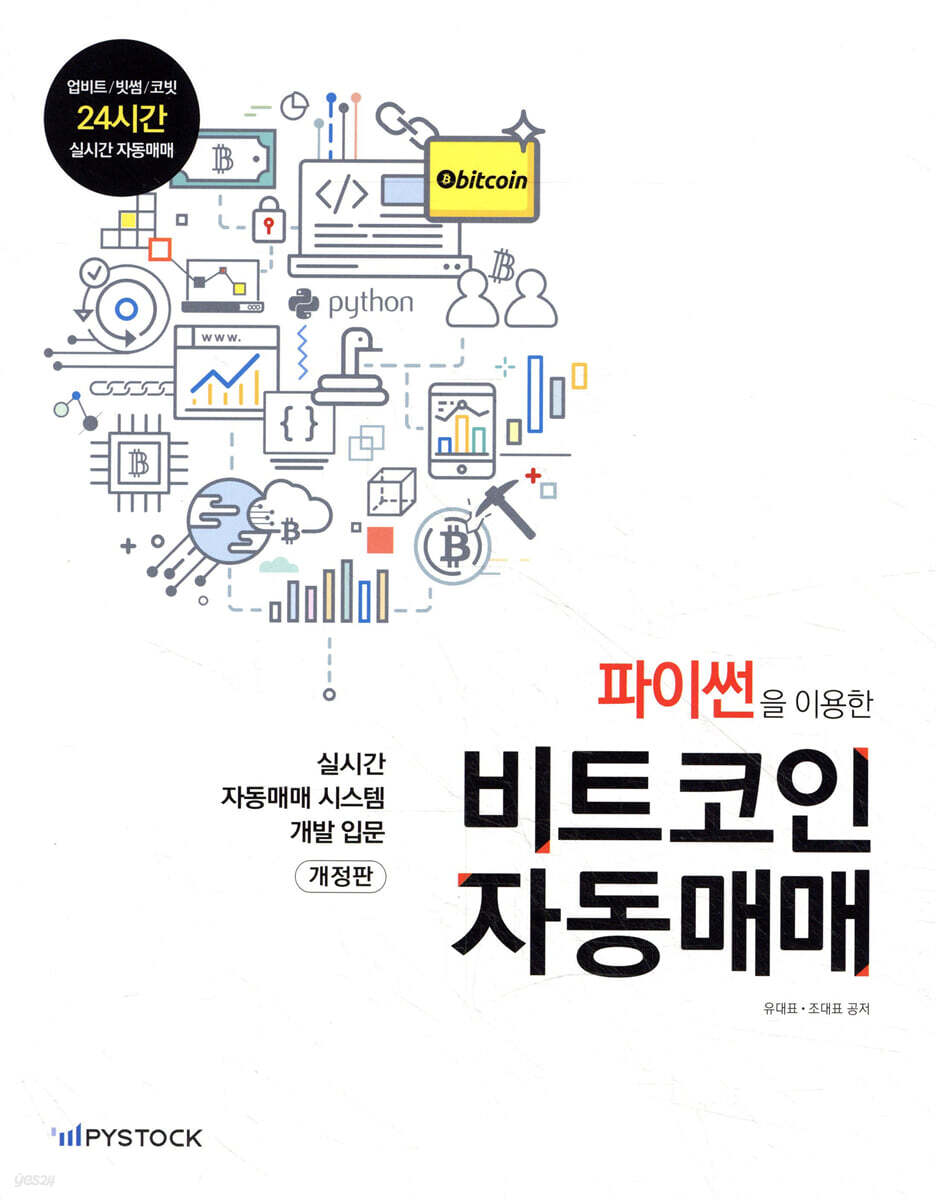
"Automated Bitcoin Trading with Python" covers how to develop a program that automatically trades Bitcoin on the three major domestic exchanges (Korbit, Bithumb, Upbit) and a foreign exchange (Binance) using Python, a recently popular programming language.
It covers the core of Python grammar, from basic Python grammar to the development of a 24-hour real-time automated trading program, for people with no programming experience.
In particular, we will verify Larry Williams' volatility breakout strategy through backtesting and develop a program capable of real-time automated trading using domestic exchange APIs.
Additionally, it covers PyQt, which is used for GUI program development, and web scraping, which is recently being used in various fields, so that beginners to Python can learn programming in a useful and fun way.
We provide source code for all projects described in the book.
In the revised version, the method of processing real-time prices using web sockets and the content of creating your own HTS using PyQt were added.
It covers the core of Python grammar, from basic Python grammar to the development of a 24-hour real-time automated trading program, for people with no programming experience.
In particular, we will verify Larry Williams' volatility breakout strategy through backtesting and develop a program capable of real-time automated trading using domestic exchange APIs.
Additionally, it covers PyQt, which is used for GUI program development, and web scraping, which is recently being used in various fields, so that beginners to Python can learn programming in a useful and fun way.
We provide source code for all projects described in the book.
In the revised version, the method of processing real-time prices using web sockets and the content of creating your own HTS using PyQt were added.
- You can preview some of the book's contents.
Preview
index
1.
Python Grammar-1
1.1.
Getting Started with Python
1.1.1.
Class Introduction
1.1.2.
Python
1.1.3.
Why Python?
1.1.4.
Installing Python
1.1.5.
Using Spyder
1.1.6.
Practice problems
1.2.
Variables and strings
1.2.1.
Python calculator
1.2.2.
Variable
1.2.3.
Naming variables
1.2.4.
Python strings
1.2.5.
Variables and strings
1.2.6.
String indexing
1.2.7.
String slicing
1.2.8.
Negative indexing/slicing
1.2.9.
Concatenate strings
1.2.10.
length of string
1.2.11.
Practice problems
1.3.
Python data structures
1.3.1.
What is a data structure?
1.3.2.
list
1.3.3.
List indexing
1.3.4.
Edit list
1.3.5.
List slicing
1.3.6.
Insert list
1.3.7.
Delete list data
1.3.8.
Maximum/Minimum/Average
1.3.9.
Python tuple
1.3.10.
Create a tuple
1.3.11.
Tuple indexing and slicing
1.3.12.
Add/delete tuples
1.3.13.
dictionary
1.3.14.
Create a dictionary
1.3.15.
Dictionary indexing
1.3.16.
Adding data to a dictionary
1.3.17.
Modifying dictionary data
1.3.18.
Deleting data from a dictionary
1.3.19.
Get only key values from a dictionary
1.3.20.
Getting a value from a dictionary
1.3.21.
Practice problems
2.
Python Grammar-2
2.1.
Python conditional statements
2.1.1 Using Spyder Editor
2.1.2 if statement
2.1.3 if/else
2.1.4 if/elif/else
2.1.5 Comparison and logical operators
2.1.6 Practice Problems
2.2.
loop
2.2.1 for statement
2.2.2 for and range
2.2.3 for and dictionaries
2.2.4 Loops and if
2.2.5 while statement
2.2.6 Practice Problems
2.3.
function
2.3.1 Defining Python Functions
2.3.2 Functions are labeled
2.3.3 Understanding Function Calls
2.3.4 Practice Problems
2.4.
module
2.4.1 What is a module?
2.4.2 Creating a Module
2.4.3 How to import a module
2.4.4 datetime module
2.4.5 request module
2.4.6 Practice Problems
3.
Classes and PyQt
3.1.
Class (1)
3.1.1.
Procedural programming vs.
object-oriented programming
3.1.2.
Defining classes and creating objects
3.1.3.
Adding a method to a class
3.1.4.
Putting red bean paste in bungeoppang
3.1.5.
Constructor
3.1.6.
Practice problems
3.2.
Class (2)
3.2.1.
Class inheritance
3.2.2.
Class attribute reference order
3.3.
PyCharm
3.3.1 Introduction to PyCharm
3.3.2.
Installing PyCharm
3.3.3.
Running PyCharm
3.3.4.
PyCharm shortcut settings
3.4.
PyQt Basics
3.4.1.
Introduction to PyQt
3.4.2.
Class Review
3.4.3.
PyQt Basics
3.4.4.
Widgets and Windows
3.4.5.
My own window class
3.5.
PyQt Window Decoration
3.5.1.
Resize windows
3.5.2.
Changing the Windows title bar
3.5.3.
Add a button
3.5.4.
Add a click event to a button
3.6.
Qt Designer
3.6.1.
Using Qt Designer
3.6.2. Using UI files
3.6.3.
Add an event
3.6.4.
Creating a Korbit price checker
3.6.5. QTimer
4.
Web scraping and Pandas
4.1.
Web Scraping-1
4.1.1.
Web crawling and web scraping
4.1.2. IP address
4.1.3.
The three elements of the web
4.1.4. HTML
4.1.5. CSS and CSS Select
4.1.6.
Practice problems
4.2.
Web Scraping-2
4.2.1. Downloading and Parsing HTML Documents
4.2.2. Scraping tags without IDs
4.2.3.
RestfulAPI
4.2.4. JSON
4.3.
Pandas Series
4.3.1.
What is Pandas?
4.3.2.
Create a Series
4.3.3.
Specifying an index when creating a Series
4.3.4.
Series Indexing/Slicing
4.3.5.
Add/Delete Series
4.3.6.
Operations on Series
4.4.
Pandas DataFrame
4.4.1.
Create a DataFrame
4.4.2.
Creating a DataFrame - 2
4.4.3.
DataFrame indexing/slicing
4.4.4.
Adding a DataFrame
4.4.5.
Column shift
4.4.6.
Practice problems
5.
Bull market alert
5.1.
pybithumb
5.1.1.
pybithumb module
5.1.2.
Get a list of cryptocurrency tickers
5.1.3.
Get the current price
5.1.4.
Exchange transaction information
5.1.5.
Household
5.1.6.
Get information on multiple cryptocurrencies at once
5.1.7.
Exception handling
5.1.8.
Practice problems
5.2.
Bullish Market Alert (1)
5.2.1.
Differentiating between bull and bear markets using moving averages
5.2.2.
Get past exchange prices
5.2.3.
Calculating Moving Averages
5.2.4.
Implementing a function to distinguish between rising and falling markets
5.2.5.
Determining whether a cryptocurrency is in a bull or bear market
5.3.
Bullish Market Alert (2)
5.3.1. Creating a UI using QT Designer
5.3.2. Loading the UI
5.3.3.
Create a timer
5.3.4.
Print the cryptocurrency name
5.3.5.
Add the remaining data
5.4.
Bullish Market Alert (Thread Version)
5.4.1. Thread Basic Code
5.4.2. Applying Threads
6.
Implementing a Volatility Breakout Strategy
6.1.
Bithumb Private API
6.1.1.
Apply for Bithumb API
6.1.2.
Create a Bithumb class
6.1.3.
Balance Inquiry
6.1.4.
buy
6.1.5.
Sell
6.1.6.
withdraw order
6.2.
Implementing a Volatility Breakout Strategy
6.2.1.
Volatility Breakout Strategy
6.2.2.
Step 1: Get the current periodically
6.2.3.
Step 2: Calculate your target price
6.2.4.
Step 3: Refresh your goals at midnight
6.2.5.
Step 4: Attempt to Buy
6.2.6.
Step 5: Attempt to sell
6.2.7.
Step 6: Security and Exception Handling
6.3.
Implementing a Volatility Breakout + Bull Market Investment Strategy
6.3.1.
moving average
6.3.2.
Update purchase conditions
7.
Backtesting
7.1.
Preparing Data for Backtesting
7.1.1. Obtaining daily cryptocurrency data
7.1.2.
Saving a DataFrame object to Excel
7.2.
Volatility Breakout Strategy Backtesting
7.2.1.
Calculating range
7.2.2.
Calculate the target price
7.2.3.
Buying, selling, and returns
7.2.4.
Fees and slippage
7.2.5.
Finding the best k value
7.2.6. Calculating MDD (Maximum Draw Down)
7.3.
Volatility Breakout + Bull Market Strategy Backtesting
7.3.1.
Volatility Breakout + Bull Market Strategy Backtesting
7.3.2.
Finding the Highest Return Coins in 2018
8.
cryptocurrency exchange
8.1.
Upbit
8.1.1. API Usage Request
8.1.2.
Installing pyupbit
8.1.3.
Ticker Inquiry
8.1.4.
Current price inquiry
8.1.5.
View past data
8.1.6.
Household inquiry
8.1.7.
Balance Inquiry
8.1.8.
Buy/Sell
8.1.9.
withdraw order
8.2.
Korbit
8.2.1. API Usage Request
8.2.2.
Installing pykorbit
8.2.3.
Ticker Inquiry
8.2.4.
Current price inquiry
8.2.5.
View past data
8.2.6.
Household inquiry
8.2.7.
Balance Inquiry
8.2.8.
Buy/Sell
8.2.9.
withdraw order
8.3.
Binance
8.3.1. API Usage Request
8.3.2.
Installing ccxt
8.3.3.
Ticker Inquiry
8.3.4.
Current price inquiry
8.3.5.
View past data
8.3.6.
Household inquiry
8.3.7.
Balance Inquiry
8.3.8.
Buy/Sell
8.3.9.
withdraw order
9.
Real-time price processing using web sockets
9.1 Introduction to WebSockets
9.2 asyncio basics
9.2.1 Synchronous and Asynchronous Call Methods
9.2.2 Coroutines
9.3 Process and Thread Basics
9.3.1 Processes and Threads
9.3.2 Thread Scheduling
9.3.3 multiprocessing module
9.4 Bithumb Python WebSocket
9.4.1 Installing the websockets module
9.4.2 WebSocket Client
9.4.3 Subscribe to Bithumb Exchange WebSocket
9.4.4 Real-time data output
9.4.5 Real-time data output using pybithumb
9.5 Cobit Python WebSocket
9.5.1 WebSocket Connection
9.5.2 Channel Subscription Request
9.5.3 Real-time data output
9.6 Upbit Python WebSocket
9.6.1 Channel Subscription Request
9.6.2 Real-time data output
9.6.3 Real-time data output using pyupbit
10.
Create your own HTS
10.1.
Real-time current price chart
10.1.1. UI Layout Settings
10.1.2.
Function chaining in Python
10.2.
Real-time order book
10.2.1. UI Layout Settings
10.2.2.
Function chaining in Python
10.3.
Real-time overview window
10.3.1. UI Layout Settings
10.3.2.
Function chaining in Python
10.4.
Integrated screen
Python Grammar-1
1.1.
Getting Started with Python
1.1.1.
Class Introduction
1.1.2.
Python
1.1.3.
Why Python?
1.1.4.
Installing Python
1.1.5.
Using Spyder
1.1.6.
Practice problems
1.2.
Variables and strings
1.2.1.
Python calculator
1.2.2.
Variable
1.2.3.
Naming variables
1.2.4.
Python strings
1.2.5.
Variables and strings
1.2.6.
String indexing
1.2.7.
String slicing
1.2.8.
Negative indexing/slicing
1.2.9.
Concatenate strings
1.2.10.
length of string
1.2.11.
Practice problems
1.3.
Python data structures
1.3.1.
What is a data structure?
1.3.2.
list
1.3.3.
List indexing
1.3.4.
Edit list
1.3.5.
List slicing
1.3.6.
Insert list
1.3.7.
Delete list data
1.3.8.
Maximum/Minimum/Average
1.3.9.
Python tuple
1.3.10.
Create a tuple
1.3.11.
Tuple indexing and slicing
1.3.12.
Add/delete tuples
1.3.13.
dictionary
1.3.14.
Create a dictionary
1.3.15.
Dictionary indexing
1.3.16.
Adding data to a dictionary
1.3.17.
Modifying dictionary data
1.3.18.
Deleting data from a dictionary
1.3.19.
Get only key values from a dictionary
1.3.20.
Getting a value from a dictionary
1.3.21.
Practice problems
2.
Python Grammar-2
2.1.
Python conditional statements
2.1.1 Using Spyder Editor
2.1.2 if statement
2.1.3 if/else
2.1.4 if/elif/else
2.1.5 Comparison and logical operators
2.1.6 Practice Problems
2.2.
loop
2.2.1 for statement
2.2.2 for and range
2.2.3 for and dictionaries
2.2.4 Loops and if
2.2.5 while statement
2.2.6 Practice Problems
2.3.
function
2.3.1 Defining Python Functions
2.3.2 Functions are labeled
2.3.3 Understanding Function Calls
2.3.4 Practice Problems
2.4.
module
2.4.1 What is a module?
2.4.2 Creating a Module
2.4.3 How to import a module
2.4.4 datetime module
2.4.5 request module
2.4.6 Practice Problems
3.
Classes and PyQt
3.1.
Class (1)
3.1.1.
Procedural programming vs.
object-oriented programming
3.1.2.
Defining classes and creating objects
3.1.3.
Adding a method to a class
3.1.4.
Putting red bean paste in bungeoppang
3.1.5.
Constructor
3.1.6.
Practice problems
3.2.
Class (2)
3.2.1.
Class inheritance
3.2.2.
Class attribute reference order
3.3.
PyCharm
3.3.1 Introduction to PyCharm
3.3.2.
Installing PyCharm
3.3.3.
Running PyCharm
3.3.4.
PyCharm shortcut settings
3.4.
PyQt Basics
3.4.1.
Introduction to PyQt
3.4.2.
Class Review
3.4.3.
PyQt Basics
3.4.4.
Widgets and Windows
3.4.5.
My own window class
3.5.
PyQt Window Decoration
3.5.1.
Resize windows
3.5.2.
Changing the Windows title bar
3.5.3.
Add a button
3.5.4.
Add a click event to a button
3.6.
Qt Designer
3.6.1.
Using Qt Designer
3.6.2. Using UI files
3.6.3.
Add an event
3.6.4.
Creating a Korbit price checker
3.6.5. QTimer
4.
Web scraping and Pandas
4.1.
Web Scraping-1
4.1.1.
Web crawling and web scraping
4.1.2. IP address
4.1.3.
The three elements of the web
4.1.4. HTML
4.1.5. CSS and CSS Select
4.1.6.
Practice problems
4.2.
Web Scraping-2
4.2.1. Downloading and Parsing HTML Documents
4.2.2. Scraping tags without IDs
4.2.3.
RestfulAPI
4.2.4. JSON
4.3.
Pandas Series
4.3.1.
What is Pandas?
4.3.2.
Create a Series
4.3.3.
Specifying an index when creating a Series
4.3.4.
Series Indexing/Slicing
4.3.5.
Add/Delete Series
4.3.6.
Operations on Series
4.4.
Pandas DataFrame
4.4.1.
Create a DataFrame
4.4.2.
Creating a DataFrame - 2
4.4.3.
DataFrame indexing/slicing
4.4.4.
Adding a DataFrame
4.4.5.
Column shift
4.4.6.
Practice problems
5.
Bull market alert
5.1.
pybithumb
5.1.1.
pybithumb module
5.1.2.
Get a list of cryptocurrency tickers
5.1.3.
Get the current price
5.1.4.
Exchange transaction information
5.1.5.
Household
5.1.6.
Get information on multiple cryptocurrencies at once
5.1.7.
Exception handling
5.1.8.
Practice problems
5.2.
Bullish Market Alert (1)
5.2.1.
Differentiating between bull and bear markets using moving averages
5.2.2.
Get past exchange prices
5.2.3.
Calculating Moving Averages
5.2.4.
Implementing a function to distinguish between rising and falling markets
5.2.5.
Determining whether a cryptocurrency is in a bull or bear market
5.3.
Bullish Market Alert (2)
5.3.1. Creating a UI using QT Designer
5.3.2. Loading the UI
5.3.3.
Create a timer
5.3.4.
Print the cryptocurrency name
5.3.5.
Add the remaining data
5.4.
Bullish Market Alert (Thread Version)
5.4.1. Thread Basic Code
5.4.2. Applying Threads
6.
Implementing a Volatility Breakout Strategy
6.1.
Bithumb Private API
6.1.1.
Apply for Bithumb API
6.1.2.
Create a Bithumb class
6.1.3.
Balance Inquiry
6.1.4.
buy
6.1.5.
Sell
6.1.6.
withdraw order
6.2.
Implementing a Volatility Breakout Strategy
6.2.1.
Volatility Breakout Strategy
6.2.2.
Step 1: Get the current periodically
6.2.3.
Step 2: Calculate your target price
6.2.4.
Step 3: Refresh your goals at midnight
6.2.5.
Step 4: Attempt to Buy
6.2.6.
Step 5: Attempt to sell
6.2.7.
Step 6: Security and Exception Handling
6.3.
Implementing a Volatility Breakout + Bull Market Investment Strategy
6.3.1.
moving average
6.3.2.
Update purchase conditions
7.
Backtesting
7.1.
Preparing Data for Backtesting
7.1.1. Obtaining daily cryptocurrency data
7.1.2.
Saving a DataFrame object to Excel
7.2.
Volatility Breakout Strategy Backtesting
7.2.1.
Calculating range
7.2.2.
Calculate the target price
7.2.3.
Buying, selling, and returns
7.2.4.
Fees and slippage
7.2.5.
Finding the best k value
7.2.6. Calculating MDD (Maximum Draw Down)
7.3.
Volatility Breakout + Bull Market Strategy Backtesting
7.3.1.
Volatility Breakout + Bull Market Strategy Backtesting
7.3.2.
Finding the Highest Return Coins in 2018
8.
cryptocurrency exchange
8.1.
Upbit
8.1.1. API Usage Request
8.1.2.
Installing pyupbit
8.1.3.
Ticker Inquiry
8.1.4.
Current price inquiry
8.1.5.
View past data
8.1.6.
Household inquiry
8.1.7.
Balance Inquiry
8.1.8.
Buy/Sell
8.1.9.
withdraw order
8.2.
Korbit
8.2.1. API Usage Request
8.2.2.
Installing pykorbit
8.2.3.
Ticker Inquiry
8.2.4.
Current price inquiry
8.2.5.
View past data
8.2.6.
Household inquiry
8.2.7.
Balance Inquiry
8.2.8.
Buy/Sell
8.2.9.
withdraw order
8.3.
Binance
8.3.1. API Usage Request
8.3.2.
Installing ccxt
8.3.3.
Ticker Inquiry
8.3.4.
Current price inquiry
8.3.5.
View past data
8.3.6.
Household inquiry
8.3.7.
Balance Inquiry
8.3.8.
Buy/Sell
8.3.9.
withdraw order
9.
Real-time price processing using web sockets
9.1 Introduction to WebSockets
9.2 asyncio basics
9.2.1 Synchronous and Asynchronous Call Methods
9.2.2 Coroutines
9.3 Process and Thread Basics
9.3.1 Processes and Threads
9.3.2 Thread Scheduling
9.3.3 multiprocessing module
9.4 Bithumb Python WebSocket
9.4.1 Installing the websockets module
9.4.2 WebSocket Client
9.4.3 Subscribe to Bithumb Exchange WebSocket
9.4.4 Real-time data output
9.4.5 Real-time data output using pybithumb
9.5 Cobit Python WebSocket
9.5.1 WebSocket Connection
9.5.2 Channel Subscription Request
9.5.3 Real-time data output
9.6 Upbit Python WebSocket
9.6.1 Channel Subscription Request
9.6.2 Real-time data output
9.6.3 Real-time data output using pyupbit
10.
Create your own HTS
10.1.
Real-time current price chart
10.1.1. UI Layout Settings
10.1.2.
Function chaining in Python
10.2.
Real-time order book
10.2.1. UI Layout Settings
10.2.2.
Function chaining in Python
10.3.
Real-time overview window
10.3.1. UI Layout Settings
10.3.2.
Function chaining in Python
10.4.
Integrated screen
GOODS SPECIFICS
- Publication date: March 22, 2021
- Page count, weight, size: 424 pages | 188*240*30mm
- ISBN13: 9791196608811
- ISBN10: 1196608814
You may also like
카테고리
korean


korean

![GQ KOREA Mark (Monthly): December [2025]](http://librairie.coreenne.fr/cdn/shop/files/8ef265dbbfbf186523ed75ba7319009d.jpg?v=1765340328&width=3840)


