

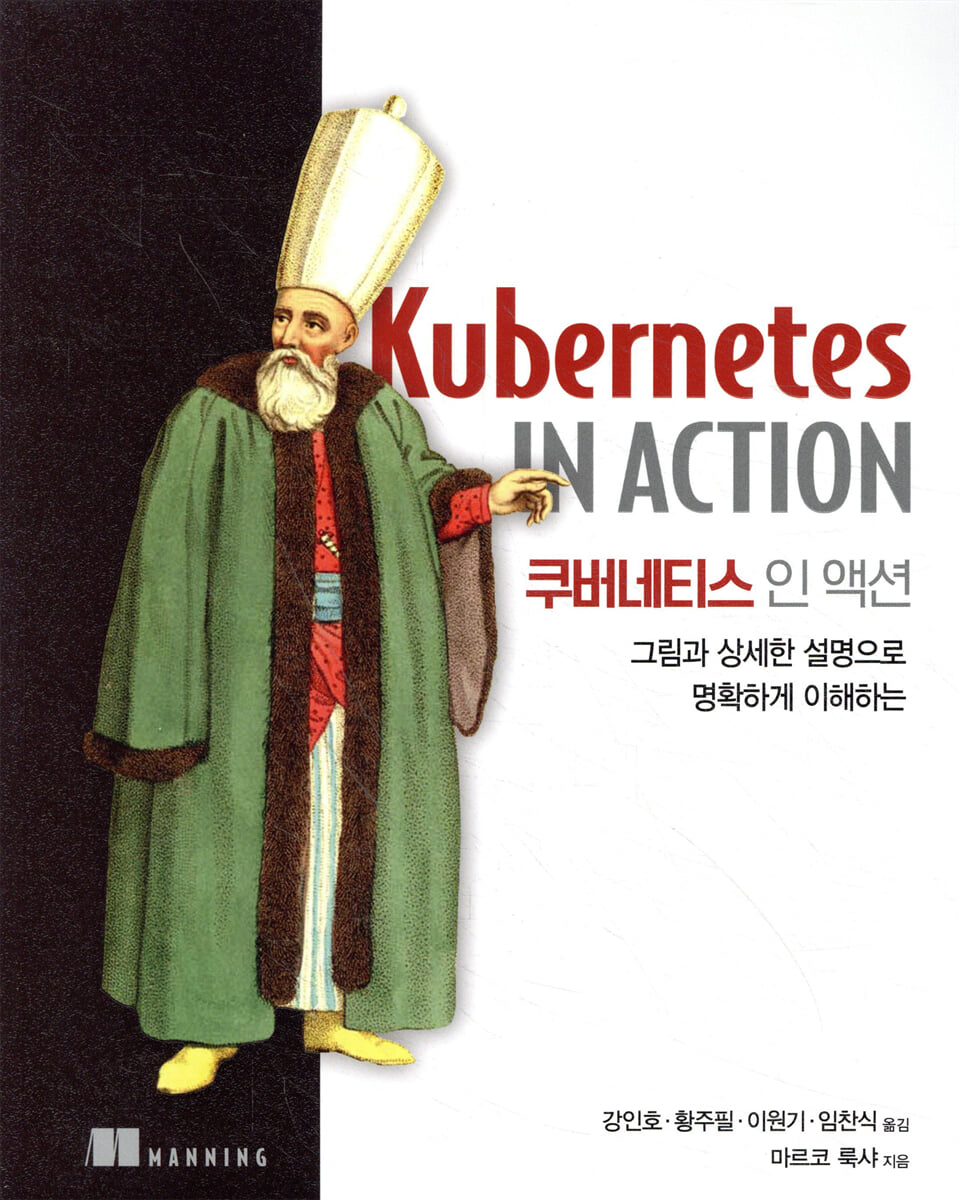
Kubernetes in Action
 |
Description
Book Introduction
This explains how to effectively develop and operate applications using Kubernetes in a way that even beginners can easily understand.
Examples and diagrams are provided to help you clearly understand the Kubernetes architecture and the concepts of each object.
The latter half also provides an easy explanation of Kubernetes' internal structure and operating principles, allowing you to examine both the inside and outside of Kubernetes.
Examples and diagrams are provided to help you clearly understand the Kubernetes architecture and the concepts of each object.
The latter half also provides an easy explanation of Kubernetes' internal structure and operating principles, allowing you to examine both the inside and outside of Kubernetes.
- You can preview some of the book's contents.
Preview
index
Part 1.
Kubernetes Overview
Chapter 1.
Introduction to Kubernetes
1.1 Why a System Like Kubernetes Is Needed
1.1.1 Transitioning from Monolithic Applications to Microservices
1.1.2 Providing a consistent environment for applications
1.1.3 Transitioning to Continuous Delivery: DevOps and NoOps
1.2 Introduction to Container Technology
1.2.1 Understanding Containers
1.2.2 Introducing the Docker Container Platform
1.2.3 Introducing rkt as an alternative to Docker
1.3 Introduction to Kubernetes
1.3.1 The Origins of Kubernetes
1.3.2 A Broader View of Kubernetes
1.3.3 Understanding Kubernetes Cluster Architecture
1.3.4 Running Applications on Kubernetes
1.3.5 Benefits of Using Kubernetes
1.4 Summary
Chapter 2.
First Steps with Docker and Kubernetes
2.1 Creating, Running, and Sharing Container Images Using Docker
2.1.1 Installing Docker and Running the Hello World Container
2.1.2 Creating a Simple Node.js Application
2.1.3 Creating a Dockerfile for the image
2.1.4 Creating a Container Image
2.1.5 Running the container image
2.1.6 Exploring Inside a Running Container
2.1.7 Stopping and Deleting Containers
2.1.8 Pushing images to the image registry
2.2 Installing a Kubernetes Cluster
2.2.1 Running a Single-Node Kubernetes Cluster Using Minikube
2.2.2 Using a Managed Kubernetes Cluster with Google Kubernetes Engine
2.2.3 Setting up kubectl aliases and command-line autocompletion
2.3 Running Your First Application on Kubernetes
2.3.1 Running a Node.js Application
2.3.2 Accessing the Web Application
2.3.3 Logical part of the system
2.3.4 Application Horizontal Scaling
2.3.5 Checking the Node Where the Application is Running
2.3.6 Introducing the Kubernetes Dashboard
2.4 Summary
Part 2.
Kubernetes Core Concepts
Chapter 3.
Pods: Running containers in Kubernetes
3.1 Introduction to Pads
3.1.1 Why Pads Are Needed
3.1.2 Understanding Pads
3.1.3 Proper configuration of containers in a pod
3.2 Creating a pod with a YAML or JSON descriptor
3.2.1 Examining the YAML descriptor of an existing pod
3.2.2 Writing a simple YAML definition defining a pod
3.2.3 Creating a pod with the kubectl create command
3.2.4 Viewing Application Logs
3.2.5 Sending a request to a pod
3.3 Configuring pods using labels
3.3.1 Label Introduction
3.3.2 Labeling when creating a pod
3.3.3 Modifying existing pad labels
3.4 Listing a subset of pods using label selectors
3.4.1 Listing pods using label selectors
3.4.2 Using multiple conditions in label selectors
3.5 Restricting pod scheduling using labels and selectors
3.5.1 Using Labels to Classify Worker Nodes
3.5.2 Scheduling pods on specific nodes
3.5.3 Scheduling to a specific node
3.6 Annotating Pads
3.6.1 Querying annotations on an object
3.6.2 Adding and Modifying Annotations
3.7 Grouping Resources Using Namespaces
3.7.1 The Need for Namespaces
3.7.2 Exploring Other Namespaces and Pods
3.7.3 Creating a Namespace
3.7.4 Managing Objects in Other Namespaces
3.7.5 Understanding the Isolation Provided by Namespaces
3.8 Stopping and Removing Pads
3.8.1 Deleting a pod by name
3.8.2 Deleting a Pod Using a Label Selector
3.8.3 Removing pods with deleted namespaces
3.8.4 Delete all pods within a namespace while maintaining the namespace
3.8.5 Delete (almost) all resources in a namespace
3.9 Summary
Chapter 4.
Replication and Other Controllers: Managed Pod Deployment
4.1 Keeping the Pad Stable
4.1.1 Introducing the Liveness Probe
4.1.2 Creating HTTP-based liveness probes
4.1.3 Checking the Liveness Probe in Action
4.1.4 Setting Additional Properties of the Liveness Probe
4.1.5 Creating Effective Liveness Probes
4.2 Introduction to Replication Controller
4.2.1 Replication Controller Operation
4.2.2 Creating a Replication Controller
4.2.3 Verifying Replication Controller Operation
4.2.4 Moving Pods In and Out of a ReplicationController's Scope
4.2.5 Changing the Pad Template
4.2.6 Horizontal Pad Scaling
4.2.7 Deleting a Replication Controller
4.3 Using ReplicaSets Instead of ReplicationControllers
4.3.1 Comparison of ReplicaSets and ReplicationControllers
4.3.2 Defining a ReplicaSet
4.3.3 Creating and inspecting a replica set
4.3.4 Using More Expressive Label Selectors for ReplicaSets
4.3.5 ReplicaSet Cleanup
4.4 Using DaemonSet to Run Exactly One Pod on Each Node
4.4.1 Running Pods on All Nodes with DaemonSet
4.4.2 Running Pods Only on Specific Nodes Using DaemonSets
4.5 Running a pod that performs a single, complete task
4.5.1 Introduction to Job Resources
4.5.2 Defining Job Resources
4.5.3 Viewing the Jobs That Run the Pods
4.5.4 Running Multiple Pod Instances in a Job
4.5.5 Limiting the time it takes for a job pod to complete
4.6 Scheduling a job to run periodically or once
4.6.1 Creating a cron job
4.6.2 Understanding How Scheduled Jobs Run
4.7 Summary
Chapter 5.
Service: Enables clients to discover and communicate with pods.
5.1 Service Introduction
5.1.1 Creating a Service
5.1.2 Service Search
5.2 Connecting to Services Outside the Cluster
5.2.1 Introducing Service Endpoints
5.2.2 Manually Configuring Service Endpoints
5.2.3 Creating an Alias for an External Service
5.3 Exposing Services to External Clients
5.3.1 Using the Nodeport Service
5.3.2 Exposing Services to External Load Balancers
5.3.3 Understanding the Characteristics of External Connections
5.4 Exposing Services Externally as Ingress Resources
5.4.1 Creating an Ingress Resource
5.4.2 Accessing Services with Ingress
5.4.3 Exposing Multiple Services with a Single Ingress
5.4.4 Configuring Ingress to Handle TLS Traffic
5.5 Signaling when a pod is ready to accept connections
5.5.1 Introduction to Readyness Probes
5.5.2 Adding a readiness probe to the pod
5.5.3 Functions that a readiness probe must perform in a real-world environment
5.6 Finding Individual Pods with Headless Services
5.6.1 Creating a Headless Service
5.6.2 Finding Pods with DNS
5.6.3 Search all pods - including unprepared pods
5.7 Troubleshooting Service Issues
5.8 Summary
Chapter 6.
Volume: Attaching disk storage to a container
6.1 Introduction to Volume
6.1.1 Volume Description of the Example
6.1.2 Introducing Available Volume Types
6.2 Sharing data between containers using volumes
6.2.1 Using emptyDir volumes
6.2.2 Using a Git Repository as a Volume
6.3 File Access on Worker Node Filesystem
6.3.1 Introducing the hostPath volume
6.3.2 Checking System Pods Using HostPath Volumes
6.4 Using Persistent Storage
6.4.1 Using GCE Persistent Disks as Pod Volumes
6.4.2 Using Other Types of Volumes with Persistent Storage
6.5-based storage technology and pod separation
6.5.1 Introducing PersistentVolumes and PersistentVolumeClaims
6.5.2 Creating a Persistent Volume
6.5.3 Requesting a Persistent Volume by Creating a Persistent Volume Claim
6.5.4 Using PersistentVolumeClaims in Pods
6.5.5 Understanding the Benefits of Using PersistentVolumes and PersistentVolumeClaims
6.5.6 Reusing PersistentVolumes
6.6 Dynamic Provisioning of Persistent Volumes
6.6.1 Defining Available Storage Types through StorageClass Resources
6.6.2 Requesting a Storage Class in a PersistentVolumeClaim
6.6.3 Dynamic provisioning without specifying a storage class
6.7 Summary
Chapter 7.
ConfigMaps and Secrets: Application Settings
7.1 Configuring Containerized Applications
7.2 Passing command-line arguments to a container
7.2.1 Defining Commands and Arguments in Docker
7.2.2 Redefining Commands and Arguments in Kubernetes
7.3 Setting container environment variables
7.3.1 Specifying environment variables in container definitions
7.3.2 Referencing other environment variables from variable values
7.3.3 Disadvantages of Hardcoded Environment Variables
7.4 Separating settings with ConfigMap
7.4.1 Introduction to ConfigMap
7.4.2 Creating a ConfigMap
7.4.3 Passing ConfigMap entries to containers as environment variables
7.4.4 Passing all items in a configmap as environment variables at once
7.4.5 Passing ConfigMap Entries as Command Line Arguments
7.4.6 Expose ConfigMap entries as files using ConfigMap volumes
7.4.7 Updating application settings without restarting the application
7.5 Passing sensitive data to containers using secrets
7.5.1 Introducing Secret
7.5.2 Introducing the Basic Token Secret
7.5.3 Creating a Secret
7.5.4 Comparing ConfigMap and Secret
7.5.5 Using Secrets in Pads
7.5.6 Understanding the Secrets Used When Retrieving Images
7.6 Summary
Chapter 8.
Accessing pod metadata and other resources from your application
8.1 Passing metadata through the Downward API
8.1.1 Understanding Available Metadata
8.1.2 Exposing metadata as environment variables
8.1.3 Passing metadata as a file to a downwardAPI volume
8.2 Communicating with the Kubernetes API Server
8.2.1 Exploring the Kubernetes REST API
8.2.2 Communicating with the API Server within a Pod
8.2.3 Simplifying API Server Communication Using Ambassador Containers
8.2.4 Communicating with the API Server Using the Client Library
8.3 Summary
Chapter 9.
Deployment: Declarative Application Updates
9.1 Updating Applications Running on Pods
9.1.1 Delete the old pod and replace it with a new pod.
9.1.2 Starting a new pod and deleting the old pod
9.2 Performing Automatic Rolling Updates with the Replication Controller
9.2.1 Running an Initial Version of the Application
9.2.2 Rolling Updates with kubectl
9.2.3 Why kubectl rolling-update is no longer used
9.3 Using Deployments to Declaratively Update Applications
9.3.1 Creating a Deployment
9.3.2 Deployment Update
9.3.3 Rolling Back a Deployment
9.3.4 Rollout Speed Control
9.3.5 Pausing the Rollout Process
9.3.6 Preventing incorrect version rollouts
9.4 Summary
Chapter 10.
StatefulSets: Deploying Replicated Stateful Applications
10.1 Replicating Stateful Pods
10.1.1 Running Multiple Replicas with Separate Storage
10.1.2 Providing a stable identity for each pod
10.2 Understanding StatefulSets
10.2.1 Comparing StatefulSets and ReplicaSets
10.2.2 Providing a Stable Network Identity
10.2.3 Providing Dedicated, Reliable Storage for Each Stateful Instance
10.2.4 Understanding StatefulSet Guarantees
10.3 Using StatefulSets
10.3.1 Creating Application and Container Images
10.3.2 Deploying Applications with StatefulSets
10.3.3 Playing with Pads
10.4 Peer Discovery in StatefulSets
10.4.1 Peer Discovery via DNS
10.4.2 StatefulSet Update
10.4.3 Using Clustered Datastores
10.5 Understanding How StatefulSets Handle Node Failures
10.5.1 Simulating a Node's Network Disconnection
10.5.2 Manually Deleting Pods
10.6 Summary
Part 3.
Kubernetes in-depth
Chapter 11.
Understanding Kubernetes Internals
11.1 Understanding Architecture
11.1.1 Distributed Characteristics of Kubernetes Components
11.1.2 How Kubernetes Uses etcd
11.1.3 API Server Functions
11.1.4 Understanding How API Servers Notify Clients of Resource Changes
11.1.5 Understanding the Scheduler
11.1.6 Introducing Controllers Running in the Controller Manager
11.1.7 What Kubelet Does
11.1.8 The Role of the Kubernetes Service Proxy
11.1.9 Introducing Kubernetes Add-ons
11.1.10 Bringing it all together
11.2 How Controllers Collaborate
11.2.1 Understanding Related Components
11.2.2 Event Chain
11.2.3 Observing Cluster Events
11.3 Understanding Running Pods
11.4 Networking between pods
11.4.1 What should the network look like?
11.4.2 Learn more about how networking works
11.4.3 Introducing Container Network Interfaces
11.5 Service Implementation Method
11.5.1 Introducing kube-proxy
11.5.2 How kube-proxy Uses iptables
11.6 Running a High Availability Cluster
11.6.1 Increasing Application Availability
11.6.2 Improving the availability of Kubernetes control plane components
11.7 Summary
Chapter 12.
Kubernetes API Server Security
12.1 Understanding Authentication
12.1.1 Users and Groups
12.1.2 Introduction to Service Accounts
12.1.3 Creating a Service Account
12.1.4 Assigning a Service Account to a Pod
12.2 Securing Clusters with Role-Based Access Control
12.2.1 Introducing the RBAC Authorization Plugin
12.2.2 Introduction to RBAC Resources
12.2.3 Using Rolls and Roll Bindings
12.2.4 Using Cluster Roles and Cluster Role Bindings
12.2.5 Understanding Default Cluster Roles and Cluster Role Bindings
12.2.6 Granting Authorization Wisely
12.3 Summary
Chapter 13.
Cluster Nodes and Network Security
13.1 Using the Host Node's Namespace in a Pod
13.1.1 Using a Node's Network Namespace in a Pod
13.1.2 Binding to a host port without using the host network namespace
13.1.3 Using Node PIDs and IPC Namespaces
13.2 Configuring the container's security context
13.2.1 Running a container as a specific user
13.2.2 Preventing containers from running as root
13.2.3 Running the pod in privileged mode
13.2.4 Adding Individual Kernel Features to Containers
13.2.5 Removing a Feature from a Container
13.2.6 Preventing processes from writing to the container's filesystem
13.2.7 Sharing Volumes When Containers Run as Different Users
13.3 Restricting the use of security-related features of the pod
13.3.1 Introducing the PodSecurityPolicy Resource
13.3.2 runAsUser, fsGroup, and supplementalGroups policies
13.3.3 Configuring allowed, default, and disallowed features
13.3.4 Limiting the Types of Volumes Pods Can Use
13.3.5 Assigning different PodSecurityPolicies to each user and group
13.4 Pod Network Isolation
13.4.1 Using Network Isolation in Namespaces
13.4.2 Allow only some client pods in a namespace to connect to server pods
13.4.3 Network Isolation Between Kubernetes Namespaces
13.4.4 Isolation using CIDR notation
13.4.5 Restricting Outbound Traffic from Pods
13.5 Summary
Chapter 14.
Managing pod computing resources
14.1 Resource Requests from Pod Containers
14.1.1 Creating a Pod with a Resource Request
14.1.2 How Resource Requests Affect Scheduling
14.1.3 How CPU Requests Affect CPU Time Sharing
14.1.4 Defining and Requesting Custom Resources
14.2 Limiting Resources Available to Containers
14.2.1 Set a hard limit on the amount of resources available to a container
14.2.2 Resource Limit Exceeded
14.2.3 How Container Applications View Limits
14.3 Understanding Pod QoS Classes
14.3.1 Defining QoS Classes for Pods
14.3.2 Understanding which processes are terminated when memory is low
14.4 Setting default requests and limits for pods per namespace
14.4.1 Introducing the LimitRange Resource
14.4.2 Creating a LimitRange Object
14.4.3 Forced Resource Limits
14.4.4 Basic Resource Requests and Limits
14.5 Limiting the Total Resources Available to a Namespace
14.5.1 Introducing the Resource Quota Object
14.5.2 Specifying Quotas for Persistent Storage
14.5.3 Limiting the number of objects that can be created
14.5.4 Specifying Quotas for Specific Pod States or QoS Classes
14.6 Monitoring Pod Resource Usage
14.6.1 Collecting and Retrieving Actual Resource Usage
14.6.2 Storing and analyzing periodic resource usage statistics
14.7 Summary
Chapter 15.
Autoscaling of pods and cluster nodes
15.1 Horizontal Pad Autoscaling
15.1.1 Understanding the Autoscaling Process
15.1.2 Scaling Based on CPU Utilization
15.1.3 Scaling based on memory consumption
15.1.4 Scaling Based on Other and Custom Metrics
15.1.5 Determining Metrics Suitable for Autoscaling
15.1.6 Reduce replicas to 0
15.2 Vertical Pad Autoscaling
15.2.1 Automatically Setting Resource Requests
15.2.2 Modifying resource requests while a pod is running
15.3 Horizontal Cluster Node Expansion
15.3.1 Introducing Cluster Autoscaler
15.3.2 Enabling Cluster Autoscaler
15.3.3 Limiting service interruptions during cluster scale-down
15.4 Summary
Chapter 16.
Advanced Scheduling
16.1 Restricting Pods from Running on Specific Nodes Using Taints and Tolerations
16.1.1 Introduction to Taint and Toleration
16.1.2 Adding Custom Taints to Nodes
16.1.3 Adding tolerance to pods
16.1.4 Understanding How to Use Tate and Toleration
16.2 Using Node Affinity to Direct Pods to Specific Nodes
16.2.1 Specifying Hard Node Affinity Rules
16.2.2 Specifying Node Priority at Pod Scheduling Time
16.3 Co-locating pods using pod affinity and anti-affinity
16.3.1 Deploying Pods on the Same Node Using Inter-Pod Affinity
16.3.2 Deploying Pods to the Same Rack, Availability Zone, or Region
16.3.3 Expressing Pad Affinity Preferences Instead of Mandatory Requirements
16.3.4 Scheduling Pods Away from Each Other Using Pod Anti-Affinity
16.4 Summary
Chapter 17.
Best Practices for Application Development
17.1 Putting it all together
17.2 Understanding the Pod Lifecycle
17.2.1 Expecting Application Termination and Pod Relocation
17.2.2 Rescheduling a terminated or partially terminated pod
17.2.3 Start pads in the desired order
17.2.4 Adding a lifecycle hook
17.2.5 Understanding Pad Shutdown
17.3 Ensuring proper handling of all client requests
17.3.1 Preventing Client Disconnects When a Pod Starts
17.3.2 Preventing disconnects during pod shutdown
17.4 Making it easy to run and manage applications on Kubernetes
17.4.1 Creating a Manageable Container Image
17.4.2 Tag your images appropriately and use imagePullPolicy wisely.
17.4.3 Using multidimensional labels instead of one-dimensional labels
17.4.4 Describing each resource with annotations
17.4.5 Provide information about why a process terminated.
17.4.6 Handling Application Logging
17.5 Development and Testing Best Practices
17.5.1 Running Applications Outside Kubernetes During Development
17.5.2 Using Minikube During Development
17.5.3 Versioning and Automated Deployment Resource Manifest
17.5.4 Introducing Ksonnet as an Alternative to YAML/JSON Manifests
17.5.5 Continuous Integration and Continuous Delivery
17.6 Summary
Chapter 18.
Scaling Kubernetes
18.1 Defining Custom API Objects
18.1.1 Introducing CustomResourceDefinition
18.1.2 Automating Custom Resources with Custom Controllers
18.1.3 Validating Custom Objects
18.1.4 Providing a Custom API Server for Custom Objects
18.2 Extending Kubernetes with the Kubernetes Service Catalog
18.2.1 Introducing the Service Catalog
18.2.2 Introducing the Service Catalog API Server and Controller Manager
18.2.3 Introducing Service Broker and the OpenServiceBroker API
18.2.4 Provisioning and Service Usage
18.2.5 Unbinding and Deprovisioning
18.2.6 Understanding the Benefits of the Service Catalog
18.3 Kubernetes-based platform
18.3.1 Red Hat OpenShift Container Platform
18.3.2 Deis Workflow and Helm
18.4 Summary
Appendix A.
Using kubectl in a multi-cluster environment
Appendix B.
Setting up a multi-node cluster using kubeadm
Appendix C.
Using a different container runtime
Appendix D.
Cluster Federation
Kubernetes resources covered in the book
Kubernetes Overview
Chapter 1.
Introduction to Kubernetes
1.1 Why a System Like Kubernetes Is Needed
1.1.1 Transitioning from Monolithic Applications to Microservices
1.1.2 Providing a consistent environment for applications
1.1.3 Transitioning to Continuous Delivery: DevOps and NoOps
1.2 Introduction to Container Technology
1.2.1 Understanding Containers
1.2.2 Introducing the Docker Container Platform
1.2.3 Introducing rkt as an alternative to Docker
1.3 Introduction to Kubernetes
1.3.1 The Origins of Kubernetes
1.3.2 A Broader View of Kubernetes
1.3.3 Understanding Kubernetes Cluster Architecture
1.3.4 Running Applications on Kubernetes
1.3.5 Benefits of Using Kubernetes
1.4 Summary
Chapter 2.
First Steps with Docker and Kubernetes
2.1 Creating, Running, and Sharing Container Images Using Docker
2.1.1 Installing Docker and Running the Hello World Container
2.1.2 Creating a Simple Node.js Application
2.1.3 Creating a Dockerfile for the image
2.1.4 Creating a Container Image
2.1.5 Running the container image
2.1.6 Exploring Inside a Running Container
2.1.7 Stopping and Deleting Containers
2.1.8 Pushing images to the image registry
2.2 Installing a Kubernetes Cluster
2.2.1 Running a Single-Node Kubernetes Cluster Using Minikube
2.2.2 Using a Managed Kubernetes Cluster with Google Kubernetes Engine
2.2.3 Setting up kubectl aliases and command-line autocompletion
2.3 Running Your First Application on Kubernetes
2.3.1 Running a Node.js Application
2.3.2 Accessing the Web Application
2.3.3 Logical part of the system
2.3.4 Application Horizontal Scaling
2.3.5 Checking the Node Where the Application is Running
2.3.6 Introducing the Kubernetes Dashboard
2.4 Summary
Part 2.
Kubernetes Core Concepts
Chapter 3.
Pods: Running containers in Kubernetes
3.1 Introduction to Pads
3.1.1 Why Pads Are Needed
3.1.2 Understanding Pads
3.1.3 Proper configuration of containers in a pod
3.2 Creating a pod with a YAML or JSON descriptor
3.2.1 Examining the YAML descriptor of an existing pod
3.2.2 Writing a simple YAML definition defining a pod
3.2.3 Creating a pod with the kubectl create command
3.2.4 Viewing Application Logs
3.2.5 Sending a request to a pod
3.3 Configuring pods using labels
3.3.1 Label Introduction
3.3.2 Labeling when creating a pod
3.3.3 Modifying existing pad labels
3.4 Listing a subset of pods using label selectors
3.4.1 Listing pods using label selectors
3.4.2 Using multiple conditions in label selectors
3.5 Restricting pod scheduling using labels and selectors
3.5.1 Using Labels to Classify Worker Nodes
3.5.2 Scheduling pods on specific nodes
3.5.3 Scheduling to a specific node
3.6 Annotating Pads
3.6.1 Querying annotations on an object
3.6.2 Adding and Modifying Annotations
3.7 Grouping Resources Using Namespaces
3.7.1 The Need for Namespaces
3.7.2 Exploring Other Namespaces and Pods
3.7.3 Creating a Namespace
3.7.4 Managing Objects in Other Namespaces
3.7.5 Understanding the Isolation Provided by Namespaces
3.8 Stopping and Removing Pads
3.8.1 Deleting a pod by name
3.8.2 Deleting a Pod Using a Label Selector
3.8.3 Removing pods with deleted namespaces
3.8.4 Delete all pods within a namespace while maintaining the namespace
3.8.5 Delete (almost) all resources in a namespace
3.9 Summary
Chapter 4.
Replication and Other Controllers: Managed Pod Deployment
4.1 Keeping the Pad Stable
4.1.1 Introducing the Liveness Probe
4.1.2 Creating HTTP-based liveness probes
4.1.3 Checking the Liveness Probe in Action
4.1.4 Setting Additional Properties of the Liveness Probe
4.1.5 Creating Effective Liveness Probes
4.2 Introduction to Replication Controller
4.2.1 Replication Controller Operation
4.2.2 Creating a Replication Controller
4.2.3 Verifying Replication Controller Operation
4.2.4 Moving Pods In and Out of a ReplicationController's Scope
4.2.5 Changing the Pad Template
4.2.6 Horizontal Pad Scaling
4.2.7 Deleting a Replication Controller
4.3 Using ReplicaSets Instead of ReplicationControllers
4.3.1 Comparison of ReplicaSets and ReplicationControllers
4.3.2 Defining a ReplicaSet
4.3.3 Creating and inspecting a replica set
4.3.4 Using More Expressive Label Selectors for ReplicaSets
4.3.5 ReplicaSet Cleanup
4.4 Using DaemonSet to Run Exactly One Pod on Each Node
4.4.1 Running Pods on All Nodes with DaemonSet
4.4.2 Running Pods Only on Specific Nodes Using DaemonSets
4.5 Running a pod that performs a single, complete task
4.5.1 Introduction to Job Resources
4.5.2 Defining Job Resources
4.5.3 Viewing the Jobs That Run the Pods
4.5.4 Running Multiple Pod Instances in a Job
4.5.5 Limiting the time it takes for a job pod to complete
4.6 Scheduling a job to run periodically or once
4.6.1 Creating a cron job
4.6.2 Understanding How Scheduled Jobs Run
4.7 Summary
Chapter 5.
Service: Enables clients to discover and communicate with pods.
5.1 Service Introduction
5.1.1 Creating a Service
5.1.2 Service Search
5.2 Connecting to Services Outside the Cluster
5.2.1 Introducing Service Endpoints
5.2.2 Manually Configuring Service Endpoints
5.2.3 Creating an Alias for an External Service
5.3 Exposing Services to External Clients
5.3.1 Using the Nodeport Service
5.3.2 Exposing Services to External Load Balancers
5.3.3 Understanding the Characteristics of External Connections
5.4 Exposing Services Externally as Ingress Resources
5.4.1 Creating an Ingress Resource
5.4.2 Accessing Services with Ingress
5.4.3 Exposing Multiple Services with a Single Ingress
5.4.4 Configuring Ingress to Handle TLS Traffic
5.5 Signaling when a pod is ready to accept connections
5.5.1 Introduction to Readyness Probes
5.5.2 Adding a readiness probe to the pod
5.5.3 Functions that a readiness probe must perform in a real-world environment
5.6 Finding Individual Pods with Headless Services
5.6.1 Creating a Headless Service
5.6.2 Finding Pods with DNS
5.6.3 Search all pods - including unprepared pods
5.7 Troubleshooting Service Issues
5.8 Summary
Chapter 6.
Volume: Attaching disk storage to a container
6.1 Introduction to Volume
6.1.1 Volume Description of the Example
6.1.2 Introducing Available Volume Types
6.2 Sharing data between containers using volumes
6.2.1 Using emptyDir volumes
6.2.2 Using a Git Repository as a Volume
6.3 File Access on Worker Node Filesystem
6.3.1 Introducing the hostPath volume
6.3.2 Checking System Pods Using HostPath Volumes
6.4 Using Persistent Storage
6.4.1 Using GCE Persistent Disks as Pod Volumes
6.4.2 Using Other Types of Volumes with Persistent Storage
6.5-based storage technology and pod separation
6.5.1 Introducing PersistentVolumes and PersistentVolumeClaims
6.5.2 Creating a Persistent Volume
6.5.3 Requesting a Persistent Volume by Creating a Persistent Volume Claim
6.5.4 Using PersistentVolumeClaims in Pods
6.5.5 Understanding the Benefits of Using PersistentVolumes and PersistentVolumeClaims
6.5.6 Reusing PersistentVolumes
6.6 Dynamic Provisioning of Persistent Volumes
6.6.1 Defining Available Storage Types through StorageClass Resources
6.6.2 Requesting a Storage Class in a PersistentVolumeClaim
6.6.3 Dynamic provisioning without specifying a storage class
6.7 Summary
Chapter 7.
ConfigMaps and Secrets: Application Settings
7.1 Configuring Containerized Applications
7.2 Passing command-line arguments to a container
7.2.1 Defining Commands and Arguments in Docker
7.2.2 Redefining Commands and Arguments in Kubernetes
7.3 Setting container environment variables
7.3.1 Specifying environment variables in container definitions
7.3.2 Referencing other environment variables from variable values
7.3.3 Disadvantages of Hardcoded Environment Variables
7.4 Separating settings with ConfigMap
7.4.1 Introduction to ConfigMap
7.4.2 Creating a ConfigMap
7.4.3 Passing ConfigMap entries to containers as environment variables
7.4.4 Passing all items in a configmap as environment variables at once
7.4.5 Passing ConfigMap Entries as Command Line Arguments
7.4.6 Expose ConfigMap entries as files using ConfigMap volumes
7.4.7 Updating application settings without restarting the application
7.5 Passing sensitive data to containers using secrets
7.5.1 Introducing Secret
7.5.2 Introducing the Basic Token Secret
7.5.3 Creating a Secret
7.5.4 Comparing ConfigMap and Secret
7.5.5 Using Secrets in Pads
7.5.6 Understanding the Secrets Used When Retrieving Images
7.6 Summary
Chapter 8.
Accessing pod metadata and other resources from your application
8.1 Passing metadata through the Downward API
8.1.1 Understanding Available Metadata
8.1.2 Exposing metadata as environment variables
8.1.3 Passing metadata as a file to a downwardAPI volume
8.2 Communicating with the Kubernetes API Server
8.2.1 Exploring the Kubernetes REST API
8.2.2 Communicating with the API Server within a Pod
8.2.3 Simplifying API Server Communication Using Ambassador Containers
8.2.4 Communicating with the API Server Using the Client Library
8.3 Summary
Chapter 9.
Deployment: Declarative Application Updates
9.1 Updating Applications Running on Pods
9.1.1 Delete the old pod and replace it with a new pod.
9.1.2 Starting a new pod and deleting the old pod
9.2 Performing Automatic Rolling Updates with the Replication Controller
9.2.1 Running an Initial Version of the Application
9.2.2 Rolling Updates with kubectl
9.2.3 Why kubectl rolling-update is no longer used
9.3 Using Deployments to Declaratively Update Applications
9.3.1 Creating a Deployment
9.3.2 Deployment Update
9.3.3 Rolling Back a Deployment
9.3.4 Rollout Speed Control
9.3.5 Pausing the Rollout Process
9.3.6 Preventing incorrect version rollouts
9.4 Summary
Chapter 10.
StatefulSets: Deploying Replicated Stateful Applications
10.1 Replicating Stateful Pods
10.1.1 Running Multiple Replicas with Separate Storage
10.1.2 Providing a stable identity for each pod
10.2 Understanding StatefulSets
10.2.1 Comparing StatefulSets and ReplicaSets
10.2.2 Providing a Stable Network Identity
10.2.3 Providing Dedicated, Reliable Storage for Each Stateful Instance
10.2.4 Understanding StatefulSet Guarantees
10.3 Using StatefulSets
10.3.1 Creating Application and Container Images
10.3.2 Deploying Applications with StatefulSets
10.3.3 Playing with Pads
10.4 Peer Discovery in StatefulSets
10.4.1 Peer Discovery via DNS
10.4.2 StatefulSet Update
10.4.3 Using Clustered Datastores
10.5 Understanding How StatefulSets Handle Node Failures
10.5.1 Simulating a Node's Network Disconnection
10.5.2 Manually Deleting Pods
10.6 Summary
Part 3.
Kubernetes in-depth
Chapter 11.
Understanding Kubernetes Internals
11.1 Understanding Architecture
11.1.1 Distributed Characteristics of Kubernetes Components
11.1.2 How Kubernetes Uses etcd
11.1.3 API Server Functions
11.1.4 Understanding How API Servers Notify Clients of Resource Changes
11.1.5 Understanding the Scheduler
11.1.6 Introducing Controllers Running in the Controller Manager
11.1.7 What Kubelet Does
11.1.8 The Role of the Kubernetes Service Proxy
11.1.9 Introducing Kubernetes Add-ons
11.1.10 Bringing it all together
11.2 How Controllers Collaborate
11.2.1 Understanding Related Components
11.2.2 Event Chain
11.2.3 Observing Cluster Events
11.3 Understanding Running Pods
11.4 Networking between pods
11.4.1 What should the network look like?
11.4.2 Learn more about how networking works
11.4.3 Introducing Container Network Interfaces
11.5 Service Implementation Method
11.5.1 Introducing kube-proxy
11.5.2 How kube-proxy Uses iptables
11.6 Running a High Availability Cluster
11.6.1 Increasing Application Availability
11.6.2 Improving the availability of Kubernetes control plane components
11.7 Summary
Chapter 12.
Kubernetes API Server Security
12.1 Understanding Authentication
12.1.1 Users and Groups
12.1.2 Introduction to Service Accounts
12.1.3 Creating a Service Account
12.1.4 Assigning a Service Account to a Pod
12.2 Securing Clusters with Role-Based Access Control
12.2.1 Introducing the RBAC Authorization Plugin
12.2.2 Introduction to RBAC Resources
12.2.3 Using Rolls and Roll Bindings
12.2.4 Using Cluster Roles and Cluster Role Bindings
12.2.5 Understanding Default Cluster Roles and Cluster Role Bindings
12.2.6 Granting Authorization Wisely
12.3 Summary
Chapter 13.
Cluster Nodes and Network Security
13.1 Using the Host Node's Namespace in a Pod
13.1.1 Using a Node's Network Namespace in a Pod
13.1.2 Binding to a host port without using the host network namespace
13.1.3 Using Node PIDs and IPC Namespaces
13.2 Configuring the container's security context
13.2.1 Running a container as a specific user
13.2.2 Preventing containers from running as root
13.2.3 Running the pod in privileged mode
13.2.4 Adding Individual Kernel Features to Containers
13.2.5 Removing a Feature from a Container
13.2.6 Preventing processes from writing to the container's filesystem
13.2.7 Sharing Volumes When Containers Run as Different Users
13.3 Restricting the use of security-related features of the pod
13.3.1 Introducing the PodSecurityPolicy Resource
13.3.2 runAsUser, fsGroup, and supplementalGroups policies
13.3.3 Configuring allowed, default, and disallowed features
13.3.4 Limiting the Types of Volumes Pods Can Use
13.3.5 Assigning different PodSecurityPolicies to each user and group
13.4 Pod Network Isolation
13.4.1 Using Network Isolation in Namespaces
13.4.2 Allow only some client pods in a namespace to connect to server pods
13.4.3 Network Isolation Between Kubernetes Namespaces
13.4.4 Isolation using CIDR notation
13.4.5 Restricting Outbound Traffic from Pods
13.5 Summary
Chapter 14.
Managing pod computing resources
14.1 Resource Requests from Pod Containers
14.1.1 Creating a Pod with a Resource Request
14.1.2 How Resource Requests Affect Scheduling
14.1.3 How CPU Requests Affect CPU Time Sharing
14.1.4 Defining and Requesting Custom Resources
14.2 Limiting Resources Available to Containers
14.2.1 Set a hard limit on the amount of resources available to a container
14.2.2 Resource Limit Exceeded
14.2.3 How Container Applications View Limits
14.3 Understanding Pod QoS Classes
14.3.1 Defining QoS Classes for Pods
14.3.2 Understanding which processes are terminated when memory is low
14.4 Setting default requests and limits for pods per namespace
14.4.1 Introducing the LimitRange Resource
14.4.2 Creating a LimitRange Object
14.4.3 Forced Resource Limits
14.4.4 Basic Resource Requests and Limits
14.5 Limiting the Total Resources Available to a Namespace
14.5.1 Introducing the Resource Quota Object
14.5.2 Specifying Quotas for Persistent Storage
14.5.3 Limiting the number of objects that can be created
14.5.4 Specifying Quotas for Specific Pod States or QoS Classes
14.6 Monitoring Pod Resource Usage
14.6.1 Collecting and Retrieving Actual Resource Usage
14.6.2 Storing and analyzing periodic resource usage statistics
14.7 Summary
Chapter 15.
Autoscaling of pods and cluster nodes
15.1 Horizontal Pad Autoscaling
15.1.1 Understanding the Autoscaling Process
15.1.2 Scaling Based on CPU Utilization
15.1.3 Scaling based on memory consumption
15.1.4 Scaling Based on Other and Custom Metrics
15.1.5 Determining Metrics Suitable for Autoscaling
15.1.6 Reduce replicas to 0
15.2 Vertical Pad Autoscaling
15.2.1 Automatically Setting Resource Requests
15.2.2 Modifying resource requests while a pod is running
15.3 Horizontal Cluster Node Expansion
15.3.1 Introducing Cluster Autoscaler
15.3.2 Enabling Cluster Autoscaler
15.3.3 Limiting service interruptions during cluster scale-down
15.4 Summary
Chapter 16.
Advanced Scheduling
16.1 Restricting Pods from Running on Specific Nodes Using Taints and Tolerations
16.1.1 Introduction to Taint and Toleration
16.1.2 Adding Custom Taints to Nodes
16.1.3 Adding tolerance to pods
16.1.4 Understanding How to Use Tate and Toleration
16.2 Using Node Affinity to Direct Pods to Specific Nodes
16.2.1 Specifying Hard Node Affinity Rules
16.2.2 Specifying Node Priority at Pod Scheduling Time
16.3 Co-locating pods using pod affinity and anti-affinity
16.3.1 Deploying Pods on the Same Node Using Inter-Pod Affinity
16.3.2 Deploying Pods to the Same Rack, Availability Zone, or Region
16.3.3 Expressing Pad Affinity Preferences Instead of Mandatory Requirements
16.3.4 Scheduling Pods Away from Each Other Using Pod Anti-Affinity
16.4 Summary
Chapter 17.
Best Practices for Application Development
17.1 Putting it all together
17.2 Understanding the Pod Lifecycle
17.2.1 Expecting Application Termination and Pod Relocation
17.2.2 Rescheduling a terminated or partially terminated pod
17.2.3 Start pads in the desired order
17.2.4 Adding a lifecycle hook
17.2.5 Understanding Pad Shutdown
17.3 Ensuring proper handling of all client requests
17.3.1 Preventing Client Disconnects When a Pod Starts
17.3.2 Preventing disconnects during pod shutdown
17.4 Making it easy to run and manage applications on Kubernetes
17.4.1 Creating a Manageable Container Image
17.4.2 Tag your images appropriately and use imagePullPolicy wisely.
17.4.3 Using multidimensional labels instead of one-dimensional labels
17.4.4 Describing each resource with annotations
17.4.5 Provide information about why a process terminated.
17.4.6 Handling Application Logging
17.5 Development and Testing Best Practices
17.5.1 Running Applications Outside Kubernetes During Development
17.5.2 Using Minikube During Development
17.5.3 Versioning and Automated Deployment Resource Manifest
17.5.4 Introducing Ksonnet as an Alternative to YAML/JSON Manifests
17.5.5 Continuous Integration and Continuous Delivery
17.6 Summary
Chapter 18.
Scaling Kubernetes
18.1 Defining Custom API Objects
18.1.1 Introducing CustomResourceDefinition
18.1.2 Automating Custom Resources with Custom Controllers
18.1.3 Validating Custom Objects
18.1.4 Providing a Custom API Server for Custom Objects
18.2 Extending Kubernetes with the Kubernetes Service Catalog
18.2.1 Introducing the Service Catalog
18.2.2 Introducing the Service Catalog API Server and Controller Manager
18.2.3 Introducing Service Broker and the OpenServiceBroker API
18.2.4 Provisioning and Service Usage
18.2.5 Unbinding and Deprovisioning
18.2.6 Understanding the Benefits of the Service Catalog
18.3 Kubernetes-based platform
18.3.1 Red Hat OpenShift Container Platform
18.3.2 Deis Workflow and Helm
18.4 Summary
Appendix A.
Using kubectl in a multi-cluster environment
Appendix B.
Setting up a multi-node cluster using kubeadm
Appendix C.
Using a different container runtime
Appendix D.
Cluster Federation
Kubernetes resources covered in the book
Publisher's Review
★ What this book covers ★
■ Kubernetes internal structure
■ Deploying containers on a cluster
■ Cluster Security
■ Application updates without interruption
★ Target audience for this book ★
It is aimed at beginner and intermediate software developers who are not familiar with Docker or container orchestration systems.
Although primarily aimed at application developers, it also provides an overview of application management from an operational perspective.
This is suitable for anyone interested in running and managing containerized applications in a multi-server environment.
Beginners and advanced software engineers who want to learn container technologies and scale multiple related containers will gain the expertise needed to develop, containerize, and run applications in a Kubernetes environment.
No previous container technology or Kubernetes experience is required.
It explains the topic in detail step by step and does not use application source code that is difficult for non-expert developers to understand.
However, you should have at least basic knowledge of programming, computer networking, basic Linux command execution, and an understanding of well-known protocols such as HTTP.
★ Structure of this book ★
This book divides Chapter 18 into three parts.
Part 1 briefly introduces Docker and Kubernetes, explains how to install a Kubernetes cluster, and runs a simple application.
Part 1 has two chapters.
Chapter 1 explains what Kubernetes is, how it came to be, and how it helps solve today's challenges of managing applications at scale.
Chapter 2 provides a hands-on tutorial on how to build a container image and run it on a Kubernetes cluster.
It also explains how to run a single-node Kubernetes cluster locally and how to run a multi-node cluster in the cloud.
Part 2 introduces the core concepts you must understand to run applications on Kubernetes.
The chapters of Part 2 are as follows:
Chapter 3 introduces Pods, the basic building blocks of Kubernetes, and explains how to organize Pods and other Kubernetes objects using labels.
Chapter 4 shows you how Kubernetes automatically restarts containers to keep your applications healthy.
You will also learn how to properly run managed pods, scale horizontally, make them resilient to cluster node failures, and run them at predefined times or periodically.
Chapter 5 shows how to expose the services provided by pods to clients inside and outside the cluster.
It also shows how to discover and access services regardless of whether the pods running in the cluster reside inside or outside the cluster.
Chapter 6 explains how multiple containers running on the same pod can share files and how to manage persistent storage and make it accessible to pods.
Chapter 7 shows how to pass important information, such as configuration data and credentials, to applications running inside pods.
Chapter 8 explains how to obtain information about the Kubernetes environment in which your application is running and how to communicate with Kubernetes to change the state of the cluster.
Chapter 9 introduces the concept of deployment and guides you through the proper way to run and update applications in a Kubernetes environment.
Chapter 10 introduces how to run stateful applications that require stable identity and state.
Part 3 takes a deeper look into the internals of a Kubernetes cluster, introducing some additional concepts and building on what we learned in Parts 1 and 2 at a higher level.
The final composition is as follows:
Chapter 11 describes all the components that make up a Kubernetes cluster and the role of each component.
It also explains how pods communicate over the network and how a service load balances multiple pods.
Chapter 12 explains how to secure the Kubernetes API server using authentication and authorization.
Chapter 13 explains how pods can access resources on a node and how cluster administrators can prevent pods from accessing resources.
Chapter 14 covers how to constrain the computing resources available to applications, configure quality of service (QoS) guarantees for applications, and monitor resource usage for individual applications.
It also tells you how to prevent users from using too many resources.
Chapter 15 explains how to configure Kubernetes to automatically scale the number of replicas running in your application and how to increase the cluster size to accommodate applications beyond the current number of cluster nodes.
Chapter 16 shows how to schedule pods only on specific nodes or prevent pods from being scheduled to other nodes.
We also look at how to schedule pods together or not together.
Chapter 17 shows you how to develop applications that are suitable for Kubernetes clusters.
It also provides some guidance on how to set up your development and testing workflow to reduce friction during development.
Chapter 18 shows how you can extend Kubernetes with custom objects and how others have built enterprise-grade application platforms.
Through the above content, you will get to know each component of Kubernetes and gradually learn how to use the kubectl command-line tool.
★ Author's Note ★
After working at Red Hat for several years, I was assigned to the newly created Cloud Enablement team in late 2014.
The mission was to migrate the company's middleware portfolio to the OpenShift container platform built on Kubernetes.
At that time, Kubernetes was in its initial version (1.0) and had not been officially released.
To set the right direction for the software and take advantage of the features Kubernetes offers, we needed to quickly understand all the features of Kubernetes.
When problems occurred, it was difficult to tell whether we had done something wrong or if it was a bug in an early version of Kubernetes.
Since then, Kubernetes has developed rapidly and I have come to understand Kubernetes a lot.
I started using Kubernetes when the term itself was unfamiliar.
It is now the fastest-growing and most widely used way to run applications in the cloud and on-premises data centers, making it a familiar concept to almost every software engineer.
About a month after I got into Kubernetes, I wrote two blog posts about how to run a JBoss WildFly application server cluster on OpenShift/Kubernetes.
At the time, I never imagined that someone at Manning Publishing would contact me after reading my blog post and ask me to write a book about Kubernetes.
I didn't turn down the offer, even if it meant contacting someone who might be able to write a book.
That's how I came to write this book.
After more than a year and a half of dedicated writing and research, I finally put an end to it.
It was a very valuable experience.
Writing the book has taught me much more about Kubernetes than I ever could have learned it as a user.
As my knowledge of Kubernetes expanded and Kubernetes evolved, I had to revise and refine what I had previously written.
I am a perfectionist.
I am not satisfied with this book.
Nevertheless, I am delighted that so many readers of the Manning Early Access Program (MEAP) have found this book to be an excellent guide to Kubernetes.
My goal is to teach readers how to understand the technology itself and use the tools to develop and deploy applications on Kubernetes clusters effectively and efficiently.
This book doesn't actually focus on configuring or operating a Kubernetes cluster with a reasonable level of availability.
However, in the final three parts, we've written a detailed overview of the cluster's configuration and additional resources for readers to understand.
I hope you enjoy learning how to get the most out of this amazing system called Kubernetes.
★ Translator's Note ★
Since Google announced Kubernetes in 2014, it has quickly become one of the most popular technologies.
In a computing environment where business agility is increasingly emphasized, microservices architecture (MSA) has become the de facto standard, and Kubernetes has recently been in the spotlight as the most suitable technology for implementing MSA environments.
In addition, Kubernetes is being introduced and utilized in various fields, such as edge computing in IoT environments, machine learning workflow deployment (kubeflow) support in data science, virtualization of communication infrastructure (VNF, Virtual Network Function) in 5G, and further as a key technology for supporting hybrid or multi-cloud.
Reflecting this fervent enthusiasm, many books have been published and translated, but the reason I took on the task of working on a re-release of this book, which seems a bit out of date, is because I was first fascinated by the author's appropriate visualization and metaphor-based explanation of concepts, and because it is a book that can be called the bible of the Kubernetes field, with its solid structure that covers the detailed explanation of the internal structure of Kubernetes and even multi-cloud and Kubernetes expansion.
The translators of this book are members of the study group '100-Day Kubernetes Architecture Journey', a study group based on this book within the 'Kubernetes Korea Group', and have made every effort to make this re-release as easy and smooth to read as possible for readers.
We tried to follow the Kubernetes Korean translation team's glossary as closely as possible for the terminology, checked that the examples can be run on the latest version of Kubernetes, and added various annotations to help readers understand.
Although the original text is well-structured overall, there were many subtle parts that were difficult to convey through translation when explaining concepts, and a considerable amount of effort was put into conveying these parts in Korean.
As a translator, I would be extremely rewarded if I could hear comments saying that my work was smooth and easy to read.
■ Kubernetes internal structure
■ Deploying containers on a cluster
■ Cluster Security
■ Application updates without interruption
★ Target audience for this book ★
It is aimed at beginner and intermediate software developers who are not familiar with Docker or container orchestration systems.
Although primarily aimed at application developers, it also provides an overview of application management from an operational perspective.
This is suitable for anyone interested in running and managing containerized applications in a multi-server environment.
Beginners and advanced software engineers who want to learn container technologies and scale multiple related containers will gain the expertise needed to develop, containerize, and run applications in a Kubernetes environment.
No previous container technology or Kubernetes experience is required.
It explains the topic in detail step by step and does not use application source code that is difficult for non-expert developers to understand.
However, you should have at least basic knowledge of programming, computer networking, basic Linux command execution, and an understanding of well-known protocols such as HTTP.
★ Structure of this book ★
This book divides Chapter 18 into three parts.
Part 1 briefly introduces Docker and Kubernetes, explains how to install a Kubernetes cluster, and runs a simple application.
Part 1 has two chapters.
Chapter 1 explains what Kubernetes is, how it came to be, and how it helps solve today's challenges of managing applications at scale.
Chapter 2 provides a hands-on tutorial on how to build a container image and run it on a Kubernetes cluster.
It also explains how to run a single-node Kubernetes cluster locally and how to run a multi-node cluster in the cloud.
Part 2 introduces the core concepts you must understand to run applications on Kubernetes.
The chapters of Part 2 are as follows:
Chapter 3 introduces Pods, the basic building blocks of Kubernetes, and explains how to organize Pods and other Kubernetes objects using labels.
Chapter 4 shows you how Kubernetes automatically restarts containers to keep your applications healthy.
You will also learn how to properly run managed pods, scale horizontally, make them resilient to cluster node failures, and run them at predefined times or periodically.
Chapter 5 shows how to expose the services provided by pods to clients inside and outside the cluster.
It also shows how to discover and access services regardless of whether the pods running in the cluster reside inside or outside the cluster.
Chapter 6 explains how multiple containers running on the same pod can share files and how to manage persistent storage and make it accessible to pods.
Chapter 7 shows how to pass important information, such as configuration data and credentials, to applications running inside pods.
Chapter 8 explains how to obtain information about the Kubernetes environment in which your application is running and how to communicate with Kubernetes to change the state of the cluster.
Chapter 9 introduces the concept of deployment and guides you through the proper way to run and update applications in a Kubernetes environment.
Chapter 10 introduces how to run stateful applications that require stable identity and state.
Part 3 takes a deeper look into the internals of a Kubernetes cluster, introducing some additional concepts and building on what we learned in Parts 1 and 2 at a higher level.
The final composition is as follows:
Chapter 11 describes all the components that make up a Kubernetes cluster and the role of each component.
It also explains how pods communicate over the network and how a service load balances multiple pods.
Chapter 12 explains how to secure the Kubernetes API server using authentication and authorization.
Chapter 13 explains how pods can access resources on a node and how cluster administrators can prevent pods from accessing resources.
Chapter 14 covers how to constrain the computing resources available to applications, configure quality of service (QoS) guarantees for applications, and monitor resource usage for individual applications.
It also tells you how to prevent users from using too many resources.
Chapter 15 explains how to configure Kubernetes to automatically scale the number of replicas running in your application and how to increase the cluster size to accommodate applications beyond the current number of cluster nodes.
Chapter 16 shows how to schedule pods only on specific nodes or prevent pods from being scheduled to other nodes.
We also look at how to schedule pods together or not together.
Chapter 17 shows you how to develop applications that are suitable for Kubernetes clusters.
It also provides some guidance on how to set up your development and testing workflow to reduce friction during development.
Chapter 18 shows how you can extend Kubernetes with custom objects and how others have built enterprise-grade application platforms.
Through the above content, you will get to know each component of Kubernetes and gradually learn how to use the kubectl command-line tool.
★ Author's Note ★
After working at Red Hat for several years, I was assigned to the newly created Cloud Enablement team in late 2014.
The mission was to migrate the company's middleware portfolio to the OpenShift container platform built on Kubernetes.
At that time, Kubernetes was in its initial version (1.0) and had not been officially released.
To set the right direction for the software and take advantage of the features Kubernetes offers, we needed to quickly understand all the features of Kubernetes.
When problems occurred, it was difficult to tell whether we had done something wrong or if it was a bug in an early version of Kubernetes.
Since then, Kubernetes has developed rapidly and I have come to understand Kubernetes a lot.
I started using Kubernetes when the term itself was unfamiliar.
It is now the fastest-growing and most widely used way to run applications in the cloud and on-premises data centers, making it a familiar concept to almost every software engineer.
About a month after I got into Kubernetes, I wrote two blog posts about how to run a JBoss WildFly application server cluster on OpenShift/Kubernetes.
At the time, I never imagined that someone at Manning Publishing would contact me after reading my blog post and ask me to write a book about Kubernetes.
I didn't turn down the offer, even if it meant contacting someone who might be able to write a book.
That's how I came to write this book.
After more than a year and a half of dedicated writing and research, I finally put an end to it.
It was a very valuable experience.
Writing the book has taught me much more about Kubernetes than I ever could have learned it as a user.
As my knowledge of Kubernetes expanded and Kubernetes evolved, I had to revise and refine what I had previously written.
I am a perfectionist.
I am not satisfied with this book.
Nevertheless, I am delighted that so many readers of the Manning Early Access Program (MEAP) have found this book to be an excellent guide to Kubernetes.
My goal is to teach readers how to understand the technology itself and use the tools to develop and deploy applications on Kubernetes clusters effectively and efficiently.
This book doesn't actually focus on configuring or operating a Kubernetes cluster with a reasonable level of availability.
However, in the final three parts, we've written a detailed overview of the cluster's configuration and additional resources for readers to understand.
I hope you enjoy learning how to get the most out of this amazing system called Kubernetes.
★ Translator's Note ★
Since Google announced Kubernetes in 2014, it has quickly become one of the most popular technologies.
In a computing environment where business agility is increasingly emphasized, microservices architecture (MSA) has become the de facto standard, and Kubernetes has recently been in the spotlight as the most suitable technology for implementing MSA environments.
In addition, Kubernetes is being introduced and utilized in various fields, such as edge computing in IoT environments, machine learning workflow deployment (kubeflow) support in data science, virtualization of communication infrastructure (VNF, Virtual Network Function) in 5G, and further as a key technology for supporting hybrid or multi-cloud.
Reflecting this fervent enthusiasm, many books have been published and translated, but the reason I took on the task of working on a re-release of this book, which seems a bit out of date, is because I was first fascinated by the author's appropriate visualization and metaphor-based explanation of concepts, and because it is a book that can be called the bible of the Kubernetes field, with its solid structure that covers the detailed explanation of the internal structure of Kubernetes and even multi-cloud and Kubernetes expansion.
The translators of this book are members of the study group '100-Day Kubernetes Architecture Journey', a study group based on this book within the 'Kubernetes Korea Group', and have made every effort to make this re-release as easy and smooth to read as possible for readers.
We tried to follow the Kubernetes Korean translation team's glossary as closely as possible for the terminology, checked that the examples can be run on the latest version of Kubernetes, and added various annotations to help readers understand.
Although the original text is well-structured overall, there were many subtle parts that were difficult to convey through translation when explaining concepts, and a considerable amount of effort was put into conveying these parts in Korean.
As a translator, I would be extremely rewarded if I could hear comments saying that my work was smooth and easy to read.
GOODS SPECIFICS
- Date of issue: March 31, 2020
- Page count, weight, size: 844 pages | 1,605g | 188*235*40mm
- ISBN13: 9791161754048
- ISBN10: 1161754040
You may also like
카테고리
korean


korean

![GQ KOREA Mark (Monthly): December [2025]](http://librairie.coreenne.fr/cdn/shop/files/8ef265dbbfbf186523ed75ba7319009d.jpg?v=1765340328&width=3840)


