

Electronics Universal Recipe
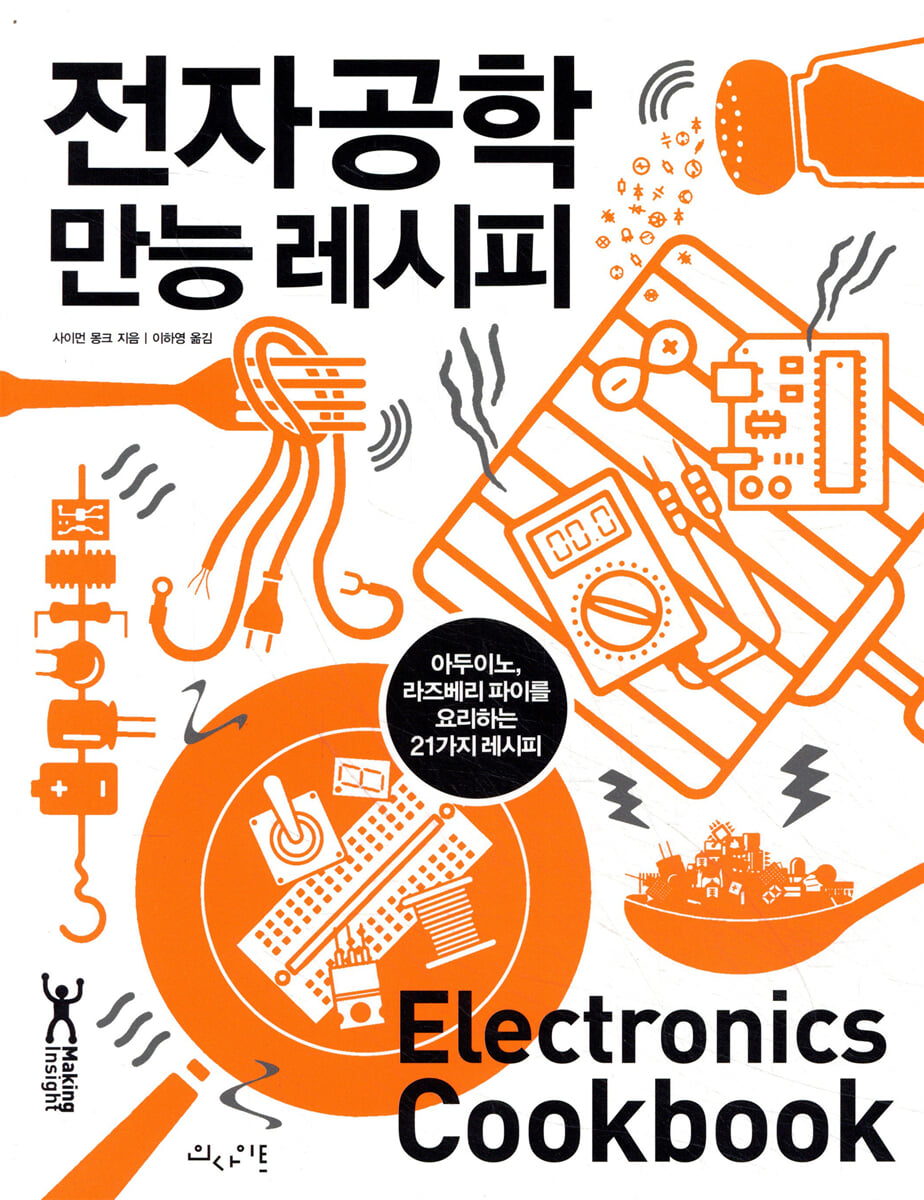 |
Description
Book Introduction
Let's unfold it as much as we need, whenever we need it.
A comprehensive recipe carefully compiled for beginner makers!
We introduce a white paper on using electronic engineering for makers and hobbyists who have not studied electronic engineering professionally.
This book breaks down electronics applications in the trusted O'Reilly Cookbook format, so you can jump right to the section you want and follow the recipes.
It anticipates problems that may be encountered during practical training and presents solutions to them. It also covers topics that go beyond the basic concepts of electronics, which are easy to overlook unless you are reading a thick electronics textbook, and stories related to the use of microcontrollers.
In addition to creating projects and prototypes and using test equipment, it also covers how to build different types of power supplies, how to use transistors appropriate for switching, and how to use analog and digital ICs.
This book will serve as a good starting point for readers unfamiliar with electronics, and as an excellent reference for readers with experience with electronics.
What this book covers
Ohm's law and the law of power
Principles and Uses of Capacitors and Inductors
Basic recipes for using transistors
Power supply and battery
How to Power Your Arduino and Raspberry Pi Using Solar Power
How to use switching, sensors, motors, and more with Arduino and Raspberry Pi
Useful analog design methods
Audio and Radio Frequency Recipes
Test model without soldering
Long-lasting project recipes
How to use an oscilloscope and simulation software
A comprehensive recipe carefully compiled for beginner makers!
We introduce a white paper on using electronic engineering for makers and hobbyists who have not studied electronic engineering professionally.
This book breaks down electronics applications in the trusted O'Reilly Cookbook format, so you can jump right to the section you want and follow the recipes.
It anticipates problems that may be encountered during practical training and presents solutions to them. It also covers topics that go beyond the basic concepts of electronics, which are easy to overlook unless you are reading a thick electronics textbook, and stories related to the use of microcontrollers.
In addition to creating projects and prototypes and using test equipment, it also covers how to build different types of power supplies, how to use transistors appropriate for switching, and how to use analog and digital ICs.
This book will serve as a good starting point for readers unfamiliar with electronics, and as an excellent reference for readers with experience with electronics.
What this book covers
Ohm's law and the law of power
Principles and Uses of Capacitors and Inductors
Basic recipes for using transistors
Power supply and battery
How to Power Your Arduino and Raspberry Pi Using Solar Power
How to use switching, sensors, motors, and more with Arduino and Raspberry Pi
Useful analog design methods
Audio and Radio Frequency Recipes
Test model without soldering
Long-lasting project recipes
How to use an oscilloscope and simulation software
- You can preview some of the book's contents.
Preview
index
Chapter 1 Theory
1.0 Overview
1.1 Understanding Current
1.2 Understanding Voltage
1.3 Calculating voltage, current, and resistance
1.4 Calculating the current at a point in a circuit
1.5 Calculating voltage in a circuit
1.6 Understanding Power
1.7 Exchange
Chapter 2 Resistance
2.0 Overview
2.1 Checking the resistance value
2.2 Finding standard resistance values
2.3 Selecting a variable resistor
2.4 Connecting resistors in series
2.5 Connecting resistors in parallel
2.6 Reduce the voltage to a measurable level
2.7 Choosing a non-burning resistor
2.8 Measuring illuminance
2.9 Measuring Temperature
2.10 Choosing the right wire
Chapter 3 Capacitors and Inductors
3.0 Overview
3.1 Temporarily storing energy in a circuit
3.2 Distinguishing Capacitor Types
3.3 Checking the capacitance of the capacitor
3.4 Connecting capacitors in parallel
3.5 Connecting capacitors in series
3.6 Storing large amounts of energy
3.7 Calculating the amount of energy stored in a capacitor
3.8 Changing and adjusting the current
3.9 Converting AC Voltage
Chapter 4 Diode
4.0 Overview
4.1 Blocking the flow of current in one diode
4.2 Find out which diode you are using
4.3 Controlling DC Voltage with a Diode
4.4 Let there be light
4.5 Detecting Light
Chapter 5 Transistors and Integrated Circuits
5.0 Overview
5.1 Switching strong current using weak current
5.2 Current switching with minimum control current
5.3 Efficiently switching high current loads
5.4 Switching very high voltages
5.5 Choosing the Right Transistor
5.6 Switching AC
5.7 Detecting Light with a Transistor
5.8 Isolating signals for safety or noise reduction
5.9 Discovering Integrated Circuits
Chapter 6 Switches and Relays
6.0 Overview
6.1 Switching electricity mechanically
6.2 Understanding the Switches You Have
6.3 Switching using magnetism
6.4 Rediscovering the Relay
Chapter 7 Power Supply
7.0 Overview
7.1 Converting AC to AC
7.2 Converting AC to DC Quickly and Easily
7.3 Reducing ripple voltage when converting AC to DC
7.4 Converting AC to Regulated DC
7.5 Converting AC to Variable DC
7.6 Adjusting the battery voltage
7.7 Building a Constant Current Power Supply
7.8 Efficiently Regulating DC Voltage
7.9 Converting low DC voltage to high DC voltage
7.10 Converting DC to AC
7.11 Powering Your Project with 110V or 220V AC
7.12 Increase voltage
7.13 Supplying high voltage of 450 V
7.14 Higher voltage power supplies (〉1 kV)
7.15 Very high voltage supply (solid-state Tesla coil)
7.16 Burning the fuse
7.17 Protecting against polarity issues
Chapter 8 Battery
8.0 Overview
8.1 Estimating Battery Life
8.2 Choosing a Non-Rechargeable Battery
8.3 Choosing a Rechargeable Battery
8.4 Seoryu charging
8.5 Automatic Battery Backup
8.6 Charging LiPo Batteries
8.7 Using every last drop of energy with the energy stealing circuit
Chapter 9: Solar Power
9.0 Overview
9.1 Powering Your Project with Solar Power
9.2 Choosing Solar Panels
9.3 Measuring the Actual Output Power of a Solar Panel
9.4 Powering Arduino with Solar Power
9.5 Powering Your Raspberry Pi with Solar Power
Chapter 10 Arduino and Raspberry Pi
10.0 Overview
10.1 Arduino Overview
10.2 Download and use the Arduino sketches included in this book.
10.3 Raspberry Pi Overview
10.4 Downloading and Using the Python Programs in This Book
10.5 Running a program when the Raspberry Pi boots
10.6 Alternatives to Arduino and Raspberry Pi
10.7 Turning the device on and off
10.8 Controlling Digital Outputs in Arduino
10.9 Controlling Digital Outputs on the Raspberry Pi
10.10 Connecting Arduino to Digital Inputs, Such as Switches
10.11 Connecting the Raspberry Pi to digital inputs such as switches
10.12 Reading analog input from Arduino
10.13 Creating Analog Output in Arduino
10.14 Creating Analog Output on the Raspberry Pi
10.15 Connecting the Raspberry Pi to an I2C Device
10.16 Connecting the Raspberry Pi to an SPI Device
10.17 Converting voltage magnitudes
Chapter 11 Switching
11.0 Overview
11.1 Switching power beyond what the Raspberry Pi or Arduino can handle
11.2 Switching power on the high side
11.3 Switching greater power
11.4 Switching greater power on the high side
11.5 Choosing Between BJT and MOSFET
11.6 Switching with Arduino
11.7 Switching to a Raspberry Pi
11.8 Reversible Switching
11.9 Controlling a Relay with GPIO Pins
11.10 Controlling a Solid-State Relay with GPIO Pins
11.11 Connecting to an open collector output
Chapter 12
sensor
12.0 Overview
12.1 Connecting the Switch to Arduino or Raspberry Pi
12.2 Detecting Rotation Position
12.3 Detecting analog input from a resistive sensor
12.4 Adding Analog Input to the Raspberry Pi
12.5 Connecting a Resistive Sensor to a Raspberry Pi Without an ADC
12.6 Measuring light intensity
12.7 Measuring Temperature on Arduino or Raspberry Pi
12.8 Measuring Temperature on a Raspberry Pi Without an ADC
12.9 Measuring rotation using a potentiometer
12.10 Measuring Temperature with Analog ICs
12.11 Measuring Temperature with a Digital IC
12.12 Measuring Humidity
12.13 Measuring Distance
Chapter 13 Motor
13.0 Overview
13.1 Switching the power supply of a DC motor
13.2 Measuring the speed of a DC motor
13.3 Controlling the direction of a DC motor
13.4 Setting the exact position of the motor
13.5 Moving the motor the correct number of steps
13.6 Choosing a Simpler Stepper Motor
Chapter 14 LEDs and Displays
14.0 Overview
14.1 Connecting a Standard LED
14.2 Powering High-Power LEDs
14.3 Powering Multiple LEDs
14.4 Switching multiple LEDs simultaneously
14.5 Multiplexing Signals on a 7-Segment Display
14.6 Controlling Multiple LEDs
14.7 Changing the color of the RGB LED
14.8 Connecting Addressable LED Strips
14.9 Using an I2C 7-segment LED Display
14.10 Displaying graphics or text on an OLED display
14.11 Displaying messages on the LCD display
Chapter 15 Digital ICs
15.0 Overview
15.1 Protecting ICs from Electrical Noise
15.2 Learn about logic families
15.3 Controlling more outputs than allowed on a GPIO pin
15.4 Creating a Digital Toggle Switch
15.5 Lowering the frequency of the signal
15.6 Connecting to a Decimal Counter
Chapter 16 Analog
16.0 Overview
16.1 High-frequency filtering (easy and quick method)
16.2 Building an Oscillator
16.3 Lighting the LED continuously
16.4 Preventing voltage drop between input and output
16.5 Building an Oscillator at Low Cost
16.6 Building a Variable Duty Cycle Oscillator
16.7 Creating a One-Shot Timer
16.8 Controlling Motor Speed
16.9 Applying Pulse Width Modulation to Analog Signals
16.10 Building a Voltage Controlled Oscillator (VCO)
16.11 Measuring Decibels
Chapter 17 Operational Amplifiers
17.0 Overview
17.1 Choosing an OP Amp
17.2 Powering the OP Amp (Positive Power)
17.3 Powering the OP Amp (Single Power Supply)
17.4 Building an Inverting Amplifier
17.5 Building a Non-Inverting Amplifier
17.6 Using Buffered Signals
17.7 Reducing the amplitude of high frequencies
17.8 Removing frequencies with low-pass filtering
17.9 Removing frequencies with high and low frequency filtering
17.10 Comparing Two Voltages
Chapter 18 Audio
18.0 Overview
18.1 Listening to Sound from Arduino
18.2 Listening to Sound on the Raspberry Pi
18.3 Connecting an Electret Microphone to Your Project
18.4 Building a 1W Power Amplifier
18.5 Building a 10W Power Amplifier
Chapter 19 Radio Frequency
19.0 Overview
19.1 Building an FM Radio Transmitter
19.2 Creating FM Transmitter Software with the Raspberry Pi
19.3 Building an Arduino-Powered FM Receiver
19.4 Transmitting Digital Data Wirelessly
20 chapters produced
20.0 Overview
20.1 Creating a Temporary Circuit
20.2 Creating a Permanent Circuit
20.3 Building Your Own Circuit Board
20.4 Soldering Through-Hole Components
20.5 Soldering Surface Mount Components
20.6 Desoldering Components
20.7 Soldering without damaging components
Chapter 21 Tools
21.0 Overview
21.1 Using a Power Supply for the Workbench
21.2 Measuring DC Voltage
21.3 Measuring AC Voltage
21.4 Measuring Current
21.5 Measuring Continuity
21.6 Measuring Resistance, Capacitance, and Inductance
21.7 Discharging the capacitor
21.8 Measuring High Voltage
21.9 Using an Oscilloscope
21.10 Using the Function Generator
21.11 Simulation
21.12 Using High Voltage Safely
Appendix A Parts and Suppliers
Appendix B Arduino Pinout
Appendix C Raspberry Pi Pinouts
Appendix D Units and Prefixes
1.0 Overview
1.1 Understanding Current
1.2 Understanding Voltage
1.3 Calculating voltage, current, and resistance
1.4 Calculating the current at a point in a circuit
1.5 Calculating voltage in a circuit
1.6 Understanding Power
1.7 Exchange
Chapter 2 Resistance
2.0 Overview
2.1 Checking the resistance value
2.2 Finding standard resistance values
2.3 Selecting a variable resistor
2.4 Connecting resistors in series
2.5 Connecting resistors in parallel
2.6 Reduce the voltage to a measurable level
2.7 Choosing a non-burning resistor
2.8 Measuring illuminance
2.9 Measuring Temperature
2.10 Choosing the right wire
Chapter 3 Capacitors and Inductors
3.0 Overview
3.1 Temporarily storing energy in a circuit
3.2 Distinguishing Capacitor Types
3.3 Checking the capacitance of the capacitor
3.4 Connecting capacitors in parallel
3.5 Connecting capacitors in series
3.6 Storing large amounts of energy
3.7 Calculating the amount of energy stored in a capacitor
3.8 Changing and adjusting the current
3.9 Converting AC Voltage
Chapter 4 Diode
4.0 Overview
4.1 Blocking the flow of current in one diode
4.2 Find out which diode you are using
4.3 Controlling DC Voltage with a Diode
4.4 Let there be light
4.5 Detecting Light
Chapter 5 Transistors and Integrated Circuits
5.0 Overview
5.1 Switching strong current using weak current
5.2 Current switching with minimum control current
5.3 Efficiently switching high current loads
5.4 Switching very high voltages
5.5 Choosing the Right Transistor
5.6 Switching AC
5.7 Detecting Light with a Transistor
5.8 Isolating signals for safety or noise reduction
5.9 Discovering Integrated Circuits
Chapter 6 Switches and Relays
6.0 Overview
6.1 Switching electricity mechanically
6.2 Understanding the Switches You Have
6.3 Switching using magnetism
6.4 Rediscovering the Relay
Chapter 7 Power Supply
7.0 Overview
7.1 Converting AC to AC
7.2 Converting AC to DC Quickly and Easily
7.3 Reducing ripple voltage when converting AC to DC
7.4 Converting AC to Regulated DC
7.5 Converting AC to Variable DC
7.6 Adjusting the battery voltage
7.7 Building a Constant Current Power Supply
7.8 Efficiently Regulating DC Voltage
7.9 Converting low DC voltage to high DC voltage
7.10 Converting DC to AC
7.11 Powering Your Project with 110V or 220V AC
7.12 Increase voltage
7.13 Supplying high voltage of 450 V
7.14 Higher voltage power supplies (〉1 kV)
7.15 Very high voltage supply (solid-state Tesla coil)
7.16 Burning the fuse
7.17 Protecting against polarity issues
Chapter 8 Battery
8.0 Overview
8.1 Estimating Battery Life
8.2 Choosing a Non-Rechargeable Battery
8.3 Choosing a Rechargeable Battery
8.4 Seoryu charging
8.5 Automatic Battery Backup
8.6 Charging LiPo Batteries
8.7 Using every last drop of energy with the energy stealing circuit
Chapter 9: Solar Power
9.0 Overview
9.1 Powering Your Project with Solar Power
9.2 Choosing Solar Panels
9.3 Measuring the Actual Output Power of a Solar Panel
9.4 Powering Arduino with Solar Power
9.5 Powering Your Raspberry Pi with Solar Power
Chapter 10 Arduino and Raspberry Pi
10.0 Overview
10.1 Arduino Overview
10.2 Download and use the Arduino sketches included in this book.
10.3 Raspberry Pi Overview
10.4 Downloading and Using the Python Programs in This Book
10.5 Running a program when the Raspberry Pi boots
10.6 Alternatives to Arduino and Raspberry Pi
10.7 Turning the device on and off
10.8 Controlling Digital Outputs in Arduino
10.9 Controlling Digital Outputs on the Raspberry Pi
10.10 Connecting Arduino to Digital Inputs, Such as Switches
10.11 Connecting the Raspberry Pi to digital inputs such as switches
10.12 Reading analog input from Arduino
10.13 Creating Analog Output in Arduino
10.14 Creating Analog Output on the Raspberry Pi
10.15 Connecting the Raspberry Pi to an I2C Device
10.16 Connecting the Raspberry Pi to an SPI Device
10.17 Converting voltage magnitudes
Chapter 11 Switching
11.0 Overview
11.1 Switching power beyond what the Raspberry Pi or Arduino can handle
11.2 Switching power on the high side
11.3 Switching greater power
11.4 Switching greater power on the high side
11.5 Choosing Between BJT and MOSFET
11.6 Switching with Arduino
11.7 Switching to a Raspberry Pi
11.8 Reversible Switching
11.9 Controlling a Relay with GPIO Pins
11.10 Controlling a Solid-State Relay with GPIO Pins
11.11 Connecting to an open collector output
Chapter 12
sensor
12.0 Overview
12.1 Connecting the Switch to Arduino or Raspberry Pi
12.2 Detecting Rotation Position
12.3 Detecting analog input from a resistive sensor
12.4 Adding Analog Input to the Raspberry Pi
12.5 Connecting a Resistive Sensor to a Raspberry Pi Without an ADC
12.6 Measuring light intensity
12.7 Measuring Temperature on Arduino or Raspberry Pi
12.8 Measuring Temperature on a Raspberry Pi Without an ADC
12.9 Measuring rotation using a potentiometer
12.10 Measuring Temperature with Analog ICs
12.11 Measuring Temperature with a Digital IC
12.12 Measuring Humidity
12.13 Measuring Distance
Chapter 13 Motor
13.0 Overview
13.1 Switching the power supply of a DC motor
13.2 Measuring the speed of a DC motor
13.3 Controlling the direction of a DC motor
13.4 Setting the exact position of the motor
13.5 Moving the motor the correct number of steps
13.6 Choosing a Simpler Stepper Motor
Chapter 14 LEDs and Displays
14.0 Overview
14.1 Connecting a Standard LED
14.2 Powering High-Power LEDs
14.3 Powering Multiple LEDs
14.4 Switching multiple LEDs simultaneously
14.5 Multiplexing Signals on a 7-Segment Display
14.6 Controlling Multiple LEDs
14.7 Changing the color of the RGB LED
14.8 Connecting Addressable LED Strips
14.9 Using an I2C 7-segment LED Display
14.10 Displaying graphics or text on an OLED display
14.11 Displaying messages on the LCD display
Chapter 15 Digital ICs
15.0 Overview
15.1 Protecting ICs from Electrical Noise
15.2 Learn about logic families
15.3 Controlling more outputs than allowed on a GPIO pin
15.4 Creating a Digital Toggle Switch
15.5 Lowering the frequency of the signal
15.6 Connecting to a Decimal Counter
Chapter 16 Analog
16.0 Overview
16.1 High-frequency filtering (easy and quick method)
16.2 Building an Oscillator
16.3 Lighting the LED continuously
16.4 Preventing voltage drop between input and output
16.5 Building an Oscillator at Low Cost
16.6 Building a Variable Duty Cycle Oscillator
16.7 Creating a One-Shot Timer
16.8 Controlling Motor Speed
16.9 Applying Pulse Width Modulation to Analog Signals
16.10 Building a Voltage Controlled Oscillator (VCO)
16.11 Measuring Decibels
Chapter 17 Operational Amplifiers
17.0 Overview
17.1 Choosing an OP Amp
17.2 Powering the OP Amp (Positive Power)
17.3 Powering the OP Amp (Single Power Supply)
17.4 Building an Inverting Amplifier
17.5 Building a Non-Inverting Amplifier
17.6 Using Buffered Signals
17.7 Reducing the amplitude of high frequencies
17.8 Removing frequencies with low-pass filtering
17.9 Removing frequencies with high and low frequency filtering
17.10 Comparing Two Voltages
Chapter 18 Audio
18.0 Overview
18.1 Listening to Sound from Arduino
18.2 Listening to Sound on the Raspberry Pi
18.3 Connecting an Electret Microphone to Your Project
18.4 Building a 1W Power Amplifier
18.5 Building a 10W Power Amplifier
Chapter 19 Radio Frequency
19.0 Overview
19.1 Building an FM Radio Transmitter
19.2 Creating FM Transmitter Software with the Raspberry Pi
19.3 Building an Arduino-Powered FM Receiver
19.4 Transmitting Digital Data Wirelessly
20 chapters produced
20.0 Overview
20.1 Creating a Temporary Circuit
20.2 Creating a Permanent Circuit
20.3 Building Your Own Circuit Board
20.4 Soldering Through-Hole Components
20.5 Soldering Surface Mount Components
20.6 Desoldering Components
20.7 Soldering without damaging components
Chapter 21 Tools
21.0 Overview
21.1 Using a Power Supply for the Workbench
21.2 Measuring DC Voltage
21.3 Measuring AC Voltage
21.4 Measuring Current
21.5 Measuring Continuity
21.6 Measuring Resistance, Capacitance, and Inductance
21.7 Discharging the capacitor
21.8 Measuring High Voltage
21.9 Using an Oscilloscope
21.10 Using the Function Generator
21.11 Simulation
21.12 Using High Voltage Safely
Appendix A Parts and Suppliers
Appendix B Arduino Pinout
Appendix C Raspberry Pi Pinouts
Appendix D Units and Prefixes
GOODS SPECIFICS
- Date of publication: June 15, 2018
- Page count, weight, size: 424 pages | 782g | 184*235*20mm
- ISBN13: 9788966262229
- ISBN10: 8966262228
You may also like
카테고리
korean


korean

![GQ KOREA Mark (Monthly): December [2025]](http://librairie.coreenne.fr/cdn/shop/files/8ef265dbbfbf186523ed75ba7319009d.jpg?v=1765340328&width=3840)


