

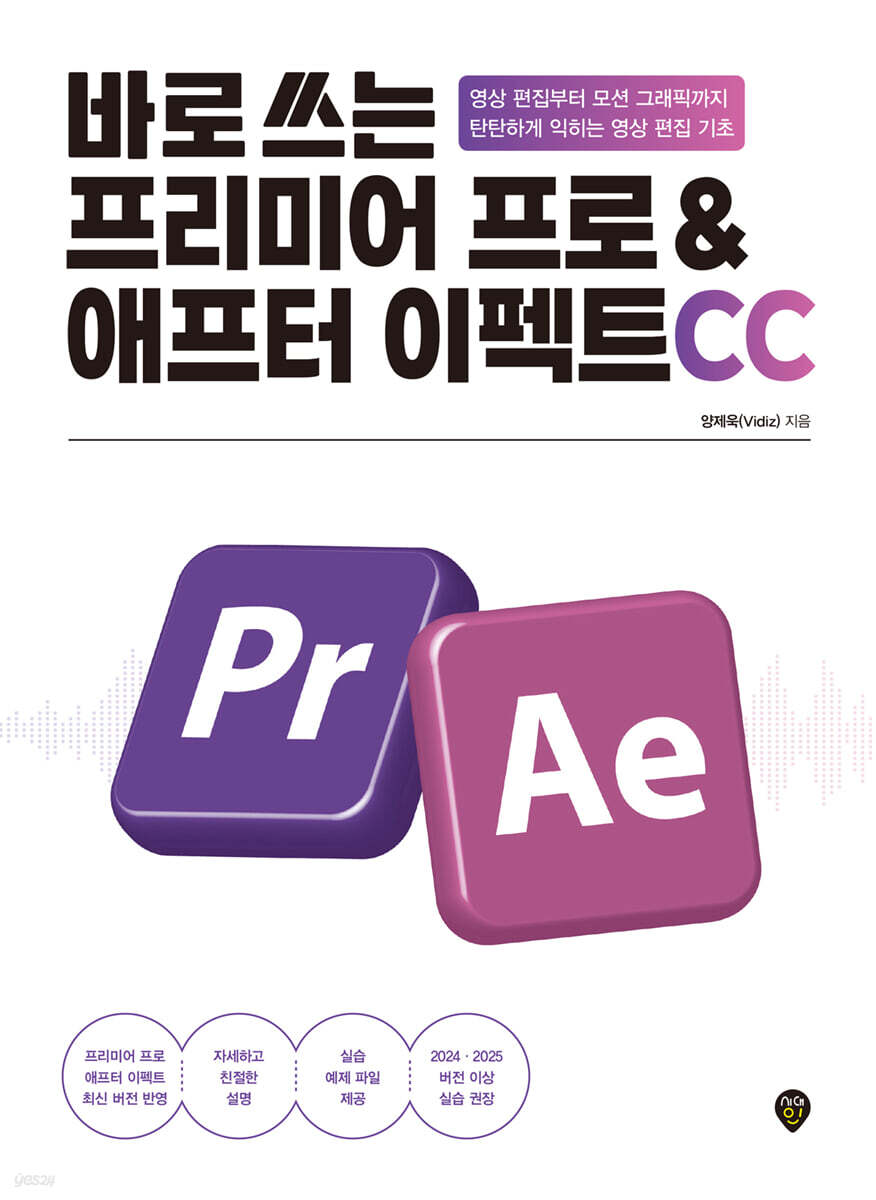
Premiere Pro & After Effects CC ready to use
 |
Description
Book Introduction
From video planning to filming and editing!
An introductory video editing guide from a professional with 15 years of experience!
Premiere Pro & After Effects
Reflects the latest version and includes new features!
This book is a compilation of the author's video production know-how, accumulated through his extensive experience in cable TV and terrestrial broadcasting stations.
It covers the A to Z of video production, from video planning methods to how to use Premiere Pro and After Effects. The content was selected to focus on the 'basic' and 'core' functions so that even beginners can easily follow along.
Even if you're new to video editing, we're here to help you build a solid foundation in video production.
An introductory video editing guide from a professional with 15 years of experience!
Premiere Pro & After Effects
Reflects the latest version and includes new features!
This book is a compilation of the author's video production know-how, accumulated through his extensive experience in cable TV and terrestrial broadcasting stations.
It covers the A to Z of video production, from video planning methods to how to use Premiere Pro and After Effects. The content was selected to focus on the 'basic' and 'core' functions so that even beginners can easily follow along.
Even if you're new to video editing, we're here to help you build a solid foundation in video production.
- You can preview some of the book's contents.
Preview
index
PART 1: The First Step in Video Production - From Planning to Filming
Chapter 01 Learning Video Production
STEP 01 Misconceptions and Truths about Video Production
STEP 02 All preparations are already complete!
STEP 03 Enjoy video production
Chapter 02: Understanding Video Planning
STEP 01 3 Steps of Video Production
STEP 02 The Importance of Video Planning
STEP 03 From Synopsis to Script Composition
Chapter 03: Learning Video Shooting
STEP 01 What makes a good shot?
STEP 02 Things to check before shooting
STEP 03 Equipment needed for filming
STEP 04 Basic shooting rules
PART 2 Premiere Pro Overview
Chapter 04 Welcome, Premiere Pro!
STEP 01 What is Premiere Pro?
STEP 02 Installing Premiere Pro
STEP 03 Launch Premiere Pro
STEP 04 Premiere Pro Screen Configuration
STEP 05 Sequence
STEP 06 Loading and Managing Video Sources
Chapter 05 Premiere Pro Cut Editing
STEP 01 What is Premiere Pro?
Preparing the Practice Highlight Video Source
STEP 02 Launch Premiere Pro
Editing Highlights with Practice Trimming
STEP 03 Sequence
Chapter 06 Creating Subtitles with Premiere Pro
STEP 01 Adding Subtitles
Adding subtitles to your practice videos
STEP 02 Change the subtitle style
Create a subtitle style with 100% practical usability and excellent readability.
STEP 03 Saving subtitle styles
Chapter 07 Editing Audio with Premiere Pro
STEP 01 Preparing the audio source
STEP 02 Learn about audio
STEP 03 Adjusting audio size
Practice Setting up an audio effect that gradually decreases the volume
Chapter 08 Applying Effects with Premiere Pro
STEP 01 Setting the effect
STEP 02 Editing the Effect
STEP 03 7 Effects with Premiere Pro
Stabilize your practice footage and set up a moving blur effect.
Composite the background of a practice video with another image
Chapter 09 Exporting Video to Premiere Pro
STEP 01 Preparing for video output
STEP 02 Setting up video output
STEP 03 Outputting the video
Practice My First Video, Outputting to a File
PART 3: Essential Rules for Premiere Pro - Practical Editing Know-How for Beginners
Chapter 10: Essential Rules of Cut Editing
STEP 01 The Importance of Cut Editing
STEP 02 Using Various Shots
Practice editing natural cuts with various shots
STEP 03 Maintain continuity
Editing cuts to preserve the continuity of the practice movements
STEP 04 Keep your breath in the cut
Chapter 11 Essential Rules of Screen Composition
STEP 01 Sense of screen composition
STEP 02 Use a stable composition
STEP 03 Arrange the space appropriately
Chapter 12: Essential Rules of Subtitle Design
STEP 01 What makes a good subtitle?
STEP 02 Selecting a Subtitle Font
STEP 03 Determining the subtitle color
STEP 04 Highlighting and Aligning Subtitles
Practice Creating Commonly Used Subtitle Styles
Chapter 13 The Essential Laws of Animation
STEP 01 What is animation?
STEP 02 Principles of Animation
Creating a Hands-on Subtitle Animation
STEP 03 Context-appropriate animation
Use hands-on animation to enhance the mood of your video.
STEP 04 Setting Acceleration for Natural Movement
Chapter 14: Essential Rules of Image Correction
STEP 01 What is video correction?
STEP 02 Calibrate the screen
Breathe new life into your footage with hands-on image correction.
STEP 03 Audio Calibration
Optimizing Audio with Practice Presets
STEP 04 Color Correction
Adding emotional atmosphere with simple color correction in this tutorial
Chapter 15: The Essential Laws of Transition
STEP 01 What is a transition?
STEP 02 Transitions that fit the situation
STEP 03 Applying Transitions
Chapter 16: Leveraging Smart AI Tools
STEP 01 Generate Extend
STEP 02 Remix Tool
STEP 03 Transcript & Captions
PART 4 After Effects - The Beginning of Motion Graphics that Adds Style to Videos
Chapter 01 Hello, After Effects!
STEP 01 What is After Effects?
Chapter 02 Getting Started with After Effects
STEP 01 Installing After Effects
STEP 02 Launch After Effects
STEP 03 After Effects Screen Configuration
STEP 04 Creating a Composition and Loading Sources
STEP 05 Types and characteristics of layers
STEP 06 Editing Layers
STEP 07 Preview and Print
Chapter 03 Creating Subtitle Animations with After Effects
STEP 01 Subtitle animation in action
STEP 02 PTRS Animation
Creating a flying subtitle animation
Practice Creating [Fade In] and [Fade Out] Animations
Practice Rotation Animation
How to create a gradually increasing subtitle animation
Practice Creating [Position]+[Opacity] Animation
Creating a [Rotation]+[Scale] Animation
STEP 03 Character spacing animation
STEP 04 Sticker Animation
STEP 05 Highlight Animation
Chapter 04 Compositing Video with After Effects
STEP 01 What is video synthesis?
STEP 02 Tracking
STEP 03 Contents-Aware Fill
STEP 04 Roto Brush
Chapter 05 Creating Motion Graphics with After Effects
STEP 01 What is motion graphics?
STEP 02 Motion graphics that move along the path on the map
STEP 03 Motion graphics with a blueprint feel
STEP 04 Consonant and Separation Motion Graphics
STEP 05 Glitch Animation
Appendix YouTube: Practical Tips You Don't Want to Miss
Project 01: Creating a Clickable Thumbnail
STEP 01 The Importance of Thumbnails
STEP 02 Creating a Thumbnail
Project 02: Creating Shorts to Increase Subscribers
STEP 01 Popularity of Short-Form
STEP 02 Shooting Short-Form Videos
STEP 03 Creating Short-Form Content
Project 03 Creating a Curious Final Screen
STEP 01 What is the final screen?
STEP 02 Creating the final screen
Chapter 01 Learning Video Production
STEP 01 Misconceptions and Truths about Video Production
STEP 02 All preparations are already complete!
STEP 03 Enjoy video production
Chapter 02: Understanding Video Planning
STEP 01 3 Steps of Video Production
STEP 02 The Importance of Video Planning
STEP 03 From Synopsis to Script Composition
Chapter 03: Learning Video Shooting
STEP 01 What makes a good shot?
STEP 02 Things to check before shooting
STEP 03 Equipment needed for filming
STEP 04 Basic shooting rules
PART 2 Premiere Pro Overview
Chapter 04 Welcome, Premiere Pro!
STEP 01 What is Premiere Pro?
STEP 02 Installing Premiere Pro
STEP 03 Launch Premiere Pro
STEP 04 Premiere Pro Screen Configuration
STEP 05 Sequence
STEP 06 Loading and Managing Video Sources
Chapter 05 Premiere Pro Cut Editing
STEP 01 What is Premiere Pro?
Preparing the Practice Highlight Video Source
STEP 02 Launch Premiere Pro
Editing Highlights with Practice Trimming
STEP 03 Sequence
Chapter 06 Creating Subtitles with Premiere Pro
STEP 01 Adding Subtitles
Adding subtitles to your practice videos
STEP 02 Change the subtitle style
Create a subtitle style with 100% practical usability and excellent readability.
STEP 03 Saving subtitle styles
Chapter 07 Editing Audio with Premiere Pro
STEP 01 Preparing the audio source
STEP 02 Learn about audio
STEP 03 Adjusting audio size
Practice Setting up an audio effect that gradually decreases the volume
Chapter 08 Applying Effects with Premiere Pro
STEP 01 Setting the effect
STEP 02 Editing the Effect
STEP 03 7 Effects with Premiere Pro
Stabilize your practice footage and set up a moving blur effect.
Composite the background of a practice video with another image
Chapter 09 Exporting Video to Premiere Pro
STEP 01 Preparing for video output
STEP 02 Setting up video output
STEP 03 Outputting the video
Practice My First Video, Outputting to a File
PART 3: Essential Rules for Premiere Pro - Practical Editing Know-How for Beginners
Chapter 10: Essential Rules of Cut Editing
STEP 01 The Importance of Cut Editing
STEP 02 Using Various Shots
Practice editing natural cuts with various shots
STEP 03 Maintain continuity
Editing cuts to preserve the continuity of the practice movements
STEP 04 Keep your breath in the cut
Chapter 11 Essential Rules of Screen Composition
STEP 01 Sense of screen composition
STEP 02 Use a stable composition
STEP 03 Arrange the space appropriately
Chapter 12: Essential Rules of Subtitle Design
STEP 01 What makes a good subtitle?
STEP 02 Selecting a Subtitle Font
STEP 03 Determining the subtitle color
STEP 04 Highlighting and Aligning Subtitles
Practice Creating Commonly Used Subtitle Styles
Chapter 13 The Essential Laws of Animation
STEP 01 What is animation?
STEP 02 Principles of Animation
Creating a Hands-on Subtitle Animation
STEP 03 Context-appropriate animation
Use hands-on animation to enhance the mood of your video.
STEP 04 Setting Acceleration for Natural Movement
Chapter 14: Essential Rules of Image Correction
STEP 01 What is video correction?
STEP 02 Calibrate the screen
Breathe new life into your footage with hands-on image correction.
STEP 03 Audio Calibration
Optimizing Audio with Practice Presets
STEP 04 Color Correction
Adding emotional atmosphere with simple color correction in this tutorial
Chapter 15: The Essential Laws of Transition
STEP 01 What is a transition?
STEP 02 Transitions that fit the situation
STEP 03 Applying Transitions
Chapter 16: Leveraging Smart AI Tools
STEP 01 Generate Extend
STEP 02 Remix Tool
STEP 03 Transcript & Captions
PART 4 After Effects - The Beginning of Motion Graphics that Adds Style to Videos
Chapter 01 Hello, After Effects!
STEP 01 What is After Effects?
Chapter 02 Getting Started with After Effects
STEP 01 Installing After Effects
STEP 02 Launch After Effects
STEP 03 After Effects Screen Configuration
STEP 04 Creating a Composition and Loading Sources
STEP 05 Types and characteristics of layers
STEP 06 Editing Layers
STEP 07 Preview and Print
Chapter 03 Creating Subtitle Animations with After Effects
STEP 01 Subtitle animation in action
STEP 02 PTRS Animation
Creating a flying subtitle animation
Practice Creating [Fade In] and [Fade Out] Animations
Practice Rotation Animation
How to create a gradually increasing subtitle animation
Practice Creating [Position]+[Opacity] Animation
Creating a [Rotation]+[Scale] Animation
STEP 03 Character spacing animation
STEP 04 Sticker Animation
STEP 05 Highlight Animation
Chapter 04 Compositing Video with After Effects
STEP 01 What is video synthesis?
STEP 02 Tracking
STEP 03 Contents-Aware Fill
STEP 04 Roto Brush
Chapter 05 Creating Motion Graphics with After Effects
STEP 01 What is motion graphics?
STEP 02 Motion graphics that move along the path on the map
STEP 03 Motion graphics with a blueprint feel
STEP 04 Consonant and Separation Motion Graphics
STEP 05 Glitch Animation
Appendix YouTube: Practical Tips You Don't Want to Miss
Project 01: Creating a Clickable Thumbnail
STEP 01 The Importance of Thumbnails
STEP 02 Creating a Thumbnail
Project 02: Creating Shorts to Increase Subscribers
STEP 01 Popularity of Short-Form
STEP 02 Shooting Short-Form Videos
STEP 03 Creating Short-Form Content
Project 03 Creating a Curious Final Screen
STEP 01 What is the final screen?
STEP 02 Creating the final screen
Detailed image

Publisher's Review
★★★
The quality of video editing that AI cannot replace.
Still Premiere Pro & After Effects!
In recent years, with the proliferation of video editing programs featuring AI automation features, "fast and easy editing" has become the trend.
But even with all the fancy new features, professionals still choose Premiere Pro and After Effects.
That's why it's more than just simple editing; it's about sophisticated perfection and free directing.
This book explains the basic concepts of both programs and the core functions essential for video editing in a step-by-step manner that even beginners can easily understand.
Additionally, detailed explanations tailored to beginners' level allow even complete beginners of Premiere Pro and After Effects to easily learn editing functions and techniques.
Finally, by downloading the provided example files and practicing them repeatedly, you will understand the essence of video editing and find yourself proficient in both programs before you know it.
★★★
The most effective way to learn video editing, taught by professionals!
Let's finish the basics of video production in the easiest and fastest way!
We have systematically organized the lecture content of the author, who shares his video production know-how through the YouTube channel 'Vidiz' based on his field experience working at broadcasting companies such as cable and terrestrial broadcasting.
After learning the basic functions, it is full of useful tips and tricks for using Premiere Pro and After Effects that can be applied immediately to video editing. It is highly recommended for those who want to quickly overcome the beginner stage of Premiere Pro & After Effects.
★★★
I recommend this to these people!
- Aspiring creators looking to start YouTube
- Aspiring vloggers who want to record their own memories in a special video.
- Aspiring video editor who wants to join a broadcasting station
- People who are dissatisfied with the results of AI video editing programs
The quality of video editing that AI cannot replace.
Still Premiere Pro & After Effects!
In recent years, with the proliferation of video editing programs featuring AI automation features, "fast and easy editing" has become the trend.
But even with all the fancy new features, professionals still choose Premiere Pro and After Effects.
That's why it's more than just simple editing; it's about sophisticated perfection and free directing.
This book explains the basic concepts of both programs and the core functions essential for video editing in a step-by-step manner that even beginners can easily understand.
Additionally, detailed explanations tailored to beginners' level allow even complete beginners of Premiere Pro and After Effects to easily learn editing functions and techniques.
Finally, by downloading the provided example files and practicing them repeatedly, you will understand the essence of video editing and find yourself proficient in both programs before you know it.
★★★
The most effective way to learn video editing, taught by professionals!
Let's finish the basics of video production in the easiest and fastest way!
We have systematically organized the lecture content of the author, who shares his video production know-how through the YouTube channel 'Vidiz' based on his field experience working at broadcasting companies such as cable and terrestrial broadcasting.
After learning the basic functions, it is full of useful tips and tricks for using Premiere Pro and After Effects that can be applied immediately to video editing. It is highly recommended for those who want to quickly overcome the beginner stage of Premiere Pro & After Effects.
★★★
I recommend this to these people!
- Aspiring creators looking to start YouTube
- Aspiring vloggers who want to record their own memories in a special video.
- Aspiring video editor who wants to join a broadcasting station
- People who are dissatisfied with the results of AI video editing programs
GOODS SPECIFICS
- Date of issue: November 10, 2025
- Page count, weight, size: 520 pages | 191*261*35mm
- ISBN13: 9791143402202
- ISBN10: 1143402200
You may also like
카테고리
korean


korean

![GQ KOREA Mark (Monthly): December [2025]](http://librairie.coreenne.fr/cdn/shop/files/8ef265dbbfbf186523ed75ba7319009d.jpg?v=1765340328&width=3840)


