

PowerPoint 2021
 |
Description
Book Introduction
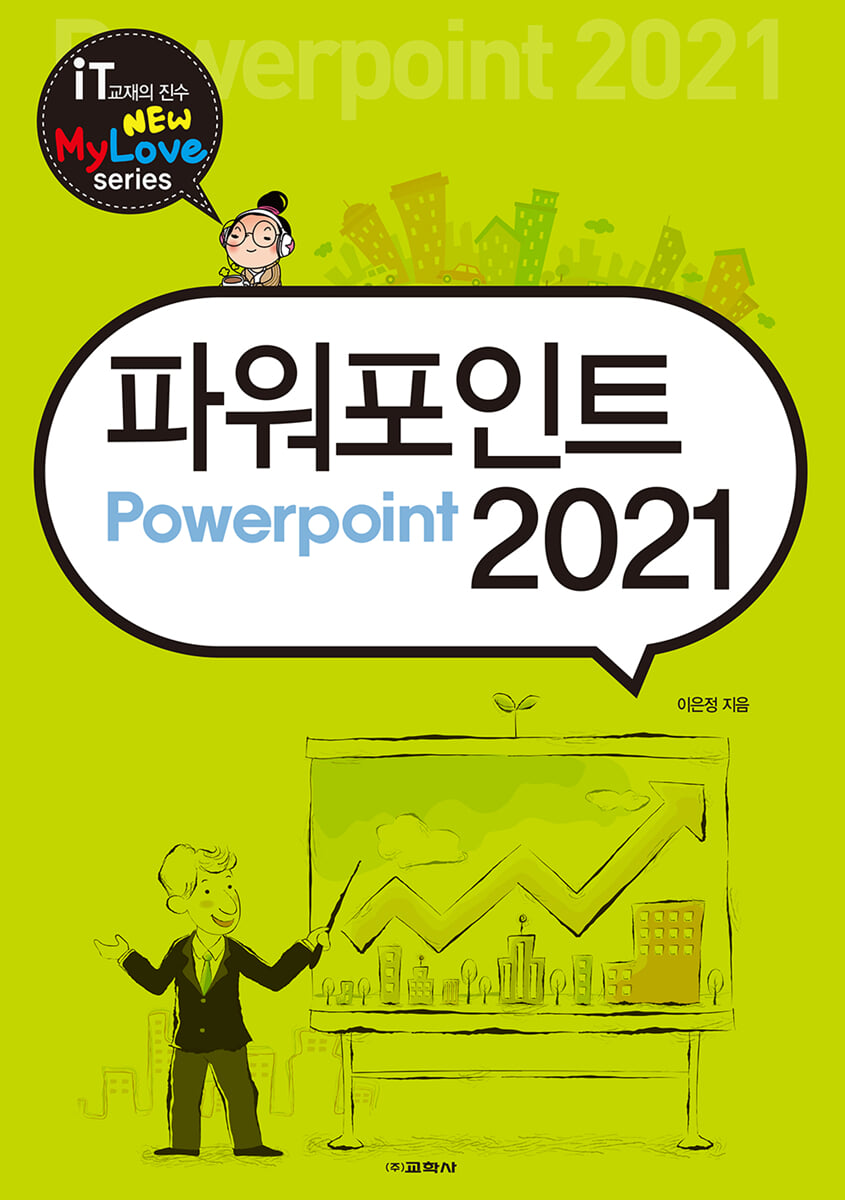
We'll introduce the basic screens and features of PowerPoint 2021 and learn how to create, delete, save, edit, and manage slides, the PowerPoint workspace.
You can also learn how to use the basic and frequently used main functions of PowerPoint, such as charts, presentations, WordArt, and SmartArt, as well as how to create slide shows, rehearsals, videos, and print presenter notes, with big pictures and easy explanations.
You can also learn how to use the basic and frequently used main functions of PowerPoint, such as charts, presentations, WordArt, and SmartArt, as well as how to create slide shows, rehearsals, videos, and print presenter notes, with big pictures and easy explanations.
index
Section 01.
Getting Started with PowerPoint 2021
Practice 01 | PowerPoint 2021 Screen Overview
Practice 02 | Setting Options
Practice 03 | Inserting/Deleting Slides and Saving
Exercise 04 | Using Templates
Try to solve the problem
Section 02.
Creating a Text Slide
Practice 01 | Applying a Theme
Practice 02 | Entering Bullets/Special Characters
Practice 03 | Editing Paragraphs
Try to solve the problem
Section 03.
Creating an image slideshow
Practice 01 | Inserting and Cropping Images
Practice 02 | Creating an Image with a Transparent Background
Exercise 03 | Applying Effects
Try to solve the problem
Section 04.
Share files and collaborate
Practice 01 | Saving as a PDF Document
Practice 02 | Saving as an Image File
Practice 03 | Sharing to Cloud Storage
Try to solve the problem
Section 05.
Creating slides using shapes
Practice 01 | Drawing Shapes and Applying Styles
Practice 02 | Aligning and Grouping Shapes
Practice 03 | Transforming Shapes and Filling with Images
Try to solve the problem
Section 06.
Creating a Shape Application Slide
Practice 01 | Adjusting the Transparency of Shapes
Practice 02 | Filling a Shape with a Gradient
Practice 03 | Using Combinations of Shapes
Try to solve the problem
Section 07.
Highlighting text with WordArt
Practice 01 | Decorating Text with WordArt
Practice 02 | Inserting WordArt and Applying Styles
Practice 03 | Inserting Images into WordArt
Try to solve the problem
Section 08.
Expressing Structure with SmartArt
Practice 01 | Inserting SmartArt
Practice 02 | Converting Text to SmartArt
Practice 03 | Using SmartArt
Try to solve the problem
Section 09.
Inserting and Decorating Tables
Practice 01 | Inserting and Editing Tables
Practice 02 | Applying Quick Styles
Practice 03 | Applying Borders and Effects
Try to solve the problem
Section 10.
Visualizing data with charts
Practice 01 | Inserting and Editing Charts
Practice 02 | Applying Layouts and Styles
Practice 03 | Changing the Chart Type
Try to solve the problem
Section 11.
Add sound effects with audio
Practice 01 | Inserting Audio
Practice 02 | Setting the Playback Range Trimming
Practice 03 | Changing the Audio Format
Try to solve the problem
Section 12.
Creating a slide with an embedded video
Practice 01 | Inserting a Video
Practice 02 | Setting Video Options and Trimming
Try to solve the problem
Section 13.
Screen transition effects and auto-run
Practice 01 | Setting Screen Transition Effects
Practice 02 | Inserting Screen Transition Sound Effects
Practice 03 | Setting up auto-run
Try to solve the problem
Section 14.
Creating animated slides
Practice 01 | Animation Effects and Timing Options
Practice 02 | Copying Animation and Emphasizing Effects
Practice 03 | Path Designation Animation
Try to solve the problem
Section 15.
Using hyperlinks
Practice 01 | Setting up a hyperlink using text
Practice 02 | Setting up hyperlinks using images
Practice 03 | Setting up a hyperlink using the Run button
Try to solve the problem
Section 16.
Slide Master
Practice 01 | Setting up the same form and inserting a logo
Practice 02 | Individual Slide Design
Practice 03 | Custom Master
Practice 04 | Saving and Loading Template Files
Try to solve the problem
Section 17.
Preparing for a presentation
Practice 01 | Slide Show and Slide Reorganization
Practice 02 | Hiding Slides and Setting Up a Slide Show
Try to solve the problem
Section 18.
Slide Notes and Handout Master
Practice 01 | Slide Note Master
Practice 02 | Slide Handout Master
Try to solve the problem
Section 19.
Auto-run slideshow and rehearsal
Exercise 01 | Auto-Run Slideshow
Practice 02 | Recording a Rehearsal
Exercise 03 | Using Presenter Tools
Try to solve the problem
Section 20.
Creating and Printing Slide Videos
Practice 01 | Creating a Slide Video
Practice 02 | Setting Up Print
Exercise 03 | Printing Presenter Notes
Try to solve the problem
Getting Started with PowerPoint 2021
Practice 01 | PowerPoint 2021 Screen Overview
Practice 02 | Setting Options
Practice 03 | Inserting/Deleting Slides and Saving
Exercise 04 | Using Templates
Try to solve the problem
Section 02.
Creating a Text Slide
Practice 01 | Applying a Theme
Practice 02 | Entering Bullets/Special Characters
Practice 03 | Editing Paragraphs
Try to solve the problem
Section 03.
Creating an image slideshow
Practice 01 | Inserting and Cropping Images
Practice 02 | Creating an Image with a Transparent Background
Exercise 03 | Applying Effects
Try to solve the problem
Section 04.
Share files and collaborate
Practice 01 | Saving as a PDF Document
Practice 02 | Saving as an Image File
Practice 03 | Sharing to Cloud Storage
Try to solve the problem
Section 05.
Creating slides using shapes
Practice 01 | Drawing Shapes and Applying Styles
Practice 02 | Aligning and Grouping Shapes
Practice 03 | Transforming Shapes and Filling with Images
Try to solve the problem
Section 06.
Creating a Shape Application Slide
Practice 01 | Adjusting the Transparency of Shapes
Practice 02 | Filling a Shape with a Gradient
Practice 03 | Using Combinations of Shapes
Try to solve the problem
Section 07.
Highlighting text with WordArt
Practice 01 | Decorating Text with WordArt
Practice 02 | Inserting WordArt and Applying Styles
Practice 03 | Inserting Images into WordArt
Try to solve the problem
Section 08.
Expressing Structure with SmartArt
Practice 01 | Inserting SmartArt
Practice 02 | Converting Text to SmartArt
Practice 03 | Using SmartArt
Try to solve the problem
Section 09.
Inserting and Decorating Tables
Practice 01 | Inserting and Editing Tables
Practice 02 | Applying Quick Styles
Practice 03 | Applying Borders and Effects
Try to solve the problem
Section 10.
Visualizing data with charts
Practice 01 | Inserting and Editing Charts
Practice 02 | Applying Layouts and Styles
Practice 03 | Changing the Chart Type
Try to solve the problem
Section 11.
Add sound effects with audio
Practice 01 | Inserting Audio
Practice 02 | Setting the Playback Range Trimming
Practice 03 | Changing the Audio Format
Try to solve the problem
Section 12.
Creating a slide with an embedded video
Practice 01 | Inserting a Video
Practice 02 | Setting Video Options and Trimming
Try to solve the problem
Section 13.
Screen transition effects and auto-run
Practice 01 | Setting Screen Transition Effects
Practice 02 | Inserting Screen Transition Sound Effects
Practice 03 | Setting up auto-run
Try to solve the problem
Section 14.
Creating animated slides
Practice 01 | Animation Effects and Timing Options
Practice 02 | Copying Animation and Emphasizing Effects
Practice 03 | Path Designation Animation
Try to solve the problem
Section 15.
Using hyperlinks
Practice 01 | Setting up a hyperlink using text
Practice 02 | Setting up hyperlinks using images
Practice 03 | Setting up a hyperlink using the Run button
Try to solve the problem
Section 16.
Slide Master
Practice 01 | Setting up the same form and inserting a logo
Practice 02 | Individual Slide Design
Practice 03 | Custom Master
Practice 04 | Saving and Loading Template Files
Try to solve the problem
Section 17.
Preparing for a presentation
Practice 01 | Slide Show and Slide Reorganization
Practice 02 | Hiding Slides and Setting Up a Slide Show
Try to solve the problem
Section 18.
Slide Notes and Handout Master
Practice 01 | Slide Note Master
Practice 02 | Slide Handout Master
Try to solve the problem
Section 19.
Auto-run slideshow and rehearsal
Exercise 01 | Auto-Run Slideshow
Practice 02 | Recording a Rehearsal
Exercise 03 | Using Presenter Tools
Try to solve the problem
Section 20.
Creating and Printing Slide Videos
Practice 01 | Creating a Slide Video
Practice 02 | Setting Up Print
Exercise 03 | Printing Presenter Notes
Try to solve the problem
Detailed image
Publisher's Review
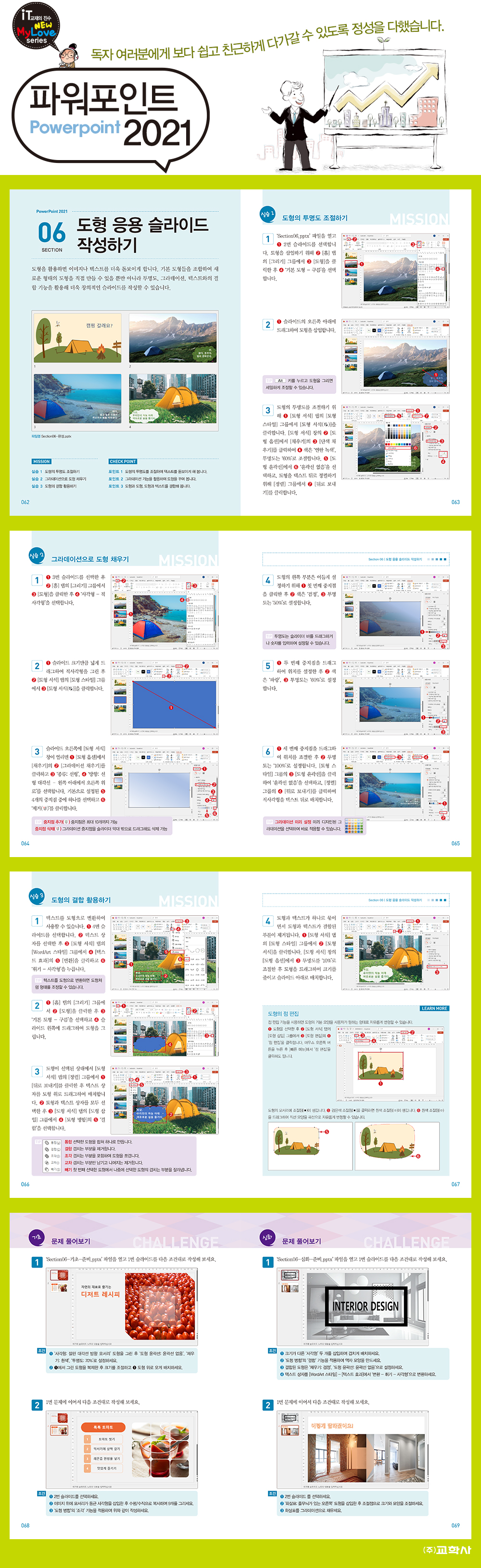
01 Practice-oriented follow-up structure
We have organized the training system around basic functions and examples essential for practical use, so that anyone can easily follow along and learn.
02 Includes substantial know-how from veteran teachers
Based on students' questions, we have included all the key learning points necessary for learning, which can increase learning efficiency.
03 Cool and beautiful design
It has a cool design and font to maximize learning efficiency.
04 Includes a wealth of problems you can challenge yourself with.
At the end of each section, problem-solving exercises are included to help you develop your understanding and application skills.
We have organized the training system around basic functions and examples essential for practical use, so that anyone can easily follow along and learn.
02 Includes substantial know-how from veteran teachers
Based on students' questions, we have included all the key learning points necessary for learning, which can increase learning efficiency.
03 Cool and beautiful design
It has a cool design and font to maximize learning efficiency.
04 Includes a wealth of problems you can challenge yourself with.
At the end of each section, problem-solving exercises are included to help you develop your understanding and application skills.
GOODS SPECIFICS
- Date of issue: October 20, 2025
- Page count, weight, size: 200 pages | 210*297*20mm
- ISBN13: 9788909552929
- ISBN10: 8909552921
You may also like
카테고리
korean


korean

![GQ KOREA Mark (Monthly): December [2025]](http://librairie.coreenne.fr/cdn/shop/files/8ef265dbbfbf186523ed75ba7319009d.jpg?v=1765340328&width=3840)


