

Web APIs that work in practice
 |
Description
Book Introduction
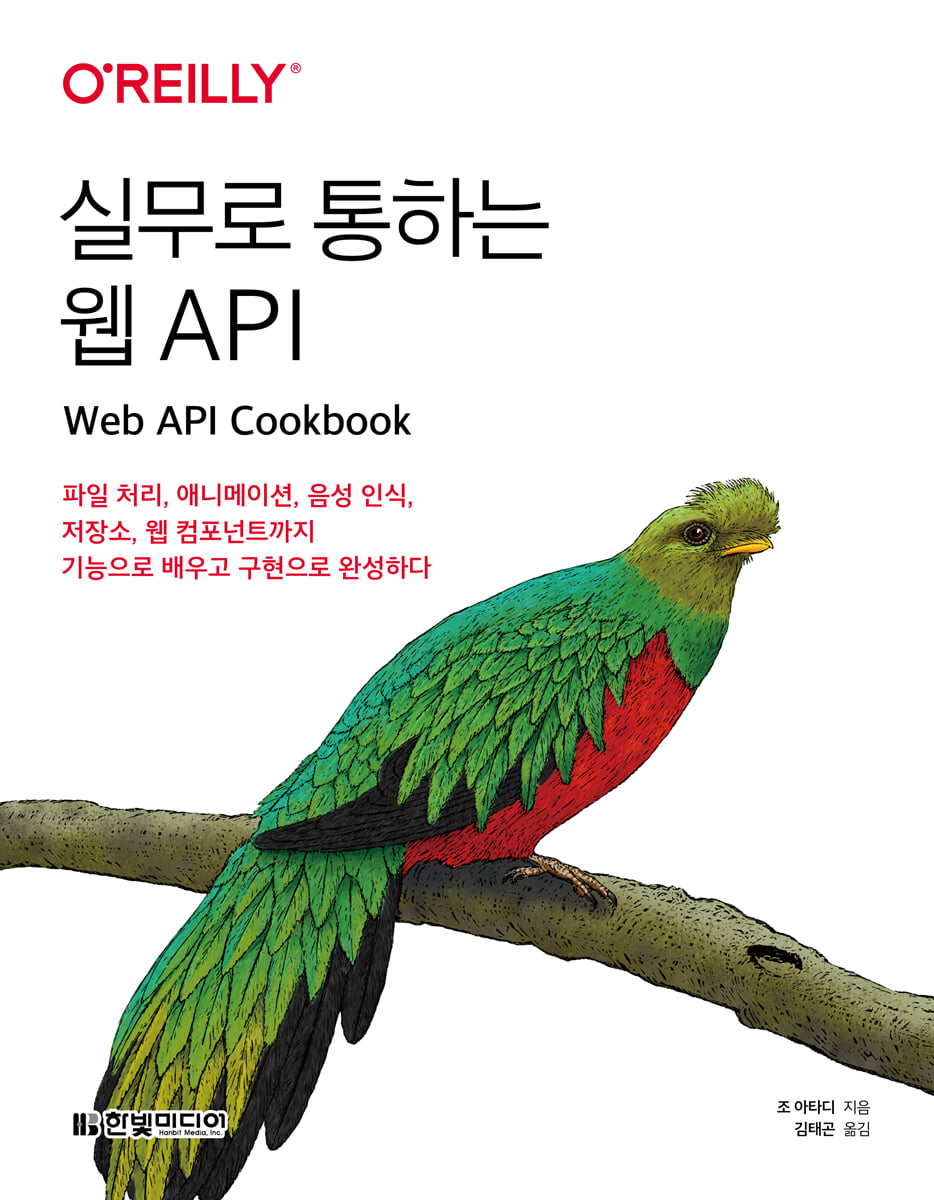
Web APIs that are immediately applicable to real-world applications: Learn the most practical ways to use them through examples.
"Web APIs for Practical Use" is a practical guide that covers browser-based APIs essential for modern web development, including media, clipboard, and notifications, along with abundant code examples.
Each chapter is structured in the 'Problem' - 'Solution' - 'Explanation' structure, allowing you to quickly find and apply the necessary functions. It also provides practical precautions to ensure that the functions are working properly, increasing usability.
We naturally connect theory and practice by combining vast web APIs to implement real-world services.
For new developers, it provides an opportunity to learn the core principles of web browsers and standard APIs, and also shows new possibilities for front-end development that do not rely on frameworks or libraries.
In an era where the browser has become the platform, this book delivers essential knowledge for web developers in the most practical way possible.
"Web APIs for Practical Use" is a practical guide that covers browser-based APIs essential for modern web development, including media, clipboard, and notifications, along with abundant code examples.
Each chapter is structured in the 'Problem' - 'Solution' - 'Explanation' structure, allowing you to quickly find and apply the necessary functions. It also provides practical precautions to ensure that the functions are working properly, increasing usability.
We naturally connect theory and practice by combining vast web APIs to implement real-world services.
For new developers, it provides an opportunity to learn the core principles of web browsers and standard APIs, and also shows new possibilities for front-end development that do not rely on frameworks or libraries.
In an era where the browser has become the platform, this book delivers essential knowledge for web developers in the most practical way possible.
- You can preview some of the book's contents.
Preview
index
CHAPTER 1 Asynchronous API
_1.0 Introduction
_1.1 Handling Promises
_1.2 Preparing for image loading errors
_1.3 Promise Chaining
_1.4 Using async/await keywords
_1.5 Parallel Promise Usage
_1.6 Element animation using requestAnimationFrame
_1.7 Wrapping event-based APIs with promises
CHAPTER 2 Storing Data Using the Web Storage API
_2.0 Introduction
_2.1 Check web storage support
_2.2 Storing string data
_2.3 Storing simple objects
_2.4 Storing complex objects
_2.5 Listening for storage changes
_2.6 Retrieving all saved keys
_2.7 Data Deletion
CHAPTER 3 URLS AND ROUTING
_3.0 Introduction
_3.1 Understanding Relative URLs
_3.2 Removing query parameters from URLs
_3.3 Adding query parameters to the URL
_3.4 Reading query parameters
_3.5 Writing a Simple Client-Side Router
_3.6 Finding URLs that match a pattern
CHAPTER 4 NETWORK REQUESTS
_4.0 Introduction
_4.1 Sending a request using XMLHttpRequest
_4.2 Sending a GET request using the Fetch API
_4.3 Sending a POST request using the Fetch API
_4.4 Uploading files using the Fetch API
_4.5 Beacon Transmission
_4.6 Listening for remote events with server-sent events
_4.7 Real-time data exchange via WebSockets
CHAPTER 5 IndexedDB
_5.0 Introduction
_5.1 Creating, reading, and deleting objects in the database
_5.2 Upgrading an existing database
_5.3 Index Lookup
_5.4 Retrieving string values using cursors
_5.5 Large-Scale Data Paging
_5.6 Using the IndexedDB API and Promises
CHAPTER 6 Monitoring DOM Elements
_6.0 Introduction
_6.1 Lazy loading when images are in the visible area
_6.2 Wrapping IntersectionObserver in a Promise
_6.3 Automatically pause and play videos
_6.4 Creating a height change animation
_6.5 Changing content based on element size
_6.6 Applying a fade-in when an element is in the visible area
_6.7 Using infinite scroll
CHAPTER 7 Form
_7.0 Introduction
_7.1 Populating form fields with values from local storage
_7.2 Filling out forms using the fetch and form data APIs
_7.3 Sending a form in JSON format
_7.4 Making form fields required
_7.5 Make it so that only numbers can be entered
_7.6 Setting the validation pattern
_7.7 Form Validation
_7.8 Using Custom Validation Logic
_7.9 Checkbox Group Validation
_7.10 Validating Form Fields Asynchronously
CHAPTER 8 Web Animation API
_8.0 Introduction
_8.1 Applying a ripple effect when clicking
_8.2 Starting and Stopping Animations
_8.3 DOM insertion and removal animation
_8.4 Reverse Animation
_8.5 Scroll Progress Bar
_8.6 Bouncy Elements
_8.7 Running multiple animations simultaneously
_8.8 Loading Animation
_8.9 Animation according to user settings
CHAPTER 9 Web Speech API
_9.0 Introduction
_9.1 Adding Dictation to a Text Field
_9.2 Writing a Promise-Based Speech Recognition Assistant
_9.3 Checking available voices
_9.4 Voice Synthesis
_9.5 Customizing Voice Synthesis
_9.6 Automatically stop voice synthesis
CHAPTER 10 WORKING WITH FILES
_10.0 Introduction
_10.1 Reading text from a file
_10.2 Reading images as Data URLs
_10.3 Reading a video as an object URL
_10.4 Reading images via drag and drop
_10.5 Check and request permissions
_10.6 Exporting API data to a file
_10.7 Export API data to a download link
_10.8 Uploading files using drag and drop
CHAPTER 11 INTERNATIONALIZATION
_11.0 Introduction
_11.1 Formatting dates
_11.2 Get some formatted dates
_11.3 Formatting relative dates
_11.4 Formatting numbers
_11.5 Rounding to a specific decimal place
_11.6 Setting the price range format
_11.7 Setting the unit of measurement format
_11.8 Applying plural rules
_11.9 Counting characters, words, and sentences
_11.10 Setting the list format
_11.11 Sorting an array of names
CHAPTER 12 WEB COMPONENTS
_12.0 Introduction
_12.1 Creating a component that displays today's date
_12.2 Writing a component that formats arbitrary dates
_12.3 Creating a Feedback Component
_12.4 Creating a Profile Card Component
_12.5 Creating a lazy loading image component
_12.6 Creating More Components
_12.7 Creating a button component with applied styles
CHAPTER 13 UI Elements
_13.0 Introduction
_13.1 Creating a warning window
_13.2 Create a confirmation window
_13.3 Creating a confirmation window web component
_13.4 Using the More Element
_13.5 Show popover
_13.6 Manually Manipulating Popovers
_13.7 Setting the position of a popover relative to an element
_13.8 Show tooltips
_13.9 Notification Display
CHAPTER 14 DEVICE INTEGRATION
_14.0 Introduction
_14.1 Checking battery status
_14.2 Checking network status
_14.3 Checking device location
_14.4 Show device location on map
_14.5 Copy and paste text
_14.6 Sharing Content Using the Web Sharing API
_14.7 Vibrate the device
_14.8 Check screen orientation
CHAPTER 15 PERFORMANCE MEASUREMENT
_15.0 Introduction
_15.1 Measuring Page Loading Performance
_15.2 Resource Performance Measurement
_15.3 Detecting the slowest resource
_15.4 Checking the timing of a specific resource
_15.5 Rendering Performance Profiling
_15.6 Multi-step task profiling
_15.7 Monitoring Performance Metrics
CHAPTER 16 Handling the Console
_16.0 Introduction
_16.1 Customizing Console Output
_16.2 Using log levels
_16.3 Using Named Log Functions
_16.4 Outputting an array of objects as a table
_16.5 Using the console timer
_16.6 Using Console Groups
_16.7 Using counters
_16.8 Recording variables and their values
_16.9 Stack Trace History
_16.10 Expected Value Verification
_16.11 Examining Object Properties
CHAPTER 17 CSS
_17.0 Introduction
_17.1 Highlighting text areas
_17.2 Preventing text from flickering
_17.3 DOM Transition Animation
_17.4 Changing style sheets while running
_17.5 Setting CSS classes based on conditions
_17.6 Check media queries
_17.7 Getting the computed style of an element
CHAPTER 18 Media
_18.0 Introduction
_18.1 Screen Recording
_18.2 Capturing images from the user's camera
_18.3 Displaying the user's camera image
_18.4 Check System Media Support
_18.5 Applying video filters
CHAPTER 19 Conclusion
_19.0 Introduction
_19.1 Third-party libraries
_19.2 Detect features other than browser version
_19.3 Polyfill
_19.4 The Future to Come
_1.0 Introduction
_1.1 Handling Promises
_1.2 Preparing for image loading errors
_1.3 Promise Chaining
_1.4 Using async/await keywords
_1.5 Parallel Promise Usage
_1.6 Element animation using requestAnimationFrame
_1.7 Wrapping event-based APIs with promises
CHAPTER 2 Storing Data Using the Web Storage API
_2.0 Introduction
_2.1 Check web storage support
_2.2 Storing string data
_2.3 Storing simple objects
_2.4 Storing complex objects
_2.5 Listening for storage changes
_2.6 Retrieving all saved keys
_2.7 Data Deletion
CHAPTER 3 URLS AND ROUTING
_3.0 Introduction
_3.1 Understanding Relative URLs
_3.2 Removing query parameters from URLs
_3.3 Adding query parameters to the URL
_3.4 Reading query parameters
_3.5 Writing a Simple Client-Side Router
_3.6 Finding URLs that match a pattern
CHAPTER 4 NETWORK REQUESTS
_4.0 Introduction
_4.1 Sending a request using XMLHttpRequest
_4.2 Sending a GET request using the Fetch API
_4.3 Sending a POST request using the Fetch API
_4.4 Uploading files using the Fetch API
_4.5 Beacon Transmission
_4.6 Listening for remote events with server-sent events
_4.7 Real-time data exchange via WebSockets
CHAPTER 5 IndexedDB
_5.0 Introduction
_5.1 Creating, reading, and deleting objects in the database
_5.2 Upgrading an existing database
_5.3 Index Lookup
_5.4 Retrieving string values using cursors
_5.5 Large-Scale Data Paging
_5.6 Using the IndexedDB API and Promises
CHAPTER 6 Monitoring DOM Elements
_6.0 Introduction
_6.1 Lazy loading when images are in the visible area
_6.2 Wrapping IntersectionObserver in a Promise
_6.3 Automatically pause and play videos
_6.4 Creating a height change animation
_6.5 Changing content based on element size
_6.6 Applying a fade-in when an element is in the visible area
_6.7 Using infinite scroll
CHAPTER 7 Form
_7.0 Introduction
_7.1 Populating form fields with values from local storage
_7.2 Filling out forms using the fetch and form data APIs
_7.3 Sending a form in JSON format
_7.4 Making form fields required
_7.5 Make it so that only numbers can be entered
_7.6 Setting the validation pattern
_7.7 Form Validation
_7.8 Using Custom Validation Logic
_7.9 Checkbox Group Validation
_7.10 Validating Form Fields Asynchronously
CHAPTER 8 Web Animation API
_8.0 Introduction
_8.1 Applying a ripple effect when clicking
_8.2 Starting and Stopping Animations
_8.3 DOM insertion and removal animation
_8.4 Reverse Animation
_8.5 Scroll Progress Bar
_8.6 Bouncy Elements
_8.7 Running multiple animations simultaneously
_8.8 Loading Animation
_8.9 Animation according to user settings
CHAPTER 9 Web Speech API
_9.0 Introduction
_9.1 Adding Dictation to a Text Field
_9.2 Writing a Promise-Based Speech Recognition Assistant
_9.3 Checking available voices
_9.4 Voice Synthesis
_9.5 Customizing Voice Synthesis
_9.6 Automatically stop voice synthesis
CHAPTER 10 WORKING WITH FILES
_10.0 Introduction
_10.1 Reading text from a file
_10.2 Reading images as Data URLs
_10.3 Reading a video as an object URL
_10.4 Reading images via drag and drop
_10.5 Check and request permissions
_10.6 Exporting API data to a file
_10.7 Export API data to a download link
_10.8 Uploading files using drag and drop
CHAPTER 11 INTERNATIONALIZATION
_11.0 Introduction
_11.1 Formatting dates
_11.2 Get some formatted dates
_11.3 Formatting relative dates
_11.4 Formatting numbers
_11.5 Rounding to a specific decimal place
_11.6 Setting the price range format
_11.7 Setting the unit of measurement format
_11.8 Applying plural rules
_11.9 Counting characters, words, and sentences
_11.10 Setting the list format
_11.11 Sorting an array of names
CHAPTER 12 WEB COMPONENTS
_12.0 Introduction
_12.1 Creating a component that displays today's date
_12.2 Writing a component that formats arbitrary dates
_12.3 Creating a Feedback Component
_12.4 Creating a Profile Card Component
_12.5 Creating a lazy loading image component
_12.6 Creating More Components
_12.7 Creating a button component with applied styles
CHAPTER 13 UI Elements
_13.0 Introduction
_13.1 Creating a warning window
_13.2 Create a confirmation window
_13.3 Creating a confirmation window web component
_13.4 Using the More Element
_13.5 Show popover
_13.6 Manually Manipulating Popovers
_13.7 Setting the position of a popover relative to an element
_13.8 Show tooltips
_13.9 Notification Display
CHAPTER 14 DEVICE INTEGRATION
_14.0 Introduction
_14.1 Checking battery status
_14.2 Checking network status
_14.3 Checking device location
_14.4 Show device location on map
_14.5 Copy and paste text
_14.6 Sharing Content Using the Web Sharing API
_14.7 Vibrate the device
_14.8 Check screen orientation
CHAPTER 15 PERFORMANCE MEASUREMENT
_15.0 Introduction
_15.1 Measuring Page Loading Performance
_15.2 Resource Performance Measurement
_15.3 Detecting the slowest resource
_15.4 Checking the timing of a specific resource
_15.5 Rendering Performance Profiling
_15.6 Multi-step task profiling
_15.7 Monitoring Performance Metrics
CHAPTER 16 Handling the Console
_16.0 Introduction
_16.1 Customizing Console Output
_16.2 Using log levels
_16.3 Using Named Log Functions
_16.4 Outputting an array of objects as a table
_16.5 Using the console timer
_16.6 Using Console Groups
_16.7 Using counters
_16.8 Recording variables and their values
_16.9 Stack Trace History
_16.10 Expected Value Verification
_16.11 Examining Object Properties
CHAPTER 17 CSS
_17.0 Introduction
_17.1 Highlighting text areas
_17.2 Preventing text from flickering
_17.3 DOM Transition Animation
_17.4 Changing style sheets while running
_17.5 Setting CSS classes based on conditions
_17.6 Check media queries
_17.7 Getting the computed style of an element
CHAPTER 18 Media
_18.0 Introduction
_18.1 Screen Recording
_18.2 Capturing images from the user's camera
_18.3 Displaying the user's camera image
_18.4 Check System Media Support
_18.5 Applying video filters
CHAPTER 19 Conclusion
_19.0 Introduction
_19.1 Third-party libraries
_19.2 Detect features other than browser version
_19.3 Polyfill
_19.4 The Future to Come
Detailed image
Publisher's Review
Essential API Strategies Every Web Developer Should Know, Learned Through Browser-Based Practical Examples
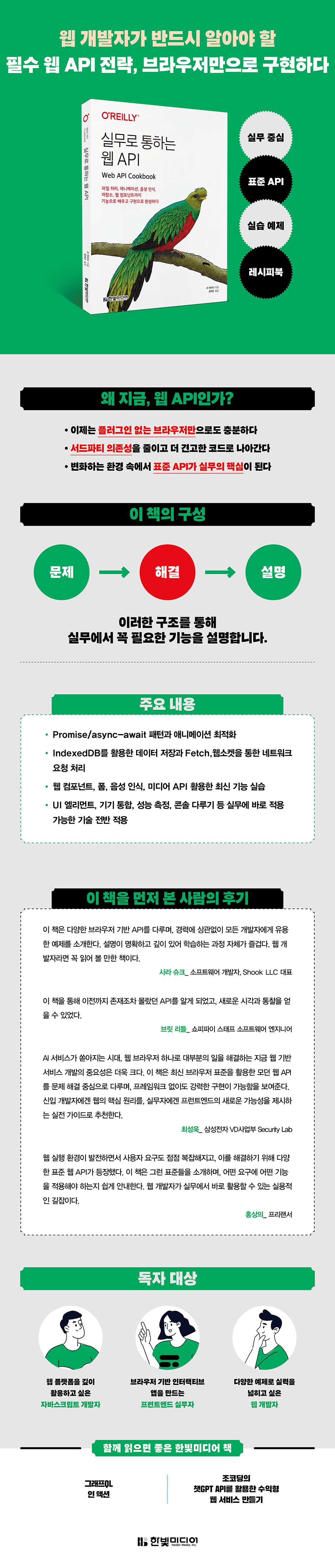
"Practical Web APIs" explains various web APIs that can be implemented using only a web browser, step by step, following the structure of "problem" - "solution" - "explanation."
We guide you through implementing core features like WebSocket, WebStorage, IndexedDB, and DOM Observer directly without any separate libraries, and we thoroughly cover the operating principles of each feature and precautions that are often overlooked in practice.
It also provides practicality that can be applied directly to real-world projects through promise-based asynchronous processing and structured examples.
As web technologies rapidly evolve, including AI, multimodality, and UX innovation, understanding the capabilities that can be implemented solely through browsers is becoming increasingly important.
This book will be an excellent guide to building such standard API-centric development capabilities.
If you are a developer who wants to learn everything about web APIs, from their principles to practical applications, in one book, then this is a must-read.
Who is this book for?
● JavaScript experience who wants to utilize the web platform in depth
● Developers with basic knowledge of JavaScript syntax, functions, and standard libraries
● Practitioners who understand the DOM API required to create browser-based interactive applications
● Developers who want to improve their skills through various practical examples
"Practical Web APIs" explains various web APIs that can be implemented using only a web browser, step by step, following the structure of "problem" - "solution" - "explanation."
We guide you through implementing core features like WebSocket, WebStorage, IndexedDB, and DOM Observer directly without any separate libraries, and we thoroughly cover the operating principles of each feature and precautions that are often overlooked in practice.
It also provides practicality that can be applied directly to real-world projects through promise-based asynchronous processing and structured examples.
As web technologies rapidly evolve, including AI, multimodality, and UX innovation, understanding the capabilities that can be implemented solely through browsers is becoming increasingly important.
This book will be an excellent guide to building such standard API-centric development capabilities.
If you are a developer who wants to learn everything about web APIs, from their principles to practical applications, in one book, then this is a must-read.
Who is this book for?
● JavaScript experience who wants to utilize the web platform in depth
● Developers with basic knowledge of JavaScript syntax, functions, and standard libraries
● Practitioners who understand the DOM API required to create browser-based interactive applications
● Developers who want to improve their skills through various practical examples
GOODS SPECIFICS
- Date of issue: September 1, 2025
- Page count, weight, size: 324 pages | 183*235*13mm
- ISBN13: 9791169214261
- ISBN10: 1169214266
You may also like
카테고리
korean


korean

![GQ KOREA Mark (Monthly): December [2025]](http://librairie.coreenne.fr/cdn/shop/files/8ef265dbbfbf186523ed75ba7319009d.jpg?v=1765340328&width=3840)


