

AI applications implemented with LLM and RAG
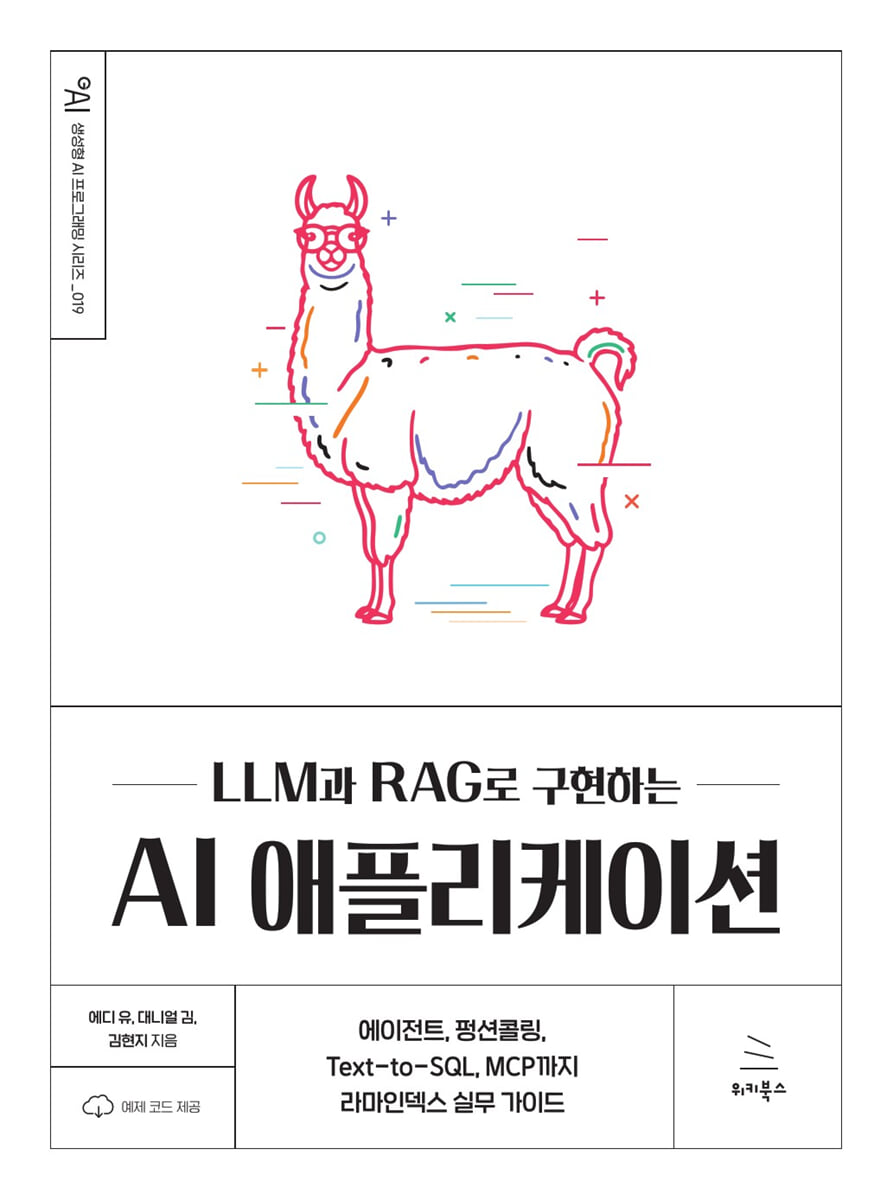 |
Description
Book Introduction
Augmented Search Generation (RAG), function calling, agents, vector stores, and the latest framework, MCP!
"Implementing AI Applications with LLM and RAG" is a comprehensive, practical guide that goes beyond simply following rapidly evolving AI technology trends to provide key insights and practical solutions for actual implementation and integration.
We systematically cover the main trends of generative AI technology from a practical perspective, so that both developers and planners can easily build a RAG system.
Readers will learn how to flexibly combine and intuitively connect complex components such as document processing, vector indexing, and query routing using RamaIndex.
"Implementing AI Applications with LLM and RAG" is a comprehensive, practical guide that goes beyond simply following rapidly evolving AI technology trends to provide key insights and practical solutions for actual implementation and integration.
We systematically cover the main trends of generative AI technology from a practical perspective, so that both developers and planners can easily build a RAG system.
Readers will learn how to flexibly combine and intuitively connect complex components such as document processing, vector indexing, and query routing using RamaIndex.
- You can preview some of the book's contents.
Preview
index
▣ Chapter 1: Entering the Rama Index
1.1 Tasks supported by RamaIndex
1.2 Setting up the RamaIndex usage environment
__1.2.1 Installing Python on Windows
__1.2.2 Creating a virtual environment
__1.2.3 Installing Visual Studio Code
__1.2.4 Issuing an OpenAI API Key
__1.2.5 Issuing a Gemini API Key
__1.2.6 Adding API Keys to Environment Variables
1.3 Preview of Rama Index
__1.3.1 Preparing Data
__1.3.2 Installing RamaIndex in a Virtual Environment
__1.3.3 Running RamaIndex
▣ Chapter 2: RamaIndex Pipeline
2.1 Setting up the development environment
2.2 Data loading
__2.2.1 Data Reader
__2.2.2 Data Connector
2.3 Text Segmentation
__2.3.1 Documents and Nodes
__2.3.2 Token Unit Splitting
__2.3.3 Sentence unit division
__2.3.4 Semantic Unit Division
__2.3.5 Text Segmentation Comparison
2.4 Indexing
__2.4.1 What is indexing?
__2.4.2 Vector storage index
__2.4.3 Top-K Search
2.5 Save
2.6 Query
__2.6.1 Query Engine (QueryEngine)
__2.6.2 Retrieval
__2.6.3 Postprocessing
__2.6.4 Response synthesis
__2.6.5 Customizing
▣ Chapter 3: Vector Store
3.1 Setting up the development environment
3.2 Chroma
__3.2.1 Creating a Chroma Client
__3.2.2 Creating a Collection
__3.2.3 Adding vector data
__3.2.4 Vector Search
__3.2.5 Metadata Filtering
__3.2.6 Adding embedding data
__3.2.7 Searching Embedding Data
__3.2.8 How chroma is stored
__3.2.9 Embedding-based RamaIndex Answer Generation
__3.2.10 Generating answers based on RamaIndex
3.3 Pinecone
__3.3.1 Pinecon API Initialization
__3.3.2 Adding vector data
__3.3.3 Vector Search
__3.3.4 Metadata Filtering
__3.3.5 Embedding-based RamaIndex Answer Generation
__3.3.6 Generating answers based on RamaIndex (omitting embedding)
3.4 Quadrant
__3.4.1 Generating answers based on RamaIndex
__3.4.2 Setting up a local environment using Docker
__3.4.3 Cloud-based environment setup
▣ Chapter 4: RAG Practice Using Text Documents
4.1 Setting up the development environment
4.2 Preparing data for practice
4.3 Handling PDF Files
__4.3.1 Data Preparation
__4.3.2 Text Segmentation
__4.3.3 Indexing
__4.3.4 Executing a query
4.4 Handling Text Files
__4.4.1 Basic RAG Practice
__4.4.2 Index Storage: Using Chroma
4.5 Handling CSV Files
4.6 Handling HWP files
__4.6.1 Using HWPReader
__4.6.2 Using SimpleDirectoryReader
▣ Chapter 5: Multimodal RAG Practice
5.1 Setting up the development environment
5.2 Preparing the Data
5.3 Multimodal Vector Indexing with the OpenAI API
5.4 Building a Multimodal RAG Using Quadrants
__5.4.1 Quadrant Installation and Client Setup
__5.4.2 Creating a Text and Image Vector Store
__5.4.3 Creating a multimodal vector index
__5.4.4 Search
5.5 Building a Question-Answering-Based RAG System
__5.5.1 Executing basic queries
__5.5.2 Executing queries using improved prompts
5.6 Building an Image-Based RAG System
__5.6.1 Downloading and saving new images
__5.6.2 Performing an image search
__5.6.3 Analysis of images with similar painting styles
▣ Chapter 6: Agent RAG
6.1 Setting up the development environment
6.2 Data Preparation
6.3 Hugging Face Embedding
6.4 Creating an Agent
▣ Chapter 7: Advanced RAG
7.1 Setting up the development environment
7.2 ReRanking
__7.2.1 LLM-based reranking
7.3 Cost Issues of LLM-Based Reranking
__7.3.1 Reranking based on cross-encoder
7.4 Hyde
__7.4.1 Data Preparation
__7.4.2 Setting up a large language model and embeddings
__7.4.3 Implementing Hide
▣ Chapter 8: Function Calling Agent
8.1 Setting up the development environment
8.2 Understanding How Function Calling Works
8.3 Function calling using external APIs
__8.3.1 Creating a stock market information call agent
__8.3.2 Preparing the function calling tool
__8.3.3 Creating an agent and running a query
8.4 RAG Agent Implemented with Function Calling
__8.4.1 Environment settings and data preparation
__8.4.2 Preparing the function calling tool
__8.4.3 Creating an agent and executing a query
▣ Chapter 9: Implementing a Counselor Agent with Text-to-SQL
9.1 Setting up the development environment
9.2 Setting up the environment for agent development
9.3 Designing a Hospital Database
9.4 Implementing a Text-to-SQL Agent
9.5 Multi-turn conversation processing technique
9.6 User Interface Using Gradio
▣ Chapter 10: MCP (Model Context Protocol)
10.1 What is MCP?
10.2 Building a Model Context Protocol Development Environment
10.3 MCP Server
__10.3.1 Registering a tool using an adapter
__10.3.2 MCP Inspector
__10.3.3 Message Format
__10.3.4 Document Search Agent MCP Practice
10.4 MCP Client
10.5 Weather Agent Practice
__10.5.1 Obtaining an OpenWeatherMap API Key
__10.5.2 Extracting city names
__10.5.3 OpenWeatherMap API Integration
__10.5.4 Registering MCP Tools and Running the Server
__10.5.5 Implementing an MCP Client: Asking the Weather
__10.5.6 Summary
1.1 Tasks supported by RamaIndex
1.2 Setting up the RamaIndex usage environment
__1.2.1 Installing Python on Windows
__1.2.2 Creating a virtual environment
__1.2.3 Installing Visual Studio Code
__1.2.4 Issuing an OpenAI API Key
__1.2.5 Issuing a Gemini API Key
__1.2.6 Adding API Keys to Environment Variables
1.3 Preview of Rama Index
__1.3.1 Preparing Data
__1.3.2 Installing RamaIndex in a Virtual Environment
__1.3.3 Running RamaIndex
▣ Chapter 2: RamaIndex Pipeline
2.1 Setting up the development environment
2.2 Data loading
__2.2.1 Data Reader
__2.2.2 Data Connector
2.3 Text Segmentation
__2.3.1 Documents and Nodes
__2.3.2 Token Unit Splitting
__2.3.3 Sentence unit division
__2.3.4 Semantic Unit Division
__2.3.5 Text Segmentation Comparison
2.4 Indexing
__2.4.1 What is indexing?
__2.4.2 Vector storage index
__2.4.3 Top-K Search
2.5 Save
2.6 Query
__2.6.1 Query Engine (QueryEngine)
__2.6.2 Retrieval
__2.6.3 Postprocessing
__2.6.4 Response synthesis
__2.6.5 Customizing
▣ Chapter 3: Vector Store
3.1 Setting up the development environment
3.2 Chroma
__3.2.1 Creating a Chroma Client
__3.2.2 Creating a Collection
__3.2.3 Adding vector data
__3.2.4 Vector Search
__3.2.5 Metadata Filtering
__3.2.6 Adding embedding data
__3.2.7 Searching Embedding Data
__3.2.8 How chroma is stored
__3.2.9 Embedding-based RamaIndex Answer Generation
__3.2.10 Generating answers based on RamaIndex
3.3 Pinecone
__3.3.1 Pinecon API Initialization
__3.3.2 Adding vector data
__3.3.3 Vector Search
__3.3.4 Metadata Filtering
__3.3.5 Embedding-based RamaIndex Answer Generation
__3.3.6 Generating answers based on RamaIndex (omitting embedding)
3.4 Quadrant
__3.4.1 Generating answers based on RamaIndex
__3.4.2 Setting up a local environment using Docker
__3.4.3 Cloud-based environment setup
▣ Chapter 4: RAG Practice Using Text Documents
4.1 Setting up the development environment
4.2 Preparing data for practice
4.3 Handling PDF Files
__4.3.1 Data Preparation
__4.3.2 Text Segmentation
__4.3.3 Indexing
__4.3.4 Executing a query
4.4 Handling Text Files
__4.4.1 Basic RAG Practice
__4.4.2 Index Storage: Using Chroma
4.5 Handling CSV Files
4.6 Handling HWP files
__4.6.1 Using HWPReader
__4.6.2 Using SimpleDirectoryReader
▣ Chapter 5: Multimodal RAG Practice
5.1 Setting up the development environment
5.2 Preparing the Data
5.3 Multimodal Vector Indexing with the OpenAI API
5.4 Building a Multimodal RAG Using Quadrants
__5.4.1 Quadrant Installation and Client Setup
__5.4.2 Creating a Text and Image Vector Store
__5.4.3 Creating a multimodal vector index
__5.4.4 Search
5.5 Building a Question-Answering-Based RAG System
__5.5.1 Executing basic queries
__5.5.2 Executing queries using improved prompts
5.6 Building an Image-Based RAG System
__5.6.1 Downloading and saving new images
__5.6.2 Performing an image search
__5.6.3 Analysis of images with similar painting styles
▣ Chapter 6: Agent RAG
6.1 Setting up the development environment
6.2 Data Preparation
6.3 Hugging Face Embedding
6.4 Creating an Agent
▣ Chapter 7: Advanced RAG
7.1 Setting up the development environment
7.2 ReRanking
__7.2.1 LLM-based reranking
7.3 Cost Issues of LLM-Based Reranking
__7.3.1 Reranking based on cross-encoder
7.4 Hyde
__7.4.1 Data Preparation
__7.4.2 Setting up a large language model and embeddings
__7.4.3 Implementing Hide
▣ Chapter 8: Function Calling Agent
8.1 Setting up the development environment
8.2 Understanding How Function Calling Works
8.3 Function calling using external APIs
__8.3.1 Creating a stock market information call agent
__8.3.2 Preparing the function calling tool
__8.3.3 Creating an agent and running a query
8.4 RAG Agent Implemented with Function Calling
__8.4.1 Environment settings and data preparation
__8.4.2 Preparing the function calling tool
__8.4.3 Creating an agent and executing a query
▣ Chapter 9: Implementing a Counselor Agent with Text-to-SQL
9.1 Setting up the development environment
9.2 Setting up the environment for agent development
9.3 Designing a Hospital Database
9.4 Implementing a Text-to-SQL Agent
9.5 Multi-turn conversation processing technique
9.6 User Interface Using Gradio
▣ Chapter 10: MCP (Model Context Protocol)
10.1 What is MCP?
10.2 Building a Model Context Protocol Development Environment
10.3 MCP Server
__10.3.1 Registering a tool using an adapter
__10.3.2 MCP Inspector
__10.3.3 Message Format
__10.3.4 Document Search Agent MCP Practice
10.4 MCP Client
10.5 Weather Agent Practice
__10.5.1 Obtaining an OpenWeatherMap API Key
__10.5.2 Extracting city names
__10.5.3 OpenWeatherMap API Integration
__10.5.4 Registering MCP Tools and Running the Server
__10.5.5 Implementing an MCP Client: Asking the Weather
__10.5.6 Summary
Detailed image

Publisher's Review
★ What this book covers ★
◎ Rama Index Pipeline
◎ Vector Store
◎ RAG practice using text documents
◎ Multimodal RAG Practice
◎ Agent RAG and Advanced RAG
◎ Function Calling Agent
◎ Consultant agent implemented using Text-to-SQL
◎ MCP Agent
◎ Rama Index Pipeline
◎ Vector Store
◎ RAG practice using text documents
◎ Multimodal RAG Practice
◎ Agent RAG and Advanced RAG
◎ Function Calling Agent
◎ Consultant agent implemented using Text-to-SQL
◎ MCP Agent
GOODS SPECIFICS
- Date of issue: July 18, 2025
- Page count, weight, size: 392 pages | 175*235*16mm
- ISBN13: 9791158396220
You may also like
카테고리
korean


korean

![GQ KOREA Mark (Monthly): December [2025]](http://librairie.coreenne.fr/cdn/shop/files/8ef265dbbfbf186523ed75ba7319009d.jpg?v=1765340328&width=3840)


