

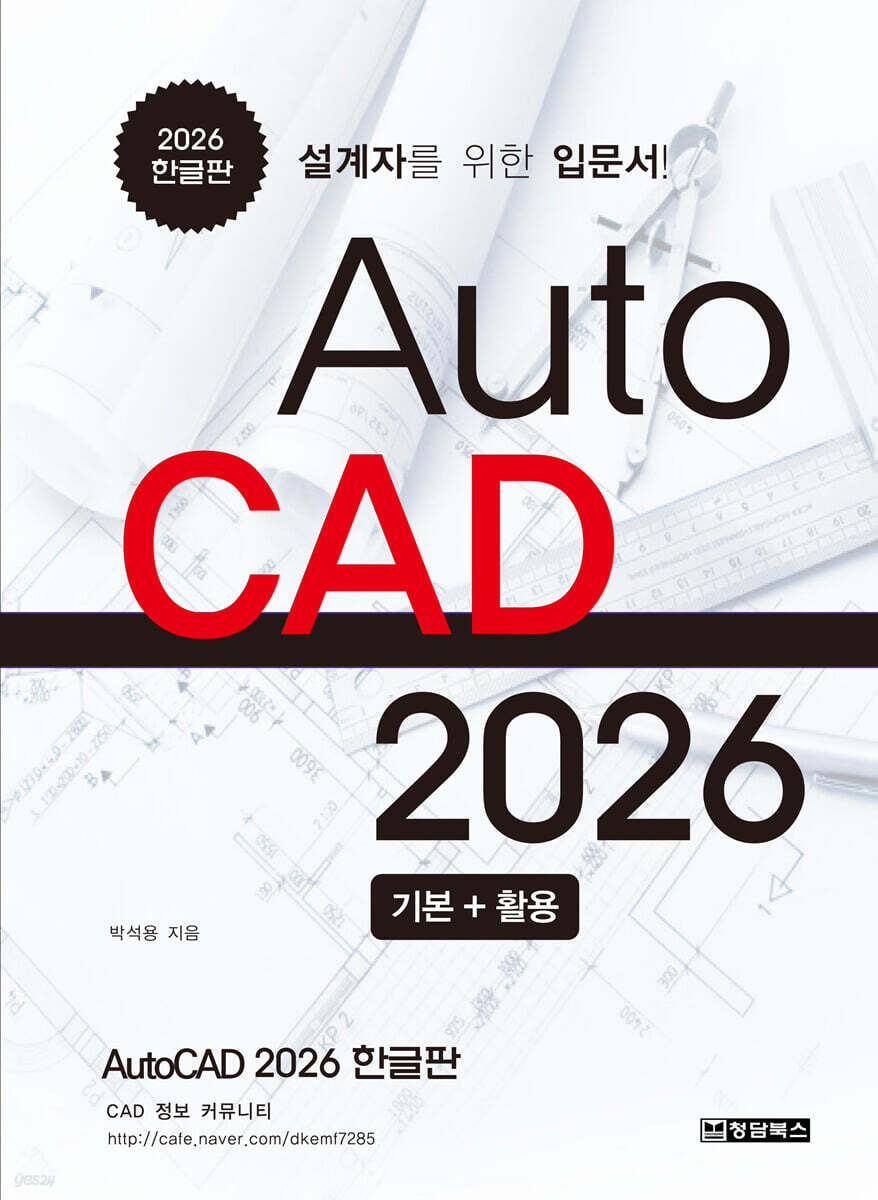
AutoCAD 2026 Korean version
 |
Description
Book Introduction
『AutoCAD 2026 Korean Edition』 is a basic learning guide for beginners who want to learn the AutoCAD program to create drawings while performing mechanical design work. It explains how to use the important commands, options, and tools that AutoCAD supports and can be used, and introduces their characteristics so that readers can perfectly acquire the functions on their own.
index
CHAPTER 1 AutoCAD introduction
1.
Getting started with AutoCAD 2026
1.1 Running AutoCAD 2026
1.2 Start interface
1.3 Graphic user interface
2.
Command interface
2.1 AutoCAD Command Interface
2.2 How to use the mouse and keyboard
3.
Managing drawing files
3.1 Drawing file
CHAPTER 2 Drawing Drafting Basics
1.
Drawing drafting basics
1.1 AutoCAD Basics
1.2 Coordinate system
1.3 Creating basic objects
2.
Layer concepts and utilization
2.1 Layer overview
2.2 Layer properties
2.3 Layer controlling
2.4 Layer tools
3.
Creating parallel and offset geometry
3.1 Offset command
3.2 Trim command
3.3 Extend command
3.4 Fillet command
3.5 Chamfer command
4.
Display controls
4.1 Display tools
CHAPTER 3 Drawing setups
1.
Drawing drafting order
1.1 Drawing order and process
1.2 To apply scale to drawing components
1.3 Principles of drawing in AutoCAD
2.
Drawing forms & system regulations
2.1 Size of drawing paper
2.2 Scale
2.3 Method of projection
2.4 Types and uses of lines
3.
Drawing setup
3.1 Drawing units and accuracy
3.2 Drawing scale
3.3 Drawing limits and extents
3.4 To add an element to a drawing form
CHAPTER 4 Drawing & Modification Aids
1.
Drawing aids
1.1 Object snaps
1.2 Object snap tracking
1.3 Polar tracking and polarsnap
1.4 Grid and snap
1.5 Ortho mode
1.6 Selection cycling
2.
Selecting objects in the drawing
2.1 Selection set
2.2 Select objects options
2.3 Other methods for selecting objects
3.
Grip editing
3.1 Selecting object with grip
3.2 Using grip
4.
New drawing interface (Headup design)
4.1 Dynamic input interface
CHAPTER 5 Defining Objects
1.
Draws complex objects
1.1 Polyline command
1.2 Polyline Edit Command (Pedit command)
2.
Creating splines
2.1 Spline command
2.2 Spline Edit Command (Splinedit command)
3.
Draw a polygon
3.1 Rectangle command
3.2 Polygon command
3.3 Ellipse command
4.
Draw the linear object
4.1 Xline command
4.2 Ray command
4.3 Multiline Style Command (Mlstyle command)
4.4 Multi-line command (Mline command)
4.5 Multiline editing command (Mledit command)
CHAPTER 6 Object properties
1.
Object properties
1.1 Object properties
1.2 Quick properties
1.3 Using the properties palette
1.4 Changing object properties
1.5 Matchprop command
1.6 ByLayer properties
2.
Linetype concepts and utilization
2.1 Linetype
2.2 Adding linetypes to your drawing
CHAPTER 7 Manipulating Objects
1.
Moving & copying objects
1.1 Move command
1.2 Copy command
2.
Rotating & mirroring objects
2.1 Rotate command
2.2 Mirror command
3.
Creating object patterns
3.1 Rectangular array command
3.2 Polar array command
3.3 Path array command
3.4 Arrayedit command
4.
Changing an object's size
4.1 Scale command
4.2 Join command
4.3 Break command
4.4 Length command
4.5 Stretch command
5.
Using objects inform.
inquiry)
5.1 Measuring information
5.2 Inquiry command
5.3 ID point
5.4 List command
5.5 Massprop command
6.
Using points in drawings
6.1 Ptype command
6.2 Point command
6.3 Equal Division - Divide Command
6.4 Measure command
6.5 Boundary command
6.6 Region command
CHAPTER 8 Text, hatch, and block
1.
Annotating the drawings
1.1 Style command
1.2 Single-line character command (Text or dtext command)
1.3 Multiline text command (Mtext command)
2.
Editing text
2.1 Editing text
2.2 Multiline strings and grips (Mtext columns and grips)
3.
Hatching objects
3.1 Hatching objects
3.2 Hatch command
3.3 Editing hatch objects
4.
Using blocks
4.1 Create blocks
4.2 Inserting blocks
CHAPTER 9 Dimensioning
1.
Dimension style
1.1 What is a Dimension?
1.2 Dimstyle command
1.3 Modify a dimension style
1.4 Overriding a dimension style
2.
Creating dimensions
2.1 Dimension object
2.2 Dimlinear command
2.3 Dimaligned command
2.4 Dimangular command
2.5 Dimcontinue command
2.6 Dimbaseline command
3.
Creating Dim on Curved Objects
3.1 Dimradius command
3.2 Dimdiameter command
3.3 Dimarc command
3.4 Dimjogged command
3.5 Centermark command
4.
Enhancing dimensions
4.1 Dim command
4.2 Quick Dimension Command (Qdim command)
4.3 Dimordinate command
4.4 Dimjogline command
4.5 Dimspace command
4.6 Dimbreak command
5.
Editing dimension
5.1 Editing dimensions
5.2 Editing dimension - Flip arrow
5.3 Useful dimension editing tools
6.
Other dimension commands
6.1 Dimension Update Command (-Dimstyle command)
6.2 Dimoverride command
6.3 Dimreassociate command
7.
Annotation with leader
7.1 Multileader overview
7.2 Multileaderstyle command
7.3 Using multileader
7.4 Leader command
7.5 Qleader command
7.6 Tolerance command
CHAPTER 10 Plot drawings
1.
Plot a drawings
1.1 Configuring a plotter
1.2 Creating a plot style
1.3 Setting up a default plot style
2.
Plotting drawings
2.1 Plotting a drawing
2.2 Plotting from model space
2.3 Plotting from layout
3.
Drawing Process (Summary)
3.1 Selection of object
3.2 Drawing sheet setup and scale calculation
(Drawing Sheet Settings and Scale Calculation)
3.3 Setting units and accuracy
3.4 Setting drawing limits and drawing outlines and center marks
(Setting drawing limits and draw contours and center marks)
3.5 Linetype scale setting
3.6 Creating a layer
3.7 Drawing view by triangular projection
3.8 Hatch work
3.9 Text work
3.10 Dimensional work
1.
Getting started with AutoCAD 2026
1.1 Running AutoCAD 2026
1.2 Start interface
1.3 Graphic user interface
2.
Command interface
2.1 AutoCAD Command Interface
2.2 How to use the mouse and keyboard
3.
Managing drawing files
3.1 Drawing file
CHAPTER 2 Drawing Drafting Basics
1.
Drawing drafting basics
1.1 AutoCAD Basics
1.2 Coordinate system
1.3 Creating basic objects
2.
Layer concepts and utilization
2.1 Layer overview
2.2 Layer properties
2.3 Layer controlling
2.4 Layer tools
3.
Creating parallel and offset geometry
3.1 Offset command
3.2 Trim command
3.3 Extend command
3.4 Fillet command
3.5 Chamfer command
4.
Display controls
4.1 Display tools
CHAPTER 3 Drawing setups
1.
Drawing drafting order
1.1 Drawing order and process
1.2 To apply scale to drawing components
1.3 Principles of drawing in AutoCAD
2.
Drawing forms & system regulations
2.1 Size of drawing paper
2.2 Scale
2.3 Method of projection
2.4 Types and uses of lines
3.
Drawing setup
3.1 Drawing units and accuracy
3.2 Drawing scale
3.3 Drawing limits and extents
3.4 To add an element to a drawing form
CHAPTER 4 Drawing & Modification Aids
1.
Drawing aids
1.1 Object snaps
1.2 Object snap tracking
1.3 Polar tracking and polarsnap
1.4 Grid and snap
1.5 Ortho mode
1.6 Selection cycling
2.
Selecting objects in the drawing
2.1 Selection set
2.2 Select objects options
2.3 Other methods for selecting objects
3.
Grip editing
3.1 Selecting object with grip
3.2 Using grip
4.
New drawing interface (Headup design)
4.1 Dynamic input interface
CHAPTER 5 Defining Objects
1.
Draws complex objects
1.1 Polyline command
1.2 Polyline Edit Command (Pedit command)
2.
Creating splines
2.1 Spline command
2.2 Spline Edit Command (Splinedit command)
3.
Draw a polygon
3.1 Rectangle command
3.2 Polygon command
3.3 Ellipse command
4.
Draw the linear object
4.1 Xline command
4.2 Ray command
4.3 Multiline Style Command (Mlstyle command)
4.4 Multi-line command (Mline command)
4.5 Multiline editing command (Mledit command)
CHAPTER 6 Object properties
1.
Object properties
1.1 Object properties
1.2 Quick properties
1.3 Using the properties palette
1.4 Changing object properties
1.5 Matchprop command
1.6 ByLayer properties
2.
Linetype concepts and utilization
2.1 Linetype
2.2 Adding linetypes to your drawing
CHAPTER 7 Manipulating Objects
1.
Moving & copying objects
1.1 Move command
1.2 Copy command
2.
Rotating & mirroring objects
2.1 Rotate command
2.2 Mirror command
3.
Creating object patterns
3.1 Rectangular array command
3.2 Polar array command
3.3 Path array command
3.4 Arrayedit command
4.
Changing an object's size
4.1 Scale command
4.2 Join command
4.3 Break command
4.4 Length command
4.5 Stretch command
5.
Using objects inform.
inquiry)
5.1 Measuring information
5.2 Inquiry command
5.3 ID point
5.4 List command
5.5 Massprop command
6.
Using points in drawings
6.1 Ptype command
6.2 Point command
6.3 Equal Division - Divide Command
6.4 Measure command
6.5 Boundary command
6.6 Region command
CHAPTER 8 Text, hatch, and block
1.
Annotating the drawings
1.1 Style command
1.2 Single-line character command (Text or dtext command)
1.3 Multiline text command (Mtext command)
2.
Editing text
2.1 Editing text
2.2 Multiline strings and grips (Mtext columns and grips)
3.
Hatching objects
3.1 Hatching objects
3.2 Hatch command
3.3 Editing hatch objects
4.
Using blocks
4.1 Create blocks
4.2 Inserting blocks
CHAPTER 9 Dimensioning
1.
Dimension style
1.1 What is a Dimension?
1.2 Dimstyle command
1.3 Modify a dimension style
1.4 Overriding a dimension style
2.
Creating dimensions
2.1 Dimension object
2.2 Dimlinear command
2.3 Dimaligned command
2.4 Dimangular command
2.5 Dimcontinue command
2.6 Dimbaseline command
3.
Creating Dim on Curved Objects
3.1 Dimradius command
3.2 Dimdiameter command
3.3 Dimarc command
3.4 Dimjogged command
3.5 Centermark command
4.
Enhancing dimensions
4.1 Dim command
4.2 Quick Dimension Command (Qdim command)
4.3 Dimordinate command
4.4 Dimjogline command
4.5 Dimspace command
4.6 Dimbreak command
5.
Editing dimension
5.1 Editing dimensions
5.2 Editing dimension - Flip arrow
5.3 Useful dimension editing tools
6.
Other dimension commands
6.1 Dimension Update Command (-Dimstyle command)
6.2 Dimoverride command
6.3 Dimreassociate command
7.
Annotation with leader
7.1 Multileader overview
7.2 Multileaderstyle command
7.3 Using multileader
7.4 Leader command
7.5 Qleader command
7.6 Tolerance command
CHAPTER 10 Plot drawings
1.
Plot a drawings
1.1 Configuring a plotter
1.2 Creating a plot style
1.3 Setting up a default plot style
2.
Plotting drawings
2.1 Plotting a drawing
2.2 Plotting from model space
2.3 Plotting from layout
3.
Drawing Process (Summary)
3.1 Selection of object
3.2 Drawing sheet setup and scale calculation
(Drawing Sheet Settings and Scale Calculation)
3.3 Setting units and accuracy
3.4 Setting drawing limits and drawing outlines and center marks
(Setting drawing limits and draw contours and center marks)
3.5 Linetype scale setting
3.6 Creating a layer
3.7 Drawing view by triangular projection
3.8 Hatch work
3.9 Text work
3.10 Dimensional work
Publisher's Review
In this AutoCAD 2026 Basic + Utilization textbook, we tried to add new drawing methods of AutoCAD 2026 release version by setting up Head-up Design and Polar Tracking functions through Dynmode Input function added from AutoCAD 2006 release version as well as existing drawing methods.
These newly added geometry drawing methods will work without any issues in release versions after AutoCAD 2010.
However, one thing to note is that AutoCAD beginners are advised to first master the existing shape drawing method and then learn and use the new shape drawing method.
If you read all the contents of this textbook from beginning to end and naturally master mechanical drafting, AutoCAD commands and options, and geometry drawing methods by drawing the various assignment drawings provided using AutoCAD, you will learn AutoCAD as a true mechanical engineer, create drawings, and utilize its functions in various design practices. Then, you will feel and discover AutoCAD's excellent functions and true hidden values.
These newly added geometry drawing methods will work without any issues in release versions after AutoCAD 2010.
However, one thing to note is that AutoCAD beginners are advised to first master the existing shape drawing method and then learn and use the new shape drawing method.
If you read all the contents of this textbook from beginning to end and naturally master mechanical drafting, AutoCAD commands and options, and geometry drawing methods by drawing the various assignment drawings provided using AutoCAD, you will learn AutoCAD as a true mechanical engineer, create drawings, and utilize its functions in various design practices. Then, you will feel and discover AutoCAD's excellent functions and true hidden values.
GOODS SPECIFICS
- Date of issue: July 25, 2025
- Page count, weight, size: 654 pages | 188*257*30mm
- ISBN13: 9791191218374
- ISBN10: 1191218376
You may also like
카테고리
korean


korean

![GQ KOREA Mark (Monthly): December [2025]](http://librairie.coreenne.fr/cdn/shop/files/8ef265dbbfbf186523ed75ba7319009d.jpg?v=1765340328&width=3840)


