

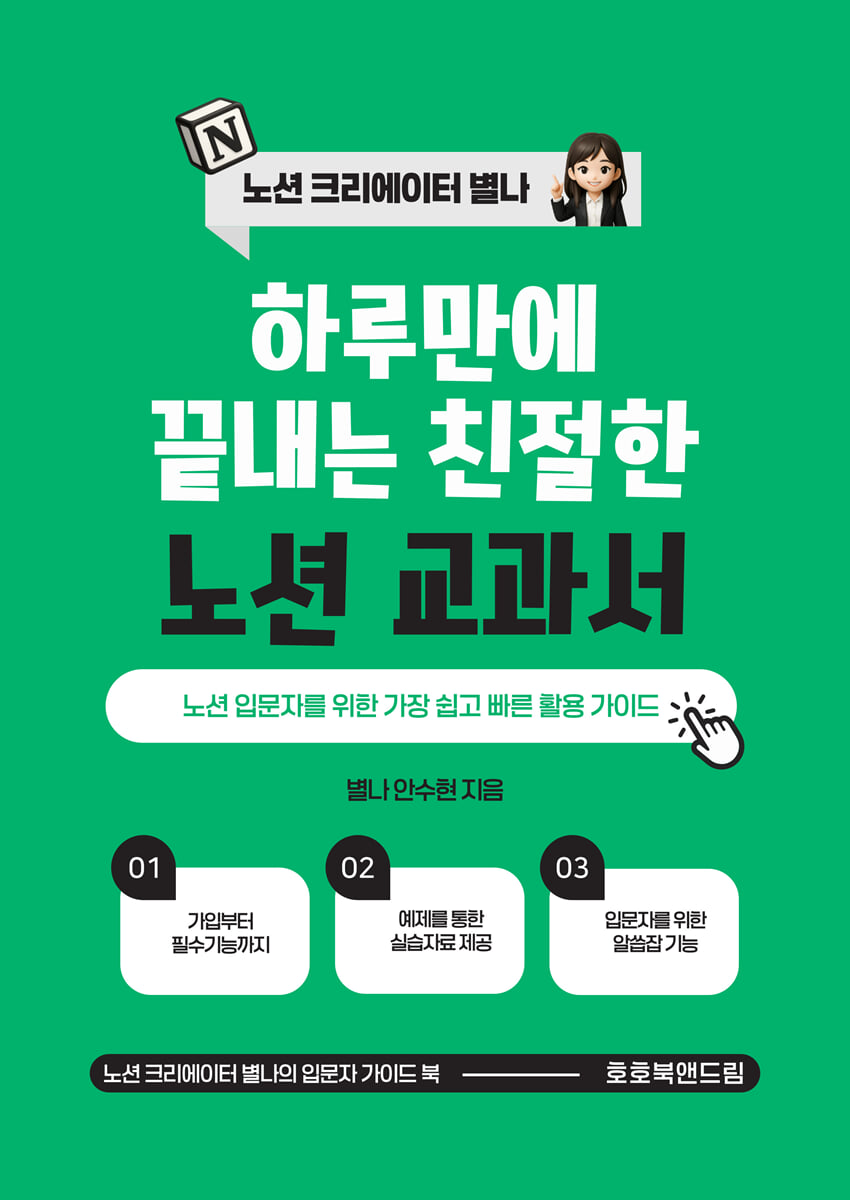
A friendly Notion textbook that you can finish in one day
 |
Description
Book Introduction
Tired of managing complex information, work, and personal schedules? Want to work efficiently without wasting time?
If so, Notion is the answer.
From a simple note-taking app to a powerful data management tool, project management tool, and personal archive, Notion is infinitely expandable and morphable, so learning the basics is essential to using it the way you want.
This book guides you step-by-step through the basic concepts of Notion, from practical applications to practical use in real-world work, allowing you to learn systematically from the basics.
If so, Notion is the answer.
From a simple note-taking app to a powerful data management tool, project management tool, and personal archive, Notion is infinitely expandable and morphable, so learning the basics is essential to using it the way you want.
This book guides you step-by-step through the basic concepts of Notion, from practical applications to practical use in real-world work, allowing you to learn systematically from the basics.
index
Prologue: A Friendly Guide for Newcomers to Notion
PART 01.
A Solid Foundation for Getting Started with Notion ㆍ9
1-1 What is Notion? ㆍ10
Notion's Concept and Features
Why Use Notion
1-2 How to sign up and use Notion for free ㆍ13
Notion Free Signup Process (Using Email and Social Accounts)
Understanding the concept of workspaces and how to create them
1-3 Easy-to-Understand Notion Interface ㆍ19
Perfectly organized sidebar, workspace, and page structure
Creating and managing Notion pages
How to delete and restore pages and precautions
1-4 Setting up and personalizing your settings for beginners ㆍ27
How to set Notion's language to Korean
How to set your Notion start page
Notion theme settings (light mode / dark mode)
Setting up your workspace (additional setup tips)
PART 02.
Mastering Pages and Blocks ㆍ37
2-1 Learn how to use basic blocks ㆍ38
How to create text blocks and title (heading) blocks
How to create bulleted lists and checklists
How to use toggle blocks and divider blocks
How to use callout blocks and remove emojis
2-2 Page Composition and Management Perfectly Organized ㆍ 50
Learn page structure and features
How to use covers and icons
Learn about the page restore feature
2-3 @Mention and '/' Command Usage ㆍ59
Quickly tag people and pages using @mentions
Create blocks faster with the '/' command
PART 03.
Practical Uses of Templates & Synchronization Blocks ㆍ65
3-1 Understanding Notion's Built-In Templates ㆍ66
Find and practice using the built-in templates
Select and apply a template that suits your situation.
3-2 Synchronization Block Concept and Utilization Method ㆍ74
Understanding the definition, pros, and cons of synchronization blocks
Share content across multiple pages with sync blocks
PART 04.
Media (Embedded) and Bookmark Content Management ㆍ83
4-1 Understanding Notion's Embed Feature ㆍ84
How to embed external media content
How to embed external documents in Notion
4-2 Learning Tips for Using the Bookmark Block ㆍ91
Useful bookmark block usage tips and practical examples
Easily organize and manage frequently accessed websites
PART 05.
Managing Information Efficiently with Databases ㆍ95
5-1 Understanding the Basic Concepts and Features of Databases ㆍ96
The need for a database and how to use it
Efficient data management using databases
5-2 Using Database Types and Various Screen Views ㆍ98
Database View Concepts and Usage
How to Use Databases and Callouts
Database AI features made simple
5-3 Easily Use Filters and Sorting Within a Database ㆍ109
Examples and Practice of Applying Database Filters
Manage data effectively using data sorting features
PART 06.
Learn Notion quickly and easily: Sharing & Collaborating ㆍ115
6-1 Mastering Notion Page Sharing Methods ㆍ116
Share pages to the web and set and manage permissions
How to set your page to public or private
6-2 Invite team members and guests to work together ㆍ119
How to invite and manage members to your workspace
Collaborate with external users and manage permissions through guest invitations.
PART 07.
Useful Information for Beginners ㆍ121
7-1 List of frequently used Notion shortcuts ㆍ122
Notion Shortcuts You Must Know
Useful Shortcut Tips
7-2 Changing font size and color using formulas ㆍ124
Basics of changing font color and size using Notion's formula function
Easy changes for beginners
7-3 Database Replication and Linked Base Differences ㆍ131
Database Replication Features and Precautions
Using Linked Databases and Their Benefits
Epilogue: Congratulations! You're now a Notion beginner.
PART 01.
A Solid Foundation for Getting Started with Notion ㆍ9
1-1 What is Notion? ㆍ10
Notion's Concept and Features
Why Use Notion
1-2 How to sign up and use Notion for free ㆍ13
Notion Free Signup Process (Using Email and Social Accounts)
Understanding the concept of workspaces and how to create them
1-3 Easy-to-Understand Notion Interface ㆍ19
Perfectly organized sidebar, workspace, and page structure
Creating and managing Notion pages
How to delete and restore pages and precautions
1-4 Setting up and personalizing your settings for beginners ㆍ27
How to set Notion's language to Korean
How to set your Notion start page
Notion theme settings (light mode / dark mode)
Setting up your workspace (additional setup tips)
PART 02.
Mastering Pages and Blocks ㆍ37
2-1 Learn how to use basic blocks ㆍ38
How to create text blocks and title (heading) blocks
How to create bulleted lists and checklists
How to use toggle blocks and divider blocks
How to use callout blocks and remove emojis
2-2 Page Composition and Management Perfectly Organized ㆍ 50
Learn page structure and features
How to use covers and icons
Learn about the page restore feature
2-3 @Mention and '/' Command Usage ㆍ59
Quickly tag people and pages using @mentions
Create blocks faster with the '/' command
PART 03.
Practical Uses of Templates & Synchronization Blocks ㆍ65
3-1 Understanding Notion's Built-In Templates ㆍ66
Find and practice using the built-in templates
Select and apply a template that suits your situation.
3-2 Synchronization Block Concept and Utilization Method ㆍ74
Understanding the definition, pros, and cons of synchronization blocks
Share content across multiple pages with sync blocks
PART 04.
Media (Embedded) and Bookmark Content Management ㆍ83
4-1 Understanding Notion's Embed Feature ㆍ84
How to embed external media content
How to embed external documents in Notion
4-2 Learning Tips for Using the Bookmark Block ㆍ91
Useful bookmark block usage tips and practical examples
Easily organize and manage frequently accessed websites
PART 05.
Managing Information Efficiently with Databases ㆍ95
5-1 Understanding the Basic Concepts and Features of Databases ㆍ96
The need for a database and how to use it
Efficient data management using databases
5-2 Using Database Types and Various Screen Views ㆍ98
Database View Concepts and Usage
How to Use Databases and Callouts
Database AI features made simple
5-3 Easily Use Filters and Sorting Within a Database ㆍ109
Examples and Practice of Applying Database Filters
Manage data effectively using data sorting features
PART 06.
Learn Notion quickly and easily: Sharing & Collaborating ㆍ115
6-1 Mastering Notion Page Sharing Methods ㆍ116
Share pages to the web and set and manage permissions
How to set your page to public or private
6-2 Invite team members and guests to work together ㆍ119
How to invite and manage members to your workspace
Collaborate with external users and manage permissions through guest invitations.
PART 07.
Useful Information for Beginners ㆍ121
7-1 List of frequently used Notion shortcuts ㆍ122
Notion Shortcuts You Must Know
Useful Shortcut Tips
7-2 Changing font size and color using formulas ㆍ124
Basics of changing font color and size using Notion's formula function
Easy changes for beginners
7-3 Database Replication and Linked Base Differences ㆍ131
Database Replication Features and Precautions
Using Linked Databases and Their Benefits
Epilogue: Congratulations! You're now a Notion beginner.
Detailed image

Into the book
Notion is, in a word, an 'all-in-one productivity tool.'
It's a powerful and versatile service that lets you take notes, manage documents, check off tasks, archive materials, and manage calendar schedules—all in one tool.
In Notion, each document unit is called a "page," and within this page, content is effectively organized into smaller units called "blocks."
Notion's unique concept of "blocks" gives users a great deal of freedom when creating content.
Blocks allow you to freely arrange and combine various types of content, including text, titles, checkboxes, images, videos, and databases.
The ability to easily change the position of blocks at any time is one of Notion's most unique and exciting features.
--- p.10
③ Make information more convenient with toggle blocks and divider blocks!
When organizing a large amount of information, you can use the 『Toggle Block』 to organize it neatly.
A toggle block is a block that expands or collapses its contents when clicked.
Toggle is a general toggle, but you can also use it by switching to the title 1.2.3 toggle.
Toggles and dividers are the most frequently used blocks when using Notion, so be sure to learn them.
--- p.43
To manage your Notion pages efficiently, you should develop the habit of actively utilizing the "@mention" and "slash command" functions rather than regular clicks.
The '@mention' feature allows you to quickly and efficiently link pages, users, and dates, while the '/slash command' helps you organize your entire content page and add features much faster.
--- p.64
A useful tip to remember when using synchronization blocks.
√ Make synchronization blocks easily visible
Sync blocks are marked with a border that separates them from other blocks and can be distinguished by an icon in the upper left corner.
Clearly mark them to avoid confusion and manage them efficiently.
√ Do not include too many different contents at once.
It is better for management to put only relevant information in a single sync block.
Mixing too many different topics can actually make it more difficult to manage.
--- p.81
The Bookmark block is a very useful block in Notion that makes information management and content curation easier and more convenient.
● Organize webpage content intuitively and visually
● Higher readability and clickability than simple text links
● Very practical for managing work data or personal interest data.
Now, organize and utilize the diverse information that pours in every day in your own style through the bookmark block feature.
This simple yet powerful feature alone will significantly improve your work efficiency and the quality of your daily life.
It's a powerful and versatile service that lets you take notes, manage documents, check off tasks, archive materials, and manage calendar schedules—all in one tool.
In Notion, each document unit is called a "page," and within this page, content is effectively organized into smaller units called "blocks."
Notion's unique concept of "blocks" gives users a great deal of freedom when creating content.
Blocks allow you to freely arrange and combine various types of content, including text, titles, checkboxes, images, videos, and databases.
The ability to easily change the position of blocks at any time is one of Notion's most unique and exciting features.
--- p.10
③ Make information more convenient with toggle blocks and divider blocks!
When organizing a large amount of information, you can use the 『Toggle Block』 to organize it neatly.
A toggle block is a block that expands or collapses its contents when clicked.
Toggle is a general toggle, but you can also use it by switching to the title 1.2.3 toggle.
Toggles and dividers are the most frequently used blocks when using Notion, so be sure to learn them.
--- p.43
To manage your Notion pages efficiently, you should develop the habit of actively utilizing the "@mention" and "slash command" functions rather than regular clicks.
The '@mention' feature allows you to quickly and efficiently link pages, users, and dates, while the '/slash command' helps you organize your entire content page and add features much faster.
--- p.64
A useful tip to remember when using synchronization blocks.
√ Make synchronization blocks easily visible
Sync blocks are marked with a border that separates them from other blocks and can be distinguished by an icon in the upper left corner.
Clearly mark them to avoid confusion and manage them efficiently.
√ Do not include too many different contents at once.
It is better for management to put only relevant information in a single sync block.
Mixing too many different topics can actually make it more difficult to manage.
--- p.81
The Bookmark block is a very useful block in Notion that makes information management and content curation easier and more convenient.
● Organize webpage content intuitively and visually
● Higher readability and clickability than simple text links
● Very practical for managing work data or personal interest data.
Now, organize and utilize the diverse information that pours in every day in your own style through the bookmark block feature.
This simple yet powerful feature alone will significantly improve your work efficiency and the quality of your daily life.
--- p.94
Publisher's Review
If you're tired of information overload and scheduling, try Notion today.
Every day, a torrent of work, messenger notifications, meeting minutes, to-do lists, personal schedules...
For those of you who are tired of going back and forth between the note app, calendar, Excel, and file folders.
Introducing Notion, a workspace that organizes everything into one.
If you want to work efficiently but don't know where to start,
This book may be the answer.
Notion is more than just a note-taking app.
Notion is more than just a note-taking app.
√ Work schedule management
√ Database cleanup
√ Project collaboration
√ Personal records and goal management
√ Reading notes, self-development records
It is a powerful digital tool that allows you to comprehensively manage your back.
Complex information at a glance, distracting schedules in one place.
A Practical Guide for Beginners to Notion
This is a basic introductory book designed to help even those new to Notion learn systematically from the beginning and apply it immediately in practice.
- A friendly explanation of concepts for those new to Notion.
- Step-by-step, hands-on functional usage
- Template examples and application tips that can be used immediately in practice
- It includes practical business improvement ideas based on real-world user use cases.
'Why did I only find out about this now?'
Once you know Notion, the way you work will change.
Complex tasks made simple, multiple tools in one.
Learning Notion will transform your time and energy.
I recommend this to these people.
√ People who need to organize their scattered tasks, schedules, and records
√ People who find it cumbersome to use Excel, calendar, memo app, and planner separately
√ People who installed Notion but didn't know where to start and just left it alone
√ People who need to manage their own schedules, such as freelancers, creators, solopreneurs, and instructors.
√ Team members or team leaders who need collaboration, and educators interested in edtech tools
Recommended for those who want to reduce time and increase the quality of work.
Learn Notion, a technique for organizing complexity.
In your life and work too
Add some order and rhythm with Notion.
Every day, a torrent of work, messenger notifications, meeting minutes, to-do lists, personal schedules...
For those of you who are tired of going back and forth between the note app, calendar, Excel, and file folders.
Introducing Notion, a workspace that organizes everything into one.
If you want to work efficiently but don't know where to start,
This book may be the answer.
Notion is more than just a note-taking app.
Notion is more than just a note-taking app.
√ Work schedule management
√ Database cleanup
√ Project collaboration
√ Personal records and goal management
√ Reading notes, self-development records
It is a powerful digital tool that allows you to comprehensively manage your back.
Complex information at a glance, distracting schedules in one place.
A Practical Guide for Beginners to Notion
This is a basic introductory book designed to help even those new to Notion learn systematically from the beginning and apply it immediately in practice.
- A friendly explanation of concepts for those new to Notion.
- Step-by-step, hands-on functional usage
- Template examples and application tips that can be used immediately in practice
- It includes practical business improvement ideas based on real-world user use cases.
'Why did I only find out about this now?'
Once you know Notion, the way you work will change.
Complex tasks made simple, multiple tools in one.
Learning Notion will transform your time and energy.
I recommend this to these people.
√ People who need to organize their scattered tasks, schedules, and records
√ People who find it cumbersome to use Excel, calendar, memo app, and planner separately
√ People who installed Notion but didn't know where to start and just left it alone
√ People who need to manage their own schedules, such as freelancers, creators, solopreneurs, and instructors.
√ Team members or team leaders who need collaboration, and educators interested in edtech tools
Recommended for those who want to reduce time and increase the quality of work.
Learn Notion, a technique for organizing complexity.
In your life and work too
Add some order and rhythm with Notion.
GOODS SPECIFICS
- Date of issue: June 10, 2025
- Page count, weight, size: 133 pages | 350g | 182*257*8mm
- ISBN13: 9791199044159
- ISBN10: 1199044156
You may also like
카테고리
korean


korean

![GQ KOREA Mark (Monthly): December [2025]](http://librairie.coreenne.fr/cdn/shop/files/8ef265dbbfbf186523ed75ba7319009d.jpg?v=1765340328&width=3840)


