

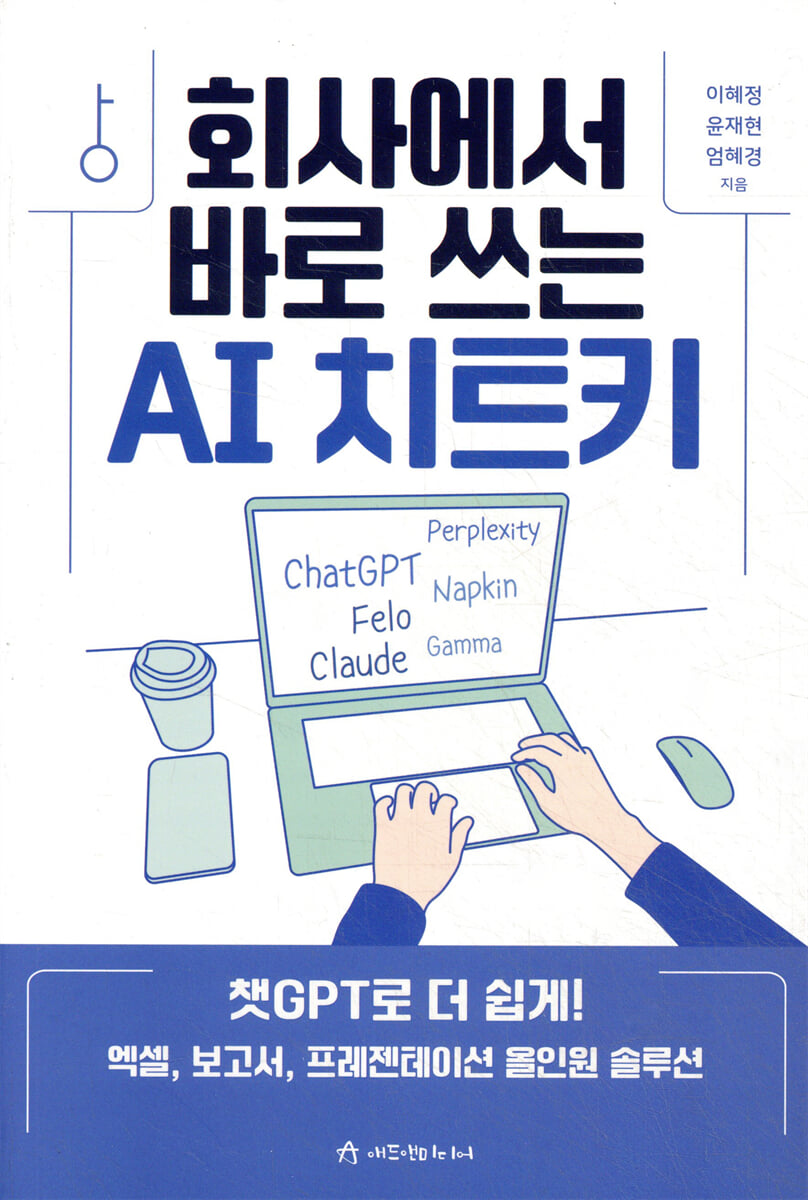
AI cheat keys used right at work
 |
Description
Book Introduction
How to Use Excel to Finish Presentations, Reports, and More Smartly with My AI Assistant
Innovative presentation writing with AI, from planning to presentation.
Have you ever felt like you were stamping your feet the day before a presentation? If so, it's time to change the way you work.
From data collection to content composition and presentation creation, AI can help you work more efficiently and systematically.
First, during the presentation material research phase, you can quickly collect reliable data using AI search tools like Perplexity and GenSpark.
Second, in the content composition stage, a logical and persuasive storytelling structure is completed through conversational AI such as ChatGPT and Claude.
Third, in the design and production stages, various AI-based presentation tools such as Gamma, Miricanvas, Felo, Mango Board AI, and Napkin are used to create presentations easily and conveniently.
In particular, the ability to create custom images using Recraft can greatly improve the visual perfection of your presentation.
Generative AI makes Excel work surprisingly convenient.
It intelligently tells you how to process the data you want and creates complex formulas in an instant.
Additionally, if you upload data and order the work you want, ChatGPT will automatically process the work and create an Excel file with the results.
Therefore, you can experience the effect of work speed being significantly faster than before.
Leveraging AI for data cleaning and transformation, formula and function creation, data analysis and visualization, VBA and macro writing, error resolution and debugging, and report and document automation can have tremendous benefits, like having a dedicated assistant at your side.
If you follow along with the practical examples and specific situational prompts presented in this book, you will gain various tips and significantly improve your work skills.
Innovative presentation writing with AI, from planning to presentation.
Have you ever felt like you were stamping your feet the day before a presentation? If so, it's time to change the way you work.
From data collection to content composition and presentation creation, AI can help you work more efficiently and systematically.
First, during the presentation material research phase, you can quickly collect reliable data using AI search tools like Perplexity and GenSpark.
Second, in the content composition stage, a logical and persuasive storytelling structure is completed through conversational AI such as ChatGPT and Claude.
Third, in the design and production stages, various AI-based presentation tools such as Gamma, Miricanvas, Felo, Mango Board AI, and Napkin are used to create presentations easily and conveniently.
In particular, the ability to create custom images using Recraft can greatly improve the visual perfection of your presentation.
Generative AI makes Excel work surprisingly convenient.
It intelligently tells you how to process the data you want and creates complex formulas in an instant.
Additionally, if you upload data and order the work you want, ChatGPT will automatically process the work and create an Excel file with the results.
Therefore, you can experience the effect of work speed being significantly faster than before.
Leveraging AI for data cleaning and transformation, formula and function creation, data analysis and visualization, VBA and macro writing, error resolution and debugging, and report and document automation can have tremendous benefits, like having a dedicated assistant at your side.
If you follow along with the practical examples and specific situational prompts presented in this book, you will gain various tips and significantly improve your work skills.
- You can preview some of the book's contents.
Preview
index
Chapter 1.
Presentations - Boost your productivity and creativity with AI!
introduction
Step-by-step AI for creating presentations
How to Use Smart Prompts to Gather Information
Researching Presentation Materials with Perplexity
Researching Presentation Materials with GenSpark
Smart prompts for structuring your presentation
Organizing Presentation Content with ChatGPT
Organizing your presentation with Claude
Complete the Real Estate Investment Guide Lecture Notes with Gamma
Designing a Game Forecast Presentation with Gamma
Creating class materials with Miricanvas
Create a health presentation with Felo
Creating New Product Presentations with MangoBoard AI
Creating Medical Presentations with Napkin
Create images for your presentation with Recraft
Writing a script for a presentation
[AI Agent] Learn about Works AI Business Assistant
Chapter 2.
Report - Maximizing Efficiency and Accuracy with AI!
introduction
Report planning using AI
Drafting reports with AI
Using AI to conduct market research
Improving Report Style with AI
Writing practical reports with AI
Improving Report Sentences Using AI
Creating a Report Chatbot (GPTs)
Chapter 3 Excel - Enjoy convenience and scalability with AI!
introduction
Generative AI Cheat Keys for Excel Work
Beginner? Excel! Just learn this and get started.
Automatically convert paper documents to Excel files
Convert PDF files to Excel
Remove decimals from numbers
Masking the last digits of your resident registration number
Change the date format to a certain format
Adding the words 'nim' and 'gijung' to the end of the name
Extract only the data you need
Select important data and change its color
Automatically display the text color and increase/decrease indicator for increase/decrease rate data
Keep only unique data among duplicate data
Using the slicer is much more convenient than using the automatic filter.
Writing business function formulas appropriate for your Excel version
Learn how to record macros easily
Create a repetitive macro that prints one page of PDF data at a time.
Quickly analyze daily sales data with a pivot table.
Creating a Job Training Satisfaction Survey Analysis Report
Predicting future values using data using linear regression analysis
Working with Excel with Microsoft Copilot
Insert a new column and automatically create formulas with Copilot
Automatically analyze sales data with Copilot
Creating a status analysis report using only Excel data
Presentations - Boost your productivity and creativity with AI!
introduction
Step-by-step AI for creating presentations
How to Use Smart Prompts to Gather Information
Researching Presentation Materials with Perplexity
Researching Presentation Materials with GenSpark
Smart prompts for structuring your presentation
Organizing Presentation Content with ChatGPT
Organizing your presentation with Claude
Complete the Real Estate Investment Guide Lecture Notes with Gamma
Designing a Game Forecast Presentation with Gamma
Creating class materials with Miricanvas
Create a health presentation with Felo
Creating New Product Presentations with MangoBoard AI
Creating Medical Presentations with Napkin
Create images for your presentation with Recraft
Writing a script for a presentation
[AI Agent] Learn about Works AI Business Assistant
Chapter 2.
Report - Maximizing Efficiency and Accuracy with AI!
introduction
Report planning using AI
Drafting reports with AI
Using AI to conduct market research
Improving Report Style with AI
Writing practical reports with AI
Improving Report Sentences Using AI
Creating a Report Chatbot (GPTs)
Chapter 3 Excel - Enjoy convenience and scalability with AI!
introduction
Generative AI Cheat Keys for Excel Work
Beginner? Excel! Just learn this and get started.
Automatically convert paper documents to Excel files
Convert PDF files to Excel
Remove decimals from numbers
Masking the last digits of your resident registration number
Change the date format to a certain format
Adding the words 'nim' and 'gijung' to the end of the name
Extract only the data you need
Select important data and change its color
Automatically display the text color and increase/decrease indicator for increase/decrease rate data
Keep only unique data among duplicate data
Using the slicer is much more convenient than using the automatic filter.
Writing business function formulas appropriate for your Excel version
Learn how to record macros easily
Create a repetitive macro that prints one page of PDF data at a time.
Quickly analyze daily sales data with a pivot table.
Creating a Job Training Satisfaction Survey Analysis Report
Predicting future values using data using linear regression analysis
Working with Excel with Microsoft Copilot
Insert a new column and automatically create formulas with Copilot
Automatically analyze sales data with Copilot
Creating a status analysis report using only Excel data
Detailed image

Into the book
Information gathering is a crucial step that lays the foundation and starting point for all work.
Recently, tools like Perplexity and Goover have emerged to help you quickly research information and organize the necessary materials systematically.
Perplexity provides clear summaries with reliable sources, while Goover helps you understand complex content with custom content organization and visual information organization.
These AI tools are revolutionizing how we gather information and dramatically increasing work efficiency.
--- p.16
From the beginning, you can just give AI a topic and leave everything from researching to organizing the data.
However, there are a few caveats to this method.
This is because the latest data may not be reflected, and there is a risk of ‘hallucination’, where AI creates false information that appears to be fact.
So a smarter approach is needed.
--- p.30
AI-based competitive analysis requires automatically collecting and organizing massive amounts of data.
Some of the most commonly used tools include SEMrush, Ahrefs, Google Trends, ChatGPT, and NLP-based crawling tools. In this chapter, we'll use the free Google Trends tool to find out which keywords are driving our competitors' main traffic.
First, enter the following dessert-related keywords into Google Trends to check the search volume trends (analysis period: last 12 months, region: South Korea).
Click the Download Data button to save the CSV file.
You can also collect related search terms and relevant keywords from the search results screen.
You can see the rankings of keywords that have risen sharply or are popular, which helps you identify trends.
--- p.135
Leveraging AI can go beyond simply organizing sentences, and can also be used to systematically improve the overall readability of reports.
This includes not only revising sentences, but also strengthening logical connections between paragraphs, emphasizing key messages, eliminating redundant expressions, and optimizing the structure to make it easier for readers to understand the information.
--- p.169
Anyone who uses Excel in the field has probably experienced difficulties when encountering data.
You need to use various Excel functions appropriately to collect data, preprocess the data into a usable state, write formulas by selecting appropriate calculation methods and functions for calculations, extract or summarize only the necessary data, analyze the insights from the data, and arrange the analyzed data so that it can be used in reports.
--- p.186
With ChatGPT, writing macro code in Excel is now possible with little effort and in a short period of time, even for non-experts.
However, when actually used in practice, errors often occur or it does not work.
If you encounter an error, you can ask questions like, “Analyze this error and find a solution,” so you can work towards a working code. So, even if you fail once or twice, I recommend being patient and writing the code.
Additionally, as you learn more about code by asking for detailed, easy-to-understand explanations of code, as introduced in this section, you will gradually be able to utilize macros to the point where you can perform simple edits on your own.
Recently, tools like Perplexity and Goover have emerged to help you quickly research information and organize the necessary materials systematically.
Perplexity provides clear summaries with reliable sources, while Goover helps you understand complex content with custom content organization and visual information organization.
These AI tools are revolutionizing how we gather information and dramatically increasing work efficiency.
--- p.16
From the beginning, you can just give AI a topic and leave everything from researching to organizing the data.
However, there are a few caveats to this method.
This is because the latest data may not be reflected, and there is a risk of ‘hallucination’, where AI creates false information that appears to be fact.
So a smarter approach is needed.
--- p.30
AI-based competitive analysis requires automatically collecting and organizing massive amounts of data.
Some of the most commonly used tools include SEMrush, Ahrefs, Google Trends, ChatGPT, and NLP-based crawling tools. In this chapter, we'll use the free Google Trends tool to find out which keywords are driving our competitors' main traffic.
First, enter the following dessert-related keywords into Google Trends to check the search volume trends (analysis period: last 12 months, region: South Korea).
Click the Download Data button to save the CSV file.
You can also collect related search terms and relevant keywords from the search results screen.
You can see the rankings of keywords that have risen sharply or are popular, which helps you identify trends.
--- p.135
Leveraging AI can go beyond simply organizing sentences, and can also be used to systematically improve the overall readability of reports.
This includes not only revising sentences, but also strengthening logical connections between paragraphs, emphasizing key messages, eliminating redundant expressions, and optimizing the structure to make it easier for readers to understand the information.
--- p.169
Anyone who uses Excel in the field has probably experienced difficulties when encountering data.
You need to use various Excel functions appropriately to collect data, preprocess the data into a usable state, write formulas by selecting appropriate calculation methods and functions for calculations, extract or summarize only the necessary data, analyze the insights from the data, and arrange the analyzed data so that it can be used in reports.
--- p.186
With ChatGPT, writing macro code in Excel is now possible with little effort and in a short period of time, even for non-experts.
However, when actually used in practice, errors often occur or it does not work.
If you encounter an error, you can ask questions like, “Analyze this error and find a solution,” so you can work towards a working code. So, even if you fail once or twice, I recommend being patient and writing the code.
Additionally, as you learn more about code by asking for detailed, easy-to-understand explanations of code, as introduced in this section, you will gradually be able to utilize macros to the point where you can perform simple edits on your own.
--- p.257
Publisher's Review
Written by three professional instructors
Practical AI know-how that office workers can use right away!
We live in an era where artificial intelligence technology is comprehensively revolutionizing core office tasks such as presentations, reports, and Excel creation.
This book covers presentations, reports, and Excel usage to increase efficiency by 200% with generative AI, following this trend.
Chapter 1 introduces how to use AI in presentations to increase productivity and creativity.
Enhance the quality of your presentations with Perplexity, GenSpark, ChatGPT, Claude, Gamma, Miricanvas, Felo, Mangoboard AI, Napkin, and Recraft.
Additionally, we introduce various ways to create presentations using AI, providing rich and diverse examples from data research, content composition, and production.
In Chapter 2, we'll explore how to create reports that maximize efficiency and accuracy with AI.
From report planning and drafting to market research, style improvement, and final report writing, AI is used to strategically create reports.
Chapter 3 presents a wealth of examples to help you work more efficiently and easily with Excel using AI.
It explains the basics in detail so that even beginners can easily approach it, shows how to extract the necessary data, and introduces various cases such as how to use linear regression analysis to predict future values using data or automatically analyze sales data with Copilot.
The combination of generative AI and work is setting a new standard for office automation.
In the future, AI-powered work support technologies may empower all office workers with expert-level skills.
Recently, AI has dramatically reduced work processing times and improved data processing accuracy. The future with AI will go beyond the mere evolution of tools and bring about a paradigm shift in the way we work, moving beyond presentations, reports, and Excel.
Each company's practitioners will be able to free themselves from repetitive tasks and devote more time to strategic thinking and creative planning, significantly improving their work capabilities and ultimately helping to strengthen the company's competitiveness.
Practical AI know-how that office workers can use right away!
We live in an era where artificial intelligence technology is comprehensively revolutionizing core office tasks such as presentations, reports, and Excel creation.
This book covers presentations, reports, and Excel usage to increase efficiency by 200% with generative AI, following this trend.
Chapter 1 introduces how to use AI in presentations to increase productivity and creativity.
Enhance the quality of your presentations with Perplexity, GenSpark, ChatGPT, Claude, Gamma, Miricanvas, Felo, Mangoboard AI, Napkin, and Recraft.
Additionally, we introduce various ways to create presentations using AI, providing rich and diverse examples from data research, content composition, and production.
In Chapter 2, we'll explore how to create reports that maximize efficiency and accuracy with AI.
From report planning and drafting to market research, style improvement, and final report writing, AI is used to strategically create reports.
Chapter 3 presents a wealth of examples to help you work more efficiently and easily with Excel using AI.
It explains the basics in detail so that even beginners can easily approach it, shows how to extract the necessary data, and introduces various cases such as how to use linear regression analysis to predict future values using data or automatically analyze sales data with Copilot.
The combination of generative AI and work is setting a new standard for office automation.
In the future, AI-powered work support technologies may empower all office workers with expert-level skills.
Recently, AI has dramatically reduced work processing times and improved data processing accuracy. The future with AI will go beyond the mere evolution of tools and bring about a paradigm shift in the way we work, moving beyond presentations, reports, and Excel.
Each company's practitioners will be able to free themselves from repetitive tasks and devote more time to strategic thinking and creative planning, significantly improving their work capabilities and ultimately helping to strengthen the company's competitiveness.
GOODS SPECIFICS
- Date of issue: June 1, 2025
- Page count, weight, size: 304 pages | 152*225*30mm
- ISBN13: 9791193856109
- ISBN10: 1193856108
You may also like
카테고리
korean


korean

![GQ KOREA Mark (Monthly): December [2025]](http://librairie.coreenne.fr/cdn/shop/files/8ef265dbbfbf186523ed75ba7319009d.jpg?v=1765340328&width=3840)


