

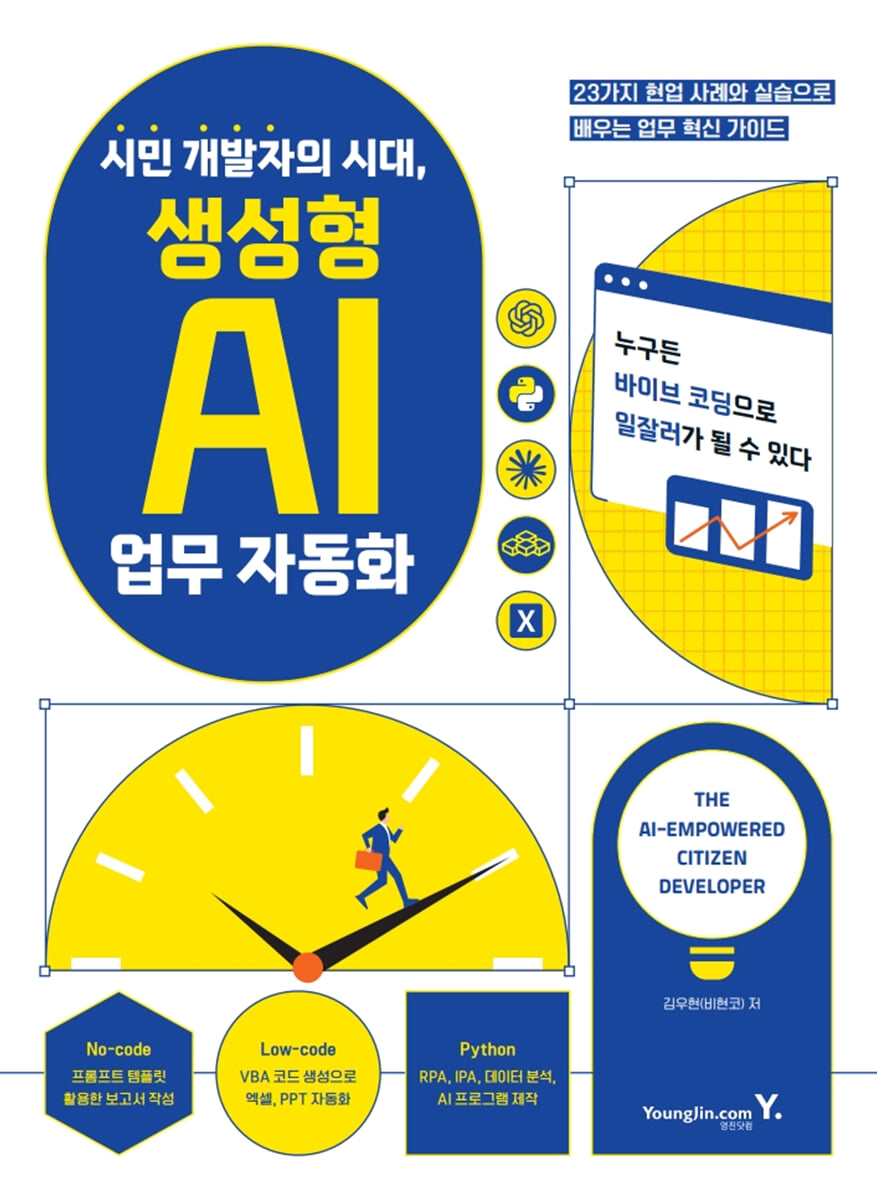
The Age of Citizen Developers: Generative AI Task Automation
 |
Description
Book Introduction
A corporate training expert IT instructor with over 10 years of office experience
Automation of practical tasks
This book is a work automation guide that covers how to solve practical problems using 'Vibe Coding', which generates code through questions.
It contains the author's practical knowledge gained through practical experience, insights gained while applying generative AI to practical settings, and ideas and know-how on work automation discovered while coaching various practitioners.
It shows you how to solve small, boring, repetitive tasks that would otherwise require the help of developers, and what kind of results you can achieve through them.
I hope this book will serve as a stepping stone to transforming your work.
Automation of practical tasks
This book is a work automation guide that covers how to solve practical problems using 'Vibe Coding', which generates code through questions.
It contains the author's practical knowledge gained through practical experience, insights gained while applying generative AI to practical settings, and ideas and know-how on work automation discovered while coaching various practitioners.
It shows you how to solve small, boring, repetitive tasks that would otherwise require the help of developers, and what kind of results you can achieve through them.
I hope this book will serve as a stepping stone to transforming your work.
- You can preview some of the book's contents.
Preview
index
[PART 01. INTRO]
CHAPTER 01.
ChatGPT: Transforming Human Work
1.1 How should we embrace and utilize the era of generative AI?
1.2 Why Non-Developers Produce More Innovative Results Than Developers
1.3 A deep learning program created by a production line employee who did not know the concept of AI.
1.4 Why It's Never Too Late to Learn Generative AI Now
1.5 Three Ways to Use ChatGPT for Work
CHAPTER 02.
Understanding ChatGPT from a Business Perspective
2.1 How are word clouds created? (feat.
Natural language processing)
2.2 How did computers understand human language? (feat.
Embedding)
2.3 Why did Nvidia stock rise? (feat.
Deep learning structure and parameters)
2.4 The Crucial Technology That Led ChatGPT to Business Innovation (feat. RLHF)
2.5 Limitations of ChatGPT from a business perspective (feat.
Hallucination)
2.6 Efforts to expand the scope of AI utilization (feat.
On-device AI)
[Column] The Remarkable Speed of Development of the LLM Model
[Column] The Relationship Between NVIDIA's Stock Price and AI Model Parameters
[PART 02.
ChatGPT X Nocode]
CHAPTER 03.
How to ask the right questions (feat.
Prompt Engineering)
3.1 Reflections on the Essence of Prompt Engineering
___3.1.1 Andrew Ng's Prompt Engineering
___3.1.2 Prompt Engineering as Described in the Official OpenAI Documentation
___3.1.3 Again, Andrew Ng (Simplified Prompt Usage)
3.2 The Future of Prompt Markets and Prompt Engineering
3.3 Improving Prompt Creation Efficiency
___3.3.1 [Case Study 1] Utilizing the Human Resources Multi-faceted Evaluation System
___3.3.2 [Case Study 2] Writing Regular Reports
[PART 03.
ChatGPT X Lowcode]
CHAPTER 04.
From the era of coding to the era of code reading
4.1 Generative AI: Ushering in an Era of Citizen Developers Where Anyone Can Code
4.2 Why Code Reading is Necessary
CHAPTER 05.
ChatGPT X Excel
5.1 What if you could use all 515 Excel syntax rules?
5.2 The era of user forms and search is over.
5.3 Creating Excel Functions with ChatGPT
___5.3.1 [Practice 1] Changing the format of date data to the same
___5.3.2 [Practice 2] Creating Multiple Conditional Statements
___5.3.3 [Practice 3] Matching Double Data - Implementing Multi-Condition Searches Using the INDEX & MATCH Functions
CHAPTER 06.
ChatGPT X VBA
6.1 What happens when ChatGPT meets VBA?
___6.1.1 [Practice Preview] Creating 100 Reports for Each Company
6.2 Handling VBA through ChatGPT creation coding
___6.2.1 [Practice 1] Automatically creating 10 Excel sheets
___6.2.2 [Practice 2] Automatically Creating 10 Slides with PPT
___6.2.3 How to use VBA
___6.2.4 Understanding VBA Basic Functions
6.3 Learning the minimum grammar to understand VBA code
___6.3.1 Procedure
___6.3.2 Variables
___6.3.3 Data Types
___6.3.4 Variables
___6.3.5 Control Statements
___6.3.6 Array
___6.3.7 Built-in functions
___6.3.8 Error Handling
___6.3.9 Objects/Properties/Methods
6.4 Solving Real-World Problems with VBA
___6.4.1 [Practice 1] Creating PDF reports of results for 100 clients
___6.4.2 [Practice 2] Controlling the entire spacing of characters in PowerPoint
___6.4.3 [Practice 3] Creating a promotional card news for your company
___6.4.4 [Practice 4] Merging Multiple Excel Files into One
CHAPTER 07.
ChatGPT X Google Apps Script
7.1 Understanding Google Apps Script
7.2 Basic usage of Google Apps Script
7.3 Using Apps Script with ChatGPT
[Column] How to Fix Errors in Generated Code
CHAPTER 08.
ChatGPT X Power Query M-Code
8.1 Understanding Power Query
___8.1.1 Trying Power Query
___8.1.2 Power Query is difficult, so why combine it with coding?
8.2 Business Innovation with Power Query M-Code
___8.2.1 Adding a query
___8.2.2 Calculating the average of column values using ChatGPT and M-code
[Column] ChatGPT X All the Code in the World
[PART 04.
ChatGPT X Python]
CHAPTER 09.
The Ultimate in Business Utilization! ChatGPT X Python
9.1 Why You Should Learn Python
9.2 Changes in Python Business Utilization Driven by ChatGPT
9.3 Preparation before learning Python
___9.3.1 Installing Python
___9.3.2 Installing Jupyter Notebook
___9.3.3 Installing Python and Jupyter Notebooks in a Closed Network Environment
___9.3.4 Basic Jupyter Notebook Usage
9.4 Learning the Minimum Grammar for Understanding Python Code
___9.4.1 Basic Operations: Fundamentals of Programming
___9.4.2 Variables and Data Types: Containers for Data
___9.4.3 Indexing and Slicing
___9.4.4 Data Structures
___9.4.5 Control Statements 1 - Conditional Statements
___9.4.6 Control Statement 2 - Loop Statement
___9.4.7 Other Features
___9.4.8 Troubleshooting
[Column] Choosing the right code editor for your environment
CHAPTER 10.
Python RPA with ChatGPT
10.1 Generative Coding and RPA: Weapons to End Repetitive Tasks
10.2 Six Types of RPA Programs Frequently Used by Non-Developers
___10.2.1 [Type 1] Internet Automation
___10.2.2 [Type 2] Data Processing Automation
___10.2.3 [Type 3] Personalized Data Automation
___10.2.4 [Type 4] Communication Automation
___10.2.5 [Type 5] Physical Automation (Windows Automation)
___10.2.6 [Type 6] Collaborative Automation
10.3 Automating Python Tasks with Generative Coding
___10.3.1 [Type 1] Creating Personalized Materials
___10.3.2 [Type 2] Batch renaming files
___10.3.3 [Type 3] Folder Organization Automation
___10.3.4 [Type 4] Data Processing Automation
CHAPTER 11.
Intelligent RPA (IPA) via OpenAI API
11.1 The Era of Intelligent Process Automation (IPA) Innovation
11.2 Basic Preparation for IPA Practice: Using the OpenAI API
___11.2.1 Setting up the OpenAI API
___11.2.2 First Use of the OpenAI API
___11.2.3 AI Technology Experienced through API
11.3 Creating an Auto-Response Chat Bot with IPA
___11.3.1 [Step 1] Access the practice site and open the developer tools window.
___11.3.2 [Step 2] Understanding the Web Structure of Article 1
___11.3.3 [Step 3] Creating a basic crawler based on the identified web structure
___11.3.4 [Step 4] Creating a Function with an Answer Bot Using the OpenAI API
___11.3.5 [Step 5] Integrating the OpenAI API into the Crawler
CHAPTER 12.
Python Data Analysis with ChatGPT
12.1 Fundamentals of AI-Based Data Analysis
12.2 Basic Knowledge for Building AI Models - Statistical Regression Models and Machine Learning Regression Models
___12.2.1 90% data preprocessing, 10% analysis? NO! 10% data preprocessing, 90% analysis!
___12.2.2 How do statistical regression models used to predict future figures work?
___12.2.3 What is the difference between statistical regression models and machine learning regression models?
___12.2.4 Knowledge needed to implement machine learning regression models as questions
12.3 Predicting Future Exchange Rates Using Generative Coding
CHAPTER 13.
Creating a Python AI Program Using ChatGPT
13.1 Various AI programs that can be implemented through theoretical learning alone
13.2 Image-based Good/Defective Product Processing Program
___13.2.1 [Step 1] Configuring the development flow of the image classification model
___13.2.2 [Step 2] Request code generation based on verified data
___13.2.3 [Step 3] Verifying the practicality of the generated code using an image classification model
13.3 YouTube Comment Quality Judgment Program
___13.3.1 [Step 1] Creating YouTube Comment Crawling Code
___13.3.2 [Step 2] Creating code to evaluate the quality of comments
___13.3.3 [Step 3] Combining the comment crawling code and the comment quality assessment code
___13.3.4 [Step 4] Developing the code to save the comment quality evaluation results to Excel
13.4 Extracting only the desired text from a receipt
___13.4.1 [Step 1] Importing photo files
___13.4.2 [Step 2] Create an image as a Base64 encoded file
___13.4.3 [Step 3] Set the derivation results to the desired data format
___13.4.4 [Step 4] Provide the schema to the OpenAI API model as the response_format parameter.
___13.4.5 [Step 5] Collect data by applying it to all files and create it in Excel
13.5 Extracting only the desired text from a receipt
___13.5.1 [Step 1] Gathering Protest Information
___13.5.2 [Step 2] OCR-based data extraction
___13.5.3 [Step 3] Data Preprocessing
___13.5.4 [Step 4] Map Visualization
[Column] How did information structuring technology, a key strength of generative AI, come about?
CHAPTER 01.
ChatGPT: Transforming Human Work
1.1 How should we embrace and utilize the era of generative AI?
1.2 Why Non-Developers Produce More Innovative Results Than Developers
1.3 A deep learning program created by a production line employee who did not know the concept of AI.
1.4 Why It's Never Too Late to Learn Generative AI Now
1.5 Three Ways to Use ChatGPT for Work
CHAPTER 02.
Understanding ChatGPT from a Business Perspective
2.1 How are word clouds created? (feat.
Natural language processing)
2.2 How did computers understand human language? (feat.
Embedding)
2.3 Why did Nvidia stock rise? (feat.
Deep learning structure and parameters)
2.4 The Crucial Technology That Led ChatGPT to Business Innovation (feat. RLHF)
2.5 Limitations of ChatGPT from a business perspective (feat.
Hallucination)
2.6 Efforts to expand the scope of AI utilization (feat.
On-device AI)
[Column] The Remarkable Speed of Development of the LLM Model
[Column] The Relationship Between NVIDIA's Stock Price and AI Model Parameters
[PART 02.
ChatGPT X Nocode]
CHAPTER 03.
How to ask the right questions (feat.
Prompt Engineering)
3.1 Reflections on the Essence of Prompt Engineering
___3.1.1 Andrew Ng's Prompt Engineering
___3.1.2 Prompt Engineering as Described in the Official OpenAI Documentation
___3.1.3 Again, Andrew Ng (Simplified Prompt Usage)
3.2 The Future of Prompt Markets and Prompt Engineering
3.3 Improving Prompt Creation Efficiency
___3.3.1 [Case Study 1] Utilizing the Human Resources Multi-faceted Evaluation System
___3.3.2 [Case Study 2] Writing Regular Reports
[PART 03.
ChatGPT X Lowcode]
CHAPTER 04.
From the era of coding to the era of code reading
4.1 Generative AI: Ushering in an Era of Citizen Developers Where Anyone Can Code
4.2 Why Code Reading is Necessary
CHAPTER 05.
ChatGPT X Excel
5.1 What if you could use all 515 Excel syntax rules?
5.2 The era of user forms and search is over.
5.3 Creating Excel Functions with ChatGPT
___5.3.1 [Practice 1] Changing the format of date data to the same
___5.3.2 [Practice 2] Creating Multiple Conditional Statements
___5.3.3 [Practice 3] Matching Double Data - Implementing Multi-Condition Searches Using the INDEX & MATCH Functions
CHAPTER 06.
ChatGPT X VBA
6.1 What happens when ChatGPT meets VBA?
___6.1.1 [Practice Preview] Creating 100 Reports for Each Company
6.2 Handling VBA through ChatGPT creation coding
___6.2.1 [Practice 1] Automatically creating 10 Excel sheets
___6.2.2 [Practice 2] Automatically Creating 10 Slides with PPT
___6.2.3 How to use VBA
___6.2.4 Understanding VBA Basic Functions
6.3 Learning the minimum grammar to understand VBA code
___6.3.1 Procedure
___6.3.2 Variables
___6.3.3 Data Types
___6.3.4 Variables
___6.3.5 Control Statements
___6.3.6 Array
___6.3.7 Built-in functions
___6.3.8 Error Handling
___6.3.9 Objects/Properties/Methods
6.4 Solving Real-World Problems with VBA
___6.4.1 [Practice 1] Creating PDF reports of results for 100 clients
___6.4.2 [Practice 2] Controlling the entire spacing of characters in PowerPoint
___6.4.3 [Practice 3] Creating a promotional card news for your company
___6.4.4 [Practice 4] Merging Multiple Excel Files into One
CHAPTER 07.
ChatGPT X Google Apps Script
7.1 Understanding Google Apps Script
7.2 Basic usage of Google Apps Script
7.3 Using Apps Script with ChatGPT
[Column] How to Fix Errors in Generated Code
CHAPTER 08.
ChatGPT X Power Query M-Code
8.1 Understanding Power Query
___8.1.1 Trying Power Query
___8.1.2 Power Query is difficult, so why combine it with coding?
8.2 Business Innovation with Power Query M-Code
___8.2.1 Adding a query
___8.2.2 Calculating the average of column values using ChatGPT and M-code
[Column] ChatGPT X All the Code in the World
[PART 04.
ChatGPT X Python]
CHAPTER 09.
The Ultimate in Business Utilization! ChatGPT X Python
9.1 Why You Should Learn Python
9.2 Changes in Python Business Utilization Driven by ChatGPT
9.3 Preparation before learning Python
___9.3.1 Installing Python
___9.3.2 Installing Jupyter Notebook
___9.3.3 Installing Python and Jupyter Notebooks in a Closed Network Environment
___9.3.4 Basic Jupyter Notebook Usage
9.4 Learning the Minimum Grammar for Understanding Python Code
___9.4.1 Basic Operations: Fundamentals of Programming
___9.4.2 Variables and Data Types: Containers for Data
___9.4.3 Indexing and Slicing
___9.4.4 Data Structures
___9.4.5 Control Statements 1 - Conditional Statements
___9.4.6 Control Statement 2 - Loop Statement
___9.4.7 Other Features
___9.4.8 Troubleshooting
[Column] Choosing the right code editor for your environment
CHAPTER 10.
Python RPA with ChatGPT
10.1 Generative Coding and RPA: Weapons to End Repetitive Tasks
10.2 Six Types of RPA Programs Frequently Used by Non-Developers
___10.2.1 [Type 1] Internet Automation
___10.2.2 [Type 2] Data Processing Automation
___10.2.3 [Type 3] Personalized Data Automation
___10.2.4 [Type 4] Communication Automation
___10.2.5 [Type 5] Physical Automation (Windows Automation)
___10.2.6 [Type 6] Collaborative Automation
10.3 Automating Python Tasks with Generative Coding
___10.3.1 [Type 1] Creating Personalized Materials
___10.3.2 [Type 2] Batch renaming files
___10.3.3 [Type 3] Folder Organization Automation
___10.3.4 [Type 4] Data Processing Automation
CHAPTER 11.
Intelligent RPA (IPA) via OpenAI API
11.1 The Era of Intelligent Process Automation (IPA) Innovation
11.2 Basic Preparation for IPA Practice: Using the OpenAI API
___11.2.1 Setting up the OpenAI API
___11.2.2 First Use of the OpenAI API
___11.2.3 AI Technology Experienced through API
11.3 Creating an Auto-Response Chat Bot with IPA
___11.3.1 [Step 1] Access the practice site and open the developer tools window.
___11.3.2 [Step 2] Understanding the Web Structure of Article 1
___11.3.3 [Step 3] Creating a basic crawler based on the identified web structure
___11.3.4 [Step 4] Creating a Function with an Answer Bot Using the OpenAI API
___11.3.5 [Step 5] Integrating the OpenAI API into the Crawler
CHAPTER 12.
Python Data Analysis with ChatGPT
12.1 Fundamentals of AI-Based Data Analysis
12.2 Basic Knowledge for Building AI Models - Statistical Regression Models and Machine Learning Regression Models
___12.2.1 90% data preprocessing, 10% analysis? NO! 10% data preprocessing, 90% analysis!
___12.2.2 How do statistical regression models used to predict future figures work?
___12.2.3 What is the difference between statistical regression models and machine learning regression models?
___12.2.4 Knowledge needed to implement machine learning regression models as questions
12.3 Predicting Future Exchange Rates Using Generative Coding
CHAPTER 13.
Creating a Python AI Program Using ChatGPT
13.1 Various AI programs that can be implemented through theoretical learning alone
13.2 Image-based Good/Defective Product Processing Program
___13.2.1 [Step 1] Configuring the development flow of the image classification model
___13.2.2 [Step 2] Request code generation based on verified data
___13.2.3 [Step 3] Verifying the practicality of the generated code using an image classification model
13.3 YouTube Comment Quality Judgment Program
___13.3.1 [Step 1] Creating YouTube Comment Crawling Code
___13.3.2 [Step 2] Creating code to evaluate the quality of comments
___13.3.3 [Step 3] Combining the comment crawling code and the comment quality assessment code
___13.3.4 [Step 4] Developing the code to save the comment quality evaluation results to Excel
13.4 Extracting only the desired text from a receipt
___13.4.1 [Step 1] Importing photo files
___13.4.2 [Step 2] Create an image as a Base64 encoded file
___13.4.3 [Step 3] Set the derivation results to the desired data format
___13.4.4 [Step 4] Provide the schema to the OpenAI API model as the response_format parameter.
___13.4.5 [Step 5] Collect data by applying it to all files and create it in Excel
13.5 Extracting only the desired text from a receipt
___13.5.1 [Step 1] Gathering Protest Information
___13.5.2 [Step 2] OCR-based data extraction
___13.5.3 [Step 3] Data Preprocessing
___13.5.4 [Step 4] Map Visualization
[Column] How did information structuring technology, a key strength of generative AI, come about?
Detailed image

Publisher's Review
If you've opened this book to discuss work efficiency, we sincerely welcome you! This book is based on the author's on-site lectures. It shares insights and solutions discovered through working with diverse professionals to address their work challenges and find solutions.
It's okay if you have no coding experience or don't know much about it.
Because the goal is to save you time with the help of generative AI.
Stop putting off today's work until tomorrow or agonizing over work-related concerns. Start automating your work smartly with this book.
What you will learn in this book
1.
Exploring Generative AI from a Non-Developer Perspective
Through the experiences of office workers who have used generative AI to solve practical problems, we explore how generative AI can be applied to work.
We also introduce the underlying technologies of generative AI that are useful to understand from a business perspective.
2. Practical Applications of No-Code Generative AI
Learn how to ask the right questions to effectively leverage AI, and how to improve the efficiency of prompt creation to solve repetitive document tasks like report writing.
3 Practical Applications of Low-Code Generative AI
Anyone can now create code by asking questions, even without any programming knowledge.
You can create complex Excel functions by asking questions, and experience automating Excel and PPT using VBA.
4. The Ultimate in Business Utilization: Practical Applications Using Generative AI and Python
Discover how Python, a powerful, versatile programming language, can revolutionize your business.
This book covers RPA focused on specific types of work, IPA utilizing OpenAI APIs, AI-based data analysis, and AI program development.
[Features of this book]
- Task automation that focuses on task type rather than technology, based on the perspective of a non-developer.
- Focus on providing insights into the use of generative AI and practical techniques that can be applied in practice.
Practical training designed to accommodate various work environments (Excel/PPT, spreadsheets/AppsScript, Python usage)
It's okay if you have no coding experience or don't know much about it.
Because the goal is to save you time with the help of generative AI.
Stop putting off today's work until tomorrow or agonizing over work-related concerns. Start automating your work smartly with this book.
What you will learn in this book
1.
Exploring Generative AI from a Non-Developer Perspective
Through the experiences of office workers who have used generative AI to solve practical problems, we explore how generative AI can be applied to work.
We also introduce the underlying technologies of generative AI that are useful to understand from a business perspective.
2. Practical Applications of No-Code Generative AI
Learn how to ask the right questions to effectively leverage AI, and how to improve the efficiency of prompt creation to solve repetitive document tasks like report writing.
3 Practical Applications of Low-Code Generative AI
Anyone can now create code by asking questions, even without any programming knowledge.
You can create complex Excel functions by asking questions, and experience automating Excel and PPT using VBA.
4. The Ultimate in Business Utilization: Practical Applications Using Generative AI and Python
Discover how Python, a powerful, versatile programming language, can revolutionize your business.
This book covers RPA focused on specific types of work, IPA utilizing OpenAI APIs, AI-based data analysis, and AI program development.
[Features of this book]
- Task automation that focuses on task type rather than technology, based on the perspective of a non-developer.
- Focus on providing insights into the use of generative AI and practical techniques that can be applied in practice.
Practical training designed to accommodate various work environments (Excel/PPT, spreadsheets/AppsScript, Python usage)
GOODS SPECIFICS
- Date of issue: June 5, 2025
- Page count, weight, size: 400 pages | 188*257*20mm
- ISBN13: 9788931480030
You may also like
카테고리
korean


korean

![GQ KOREA Mark (Monthly): December [2025]](http://librairie.coreenne.fr/cdn/shop/files/8ef265dbbfbf186523ed75ba7319009d.jpg?v=1765340328&width=3840)


