

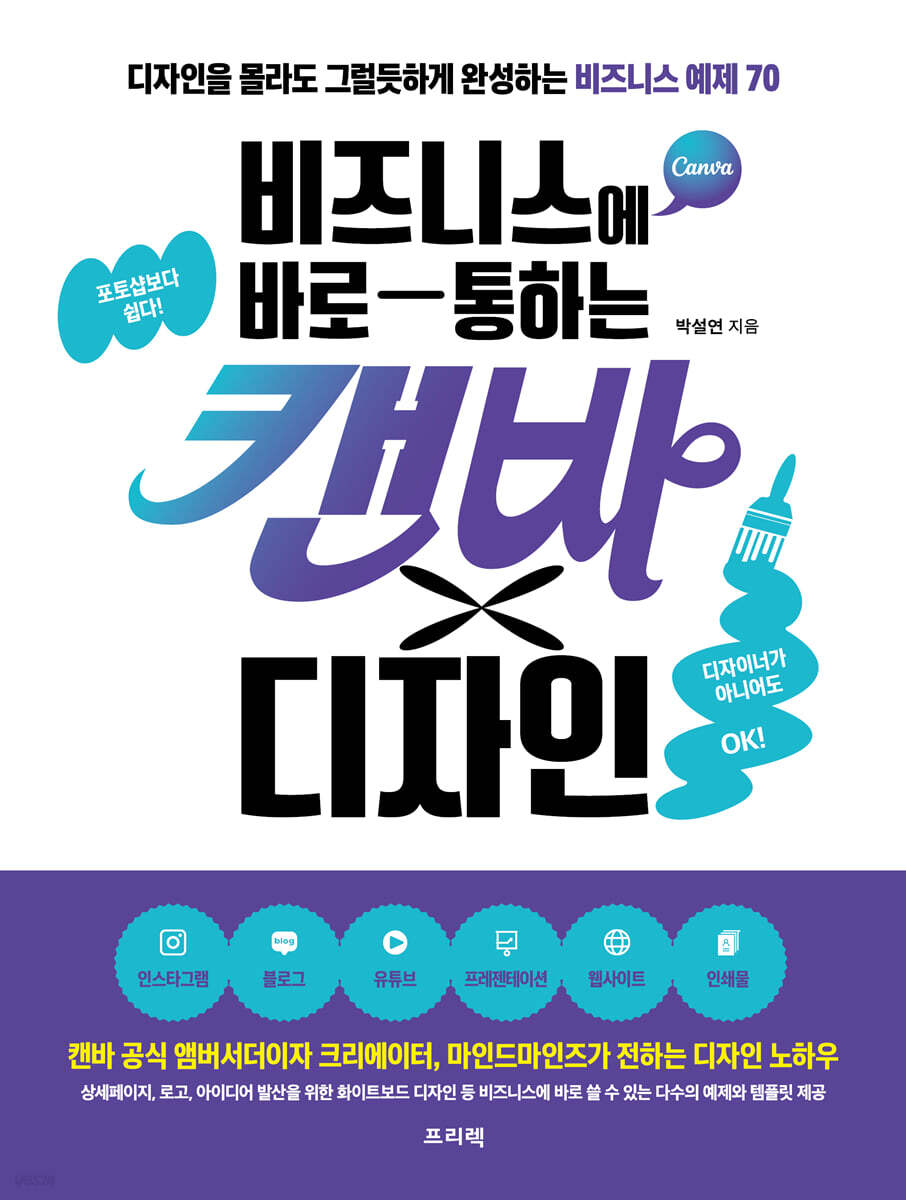
Canva x Design, a Business-Ready Solution
 |
Description
Book Introduction
Start your business design with confidence with Canva. You don't need to be a designer or know Photoshop!
Practical design that's immediately applicable to business, all you need is Canva.
This book contains the know-how of MindMinds, a popular Canva creator who has personally created over 1,400 templates and recorded 140,000 cumulative downloads.
70 business design examples hand-picked by author MindMinds, a Canva ambassador.
The moment you open this book, anyone can create a 'plausible' result.
No need for complex design programs—just use Canva! From Instagram posts and stories to videos, blog profiles and skins, YouTube thumbnails and banners, and even e-commerce detail pages, website design, and even print design.
This book is a design recipe book that helps anyone who needs practical design skills, from office workers who need to create design results at work to self-employed business owners, freelancers, and content marketers, easily and quickly complete designs with style.
For those who are new to design and feel overwhelmed, we provide example templates that can be followed to create a completed design.
For those who want to develop their own style using templates, we introduce various applications and design know-how.
We provide 'working points' and 'design recipes' that can be applied directly to busy practitioners who want to speed up content creation.
"Design, now you can do it on your own." For those who have ever felt burdened by a blank screen, take your first step into the world of Canva with this book.
With 70 practical recipes, your brand and content will shine even brighter.
Practical design that's immediately applicable to business, all you need is Canva.
This book contains the know-how of MindMinds, a popular Canva creator who has personally created over 1,400 templates and recorded 140,000 cumulative downloads.
70 business design examples hand-picked by author MindMinds, a Canva ambassador.
The moment you open this book, anyone can create a 'plausible' result.
No need for complex design programs—just use Canva! From Instagram posts and stories to videos, blog profiles and skins, YouTube thumbnails and banners, and even e-commerce detail pages, website design, and even print design.
This book is a design recipe book that helps anyone who needs practical design skills, from office workers who need to create design results at work to self-employed business owners, freelancers, and content marketers, easily and quickly complete designs with style.
For those who are new to design and feel overwhelmed, we provide example templates that can be followed to create a completed design.
For those who want to develop their own style using templates, we introduce various applications and design know-how.
We provide 'working points' and 'design recipes' that can be applied directly to busy practitioners who want to speed up content creation.
"Design, now you can do it on your own." For those who have ever felt burdened by a blank screen, take your first step into the world of Canva with this book.
With 70 practical recipes, your brand and content will shine even brighter.
- You can preview some of the book's contents.
Preview
index
Entering
Recommendation
How to read this book
=Part 1.
Easy to learn Canvas basics from scratch =
Chapter 1.
First steps with Canvas
__1.
What is Canvas?
__2.
Getting Started with Canva
__3.
Explore the Canva home screen
__4.
Basic usage of Canvas
Chapter 2.
Mastering the basics of Canvas
__1.
Open the editor screen
__2.
Learn about the editor screen layout
__3.
Explore the editor toolbar
__4.
Mini Editor Toolbar
=Part 2.
Business Image Design A to Z with Canva =
Chapter 3.
Instagram
__1.
A Guide to Effective Design and Instagram Marketing
[Lesson 01] Coming Soon Design: Improving Readability and Attention
[Lesson 02] Menu Introduction Design that Easily Conveys Content
[Lesson 03] Holiday Announcement Design with Textured Background
[Lesson 04] Pastel-toned opening hours design to help convey information effectively.
[Lesson 05] A seasonal vacation notice design that emphasizes the refreshing feeling of summer.
[Lesson 06] Effective Product Promotion Design to Drive Purchases
[Lesson 07] Neatly Organized and Emotional Calendar & Schedule Design [Pro]
[Lesson 08] Designing a Delivery Information Guide with a Visually Comfortable Composition
[Lesson 09] Menu Promotion Design that Maximizes Promotional Effects Using Color Schemes
[Lesson 10] Menu Promotion Design with Depth and Dimensionality [Pro]
[Lesson 11] Event Design with a Cheerful and Cute Feel [Pro]
[Lesson 12] Designing an Energetic and Trendy Open Event
[Lesson 13] Designing Immersive, 3D Sale Announcements [Pro]
[Lesson 14] Cute and Lively Discount Coupon Promotion Design
[Lesson 15] Before-and-After Design with Portrait Photography for Increased Visual Impact [Pro]
[Lesson 16] Skincare Design with Soft Colors and Harmonious Layouts
[Lesson 17] Designing Sale Announcements That Make Your Items Stand Out [Pro]
[Lesson 18] Creating a Sensual Mood Board Using Grids
[Lesson 19] Q&A Design Using Visually Appealing Mockups
[Lesson 20] Designing Customer Reviews to Drive Word-of-Mouth Marketing
[Lesson 21] Storytelling Video Design that Inspires Intimacy and Story, Raising Anticipation
[Lesson 22] Designing a Fast-paced Promotional Video with Quick Transitions
[Lesson 23] Designing a promotional video that grabs immediate attention and creates visuals that people want to share.
[Lesson 24] Designing a Fluid Fashion Promotion Collage Video with Cross-Layout and Flow
[Lesson 25] A short mobile video showing the letters appearing step by step.
[Lesson 26] 5 Video Editing Techniques for Extracting Highlights from Long Footage [Pro]
Chapter 4.
Blog
__1.
Blog Design Practice Theory and Initial Setup
[Lesson 01] Emotional Profile Design with a Framed Feel
[Lesson 02] Professional-Looking Blog Profile [Pro]
[Lesson 03] Blog Title Design Using Photo Frames
[Lesson 04] Creating Intuitive Widgets Using Icons
[Lesson 05] A bottom banner with an interesting three-dimensional geometric graphic and gradient background.
[Lesson 06] Designing a Friendly and Fun Mobile Skin Using Doodles
[Lesson 07] A Clean Blog Thumbnail with Text Only
[Lesson 08] Blog Thumbnails with Photos and Text
[Lesson 09] Cute News Card Design Using Illustrations
[Lesson 10] Designing Your Own Custom Stickers with a Cartoon Feel
__2.
Understanding homepage-type blogs
[Lesson 11] Designing a Homepage-Style Blog Skin with a Calm, Elegant, and Intuitive Layout
[Lesson 12] Designing a minimal, image-centric website-style blog skin
Chapter 5.
youtube
[Lesson 01] YouTube Thumbnails with Your Own Frames to Emphasize the Eye
[Lesson 02] YouTube Thumbnails with Immersive Photo Frames [Pro]
[Lesson 03] A visually appealing layered typography YouTube banner
[Lesson 04] Brand Logo Design Using the Alphabet
[Lesson 05] Quickly Edit Multiple Videos and Add Subtitles to a YouTube Video [Pro]
[Lesson 06] Motion graphic intro video with letters unfolding
[Lesson 07] YouTube Outro Video for Scrapbook Design [Pro]
Chapter 6.
shopping mall
__1.
Understanding the shopping mall details page
[Lesson 01] Intro design with high-quality product photos and concise messages
[Lesson 02] Product introduction page with photos from various angles and interesting layouts
[Lesson 03] Product Features Page Designed to Easily Display Product Advantages and Features
[Lesson 04] Customer Review Pages That Boost Trust
[Lesson 05] Product details and customer center information pages to enhance purchasing convenience.
Chapter 7.
prints
[Lesson 01] Designing a Warm Cafe Menu [Pro]
[Lesson 02] New Product Promotion Design with a Stage Background that Makes the Product Stand Out
[Lesson 03] Pictogram-style restroom signage using lines and shapes [Pro]
[Lesson 04] Minimalist vertical business card with QR code
[Lesson 05] Designing a loyalty card with a friendly character and a neat feel
[Lesson 06] Designing a Product Introduction Brochure with Soft Colors and a Sophisticated Layout
[Lesson 07] Vertical Banners with Striking Visual Attraction
=Part 3.
How to use Canva to improve work efficiency =
Chapter 8.
Presentation
__1.
Create a presentation with Canva
[Lesson 01] Page 1: Designing a comfortable cover that matches your brand identity.
[Lesson 02] Page 2: Designing a Table of Contents for Easy Navigation Between Pages
[Lesson 03] Page 3: A company introduction page with a harmonious arrangement of wave decorations and long sentences.
[Lesson 04] Page 4: A history page organized as a flowchart that intuitively shows the flow.
[Lesson 05] Pages 5-6: How to effectively divide content
[Lesson 06] Page 7: Chart Design that Displays Various Data at a Glance
[Lesson 07] Page 8: Customer Review Design with Flexible Borders and Speech Bubbles
[Lesson 08] Pages 9-10: Clean, connected design and vibrant transition effects
Chapter 9.
website
__1.
Create a free website with Canva
[Lesson 01] A Simple Website Home Page
[Lesson 02] A promotional page with a design distinct from the previous page.
[Lesson 03] Design a product list page that can be expanded as desired based on the number of products.
[Lesson 04] Text and Image Placement Optimized for Mobile Environments
[Lesson 05] Footer Design that Emphasizes Brand Consistency and Diversity
Chapter 10.
Whiteboard & Docs
__1.
How to Use a Whiteboard to Visualize Ideas
__2.
How to use Docs
[supplement]
__1.
Canva Mobile App Usage Guide
__2.
Canvas Shortcuts Collection
__3.
How to Monetize with Canva
Recommendation
How to read this book
=Part 1.
Easy to learn Canvas basics from scratch =
Chapter 1.
First steps with Canvas
__1.
What is Canvas?
__2.
Getting Started with Canva
__3.
Explore the Canva home screen
__4.
Basic usage of Canvas
Chapter 2.
Mastering the basics of Canvas
__1.
Open the editor screen
__2.
Learn about the editor screen layout
__3.
Explore the editor toolbar
__4.
Mini Editor Toolbar
=Part 2.
Business Image Design A to Z with Canva =
Chapter 3.
__1.
A Guide to Effective Design and Instagram Marketing
[Lesson 01] Coming Soon Design: Improving Readability and Attention
[Lesson 02] Menu Introduction Design that Easily Conveys Content
[Lesson 03] Holiday Announcement Design with Textured Background
[Lesson 04] Pastel-toned opening hours design to help convey information effectively.
[Lesson 05] A seasonal vacation notice design that emphasizes the refreshing feeling of summer.
[Lesson 06] Effective Product Promotion Design to Drive Purchases
[Lesson 07] Neatly Organized and Emotional Calendar & Schedule Design [Pro]
[Lesson 08] Designing a Delivery Information Guide with a Visually Comfortable Composition
[Lesson 09] Menu Promotion Design that Maximizes Promotional Effects Using Color Schemes
[Lesson 10] Menu Promotion Design with Depth and Dimensionality [Pro]
[Lesson 11] Event Design with a Cheerful and Cute Feel [Pro]
[Lesson 12] Designing an Energetic and Trendy Open Event
[Lesson 13] Designing Immersive, 3D Sale Announcements [Pro]
[Lesson 14] Cute and Lively Discount Coupon Promotion Design
[Lesson 15] Before-and-After Design with Portrait Photography for Increased Visual Impact [Pro]
[Lesson 16] Skincare Design with Soft Colors and Harmonious Layouts
[Lesson 17] Designing Sale Announcements That Make Your Items Stand Out [Pro]
[Lesson 18] Creating a Sensual Mood Board Using Grids
[Lesson 19] Q&A Design Using Visually Appealing Mockups
[Lesson 20] Designing Customer Reviews to Drive Word-of-Mouth Marketing
[Lesson 21] Storytelling Video Design that Inspires Intimacy and Story, Raising Anticipation
[Lesson 22] Designing a Fast-paced Promotional Video with Quick Transitions
[Lesson 23] Designing a promotional video that grabs immediate attention and creates visuals that people want to share.
[Lesson 24] Designing a Fluid Fashion Promotion Collage Video with Cross-Layout and Flow
[Lesson 25] A short mobile video showing the letters appearing step by step.
[Lesson 26] 5 Video Editing Techniques for Extracting Highlights from Long Footage [Pro]
Chapter 4.
Blog
__1.
Blog Design Practice Theory and Initial Setup
[Lesson 01] Emotional Profile Design with a Framed Feel
[Lesson 02] Professional-Looking Blog Profile [Pro]
[Lesson 03] Blog Title Design Using Photo Frames
[Lesson 04] Creating Intuitive Widgets Using Icons
[Lesson 05] A bottom banner with an interesting three-dimensional geometric graphic and gradient background.
[Lesson 06] Designing a Friendly and Fun Mobile Skin Using Doodles
[Lesson 07] A Clean Blog Thumbnail with Text Only
[Lesson 08] Blog Thumbnails with Photos and Text
[Lesson 09] Cute News Card Design Using Illustrations
[Lesson 10] Designing Your Own Custom Stickers with a Cartoon Feel
__2.
Understanding homepage-type blogs
[Lesson 11] Designing a Homepage-Style Blog Skin with a Calm, Elegant, and Intuitive Layout
[Lesson 12] Designing a minimal, image-centric website-style blog skin
Chapter 5.
youtube
[Lesson 01] YouTube Thumbnails with Your Own Frames to Emphasize the Eye
[Lesson 02] YouTube Thumbnails with Immersive Photo Frames [Pro]
[Lesson 03] A visually appealing layered typography YouTube banner
[Lesson 04] Brand Logo Design Using the Alphabet
[Lesson 05] Quickly Edit Multiple Videos and Add Subtitles to a YouTube Video [Pro]
[Lesson 06] Motion graphic intro video with letters unfolding
[Lesson 07] YouTube Outro Video for Scrapbook Design [Pro]
Chapter 6.
shopping mall
__1.
Understanding the shopping mall details page
[Lesson 01] Intro design with high-quality product photos and concise messages
[Lesson 02] Product introduction page with photos from various angles and interesting layouts
[Lesson 03] Product Features Page Designed to Easily Display Product Advantages and Features
[Lesson 04] Customer Review Pages That Boost Trust
[Lesson 05] Product details and customer center information pages to enhance purchasing convenience.
Chapter 7.
prints
[Lesson 01] Designing a Warm Cafe Menu [Pro]
[Lesson 02] New Product Promotion Design with a Stage Background that Makes the Product Stand Out
[Lesson 03] Pictogram-style restroom signage using lines and shapes [Pro]
[Lesson 04] Minimalist vertical business card with QR code
[Lesson 05] Designing a loyalty card with a friendly character and a neat feel
[Lesson 06] Designing a Product Introduction Brochure with Soft Colors and a Sophisticated Layout
[Lesson 07] Vertical Banners with Striking Visual Attraction
=Part 3.
How to use Canva to improve work efficiency =
Chapter 8.
Presentation
__1.
Create a presentation with Canva
[Lesson 01] Page 1: Designing a comfortable cover that matches your brand identity.
[Lesson 02] Page 2: Designing a Table of Contents for Easy Navigation Between Pages
[Lesson 03] Page 3: A company introduction page with a harmonious arrangement of wave decorations and long sentences.
[Lesson 04] Page 4: A history page organized as a flowchart that intuitively shows the flow.
[Lesson 05] Pages 5-6: How to effectively divide content
[Lesson 06] Page 7: Chart Design that Displays Various Data at a Glance
[Lesson 07] Page 8: Customer Review Design with Flexible Borders and Speech Bubbles
[Lesson 08] Pages 9-10: Clean, connected design and vibrant transition effects
Chapter 9.
website
__1.
Create a free website with Canva
[Lesson 01] A Simple Website Home Page
[Lesson 02] A promotional page with a design distinct from the previous page.
[Lesson 03] Design a product list page that can be expanded as desired based on the number of products.
[Lesson 04] Text and Image Placement Optimized for Mobile Environments
[Lesson 05] Footer Design that Emphasizes Brand Consistency and Diversity
Chapter 10.
Whiteboard & Docs
__1.
How to Use a Whiteboard to Visualize Ideas
__2.
How to use Docs
[supplement]
__1.
Canva Mobile App Usage Guide
__2.
Canvas Shortcuts Collection
__3.
How to Monetize with Canva
Detailed image

Publisher's Review
The most practical approach to design
"Canva x Design for Business" is a book that goes beyond simply teaching you how to use Canva, and shows you the design results themselves.
The greatest strength of this book is that it is structured to allow for a quick comparison of 'before/after designs' and an intuitive understanding of what constitutes good design.
By following practical examples (Lessons), readers can not only learn the functions, but also intuitively acquire which designs are more effective.
It also includes 70 examples, more than any other book on the market, and is the fastest to reflect Canva's latest features.
Especially since we provide layouts and templates for all examples, you won't have to feel the overwhelming feeling of 'not knowing where to start from a blank screen', which is the biggest challenge for design beginners.
The author, a popular Canva creator with over 140,000 cumulative template downloads, clearly and easily explains key concepts often overlooked by non-design professionals—such as color combinations, font selection, and the basic principles of content layout—from the perspective of a practicing designer.
Another unique advantage of this book is that it is designed for free users.
Most of the examples presented in the book are free and can be followed right away without any additional payment within Canva, so anyone can try practical design without any barriers to entry.
From solo entrepreneurs who feel overwhelmed by design, to office workers who need results they can immediately apply, to marketers who want to create compelling content!
This book will be the easiest first step to learning 'design sense'.
"Canva x Design for Business" is a book that goes beyond simply teaching you how to use Canva, and shows you the design results themselves.
The greatest strength of this book is that it is structured to allow for a quick comparison of 'before/after designs' and an intuitive understanding of what constitutes good design.
By following practical examples (Lessons), readers can not only learn the functions, but also intuitively acquire which designs are more effective.
It also includes 70 examples, more than any other book on the market, and is the fastest to reflect Canva's latest features.
Especially since we provide layouts and templates for all examples, you won't have to feel the overwhelming feeling of 'not knowing where to start from a blank screen', which is the biggest challenge for design beginners.
The author, a popular Canva creator with over 140,000 cumulative template downloads, clearly and easily explains key concepts often overlooked by non-design professionals—such as color combinations, font selection, and the basic principles of content layout—from the perspective of a practicing designer.
Another unique advantage of this book is that it is designed for free users.
Most of the examples presented in the book are free and can be followed right away without any additional payment within Canva, so anyone can try practical design without any barriers to entry.
From solo entrepreneurs who feel overwhelmed by design, to office workers who need results they can immediately apply, to marketers who want to create compelling content!
This book will be the easiest first step to learning 'design sense'.
GOODS SPECIFICS
- Date of issue: June 4, 2025
- Page count, weight, size: 408 pages | 170*225*30mm
- ISBN13: 9788965404125
- ISBN10: 8965404126
You may also like
카테고리
korean


korean

![GQ KOREA Mark (Monthly): December [2025]](http://librairie.coreenne.fr/cdn/shop/files/8ef265dbbfbf186523ed75ba7319009d.jpg?v=1765340328&width=3840)


