

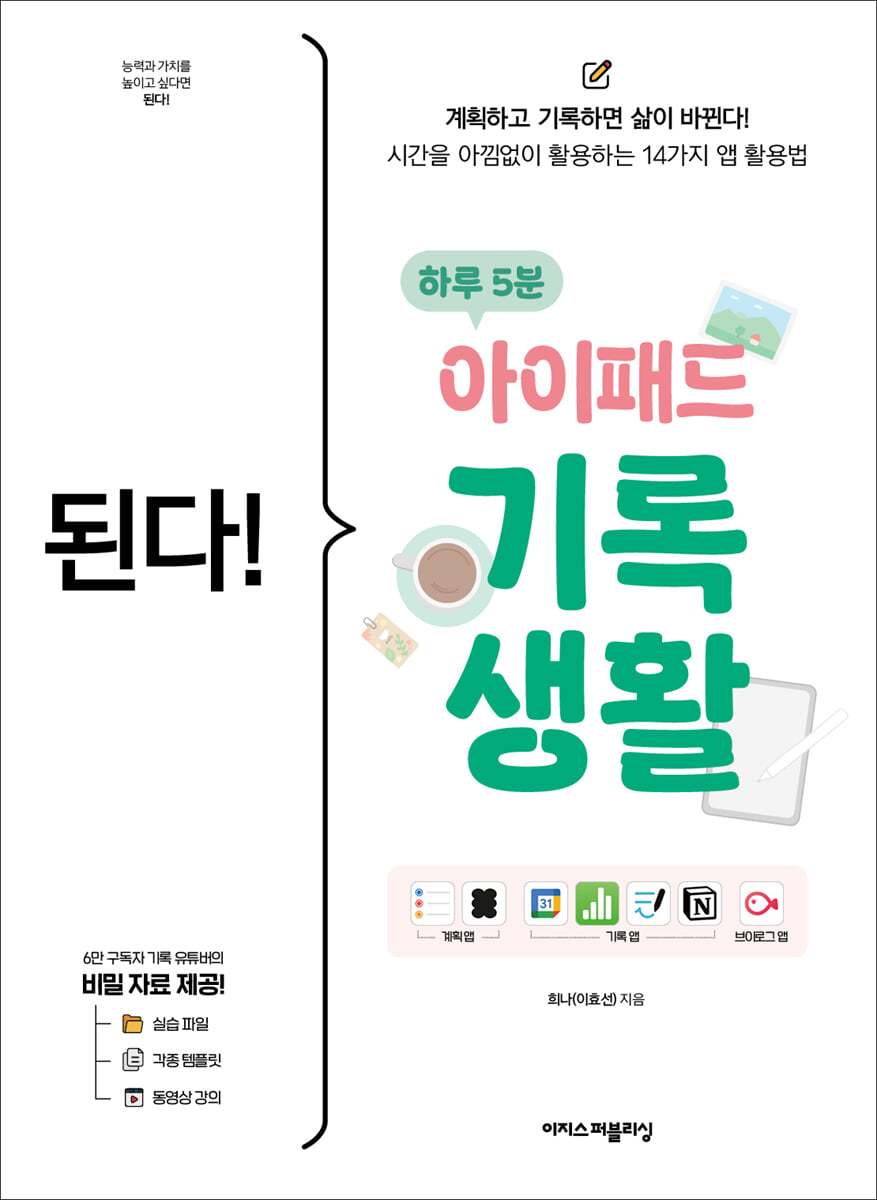
It works! 5 minutes a day of iPad recording
 |
Description
Book Introduction
The secret to recording that turns ordinary everyday life into a special day!
How time management/record keeping expert YouTuber Heena changed my life with just one iPad.
If you're not sure what to do with your iPad, why not try creating your own personal journal? Using an iPad app to record your daily life can perfectly replace the shortcomings of a paper diary! After all, paper diaries are difficult to edit and require a lot of effort to decorate.
This book introduces methods for capturing your life by utilizing apps ranging from basic apps that can be easily attempted even if your handwriting isn't pretty or you lack a bit of sense, to apps optimized for recording.
Even if you make resolutions dozens of times, YouTuber Heena, a record-keeping expert, will personally tell you how to keep them from lasting more than three days.
Video lectures are provided throughout the book so anyone can easily follow along, and you can use the templates provided by the author to complete your own diary.
If you want to know how to use your iPad effectively, or if you want to keep a diary but are hesitant about how to start, this book will help you find the answer.
How time management/record keeping expert YouTuber Heena changed my life with just one iPad.
If you're not sure what to do with your iPad, why not try creating your own personal journal? Using an iPad app to record your daily life can perfectly replace the shortcomings of a paper diary! After all, paper diaries are difficult to edit and require a lot of effort to decorate.
This book introduces methods for capturing your life by utilizing apps ranging from basic apps that can be easily attempted even if your handwriting isn't pretty or you lack a bit of sense, to apps optimized for recording.
Even if you make resolutions dozens of times, YouTuber Heena, a record-keeping expert, will personally tell you how to keep them from lasting more than three days.
Video lectures are provided throughout the book so anyone can easily follow along, and you can use the templates provided by the author to complete your own diary.
If you want to know how to use your iPad effectively, or if you want to keep a diary but are hesitant about how to start, this book will help you find the answer.
- You can preview some of the book's contents.
Preview
index
Chapter 1: The Beginning of Self-Management, Recording
01-1 Why You Should Record Your Daily Life
01-2 Various tools to help you keep records
Special 01 | Heena's Recommendation! Must-Have iPad Accessories
Chapter 2: Setting up an iPad screen for easy viewing
02-1 Creating a new home screen and arranging apps
Just do it! } Change the iPad wallpaper
Just do it! } Add or hide home screen pages
Just do it! } Bring the app to the home screen page
Just do it! } Deploy/Move apps/Create folders
Just do it! } Pin frequently used apps to the dock
02-2 Create your own widget
Just do it! } Place widgets on the home screen
Just do it! } Create your own widgets with Widgetsmith
02-3 Using Widget Stacks to Save Space
Just do it! } Create a widget stack
02-4 Creating a Widget Collection Page Only I Know
Just do it! } Edit the Today View window
Special 02 | Setting up Reading Focus Mode
Chapter 3: Daily Planning Tips for Easier Time Management
03-1 Quickly Organize Your Thoughts - Basic Note App
Here are 3 ways to open the Notes app on your iPad.
Just do it! } Create a note category
Just do it! } Scrap the link in the Notes app
Just do it!} Mastering Notepad features while creating brain dumps
Just do it! } Organize your notes nicely
03-2 Creating a Life Bucket List - Advance Notice
Just do it! } Create and write a bucket list
Just do it! } Display the organized content in the widget
03-3 Organizing Today's To-Do List - TodoMate
Just do it! } Create categories according to your purpose
Just do it! } Create specific items and set a repeating schedule
Just do it! } Complete the schedule and organize the unfinished schedule
Just do it! } Write a monthly emotional diary that you can see at a glance
03-4 Study Planning and Reflection - Yeolpumta
Just do it! } Add subjects and make a study plan
Just do it! } Check your study statistics and decorate your planner
Chapter 4: How to Write a Diary to Remember a Special Day for a Long Time
04-1 Recording daily routine by hour - Google Calendar
Just do it! } Add a calendar and categorize by color
Just do it! } Write a time diary
Just do it! } Sync your calendar and add widgets
04-2 Writing a Diary with Words and Photos - Daum Cafe, Instagram
Just do it! } Open a Daum Cafe that only I can see
Just do it! } Set the next cafe to private and create a category
Just do it! } Write a post on the next cafe
Just do it! } Decorate your Instagram story
Chapter 5: 3 Apps That Will Help You Manage Everything from Hobbies to Assets
05-1 Recording Readings on the Bookshelf in My Hand - Notion
Just do it! } Save the reading note template
Just do it! } Add a book to your bookshelf
Just do it! } Importing book cover images from bookstore websites into Notion
Just do it! } Write a reading log
Just do it! } Add a friend to write reading notes with
05-2 Making a Travel Scrapbook - Paper
Just do it! } Make a travel scrapbook
You can do it! } Edit the name and cover of the scrapbook
05-3 Organizing a Household Account Book to Manage Assets and Stocks - Numbers
Just do it! } Download and run the household account book file
Just do it! } Setting up the basics to create your own household account book
Just paste the basic settings into the sheet!
Just do it! } Organize your spending details
Chapter 6: iPad Recording Completed with a GoodNotes Diary
06-1 Diary is definitely Good Notes!
06-2 Install and use the desired font
Just do it! } Installing fonts on iPhone
Just do it! } Importing fonts installed with KakaoTalk and GoodNotes
You can do it! } Delete installed fonts
06-3 Two Ways to Plan a Perfect Tomorrow - Time Matrix, Mandala
Just do it! } Note down what to write in the time matrix
Just do it! } Creating a time matrix in GoodNotes
Just do it! } Organizing projects with Mandala
Just do it! } Creating a mandala in GoodNotes
06-4 How to Plan and Record Your Day and Year
Just do it! } Create a schedule block on the monthly plan page
06-5 Decorate with cute photos and stickers
Just do it! } Add stickers to your diary
Special 03 | Creating Pixel Art Stickers with Procreate
Chapter 7: Recording Daily Life through Video: Vlog
07-1 Planning a solid video for the record
You can do it! } Planning while writing a video plan
Just do it! } Shooting a video with your iPhone camera
07-2 The easiest video editing app, Blo
Just do it! } Create a rich video with cut editing
07-3 Adding Details to Your Video
Just do it! } Setting up subtitles that suit your emotional vlog
You can do it! } Create an opening video with keyframes
Just do it! } Create an emotional thumbnail
07-4 Creating a YouTube channel and uploading vlogs
Just do it!} Uploading a video to YouTube
In conclusion
Search
01-1 Why You Should Record Your Daily Life
01-2 Various tools to help you keep records
Special 01 | Heena's Recommendation! Must-Have iPad Accessories
Chapter 2: Setting up an iPad screen for easy viewing
02-1 Creating a new home screen and arranging apps
Just do it! } Change the iPad wallpaper
Just do it! } Add or hide home screen pages
Just do it! } Bring the app to the home screen page
Just do it! } Deploy/Move apps/Create folders
Just do it! } Pin frequently used apps to the dock
02-2 Create your own widget
Just do it! } Place widgets on the home screen
Just do it! } Create your own widgets with Widgetsmith
02-3 Using Widget Stacks to Save Space
Just do it! } Create a widget stack
02-4 Creating a Widget Collection Page Only I Know
Just do it! } Edit the Today View window
Special 02 | Setting up Reading Focus Mode
Chapter 3: Daily Planning Tips for Easier Time Management
03-1 Quickly Organize Your Thoughts - Basic Note App
Here are 3 ways to open the Notes app on your iPad.
Just do it! } Create a note category
Just do it! } Scrap the link in the Notes app
Just do it!} Mastering Notepad features while creating brain dumps
Just do it! } Organize your notes nicely
03-2 Creating a Life Bucket List - Advance Notice
Just do it! } Create and write a bucket list
Just do it! } Display the organized content in the widget
03-3 Organizing Today's To-Do List - TodoMate
Just do it! } Create categories according to your purpose
Just do it! } Create specific items and set a repeating schedule
Just do it! } Complete the schedule and organize the unfinished schedule
Just do it! } Write a monthly emotional diary that you can see at a glance
03-4 Study Planning and Reflection - Yeolpumta
Just do it! } Add subjects and make a study plan
Just do it! } Check your study statistics and decorate your planner
Chapter 4: How to Write a Diary to Remember a Special Day for a Long Time
04-1 Recording daily routine by hour - Google Calendar
Just do it! } Add a calendar and categorize by color
Just do it! } Write a time diary
Just do it! } Sync your calendar and add widgets
04-2 Writing a Diary with Words and Photos - Daum Cafe, Instagram
Just do it! } Open a Daum Cafe that only I can see
Just do it! } Set the next cafe to private and create a category
Just do it! } Write a post on the next cafe
Just do it! } Decorate your Instagram story
Chapter 5: 3 Apps That Will Help You Manage Everything from Hobbies to Assets
05-1 Recording Readings on the Bookshelf in My Hand - Notion
Just do it! } Save the reading note template
Just do it! } Add a book to your bookshelf
Just do it! } Importing book cover images from bookstore websites into Notion
Just do it! } Write a reading log
Just do it! } Add a friend to write reading notes with
05-2 Making a Travel Scrapbook - Paper
Just do it! } Make a travel scrapbook
You can do it! } Edit the name and cover of the scrapbook
05-3 Organizing a Household Account Book to Manage Assets and Stocks - Numbers
Just do it! } Download and run the household account book file
Just do it! } Setting up the basics to create your own household account book
Just paste the basic settings into the sheet!
Just do it! } Organize your spending details
Chapter 6: iPad Recording Completed with a GoodNotes Diary
06-1 Diary is definitely Good Notes!
06-2 Install and use the desired font
Just do it! } Installing fonts on iPhone
Just do it! } Importing fonts installed with KakaoTalk and GoodNotes
You can do it! } Delete installed fonts
06-3 Two Ways to Plan a Perfect Tomorrow - Time Matrix, Mandala
Just do it! } Note down what to write in the time matrix
Just do it! } Creating a time matrix in GoodNotes
Just do it! } Organizing projects with Mandala
Just do it! } Creating a mandala in GoodNotes
06-4 How to Plan and Record Your Day and Year
Just do it! } Create a schedule block on the monthly plan page
06-5 Decorate with cute photos and stickers
Just do it! } Add stickers to your diary
Special 03 | Creating Pixel Art Stickers with Procreate
Chapter 7: Recording Daily Life through Video: Vlog
07-1 Planning a solid video for the record
You can do it! } Planning while writing a video plan
Just do it! } Shooting a video with your iPhone camera
07-2 The easiest video editing app, Blo
Just do it! } Create a rich video with cut editing
07-3 Adding Details to Your Video
Just do it! } Setting up subtitles that suit your emotional vlog
You can do it! } Create an opening video with keyframes
Just do it! } Create an emotional thumbnail
07-4 Creating a YouTube channel and uploading vlogs
Just do it!} Uploading a video to YouTube
In conclusion
Search
Detailed image

Into the book
Some people feel like they have plenty of time to spare, even though they spend their days focusing on work, self-improvement, and spending time with loved ones. Others lament that they spend their days surfing the internet and social media, feeling like they don't have enough time.
If you prioritize and plan your life, you can use your time meticulously and accurately. However, if you don't, and only do things that are enjoyable right now, you can unknowingly waste time.
A person who plans before starting is bound to have a fulfilling day.
--- p.19 From “Chapter 1_The Beginning of Self-Management, Recording”
The daily commute, which is repeated for an hour, amounts to over 900 hours a year, but our brain simply compresses this time into 'commuting time'.
Now, record these times as 'listening to audiobooks', 'reading newsletters', 'watching documentaries', etc.
I can rename the commuting time that was wasted in my life to the commuting time that helped me develop in my life.
--- p.114 From “Chapter 4_How to Write a Diary to Remember a Special Day for a Long Time”
Even I, who used to say 'I'm busy' all the time, now spend about two hours a day spending time with my family, exercising, and leisurely reading books.
I was worried that I wouldn't have enough time for work, but I realized that even though I took care of my health and spent a lot of quality time with my family, the amount of work I actually got done was about the same.
I realized that I wasn't a busy person, but rather someone who wasn't good at managing the importance of time.
If you prioritize and plan your life, you can use your time meticulously and accurately. However, if you don't, and only do things that are enjoyable right now, you can unknowingly waste time.
A person who plans before starting is bound to have a fulfilling day.
--- p.19 From “Chapter 1_The Beginning of Self-Management, Recording”
The daily commute, which is repeated for an hour, amounts to over 900 hours a year, but our brain simply compresses this time into 'commuting time'.
Now, record these times as 'listening to audiobooks', 'reading newsletters', 'watching documentaries', etc.
I can rename the commuting time that was wasted in my life to the commuting time that helped me develop in my life.
--- p.114 From “Chapter 4_How to Write a Diary to Remember a Special Day for a Long Time”
Even I, who used to say 'I'm busy' all the time, now spend about two hours a day spending time with my family, exercising, and leisurely reading books.
I was worried that I wouldn't have enough time for work, but I realized that even though I took care of my health and spent a lot of quality time with my family, the amount of work I actually got done was about the same.
I realized that I wasn't a busy person, but rather someone who wasn't good at managing the importance of time.
--- p.211 From “Chapter 6_Completing iPad Records with a GoodNotes Diary”
Publisher's Review
A great reason to start writing with this book!
- It covers everything from simple note-taking apps to intermediate users' guides on how to use GoodNotes and Blo.
- Contains all the author's know-how for planning and recording using the app.
- We have provided a detailed explanation of how to use GoodNotes' convenient features when writing a diary.
- You can record both text and video by introducing how to edit vlogs.
- It is full of useful information, including templates, stickers, and video lectures.
This book is perfect for these people!
- College students who are interested in studying and recording hobbies
- Office workers who want to systematically manage their work and daily life.
- A recorder who wants to use an iPad for diary writing
- An aspiring YouTuber who wants to make videos of his daily life.
How to record your daily life for a day, a month, and 365 days!
Creating an iPad Diary for a Better Life
Do you feel like you've been so busy that you've been lost in the day, yet you've left with nothing left? That's because we spend our lives focusing solely on the "present."
To make the most of your time and not miss out on things you want to remember, you need to invest time in things for the future, even if they aren't urgent right now.
This book introduces all the record-keeping methods available on the iPad, from simple record-keeping apps that even unfamiliar people can easily try, to the dreamy GoodNotes diary of record-keeping enthusiasts.
Furthermore, try creating a vlog video of your daily life.
In this one book, you can learn everything you need to know about recording text, photos, and videos.
Professional recorders use apps and widgets differently too!
Create a home screen that never misses a thing you need to do
It's hard to develop the habit of writing as much as you'd like on an iPad with installed apps scattered all over the place.
In Chapter 2 of this book, we'll decorate your iPad's lock screen with widgets and organize your home screen to suit your writing life.
Don't worry, we'll tell you everything, from wallpaper images to which widgets and apps to place.
From paper diaries to iPads, the author has accumulated over 10 years of writing experience, sharing his expertise in detail.
With widgets that let you see your goals at a glance and apps that are only essential, you'll want to start recording right away.
Plan for the future and record today all at once!
How to Use a Practical App to Set Daily and Annual Goals at a Glance
There are already a ton of apps in the iPad App Store that make it easier to keep track of your notes.
We just don't know.
Chapter 3 covers the calendar management app I finally settled on after trying several different apps.
Install the app and, with just a little bit of the know-how in this book, you'll soon have your schedule organized for today, tomorrow, and even a year from now.
First, I clear my head by listing complex thoughts in the 'Memo' app.
After thinking about what I need to do, I use the 'Reminder' app to organize my 'My Life Goals' that are far away, and then I use the 'Todo Mate' app to set annual, monthly, and daily goals in that order.
Lastly, you can even use the 'Time Diary' app with the 'Google Calendar' app to record your daily life without missing anything, so you don't waste time.
Learn easily and enjoyably with templates and examples created by Heena herself!
Create your own reading notes/travel scrapbook
Want to remember sentences from books or memorable travel destinations? Organize your own personal bookshelf on your iPad with the Notion app.
You can write down the books you have read/want to read, and it automatically calculates how many books you have read and when.
Not only that, you can share your bookshelf with your friends and comment on each other's work.
It's really easy because you can just download the templates created by the author and use them as you like.
With the 'Paper' app, you can create a scrapbook that freely organizes your travel records.
You can follow along with the author's scrapbook examples, so decorating a blank screen for the first time is not difficult.
You can organize your scrapbook in no time by arranging photos taken at your travel destination and freely writing down your impressions using the various pens provided.
Video recording that captures the atmosphere and emotions is also OK!
From editing vlog videos to creating a YouTube video diary!
This book introduces the filming and editing methods of a "vlog," a video record that can contain literally everything.
The author, a professional recorder and YouTuber, will teach you practical video shooting techniques and easier, prettier editing methods that he has acquired over four years of running a YouTube channel.
By thoroughly learning the basics of the 'Blo' app and utilizing the color templates created by the author in Blo Studio, you can quickly create a visually appealing and fun vlog.
Then, you can open a YouTube channel and use it as your own personal diary.
This will be of great help to aspiring YouTubers who want to try their hand at vlogging.
"Meet intelligent readers who grow through books!"
[Do it! Study Room]: Learn, Share, and Grow Together
If you feel burdened by studying alone, visit the study cafe [Do it! Study Room].
You can meet readers who are studying the same book.
You can also participate in the [Do it! Study Group], upload your study plan, and put it into practice to receive a book as a gift and develop a consistent study habit.
- Do it! Study Room Cafe: cafe.naver.com/doitstudyroom → [Do it! Study Group] Menu
- It covers everything from simple note-taking apps to intermediate users' guides on how to use GoodNotes and Blo.
- Contains all the author's know-how for planning and recording using the app.
- We have provided a detailed explanation of how to use GoodNotes' convenient features when writing a diary.
- You can record both text and video by introducing how to edit vlogs.
- It is full of useful information, including templates, stickers, and video lectures.
This book is perfect for these people!
- College students who are interested in studying and recording hobbies
- Office workers who want to systematically manage their work and daily life.
- A recorder who wants to use an iPad for diary writing
- An aspiring YouTuber who wants to make videos of his daily life.
How to record your daily life for a day, a month, and 365 days!
Creating an iPad Diary for a Better Life
Do you feel like you've been so busy that you've been lost in the day, yet you've left with nothing left? That's because we spend our lives focusing solely on the "present."
To make the most of your time and not miss out on things you want to remember, you need to invest time in things for the future, even if they aren't urgent right now.
This book introduces all the record-keeping methods available on the iPad, from simple record-keeping apps that even unfamiliar people can easily try, to the dreamy GoodNotes diary of record-keeping enthusiasts.
Furthermore, try creating a vlog video of your daily life.
In this one book, you can learn everything you need to know about recording text, photos, and videos.
Professional recorders use apps and widgets differently too!
Create a home screen that never misses a thing you need to do
It's hard to develop the habit of writing as much as you'd like on an iPad with installed apps scattered all over the place.
In Chapter 2 of this book, we'll decorate your iPad's lock screen with widgets and organize your home screen to suit your writing life.
Don't worry, we'll tell you everything, from wallpaper images to which widgets and apps to place.
From paper diaries to iPads, the author has accumulated over 10 years of writing experience, sharing his expertise in detail.
With widgets that let you see your goals at a glance and apps that are only essential, you'll want to start recording right away.
Plan for the future and record today all at once!
How to Use a Practical App to Set Daily and Annual Goals at a Glance
There are already a ton of apps in the iPad App Store that make it easier to keep track of your notes.
We just don't know.
Chapter 3 covers the calendar management app I finally settled on after trying several different apps.
Install the app and, with just a little bit of the know-how in this book, you'll soon have your schedule organized for today, tomorrow, and even a year from now.
First, I clear my head by listing complex thoughts in the 'Memo' app.
After thinking about what I need to do, I use the 'Reminder' app to organize my 'My Life Goals' that are far away, and then I use the 'Todo Mate' app to set annual, monthly, and daily goals in that order.
Lastly, you can even use the 'Time Diary' app with the 'Google Calendar' app to record your daily life without missing anything, so you don't waste time.
Learn easily and enjoyably with templates and examples created by Heena herself!
Create your own reading notes/travel scrapbook
Want to remember sentences from books or memorable travel destinations? Organize your own personal bookshelf on your iPad with the Notion app.
You can write down the books you have read/want to read, and it automatically calculates how many books you have read and when.
Not only that, you can share your bookshelf with your friends and comment on each other's work.
It's really easy because you can just download the templates created by the author and use them as you like.
With the 'Paper' app, you can create a scrapbook that freely organizes your travel records.
You can follow along with the author's scrapbook examples, so decorating a blank screen for the first time is not difficult.
You can organize your scrapbook in no time by arranging photos taken at your travel destination and freely writing down your impressions using the various pens provided.
Video recording that captures the atmosphere and emotions is also OK!
From editing vlog videos to creating a YouTube video diary!
This book introduces the filming and editing methods of a "vlog," a video record that can contain literally everything.
The author, a professional recorder and YouTuber, will teach you practical video shooting techniques and easier, prettier editing methods that he has acquired over four years of running a YouTube channel.
By thoroughly learning the basics of the 'Blo' app and utilizing the color templates created by the author in Blo Studio, you can quickly create a visually appealing and fun vlog.
Then, you can open a YouTube channel and use it as your own personal diary.
This will be of great help to aspiring YouTubers who want to try their hand at vlogging.
"Meet intelligent readers who grow through books!"
[Do it! Study Room]: Learn, Share, and Grow Together
If you feel burdened by studying alone, visit the study cafe [Do it! Study Room].
You can meet readers who are studying the same book.
You can also participate in the [Do it! Study Group], upload your study plan, and put it into practice to receive a book as a gift and develop a consistent study habit.
- Do it! Study Room Cafe: cafe.naver.com/doitstudyroom → [Do it! Study Group] Menu
GOODS SPECIFICS
- Date of issue: April 30, 2025
- Page count, weight, size: 296 pages | 640g | 188*257*12mm
- ISBN13: 9791163037033
You may also like
카테고리
korean


korean

![GQ KOREA Mark (Monthly): December [2025]](http://librairie.coreenne.fr/cdn/shop/files/8ef265dbbfbf186523ed75ba7319009d.jpg?v=1765340328&width=3840)


