

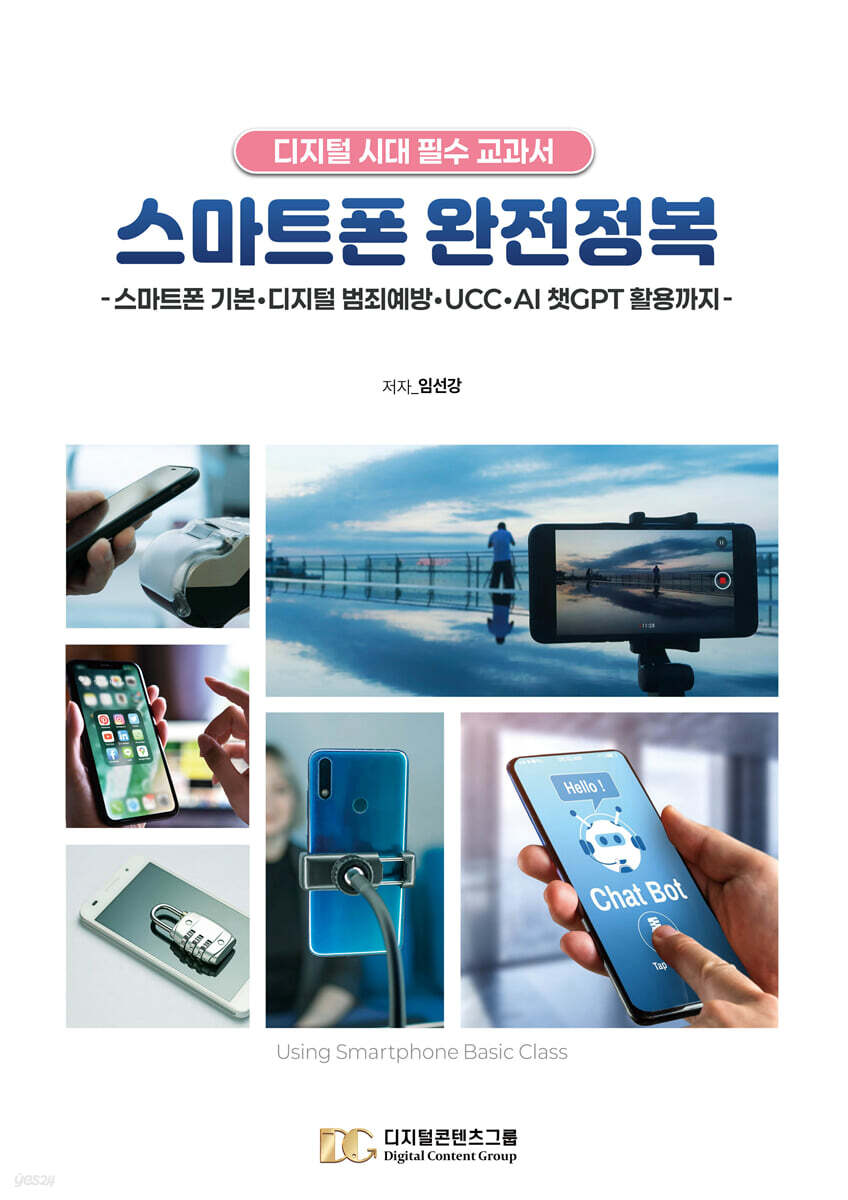
Complete smartphone conquest
 |
Description
Book Introduction
This book, published this time, is an easy-to-read book tailored to the eye level of seniors, created by Digital Content Group, which has been providing new media marketing education (smartphone, SNS marketing, etc.) for 16 years, to help active seniors and the silver generation use smartphones more enjoyably and conveniently.
The book is A4 size and the font size is 12 points, making it very convenient for active seniors and senior citizens to read.
Digital Content Group has been providing smartphone usage training to active seniors and senior citizens for 16 years, and knows better than anyone what smartphone functions are essential.
Therefore, this book published by Digital Contents Group Co., Ltd. will be an excellent guide to the basic use of smartphones for active seniors and senior citizens who are not good at using smartphones.
In addition, I am confident that smartphone instructors who are teaching smartphone usage across the country will find this book very helpful to both instructors and students if they use it as a textbook for basic smartphone education.
Currently, we are publishing not only intermediate and advanced smartphone usage guides for active seniors and senior citizens, but also various other areas related to smartphone education.
(e.g. smartphone camera, smartphone UCC, YouTube creator, blog, etc.) Digital Content Group has been specializing in smartphone utilization education since 2010.
In order to cultivate smartphone education experts, we have trained over 5,000 people through [Smartphone Utilization Instructor] training, the first smartphone instructor certification in Korea.
[Smartphone Utilization Instructors] who have acquired qualifications and become experts through training are actively working in various organizations and groups across the country.
The composition of this book was also created by referencing the educational curriculum of smartphone instructors who teach across the country.
Although it may not contain everything you need, I hope this book will be helpful to both instructors and students who teach smartphone usage.
We sincerely hope that all Koreans will empathize with the Digital Contents Group's constant emphasis on "Learning and mastering smartphones properly will make life more enjoyable and your business more prosperous!" and utilize their smartphones effectively.
The book is A4 size and the font size is 12 points, making it very convenient for active seniors and senior citizens to read.
Digital Content Group has been providing smartphone usage training to active seniors and senior citizens for 16 years, and knows better than anyone what smartphone functions are essential.
Therefore, this book published by Digital Contents Group Co., Ltd. will be an excellent guide to the basic use of smartphones for active seniors and senior citizens who are not good at using smartphones.
In addition, I am confident that smartphone instructors who are teaching smartphone usage across the country will find this book very helpful to both instructors and students if they use it as a textbook for basic smartphone education.
Currently, we are publishing not only intermediate and advanced smartphone usage guides for active seniors and senior citizens, but also various other areas related to smartphone education.
(e.g. smartphone camera, smartphone UCC, YouTube creator, blog, etc.) Digital Content Group has been specializing in smartphone utilization education since 2010.
In order to cultivate smartphone education experts, we have trained over 5,000 people through [Smartphone Utilization Instructor] training, the first smartphone instructor certification in Korea.
[Smartphone Utilization Instructors] who have acquired qualifications and become experts through training are actively working in various organizations and groups across the country.
The composition of this book was also created by referencing the educational curriculum of smartphone instructors who teach across the country.
Although it may not contain everything you need, I hope this book will be helpful to both instructors and students who teach smartphone usage.
We sincerely hope that all Koreans will empathize with the Digital Contents Group's constant emphasis on "Learning and mastering smartphones properly will make life more enjoyable and your business more prosperous!" and utilize their smartphones effectively.
- You can preview some of the book's contents.
Preview
index
▶Why You Need to Learn and Practice Using Smartphones in the 4th Industrial Revolution
▶Smartphone Overview
▶Find out about your smartphone's operating system, manufacturer, carrier, and device information.
▶Turning the smartphone screen and power on and off
▶Understanding the Shapes of Key Smartphone Buttons and Icons
▶Learn the names of each part of your smartphone
▶Learn how to use your smartphone
▶ Smartphone screen configuration (lock screen, home screen, app screen)
▶Status Notification Bar - Icon Description
▶Check out the notification window and quick settings window
▶Change sound/vibration/silent
▶Adjust the screen auto-off time
▶Connecting to a network using WI-FI
▶Using and blocking mobile data
▶Adjust the screen font size
▶Check and secure storage space
▶Check recently running apps
▶Optimize your smartphone with Device Care
- Optimizing your smartphone device
- Add the Device Care widget to your home screen
▶Use contact information
- Add contacts and use favorites
- Add a group
- Use recent records
▶Edit screen page
- Adding and deleting homepages
- Change the order of the home screen and change the homepage
▶Managing Folders
- Create a folder
▶Using Widgets
- Direct dialing and magnifying glass
▶Using the Clock App (Alarm)
▶Text message
- Record voice and check the saved voice file
- Send quick voice text (when there is no quick voice shortcut)
- Send text messages by voice (Samsung ONEUI 5.1 version)
- Send text messages by voice (Samsung ONEUI 6.1 version)
▶How to set up the camera
- Quick launch of camera
▶Options for each shooting mode in the camera app
▶How to use the photo editor
▶Snapseed
▶Check photos and videos in the gallery and create albums
▶Create an album in the gallery
▶Editing photos in the gallery
▶Trash can
▶Favorites function
▶Setting up a Gmail account
▶Using the Google Play Store
▶Using Google Assistant
▶Listen to Google Assistant News
▶How to Use Google Lens Properly
▶Kakao Talk
- Check out the KakaoTalk settings menu
- View the full settings menu
- Manage your KakaoTalk profile
- Edit my profile
- Add, remove, and rename friends from favorites
- Manage friends - Hide, delete, and block
- Manage Friends - Hide and Unblock
- Send location
- 1:1 voice talk
- Group voice talk
- Make a 1:1 FaceTalk (video call) on KakaoTalk
- Making a group face talk (group video call) on KakaoTalk
- Various features of FaceTalk
- Create a group chat room
- How to create and use an open chat room
- Send voice messages in chat rooms
- Correct spelling
- Automatic text translation
- Delete chat room messages within 5 minutes
- Bookmark important content
- Sending emoticons in chat rooms
- Sending photos in the chat room
- Sending a video in a chat room
- Save and check photos and videos sent and received
- Free up storage space
- Leave the chat room
- Shopping (gifting)
- Send money
- Make payment
- Using the membership barcode
- Talk drawer
▶How to Use the YouTube App Properly
- Block YouTube ads
- Use secret mode
- Account switching and YouTube settings
▶Play YouTube without ads - Brave Browser
▶How to use the Naver app properly
▶How to Use the Naver MYBOX App Properly
▶Creating great card news
-Geulgram
- Letter Pang Pang
▶Download music and videos on your smartphone
- Stellar Browser
▶Create your own touching video letter
- Slide message
▶Make Your Own Life Movie - Easy-to-Follow Video Editing App
- CapCut
▶Using an image synthesis app
- Photofunnia
▶The most used camera app by photographers
- Picnic (an app optimized for landscape photography)
▶Using the Kiosk App - QR Code Video Included
1.
Order Burger King
2.
Book Korail tickets
3.
Movie Ticket Reservation (CGV - Non-member Reservation)
4.
Finding a hospital or pharmacy on a holiday (providing emergency medical information)
5.
Using Kakao Taxi
6.
Using delivery apps (such as Baemin)
7.
Shopping (E-Mart, Naver App Shopping)
8.
Order at E-Mart Mall
9. Kiosk site where you can view QR code video
①KTX train reservation ②KTX reservation cancellation
③ Unmanned civil service issuance machine ④ Order Baskin-Robbins 31
⑤Order KFC ⑥Order McDonald's
⑦Order Burger King ⑧Order EDIYA drink
⑨Using Nonghyup ATMs ⑩Using unmanned stores
▶How to Choose a Smartphone, Plan, and Insurance
▶Using useful apps
- You don't need a karaoke room with just a smartphone (Karaoke Terminator)
- LED display board
▶Digital crime prevention apps that seniors should know and use.
- There's nothing like this in the world!
- Digital crime
- Examples of mobile crimes
- Safety tips for preventing mobile crime
▶Ai Chat GPT is not difficult!
- What is AI?
- Askup
▶Introducing useful sites
▶Smartphone Overview
▶Find out about your smartphone's operating system, manufacturer, carrier, and device information.
▶Turning the smartphone screen and power on and off
▶Understanding the Shapes of Key Smartphone Buttons and Icons
▶Learn the names of each part of your smartphone
▶Learn how to use your smartphone
▶ Smartphone screen configuration (lock screen, home screen, app screen)
▶Status Notification Bar - Icon Description
▶Check out the notification window and quick settings window
▶Change sound/vibration/silent
▶Adjust the screen auto-off time
▶Connecting to a network using WI-FI
▶Using and blocking mobile data
▶Adjust the screen font size
▶Check and secure storage space
▶Check recently running apps
▶Optimize your smartphone with Device Care
- Optimizing your smartphone device
- Add the Device Care widget to your home screen
▶Use contact information
- Add contacts and use favorites
- Add a group
- Use recent records
▶Edit screen page
- Adding and deleting homepages
- Change the order of the home screen and change the homepage
▶Managing Folders
- Create a folder
▶Using Widgets
- Direct dialing and magnifying glass
▶Using the Clock App (Alarm)
▶Text message
- Record voice and check the saved voice file
- Send quick voice text (when there is no quick voice shortcut)
- Send text messages by voice (Samsung ONEUI 5.1 version)
- Send text messages by voice (Samsung ONEUI 6.1 version)
▶How to set up the camera
- Quick launch of camera
▶Options for each shooting mode in the camera app
▶How to use the photo editor
▶Snapseed
▶Check photos and videos in the gallery and create albums
▶Create an album in the gallery
▶Editing photos in the gallery
▶Trash can
▶Favorites function
▶Setting up a Gmail account
▶Using the Google Play Store
▶Using Google Assistant
▶Listen to Google Assistant News
▶How to Use Google Lens Properly
▶Kakao Talk
- Check out the KakaoTalk settings menu
- View the full settings menu
- Manage your KakaoTalk profile
- Edit my profile
- Add, remove, and rename friends from favorites
- Manage friends - Hide, delete, and block
- Manage Friends - Hide and Unblock
- Send location
- 1:1 voice talk
- Group voice talk
- Make a 1:1 FaceTalk (video call) on KakaoTalk
- Making a group face talk (group video call) on KakaoTalk
- Various features of FaceTalk
- Create a group chat room
- How to create and use an open chat room
- Send voice messages in chat rooms
- Correct spelling
- Automatic text translation
- Delete chat room messages within 5 minutes
- Bookmark important content
- Sending emoticons in chat rooms
- Sending photos in the chat room
- Sending a video in a chat room
- Save and check photos and videos sent and received
- Free up storage space
- Leave the chat room
- Shopping (gifting)
- Send money
- Make payment
- Using the membership barcode
- Talk drawer
▶How to Use the YouTube App Properly
- Block YouTube ads
- Use secret mode
- Account switching and YouTube settings
▶Play YouTube without ads - Brave Browser
▶How to use the Naver app properly
▶How to Use the Naver MYBOX App Properly
▶Creating great card news
-Geulgram
- Letter Pang Pang
▶Download music and videos on your smartphone
- Stellar Browser
▶Create your own touching video letter
- Slide message
▶Make Your Own Life Movie - Easy-to-Follow Video Editing App
- CapCut
▶Using an image synthesis app
- Photofunnia
▶The most used camera app by photographers
- Picnic (an app optimized for landscape photography)
▶Using the Kiosk App - QR Code Video Included
1.
Order Burger King
2.
Book Korail tickets
3.
Movie Ticket Reservation (CGV - Non-member Reservation)
4.
Finding a hospital or pharmacy on a holiday (providing emergency medical information)
5.
Using Kakao Taxi
6.
Using delivery apps (such as Baemin)
7.
Shopping (E-Mart, Naver App Shopping)
8.
Order at E-Mart Mall
9. Kiosk site where you can view QR code video
①KTX train reservation ②KTX reservation cancellation
③ Unmanned civil service issuance machine ④ Order Baskin-Robbins 31
⑤Order KFC ⑥Order McDonald's
⑦Order Burger King ⑧Order EDIYA drink
⑨Using Nonghyup ATMs ⑩Using unmanned stores
▶How to Choose a Smartphone, Plan, and Insurance
▶Using useful apps
- You don't need a karaoke room with just a smartphone (Karaoke Terminator)
- LED display board
▶Digital crime prevention apps that seniors should know and use.
- There's nothing like this in the world!
- Digital crime
- Examples of mobile crimes
- Safety tips for preventing mobile crime
▶Ai Chat GPT is not difficult!
- What is AI?
- Askup
▶Introducing useful sites
Detailed image

Publisher's Review
A smartphone basics guide that even active seniors and seniors can easily follow.
This book is a comprehensive guide that provides easy-to-understand smartphone usage methods for active seniors and the silver generation.
It provides step-by-step explanations of everything from basic smartphone overviews for beginners to advanced features, making it easy for even active seniors and seniors unfamiliar with the digital environment to adapt.
This book, newly published in 2025 as a revised edition, reflects the latest features and interfaces to keep pace with the ongoing updates and changes in smartphones.
As smartphone screen layouts and button arrangements continue to evolve, and new operating systems and app features are added, we've added detailed explanations to ensure you can use the latest smartphones without any confusion.
First, it emphasizes the importance of smartphone use in the era of the Fourth Industrial Revolution and reminds us of the need for learning.
Additionally, it provides basic information such as the smartphone's operating system, manufacturer, and carrier, and explains in detail the device's basic operation, screen layout, and the roles of major buttons and icons, so that even beginners can easily understand and use it.
It provides information on how to maintain performance and use the device efficiently, such as device optimization and storage space management, and also includes personalized settings such as contact management, screen editing, folder management, and widget utilization, so even areas that active seniors and silver users have found difficult are explained in a friendly manner.
In particular, it covers a wealth of photography-related content, from basic camera shooting techniques to utilizing the latest photo editing apps, helping you capture more vivid memories in your daily life.
Additionally, it reflects the latest features of frequently used apps such as Google services, KakaoTalk, and YouTube, and is designed to be more efficient and convenient to use. It also provides detailed information on communication methods utilizing KakaoTalk's various features, helping you become more familiar with the digital environment.
In addition, we've included practical information reflecting the latest trends, including how to use kiosks, how to utilize the AI chatbot ChatGPT, and digital crime prevention apps.
This helps active seniors and seniors to cope effectively with the various digital environments they may encounter.
This book is the ultimate guide for active seniors and the silver generation to confidently use their smartphones.
It provides comprehensive explanations of everything from basic to advanced features, and practical tips that can be applied directly to real-life situations, making it a great help to readers who have difficulty using smartphones.
This book is a comprehensive guide that provides easy-to-understand smartphone usage methods for active seniors and the silver generation.
It provides step-by-step explanations of everything from basic smartphone overviews for beginners to advanced features, making it easy for even active seniors and seniors unfamiliar with the digital environment to adapt.
This book, newly published in 2025 as a revised edition, reflects the latest features and interfaces to keep pace with the ongoing updates and changes in smartphones.
As smartphone screen layouts and button arrangements continue to evolve, and new operating systems and app features are added, we've added detailed explanations to ensure you can use the latest smartphones without any confusion.
First, it emphasizes the importance of smartphone use in the era of the Fourth Industrial Revolution and reminds us of the need for learning.
Additionally, it provides basic information such as the smartphone's operating system, manufacturer, and carrier, and explains in detail the device's basic operation, screen layout, and the roles of major buttons and icons, so that even beginners can easily understand and use it.
It provides information on how to maintain performance and use the device efficiently, such as device optimization and storage space management, and also includes personalized settings such as contact management, screen editing, folder management, and widget utilization, so even areas that active seniors and silver users have found difficult are explained in a friendly manner.
In particular, it covers a wealth of photography-related content, from basic camera shooting techniques to utilizing the latest photo editing apps, helping you capture more vivid memories in your daily life.
Additionally, it reflects the latest features of frequently used apps such as Google services, KakaoTalk, and YouTube, and is designed to be more efficient and convenient to use. It also provides detailed information on communication methods utilizing KakaoTalk's various features, helping you become more familiar with the digital environment.
In addition, we've included practical information reflecting the latest trends, including how to use kiosks, how to utilize the AI chatbot ChatGPT, and digital crime prevention apps.
This helps active seniors and seniors to cope effectively with the various digital environments they may encounter.
This book is the ultimate guide for active seniors and the silver generation to confidently use their smartphones.
It provides comprehensive explanations of everything from basic to advanced features, and practical tips that can be applied directly to real-life situations, making it a great help to readers who have difficulty using smartphones.
GOODS SPECIFICS
- Date of issue: March 27, 2025
- Page count, weight, size: 252 pages | 210*297*20mm
- ISBN13: 9791194642053
- ISBN10: 1194642055
You may also like
카테고리
korean


korean

![GQ KOREA Mark (Monthly): December [2025]](http://librairie.coreenne.fr/cdn/shop/files/8ef265dbbfbf186523ed75ba7319009d.jpg?v=1765340328&width=3840)


