

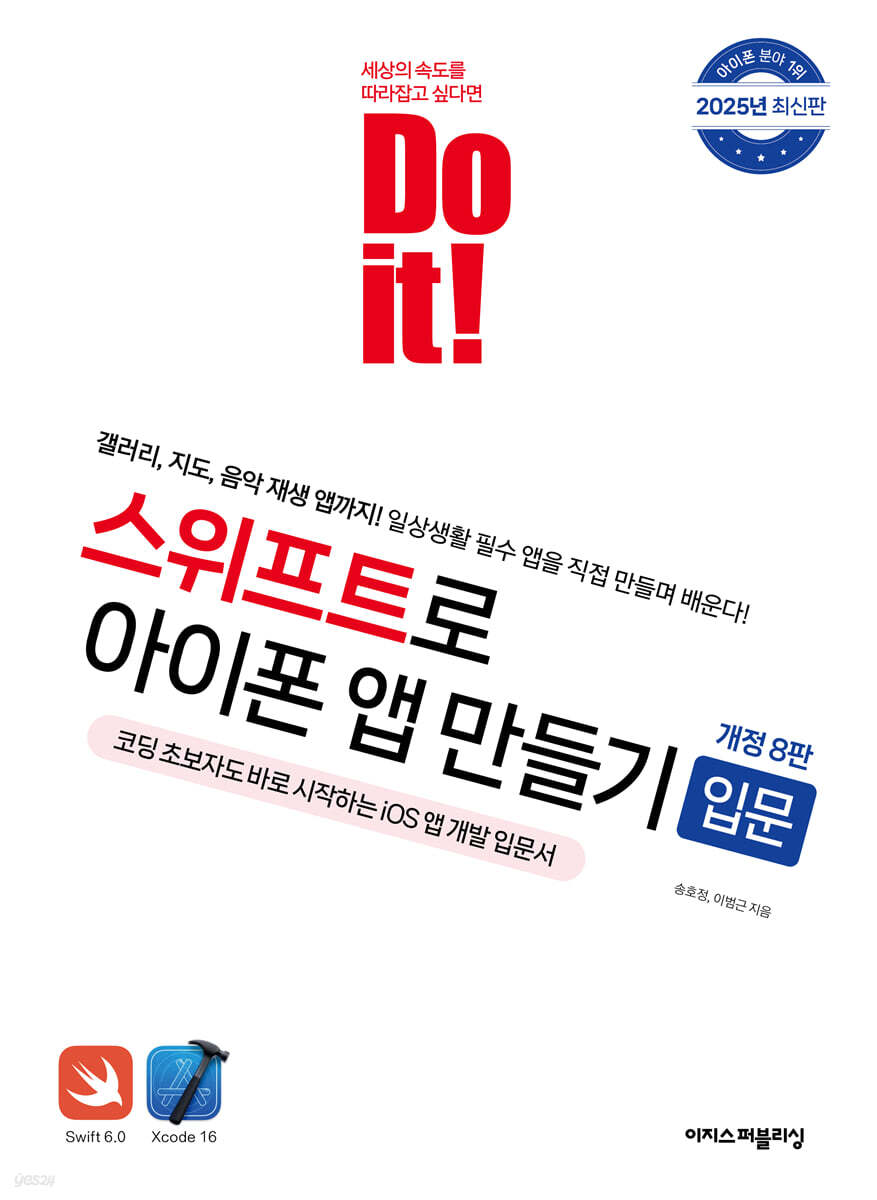
Do it! Introduction to Building iPhone Apps with Swift
 |
Description
Book Introduction
#1 in iPhone app development!
"Do It! Introduction to Building iPhone Apps with Swift" - Latest Edition, 2025 Release!
The #1 book in iPhone app development, "Do it! Introduction to Building iPhone Apps with Swift," has been fully revised to reflect the latest version.
The latest revision in 2025 reflects Swift 6.0 and Xcode 16, with improved hands-on screens and content.
This book carefully selects 17 essential features that any app uses at least once and presents them as examples.
Install Xcode from the very first chapter, code directly, and have fun creating iPhone apps! The book is carefully explained so even beginners can easily follow along, allowing you to get hands-on experience even without extensive coding experience.
"Do It! Introduction to Building iPhone Apps with Swift" - Latest Edition, 2025 Release!
The #1 book in iPhone app development, "Do it! Introduction to Building iPhone Apps with Swift," has been fully revised to reflect the latest version.
The latest revision in 2025 reflects Swift 6.0 and Xcode 16, with improved hands-on screens and content.
This book carefully selects 17 essential features that any app uses at least once and presents them as examples.
Install Xcode from the very first chapter, code directly, and have fun creating iPhone apps! The book is carefully explained so even beginners can easily follow along, allowing you to get hands-on experience even without extensive coding experience.
- You can preview some of the book's contents.
Preview
index
First Yard Hello! iPhone App
Chapter 1: Preparing to Develop an iPhone App
_Chapter 2: Getting Perfectly Adapted to Xcode by Creating a Hello World App
__[Grammar 01] Examining the grammar used in outlet variables and action functions
__[Grammar 02] Common Sense for Beginner Programmers
Creating a program based on the second yard view
_03 Displaying the desired image on the screen - Image View
__[Challenge! Mission] Creating an Image Viewer
Chapter 4: Selecting a Date Using the Date Picker
__[Challenge! Mission] Making an Alarm Clock
_Chapter 5 Selecting the desired item using the picker view
__[Challenge! Mission] Creating a Multi-Component Picker View
_06 Displaying warning messages using alerts
__[Challenge! Mission] Making an Alarm Clock
__[Grammar 03] Comparing Arrays, For Loops, and While Loops
Chapter 7: Creating a Simple Web Browser with Web View
__[Challenge! Mission] Creating a Web App
_08 Displaying the map in the map view
__[Challenge! Mission] Installing a pin in our house
__[Grammar 04] Understanding functions, anonymous functions, nil, optional variables, and self
Creating a program based on the third yard view controller
_Chapter 9 Moving Pages - Page Controls
__[Challenge! Mission] Creating a Page Navigation App
_Chapter 10: Inserting multiple views using the tab bar controller
__[Challenge! Mission] Add a new tab
_Chapter 11 Switching Screens Using the Navigation Controller
__[Challenge! Mission] Adding a zoom function
Chapter 12: Creating a To-Do List Using a Table View Controller
__[Challenge! Mission] Adding an icon selection feature
__[Grammar 05] Protocols, Understanding the Maximum/Minimum Values of Data Types
_[Prerequisite for studying Chapters 13-19] How to define and set up automatic layout
Fourth Yard: Using Multimedia
Chapter 13 Playing and Recording Music
__[Challenge! Mission] Adding a playback status image to an audio app
Chapter 14: Creating a Video Playback App
__[Challenge! Mission] Adding a video in a different format
Chapter 15 Importing Media from Camera and Photo Library
__[Challenge! Mission] Create a Collage Photo
Chapter 16 Drawing on the Screen with Core Graphics
__[Challenge! Mission] Drawing a Flower Shape
__[Grammar 06] Understanding the difference between / and %
Fifth Yard Events and Gestures
Chapter 17: Creating a Sketch App Using Tap and Touch
__[Challenge! Mission] Adding Color and Thickness Changes to the Sketch App
Chapter 18: Using Swipe Gestures
__[Challenge! Mission] Adding a Swipe Feature to the Gallery App
_Chapter 19: Zooming in and out of photos using pinch gestures
__[Challenge! Mission] Adding a Pinch Feature to the Gallery App
__[Grammar 07] Understanding the Difference Between If and Switch Statements
Search
Chapter 1: Preparing to Develop an iPhone App
_Chapter 2: Getting Perfectly Adapted to Xcode by Creating a Hello World App
__[Grammar 01] Examining the grammar used in outlet variables and action functions
__[Grammar 02] Common Sense for Beginner Programmers
Creating a program based on the second yard view
_03 Displaying the desired image on the screen - Image View
__[Challenge! Mission] Creating an Image Viewer
Chapter 4: Selecting a Date Using the Date Picker
__[Challenge! Mission] Making an Alarm Clock
_Chapter 5 Selecting the desired item using the picker view
__[Challenge! Mission] Creating a Multi-Component Picker View
_06 Displaying warning messages using alerts
__[Challenge! Mission] Making an Alarm Clock
__[Grammar 03] Comparing Arrays, For Loops, and While Loops
Chapter 7: Creating a Simple Web Browser with Web View
__[Challenge! Mission] Creating a Web App
_08 Displaying the map in the map view
__[Challenge! Mission] Installing a pin in our house
__[Grammar 04] Understanding functions, anonymous functions, nil, optional variables, and self
Creating a program based on the third yard view controller
_Chapter 9 Moving Pages - Page Controls
__[Challenge! Mission] Creating a Page Navigation App
_Chapter 10: Inserting multiple views using the tab bar controller
__[Challenge! Mission] Add a new tab
_Chapter 11 Switching Screens Using the Navigation Controller
__[Challenge! Mission] Adding a zoom function
Chapter 12: Creating a To-Do List Using a Table View Controller
__[Challenge! Mission] Adding an icon selection feature
__[Grammar 05] Protocols, Understanding the Maximum/Minimum Values of Data Types
_[Prerequisite for studying Chapters 13-19] How to define and set up automatic layout
Fourth Yard: Using Multimedia
Chapter 13 Playing and Recording Music
__[Challenge! Mission] Adding a playback status image to an audio app
Chapter 14: Creating a Video Playback App
__[Challenge! Mission] Adding a video in a different format
Chapter 15 Importing Media from Camera and Photo Library
__[Challenge! Mission] Create a Collage Photo
Chapter 16 Drawing on the Screen with Core Graphics
__[Challenge! Mission] Drawing a Flower Shape
__[Grammar 06] Understanding the difference between / and %
Fifth Yard Events and Gestures
Chapter 17: Creating a Sketch App Using Tap and Touch
__[Challenge! Mission] Adding Color and Thickness Changes to the Sketch App
Chapter 18: Using Swipe Gestures
__[Challenge! Mission] Adding a Swipe Feature to the Gallery App
_Chapter 19: Zooming in and out of photos using pinch gestures
__[Challenge! Mission] Adding a Pinch Feature to the Gallery App
__[Grammar 07] Understanding the Difference Between If and Switch Statements
Search
Detailed image
.jpg)
Publisher's Review
I recommend this book to these people!
ㆍ For those who are new to mobile app development
ㆍ Those who want to create their own iPhone app
ㆍ For those who want to quickly look at Swift's essential features
Must-know for iPhone app developers
Learn and create 17 essential features yourself!
Contains 17 essential features every iPhone app developer must know.
We cover everything from basic controller features like tab bar controllers and pinch gestures to essential features your app uses, like date pickers, alert windows, galleries, and maps.
It is structured so that you can learn one function per chapter, so that when you create an app and come across a function you want to add, you can easily find and use it in the book.
It consists of examples that are faithful to the basics, so even if you are just starting out with Swift, you can easily learn it and check for potential mistakes when creating your own apps.
An introductory guide to app development that teaches you step-by-step, like a 1:1 tutoring session!
Highly recommended as a textbook for app development courses!
This book will help you learn Swift grammar naturally by installing Xcode and practicing examples from the first chapter.
You can create your own app features that you use in your daily life, and important grammar is reviewed in the appendix so you can learn in a fun way without losing interest.
Starting with program installation, it provides detailed explanations of which objects to input where, so even beginners to Swift can easily follow along.
We provide explanations for points to note or areas that readers may be curious about, ensuring there is no room for error.
Additionally, at the end of each chapter, you can check and review your skills in the "Challenge! Mission" corner.
Set a goal and study systematically on your own!
30-day and 15-day courses, two study plans and source code provided!
This book provides a study plan and source code so that you can study systematically on your own.
Write down your target date on your study schedule and start studying.
If you're new to Swift app development, we recommend the 30-day course. If you already have experience building apps or want to quickly learn the fundamentals of app development, we recommend the 15-day course! The 15-day learning plan also allows for a semester-long course.
We've also prepared the source code used in this book, so you can learn by comparing it with your own code.
ㆍ Easy Publishing website: www.easyspub.co.kr → Click [Data Room] → Search for book title
Author's GitHub: https://github.com/doitswift
Come to the 'Do it! Study Room' where we learn, share, and grow together!
If you plan and study alone, you will quickly become tired.
If you have any difficult questions, try sharing them with readers who have similar concerns.
It's more rewarding to study while helping each other.
By helping others with the things I understand well and receiving help with the things I don't understand well, I can enjoy the effect of reviewing while studying.
If you want to go far, go with a friend.
Do it! Study Room: cafe.naver.com/doitstudyroom
This book is recommended for readers who have already studied iPhone app development!
※ This is a review by readers of "Do it! Introduction to Building iPhone Apps with Swift" before revision.
I was new to Swift, but the friendly explanations and little tips made it easy to learn!
I knew very little about Swift, but thanks to the various examples, detailed information, and little tips introduced here and there, I was able to quickly understand it.
With its easy-to-understand explanations, this book will serve as a valuable guide for beginner developers starting out with iPhone app development.
Highly recommended for anyone starting out with Swift and iPhone development!
▶ Kim Geon-ho, a college student who is developing an app for the first time in his life
Experience app development in Swift with easy, practical examples!
I studied Swift online and struggled a lot when I first started developing iPhone apps because I learned it in a haphazard manner.
However, this book makes it easy to develop iPhone apps just by following the examples.
It also covers essential features essential to app development, so you can always refer back to it if your foundation falters! Enjoy the experience of developing iPhone apps with Swift with this book!
▶ Jae-yeon Heo, who lost his way while studying on his own
I would highly recommend this book to my friend who is new to iPhone app development!
This book is perfect for those who are just starting out with both app development and Swift, as it covers very basic app development using the Swift language.
If you want to learn Swift, a language that's hot among developers these days, start right now with this book!
▶ iOS app developer Jiwoong Choi
ㆍ For those who are new to mobile app development
ㆍ Those who want to create their own iPhone app
ㆍ For those who want to quickly look at Swift's essential features
Must-know for iPhone app developers
Learn and create 17 essential features yourself!
Contains 17 essential features every iPhone app developer must know.
We cover everything from basic controller features like tab bar controllers and pinch gestures to essential features your app uses, like date pickers, alert windows, galleries, and maps.
It is structured so that you can learn one function per chapter, so that when you create an app and come across a function you want to add, you can easily find and use it in the book.
It consists of examples that are faithful to the basics, so even if you are just starting out with Swift, you can easily learn it and check for potential mistakes when creating your own apps.
An introductory guide to app development that teaches you step-by-step, like a 1:1 tutoring session!
Highly recommended as a textbook for app development courses!
This book will help you learn Swift grammar naturally by installing Xcode and practicing examples from the first chapter.
You can create your own app features that you use in your daily life, and important grammar is reviewed in the appendix so you can learn in a fun way without losing interest.
Starting with program installation, it provides detailed explanations of which objects to input where, so even beginners to Swift can easily follow along.
We provide explanations for points to note or areas that readers may be curious about, ensuring there is no room for error.
Additionally, at the end of each chapter, you can check and review your skills in the "Challenge! Mission" corner.
Set a goal and study systematically on your own!
30-day and 15-day courses, two study plans and source code provided!
This book provides a study plan and source code so that you can study systematically on your own.
Write down your target date on your study schedule and start studying.
If you're new to Swift app development, we recommend the 30-day course. If you already have experience building apps or want to quickly learn the fundamentals of app development, we recommend the 15-day course! The 15-day learning plan also allows for a semester-long course.
We've also prepared the source code used in this book, so you can learn by comparing it with your own code.
ㆍ Easy Publishing website: www.easyspub.co.kr → Click [Data Room] → Search for book title
Author's GitHub: https://github.com/doitswift
Come to the 'Do it! Study Room' where we learn, share, and grow together!
If you plan and study alone, you will quickly become tired.
If you have any difficult questions, try sharing them with readers who have similar concerns.
It's more rewarding to study while helping each other.
By helping others with the things I understand well and receiving help with the things I don't understand well, I can enjoy the effect of reviewing while studying.
If you want to go far, go with a friend.
Do it! Study Room: cafe.naver.com/doitstudyroom
This book is recommended for readers who have already studied iPhone app development!
※ This is a review by readers of "Do it! Introduction to Building iPhone Apps with Swift" before revision.
I was new to Swift, but the friendly explanations and little tips made it easy to learn!
I knew very little about Swift, but thanks to the various examples, detailed information, and little tips introduced here and there, I was able to quickly understand it.
With its easy-to-understand explanations, this book will serve as a valuable guide for beginner developers starting out with iPhone app development.
Highly recommended for anyone starting out with Swift and iPhone development!
▶ Kim Geon-ho, a college student who is developing an app for the first time in his life
Experience app development in Swift with easy, practical examples!
I studied Swift online and struggled a lot when I first started developing iPhone apps because I learned it in a haphazard manner.
However, this book makes it easy to develop iPhone apps just by following the examples.
It also covers essential features essential to app development, so you can always refer back to it if your foundation falters! Enjoy the experience of developing iPhone apps with Swift with this book!
▶ Jae-yeon Heo, who lost his way while studying on his own
I would highly recommend this book to my friend who is new to iPhone app development!
This book is perfect for those who are just starting out with both app development and Swift, as it covers very basic app development using the Swift language.
If you want to learn Swift, a language that's hot among developers these days, start right now with this book!
▶ iOS app developer Jiwoong Choi
GOODS SPECIFICS
- Date of issue: March 7, 2025
- Page count, weight, size: 696 pages | 188*257*27mm
- ISBN13: 9791163036807
You may also like
카테고리
korean


korean

![GQ KOREA Mark (Monthly): December [2025]](http://librairie.coreenne.fr/cdn/shop/files/8ef265dbbfbf186523ed75ba7319009d.jpg?v=1765340328&width=3840)


