

Logic Pro Logic Pro 11
 |
Description
Book Introduction
A masterclass in creating the ultimate sound
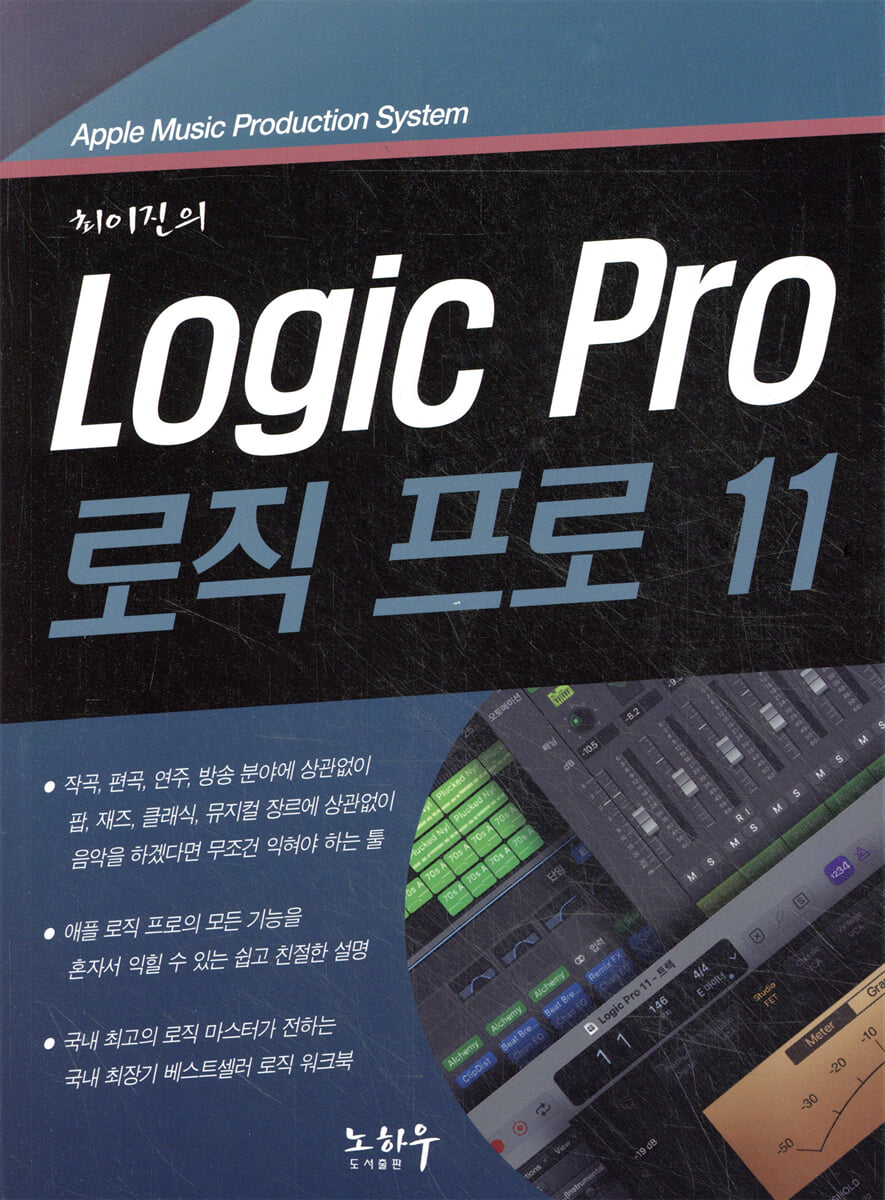
This book, which contains in-depth knowledge and secrets about Logic Pro 11 from Korea's top logic expert, Lee Jin Choi, goes beyond simple usage and provides all the techniques and tips to create creative and professional sounds.
Logic Pro 11 is a powerful tool for music production in its own right.
This book provides in-depth analysis and step-by-step exercises on how to maximize the tool.
You will be able to solve all the problems that may arise during the process of creating, mixing, and mastering music on your own, and you will be able to easily understand and perfectly utilize core functions such as various effects, virtual instruments, automation, sampling, and recording techniques.
This book, which contains in-depth knowledge and secrets about Logic Pro 11 from Korea's top logic expert, Lee Jin Choi, goes beyond simple usage and provides all the techniques and tips to create creative and professional sounds.
Logic Pro 11 is a powerful tool for music production in its own right.
This book provides in-depth analysis and step-by-step exercises on how to maximize the tool.
You will be able to solve all the problems that may arise during the process of creating, mixing, and mastering music on your own, and you will be able to easily understand and perfectly utilize core functions such as various effects, virtual instruments, automation, sampling, and recording techniques.
- You can preview some of the book's contents.
Preview
index
PART 01.
Getting started with logic
LESSON 01 Understanding Computer Music
LESSON 02 Preparing the System
LESSON 03 Connecting the System
LESSON 04 Installing and Running Logic
LESSON 05 Creating Your Own Template
LESSON 06 Setting up the audio driver
LESSON 07 Setting Up a MIDI Controller
LESSON 08 Setting Shortcut Keys
PART 02.
Project Management
LESSON 01 Opening and Saving a Project
LESSON 02 Screen composition
LESSON 03 Creating a Screen Set
LESSON 04 Track Types
LESSON 05 Region Parameters
LESSON 06 Track Parameters
LESSON 07 Channel Strip
PART 03.
The role of tools and tracks
LESSON 01 Types and Roles of Tools
LESSON 02 Selecting a Region
LESSON 03 Enlarging and reducing the workspace
LESSON 04 Editing Regions
LESSON 05 FADE IN/OUT
LESSON 06 Beat and Time Adjustment
LESSON 07 Global Track
LESSON 08 Folder Track
LESSON 09 Summing Track
PART 04.
Enter an event
LESSON 01 Drummer
LESSON 02 Bass Player
LESSON 03 Keyboard Player
LESSON 04 Creating Original Sound MR
LESSON 05 Using Apple Loops
LESSON 06 Understanding Digital Sound
LESSON 07 Setting the Recording Quality
LESSON 08 Metronome and Count
LESSON 09 Audio Recording
LESSON 10 Multi-Recording
LESSON 11 Punch Recording
LESSON 12: Recording a Take
LESSON 13 MIDI RECORDING
LESSON 14 Music Typing
LESSON 15 MIDI Step Entry
LESSON 16 Free Tempo Recording
LESSON 17 Smart Tempo
LESSON 18 Recording a Speed Recording
PART 05.
Getting familiar with the MIDI editing window
LESSON 01 Piano Roll
LESSON 02 Step Editor
LESSON 03 Score Editor
PART 06.
MIDI editing techniques
LESSON 01 Event List
LESSON 02 Control Information
LESSON 03 SYSTEM EXCLUSIVE
LESSON 04 Transform
LESSON 05 MIDI Effects
PART 07.
digital software instruments
LESSON 01 Types of Soft Instruments
LESSON 02 Using Soft Instruments
LESSON 03 Sampler
LESSON 04 Quick Sampler
LESSON 05 Drum Machine Designer
LESSON 06 Ultrabeat
LESSON 07 Alchemy
LESSON 08 Sample Alchemy
PART 08.
Analog software instruments
LESSON 01 Understanding the Synthesizer
LESSON 02 Sculpture
LESSON 03 ES2
LESSON 04 ES Series
LESSON 05 Retro Synth
LESSON 06 Vintage Series
LESSON 07 Using the Vocoder
PART 09.
Audio Editing Techniques
LESSON 01 Audio Editor
LESSON 02 Audio Processing
LESSON 03 Controlling the tempo with the locator
LESSON 04 Removing Silent Sections
LESSON 05 Managing Audio Files
LESSON 06 File Browser
LESSON 07 Creating a Loop File
LESSON 08 Automation Tasks
LESSON 09 FLEX TIME AND PITCH
LESSON 10 Dolby Atmos
PART 10.
Mixing and Mastering
LESSON 01 Exploring the Mixer Window
LESSON 02 Using Effects
LESSON 03 Dynamic Correction
LESSON 04 Time Series Devices
LESSON 05 Mastering
LESSON 06 Measuring Tools
LESSON 07 Creating MP3 Audio Files
PART 11.
Effect plug-in
LESSON 01 Amp and Pedals
LESSON 02 Distortion Effect
LESSON 03 Image Processing
LESSON 04 MODULATION
LESSON 05 Multi-Effects
LESSON 06 Pitch Effect
LESSON 07 Other Plug-ins
LESSON 08 Smart Controller
PART 12.
Create your own work environment
LESSON 01 ENVIRONMENT
LESSON 02 Creating Layers
LESSON 03 MIDI Multi-Recording
LESSON 04 Creating DJ Controls
LESSON 05 Basic Environment Settings
LESSON 05 Project Settings Options
Getting started with logic
LESSON 01 Understanding Computer Music
LESSON 02 Preparing the System
LESSON 03 Connecting the System
LESSON 04 Installing and Running Logic
LESSON 05 Creating Your Own Template
LESSON 06 Setting up the audio driver
LESSON 07 Setting Up a MIDI Controller
LESSON 08 Setting Shortcut Keys
PART 02.
Project Management
LESSON 01 Opening and Saving a Project
LESSON 02 Screen composition
LESSON 03 Creating a Screen Set
LESSON 04 Track Types
LESSON 05 Region Parameters
LESSON 06 Track Parameters
LESSON 07 Channel Strip
PART 03.
The role of tools and tracks
LESSON 01 Types and Roles of Tools
LESSON 02 Selecting a Region
LESSON 03 Enlarging and reducing the workspace
LESSON 04 Editing Regions
LESSON 05 FADE IN/OUT
LESSON 06 Beat and Time Adjustment
LESSON 07 Global Track
LESSON 08 Folder Track
LESSON 09 Summing Track
PART 04.
Enter an event
LESSON 01 Drummer
LESSON 02 Bass Player
LESSON 03 Keyboard Player
LESSON 04 Creating Original Sound MR
LESSON 05 Using Apple Loops
LESSON 06 Understanding Digital Sound
LESSON 07 Setting the Recording Quality
LESSON 08 Metronome and Count
LESSON 09 Audio Recording
LESSON 10 Multi-Recording
LESSON 11 Punch Recording
LESSON 12: Recording a Take
LESSON 13 MIDI RECORDING
LESSON 14 Music Typing
LESSON 15 MIDI Step Entry
LESSON 16 Free Tempo Recording
LESSON 17 Smart Tempo
LESSON 18 Recording a Speed Recording
PART 05.
Getting familiar with the MIDI editing window
LESSON 01 Piano Roll
LESSON 02 Step Editor
LESSON 03 Score Editor
PART 06.
MIDI editing techniques
LESSON 01 Event List
LESSON 02 Control Information
LESSON 03 SYSTEM EXCLUSIVE
LESSON 04 Transform
LESSON 05 MIDI Effects
PART 07.
digital software instruments
LESSON 01 Types of Soft Instruments
LESSON 02 Using Soft Instruments
LESSON 03 Sampler
LESSON 04 Quick Sampler
LESSON 05 Drum Machine Designer
LESSON 06 Ultrabeat
LESSON 07 Alchemy
LESSON 08 Sample Alchemy
PART 08.
Analog software instruments
LESSON 01 Understanding the Synthesizer
LESSON 02 Sculpture
LESSON 03 ES2
LESSON 04 ES Series
LESSON 05 Retro Synth
LESSON 06 Vintage Series
LESSON 07 Using the Vocoder
PART 09.
Audio Editing Techniques
LESSON 01 Audio Editor
LESSON 02 Audio Processing
LESSON 03 Controlling the tempo with the locator
LESSON 04 Removing Silent Sections
LESSON 05 Managing Audio Files
LESSON 06 File Browser
LESSON 07 Creating a Loop File
LESSON 08 Automation Tasks
LESSON 09 FLEX TIME AND PITCH
LESSON 10 Dolby Atmos
PART 10.
Mixing and Mastering
LESSON 01 Exploring the Mixer Window
LESSON 02 Using Effects
LESSON 03 Dynamic Correction
LESSON 04 Time Series Devices
LESSON 05 Mastering
LESSON 06 Measuring Tools
LESSON 07 Creating MP3 Audio Files
PART 11.
Effect plug-in
LESSON 01 Amp and Pedals
LESSON 02 Distortion Effect
LESSON 03 Image Processing
LESSON 04 MODULATION
LESSON 05 Multi-Effects
LESSON 06 Pitch Effect
LESSON 07 Other Plug-ins
LESSON 08 Smart Controller
PART 12.
Create your own work environment
LESSON 01 ENVIRONMENT
LESSON 02 Creating Layers
LESSON 03 MIDI Multi-Recording
LESSON 04 Creating DJ Controls
LESSON 05 Basic Environment Settings
LESSON 05 Project Settings Options
Publisher's Review
Tips and tricks from top experts
With over 20 years of experience working with Logic Pro, Lee Jin shares advanced techniques he uses in real-world productions.
Beginners and experienced users alike can maximize their work efficiency with new features and hidden tips.
Easy and clear step-by-step exercises
Learn Logic Pro's features step-by-step through a practical and intuitive approach rather than complex theories.
You'll learn how to create your own music by creating complete projects with hands-on practice and detailed explanations.
Perfect mixing and mastering
Mixing and mastering can also be done in Logic Pro 11.
This book covers in detail how to balance sound and maximize sound quality at various levels.
In particular, it also provides solutions to frequently encountered practical problems, such as how to connect to various external plugins and hardware, and how to control latency.
How to Use Powerful Music Creation Tools
This book covers everything from MIDI, audio recording, and sampling to virtual instruments and real-time automation.
This book contains the essential knowledge you need to freely create the sounds you want and complete professional mixes.
How to Save Time Working Like a Pro
This book shows you how to maximize efficiency while minimizing the time you spend using Logic Pro.
This is the perfect guide for anyone who wants to learn amazing tips to speed up their music production and fully utilize the powerful features of Logic Pro 11.
ChatGPT asked who the best Logic Pro experts in the country are!
The person who is considered the best expert in Logic Pro in Korea is Choi Lee-jin.
He is a professional with outstanding skills in various fields such as music production, sound design, and MIDI work, and is highly regarded for his music production using Logic Pro.
Additionally, I serve as an instructor at various training seminars and workshops, providing practical training and advanced techniques.
Choi is also a trusted educator and consultant recognized by numerous music producers and artists, teaching them how to create professional-level music by introducing in-depth usage of Logic Pro and optimized workflows.
His books and lecture materials have served as practical and helpful guides for many people in Korea, and he has provided insight to many users through in-depth research and lectures on Logic Pro in particular.
With over 20 years of experience working with Logic Pro, Lee Jin shares advanced techniques he uses in real-world productions.
Beginners and experienced users alike can maximize their work efficiency with new features and hidden tips.
Easy and clear step-by-step exercises
Learn Logic Pro's features step-by-step through a practical and intuitive approach rather than complex theories.
You'll learn how to create your own music by creating complete projects with hands-on practice and detailed explanations.
Perfect mixing and mastering
Mixing and mastering can also be done in Logic Pro 11.
This book covers in detail how to balance sound and maximize sound quality at various levels.
In particular, it also provides solutions to frequently encountered practical problems, such as how to connect to various external plugins and hardware, and how to control latency.
How to Use Powerful Music Creation Tools
This book covers everything from MIDI, audio recording, and sampling to virtual instruments and real-time automation.
This book contains the essential knowledge you need to freely create the sounds you want and complete professional mixes.
How to Save Time Working Like a Pro
This book shows you how to maximize efficiency while minimizing the time you spend using Logic Pro.
This is the perfect guide for anyone who wants to learn amazing tips to speed up their music production and fully utilize the powerful features of Logic Pro 11.
ChatGPT asked who the best Logic Pro experts in the country are!
The person who is considered the best expert in Logic Pro in Korea is Choi Lee-jin.
He is a professional with outstanding skills in various fields such as music production, sound design, and MIDI work, and is highly regarded for his music production using Logic Pro.
Additionally, I serve as an instructor at various training seminars and workshops, providing practical training and advanced techniques.
Choi is also a trusted educator and consultant recognized by numerous music producers and artists, teaching them how to create professional-level music by introducing in-depth usage of Logic Pro and optimized workflows.
His books and lecture materials have served as practical and helpful guides for many people in Korea, and he has provided insight to many users through in-depth research and lectures on Logic Pro in particular.
GOODS SPECIFICS
- Date of issue: February 26, 2025
- Page count, weight, size: 1,016 pages | 1,818g | 188*257*37mm
- ISBN13: 9788994404608
- ISBN10: 8994404600
You may also like
카테고리
korean


korean

![GQ KOREA Mark (Monthly): December [2025]](http://librairie.coreenne.fr/cdn/shop/files/8ef265dbbfbf186523ed75ba7319009d.jpg?v=1765340328&width=3840)


