

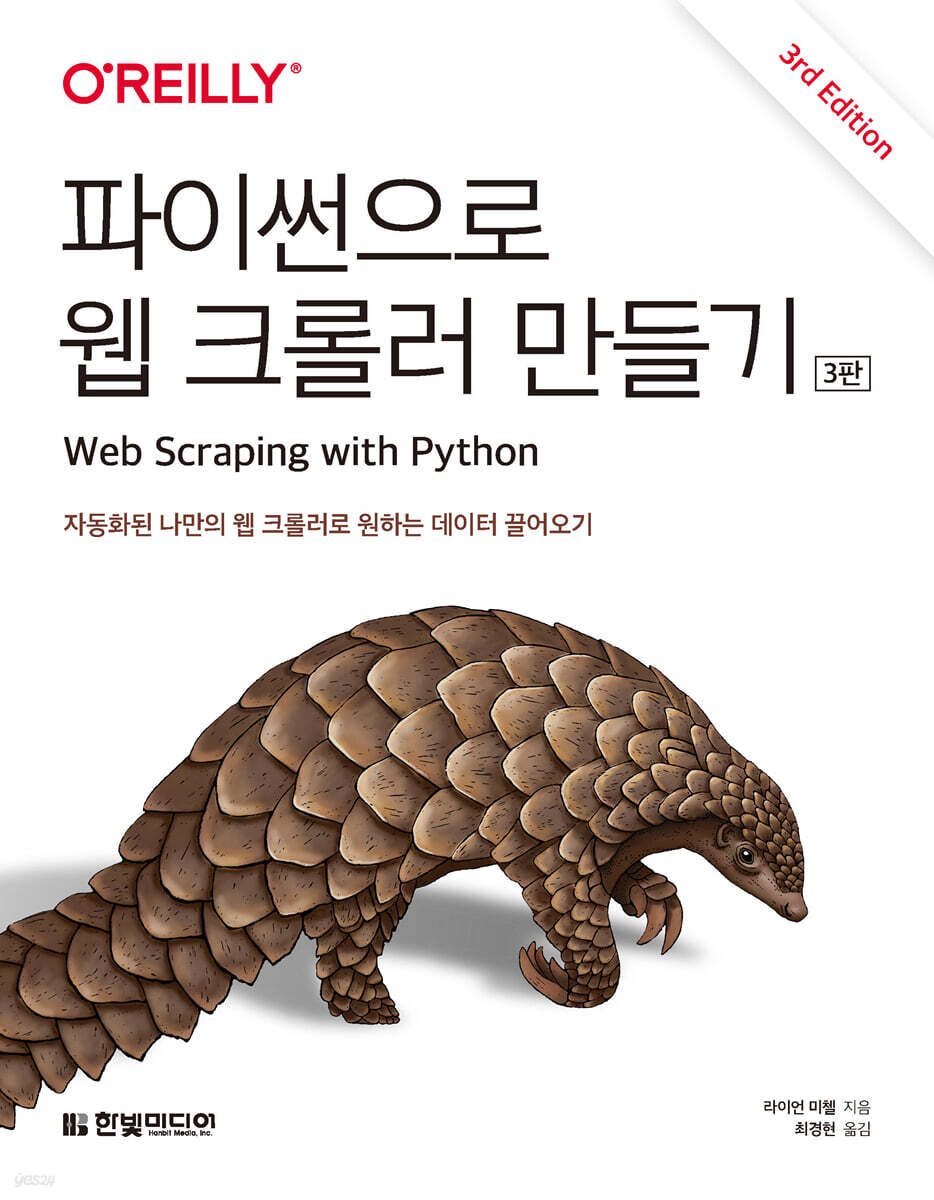
Building a Web Crawler with Python
 |
Description
Book Introduction
How to efficiently collect data from various web sites: A to Z
In today's data-rich web, there's no shortage of things you can do with a web crawler.
All you need for this magic is a little Python programming skills, and the rest is covered in this book.
This book will help you automate tasks using web crawling and gain insights into processing complex web content.
This newly revised third edition of the book updates the overall code and adds practical examples.
It also includes Selenium for browser automation and XPath for accurate data extraction.
For anyone who dreams of becoming an "everyday data analyst" who wants to efficiently collect data in the complex web world, this book will serve as the most accurate compass.
In today's data-rich web, there's no shortage of things you can do with a web crawler.
All you need for this magic is a little Python programming skills, and the rest is covered in this book.
This book will help you automate tasks using web crawling and gain insights into processing complex web content.
This newly revised third edition of the book updates the overall code and adds practical examples.
It also includes Selenium for browser automation and XPath for accurate data extraction.
For anyone who dreams of becoming an "everyday data analyst" who wants to efficiently collect data in the complex web world, this book will serve as the most accurate compass.
- You can preview some of the book's contents.
Preview
index
[PART 1: Building a Web Scraper]
CHAPTER 1: HOW THE INTERNET WORKS
_1.1 Networking
__1.1.1 Physical Layer
__1.1.2 Data Link Layer
__1.1.3 Network Layer
__1.1.4 Transport Layer
__1.1.5 Session Layer
__1.1.6 Presentation Layer
__1.1.7 Application Layer
_1.2 HTML
_1.3 CSS
_1.4 JavaScript
_1.5 Inspecting a website with developer tools
CHAPTER 2: THE LEGALITY AND ETHICS OF WEB SCRAPING
_2.1 Trademark? Copyright? Patent?
__2.1.1 Copyright Law
_2.2 Property Infringement
_2.3 Computer Fraud and Abuse Act
_2.4 robots.txt and Terms of Use
_2.5 Three Web Scraper Cases
__2.5.1 eBay vs.
Beader's Edge: Property Trespass
__2.5.2 USA vs.
Owenheimer: Computer Fraud and Abuse Act
__2.5.3 Field vs.
Google: Copyright and robots.txt
CHAPTER 3: WEB SCRAPING APPLICATIONS
_3.1 Classifying Projects
_3.2 E-commerce
__3.2.1 Marketing
_3.3 Academic Research
_3.4 Product Development
_3.5 Travel
_3.6 Sales
_3.7 SERP Scraping
CHAPTER 4: YOUR FIRST WEB SCRAPER
_4.1 Installing and Running Jupyter Notebook
_4.2 Connection
_4.3 Introducing BeautifulSoup
__4.3.1 Installing BeautifulSoup
__4.3.2 Running BeautifulSoup
__4.3.3 Reliable Connections and Exception Handling
CHAPTER 5 ADVANCED HTML ANALYSIS
_5.1 BeautifulSoup again
__5.1.1 find() and find_all()
__5.1.2 Other BeautifulSoup Objects
__5.1.3 Tree Movement
_5.2 Regular Expressions
_5.3 Regular Expressions and BeautifulSoup
_5.4 Accessing properties
_5.5 Lambda Expressions
_5.6 You don't need a butcher's knife to kill a chicken.
CHAPTER 6: GETTING STARTED
_6.1 Movement within a single domain
_6.2 Crawling the entire site
__6.2.1 Collecting data across the entire site
_6.3 Internet Crawling
CHAPTER 7 Web Crawling Model
_7.1 Object Planning and Definition
_7.2 Handling Different Website Layouts
_7.3 Crawler Configuration
__7.3.1 Crawling the site through search
__7.3.2 Crawling sites through links
__7.3.3 Crawling Multiple Page Types
_7.4 Thoughts on the Web Crawler Model
CHAPTER 8 Scrapie
_8.1 Installing Scrapee
__8.1.1 New Spider Initialization
_8.2 Writing a Simple Scraper
_8.3 Spidering by Rules
_8.4 Creating an item
_8.5 Print items
_8.6 Pipeline
_8.7 Scrapy Logging
_8.8 In conclusion
CHAPTER 9 Data Storage
_9.1 Media Files
_9.2 Save data as CSV
_9.3 MySQL
__9.3.1 Installing MySQL
__9.3.2 Basic Commands
__9.3.3 Integration with Python
__9.3.4 Database Techniques and Best Practices
__9.3.5 Six Legs and MySQL
_9.4 Email
[PART 2 ADVANCED SCRAPING]
CHAPTER 10 Reading the Document
_10.1 Document Encoding
_10.2 Text
__10.2.1 Text Encoding and the Internet
_10.3 CSV
__10.3.1 Reading CSV files
_10.4 PDF
_10.5 Microsoft Word and .docx
CHAPTER 11: Dealing with Messy Data
_11.1 Organizing Text
_11.2 Handling Normalized Text
_11.3 Organizing Data with Pandas
__11.3.1 Summary
__11.3.2 Indexing, Sorting, and Filtering
__11.3.3 Learn more about Pandas
CHAPTER 12 Reading and Writing Natural Language
_12.1 Data Summary
_12.2 Markov Model
__12.2.1 The Six Legs of Kevin Bacon: Conclusion
_12.3 Natural Language Toolkit
__12.3.1 Installation
__12.3.2 Statistical Analysis Using NLTK
__12.3.3 Lexical Analysis Using NLTK
_12.4 In conclusion
CHAPTER 13 Breaking Through Forms and Logins
_13.1 Python requests library
_13.2 Basic Form Submission
_13.3 Radio buttons, checkboxes, and other fields
_13.4 Transferring files and images
_13.5 Login and Cookie Handling
__13.5.1 HTTP Basic Access Authentication
_13.6 Other Form Issues
CHAPTER 14 JavaScript Scraping
_14.1 A Brief Introduction to JavaScript
__14.1.1 Popular JavaScript Libraries
_14.2 Ajax and DHTML
_14.3 Running JavaScript from Python with Selenium
__14.3.1 Installing and Running Selenium
__14.3.2 Selenium Selectors
__14.3.3 Waiting for page to load
__14.3.4 XPath
_14.4 Other Selenium WebDrivers
_14.5 Redirect processing
_14.6 Final Notes on JavaScript
CHAPTER 15 Crawling via API
_15.1 A brief introduction to the API
__15.1.1 HTTP Methods and APIs
__15.1.2 About API responses
_15.2 JSON Parsing
_15.3 Undocumented APIs
__15.3.1 Finding Undocumented APIs
__15.3.2 Documenting Undocumented APIs
_15.4 Combining APIs with Other Data Sources
_15.5 In conclusion
CHAPTER 16 IMAGE PROCESSING AND TEXT RECOGNITION
_16.1 Library Overview
__16.1.1 Philo
__16.1.2 Tesseract
__16.1.3 NumPy
_16.2 Processing text with a consistent format
__16.2.1 Automatic image adjustment
__16.2.2 Scraping text from website images
_16.3 Reading CAPTCHAs and Tesseract Training
__16.3.1 Tesseract Training
_16.4 Importing CAPTCHAs and Sending Answers
CHAPTER 17 Avoiding Scraping Traps
_17.1 On the ethics of scraping
_17.2 Look like a human
__17.2.1 Modify the header
__17.2.2 Cookie Handling
__17.2.3 TLS Fingerprinting
__17.2.4 Timing is everything
_17.3 Commonly Used Form Security Features
__17.3.1 Hidden field values
__17.3.2 Avoiding Honeypots
_17.4 Checklist for looking human
CHAPTER 18 Testing Your Website with a Scraper
_18.1 Introduction to Testing
__18.1.1 What is a unit test?
_18.2 Python unittest
__18.2.1 Wikipedia Test
_18.3 Testing with Selenium
__18.3.1 Site Manipulation
CHAPTER 19 PARALLEL WEB SCRAPING
_19.1 Process vs.
Thread
_19.2 Multithreaded Crawling
__19.2.1 Race Conditions and Queues
__19.2.2 threading module
_19.3 Multi-process
__19.3.1 Multiprocess Crawling
__19.3.2 Interprocess Communication
_19.4 Another Approach to Multiprocess Crawling
CHAPTER 20 Web Scraping Proxy
_20.1 Why Use a Remote Server?
__20.1.1 Prevent IP address blocking
__20.1.2 Mobility and Scalability
_20.2 Thor
__20.2.1 Pysax
_20.3 Remote Hosting
__20.3.1 Running on a website hosting account
__20.3.2 Running in the Cloud
__20.3.3 Towards the future
_20.4 Web Scraping Proxy
__20.4.1 Scraping fee
__20.4.2 Scraper API
__20.4.3 Oxylabs
__20.4.4 Zite
_20.5 In conclusion
CHAPTER 1: HOW THE INTERNET WORKS
_1.1 Networking
__1.1.1 Physical Layer
__1.1.2 Data Link Layer
__1.1.3 Network Layer
__1.1.4 Transport Layer
__1.1.5 Session Layer
__1.1.6 Presentation Layer
__1.1.7 Application Layer
_1.2 HTML
_1.3 CSS
_1.4 JavaScript
_1.5 Inspecting a website with developer tools
CHAPTER 2: THE LEGALITY AND ETHICS OF WEB SCRAPING
_2.1 Trademark? Copyright? Patent?
__2.1.1 Copyright Law
_2.2 Property Infringement
_2.3 Computer Fraud and Abuse Act
_2.4 robots.txt and Terms of Use
_2.5 Three Web Scraper Cases
__2.5.1 eBay vs.
Beader's Edge: Property Trespass
__2.5.2 USA vs.
Owenheimer: Computer Fraud and Abuse Act
__2.5.3 Field vs.
Google: Copyright and robots.txt
CHAPTER 3: WEB SCRAPING APPLICATIONS
_3.1 Classifying Projects
_3.2 E-commerce
__3.2.1 Marketing
_3.3 Academic Research
_3.4 Product Development
_3.5 Travel
_3.6 Sales
_3.7 SERP Scraping
CHAPTER 4: YOUR FIRST WEB SCRAPER
_4.1 Installing and Running Jupyter Notebook
_4.2 Connection
_4.3 Introducing BeautifulSoup
__4.3.1 Installing BeautifulSoup
__4.3.2 Running BeautifulSoup
__4.3.3 Reliable Connections and Exception Handling
CHAPTER 5 ADVANCED HTML ANALYSIS
_5.1 BeautifulSoup again
__5.1.1 find() and find_all()
__5.1.2 Other BeautifulSoup Objects
__5.1.3 Tree Movement
_5.2 Regular Expressions
_5.3 Regular Expressions and BeautifulSoup
_5.4 Accessing properties
_5.5 Lambda Expressions
_5.6 You don't need a butcher's knife to kill a chicken.
CHAPTER 6: GETTING STARTED
_6.1 Movement within a single domain
_6.2 Crawling the entire site
__6.2.1 Collecting data across the entire site
_6.3 Internet Crawling
CHAPTER 7 Web Crawling Model
_7.1 Object Planning and Definition
_7.2 Handling Different Website Layouts
_7.3 Crawler Configuration
__7.3.1 Crawling the site through search
__7.3.2 Crawling sites through links
__7.3.3 Crawling Multiple Page Types
_7.4 Thoughts on the Web Crawler Model
CHAPTER 8 Scrapie
_8.1 Installing Scrapee
__8.1.1 New Spider Initialization
_8.2 Writing a Simple Scraper
_8.3 Spidering by Rules
_8.4 Creating an item
_8.5 Print items
_8.6 Pipeline
_8.7 Scrapy Logging
_8.8 In conclusion
CHAPTER 9 Data Storage
_9.1 Media Files
_9.2 Save data as CSV
_9.3 MySQL
__9.3.1 Installing MySQL
__9.3.2 Basic Commands
__9.3.3 Integration with Python
__9.3.4 Database Techniques and Best Practices
__9.3.5 Six Legs and MySQL
_9.4 Email
[PART 2 ADVANCED SCRAPING]
CHAPTER 10 Reading the Document
_10.1 Document Encoding
_10.2 Text
__10.2.1 Text Encoding and the Internet
_10.3 CSV
__10.3.1 Reading CSV files
_10.4 PDF
_10.5 Microsoft Word and .docx
CHAPTER 11: Dealing with Messy Data
_11.1 Organizing Text
_11.2 Handling Normalized Text
_11.3 Organizing Data with Pandas
__11.3.1 Summary
__11.3.2 Indexing, Sorting, and Filtering
__11.3.3 Learn more about Pandas
CHAPTER 12 Reading and Writing Natural Language
_12.1 Data Summary
_12.2 Markov Model
__12.2.1 The Six Legs of Kevin Bacon: Conclusion
_12.3 Natural Language Toolkit
__12.3.1 Installation
__12.3.2 Statistical Analysis Using NLTK
__12.3.3 Lexical Analysis Using NLTK
_12.4 In conclusion
CHAPTER 13 Breaking Through Forms and Logins
_13.1 Python requests library
_13.2 Basic Form Submission
_13.3 Radio buttons, checkboxes, and other fields
_13.4 Transferring files and images
_13.5 Login and Cookie Handling
__13.5.1 HTTP Basic Access Authentication
_13.6 Other Form Issues
CHAPTER 14 JavaScript Scraping
_14.1 A Brief Introduction to JavaScript
__14.1.1 Popular JavaScript Libraries
_14.2 Ajax and DHTML
_14.3 Running JavaScript from Python with Selenium
__14.3.1 Installing and Running Selenium
__14.3.2 Selenium Selectors
__14.3.3 Waiting for page to load
__14.3.4 XPath
_14.4 Other Selenium WebDrivers
_14.5 Redirect processing
_14.6 Final Notes on JavaScript
CHAPTER 15 Crawling via API
_15.1 A brief introduction to the API
__15.1.1 HTTP Methods and APIs
__15.1.2 About API responses
_15.2 JSON Parsing
_15.3 Undocumented APIs
__15.3.1 Finding Undocumented APIs
__15.3.2 Documenting Undocumented APIs
_15.4 Combining APIs with Other Data Sources
_15.5 In conclusion
CHAPTER 16 IMAGE PROCESSING AND TEXT RECOGNITION
_16.1 Library Overview
__16.1.1 Philo
__16.1.2 Tesseract
__16.1.3 NumPy
_16.2 Processing text with a consistent format
__16.2.1 Automatic image adjustment
__16.2.2 Scraping text from website images
_16.3 Reading CAPTCHAs and Tesseract Training
__16.3.1 Tesseract Training
_16.4 Importing CAPTCHAs and Sending Answers
CHAPTER 17 Avoiding Scraping Traps
_17.1 On the ethics of scraping
_17.2 Look like a human
__17.2.1 Modify the header
__17.2.2 Cookie Handling
__17.2.3 TLS Fingerprinting
__17.2.4 Timing is everything
_17.3 Commonly Used Form Security Features
__17.3.1 Hidden field values
__17.3.2 Avoiding Honeypots
_17.4 Checklist for looking human
CHAPTER 18 Testing Your Website with a Scraper
_18.1 Introduction to Testing
__18.1.1 What is a unit test?
_18.2 Python unittest
__18.2.1 Wikipedia Test
_18.3 Testing with Selenium
__18.3.1 Site Manipulation
CHAPTER 19 PARALLEL WEB SCRAPING
_19.1 Process vs.
Thread
_19.2 Multithreaded Crawling
__19.2.1 Race Conditions and Queues
__19.2.2 threading module
_19.3 Multi-process
__19.3.1 Multiprocess Crawling
__19.3.2 Interprocess Communication
_19.4 Another Approach to Multiprocess Crawling
CHAPTER 20 Web Scraping Proxy
_20.1 Why Use a Remote Server?
__20.1.1 Prevent IP address blocking
__20.1.2 Mobility and Scalability
_20.2 Thor
__20.2.1 Pysax
_20.3 Remote Hosting
__20.3.1 Running on a website hosting account
__20.3.2 Running in the Cloud
__20.3.3 Towards the future
_20.4 Web Scraping Proxy
__20.4.1 Scraping fee
__20.4.2 Scraper API
__20.4.3 Oxylabs
__20.4.4 Zite
_20.5 In conclusion
Detailed image

Publisher's Review
From HTML basics to AI-based data extraction,
A cutting-edge web crawling guide to help you overcome the ever-increasing barriers of the web.
How do you get the data you want from the vast, increasingly diverse and complex sea of information?
Are there effective tools for transforming scattered data into meaningful information? "Building a Web Crawler with Python (3rd Edition)" provides the perfect answers to these questions.
Part 1 introduces the basic concepts of web crawling and a relatively simple web crawler using Python and popular libraries such as BeautifulSoup and Scrapy.
After that, you will learn the basics of web navigation while understanding core technologies such as data storage in MySQL, API processing, and document analysis in formats such as CSV, PDF, and Word.
Part 2 builds on the fundamentals learned in Part 1 and covers advanced techniques for analyzing and processing more complex web environments.
Learn how to scrape dynamic JavaScript-based pages using Selenium and clean up messy data using tools like Pandas.
We also cover natural language processing using NLTK, which can extract meaning from text data, and tools like Tesseract and Philo, which can extract text from images and bypass CAPTCHA.
In order to properly respond to the changing modern web environment, the revised 3rd edition has rearranged the contents into a more understandable structure than the 2nd edition, and the code has been updated overall.
We are confident that this book will satisfy both beginners who are just starting out with web crawling, as well as intermediate and advanced users who have already been using web crawling in their work.
Target audience
● All developers who want to start web crawling
● Developers who are already using web crawling in their work
● Developers who want to collect web data using Python
Key Contents
● Complex HTML parsing
● Reading and writing natural language
● Form and login crawling
● Creating a crawler with the Scrapy framework
● Various ways to store collected data
● JavaScript collection and API use
● Read and extract data from documents
How to avoid bot blocking
● Organizing messy data formats
● Website testing using crawlers
A cutting-edge web crawling guide to help you overcome the ever-increasing barriers of the web.
How do you get the data you want from the vast, increasingly diverse and complex sea of information?
Are there effective tools for transforming scattered data into meaningful information? "Building a Web Crawler with Python (3rd Edition)" provides the perfect answers to these questions.
Part 1 introduces the basic concepts of web crawling and a relatively simple web crawler using Python and popular libraries such as BeautifulSoup and Scrapy.
After that, you will learn the basics of web navigation while understanding core technologies such as data storage in MySQL, API processing, and document analysis in formats such as CSV, PDF, and Word.
Part 2 builds on the fundamentals learned in Part 1 and covers advanced techniques for analyzing and processing more complex web environments.
Learn how to scrape dynamic JavaScript-based pages using Selenium and clean up messy data using tools like Pandas.
We also cover natural language processing using NLTK, which can extract meaning from text data, and tools like Tesseract and Philo, which can extract text from images and bypass CAPTCHA.
In order to properly respond to the changing modern web environment, the revised 3rd edition has rearranged the contents into a more understandable structure than the 2nd edition, and the code has been updated overall.
We are confident that this book will satisfy both beginners who are just starting out with web crawling, as well as intermediate and advanced users who have already been using web crawling in their work.
Target audience
● All developers who want to start web crawling
● Developers who are already using web crawling in their work
● Developers who want to collect web data using Python
Key Contents
● Complex HTML parsing
● Reading and writing natural language
● Form and login crawling
● Creating a crawler with the Scrapy framework
● Various ways to store collected data
● JavaScript collection and API use
● Read and extract data from documents
How to avoid bot blocking
● Organizing messy data formats
● Website testing using crawlers
GOODS SPECIFICS
- Date of issue: January 31, 2025
- Page count, weight, size: 412 pages | 183*235*16mm
- ISBN13: 9791169213240
- ISBN10: 1169213243
You may also like
카테고리
korean


korean

![GQ KOREA Mark (Monthly): December [2025]](http://librairie.coreenne.fr/cdn/shop/files/8ef265dbbfbf186523ed75ba7319009d.jpg?v=1765340328&width=3840)


