

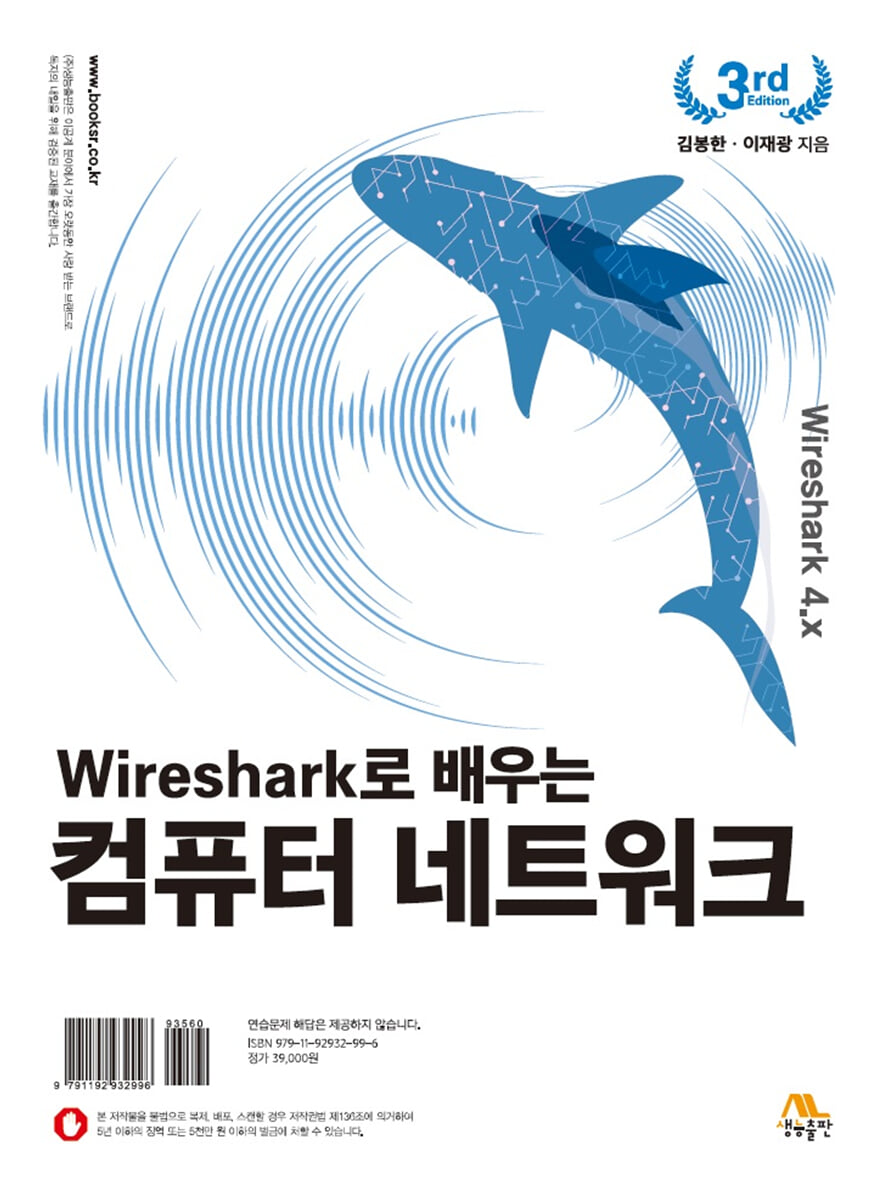
Learning Computer Networks with Wireshark
 |
Description
Book Introduction
"Learn Computer Networks with Wireshark" is a book that explains Wireshark, an essential tool used by students who want to become IT professionals for troubleshooting, security, and network optimization. If you follow the explanations step by step, you will not only accurately understand the TCP/IP protocol, but you will also become an expert who can effectively solve various problems.
By accessing the Wireshark homepage, downloading the program, learning how to install it, and learning the various functions of Wireshark, and then actually capturing packets and learning the protocols for each layer one by one, you will be able to grow into an IT professional who can comprehensively understand the layers of the entire computer network.
By accessing the Wireshark homepage, downloading the program, learning how to install it, and learning the various functions of Wireshark, and then actually capturing packets and learning the protocols for each layer one by one, you will be able to grow into an IT professional who can comprehensively understand the layers of the entire computer network.
index
Table of Contents of this Book
CHAPTER 01 Overview
1.
History of the Internet
1.1 ARPANET
1.2 The Birth of the Internet
1.3 TCP/IP
1.4 MILNET
1.5 CSNET
1.6 NSFNET
1.7 ANSNET
1.8 Current Internet
1.9 World Wide Web
1.10 The Growth of the Internet
1.11 Domestic Internet History
1.12 National High-Speed Information Network
2.
Protocols and Standards
2.1 Protocol
2.2 Standard
3.
standards organization
3.1 International Standards
3.2 Domestic standards
4.
Internet standards
4.1 Completion Stage
4.2 RFC Requirement Steps
5.
Internet Management
5.1 ISOC
5.2 IAB
5.3 IETF
5.4 IRTF
5.5 IANA and ICANN
5.6 NIC
5.7 Domestic Internet Management
summation
Practice problems
CHAPTER 02 OSI Model and TCP/IP Protocol
1.
Protocol Hierarchy
1.1 Hierarchy
1.2 Service
2. OSI Basic Reference Model
2.1 Hierarchical structure
2.2 Layer-to-layer communication
2.3 Encapsulation
2.4 Layered Structure of the OSI Model
2.5 Summary of OSI Layers
3. TCP/IP protocol
3.1 Comparison between OSI and TCP/IP groups
3.2 Layers of the TCP/IP Protocol
3.3 Transport Layer
4.
Address designation
4.1 Physical Address
4.2 Logical Address
4.3 Port Address
4.4 Application-Specified Address
summation
Practice problems
CHAPTER 03 Network Layer Overview
1.
outline
2.
exchange
2.1 Circuit switching
2.2 Packet Exchange
3.
Packet switching at the network layer
3.1 Non-connected services
3.2 Connected Services
4.
Network layer services
4.1 Network Layer Service Examples
4.2 Logical Address System
4.3 Services provided by the source computer
4.4 Services provided by each router
4.5 Services provided by the destination computer
5.
Network layer problems
5.1 Error Control
5.2 Flow Control
5.3 Congestion Control
5.4 Service Quality
5.5 Routing
5.6 Security
summation
Practice problems
CHAPTER 04 IP ADDRESS
1.
outline
1.1 Address Space
1.2 Notation
1.3 Address Range
1.4 Operation
2.
Class-based addressing
2.1 Class
2.2 Classes and Blocks
2.3 Layer 2 Addressing
2.4 Layer 3 Addressing: Subnetting
2.5 Supernetting
3.
Classless addressing
3.1 Variable-length blocks
3.2 Two-level addressing system
3.3 Block Allocation
3.4 Subnetting
4.
Special Address
4.1 Special Blocks
4.2 Special addresses used in each block
5. IPv6 address
5.1 Notation
5.2 Address Space
5.3 Three Address Types
6. IPv6 address space allocation
summation
Practice problems
CHAPTER 05 IP Packet Delivery and Forwarding
1.
Connected and disconnected services
2.
Direct and indirect transmission
2.1 Direct delivery
2.2 Indirect transmission
3.
Forwarding
3.1 Destination Address-Based Forwarding
3.2 Forwarding in Class-Based Addressing
3.3 Forwarding in Classless Addressing
3.4 Routing Table Search Algorithm
3.5 Label-based forwarding
4.
Router structure
4.1 Components
summation
Practice problems
CHAPTER 06 Wireshark Overview, Installation, and Running
1.
Packet analyzer
1.1 Types of packet analyzers
2.
Wireshark Overview
2.1 Uses of Wireshark
2.2 Wireshark's Main Features
2.3 Advantages of Wireshark
2.4 Wireshark's Vulnerabilities
2.5 Wireshark version upgrade
2.6 Stable and past stable versions of Wireshark
3.
How to capture and process packets in Wireshark
3.1 Interpreters, Plugins, and Display Filters
3.2 Graphics Toolkit
4.
Wireshark Information
5.
Installing and Running Wireshark
5.1 Download Wireshark
5.2 Installing Wireshark
5.3 Verifying and Starting the Installation
5.4 Wireshark Command Line Interface
6.
Wireshark user interface
6.1 Wireshark's main screen configuration
6.2 Let's take a closer look at the Wireshark screen.
6.3 Menu Bar
6.4 Toolbar
6.5 Display Filter Bar
6.6 Selecting the User Interface Language
summation
Practice problems
CHAPTER 07 Checking Packet Headers and Analyzing Dump Data
1.
outline
1.1 Homepage access packet capture
1.2 Check the header
1.3 Frame, Ethernet II, Packet, Segment Header
1.4 Frame Header
1.5 IPv4 Header
1.6 TCP Header
1.7 HTTP Headers
2.
Dump analysis
summation
Practice problems
CHAPTER 08 Local Area Networks: Wired Ethernet
1. IEEE standard Ethernet
2.
Ethernet Ⅱ frame format
3.
Ethernet II dump analysis
summation
Practice problems
CHAPTER 09 Address Resolution Protocol (ARP)
1.
Address translation
2.
Address Resolution Protocol (ARP)
2.1 ARP Packet Format
2.2 Encapsulation
2.3 Movement
2.4 Proxy ARP
3. ARP dump analysis
summation
Practice problems
CHAPTER 10 Internet Protocol (IP)
1.
outline
2.
datagram
2.1 IPv6 Datagram Basic Header
2.2 Flow Labels
2.3 Comparison of IPv4 and IPv6 Headers
3.
fragmentation
3.1 Maximum Transmission Unit (MTU)
3.2 Fields related to fragmentation
4.
Options
4.1 format
4.2 Option Types
5.
Checksum
5.1 Calculating the sender's checksum
5.2 Calculating the receiver's checksum
5.3 Checksum of IP packets
6. IP Package
6.1 Add Header Module
6.2 Processing Module
6.3 Queue
6.4 Routing Table
6.5 Forwarding Module
6.6 MTU Table
6.7 Fragmentation Module
6.8 Reassembly Table
6.9 Reassembly Module
7.
Internet Protocol (IP) dump analysis
summation
Practice problems
CHAPTER 11 Internet Control Message Protocol (ICMP)
1.
outline
2.
Message Type
2.1 Message Format
2.2 Error Reporting Messages
2.3 Query Message
2.4 Checksum
3.
Debugging tools
4. ICMP package
5.
Analyzing ICMP dumps using the ping command
5.1 Initiating packet capture and executing the ping command
5.2 Stop packet capture and check the contents
5.3 Analyzing ICMP Dumps
summation
Practice problems
CHAPTER 12 TRANSPORT LAYER OVERVIEW
1.
outline
2.
Transport layer services
2.1 Process-to-Process Communication
2.2 Addressing Scheme: Port Numbers
2.3 Encapsulation and Decapsulation
2.4 Multiplexing and Demultiplexing
2.5 Flow Control
2.6 Error Control
2.7 Combining Flow Control and Error Control
2.8 Congestion Control
2.9 Non-connected and connected services
3.
Transport layer protocol
3.1 Simple Protocol
3.2 Stop-and-Wait Protocol
3.3 N-Frame-Back Protocol
3.4 Optional Repeat Protocol
3.5 Bidirectional Protocol: Piggybacking
summation
Practice problems
CHAPTER 13 User Datagram Protocol (UDP)
1.
outline
2.
User datagram
3. UDP service
3.1 Process-to-Process Communication
3.2 Non-connected services
3.3 Flow Control
3.4 Error Control
3.5 Congestion Control
3.6 Encapsulation and Decapsulation
3.7 Queuing
3.8 Multiplexing and Demultiplexing
3.9 Comparison with UDP and General Simple Protocols
4. UDP Application
4.1 UDP Features
4.2 Representative applications
5. UDP package
5.1 Control Block Table
5.2 Input Queue
5.3 Control-Block Module
5.4 Input Module
5.5 Output Module
5.6 Example
6. UDP dump analysis
summation
Practice problems
CHAPTER 14 Transmission Control Protocol (TCP)
1. TCP service
1.1 Process-to-Process Communication
1.2 Stream Delivery Service
1.3 Full-duplex communication
1.4 Multiplexing and Demultiplexing
1.5 Connected Services
1.6 Reliability Services
2. TCP Features
2.1 Numbering System
2.2 Flow Control
2.3 Error Control
2.4 Congestion Control
3.
segment
3.1 format
3.2 Encapsulation
4. TCP connection
4.1 Connection Settings
4.2 Data Transfer
4.3 Terminating the connection
4.4 Reset Connection
5.
State Transition Diagram
5.1 Scenario
6. TCP window
6.1 Transmission Window
6.2 Receive Window
7.
Flow control
7.1 Opening and Closing Windows
7.2 Minimize the window
7.3 Stupid Window Syndrome
8.
Error control
8.1 Checksum
8.2 Confirmation Response
8.3 Retransmission
8.4 Out of order segments
9.
congestion control
9.1 Congestion Window
9.2 Congestion Control Principles
10. TCP Timer
10.1 Retransmission Timer
10.2 Persistent Timer
10.3 Keep-Alive Timer
10.4 hour standby timer
11.
Options
12. TCP package
12.1 Transmission Control Block
12.2 Timer
12.3 Main Module
12.4 Input Processing Module
12.5 Output Processing Module
13. TCP dump analysis
summation
Practice problems
CHAPTER 15 Application Layer Overview (available as PDF on our website)
1.
Client-server concept
1.1 Server
1.2 Client
1.3 Concurrency
1.4 Server Concurrency
1.5 Socket Interface
1.6 Communication using UDP
1.7 Communication using TCP
1.8 Predefined Client Server Applications
2.
Peer-to-peer concept
summation
Practice problems
CHAPTER 16 Dynamic Host Configuration Protocol (DHCP)
1.
outline
1.1 Previous Protocols
2. DHCP operation procedure
3.
setting
3.1 Static address allocation
3.2 Dynamic Address Allocation
3.3 State Transition
3.4 Initial (INIT) state
3.5 SELECTING state
3.6 REQUESTING status
3.7 Bound state
3.8 Renewing status
3.9 Rebinding State
3.10 Other Issues
3.11 Message Exchange
4. DHCP packet analysis
4.1 Discover Packet
4.2 Offer Packet
4.3 Request Packet
4.4 Acknowledgement Packet
4.5 Renewing DHCP Leases
summation
Practice problems
CHAPTER 17 Domain Name System (DNS)
1. The need for DNS
2.
namespace
2.1 Hierarchical Namespace
2.2 Domain Name Space
2.3 Domain
2.4 Distribution of namespaces
3.
DNS used on the Internet
3.1 General domain
3.2 Country domain
3.3 Inverse domain
3.4 Domain Management System
3.5 Korea's DNS Management System
4.
conversion
4.1 Converter
4.2 Recursive transformation
4.3 Iterative transformation
4.4 Caching
5. DNS messages
5.1 Header
5.2 Questions Section
5.3 Response Section
5.4 Permissions Section
5.5 Additional Information Section
6.
Record Type
6.1 Lookup Records
6.2 Resource Records
7.
Encapsulation
8. DDNS
9. DNS Security
10. DNS dump analysis
summation
Practice problems
CHAPTER 18 WWW and HTTP
1. WWW structure
1.1 Hypertext and Hypermedia
1.2 Web Client
1.3 Web Server
1.4 Single Resource Locator (URL)
2.
Web document
2.1 Static Documents
2.2 Dynamic Documents
2.3 Active Documents
3.
Hypertext Transfer Protocol (HTTP)
3.1 HTTP Transactions
3.2 Conditional Requests
3.3 Persistence
3.4 Cookies
3.5 Web Cache: Proxy Server
3.6 HTTP Security
4. HTTP dump analysis
4.1 HTTP request message
summation
Practice problems
CHAPTER 01 Overview
1.
History of the Internet
1.1 ARPANET
1.2 The Birth of the Internet
1.3 TCP/IP
1.4 MILNET
1.5 CSNET
1.6 NSFNET
1.7 ANSNET
1.8 Current Internet
1.9 World Wide Web
1.10 The Growth of the Internet
1.11 Domestic Internet History
1.12 National High-Speed Information Network
2.
Protocols and Standards
2.1 Protocol
2.2 Standard
3.
standards organization
3.1 International Standards
3.2 Domestic standards
4.
Internet standards
4.1 Completion Stage
4.2 RFC Requirement Steps
5.
Internet Management
5.1 ISOC
5.2 IAB
5.3 IETF
5.4 IRTF
5.5 IANA and ICANN
5.6 NIC
5.7 Domestic Internet Management
summation
Practice problems
CHAPTER 02 OSI Model and TCP/IP Protocol
1.
Protocol Hierarchy
1.1 Hierarchy
1.2 Service
2. OSI Basic Reference Model
2.1 Hierarchical structure
2.2 Layer-to-layer communication
2.3 Encapsulation
2.4 Layered Structure of the OSI Model
2.5 Summary of OSI Layers
3. TCP/IP protocol
3.1 Comparison between OSI and TCP/IP groups
3.2 Layers of the TCP/IP Protocol
3.3 Transport Layer
4.
Address designation
4.1 Physical Address
4.2 Logical Address
4.3 Port Address
4.4 Application-Specified Address
summation
Practice problems
CHAPTER 03 Network Layer Overview
1.
outline
2.
exchange
2.1 Circuit switching
2.2 Packet Exchange
3.
Packet switching at the network layer
3.1 Non-connected services
3.2 Connected Services
4.
Network layer services
4.1 Network Layer Service Examples
4.2 Logical Address System
4.3 Services provided by the source computer
4.4 Services provided by each router
4.5 Services provided by the destination computer
5.
Network layer problems
5.1 Error Control
5.2 Flow Control
5.3 Congestion Control
5.4 Service Quality
5.5 Routing
5.6 Security
summation
Practice problems
CHAPTER 04 IP ADDRESS
1.
outline
1.1 Address Space
1.2 Notation
1.3 Address Range
1.4 Operation
2.
Class-based addressing
2.1 Class
2.2 Classes and Blocks
2.3 Layer 2 Addressing
2.4 Layer 3 Addressing: Subnetting
2.5 Supernetting
3.
Classless addressing
3.1 Variable-length blocks
3.2 Two-level addressing system
3.3 Block Allocation
3.4 Subnetting
4.
Special Address
4.1 Special Blocks
4.2 Special addresses used in each block
5. IPv6 address
5.1 Notation
5.2 Address Space
5.3 Three Address Types
6. IPv6 address space allocation
summation
Practice problems
CHAPTER 05 IP Packet Delivery and Forwarding
1.
Connected and disconnected services
2.
Direct and indirect transmission
2.1 Direct delivery
2.2 Indirect transmission
3.
Forwarding
3.1 Destination Address-Based Forwarding
3.2 Forwarding in Class-Based Addressing
3.3 Forwarding in Classless Addressing
3.4 Routing Table Search Algorithm
3.5 Label-based forwarding
4.
Router structure
4.1 Components
summation
Practice problems
CHAPTER 06 Wireshark Overview, Installation, and Running
1.
Packet analyzer
1.1 Types of packet analyzers
2.
Wireshark Overview
2.1 Uses of Wireshark
2.2 Wireshark's Main Features
2.3 Advantages of Wireshark
2.4 Wireshark's Vulnerabilities
2.5 Wireshark version upgrade
2.6 Stable and past stable versions of Wireshark
3.
How to capture and process packets in Wireshark
3.1 Interpreters, Plugins, and Display Filters
3.2 Graphics Toolkit
4.
Wireshark Information
5.
Installing and Running Wireshark
5.1 Download Wireshark
5.2 Installing Wireshark
5.3 Verifying and Starting the Installation
5.4 Wireshark Command Line Interface
6.
Wireshark user interface
6.1 Wireshark's main screen configuration
6.2 Let's take a closer look at the Wireshark screen.
6.3 Menu Bar
6.4 Toolbar
6.5 Display Filter Bar
6.6 Selecting the User Interface Language
summation
Practice problems
CHAPTER 07 Checking Packet Headers and Analyzing Dump Data
1.
outline
1.1 Homepage access packet capture
1.2 Check the header
1.3 Frame, Ethernet II, Packet, Segment Header
1.4 Frame Header
1.5 IPv4 Header
1.6 TCP Header
1.7 HTTP Headers
2.
Dump analysis
summation
Practice problems
CHAPTER 08 Local Area Networks: Wired Ethernet
1. IEEE standard Ethernet
2.
Ethernet Ⅱ frame format
3.
Ethernet II dump analysis
summation
Practice problems
CHAPTER 09 Address Resolution Protocol (ARP)
1.
Address translation
2.
Address Resolution Protocol (ARP)
2.1 ARP Packet Format
2.2 Encapsulation
2.3 Movement
2.4 Proxy ARP
3. ARP dump analysis
summation
Practice problems
CHAPTER 10 Internet Protocol (IP)
1.
outline
2.
datagram
2.1 IPv6 Datagram Basic Header
2.2 Flow Labels
2.3 Comparison of IPv4 and IPv6 Headers
3.
fragmentation
3.1 Maximum Transmission Unit (MTU)
3.2 Fields related to fragmentation
4.
Options
4.1 format
4.2 Option Types
5.
Checksum
5.1 Calculating the sender's checksum
5.2 Calculating the receiver's checksum
5.3 Checksum of IP packets
6. IP Package
6.1 Add Header Module
6.2 Processing Module
6.3 Queue
6.4 Routing Table
6.5 Forwarding Module
6.6 MTU Table
6.7 Fragmentation Module
6.8 Reassembly Table
6.9 Reassembly Module
7.
Internet Protocol (IP) dump analysis
summation
Practice problems
CHAPTER 11 Internet Control Message Protocol (ICMP)
1.
outline
2.
Message Type
2.1 Message Format
2.2 Error Reporting Messages
2.3 Query Message
2.4 Checksum
3.
Debugging tools
4. ICMP package
5.
Analyzing ICMP dumps using the ping command
5.1 Initiating packet capture and executing the ping command
5.2 Stop packet capture and check the contents
5.3 Analyzing ICMP Dumps
summation
Practice problems
CHAPTER 12 TRANSPORT LAYER OVERVIEW
1.
outline
2.
Transport layer services
2.1 Process-to-Process Communication
2.2 Addressing Scheme: Port Numbers
2.3 Encapsulation and Decapsulation
2.4 Multiplexing and Demultiplexing
2.5 Flow Control
2.6 Error Control
2.7 Combining Flow Control and Error Control
2.8 Congestion Control
2.9 Non-connected and connected services
3.
Transport layer protocol
3.1 Simple Protocol
3.2 Stop-and-Wait Protocol
3.3 N-Frame-Back Protocol
3.4 Optional Repeat Protocol
3.5 Bidirectional Protocol: Piggybacking
summation
Practice problems
CHAPTER 13 User Datagram Protocol (UDP)
1.
outline
2.
User datagram
3. UDP service
3.1 Process-to-Process Communication
3.2 Non-connected services
3.3 Flow Control
3.4 Error Control
3.5 Congestion Control
3.6 Encapsulation and Decapsulation
3.7 Queuing
3.8 Multiplexing and Demultiplexing
3.9 Comparison with UDP and General Simple Protocols
4. UDP Application
4.1 UDP Features
4.2 Representative applications
5. UDP package
5.1 Control Block Table
5.2 Input Queue
5.3 Control-Block Module
5.4 Input Module
5.5 Output Module
5.6 Example
6. UDP dump analysis
summation
Practice problems
CHAPTER 14 Transmission Control Protocol (TCP)
1. TCP service
1.1 Process-to-Process Communication
1.2 Stream Delivery Service
1.3 Full-duplex communication
1.4 Multiplexing and Demultiplexing
1.5 Connected Services
1.6 Reliability Services
2. TCP Features
2.1 Numbering System
2.2 Flow Control
2.3 Error Control
2.4 Congestion Control
3.
segment
3.1 format
3.2 Encapsulation
4. TCP connection
4.1 Connection Settings
4.2 Data Transfer
4.3 Terminating the connection
4.4 Reset Connection
5.
State Transition Diagram
5.1 Scenario
6. TCP window
6.1 Transmission Window
6.2 Receive Window
7.
Flow control
7.1 Opening and Closing Windows
7.2 Minimize the window
7.3 Stupid Window Syndrome
8.
Error control
8.1 Checksum
8.2 Confirmation Response
8.3 Retransmission
8.4 Out of order segments
9.
congestion control
9.1 Congestion Window
9.2 Congestion Control Principles
10. TCP Timer
10.1 Retransmission Timer
10.2 Persistent Timer
10.3 Keep-Alive Timer
10.4 hour standby timer
11.
Options
12. TCP package
12.1 Transmission Control Block
12.2 Timer
12.3 Main Module
12.4 Input Processing Module
12.5 Output Processing Module
13. TCP dump analysis
summation
Practice problems
CHAPTER 15 Application Layer Overview (available as PDF on our website)
1.
Client-server concept
1.1 Server
1.2 Client
1.3 Concurrency
1.4 Server Concurrency
1.5 Socket Interface
1.6 Communication using UDP
1.7 Communication using TCP
1.8 Predefined Client Server Applications
2.
Peer-to-peer concept
summation
Practice problems
CHAPTER 16 Dynamic Host Configuration Protocol (DHCP)
1.
outline
1.1 Previous Protocols
2. DHCP operation procedure
3.
setting
3.1 Static address allocation
3.2 Dynamic Address Allocation
3.3 State Transition
3.4 Initial (INIT) state
3.5 SELECTING state
3.6 REQUESTING status
3.7 Bound state
3.8 Renewing status
3.9 Rebinding State
3.10 Other Issues
3.11 Message Exchange
4. DHCP packet analysis
4.1 Discover Packet
4.2 Offer Packet
4.3 Request Packet
4.4 Acknowledgement Packet
4.5 Renewing DHCP Leases
summation
Practice problems
CHAPTER 17 Domain Name System (DNS)
1. The need for DNS
2.
namespace
2.1 Hierarchical Namespace
2.2 Domain Name Space
2.3 Domain
2.4 Distribution of namespaces
3.
DNS used on the Internet
3.1 General domain
3.2 Country domain
3.3 Inverse domain
3.4 Domain Management System
3.5 Korea's DNS Management System
4.
conversion
4.1 Converter
4.2 Recursive transformation
4.3 Iterative transformation
4.4 Caching
5. DNS messages
5.1 Header
5.2 Questions Section
5.3 Response Section
5.4 Permissions Section
5.5 Additional Information Section
6.
Record Type
6.1 Lookup Records
6.2 Resource Records
7.
Encapsulation
8. DDNS
9. DNS Security
10. DNS dump analysis
summation
Practice problems
CHAPTER 18 WWW and HTTP
1. WWW structure
1.1 Hypertext and Hypermedia
1.2 Web Client
1.3 Web Server
1.4 Single Resource Locator (URL)
2.
Web document
2.1 Static Documents
2.2 Dynamic Documents
2.3 Active Documents
3.
Hypertext Transfer Protocol (HTTP)
3.1 HTTP Transactions
3.2 Conditional Requests
3.3 Persistence
3.4 Cookies
3.5 Web Cache: Proxy Server
3.6 HTTP Security
4. HTTP dump analysis
4.1 HTTP request message
summation
Practice problems
Publisher's Review
The Internet has brought tremendous changes to our lives over the past few decades.
These days, we use the Internet almost every day to do a lot of things.
But have you ever actually checked how the internet actually transmits the information we use—web surfing, searches, file transfers, email, messengers, social media, YouTube, Facebook, etc.? Most students learn about the internet, TCP/IP, computer networks, and computer communications in school, but few have actually experienced the process of understanding the protocol more clearly by actually observing the content being exchanged via the TCP/IP protocol.
Moreover, since most university lectures are theoretically focused, many students are likely curious about how the actual protocols are implemented. A clearer understanding of the TCP/IP protocol will enable them to become experts capable of troubleshooting Internet problems and responding appropriately to security breaches.
Wireshark is a very popular network analysis tool that has been ranked number one in the TOP 125 network security tools on sectools.org for several years.
Network traffic analysis is a core skill that every IT engineer should have, allowing them to effectively analyze networks by capturing actual wired and wireless traffic.
This book explains Wireshark, an essential tool used by students who want to become IT professionals for troubleshooting, security, and network optimization. If you follow the explanations step by step, you will not only accurately understand the TCP/IP protocol, but you will also become an expert who can effectively solve various problems.
By accessing the Wireshark homepage, downloading the program, learning how to install it, and learning the various functions of Wireshark, and then actually capturing packets and learning the protocols for each layer one by one, you will be able to grow into an IT professional who can comprehensively understand the layers of the entire computer network.
This book is based on Wireshark 4.4.1.
Version 4.4.1 was released in early November.
Although it has been updated, there is not much difference in learning it, so it was written based on version 4.4.1.
Version updates are constantly being made, but if you start with version 4.4.1 as the main focus, you won't have much difficulty.
I hope that this book will be of great help to many readers.
These days, we use the Internet almost every day to do a lot of things.
But have you ever actually checked how the internet actually transmits the information we use—web surfing, searches, file transfers, email, messengers, social media, YouTube, Facebook, etc.? Most students learn about the internet, TCP/IP, computer networks, and computer communications in school, but few have actually experienced the process of understanding the protocol more clearly by actually observing the content being exchanged via the TCP/IP protocol.
Moreover, since most university lectures are theoretically focused, many students are likely curious about how the actual protocols are implemented. A clearer understanding of the TCP/IP protocol will enable them to become experts capable of troubleshooting Internet problems and responding appropriately to security breaches.
Wireshark is a very popular network analysis tool that has been ranked number one in the TOP 125 network security tools on sectools.org for several years.
Network traffic analysis is a core skill that every IT engineer should have, allowing them to effectively analyze networks by capturing actual wired and wireless traffic.
This book explains Wireshark, an essential tool used by students who want to become IT professionals for troubleshooting, security, and network optimization. If you follow the explanations step by step, you will not only accurately understand the TCP/IP protocol, but you will also become an expert who can effectively solve various problems.
By accessing the Wireshark homepage, downloading the program, learning how to install it, and learning the various functions of Wireshark, and then actually capturing packets and learning the protocols for each layer one by one, you will be able to grow into an IT professional who can comprehensively understand the layers of the entire computer network.
This book is based on Wireshark 4.4.1.
Version 4.4.1 was released in early November.
Although it has been updated, there is not much difference in learning it, so it was written based on version 4.4.1.
Version updates are constantly being made, but if you start with version 4.4.1 as the main focus, you won't have much difficulty.
I hope that this book will be of great help to many readers.
GOODS SPECIFICS
- Date of issue: January 31, 2025
- Page count, weight, size: 712 pages | 188*257*40mm
- ISBN13: 9791192932996
- ISBN10: 1192932994
You may also like
카테고리
korean


korean

![GQ KOREA Mark (Monthly): December [2025]](http://librairie.coreenne.fr/cdn/shop/files/8ef265dbbfbf186523ed75ba7319009d.jpg?v=1765340328&width=3840)


