

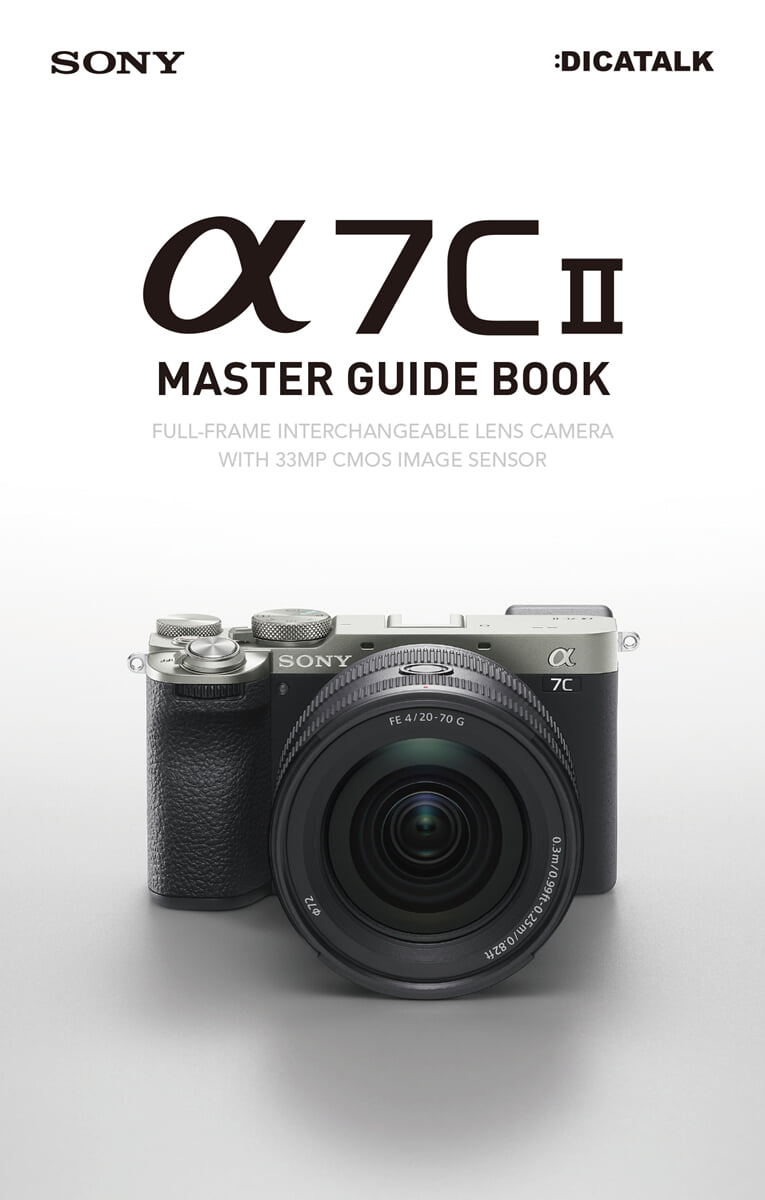
Sony A7C II Master Guide Book
 |
Description
Book Introduction
The Sony α7C II Master Guide Book is a guide that explains all the features of the Sony full-frame mirrorless camera α7C II.
Starting with basic operation, it provides detailed introduction to focus functions, exposure functions, custom settings, etc.
We also recommend interchangeable lenses that are good to use with the Sony α7C II, and offer shooting tips for each type of lens.
You can also learn how to use the α7C II dedicated application and how to set buttons and functions recommended by professional photographers.
It is explained in an easy-to-understand manner based on example photos taken by professional photographers so that even beginners to cameras can read it smoothly.
It is also a handy book size that fits in one hand, so you can carry it around in your camera bag to help you take pictures.
Starting with basic operation, it provides detailed introduction to focus functions, exposure functions, custom settings, etc.
We also recommend interchangeable lenses that are good to use with the Sony α7C II, and offer shooting tips for each type of lens.
You can also learn how to use the α7C II dedicated application and how to set buttons and functions recommended by professional photographers.
It is explained in an easy-to-understand manner based on example photos taken by professional photographers so that even beginners to cameras can read it smoothly.
It is also a handy book size that fits in one hand, so you can carry it around in your camera bag to help you take pictures.
- You can preview some of the book's contents.
Preview
index
Chapter 1: α7C II Basic Operation
SECTION 01 Names of each part······ 16
Button layout and names
SECTION 02 Preparation before shooting······ 18
Battery and charging function Memory card initialization Available memory cards
SECTION 03 Image Quality and File Format······ 20
File format JPEG / HEIF Quality
Setting the JPEG/HEIF image size and RAW compression method
SECTION 04 Viewfinder Operation····· 22
Viewfinder display and each name Viewfinder display settings
SECTION 05 Monitor Operation ······· 24
Monitor display and each name Monitor display settings
SECTION 06 Playing and Deleting Still Images······ 26
Enlarge the still image. Delete the index display image.
SECTION 07 Composition-related settings······ 28
Gridline Types and Composition Horizontal Alignment Marker Display Settings (Video)
SECTION 08: Setting Up the Angle of View······ 30
Aspect ratio change APS-C S35mm (Super35mm) shooting Portrait composition shooting
SECTION 09: Setting Up Image Stabilization (Body/Lens)······ 32
How to use image stabilization Control the lens's image stabilization function and lens cooperation
SECTION 10 Audio Signal/Touch Operation Settings······ 34
Audio signal settings Silent mode settings Touch operation settings
Touch Panel/Touchpad Settings
SECTION 11 Power-saving settings······ 36
Screen-related settings Focus mode settings Preparing auxiliary batteries
Column menu manipulation······ 38
Chapter 2 Focus Function
SECTION 01 Focus Mode······ 40
Types of each mode Shooting with DMF Shooting with AF-C
SECTION 02 Focus Area······ 42
Registering the feature focus area for each area
SECTION 03 Tracking······ 44
Tracking shooting with the tracking setting focus area
SECTION 04 Using the Focus Function (AF-S)······ 46
AF-S+Wide AF-S+Spot
SECTION 05 Using the Focus Function (AF-C)······ 48
AF-C+Wide AF-C+Zone
SECTION 06 AF-ON Button······ 50
AF-ON Button When the AF-ON Button Is Useful
SECTION 07 Focus Lock······ 52
Lock focus with the half-shutter button Lock focus with the focus lock button
SECTION 08 Focus Function Settings······ 54
Changing the priority of AF-S and AF-C Setting AF during focus magnification Setting aperture drive during AF
SECTION 09 Subject Recognition During AF······ 56
What is subject recognition AF? Setting the recognition target switching
SECTION 10 Detailed Settings for Subject Recognition During AF······ 58
Tracking transition range Tracking persistence level Recognition sensitivity
Set recognition priority Set recognition area Switch recognition area Focus on eyes
Subject recognition frame display
SECTION 11: Shooting with AF Subject Recognition (Basic)······ 62
People Photography Animals/Birds Photography Insects Photography Cars/Trains Photography Airplanes Photography
SECTION 12: AF Subject Recognition Shooting Method (Applied)······ 66
Shooting moving people, shooting wild birds with recognition of moving parts, shooting moving trains
SECTION 13 Touch Focus / Touch Shutter······ 68
Touch focus setting Touch shutter shooting
SECTION 14 Manual Focus Function······70
Focus Magnifier Peaking Level/Peaking Color AF/MF Switching
Chapter 3 Exposure Function
SECTION 01: Setting the Exposure Mode······ 74
Exposure mode setting program automatically shoots
SECTION 02 Aperture Priority (A Mode)······ 76
Aperture priority setting background blur effect pan focus shooting
SECTION 03 Shutter Priority (S Mode)······ 78
Shutter priority shooting with high shutter speed shooting with low shutter speed
SECTION 04 Exposure Compensation······80
Shooting in high-key and low-key with plus and minus compensation
SECTION 05 ISO Sensitivity······ 82
ISO sensitivity standard ISO AUTO detailed settings
SECTION 06 Metering Mode······ 84
Types of Metering Modes Shooting in Metering Mode
SECTION 07 Detailed Metering Mode Settings······ 86
Exposure-based adjustment Multi-metering Face priority Spot metering Position and focus area
SECTION 08 Manual Exposure / Bulb Shooting······ 88
Manual exposure and ISO settings, zebra pattern display, bulb shooting
Chapter 4 Interchangeable Lenses
SECTION 01 Standard Zoom Lens······92
Effect of standard zoom lens Video shooting Exposure + Zoom
SECTION 02 Wide-Angle Zoom Lens······94
The effect of a wide-angle zoom lens The effect of an ultra-wide-angle lens
SECTION 03 Telephoto Zoom Lens······96
The effect of a telephoto zoom lens The effect of a super telephoto zoom lens
SECTION 04 Single-Focus Lenses······98
The effect of a single-focus lens The effect of a macro lens
Column E-mount lens notation······ 100
Chapter 5 Custom Settings
SECTION 01 Assigning Functions to Buttons······ 102
How to set up a custom key My Dial settings
SECTION 02 Recommended Custom Settings······ 104
Top button Back button
SECTION 03 Registering Shooting Settings······ 106
Register shooting settings Call shooting settings
SECTION 04 Recommended Shooting Settings for Each Subject······ 108
Registering settings on the mode dial Custom settings for wild bird photography
Custom settings for sports shooting Custom settings for landscape shooting
Custom settings for portrait photography Custom settings for night photography
Custom settings for still life photography
SECTION 05 Setting the Function of the Fn Button······ 112
How to set the Fn button Recommended custom settings (still image)
Recommended Custom Settings (Video)
Chapter 6 White Balance and Color Settings
SECTION 01 White Balance······ 116
Customize White Balance Settings
SECTION 02 White Balance Detailed Settings······ 118
Color temperature setting color filter
SECTION 03 Creative Look······ 120
10 creative look presets and 8 detailed adjustments
SECTION 04 Soft Skin Effect······ 124
Setting the soft skin effect Shooting with the soft skin effect
SECTION 05 D-Range Optimization······ 126
Taking advantage of D-range optimization in dark places Shooting with D-range optimization
Column External flash is used for color expression······ 128
Chapter 7 Special Effects
SECTION 01 Continuous Shooting······ 130
How to use Hi+ / Hi / Mid / Lo AF area registration function and continuous shooting
SECTION 02 Self-Timer······ 132
Self-timer settings Continuous shooting using the self-timer Effects of the self-timer
SECTION 03 Bracket Shooting······ 134
Continuous Bracket/Single Bracket White Balance Bracket DRO Bracket
SECTION 04 Silent Shooting······ 136
Silent mode setting, continuous shooting using electronic shutter, self-timer and bracket shooting
SECTION 05 Anti-Flicker Photography······ 138
Anti-flicker shooting settings Anti-flicker shooting example Variable shutter settings
Variable shutter shooting example
SECTION 06: Clear Image Zoom······ 142
Set the zoom range Shoot with the zoom setting
SECTION 07 External Flash Operation······ 144
External flash settings Flash shooting Daylight sync
Chapter 8 Video Shooting
SECTION 01 Basic Settings for Video Shooting······ 148
Distinguishing between file formats and recording settings Log/S-Log picture profiles
Gamma display support
SECTION 02: Shooting Various Videos······ 152
4K video recording, subject recognition AF, animal photography, breeding correction
Shooting with the Active Mode Focus Map for Image Stabilization
Shooting with AF+peaking display
SECTION 03: AUTO-FRAMING SETTINGS······ 158
Shooting with Auto Framing
SECTION 04 S-Cinetone······160
Features of S-Cinetone Shooting with S-Cinetone
SECTION 05 Slow & Quick Settings······ 162
Slow & Quick Motion Frame Rate and Playback Speed
SECTION 06: Using an Angle-Adjustable Monitor······ 164
Features of an adjustable angle monitor Shooting with an adjustable angle monitor
SECTION 07 Detailed Settings for Video Recording Functions······ 166
Use convenient functions for video shooting, such as AF switching speed and AF subject switching sensitivity.
Column Interval Shooting······ 168
Chapter 9 Software
SECTION 01 Connecting to a Smartphone with the Creators' App······ 170
Install the Creators' App and connect your camera to your smartphone.
Transfer images to your smartphone Take pictures with your smartphone
Uploading Images to Creators' Cloud
SECTION 02 Imaging Edge Desktop······174
Installing Imaging Edge Desktop Using Imaging Edge Desktop
Developing RAW in Imaging Edge Desktop Adjusting Composition Adjusting Focus
SECTION 03 Editing Videos with Master Cut (Beta)······ 178
Download Master Cut (Beta) to edit videos
Appendix 1 Menu Screen List······ 180
Appendix 2 Software Updates······ 188
INDEX······ 190
SECTION 01 Names of each part······ 16
Button layout and names
SECTION 02 Preparation before shooting······ 18
Battery and charging function Memory card initialization Available memory cards
SECTION 03 Image Quality and File Format······ 20
File format JPEG / HEIF Quality
Setting the JPEG/HEIF image size and RAW compression method
SECTION 04 Viewfinder Operation····· 22
Viewfinder display and each name Viewfinder display settings
SECTION 05 Monitor Operation ······· 24
Monitor display and each name Monitor display settings
SECTION 06 Playing and Deleting Still Images······ 26
Enlarge the still image. Delete the index display image.
SECTION 07 Composition-related settings······ 28
Gridline Types and Composition Horizontal Alignment Marker Display Settings (Video)
SECTION 08: Setting Up the Angle of View······ 30
Aspect ratio change APS-C S35mm (Super35mm) shooting Portrait composition shooting
SECTION 09: Setting Up Image Stabilization (Body/Lens)······ 32
How to use image stabilization Control the lens's image stabilization function and lens cooperation
SECTION 10 Audio Signal/Touch Operation Settings······ 34
Audio signal settings Silent mode settings Touch operation settings
Touch Panel/Touchpad Settings
SECTION 11 Power-saving settings······ 36
Screen-related settings Focus mode settings Preparing auxiliary batteries
Column menu manipulation······ 38
Chapter 2 Focus Function
SECTION 01 Focus Mode······ 40
Types of each mode Shooting with DMF Shooting with AF-C
SECTION 02 Focus Area······ 42
Registering the feature focus area for each area
SECTION 03 Tracking······ 44
Tracking shooting with the tracking setting focus area
SECTION 04 Using the Focus Function (AF-S)······ 46
AF-S+Wide AF-S+Spot
SECTION 05 Using the Focus Function (AF-C)······ 48
AF-C+Wide AF-C+Zone
SECTION 06 AF-ON Button······ 50
AF-ON Button When the AF-ON Button Is Useful
SECTION 07 Focus Lock······ 52
Lock focus with the half-shutter button Lock focus with the focus lock button
SECTION 08 Focus Function Settings······ 54
Changing the priority of AF-S and AF-C Setting AF during focus magnification Setting aperture drive during AF
SECTION 09 Subject Recognition During AF······ 56
What is subject recognition AF? Setting the recognition target switching
SECTION 10 Detailed Settings for Subject Recognition During AF······ 58
Tracking transition range Tracking persistence level Recognition sensitivity
Set recognition priority Set recognition area Switch recognition area Focus on eyes
Subject recognition frame display
SECTION 11: Shooting with AF Subject Recognition (Basic)······ 62
People Photography Animals/Birds Photography Insects Photography Cars/Trains Photography Airplanes Photography
SECTION 12: AF Subject Recognition Shooting Method (Applied)······ 66
Shooting moving people, shooting wild birds with recognition of moving parts, shooting moving trains
SECTION 13 Touch Focus / Touch Shutter······ 68
Touch focus setting Touch shutter shooting
SECTION 14 Manual Focus Function······70
Focus Magnifier Peaking Level/Peaking Color AF/MF Switching
Chapter 3 Exposure Function
SECTION 01: Setting the Exposure Mode······ 74
Exposure mode setting program automatically shoots
SECTION 02 Aperture Priority (A Mode)······ 76
Aperture priority setting background blur effect pan focus shooting
SECTION 03 Shutter Priority (S Mode)······ 78
Shutter priority shooting with high shutter speed shooting with low shutter speed
SECTION 04 Exposure Compensation······80
Shooting in high-key and low-key with plus and minus compensation
SECTION 05 ISO Sensitivity······ 82
ISO sensitivity standard ISO AUTO detailed settings
SECTION 06 Metering Mode······ 84
Types of Metering Modes Shooting in Metering Mode
SECTION 07 Detailed Metering Mode Settings······ 86
Exposure-based adjustment Multi-metering Face priority Spot metering Position and focus area
SECTION 08 Manual Exposure / Bulb Shooting······ 88
Manual exposure and ISO settings, zebra pattern display, bulb shooting
Chapter 4 Interchangeable Lenses
SECTION 01 Standard Zoom Lens······92
Effect of standard zoom lens Video shooting Exposure + Zoom
SECTION 02 Wide-Angle Zoom Lens······94
The effect of a wide-angle zoom lens The effect of an ultra-wide-angle lens
SECTION 03 Telephoto Zoom Lens······96
The effect of a telephoto zoom lens The effect of a super telephoto zoom lens
SECTION 04 Single-Focus Lenses······98
The effect of a single-focus lens The effect of a macro lens
Column E-mount lens notation······ 100
Chapter 5 Custom Settings
SECTION 01 Assigning Functions to Buttons······ 102
How to set up a custom key My Dial settings
SECTION 02 Recommended Custom Settings······ 104
Top button Back button
SECTION 03 Registering Shooting Settings······ 106
Register shooting settings Call shooting settings
SECTION 04 Recommended Shooting Settings for Each Subject······ 108
Registering settings on the mode dial Custom settings for wild bird photography
Custom settings for sports shooting Custom settings for landscape shooting
Custom settings for portrait photography Custom settings for night photography
Custom settings for still life photography
SECTION 05 Setting the Function of the Fn Button······ 112
How to set the Fn button Recommended custom settings (still image)
Recommended Custom Settings (Video)
Chapter 6 White Balance and Color Settings
SECTION 01 White Balance······ 116
Customize White Balance Settings
SECTION 02 White Balance Detailed Settings······ 118
Color temperature setting color filter
SECTION 03 Creative Look······ 120
10 creative look presets and 8 detailed adjustments
SECTION 04 Soft Skin Effect······ 124
Setting the soft skin effect Shooting with the soft skin effect
SECTION 05 D-Range Optimization······ 126
Taking advantage of D-range optimization in dark places Shooting with D-range optimization
Column External flash is used for color expression······ 128
Chapter 7 Special Effects
SECTION 01 Continuous Shooting······ 130
How to use Hi+ / Hi / Mid / Lo AF area registration function and continuous shooting
SECTION 02 Self-Timer······ 132
Self-timer settings Continuous shooting using the self-timer Effects of the self-timer
SECTION 03 Bracket Shooting······ 134
Continuous Bracket/Single Bracket White Balance Bracket DRO Bracket
SECTION 04 Silent Shooting······ 136
Silent mode setting, continuous shooting using electronic shutter, self-timer and bracket shooting
SECTION 05 Anti-Flicker Photography······ 138
Anti-flicker shooting settings Anti-flicker shooting example Variable shutter settings
Variable shutter shooting example
SECTION 06: Clear Image Zoom······ 142
Set the zoom range Shoot with the zoom setting
SECTION 07 External Flash Operation······ 144
External flash settings Flash shooting Daylight sync
Chapter 8 Video Shooting
SECTION 01 Basic Settings for Video Shooting······ 148
Distinguishing between file formats and recording settings Log/S-Log picture profiles
Gamma display support
SECTION 02: Shooting Various Videos······ 152
4K video recording, subject recognition AF, animal photography, breeding correction
Shooting with the Active Mode Focus Map for Image Stabilization
Shooting with AF+peaking display
SECTION 03: AUTO-FRAMING SETTINGS······ 158
Shooting with Auto Framing
SECTION 04 S-Cinetone······160
Features of S-Cinetone Shooting with S-Cinetone
SECTION 05 Slow & Quick Settings······ 162
Slow & Quick Motion Frame Rate and Playback Speed
SECTION 06: Using an Angle-Adjustable Monitor······ 164
Features of an adjustable angle monitor Shooting with an adjustable angle monitor
SECTION 07 Detailed Settings for Video Recording Functions······ 166
Use convenient functions for video shooting, such as AF switching speed and AF subject switching sensitivity.
Column Interval Shooting······ 168
Chapter 9 Software
SECTION 01 Connecting to a Smartphone with the Creators' App······ 170
Install the Creators' App and connect your camera to your smartphone.
Transfer images to your smartphone Take pictures with your smartphone
Uploading Images to Creators' Cloud
SECTION 02 Imaging Edge Desktop······174
Installing Imaging Edge Desktop Using Imaging Edge Desktop
Developing RAW in Imaging Edge Desktop Adjusting Composition Adjusting Focus
SECTION 03 Editing Videos with Master Cut (Beta)······ 178
Download Master Cut (Beta) to edit videos
Appendix 1 Menu Screen List······ 180
Appendix 2 Software Updates······ 188
INDEX······ 190
Detailed image

Publisher's Review
This book is a comprehensive guide covering all the features of the Sony α7C II, a full-frame mirrorless camera that has been consistently loved.
Starting with basic operation, it provides detailed explanations of focus functions, exposure functions, and custom settings.
We also select interchangeable lenses that are good for the Sony α7C II and suggest shooting tips for each lens type.
It is explained in an easy-to-understand manner using real-life example photos so that even beginners to cameras can read it smoothly.
Recommended for those who want to take advantage of the various functions of the α7C II and those who want to take more special photos using the α7C II.
Starting with basic operation, it provides detailed explanations of focus functions, exposure functions, and custom settings.
We also select interchangeable lenses that are good for the Sony α7C II and suggest shooting tips for each lens type.
It is explained in an easy-to-understand manner using real-life example photos so that even beginners to cameras can read it smoothly.
Recommended for those who want to take advantage of the various functions of the α7C II and those who want to take more special photos using the α7C II.
GOODS SPECIFICS
- Date of issue: July 24, 2025
- Page count, weight, size: 192 pages | 116*182*20mm
- ISBN13: 9791191254075
- ISBN10: 1191254070
You may also like
카테고리
korean


korean

![GQ KOREA Mark (Monthly): December [2025]](http://librairie.coreenne.fr/cdn/shop/files/8ef265dbbfbf186523ed75ba7319009d.jpg?v=1765340328&width=3840)


