

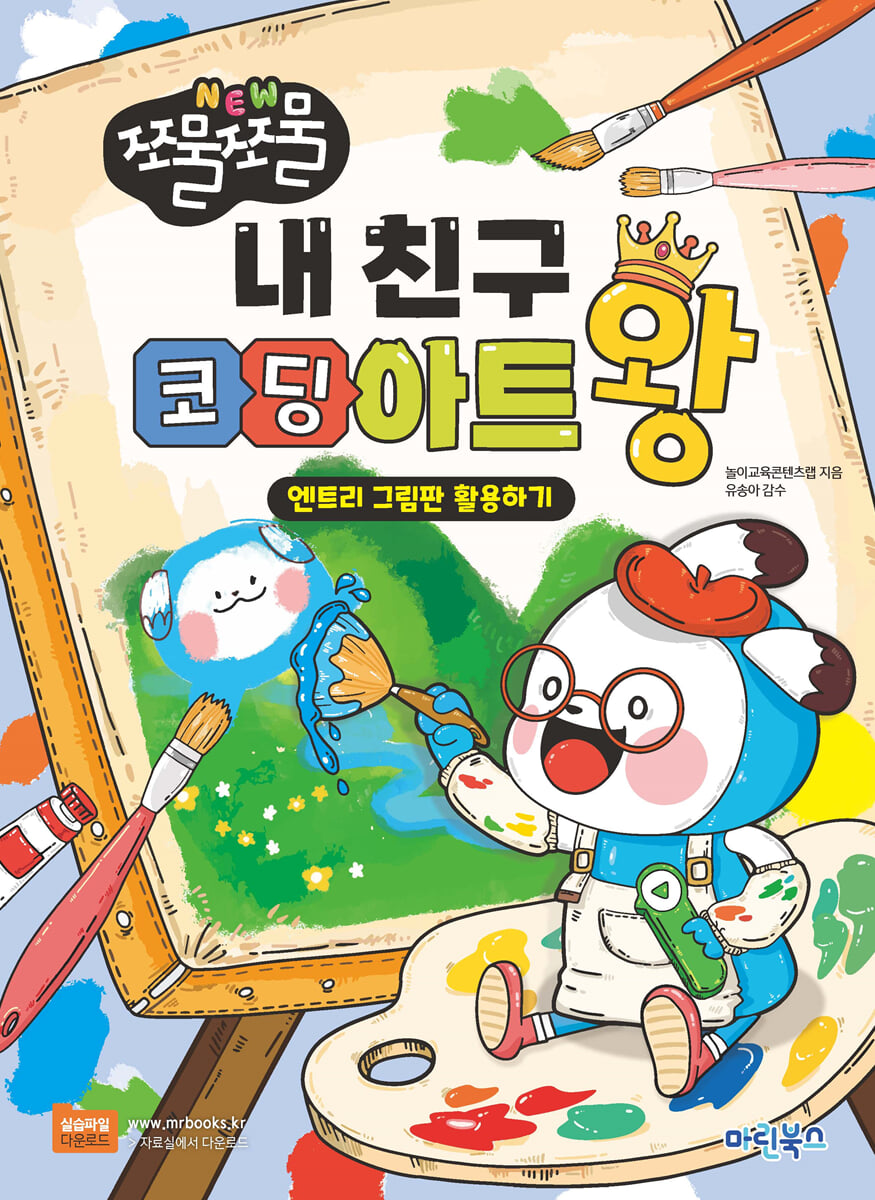
My friend, the king of coding art
 |
Description
Book Introduction
Coding textbook for children, my friend Coding Art King.
Let's color and decorate objects using the Entry Painter! Completed objects can be used in block coding to create amazing works of art.
Let's color and decorate objects using the Entry Painter! Completed objects can be used in block coding to create amazing works of art.
- You can preview some of the book's contents.
Preview
index
ㆍChapter 01: Life's Four Cuts
[Colorful Object Decoration] Coloring the Countdown Numbers Prettily
[Tick tock tick tock block assembly] Click the execution screen to take a picture in a cool pose.
Chapter 02: Face Beautification App
[Colorful Object Decoration] Color the main screen beautifully by decorating the face.
[Tick tock tick tock block assembly] Create various face shapes using the keyboard number keys (① to ⑤)
ㆍChapter 03: Making a Cake
[Colorful Object Decoration] Decorate the cake in the shape you want and color it beautifully.
[Tick-tock, tick-tock, block assembly] Create your own wonderful cake using the stamping function.
Chapter 04: Making Tanghulu
[Decorate colorful objects] Change the size and rotation of the fruit shape, then copy and paste it.
[Tick tock tick tock block assembly] You can stop the moving tang hulu at the desired location.
ㆍChapter 05: In Search of Dory
[Colorful Object Decoration] How to Color Nemo's Friend Dory
[Tick tock tick tock block assembly] Fish in the fish tank can continue to swim left and right.
Chapter 06: Walking with the Dog
[Colorful Object Decoration] Coloring Puppy Shapes 1 and 2 Prettily
[Tick tock tick tock block assembly] When the girl calls the dog's name, it can run in that direction.
Chapter 07: Growing Flowers
[Colorful Object Decoration] Coloring Flowers Prettily
[Tick tock tick tock block assembly] When a water droplet touches a flower, its size gradually increases.
ㆍChapter 08: Number Keyboard Practice
[Colorful Object Decoration] Coloring Your Keyboard Prettily
[Tick tock tick tock block assembly] You can send a signal to a specific object by pressing the keyboard number keys (ⓞ~⑨).
ㆍChapter 09: Stopwatch
[Colorful Object Decoration] Coloring a Clock Prettily
[Tick tock tick tock block assembly] You can rotate the clock's minute hand and stop it at the desired location.
Chapter 10: Animation
[Colorful Object Decoration] Coloring an Ambulance Prettily
[Tick tock tick tock block assembly] The ambulance can move to a specific location within a specified time.
Chapter 11: Spinning the Roulette
[Colorful Object Decoration] Coloring the Roulette Wheel Border and Adding Text
[Tick tock tick tock block assembly] The roulette wheel spins quickly and then slowly stops.
Chapter 12: Catching Viruses
[Colorful Object Decoration] Drawing a Broomstick
[Tick tock tick tock block assembly] The broom follows the mouse pointer and rotates up and down when clicked.
ㆍChapter 13: Cat Tamagotchi
[Colorful Object Decoration] How to Color a Tamagotchi Game Console Prettily
[Tick tock tick tock block assembly] You can send signals to the cat by pressing the game console button.
Chapter 14: Dancing on the Moon
[Colorful Object Decoration] Coloring the Space Background Prettily
[Tick tock tick tock block assembly] You can move the astronaut's arms and legs separately.
Chapter 15: Baseball Game
[Colorful Object Decoration] Color the catcher with a color similar to the pitcher's uniform.
[Tick-tock-tock-tick block assembly] When the pitcher throws the baseball, it flies toward the catcher's glove.
Chapter 16: Maze
[Colorful Object Decoration] Coloring a Ladybug Prettily
[Tick tock tick tock block assembly] Control the ladybug using the keyboard arrow keys (←, →, ↑, ↓)
Chapter 17: Mobile phone loading screen
[Colorful Object Decoration] Coloring the apps on your phone's main screen beautifully
[Tick-Tock Tick-Tock Block Assembly] Creating a Mobile Phone Loading Screen Using a Text Box Object
Chapter 18: Find the Difference
[Colorful Object Decoration] Coloring the Wrong Picture Background Prettily
[Tick tock tick tock block assembly] Find the wrong picture on both backgrounds and the size and color will change.
ㆍChapter 19: School Life
[Colorful Object Decoration] Coloring the latecomer shapes 1, 2, and 3 beautifully
[Tick tock tick tock block assembly] You can repeat the movement of the latecomer to a designated location.
Chapter 20: Space Wars
[Decorate with colorful objects] After adding a scene, you can decorate it with various shapes.
[Tick tock tick tock block assembly] You can add new scenes and text box objects.
Chapter 21: Hidden Picture Puzzle
[Colorful Object Decoration] Coloring the Underwater Background Prettily
[Tick tock tick tock block assembly] You can start and stop the stopwatch.
Chapter 22: The Monster That Happened from the Egg
[Colorful Object Decoration] Coloring Monsters Prettily
[Tick tock tick tock block assembly] You can change the shape of the egg by clicking it 7 times until a monster appears.
Chapter 23: Doodling on the Blackboard
[Colorful Object Decoration] Coloring the Chalkboard Background Prettily
[Tick tock tick tock block assembly] The chalk moves along the mouse pointer, and you can write on the blackboard by clicking.
Chapter 24: Stocking the Mart
[Colorful Object Decoration] Coloring the 'donuts' and 'muffins' from the supermarket beautifully.
[Tick tock tick tock block assembly] You can stamp objects with a stamp, and change the shape and size of objects with the keyboard arrow keys (←, →, ↑, ↓).
[Colorful Object Decoration] Coloring the Countdown Numbers Prettily
[Tick tock tick tock block assembly] Click the execution screen to take a picture in a cool pose.
Chapter 02: Face Beautification App
[Colorful Object Decoration] Color the main screen beautifully by decorating the face.
[Tick tock tick tock block assembly] Create various face shapes using the keyboard number keys (① to ⑤)
ㆍChapter 03: Making a Cake
[Colorful Object Decoration] Decorate the cake in the shape you want and color it beautifully.
[Tick-tock, tick-tock, block assembly] Create your own wonderful cake using the stamping function.
Chapter 04: Making Tanghulu
[Decorate colorful objects] Change the size and rotation of the fruit shape, then copy and paste it.
[Tick tock tick tock block assembly] You can stop the moving tang hulu at the desired location.
ㆍChapter 05: In Search of Dory
[Colorful Object Decoration] How to Color Nemo's Friend Dory
[Tick tock tick tock block assembly] Fish in the fish tank can continue to swim left and right.
Chapter 06: Walking with the Dog
[Colorful Object Decoration] Coloring Puppy Shapes 1 and 2 Prettily
[Tick tock tick tock block assembly] When the girl calls the dog's name, it can run in that direction.
Chapter 07: Growing Flowers
[Colorful Object Decoration] Coloring Flowers Prettily
[Tick tock tick tock block assembly] When a water droplet touches a flower, its size gradually increases.
ㆍChapter 08: Number Keyboard Practice
[Colorful Object Decoration] Coloring Your Keyboard Prettily
[Tick tock tick tock block assembly] You can send a signal to a specific object by pressing the keyboard number keys (ⓞ~⑨).
ㆍChapter 09: Stopwatch
[Colorful Object Decoration] Coloring a Clock Prettily
[Tick tock tick tock block assembly] You can rotate the clock's minute hand and stop it at the desired location.
Chapter 10: Animation
[Colorful Object Decoration] Coloring an Ambulance Prettily
[Tick tock tick tock block assembly] The ambulance can move to a specific location within a specified time.
Chapter 11: Spinning the Roulette
[Colorful Object Decoration] Coloring the Roulette Wheel Border and Adding Text
[Tick tock tick tock block assembly] The roulette wheel spins quickly and then slowly stops.
Chapter 12: Catching Viruses
[Colorful Object Decoration] Drawing a Broomstick
[Tick tock tick tock block assembly] The broom follows the mouse pointer and rotates up and down when clicked.
ㆍChapter 13: Cat Tamagotchi
[Colorful Object Decoration] How to Color a Tamagotchi Game Console Prettily
[Tick tock tick tock block assembly] You can send signals to the cat by pressing the game console button.
Chapter 14: Dancing on the Moon
[Colorful Object Decoration] Coloring the Space Background Prettily
[Tick tock tick tock block assembly] You can move the astronaut's arms and legs separately.
Chapter 15: Baseball Game
[Colorful Object Decoration] Color the catcher with a color similar to the pitcher's uniform.
[Tick-tock-tock-tick block assembly] When the pitcher throws the baseball, it flies toward the catcher's glove.
Chapter 16: Maze
[Colorful Object Decoration] Coloring a Ladybug Prettily
[Tick tock tick tock block assembly] Control the ladybug using the keyboard arrow keys (←, →, ↑, ↓)
Chapter 17: Mobile phone loading screen
[Colorful Object Decoration] Coloring the apps on your phone's main screen beautifully
[Tick-Tock Tick-Tock Block Assembly] Creating a Mobile Phone Loading Screen Using a Text Box Object
Chapter 18: Find the Difference
[Colorful Object Decoration] Coloring the Wrong Picture Background Prettily
[Tick tock tick tock block assembly] Find the wrong picture on both backgrounds and the size and color will change.
ㆍChapter 19: School Life
[Colorful Object Decoration] Coloring the latecomer shapes 1, 2, and 3 beautifully
[Tick tock tick tock block assembly] You can repeat the movement of the latecomer to a designated location.
Chapter 20: Space Wars
[Decorate with colorful objects] After adding a scene, you can decorate it with various shapes.
[Tick tock tick tock block assembly] You can add new scenes and text box objects.
Chapter 21: Hidden Picture Puzzle
[Colorful Object Decoration] Coloring the Underwater Background Prettily
[Tick tock tick tock block assembly] You can start and stop the stopwatch.
Chapter 22: The Monster That Happened from the Egg
[Colorful Object Decoration] Coloring Monsters Prettily
[Tick tock tick tock block assembly] You can change the shape of the egg by clicking it 7 times until a monster appears.
Chapter 23: Doodling on the Blackboard
[Colorful Object Decoration] Coloring the Chalkboard Background Prettily
[Tick tock tick tock block assembly] The chalk moves along the mouse pointer, and you can write on the blackboard by clicking.
Chapter 24: Stocking the Mart
[Colorful Object Decoration] Coloring the 'donuts' and 'muffins' from the supermarket beautifully.
[Tick tock tick tock block assembly] You can stamp objects with a stamp, and change the shape and size of objects with the keyboard arrow keys (←, →, ↑, ↓).
Publisher's Review
▶ [Step 01] Decorating colorful objects
Use the entry drawing board to color and decorate objects.
▶ [Step 02] Assembling the blocks
Create various entry works by utilizing the objects completed with the entry drawing board in block coding.
▶ [Step 03] Coding Plus
Try changing or adding code to the completed entry to see different results.
Use the entry drawing board to color and decorate objects.
▶ [Step 02] Assembling the blocks
Create various entry works by utilizing the objects completed with the entry drawing board in block coding.
▶ [Step 03] Coding Plus
Try changing or adding code to the completed entry to see different results.
GOODS SPECIFICS
- Date of issue: May 28, 2024
- Page count, weight, size: 156 pages | 210*287*20mm
- ISBN13: 9791192119823
- ISBN10: 1192119827
- KC Certification: Certification Type: Conformity Confirmation
You may also like
카테고리
korean


korean

![GQ KOREA Mark (Monthly): December [2025]](http://librairie.coreenne.fr/cdn/shop/files/8ef265dbbfbf186523ed75ba7319009d.jpg?v=1765340328&width=3840)


