

Entry Maker
 |
Description
Book Introduction
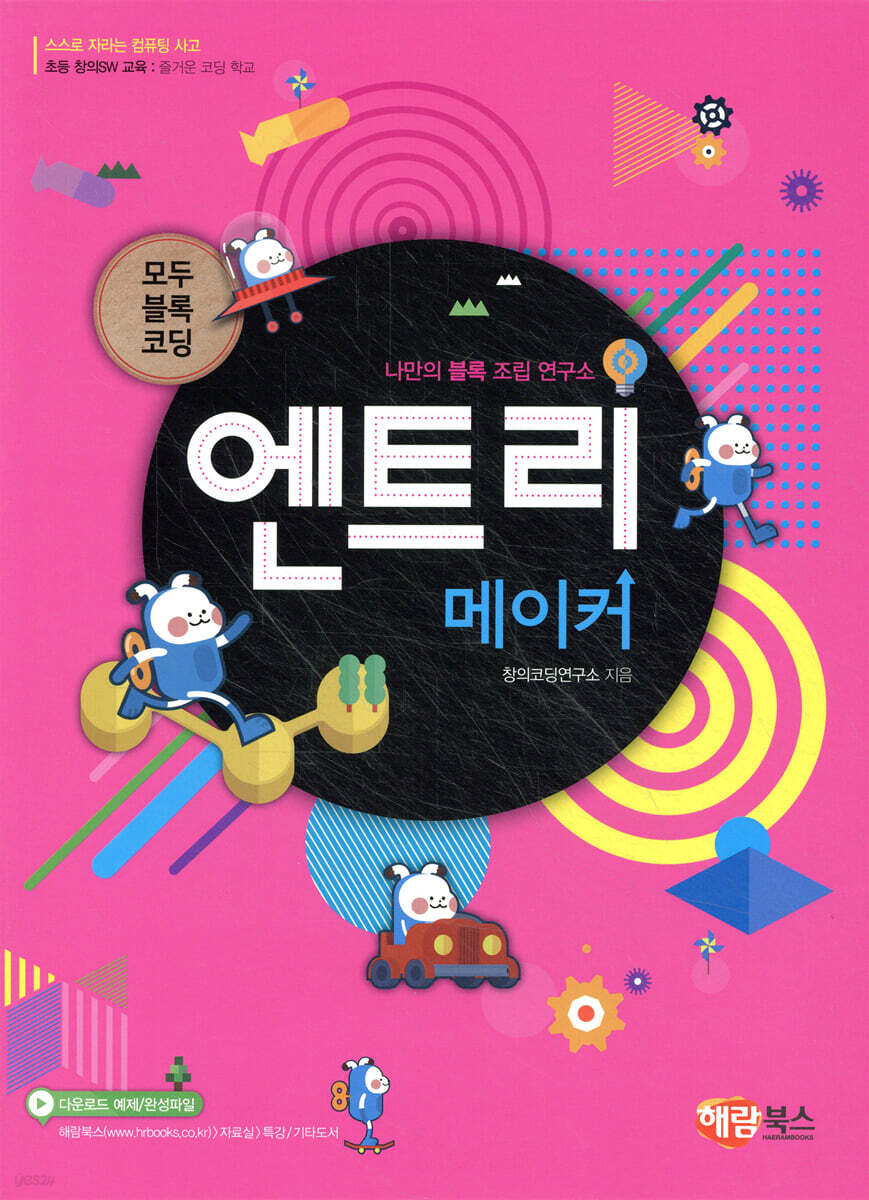
This book is designed to help you easily create a variety of works using the block-based coding program, 'Entry'.
The introduction of each chapter presents 'problem-solving tasks' for coding at a glance, allowing readers to naturally accept programming concepts and algorithms.
The introduction of each chapter presents 'problem-solving tasks' for coding at a glance, allowing readers to naturally accept programming concepts and algorithms.
index
Chapter 01 Sequential: Creating Animation
ㆍ Understand the concept of sequential structure.
ㆍ Before creating a long story animation, create a storyboard in advance and organize the script.
ㆍ Learn how to use the 'Wait 2 seconds' function to calculate the time so that the main characters' lines and actions do not differ from each other.
Chapter 02 Sequential: Scene-changing animation
ㆍ Understand and utilize the concepts of sequential structure and attribute signals.
ㆍ When the story of one scene ends, you can sequentially produce the desired animation by using the ‘Add Scene’, ‘Start Next Scene’, ‘Start Scene 1’, and ‘When Scene Starts’ functions to move on to the next scene.
Chapter 03 Fun Coding 1: Creating a Webbook
Chapter 04 Repeat: Twinkling Stars of the Universe
ㆍ Understand the concept of repetition structure.
ㆍ Learn how to use the repeat continuously and repeat 10 times functions to repeatedly execute blocks enclosed by the repeat block continuously or for a set number of times.
ㆍUsing the random number generation function, the position changes and twinkling stars are expressed.
ㆍ Learn how to perform desired actions when you press numbers or letters on the keyboard.
Chapter 05 Finding Exoplanets with Drones
ㆍ Understand the concept of repetition structure.
ㆍ Learn how to repeatedly execute surrounding blocks until/while a specific condition becomes 'true'.
ㆍ Learn about the movement and rotation directions of objects.
ㆍ Learn how to use a stopwatch.
Chapter 06 Fun Coding 2: The Mysterious Universe
Chapter 07 Condition: Beep! A maze that warns of danger
ㆍ Understand the concept of conditional structure.
ㆍ Learn how to execute the 'If True' function.
ㆍ Learn how to move objects using the up, down, left, and right arrow keys on your keyboard.
ㆍ Learn how to play a sound when an object touches another object.
Chapter 08 Condition: Telepathy Game
ㆍ Understand the concept of conditional structure.
ㆍ Learn how to execute the 'If True' and 'If True / Else' functions.
ㆍ Learn how to ask and answer questions.
Chapter 09 Fun Coding 3: Claw Machine
Chapter 10 Repeat + Condition: Moving Screen
ㆍ Understand the concept of using repetition structures and conditional structures in combination.
ㆍ Create an effect that makes it appear as if an object standing still is moving forward.
ㆍ Learn how to create a continuous background effect using two moving backgrounds.
Chapter 11: Repeat + Conditions: Let's Go! Jungle Exploration
ㆍ Understand the concept of using repetition structures and conditional structures in combination.
ㆍ You can create an effect where an object repeatedly copies itself and moves down the screen after a random amount of time.
ㆍ Use a stopwatch to measure the time until the game ends.
Chapter 12 Fun Coding 4: Antarctic Exploration
Chapter 13 Variables: Vending Machines
ㆍ Understand the concept of using variables.
ㆍ When you click on the menu object, the variable order amount is added to obtain the total order amount.
ㆍ Learn how to use arithmetic and comparison operations to express different results depending on whether the order amount and the input amount are correct, insufficient, or overflowing.
Chapter 14 Variables: Guessing Numbers
ㆍ Understand the concept of using variables using the repetition structure.
ㆍCompares variable values and input values through comparison operations to output different results depending on the conditions.
ㆍYou can use the number of answers in the variable to find out how many times you tried to get the answer right.
Chapter 15: Fun Coding 5: Deciding on a Birthday Party Menu
Chapter 16 Brushes: Van Gogh's Canvases
ㆍ Create a drawing board using the brush drawing block.
ㆍ Learn how to use the drawing function using the mouse.
ㆍ Learn how to change the color of colored pencils by using the ‘Send Signal’ and ‘Receive Signal’ functions.
Chapter 17 Sound: Academic Presentation
ㆍ Create an instrument using the ‘Play Sound’ function.
ㆍ Learn how to create a piano that is played by pressing keys on the keyboard.
ㆍ Let's create a beatbox that has an accompaniment function when you click on an instrument with the mouse.
Chapter 18 Fun Coding 6: Van Gogh's Media Art
Chapter 19 List: Choosing a Tag
ㆍ Understand the concept of using lists.
ㆍ Learn how to create a list by entering students' names, and then randomly select one person from the list to speak their name.
ㆍ Learn how to add desired text using the text box.
Chapter 20 List: English Vocabulary
ㆍ Learn how to use two lists.
ㆍ Learn how to input the first and second lists and use comparison operations to obtain the desired results.
ㆍ Learn how to calculate a score by accumulating the number of times you get the desired result.
Chapter 21: Fun Coding 7: English Vocabulary Memorization Test
Chapter 22 Function: Phone Standby Screen
ㆍ Understand functions that combine complex blocks into one block and use them simply.
ㆍ Learn how to assemble a function that can be created once and then called and used continuously whenever needed.
ㆍ Learn how to use a specified function to move countless objects that continue to perform a specific movement.
Chapter 23 Functions: Things I Want to Do on My Birthday
ㆍ Learn how to simplify the complex process of entering a large amount of list data by using functions.
ㆍ Learn how to input a variety of data by creating various lists for each item.
ㆍ Learn how to express the contents entered in the list in the desired sentence using the text box.
Chapter 24 Fun Coding 8: The Chuck-Chuck Calculating Robot
ㆍ Understand the concept of sequential structure.
ㆍ Before creating a long story animation, create a storyboard in advance and organize the script.
ㆍ Learn how to use the 'Wait 2 seconds' function to calculate the time so that the main characters' lines and actions do not differ from each other.
Chapter 02 Sequential: Scene-changing animation
ㆍ Understand and utilize the concepts of sequential structure and attribute signals.
ㆍ When the story of one scene ends, you can sequentially produce the desired animation by using the ‘Add Scene’, ‘Start Next Scene’, ‘Start Scene 1’, and ‘When Scene Starts’ functions to move on to the next scene.
Chapter 03 Fun Coding 1: Creating a Webbook
Chapter 04 Repeat: Twinkling Stars of the Universe
ㆍ Understand the concept of repetition structure.
ㆍ Learn how to use the repeat continuously and repeat 10 times functions to repeatedly execute blocks enclosed by the repeat block continuously or for a set number of times.
ㆍUsing the random number generation function, the position changes and twinkling stars are expressed.
ㆍ Learn how to perform desired actions when you press numbers or letters on the keyboard.
Chapter 05 Finding Exoplanets with Drones
ㆍ Understand the concept of repetition structure.
ㆍ Learn how to repeatedly execute surrounding blocks until/while a specific condition becomes 'true'.
ㆍ Learn about the movement and rotation directions of objects.
ㆍ Learn how to use a stopwatch.
Chapter 06 Fun Coding 2: The Mysterious Universe
Chapter 07 Condition: Beep! A maze that warns of danger
ㆍ Understand the concept of conditional structure.
ㆍ Learn how to execute the 'If True' function.
ㆍ Learn how to move objects using the up, down, left, and right arrow keys on your keyboard.
ㆍ Learn how to play a sound when an object touches another object.
Chapter 08 Condition: Telepathy Game
ㆍ Understand the concept of conditional structure.
ㆍ Learn how to execute the 'If True' and 'If True / Else' functions.
ㆍ Learn how to ask and answer questions.
Chapter 09 Fun Coding 3: Claw Machine
Chapter 10 Repeat + Condition: Moving Screen
ㆍ Understand the concept of using repetition structures and conditional structures in combination.
ㆍ Create an effect that makes it appear as if an object standing still is moving forward.
ㆍ Learn how to create a continuous background effect using two moving backgrounds.
Chapter 11: Repeat + Conditions: Let's Go! Jungle Exploration
ㆍ Understand the concept of using repetition structures and conditional structures in combination.
ㆍ You can create an effect where an object repeatedly copies itself and moves down the screen after a random amount of time.
ㆍ Use a stopwatch to measure the time until the game ends.
Chapter 12 Fun Coding 4: Antarctic Exploration
Chapter 13 Variables: Vending Machines
ㆍ Understand the concept of using variables.
ㆍ When you click on the menu object, the variable order amount is added to obtain the total order amount.
ㆍ Learn how to use arithmetic and comparison operations to express different results depending on whether the order amount and the input amount are correct, insufficient, or overflowing.
Chapter 14 Variables: Guessing Numbers
ㆍ Understand the concept of using variables using the repetition structure.
ㆍCompares variable values and input values through comparison operations to output different results depending on the conditions.
ㆍYou can use the number of answers in the variable to find out how many times you tried to get the answer right.
Chapter 15: Fun Coding 5: Deciding on a Birthday Party Menu
Chapter 16 Brushes: Van Gogh's Canvases
ㆍ Create a drawing board using the brush drawing block.
ㆍ Learn how to use the drawing function using the mouse.
ㆍ Learn how to change the color of colored pencils by using the ‘Send Signal’ and ‘Receive Signal’ functions.
Chapter 17 Sound: Academic Presentation
ㆍ Create an instrument using the ‘Play Sound’ function.
ㆍ Learn how to create a piano that is played by pressing keys on the keyboard.
ㆍ Let's create a beatbox that has an accompaniment function when you click on an instrument with the mouse.
Chapter 18 Fun Coding 6: Van Gogh's Media Art
Chapter 19 List: Choosing a Tag
ㆍ Understand the concept of using lists.
ㆍ Learn how to create a list by entering students' names, and then randomly select one person from the list to speak their name.
ㆍ Learn how to add desired text using the text box.
Chapter 20 List: English Vocabulary
ㆍ Learn how to use two lists.
ㆍ Learn how to input the first and second lists and use comparison operations to obtain the desired results.
ㆍ Learn how to calculate a score by accumulating the number of times you get the desired result.
Chapter 21: Fun Coding 7: English Vocabulary Memorization Test
Chapter 22 Function: Phone Standby Screen
ㆍ Understand functions that combine complex blocks into one block and use them simply.
ㆍ Learn how to assemble a function that can be created once and then called and used continuously whenever needed.
ㆍ Learn how to use a specified function to move countless objects that continue to perform a specific movement.
Chapter 23 Functions: Things I Want to Do on My Birthday
ㆍ Learn how to simplify the complex process of entering a large amount of list data by using functions.
ㆍ Learn how to input a variety of data by creating various lists for each item.
ㆍ Learn how to express the contents entered in the list in the desired sentence using the text box.
Chapter 24 Fun Coding 8: The Chuck-Chuck Calculating Robot
Publisher's Review
composition
① Follow-along: We have provided 'problem-solving tasks' suited to the level of learners who have experienced the beginner course of entry block coding, so that anyone can easily follow along.
② Creative Coding: This is designed to allow you to create more works by demonstrating your creativity based on what you have learned through following along.
③ Comprehensive/Advanced: This is structured so that you can create a work by synthesizing the coding content of ‘① Follow + ② Creative Coding’.
① Follow-along: We have provided 'problem-solving tasks' suited to the level of learners who have experienced the beginner course of entry block coding, so that anyone can easily follow along.
② Creative Coding: This is designed to allow you to create more works by demonstrating your creativity based on what you have learned through following along.
③ Comprehensive/Advanced: This is structured so that you can create a work by synthesizing the coding content of ‘① Follow + ② Creative Coding’.
GOODS SPECIFICS
- Date of issue: May 15, 2018
- Page count, weight, size: 168 pages | 210*285*20mm
- ISBN13: 9791188450206
- ISBN10: 1188450204
You may also like
카테고리
korean


korean

![GQ KOREA Mark (Monthly): December [2025]](http://librairie.coreenne.fr/cdn/shop/files/8ef265dbbfbf186523ed75ba7319009d.jpg?v=1765340328&width=3840)


