

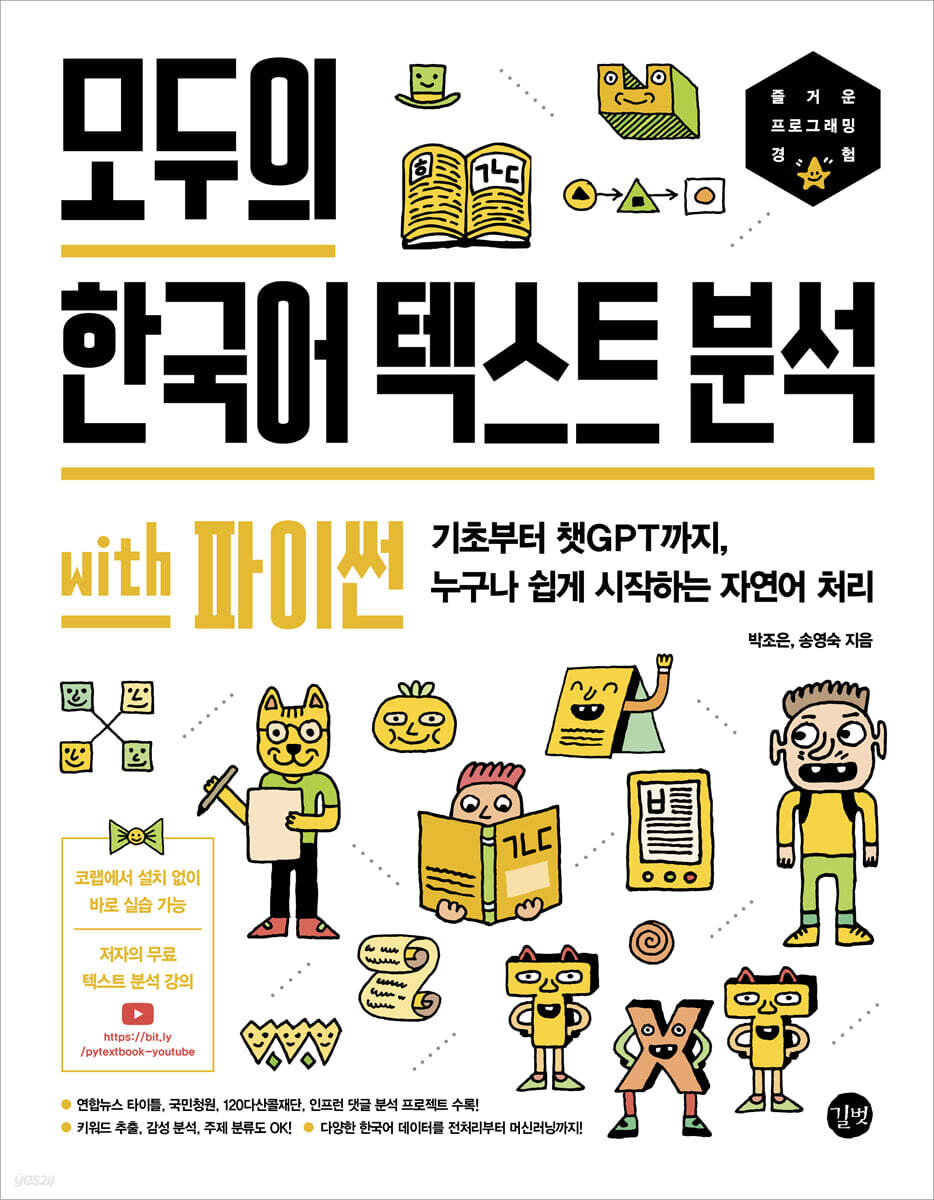
Korean Text Analysis for Everyone with Python
 |
Description
Book Introduction
Even the giant models of the distant future start from small models!
Let's implement a small and simple model with our own hands right now!
Includes 4 practical projects that anyone can easily follow!
How can computers understand Korean? What does it take to process Korean text with a computer? Whether you're starting text analysis from scratch or want to solidify and refine your fundamentals in text analysis and natural language processing, this book contains essential information.
First, before starting a full-fledged project, we will learn the basic Python concepts required for text analysis and the basic usage of essential Python libraries, and learn the functions and methods of text data preprocessing.
Next, we will learn about the bag-of-words model and TF-IDF, which are basic concepts of text analysis and vectorization methods for converting text into numerical data.
Next, we will proceed with an actual project using four different Korean data.
The project covers the entire process from data downloading to preprocessing and visualization, and the hands-on training has been prepared as a colab so that you can easily do it anywhere right now.
Let's implement a small and simple model with our own hands right now!
Includes 4 practical projects that anyone can easily follow!
How can computers understand Korean? What does it take to process Korean text with a computer? Whether you're starting text analysis from scratch or want to solidify and refine your fundamentals in text analysis and natural language processing, this book contains essential information.
First, before starting a full-fledged project, we will learn the basic Python concepts required for text analysis and the basic usage of essential Python libraries, and learn the functions and methods of text data preprocessing.
Next, we will learn about the bag-of-words model and TF-IDF, which are basic concepts of text analysis and vectorization methods for converting text into numerical data.
Next, we will proceed with an actual project using four different Korean data.
The project covers the entire process from data downloading to preprocessing and visualization, and the hands-on training has been prepared as a colab so that you can easily do it anywhere right now.
- You can preview some of the book's contents.
Preview
index
Chapter 1: Getting Started with Colab
Entering LESSON OT
LESSON 01 Running Colab
____1 Comment
____2 shortcut keys
LESSON 02 Opening the Practice Code in Colab
____1 Colab Theme
Chapter 2: Handling Strings in Python
Entering LESSON OT
LESSON 01 Before String Practice
LESSON 02 String Practice
____1 string representation
____2 Error Handling
____3 Expression method + error handling
LESSON O3: Several Ways to Handle Strings
____1 variable
____2 Indexing
____3 Slicing
____4 Length of string, number of words
____5 string functions
____6 repetitions
____7 function
____8 List of string built-in methods
Chapter 3: Working with Libraries
Entering LESSON OT
LESSON 01 Pandas
____1 Understanding Data Frames and Series
____2 Handling strings with str accessor
LESSON 02 NumPy
____1 Understanding NumPy Arrays
____2 Visualizing NumPy arrays with matplotlib
Chapter 4: Bag of Words Model and TF-IDF
Entering LESSON OT
LESSON 01 Word Bag Model
How to make a ____1 word bag model
____2 Create a word bag model
____3 n-gram: Used to group words before and after
____4 min_df and max_df: Setting the frequency
____5 max_features: Limit the number of learning words
____6 stop_words: Remove stop words
____7 analyzer: Set by character or word
LESSON 02 TF-IDF
____1 How to apply TF-IDF weights
Chapter 5 Yonhap News Title Topic Classification
Entering LESSON OT
LESSON 01 Selecting Data
LESSON 02 Classification Process
LESSON 03 Basic Settings for Classification
____1 Importing the library
____2 Font settings for visualization
LESSON 04 Loading Data
LESSON 05 Data Preprocessing
____1 Data Merge for Data Preprocessing
____2 Check the frequency of correct answers
____3 Check character length
____4 Visualizing histograms using matplotlib and seaborn
____5 Check the frequency of letters and words by topic
LESSON 06 Preprocessing Text
Remove ____1 number
____2 Change all English letters to lowercase
____3 Remove particles, endings, and punctuation with morphological analyzer
____4 Remove stop words
LESSON 07 Separating Training and Test Data Sets
LESSON 08 Vectorizing Words
LESSON 09 Learning and Predicting
____1 Random Forest Classifier
____2 cross validation
____3 Learning
LESSON 10 Loading the Answer Sheet
Chapter 6: Visualizing and Classifying National Petition Data
Entering LESSON OT
LESSON 01 Analysis Process
LESSON 02 Basic Settings for Analysis
____1 Importing the library
LESSON 03: Loading Data with Pandas
____1 Download files to Google Drive
____2 Review the downloaded data
____3 Check if there are any missing values
LESSON 04 Pandas Data Analysis and Visualization
____1 Add a petition column for response
____2 Analysis by petition period
____3 Petition Period and Analysis by Sector
____4 Visualization
LESSON 05: Drawing a Word Cloud with Soynlp
____1 Libraries and Data
____2 Tokenization
____3 Text data preprocessing
____4 Draw a word cloud
____5 Extract only nouns and visualize them
LESSON 06: Classifying National Petition Data into Binary Formats Using Machine Learning
____1 Supervised learning and data set separation
____2 Determine the binary classification target
____3 Predict votes based on average
____4 Preprocessing
____5 Creating a training set and a test set
____6 Vectorizing words
____7 Applying TF-IDF weights
____8 Training with LightGBM
Rate ____9
Predict ____10
____11 Evaluating the accuracy of prediction results
Chapter 7: Topic Modeling, RNNs, and LSTMs for the "120 Dasan Call Foundation"
Entering LESSON OT
LESSON 01 Analysis Process
LESSON 02: Classifying Topics with Latent Dirichlet Allocation
____1 Installing the library and loading data
Vectorizing ____2 words
____3 Applying latent Dirichlet allocation
____4 Visualizing with pyLDAvis
____5 Similarity Analysis
LESSON 03: Classifying Text with Recurrent Neural Networks
____1 Importing libraries and data
____2 Separate training/test data sets
____3 Create label values in matrix form
____4 Vectorize
____5 padding
LESSON 04 Creating a Model
____1 Bidirectional LSTM
Compile the ____2 model
____3 Learning
____4 Predict
____5 Rate it
Chapter 8: Infraon Event Comment Analysis
Entering LESSON OT
LESSON 01 Analysis Process
LESSON 02 Basic Settings for Analysis
____1 Importing the library
____2 Loading data
LESSON 03 Data Preprocessing
____1 Remove duplicate posts
____2 Convert to lowercase
LESSON 04: Separating "Interest Lectures" by String Splitting
LESSON 05 Vectorizing
LESSON 06 Vectorizing with TF-IDF Weights
LESSON 07 Clustering
____1 KMeans
____2 MiniBatchKMeans
____3 Evaluate cluster predictions
____4 Analyzing silhouette coefficients
Chapter 9: Automating Sentence Generation with ChatGPT
Entering LESSON OT
LESSON 01 The concept of generative models
LESSON 02 Parameter size and type of generative model
LESSON 03 Using ChatGPT
LESSON 04 Korean Generation Service: Rutton
Entering LESSON OT
LESSON 01 Running Colab
____1 Comment
____2 shortcut keys
LESSON 02 Opening the Practice Code in Colab
____1 Colab Theme
Chapter 2: Handling Strings in Python
Entering LESSON OT
LESSON 01 Before String Practice
LESSON 02 String Practice
____1 string representation
____2 Error Handling
____3 Expression method + error handling
LESSON O3: Several Ways to Handle Strings
____1 variable
____2 Indexing
____3 Slicing
____4 Length of string, number of words
____5 string functions
____6 repetitions
____7 function
____8 List of string built-in methods
Chapter 3: Working with Libraries
Entering LESSON OT
LESSON 01 Pandas
____1 Understanding Data Frames and Series
____2 Handling strings with str accessor
LESSON 02 NumPy
____1 Understanding NumPy Arrays
____2 Visualizing NumPy arrays with matplotlib
Chapter 4: Bag of Words Model and TF-IDF
Entering LESSON OT
LESSON 01 Word Bag Model
How to make a ____1 word bag model
____2 Create a word bag model
____3 n-gram: Used to group words before and after
____4 min_df and max_df: Setting the frequency
____5 max_features: Limit the number of learning words
____6 stop_words: Remove stop words
____7 analyzer: Set by character or word
LESSON 02 TF-IDF
____1 How to apply TF-IDF weights
Chapter 5 Yonhap News Title Topic Classification
Entering LESSON OT
LESSON 01 Selecting Data
LESSON 02 Classification Process
LESSON 03 Basic Settings for Classification
____1 Importing the library
____2 Font settings for visualization
LESSON 04 Loading Data
LESSON 05 Data Preprocessing
____1 Data Merge for Data Preprocessing
____2 Check the frequency of correct answers
____3 Check character length
____4 Visualizing histograms using matplotlib and seaborn
____5 Check the frequency of letters and words by topic
LESSON 06 Preprocessing Text
Remove ____1 number
____2 Change all English letters to lowercase
____3 Remove particles, endings, and punctuation with morphological analyzer
____4 Remove stop words
LESSON 07 Separating Training and Test Data Sets
LESSON 08 Vectorizing Words
LESSON 09 Learning and Predicting
____1 Random Forest Classifier
____2 cross validation
____3 Learning
LESSON 10 Loading the Answer Sheet
Chapter 6: Visualizing and Classifying National Petition Data
Entering LESSON OT
LESSON 01 Analysis Process
LESSON 02 Basic Settings for Analysis
____1 Importing the library
LESSON 03: Loading Data with Pandas
____1 Download files to Google Drive
____2 Review the downloaded data
____3 Check if there are any missing values
LESSON 04 Pandas Data Analysis and Visualization
____1 Add a petition column for response
____2 Analysis by petition period
____3 Petition Period and Analysis by Sector
____4 Visualization
LESSON 05: Drawing a Word Cloud with Soynlp
____1 Libraries and Data
____2 Tokenization
____3 Text data preprocessing
____4 Draw a word cloud
____5 Extract only nouns and visualize them
LESSON 06: Classifying National Petition Data into Binary Formats Using Machine Learning
____1 Supervised learning and data set separation
____2 Determine the binary classification target
____3 Predict votes based on average
____4 Preprocessing
____5 Creating a training set and a test set
____6 Vectorizing words
____7 Applying TF-IDF weights
____8 Training with LightGBM
Rate ____9
Predict ____10
____11 Evaluating the accuracy of prediction results
Chapter 7: Topic Modeling, RNNs, and LSTMs for the "120 Dasan Call Foundation"
Entering LESSON OT
LESSON 01 Analysis Process
LESSON 02: Classifying Topics with Latent Dirichlet Allocation
____1 Installing the library and loading data
Vectorizing ____2 words
____3 Applying latent Dirichlet allocation
____4 Visualizing with pyLDAvis
____5 Similarity Analysis
LESSON 03: Classifying Text with Recurrent Neural Networks
____1 Importing libraries and data
____2 Separate training/test data sets
____3 Create label values in matrix form
____4 Vectorize
____5 padding
LESSON 04 Creating a Model
____1 Bidirectional LSTM
Compile the ____2 model
____3 Learning
____4 Predict
____5 Rate it
Chapter 8: Infraon Event Comment Analysis
Entering LESSON OT
LESSON 01 Analysis Process
LESSON 02 Basic Settings for Analysis
____1 Importing the library
____2 Loading data
LESSON 03 Data Preprocessing
____1 Remove duplicate posts
____2 Convert to lowercase
LESSON 04: Separating "Interest Lectures" by String Splitting
LESSON 05 Vectorizing
LESSON 06 Vectorizing with TF-IDF Weights
LESSON 07 Clustering
____1 KMeans
____2 MiniBatchKMeans
____3 Evaluate cluster predictions
____4 Analyzing silhouette coefficients
Chapter 9: Automating Sentence Generation with ChatGPT
Entering LESSON OT
LESSON 01 The concept of generative models
LESSON 02 Parameter size and type of generative model
LESSON 03 Using ChatGPT
LESSON 04 Korean Generation Service: Rutton
Detailed image

Publisher's Review
Anyone can easily analyze various Korean text data!
Preparation: Colab environment and Python basics
The examples and projects in this book can be run directly in Colab with just a click, without installation.
Before starting a full-fledged project, we will learn the basic Python concepts required for text analysis and the basic usage of essential Python libraries such as Pandas, NumPy, and Scikit-learn, and learn the functions and methods of text data preprocessing.
Concept: Basic concepts of text analysis methods
Understand the basic concepts of text analysis methods, such as how computers understand Korean and how they analyze text data.
And we learn the word bag model and TF-IDF as vectorization methods to convert text into numerical data for use with machine learning/deep learning libraries.
Projects: Analyzing Four Real-World Projects
We will proceed with an actual project using four different Korean data.
(1) Yonhap News title subject classification (2) National petition text analysis (3) 120 Dasan Call Foundation data topic modeling and similarity analysis (4) Infraon event comment text cluster analysis
[Author's Preface]
“When will I be able to build a massive model after learning how to process trivial text?”
When you see the incredible performance of super-large models, you wonder what can be done with relatively little data and simple tasks.
But even the largest models likely started from small attempts.
Recent models can generate images or text, or answer questions like a human, with just a line or two of API code.
But if you want to implement even a small and simple model directly in text, it can be difficult to know where to start.
This book is the result of my experiences analyzing texts and meeting with experts from various domains, and thinking about how to easily convey the skills and content.
In a time when new research is pouring out every day, I hope this will serve as a good starting point for learning the basics of text analysis.
- From the preface by author Park Jo-eun
“If there is no Korean text analysis book, why not just analyze English text in the same way and change the letters to Korean?”
But beginners don't know that if Korean characters appear broken, they should search for the words 'UTF-8 encoding'.
Also, it's hard to know what data to start with, and it's hard to always ask someone why code that works fine in books or lectures causes errors when I try to do it myself.
Everyone is like that.
If someone who knows looks at it, it may seem like a very low ledge, but if someone who doesn't know looks at it, it's difficult to get over.
This book covers a variety of texts in Korean, and has been carefully structured to allow readers to learn NumPy, Pandas, and Scikit-learn naturally by learning the parts that change when changing data and repeating the same parts.
However, you will feel the difficulty jump as you move from Chapter 3 to Chapter 4.
But I hope that after Chapter 6, I will finally be able to feel like a second-year employee and say, “Ah! It’s similar!”
If there are parts that don't work because the versions don't match, it will be very helpful for your studies if you fix them yourself and upload them to GitHub.
Even if things don't go well, don't give up. Leave an inquiry, resolve it, and continue studying.
I hope that you will join us as active partners rather than passive readers, while also challenging yourself creatively.
After that, text analysis methods will also help to reveal the black box of deep learning.
- From the preface by author Song Young-sook
Preparation: Colab environment and Python basics
The examples and projects in this book can be run directly in Colab with just a click, without installation.
Before starting a full-fledged project, we will learn the basic Python concepts required for text analysis and the basic usage of essential Python libraries such as Pandas, NumPy, and Scikit-learn, and learn the functions and methods of text data preprocessing.
Concept: Basic concepts of text analysis methods
Understand the basic concepts of text analysis methods, such as how computers understand Korean and how they analyze text data.
And we learn the word bag model and TF-IDF as vectorization methods to convert text into numerical data for use with machine learning/deep learning libraries.
Projects: Analyzing Four Real-World Projects
We will proceed with an actual project using four different Korean data.
(1) Yonhap News title subject classification (2) National petition text analysis (3) 120 Dasan Call Foundation data topic modeling and similarity analysis (4) Infraon event comment text cluster analysis
[Author's Preface]
“When will I be able to build a massive model after learning how to process trivial text?”
When you see the incredible performance of super-large models, you wonder what can be done with relatively little data and simple tasks.
But even the largest models likely started from small attempts.
Recent models can generate images or text, or answer questions like a human, with just a line or two of API code.
But if you want to implement even a small and simple model directly in text, it can be difficult to know where to start.
This book is the result of my experiences analyzing texts and meeting with experts from various domains, and thinking about how to easily convey the skills and content.
In a time when new research is pouring out every day, I hope this will serve as a good starting point for learning the basics of text analysis.
- From the preface by author Park Jo-eun
“If there is no Korean text analysis book, why not just analyze English text in the same way and change the letters to Korean?”
But beginners don't know that if Korean characters appear broken, they should search for the words 'UTF-8 encoding'.
Also, it's hard to know what data to start with, and it's hard to always ask someone why code that works fine in books or lectures causes errors when I try to do it myself.
Everyone is like that.
If someone who knows looks at it, it may seem like a very low ledge, but if someone who doesn't know looks at it, it's difficult to get over.
This book covers a variety of texts in Korean, and has been carefully structured to allow readers to learn NumPy, Pandas, and Scikit-learn naturally by learning the parts that change when changing data and repeating the same parts.
However, you will feel the difficulty jump as you move from Chapter 3 to Chapter 4.
But I hope that after Chapter 6, I will finally be able to feel like a second-year employee and say, “Ah! It’s similar!”
If there are parts that don't work because the versions don't match, it will be very helpful for your studies if you fix them yourself and upload them to GitHub.
Even if things don't go well, don't give up. Leave an inquiry, resolve it, and continue studying.
I hope that you will join us as active partners rather than passive readers, while also challenging yourself creatively.
After that, text analysis methods will also help to reveal the black box of deep learning.
- From the preface by author Song Young-sook
GOODS SPECIFICS
- Date of issue: May 29, 2023
- Page count, weight, size: 316 pages | 714g | 183*235*18mm
- ISBN13: 9791140704521
You may also like
카테고리
korean


korean

![GQ KOREA Mark (Monthly): December [2025]](http://librairie.coreenne.fr/cdn/shop/files/8ef265dbbfbf186523ed75ba7319009d.jpg?v=1765340328&width=3840)


