

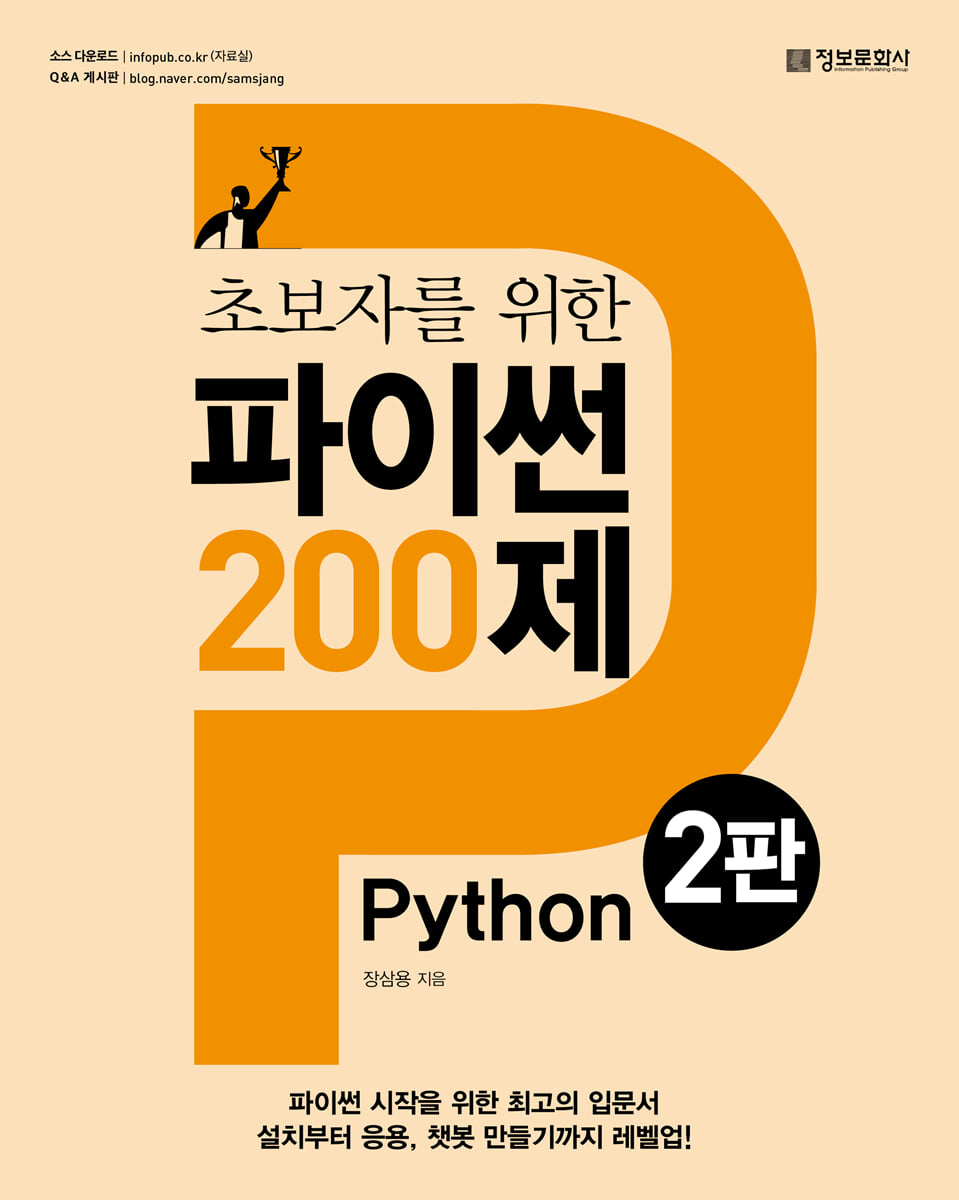
200 Python Questions for Beginners
 |
Description
Book Introduction
Master Python with 200 Examples!
This book is written for beginners who are new to Python, and is organized in a dictionary format so that even readers who are familiar with Python can easily find the content when they need explanation of a specific concept.
It consists of 22 chapters and 200 topics, and it allows you to build a solid foundation in Python by learning step by step, starting with installing Python and the editor program.
In particular, this second edition has been revised in full color, making example code easier to understand, and the addition of many picture explanations has helped to understand concepts at a glance.
Additionally, unlike the 5-part structure of the 1st edition, the 2nd edition is structured into 22 parts, allowing for more detailed and systematic learning.
After learning representative Python coding tools in Chapter 1, you will learn basic syntax in Chapter 2, and control statements and operators in Chapters 3 and 4.
From Chapter 5 to 12, you will learn about Python's various data types and the built-in functions and methods that can be used with each data type.
From Chapter 13 to 16, you will learn about functions, classes, packages, directories, etc., and in Chapter 19, you will briefly learn about regular expressions.
And, using what we learned before, we will proceed with network, concurrent execution, and programming practice from Chapters 20 to 22.
In particular, by analyzing the source code by key line, you can learn in detail what role each code plays and how it can be modified and applied.
This book is written for beginners who are new to Python, and is organized in a dictionary format so that even readers who are familiar with Python can easily find the content when they need explanation of a specific concept.
It consists of 22 chapters and 200 topics, and it allows you to build a solid foundation in Python by learning step by step, starting with installing Python and the editor program.
In particular, this second edition has been revised in full color, making example code easier to understand, and the addition of many picture explanations has helped to understand concepts at a glance.
Additionally, unlike the 5-part structure of the 1st edition, the 2nd edition is structured into 22 parts, allowing for more detailed and systematic learning.
After learning representative Python coding tools in Chapter 1, you will learn basic syntax in Chapter 2, and control statements and operators in Chapters 3 and 4.
From Chapter 5 to 12, you will learn about Python's various data types and the built-in functions and methods that can be used with each data type.
From Chapter 13 to 16, you will learn about functions, classes, packages, directories, etc., and in Chapter 19, you will briefly learn about regular expressions.
And, using what we learned before, we will proceed with network, concurrent execution, and programming practice from Chapters 20 to 22.
In particular, by analyzing the source code by key line, you can learn in detail what role each code plays and how it can be modified and applied.
- You can preview some of the book's contents.
Preview
index
Chapter 1: Python Coding Tools
001 Programming in Interactive Mode
002 Programming with the IDLE Editor
003 Programming with Jupyter Notebooks
Chapter 2 Basic Syntax
004 variable
005 Commenting out
006 Data type concept
007 data type output: print()
008 Data type size: len()
009 Data type check: type()
010 Type Annotation
011 User input: input()
012 Indentation
013 None constant
014 True, False
Chapter 3 Control Statements
015 if statement: if~elif~else
016 for statement: for~continue~break
017 for loop: for~else
018 while statement: while~continue~break
019 pass sentence
020 match statement: match~case
Chapter 4 Operators
021 Numerical operators: +, -, *, /, **, //, %
022 Operator abbreviations: +=, -=, *=, /=
023 Comparison operators: ==, !=, 〈, 〈=, 〉, 〉=
024 Logical operators: and, or, not
025 Bitwise operators: &, |, ^, 〉〉, 〈〈
Chapter 5 Numerical Types
026 Integer, real number: int, float
027 Complex number: complex
028 Finding the absolute value: abs()
029 Finding the Quotient and Remainder: divmod()
030 Finding the rounding number: round()
031 Numeric data type conversion: int(), float(), str()
032 Convert decimal to hexadecimal: hex()
033 Convert decimal to binary: bin()
Chapter 6 Iterator Types
034 Understanding Iterables
035 Understanding Iterators, iter(), and next()
036 Creating a custom iterator
037 Understanding Generators
038 Extracting only elements that satisfy specific conditions: filter()
039 Find the sum of all elements: sum( )
040 Convert repeatable data to a list: list( )
041 Get function return values for all elements: map()
042 Pairing elements with the same index: zip()
043 Check if all elements are true: all(), any()
044 Sorting elements: sorted()
Chapter 7 Sequence Types
045 Sequence data type types and characteristics
046 Creating a Sequential Integer Sequence: range()
047 Sequence data indexing: s[i]
048 Sequence data slicing: s[i:j]
049 Sequence data concatenation/repetition: +, *
Finding the maximum/minimum element in sequence data: max(), min()
051 Counting specific elements in sequence data: s.count()
052 Checking elements in sequence data: in, not in
053 Finding the index of a specific element in sequence data: s.index()
054 (index, element) creation: enumerate()
055 Reverse sequence data: reversed()
Chapter 8 Lists and Tuples
056 Changing the element value of a list: list[i] = x
057 Deleting an element from a list ①: del list[i]
058 Deleting an element from a list ②: list.remove()
059 Delete all elements in a list: list.clear()
060 Copying a list: list.copy()
061 Extending a list: list.extend()
062 Inserting an element into a list: list.insert()
063 Adding an element to the end of a list: list.append()
064 Extract and delete an element at a specific position from a list: list.pop()
065 Reverse list elements: list.reverse()
066 Sorting list elements: list.sort()
067 Randomly shuffle list elements: random.shuffle()
068 Implementing a stack with a list
069 Implementing a Queue with a List
070 Understanding Tuples
Chapter 9 Strings
071 String object
072 Unicode string
073 Finding the character code value: ord()
Get the character corresponding to the code value 074: chr()
075 escape character
076 String Formatting Method ①: f' '
077 String Formatting Method ②: str.format()
078 Finding a specific string position in a string: str.find()
079 Check if a string consists only of language characters: str.isalpha()
080 Check if a string consists only of numbers: str.isdecimal(), str.isdigit(), str.isnumeric()
081 Concatenating list elements with a string: str.join()
082 Splitting a string with a delimiter: str.split()
083 Removing left and right characters/spaces from a string: str.strip(), str.lstrip(), str.rstrip()
084 Replace a specific string with another string in a string: str.replace()
085 Fill the left side of a string with zeros: str.zfill()
086 Filling the left side of a number with zeros to create a string: format()
087 Converting case in a string: str.upper(), str.lower()
088 Sorting strings: sorted(), ''.join()
089 Executing an expression in a string: eval()
090 Remove a given prefix/suffix from a string: str.removeprefix(), str.removesuffix()
091 Converting a string to a byte string: str.encode()
Chapter 10 Byte String
Understanding 092-byte strings
093 Convert hexadecimal string to byte string: bytes.fromhex()
Convert a 094 byte string to a hexadecimal representation: bytes.hex()
Convert 095 byte string to Unicode string: bytes.decode()
096 byte string main methods
Chapter 11: Set Data Type
Understanding the 097 set data
098 set operations: |, &, -, ^
Adding an element to set 099: set.add()
Removing an element from a set of 100 ①: set.remove()
Removing an element from set 101 ②: set.discard()
Extracting a random element from a set: set.pop()
Remove all elements from set 103: set.clear()
Chapter 12 Dictionary
104 Dictionary Object: dict()
105 Extracting values from a dictionary ①: d[key]
106 Extracting values from a dictionary ②: d.get()
107 Create a list of all keys in a dictionary: list(d)
108 Adding an element to a dictionary: d[key]=val
109 Adding an element to a dictionary and getting its value: d.setdefault()
110 Removing a specific element from a dictionary: del d[key]
111 Check if a specific key exists in a dictionary: key in d
112 Check if a specific key does not exist in the dictionary: key not in d
113 Create an iterator with all keys in the dictionary: iter(d)
114 Delete all elements in a dictionary: d.clear()
115 Copy all elements of a dictionary: d.copy()
116 Retrieving all elements in a dictionary: d.items()
117 Finding all keys in a dictionary: d.keys()
118 Retrieving all values in a dictionary: d.values()
119 Reverse the order of all keys in a dictionary: reversed(d)
120 Retrieving a value or element after removing an element from a dictionary: d.pop(), d.popitem()
121 Updating a dictionary ①: d.update()
122 Updating the dictionary ②: d1 | d2, d1 |= d2
123 Sorting dictionary elements: sorted()
Chapter 13 Functions
124 Function definition: def
125 Function parameters and arguments
126 Local and Global Variables: global
127 Function processing result return: return
128 Creating a one-line anonymous function: lambda
Type annotation of function 129
130 Decorator: @
Chapter 14 Class
131 Class Concept
132 Class Variables and Instance Variables
Method 133
134 Class Constructor
135 Class Destructor
136 Class Inheritance
Chapter 15 Exception Handling
137 Exception Handling ①: try~except
138 Exception Handling ②: try~except~else
139 Exception Handling ③: try~except~finally
140 Exception handling ④: try~except Exception as e
141 Exception Handling ⑤: try~except specific exception
142 Raising an exception ①: assert
143 Raising an exception ②: raise
Chapter 16: Python Modules and Packages
Understanding Module 144
Understanding Package 145
146 Module Imports: import, import~as, from~import
147 Python Built-in Modules vs.
External modules
148 External module/package installation tool: pip
149 if __name__ == '__main__':
Chapter 17 Files/Directories
150 Opening and closing files: f.open(), f.close()
151 Open and automatically close a file: with open() as f
152 Reading a file: f.read()
153 Writing a file: f.write()
154 Read and copy only a specific part of a file: f.seek()
155 Reading a text file line by line: f.readline(), f.readlines()
156 Saving a text file: f.writelines()
157 Copying binary files: f.read(), f.write()
158 Finding file size: os.path.getsize()
159 Deleting a file: os.remove()
160 Rename/Move File: os.rename()
161 Get a list of files in a directory: os.listdir(), glob.glob()
162 Check the current working directory, change the working directory: os.getcwd(), os.chdir()
163 Creating and removing directories: os.mkdir(), os.rmdir()
164 Delete all subdirectories and files: shutil.rmtree()
Check if a file exists: os.path.exists()
166 Check if it is a file or a directory: os.path.isfile(), os.path.isdir()
167 Handling JSON Files 2
Chapter 18 Time/Date
168 Calculating program execution time: time.time()
169 Pause for a given time: time.sleep()
170 Print the current time as year-month-day hour: minute:second: time.localtime(), time.strftime()
171 Calculating the number of days elapsed in the year: time.localtime()
172 Calculating Today's Day: time.localtime()
Chapter 19 Regular Expressions
173 Regular Expression Concepts
174 Application of Regular Expressions
Chapter 20 Network
175 Creating an echo server: socket
176 Creating an echo client: socket
177 Creating an Enhanced Echo Server: socketserver
178 Creating an Enhanced Echo Client: socket
179 Access a website and save the HTML page to a file: urllib.request.urlopen()
Manipulating HTTP Headers: requests
181 Saving images from the Internet to my PC
Chapter 21 Concurrent Programming
182 Concurrent Execution Concept
183 Multithreaded Programming: threading
184 Multiprocess Programming: multiprocessing
185 Asynchronous Call Interface: concurrent.futures
186 Implementing Asynchronous Functions: asyncio, async, await
Chapter 22 Programming Practice
187 Drawing shapes with the mouse using OpenCV ①
188 Drawing shapes with the mouse using OpenCV ②
189 Data Visualization Practice Using Matplotlib ①
190 Data Visualization Practice Using Matplotlib ②
191 Print a map using Basemap
192 Mark the earthquake area on the map
193 Display weather information on the map
194 Creating a Web-Based Lotto Number Extractor
195 Web-based view of earthquake occurrence areas
196 Creating a File Transfer Server
197 Creating a File Receiving Client
198 Creating a Chat Server
199 Creating a Chat Client
200 Creating a Simple Chatbot Using the ChatGPT API
001 Programming in Interactive Mode
002 Programming with the IDLE Editor
003 Programming with Jupyter Notebooks
Chapter 2 Basic Syntax
004 variable
005 Commenting out
006 Data type concept
007 data type output: print()
008 Data type size: len()
009 Data type check: type()
010 Type Annotation
011 User input: input()
012 Indentation
013 None constant
014 True, False
Chapter 3 Control Statements
015 if statement: if~elif~else
016 for statement: for~continue~break
017 for loop: for~else
018 while statement: while~continue~break
019 pass sentence
020 match statement: match~case
Chapter 4 Operators
021 Numerical operators: +, -, *, /, **, //, %
022 Operator abbreviations: +=, -=, *=, /=
023 Comparison operators: ==, !=, 〈, 〈=, 〉, 〉=
024 Logical operators: and, or, not
025 Bitwise operators: &, |, ^, 〉〉, 〈〈
Chapter 5 Numerical Types
026 Integer, real number: int, float
027 Complex number: complex
028 Finding the absolute value: abs()
029 Finding the Quotient and Remainder: divmod()
030 Finding the rounding number: round()
031 Numeric data type conversion: int(), float(), str()
032 Convert decimal to hexadecimal: hex()
033 Convert decimal to binary: bin()
Chapter 6 Iterator Types
034 Understanding Iterables
035 Understanding Iterators, iter(), and next()
036 Creating a custom iterator
037 Understanding Generators
038 Extracting only elements that satisfy specific conditions: filter()
039 Find the sum of all elements: sum( )
040 Convert repeatable data to a list: list( )
041 Get function return values for all elements: map()
042 Pairing elements with the same index: zip()
043 Check if all elements are true: all(), any()
044 Sorting elements: sorted()
Chapter 7 Sequence Types
045 Sequence data type types and characteristics
046 Creating a Sequential Integer Sequence: range()
047 Sequence data indexing: s[i]
048 Sequence data slicing: s[i:j]
049 Sequence data concatenation/repetition: +, *
Finding the maximum/minimum element in sequence data: max(), min()
051 Counting specific elements in sequence data: s.count()
052 Checking elements in sequence data: in, not in
053 Finding the index of a specific element in sequence data: s.index()
054 (index, element) creation: enumerate()
055 Reverse sequence data: reversed()
Chapter 8 Lists and Tuples
056 Changing the element value of a list: list[i] = x
057 Deleting an element from a list ①: del list[i]
058 Deleting an element from a list ②: list.remove()
059 Delete all elements in a list: list.clear()
060 Copying a list: list.copy()
061 Extending a list: list.extend()
062 Inserting an element into a list: list.insert()
063 Adding an element to the end of a list: list.append()
064 Extract and delete an element at a specific position from a list: list.pop()
065 Reverse list elements: list.reverse()
066 Sorting list elements: list.sort()
067 Randomly shuffle list elements: random.shuffle()
068 Implementing a stack with a list
069 Implementing a Queue with a List
070 Understanding Tuples
Chapter 9 Strings
071 String object
072 Unicode string
073 Finding the character code value: ord()
Get the character corresponding to the code value 074: chr()
075 escape character
076 String Formatting Method ①: f' '
077 String Formatting Method ②: str.format()
078 Finding a specific string position in a string: str.find()
079 Check if a string consists only of language characters: str.isalpha()
080 Check if a string consists only of numbers: str.isdecimal(), str.isdigit(), str.isnumeric()
081 Concatenating list elements with a string: str.join()
082 Splitting a string with a delimiter: str.split()
083 Removing left and right characters/spaces from a string: str.strip(), str.lstrip(), str.rstrip()
084 Replace a specific string with another string in a string: str.replace()
085 Fill the left side of a string with zeros: str.zfill()
086 Filling the left side of a number with zeros to create a string: format()
087 Converting case in a string: str.upper(), str.lower()
088 Sorting strings: sorted(), ''.join()
089 Executing an expression in a string: eval()
090 Remove a given prefix/suffix from a string: str.removeprefix(), str.removesuffix()
091 Converting a string to a byte string: str.encode()
Chapter 10 Byte String
Understanding 092-byte strings
093 Convert hexadecimal string to byte string: bytes.fromhex()
Convert a 094 byte string to a hexadecimal representation: bytes.hex()
Convert 095 byte string to Unicode string: bytes.decode()
096 byte string main methods
Chapter 11: Set Data Type
Understanding the 097 set data
098 set operations: |, &, -, ^
Adding an element to set 099: set.add()
Removing an element from a set of 100 ①: set.remove()
Removing an element from set 101 ②: set.discard()
Extracting a random element from a set: set.pop()
Remove all elements from set 103: set.clear()
Chapter 12 Dictionary
104 Dictionary Object: dict()
105 Extracting values from a dictionary ①: d[key]
106 Extracting values from a dictionary ②: d.get()
107 Create a list of all keys in a dictionary: list(d)
108 Adding an element to a dictionary: d[key]=val
109 Adding an element to a dictionary and getting its value: d.setdefault()
110 Removing a specific element from a dictionary: del d[key]
111 Check if a specific key exists in a dictionary: key in d
112 Check if a specific key does not exist in the dictionary: key not in d
113 Create an iterator with all keys in the dictionary: iter(d)
114 Delete all elements in a dictionary: d.clear()
115 Copy all elements of a dictionary: d.copy()
116 Retrieving all elements in a dictionary: d.items()
117 Finding all keys in a dictionary: d.keys()
118 Retrieving all values in a dictionary: d.values()
119 Reverse the order of all keys in a dictionary: reversed(d)
120 Retrieving a value or element after removing an element from a dictionary: d.pop(), d.popitem()
121 Updating a dictionary ①: d.update()
122 Updating the dictionary ②: d1 | d2, d1 |= d2
123 Sorting dictionary elements: sorted()
Chapter 13 Functions
124 Function definition: def
125 Function parameters and arguments
126 Local and Global Variables: global
127 Function processing result return: return
128 Creating a one-line anonymous function: lambda
Type annotation of function 129
130 Decorator: @
Chapter 14 Class
131 Class Concept
132 Class Variables and Instance Variables
Method 133
134 Class Constructor
135 Class Destructor
136 Class Inheritance
Chapter 15 Exception Handling
137 Exception Handling ①: try~except
138 Exception Handling ②: try~except~else
139 Exception Handling ③: try~except~finally
140 Exception handling ④: try~except Exception as e
141 Exception Handling ⑤: try~except specific exception
142 Raising an exception ①: assert
143 Raising an exception ②: raise
Chapter 16: Python Modules and Packages
Understanding Module 144
Understanding Package 145
146 Module Imports: import, import~as, from~import
147 Python Built-in Modules vs.
External modules
148 External module/package installation tool: pip
149 if __name__ == '__main__':
Chapter 17 Files/Directories
150 Opening and closing files: f.open(), f.close()
151 Open and automatically close a file: with open() as f
152 Reading a file: f.read()
153 Writing a file: f.write()
154 Read and copy only a specific part of a file: f.seek()
155 Reading a text file line by line: f.readline(), f.readlines()
156 Saving a text file: f.writelines()
157 Copying binary files: f.read(), f.write()
158 Finding file size: os.path.getsize()
159 Deleting a file: os.remove()
160 Rename/Move File: os.rename()
161 Get a list of files in a directory: os.listdir(), glob.glob()
162 Check the current working directory, change the working directory: os.getcwd(), os.chdir()
163 Creating and removing directories: os.mkdir(), os.rmdir()
164 Delete all subdirectories and files: shutil.rmtree()
Check if a file exists: os.path.exists()
166 Check if it is a file or a directory: os.path.isfile(), os.path.isdir()
167 Handling JSON Files 2
Chapter 18 Time/Date
168 Calculating program execution time: time.time()
169 Pause for a given time: time.sleep()
170 Print the current time as year-month-day hour: minute:second: time.localtime(), time.strftime()
171 Calculating the number of days elapsed in the year: time.localtime()
172 Calculating Today's Day: time.localtime()
Chapter 19 Regular Expressions
173 Regular Expression Concepts
174 Application of Regular Expressions
Chapter 20 Network
175 Creating an echo server: socket
176 Creating an echo client: socket
177 Creating an Enhanced Echo Server: socketserver
178 Creating an Enhanced Echo Client: socket
179 Access a website and save the HTML page to a file: urllib.request.urlopen()
Manipulating HTTP Headers: requests
181 Saving images from the Internet to my PC
Chapter 21 Concurrent Programming
182 Concurrent Execution Concept
183 Multithreaded Programming: threading
184 Multiprocess Programming: multiprocessing
185 Asynchronous Call Interface: concurrent.futures
186 Implementing Asynchronous Functions: asyncio, async, await
Chapter 22 Programming Practice
187 Drawing shapes with the mouse using OpenCV ①
188 Drawing shapes with the mouse using OpenCV ②
189 Data Visualization Practice Using Matplotlib ①
190 Data Visualization Practice Using Matplotlib ②
191 Print a map using Basemap
192 Mark the earthquake area on the map
193 Display weather information on the map
194 Creating a Web-Based Lotto Number Extractor
195 Web-based view of earthquake occurrence areas
196 Creating a File Transfer Server
197 Creating a File Receiving Client
198 Creating a Chat Server
199 Creating a Chat Client
200 Creating a Simple Chatbot Using the ChatGPT API
Detailed image

Publisher's Review
A shortcut to using Python as your most familiar language!
Python is currently the most popular and widely used programming language, with concise and readable code and numerous libraries and packages.
Global interest in AI continues to grow, and Python, in particular, is at the heart of AI programming and is becoming a part of general knowledge beyond programming languages due to its ease of entry.
This book is designed for Python beginners who want to keep up with these major trends.
The first edition, which has been consistently loved for its 200 practical examples and line-by-line explanations that help you learn Python step by step, has been completely revised to the latest version with examples in line with Python 3.12.
We've also significantly increased the number of picture captions to make Python easier to understand.
As this is a book for beginners, it starts with installing Python and an editor program, and learning basic syntax such as simple but important variables, comment processing, and the None constant. Then, you learn various data types, built-in function methods, modules, packages, etc. by practicing with source code.
And by utilizing what you learned previously, you will learn 14 practical examples in Chapter 22 to develop the ability to apply what you have learned to real-world situations.
In particular, the example code is interpreted line by line, allowing for more thorough and accurate learning.
This book will be helpful for beginners who are just starting out with Python, users who want to become familiar with Python, or users who want to become familiar with Python through practical examples.
Also, since it is organized in dictionary format to make it easy to look up the concepts you need, it is recommended for users who need a book to look up the concepts they need at the time.
Python is currently the most popular and widely used programming language, with concise and readable code and numerous libraries and packages.
Global interest in AI continues to grow, and Python, in particular, is at the heart of AI programming and is becoming a part of general knowledge beyond programming languages due to its ease of entry.
This book is designed for Python beginners who want to keep up with these major trends.
The first edition, which has been consistently loved for its 200 practical examples and line-by-line explanations that help you learn Python step by step, has been completely revised to the latest version with examples in line with Python 3.12.
We've also significantly increased the number of picture captions to make Python easier to understand.
As this is a book for beginners, it starts with installing Python and an editor program, and learning basic syntax such as simple but important variables, comment processing, and the None constant. Then, you learn various data types, built-in function methods, modules, packages, etc. by practicing with source code.
And by utilizing what you learned previously, you will learn 14 practical examples in Chapter 22 to develop the ability to apply what you have learned to real-world situations.
In particular, the example code is interpreted line by line, allowing for more thorough and accurate learning.
This book will be helpful for beginners who are just starting out with Python, users who want to become familiar with Python, or users who want to become familiar with Python through practical examples.
Also, since it is organized in dictionary format to make it easy to look up the concepts you need, it is recommended for users who need a book to look up the concepts they need at the time.
GOODS SPECIFICS
- Date of issue: November 25, 2024
- Page count, weight, size: 436 pages | 187*235*30mm
- ISBN13: 9788956749884
- ISBN10: 8956749884
You may also like
카테고리
korean


korean

![GQ KOREA Mark (Monthly): December [2025]](http://librairie.coreenne.fr/cdn/shop/files/8ef265dbbfbf186523ed75ba7319009d.jpg?v=1765340328&width=3840)


