

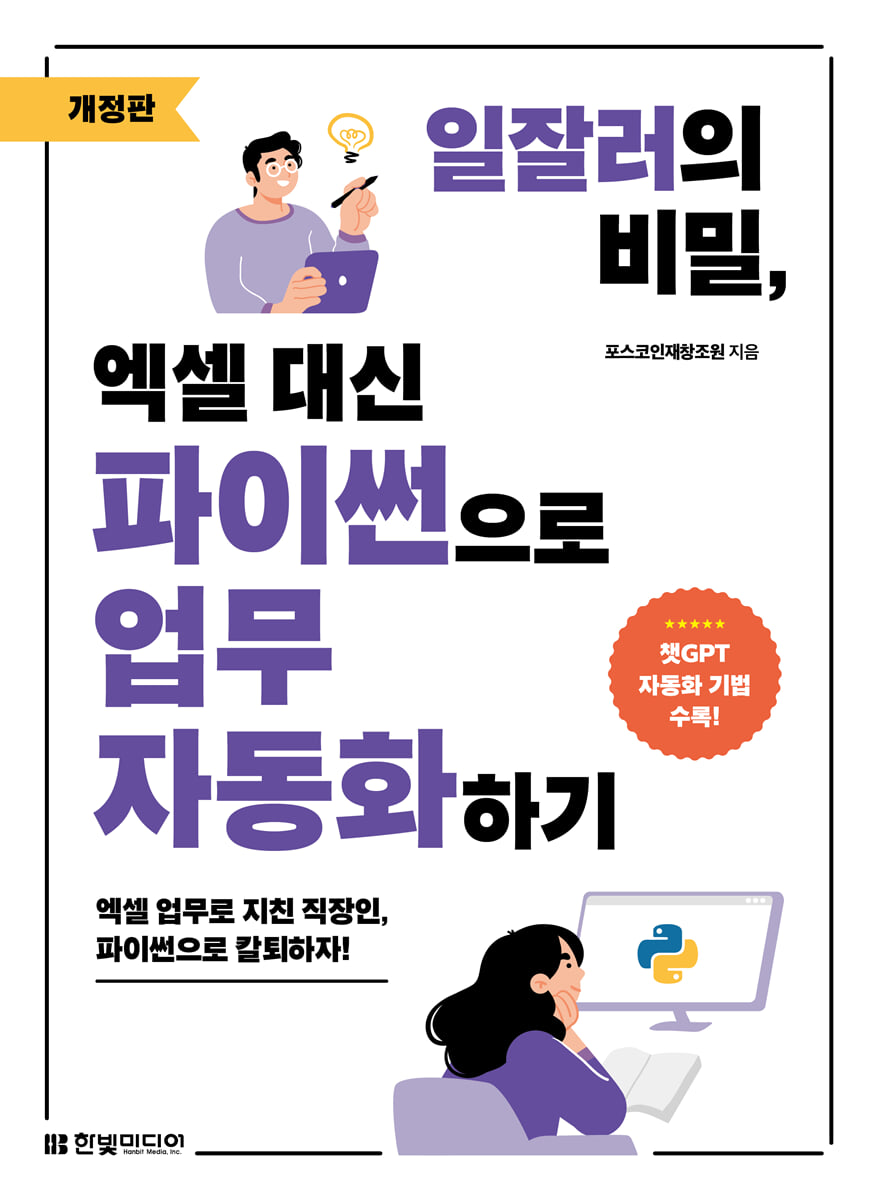
The Secret of Success: Automating Work with Python Instead of Excel
 |
Description
Book Introduction
Become a better worker with Python instead of Excel!
Automate your work smartly with Python and get off work on time!
Excel has been working well enough up until now, so why is everyone now telling me to learn Python? Excel is optimized for office work, but it has limitations when it comes to processing large amounts of data or automating repetitive tasks.
On the other hand, Python offers the advantages of Excel plus speed with just a few lines of code.
This book teaches you how to automate tasks done in Excel more easily and quickly using Python.
This course covers Python basics, how to automate Excel and PowerPoint documents with Python, visualize data graphs, and collect data through web crawling, and how to apply Python to various tasks.
This revised edition also includes work automation using ChatGPT, allowing you to learn how to work smarter using generative AI.
By following and applying real-world examples, even those new to Python will be able to overcome their fear of coding and take a step closer to automating their work.
Automate your work smartly with Python and get off work on time!
Excel has been working well enough up until now, so why is everyone now telling me to learn Python? Excel is optimized for office work, but it has limitations when it comes to processing large amounts of data or automating repetitive tasks.
On the other hand, Python offers the advantages of Excel plus speed with just a few lines of code.
This book teaches you how to automate tasks done in Excel more easily and quickly using Python.
This course covers Python basics, how to automate Excel and PowerPoint documents with Python, visualize data graphs, and collect data through web crawling, and how to apply Python to various tasks.
This revised edition also includes work automation using ChatGPT, allowing you to learn how to work smarter using generative AI.
By following and applying real-world examples, even those new to Python will be able to overcome their fear of coding and take a step closer to automating their work.
- You can preview some of the book's contents.
Preview
index
PART 01 Python Basics
CHAPTER 01 Python Overview
1 What is Python?
__Why You Should Learn to Code
__Features of Python
2. Use Python for business
Python instead of Excel
__Task Automation
3. Preparing the Python Development Environment
__Setting up a Python development environment
__Explore Jupyter Notebooks
finish
CHAPTER 02 Data Types
1 Variables and Constants
__Declare a variable
__Variable naming rules
Using __constants
2 Basic data types
__number
__string
__fire
3 Composite data types
__list
__tuple
__dictionary
[Learn more] Data type conversion
__set
[Learn more] Adding and Deleting Data in Set Data Types
finish
CHAPTER 03 Control Statements and Functions
1 Control statement
__if statement
__while statement
__for statement
2 Functions and Classes
__Create a function
__Input and output functions
[Learn more] Converting input values to numbers
__Read and write external files
__Built-in function
__Classes and Objects
finish
PART 02 Excel with Python
CHAPTER 04 Implementing Basic Excel Functions
1. Handling Excel Files with Python
__Installing Python packages
[Learn more] Installing the openpyxl package from the command prompt (cmd window)
__Create a data frame
Add and delete rows and columns
__Read and write Excel files
2 Text functions
__Loading practice data
[Learn more] Running a Jupyter Notebook from a Specific Directory
__Merge characters from multiple cells
→ Core Function | sum( )
__Extract only a few characters
→ Core Function | str[ ]
__Change English case
→ Core functions | upper( ), lower( ), capitalize( )
__Replace specific characters
→ Core Function | replace( )
__Get the length of a string
→ Core Function | len( )
__Remove whitespace from a string
→ Core functions | strip( ), lstrip( ), rstrip( )
3 Mathematical and statistical functions
__Loading practice data
__Get the sum of data
→ Core Function | sum( )
__Getting the average of data
→ Core Function | mean( )
Finding the sum and average based on __ conditions
→ Core Function | groupby( )
__Get the rank
→ Core Function | rank( )
__Finding the maximum/minimum value
→ Core functions | max( ), min( )
CHAPTER 05 Implementing frequently used practical functions
1 Dynamic array function
__Loading practice data
__Filter the data you want
→ Core Function | loc.isin( )
[Learn more] Filtering by combining multiple conditions
Sort by __ column
→ Core functions | sort_values( ), sort_index( )
__Remove duplicate rows
→ Core functions | duplicated( ), drop_duplicated( )
2 Find and Reference Functions
__Loading practice data
Check the value by __index
→ Core Function | Core Function | map( )
__Find the desired value
→ Core function | set_index( )
3 Logical and Information Functions
__Loading practice data
Using the __condition function
→ Core functionㅣenumerate( )
__Date and Time Functions
→ Core functionsㅣdatetime( ), datetime.now( )
[Learn more] Date package datetime
finish
CHAPTER 06 Visualizing with Graph Functions
1 Drawing graphs with matplotlib
__matplotlib graph types
__line graph
→ Core functionㅣplot( )
[Learn more] Drawing a Scatterplot
__bar graph
→ Core functionㅣbar( )
__circle graph
→ Core functionㅣpie( )
[Learn more] Use the explode property to separate and output only the desired pieces.
__histogram
→ Core functionㅣhist( )
__Box and whisker graph
→ Core functionㅣboxplot( )
[Learn more] Drawing scatter plots and line graphs together
2 Drawing graphs with pandas
__pandas graph type
__Loading practice data
__line graph
→ Core functionㅣplot( )
[Learn more] Drawing a scatter plot
__bar graph
→ Core functionsㅣplot.bar( ), plot.bath( )
__circle graph
→ Core functionㅣplot.pie( )
__histogram
→ Core functionㅣplot.hist( )
__Box and whisker graph
→ Core functionㅣboxplot( )
PART 03 Automating Tasks with Python
CHAPTER 07 Automating Document Work
1. Excel task automation
__openpyxl Overview
__Handling Excel files and sheets
__Managing cell contents
__Managing cell formats
[Practice] Analyzing Customer Satisfaction in Retail Stores
[Practice] Merging Multiple Excel Files into One
2. Automating PowerPoint Tasks
__python-pptx Overview
__Handling PowerPoint files
[Practice] Making Event Participant Name Tags
3 Controlling the System
__pyautogui Overview
__Control the mouse
__Controlling the keyboard
__Message Box
__screenshot
[Practice] Automating Grade Processing
[Learn more] Running Excel
finish
CHAPTER 8 WEB CRAFT
1 Web Crawling Overview
__Web crawling procedures and major packages
__HTML Basics
__CSS Basics
__Understanding the Web Structure with Chrome Developer Tools
2 Automatic web data collection
__Get HTML source
__Convert HTML source to data
[Practice] Retrieving Bestseller Information from a Bookstore
3 Web Browser Control
__selenium Overview
__Webload and Get HTML Source
__Controlling the web browser
[Practice] Collecting Naver exchange rate information and saving it as a CSV file.
[Practice] Checking Business Registration Numbers for Business Closures
finish
CHAPTER 9: Practical Automation Projects
1 Project Overview
__Business Case
__Analysis of the Invoice Issuance Process
__Excel data and invoice form
2 Implementing Project Automation
finish
CHAPTER 10: Generating Task Automation Code with ChatGPT
1 ChatGPT Overview
__Sign up as a member
__ChatGPT main screen and usage instructions
2 Coding with ChatGPT
[Practice] Data Analysis - Correlation Analysis Using Walmart Sales Data
[Practice] Task Automation - Merging Multiple Excel Files into One
[Practice] Web Crawling - Retrieving Bestseller Information from a Bookstore
finish
Search
CHAPTER 01 Python Overview
1 What is Python?
__Why You Should Learn to Code
__Features of Python
2. Use Python for business
Python instead of Excel
__Task Automation
3. Preparing the Python Development Environment
__Setting up a Python development environment
__Explore Jupyter Notebooks
finish
CHAPTER 02 Data Types
1 Variables and Constants
__Declare a variable
__Variable naming rules
Using __constants
2 Basic data types
__number
__string
__fire
3 Composite data types
__list
__tuple
__dictionary
[Learn more] Data type conversion
__set
[Learn more] Adding and Deleting Data in Set Data Types
finish
CHAPTER 03 Control Statements and Functions
1 Control statement
__if statement
__while statement
__for statement
2 Functions and Classes
__Create a function
__Input and output functions
[Learn more] Converting input values to numbers
__Read and write external files
__Built-in function
__Classes and Objects
finish
PART 02 Excel with Python
CHAPTER 04 Implementing Basic Excel Functions
1. Handling Excel Files with Python
__Installing Python packages
[Learn more] Installing the openpyxl package from the command prompt (cmd window)
__Create a data frame
Add and delete rows and columns
__Read and write Excel files
2 Text functions
__Loading practice data
[Learn more] Running a Jupyter Notebook from a Specific Directory
__Merge characters from multiple cells
→ Core Function | sum( )
__Extract only a few characters
→ Core Function | str[ ]
__Change English case
→ Core functions | upper( ), lower( ), capitalize( )
__Replace specific characters
→ Core Function | replace( )
__Get the length of a string
→ Core Function | len( )
__Remove whitespace from a string
→ Core functions | strip( ), lstrip( ), rstrip( )
3 Mathematical and statistical functions
__Loading practice data
__Get the sum of data
→ Core Function | sum( )
__Getting the average of data
→ Core Function | mean( )
Finding the sum and average based on __ conditions
→ Core Function | groupby( )
__Get the rank
→ Core Function | rank( )
__Finding the maximum/minimum value
→ Core functions | max( ), min( )
CHAPTER 05 Implementing frequently used practical functions
1 Dynamic array function
__Loading practice data
__Filter the data you want
→ Core Function | loc.isin( )
[Learn more] Filtering by combining multiple conditions
Sort by __ column
→ Core functions | sort_values( ), sort_index( )
__Remove duplicate rows
→ Core functions | duplicated( ), drop_duplicated( )
2 Find and Reference Functions
__Loading practice data
Check the value by __index
→ Core Function | Core Function | map( )
__Find the desired value
→ Core function | set_index( )
3 Logical and Information Functions
__Loading practice data
Using the __condition function
→ Core functionㅣenumerate( )
__Date and Time Functions
→ Core functionsㅣdatetime( ), datetime.now( )
[Learn more] Date package datetime
finish
CHAPTER 06 Visualizing with Graph Functions
1 Drawing graphs with matplotlib
__matplotlib graph types
__line graph
→ Core functionㅣplot( )
[Learn more] Drawing a Scatterplot
__bar graph
→ Core functionㅣbar( )
__circle graph
→ Core functionㅣpie( )
[Learn more] Use the explode property to separate and output only the desired pieces.
__histogram
→ Core functionㅣhist( )
__Box and whisker graph
→ Core functionㅣboxplot( )
[Learn more] Drawing scatter plots and line graphs together
2 Drawing graphs with pandas
__pandas graph type
__Loading practice data
__line graph
→ Core functionㅣplot( )
[Learn more] Drawing a scatter plot
__bar graph
→ Core functionsㅣplot.bar( ), plot.bath( )
__circle graph
→ Core functionㅣplot.pie( )
__histogram
→ Core functionㅣplot.hist( )
__Box and whisker graph
→ Core functionㅣboxplot( )
PART 03 Automating Tasks with Python
CHAPTER 07 Automating Document Work
1. Excel task automation
__openpyxl Overview
__Handling Excel files and sheets
__Managing cell contents
__Managing cell formats
[Practice] Analyzing Customer Satisfaction in Retail Stores
[Practice] Merging Multiple Excel Files into One
2. Automating PowerPoint Tasks
__python-pptx Overview
__Handling PowerPoint files
[Practice] Making Event Participant Name Tags
3 Controlling the System
__pyautogui Overview
__Control the mouse
__Controlling the keyboard
__Message Box
__screenshot
[Practice] Automating Grade Processing
[Learn more] Running Excel
finish
CHAPTER 8 WEB CRAFT
1 Web Crawling Overview
__Web crawling procedures and major packages
__HTML Basics
__CSS Basics
__Understanding the Web Structure with Chrome Developer Tools
2 Automatic web data collection
__Get HTML source
__Convert HTML source to data
[Practice] Retrieving Bestseller Information from a Bookstore
3 Web Browser Control
__selenium Overview
__Webload and Get HTML Source
__Controlling the web browser
[Practice] Collecting Naver exchange rate information and saving it as a CSV file.
[Practice] Checking Business Registration Numbers for Business Closures
finish
CHAPTER 9: Practical Automation Projects
1 Project Overview
__Business Case
__Analysis of the Invoice Issuance Process
__Excel data and invoice form
2 Implementing Project Automation
finish
CHAPTER 10: Generating Task Automation Code with ChatGPT
1 ChatGPT Overview
__Sign up as a member
__ChatGPT main screen and usage instructions
2 Coding with ChatGPT
[Practice] Data Analysis - Correlation Analysis Using Walmart Sales Data
[Practice] Task Automation - Merging Multiple Excel Files into One
[Practice] Web Crawling - Retrieving Bestseller Information from a Bookstore
finish
Search
Detailed image
.jpg)
Publisher's Review
How long are you going to create each file by hand?
Let's finish work quickly and leave work on time using Python instead of Excel!
Mr. K, who works for a corporate copier rental company, single-handedly manages 472 client companies, 627 copiers, and eight service technicians in his area.
At the end of each month, we need to compile performance reports and send service invoices to each client. Creating a file linking hundreds of Excel sheets that organize service history takes a full three days.
Even for Manager K, who is a master of Excel, this repetitive task every month always brings great stress.
Meanwhile, a new employee, P, sees Manager K struggling and says that if he uses Python, he can solve this task in just 10 seconds.
Will Manager K be able to escape the monthly hell of overtime work with the help of Employee P?
PART 01: Just learn the essential grammar and you'll be able to automate your work!
This book began with the question, "Can't we automate repetitive Excel tasks more easily and quickly using Python?"
When you first start learning Python, you often lose interest and give up after studying only the basic grammar.
This book focuses on the core Python fundamentals essential for work, focusing on work automation methods that can be applied directly to actual work.
Even beginners new to Python can complete the course without losing interest, thanks to examples that can be used in the workplace.
PART 02: Easier with a 1:1 comparison of Excel and Python functions!
Most office workers do similar work using Excel.
Merging data from multiple cells, extracting specific data, calculating sums and averages, removing duplicate data, and filtering.
Let's write a task that we normally do in Excel, implement the same content in Python, and compare the similarities and differences between Excel and Python.
Additionally, graphs drawn in Excel can be easily visualized by adding additional functions using Python's matplotlib and pandas packages.
PART 03: Let's make the computer do the work without lifting a finger!
Compared to other programming languages, Python provides a variety of packages specialized for task automation.
Python's openpyxl and python-pptx packages allow you to freely edit and save the contents of Excel and PowerPoint documents without Microsoft Office programs.
From web crawling using the requests and BeautifulSoup packages to automatic web browser control using the Selenium package, you can experience the convenience of task automation through Python.
Contents of this book
Install Jupyter Notebook and learn its key features.
ㆍLearn basic Python grammar
Implementing basic Excel functions in Python
ㆍ Implementing frequently used Excel and Python practical functions for work
Visualizing documents with graph functions
Automating Excel and PowerPoint documents with Python
ㆍ Automatically control mouse and keyboard
ㆍAutomatically crawl web page information
ㆍ Controlling web browsers
Writing code to automate tasks using generative AI
Readers who need this book
ㆍ Even though I use Excel VBA, I keep having to work overtime because of the large amount of documents.
ㆍ I can do Excel with my eyes closed, but I want to process larger amounts of data faster with Python.
ㆍ I want to leave work on time and let Python do the simple repetitive tasks.
ㆍ It's tedious to search for and download the latest data every time. It would be nice if the computer could collect it for me.
ㆍ Clicking the same mouse over and over again is boring and only hurts my wrists, so it would be nice if the computer could control it for me.
ㆍ I want to improve the quality of reports by creating graphs and charts more efficiently.
ㆍ It would be easier to work if I knew Python code, but it would be nice if ChatGPT just wrote the code for me.
Let's automate tasks with Python, not Excel!
ㆍ No more boring Python grammar studies! Let's give your work wings with hands-on practice!
Say goodbye to Excel's lag when processing large amounts of data! Solve it in 10 seconds with Python!
ㆍ How long will you keep copying and pasting complex Excel functions? Let's finish it with a single line of code!
ㆍ If you're tired of repetitive Excel and PowerPoint tasks! Let the program do the work for you and leave work on time!
ㆍ Don't feel like pressing the mouse or keyboard? Conveniently automate with system control!
ㆍ Let's easily collect all the data existing on the web through task automation!
ㆍ Now I can use the web browser as I please, input data, and retrieve data!
Say goodbye to difficult Python code creation! Create business automation code with ChatGPT!
Let's finish work quickly and leave work on time using Python instead of Excel!
Mr. K, who works for a corporate copier rental company, single-handedly manages 472 client companies, 627 copiers, and eight service technicians in his area.
At the end of each month, we need to compile performance reports and send service invoices to each client. Creating a file linking hundreds of Excel sheets that organize service history takes a full three days.
Even for Manager K, who is a master of Excel, this repetitive task every month always brings great stress.
Meanwhile, a new employee, P, sees Manager K struggling and says that if he uses Python, he can solve this task in just 10 seconds.
Will Manager K be able to escape the monthly hell of overtime work with the help of Employee P?
PART 01: Just learn the essential grammar and you'll be able to automate your work!
This book began with the question, "Can't we automate repetitive Excel tasks more easily and quickly using Python?"
When you first start learning Python, you often lose interest and give up after studying only the basic grammar.
This book focuses on the core Python fundamentals essential for work, focusing on work automation methods that can be applied directly to actual work.
Even beginners new to Python can complete the course without losing interest, thanks to examples that can be used in the workplace.
PART 02: Easier with a 1:1 comparison of Excel and Python functions!
Most office workers do similar work using Excel.
Merging data from multiple cells, extracting specific data, calculating sums and averages, removing duplicate data, and filtering.
Let's write a task that we normally do in Excel, implement the same content in Python, and compare the similarities and differences between Excel and Python.
Additionally, graphs drawn in Excel can be easily visualized by adding additional functions using Python's matplotlib and pandas packages.
PART 03: Let's make the computer do the work without lifting a finger!
Compared to other programming languages, Python provides a variety of packages specialized for task automation.
Python's openpyxl and python-pptx packages allow you to freely edit and save the contents of Excel and PowerPoint documents without Microsoft Office programs.
From web crawling using the requests and BeautifulSoup packages to automatic web browser control using the Selenium package, you can experience the convenience of task automation through Python.
Contents of this book
Install Jupyter Notebook and learn its key features.
ㆍLearn basic Python grammar
Implementing basic Excel functions in Python
ㆍ Implementing frequently used Excel and Python practical functions for work
Visualizing documents with graph functions
Automating Excel and PowerPoint documents with Python
ㆍ Automatically control mouse and keyboard
ㆍAutomatically crawl web page information
ㆍ Controlling web browsers
Writing code to automate tasks using generative AI
Readers who need this book
ㆍ Even though I use Excel VBA, I keep having to work overtime because of the large amount of documents.
ㆍ I can do Excel with my eyes closed, but I want to process larger amounts of data faster with Python.
ㆍ I want to leave work on time and let Python do the simple repetitive tasks.
ㆍ It's tedious to search for and download the latest data every time. It would be nice if the computer could collect it for me.
ㆍ Clicking the same mouse over and over again is boring and only hurts my wrists, so it would be nice if the computer could control it for me.
ㆍ I want to improve the quality of reports by creating graphs and charts more efficiently.
ㆍ It would be easier to work if I knew Python code, but it would be nice if ChatGPT just wrote the code for me.
Let's automate tasks with Python, not Excel!
ㆍ No more boring Python grammar studies! Let's give your work wings with hands-on practice!
Say goodbye to Excel's lag when processing large amounts of data! Solve it in 10 seconds with Python!
ㆍ How long will you keep copying and pasting complex Excel functions? Let's finish it with a single line of code!
ㆍ If you're tired of repetitive Excel and PowerPoint tasks! Let the program do the work for you and leave work on time!
ㆍ Don't feel like pressing the mouse or keyboard? Conveniently automate with system control!
ㆍ Let's easily collect all the data existing on the web through task automation!
ㆍ Now I can use the web browser as I please, input data, and retrieve data!
Say goodbye to difficult Python code creation! Create business automation code with ChatGPT!
GOODS SPECIFICS
- Date of issue: September 2, 2024
- Page count, weight, size: 392 pages | 188*257*30mm
- ISBN13: 9791169212670
- ISBN10: 1169212670
You may also like
카테고리
korean


korean

![GQ KOREA Mark (Monthly): December [2025]](http://librairie.coreenne.fr/cdn/shop/files/8ef265dbbfbf186523ed75ba7319009d.jpg?v=1765340328&width=3840)


