

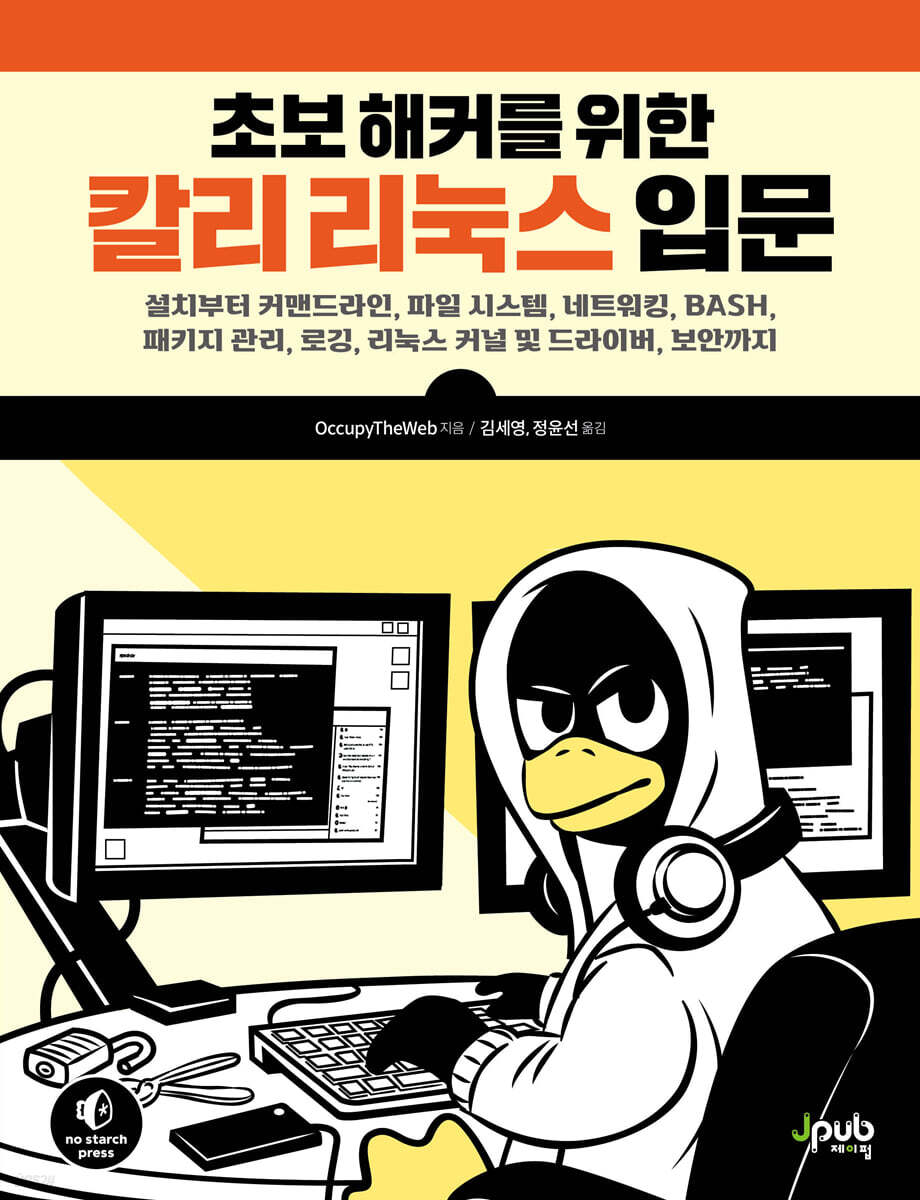
Kali Linux for Beginner Hackers
 |
Description
Book Introduction
The Most Friendly Linux Guide for Aspiring White Hat Hackers
If you want to become a security expert or hacker, understanding the Linux system is essential.
This book covers the essential Linux fundamentals you need to know before starting hacking, cybersecurity, penetration testing, and more.
Since we practice with the Kali Linux distribution, which is widely used by hackers, it is suitable for learning the basics of hacking and moving on to the next step.
As you practice and learn the basic Linux commands in this book, you will find yourself becoming a hacker before you know it.
If you want to become a security expert or hacker, understanding the Linux system is essential.
This book covers the essential Linux fundamentals you need to know before starting hacking, cybersecurity, penetration testing, and more.
Since we practice with the Kali Linux distribution, which is widely used by hackers, it is suitable for learning the basics of hacking and moving on to the next step.
As you practice and learn the basic Linux commands in this book, you will find yourself becoming a hacker before you know it.
- You can preview some of the book's contents.
Preview
index
Translator's Preface xi
Beta Reader Review xiii
Acknowledgments xiv
Starting with xv
Chapter 1 Basics 1
1.1 Introduction to Terms and Concepts 1
1.2 Tour of Cali 3
__1.2.1 Terminal 4
__1.2.2 Linux File System 5
1.3 Basic Linux Commands 6
__1.3.1 Finding the user's current location with pwd 6
__1.3.2 Check login with whoami 7
__1.3.3 Exploring the Linux File System 7
__1.3.4 Help 10
__1.3.5 Referencing manual pages using man 10
1.4 Search 11
__1.4.1 Searching with locate 11
__1.4.2 Finding Binaries with whereis 12
__1.4.3 Finding binaries in the PATH variable with which 12
__1.4.4 Performing more powerful searches with find 13
__1.4.5 Filtering with grep 15
1.5 Modifying files and directories 16
__1.5.1 Create file 16
__1.5.2 Create directory 18
__1.5.3 Copy File 18
__1.5.4 Renaming files 18
__1.5.5 Delete file 19
__1.5.6 Delete directory 19
1.6 Let's have fun 20
Chapter 2 Text Manipulation 21
2.1 File View 22
__2.1.1 Finding the Head 22
__2.1.2 Finding the Tail 23
__2.1.3 Line Numbering 24
2.2 Filtering text with grep 25
__2.2.1 Challenges to Become a Hacker: Using grep, nl, tail, and head 26
__2.2.2 Step 1 26
__2.2.3 Step 2 26
2.3 Find and Replace with sed 27
2.4 File lookup using more and less 28
__2.4.1 Output Control via more 28
__2.4.2 Output and Filtering via less 29
2.5 Summary 30
Chapter 3 Network Analysis and Management 32
3.1 Network Analysis with ifconfig 32
3.2 Checking wireless network devices using iwconfig 34
3.3 Changing network information 35
__3.3.1 IP address change 35
__3.3.2 Changing the Network Mask and Broadcast Address 35
__3.3.3 MAC address spoofing 36
__3.3.4 Assigning a new IP address from a DHCP server 36
3.4 Domain Name System Manipulation 37
__3.4.1 DNS check via dig 37
__3.4.2 Change DNS Server 39
__3.4.3 Unique IP Address Mapping 40
3.5 Summary 42
Chapter 4 Adding and Removing Software 43
4.1 Using apt for Software Management 44
__4.1.1 Package Search 44
__4.1.2 Software Addition 45
__4.1.3 Software Removal 45
__4.1.4 Package Update 47
__4.1.5 Package Upgrade 47
4.2 Adding a repository to the sources.list file 48
4.3 Using the GUI-based installer 50
4.4 Installing Software with Git 52
4.5 Summary 53
Chapter 5 Managing File and Directory Permissions 54
5.1 Different User Types 55
5.2 Authorization 55
__5.2.1 Granting Ownership to Individual Users 55
__5.2.2 Grant ownership to group 56
5.3 Permission Check 56
5.4 Change Permissions 58
__5.4.1 Changing permissions to numeric expressions 58
__5.4.2 Changing permissions via UGO 60
__5.4.3 Granting root execution permissions to new tools 62
5.5 Setting Safer Default Permissions Through Masks 63
5.6 Special Permissions 64
__5.6.1 Granting temporary root privileges using SUID 64
__5.6.2 Granting group permissions to the root user using SGID 64
__5.6.3 Old Sticky Bit 65
__5.6.4 Special Privileges, Escalation of Privileges, and Hackers 65
5.7 Summary 67
Chapter 6 Process Management 68
6.1 Process Verification 69
__6.1.1 Filtering by process name 70
__6.1.2 Finding the Most Greedy Process with Top 71
6.2 Process Management 72
__6.2.1 Changing process priority with nice 72
__6.2.2 Process Termination 75
__6.2.3 Running processes in the background 76
__6.2.4 Moving a Process to the Foreground 77
6.3 Process scheduling execution 77
6.4 Summary 79
Chapter 7 Managing User Environment Variables 80
7.1 Viewing and Modifying Environment Variables 81
__7.1.1 Query all environment variables 82
__7.1.2 Filtering Specific Variables 82
__7.1.3 Changing variable values for a session 83
__7.1.4 Permanently Changing Variable Values 83
7.2 Changing the Shell Prompt 84
7.3 Change PATH 86
__7.3.1 Add 86 to PATH variable
__7.3.2 PATH variable substitution caution 87
7.4 Creating User-Defined Variables 88
7.5 Summary 89
Chapter 8 Writing Bash Scripts 90
8.1 Bash Crash Course 91
8.2 First Script: “Hello, Hackers-Arise!” 91
__8.2.1 Setting execution permissions 92
__8.2.2 Running HelloHackersArise 93
__8.2.3 Adding Functionality Using Variables and User Input 94
8.3 Hacker's First Script: Scanning for Open Ports 95
__8.3.1 Our Mission 96
__8.3.2 Simple Scanner 97
__8.3.3 MySQL Scanner Improvements 98
8.4 Common Built-in Bash Commands 101
8.5 Summary 102
Chapter 9 Compression and Archiving 103
9.1 What is compression? 103
9.2 Collecting Files with Tar 104
9.3 File Compression 106
__9.3.1 gzip compression 107
__9.3.2 bzip2 compression 108
__9.3.3 compress compression 108
9.4 Creating a Bit-by-Bit or Physical Copy of a Storage Device 109
9.5 Summary 110
Chapter 10 File System and Storage Device Management 111
10.1 Device Directory /dev 112
__10.1.1 How Linux Represents Storage Devices 113
__10.1.2 Drive Partition 114
__10.1.3 Character and Block Devices 115
__10.1.4 Listing Block Devices and Information Using lsblk 116
10.2 Mounting and Unmounting 117
__10.2.1 Mounting Storage Devices Directly 117
__10.2.2 Unmount with umount 118
10.3 File System Monitoring 118
__10.3.1 Getting information about mounted disks 118
__10.3.2 Error Check 119
10.4 Summary 120
Chapter 11 Logging System 121
11.1 rsyslog logging daemon 122
__11.1.1 rsyslog configuration file 122
__11.1.2 rsyslog logging rule 124
11.2 Automatic Log Cleanup with logrotate 126
11.3 Maintaining Stealth 128
__11.3.1 Delete trace 129
__11.3.2 Disable logging 130
11.4 Summary 131
Chapter 12 Use and Abuse of Services 132
12.1 Starting, Stopping, and Restarting Services 132
12.2 Creating an HTTP Web Server Using Apache Web Server 133
__12.2.1 Running Apache 134
__12.2.2 Modify the index.html file 135
__12.2.3 Add HTML 136
__12.2.4 Check results 136
12.3 OpenSSH and the Raspberry Pi 137
__12.3.1 Raspberry Pi Setup 137
__12.3.2 Camera Settings 139
__12.3.3 Start monitoring 140
12.4 Extracting Information from MySQL/MariaDB 141
__12.4.1 Running MySQL or MariaDB 142
__12.4.2 Interacting with SQL 143
__12.4.3 Password Setting 143
__12.4.4 Remote Database Access 145
__12.4.5 Database Access 146
__12.4.6 Database Table 147
__12.4.7 Data Verification 148
__12.4.8 PostgreSQL and Metasploit 148
12.5 Summary 151
Chapter 13 Security and Anonymity 152
13.1 How the Internet Reveals Us 153
13.2 Onion Router System 154
__13.2.1 How Tor Works 154
__13.2.2 Security Considerations 156
13.3 Proxy Server 156
__13.3.1 Proxy settings in the configuration file 157
__13.3.2 More Interesting Options 160
__13.3.3 Security Considerations 162
13.4 Virtual Private Networks 163
13.5 Encrypted Email 164
13.6 Summary 165
Chapter 14 Understanding and Testing Wireless Networks 167
14.1 Wi-Fi Network 167
__14.1.1 Basic Wireless Commands 168
__14.1.2 Wi-Fi Reconnaissance Using Aircrack-ng 172
14.2 Bluetooth Detection and Connection 175
__14.2.1 How Bluetooth Works 175
__14.2.2 Bluetooth Scanning and Reconnaissance 176
14.3 Summary 180
Chapter 15 Managing the Linux Kernel and Loadable Kernel Modules 181
15.1 What is a Kernel Module? 182
15.2 Check Kernel Version 183
15.3 Kernel Tuning via sysctl 183
15.4 Kernel Module Management 186
__15.4.1 Gathering More Information with modinfo 187
__15.4.2 Adding and Removing Modules via modprobe 188
__15.4.3 Inserting and Removing Kernel Modules 188
15.5 Summary 189
Chapter 16 Task Automation through Job Scheduling 190
16.1 Automated Event or Job Scheduling 191
__16.1.1 Scheduling Backup Tasks 193
__16.1.2 Using crontab for MySQLscanner Scheduling 195
__16.1.3 crontab shortcut 196
16.2 Using rc scripts to run jobs at boot time 197
__16.2.1 Linux Runlevel 197
__16.2.2 Adding a service to rc.d 197
16.3 Adding a Startup Service Using the GUI 198
16.4 Summary 199
Chapter 17: Python Scripting Basics for Hackers 201
17.1 Adding Python Modules 202
__17.1.1 Using pip 203
__17.1.2 Installing Third-Party Modules 204
17.2 Getting Started with Python Scripts 205
__17.2.1 Variable 206
__17.2.2 Note 209
__17.2.3 Function 209
17.3 List 210
17.4 Module 211
17.5 Object-Oriented Programming 212
17.6 Network Communication in Python 213
__17.6.1 Building a TCP Client 213
__17.6.2 Creating a TCP Listener 215
17.7 Dictionaries, Loops, and Control Structures 217
__17.7.1 Dictionary 217
__17.7.2 Control Statements 217
__17.7.3 Loop 219
17.8 Developing Hacking Scripts 220
17.9 Exceptions and Password Crackers 221
17.10 Summary 224
Search 226
Beta Reader Review xiii
Acknowledgments xiv
Starting with xv
Chapter 1 Basics 1
1.1 Introduction to Terms and Concepts 1
1.2 Tour of Cali 3
__1.2.1 Terminal 4
__1.2.2 Linux File System 5
1.3 Basic Linux Commands 6
__1.3.1 Finding the user's current location with pwd 6
__1.3.2 Check login with whoami 7
__1.3.3 Exploring the Linux File System 7
__1.3.4 Help 10
__1.3.5 Referencing manual pages using man 10
1.4 Search 11
__1.4.1 Searching with locate 11
__1.4.2 Finding Binaries with whereis 12
__1.4.3 Finding binaries in the PATH variable with which 12
__1.4.4 Performing more powerful searches with find 13
__1.4.5 Filtering with grep 15
1.5 Modifying files and directories 16
__1.5.1 Create file 16
__1.5.2 Create directory 18
__1.5.3 Copy File 18
__1.5.4 Renaming files 18
__1.5.5 Delete file 19
__1.5.6 Delete directory 19
1.6 Let's have fun 20
Chapter 2 Text Manipulation 21
2.1 File View 22
__2.1.1 Finding the Head 22
__2.1.2 Finding the Tail 23
__2.1.3 Line Numbering 24
2.2 Filtering text with grep 25
__2.2.1 Challenges to Become a Hacker: Using grep, nl, tail, and head 26
__2.2.2 Step 1 26
__2.2.3 Step 2 26
2.3 Find and Replace with sed 27
2.4 File lookup using more and less 28
__2.4.1 Output Control via more 28
__2.4.2 Output and Filtering via less 29
2.5 Summary 30
Chapter 3 Network Analysis and Management 32
3.1 Network Analysis with ifconfig 32
3.2 Checking wireless network devices using iwconfig 34
3.3 Changing network information 35
__3.3.1 IP address change 35
__3.3.2 Changing the Network Mask and Broadcast Address 35
__3.3.3 MAC address spoofing 36
__3.3.4 Assigning a new IP address from a DHCP server 36
3.4 Domain Name System Manipulation 37
__3.4.1 DNS check via dig 37
__3.4.2 Change DNS Server 39
__3.4.3 Unique IP Address Mapping 40
3.5 Summary 42
Chapter 4 Adding and Removing Software 43
4.1 Using apt for Software Management 44
__4.1.1 Package Search 44
__4.1.2 Software Addition 45
__4.1.3 Software Removal 45
__4.1.4 Package Update 47
__4.1.5 Package Upgrade 47
4.2 Adding a repository to the sources.list file 48
4.3 Using the GUI-based installer 50
4.4 Installing Software with Git 52
4.5 Summary 53
Chapter 5 Managing File and Directory Permissions 54
5.1 Different User Types 55
5.2 Authorization 55
__5.2.1 Granting Ownership to Individual Users 55
__5.2.2 Grant ownership to group 56
5.3 Permission Check 56
5.4 Change Permissions 58
__5.4.1 Changing permissions to numeric expressions 58
__5.4.2 Changing permissions via UGO 60
__5.4.3 Granting root execution permissions to new tools 62
5.5 Setting Safer Default Permissions Through Masks 63
5.6 Special Permissions 64
__5.6.1 Granting temporary root privileges using SUID 64
__5.6.2 Granting group permissions to the root user using SGID 64
__5.6.3 Old Sticky Bit 65
__5.6.4 Special Privileges, Escalation of Privileges, and Hackers 65
5.7 Summary 67
Chapter 6 Process Management 68
6.1 Process Verification 69
__6.1.1 Filtering by process name 70
__6.1.2 Finding the Most Greedy Process with Top 71
6.2 Process Management 72
__6.2.1 Changing process priority with nice 72
__6.2.2 Process Termination 75
__6.2.3 Running processes in the background 76
__6.2.4 Moving a Process to the Foreground 77
6.3 Process scheduling execution 77
6.4 Summary 79
Chapter 7 Managing User Environment Variables 80
7.1 Viewing and Modifying Environment Variables 81
__7.1.1 Query all environment variables 82
__7.1.2 Filtering Specific Variables 82
__7.1.3 Changing variable values for a session 83
__7.1.4 Permanently Changing Variable Values 83
7.2 Changing the Shell Prompt 84
7.3 Change PATH 86
__7.3.1 Add 86 to PATH variable
__7.3.2 PATH variable substitution caution 87
7.4 Creating User-Defined Variables 88
7.5 Summary 89
Chapter 8 Writing Bash Scripts 90
8.1 Bash Crash Course 91
8.2 First Script: “Hello, Hackers-Arise!” 91
__8.2.1 Setting execution permissions 92
__8.2.2 Running HelloHackersArise 93
__8.2.3 Adding Functionality Using Variables and User Input 94
8.3 Hacker's First Script: Scanning for Open Ports 95
__8.3.1 Our Mission 96
__8.3.2 Simple Scanner 97
__8.3.3 MySQL Scanner Improvements 98
8.4 Common Built-in Bash Commands 101
8.5 Summary 102
Chapter 9 Compression and Archiving 103
9.1 What is compression? 103
9.2 Collecting Files with Tar 104
9.3 File Compression 106
__9.3.1 gzip compression 107
__9.3.2 bzip2 compression 108
__9.3.3 compress compression 108
9.4 Creating a Bit-by-Bit or Physical Copy of a Storage Device 109
9.5 Summary 110
Chapter 10 File System and Storage Device Management 111
10.1 Device Directory /dev 112
__10.1.1 How Linux Represents Storage Devices 113
__10.1.2 Drive Partition 114
__10.1.3 Character and Block Devices 115
__10.1.4 Listing Block Devices and Information Using lsblk 116
10.2 Mounting and Unmounting 117
__10.2.1 Mounting Storage Devices Directly 117
__10.2.2 Unmount with umount 118
10.3 File System Monitoring 118
__10.3.1 Getting information about mounted disks 118
__10.3.2 Error Check 119
10.4 Summary 120
Chapter 11 Logging System 121
11.1 rsyslog logging daemon 122
__11.1.1 rsyslog configuration file 122
__11.1.2 rsyslog logging rule 124
11.2 Automatic Log Cleanup with logrotate 126
11.3 Maintaining Stealth 128
__11.3.1 Delete trace 129
__11.3.2 Disable logging 130
11.4 Summary 131
Chapter 12 Use and Abuse of Services 132
12.1 Starting, Stopping, and Restarting Services 132
12.2 Creating an HTTP Web Server Using Apache Web Server 133
__12.2.1 Running Apache 134
__12.2.2 Modify the index.html file 135
__12.2.3 Add HTML 136
__12.2.4 Check results 136
12.3 OpenSSH and the Raspberry Pi 137
__12.3.1 Raspberry Pi Setup 137
__12.3.2 Camera Settings 139
__12.3.3 Start monitoring 140
12.4 Extracting Information from MySQL/MariaDB 141
__12.4.1 Running MySQL or MariaDB 142
__12.4.2 Interacting with SQL 143
__12.4.3 Password Setting 143
__12.4.4 Remote Database Access 145
__12.4.5 Database Access 146
__12.4.6 Database Table 147
__12.4.7 Data Verification 148
__12.4.8 PostgreSQL and Metasploit 148
12.5 Summary 151
Chapter 13 Security and Anonymity 152
13.1 How the Internet Reveals Us 153
13.2 Onion Router System 154
__13.2.1 How Tor Works 154
__13.2.2 Security Considerations 156
13.3 Proxy Server 156
__13.3.1 Proxy settings in the configuration file 157
__13.3.2 More Interesting Options 160
__13.3.3 Security Considerations 162
13.4 Virtual Private Networks 163
13.5 Encrypted Email 164
13.6 Summary 165
Chapter 14 Understanding and Testing Wireless Networks 167
14.1 Wi-Fi Network 167
__14.1.1 Basic Wireless Commands 168
__14.1.2 Wi-Fi Reconnaissance Using Aircrack-ng 172
14.2 Bluetooth Detection and Connection 175
__14.2.1 How Bluetooth Works 175
__14.2.2 Bluetooth Scanning and Reconnaissance 176
14.3 Summary 180
Chapter 15 Managing the Linux Kernel and Loadable Kernel Modules 181
15.1 What is a Kernel Module? 182
15.2 Check Kernel Version 183
15.3 Kernel Tuning via sysctl 183
15.4 Kernel Module Management 186
__15.4.1 Gathering More Information with modinfo 187
__15.4.2 Adding and Removing Modules via modprobe 188
__15.4.3 Inserting and Removing Kernel Modules 188
15.5 Summary 189
Chapter 16 Task Automation through Job Scheduling 190
16.1 Automated Event or Job Scheduling 191
__16.1.1 Scheduling Backup Tasks 193
__16.1.2 Using crontab for MySQLscanner Scheduling 195
__16.1.3 crontab shortcut 196
16.2 Using rc scripts to run jobs at boot time 197
__16.2.1 Linux Runlevel 197
__16.2.2 Adding a service to rc.d 197
16.3 Adding a Startup Service Using the GUI 198
16.4 Summary 199
Chapter 17: Python Scripting Basics for Hackers 201
17.1 Adding Python Modules 202
__17.1.1 Using pip 203
__17.1.2 Installing Third-Party Modules 204
17.2 Getting Started with Python Scripts 205
__17.2.1 Variable 206
__17.2.2 Note 209
__17.2.3 Function 209
17.3 List 210
17.4 Module 211
17.5 Object-Oriented Programming 212
17.6 Network Communication in Python 213
__17.6.1 Building a TCP Client 213
__17.6.2 Creating a TCP Listener 215
17.7 Dictionaries, Loops, and Control Structures 217
__17.7.1 Dictionary 217
__17.7.2 Control Statements 217
__17.7.3 Loop 219
17.8 Developing Hacking Scripts 220
17.9 Exceptions and Password Crackers 221
17.10 Summary 224
Search 226
Detailed image

Into the book
Hacking is the most important skill of the 21st century.
Let's not take this sentence lightly.
The above statement is confirmed by the various incidents we see in the news headlines every day.
Nations spy on each other to steal each other's secrets, cybercriminals steal billions of dollars, digital worms demand ransoms, adversaries influence each other's elections, and combatants take down each other's infrastructure.
--- p.xv
The Linux file system structure is quite different from that of Windows.
Linux does not have physical drives (like the C: drive) at the base of its file system.
Instead, it uses a logical file system.
At the top of the file system structure is /.
This is called the root of the file system, and it looks like a tree upside down.
Note that this is different from the root user.
--- p.5
Hackers must understand how to manage processes to optimize the system.
For example, a hacker may try to find and stop a specific process, such as an antivirus application or firewall, in order to take control of the target system.
To do so, a hacker must first know how to find the process.
Additionally, hackers can set up scanning scripts to run periodically to find vulnerable systems, and we'll also look at how to schedule these scripts.
--- p.68
A hacker named Max Butler, also known in the hacker world as Max Vision, was serving time in a U.S. federal prison.
Max was a gray hat hacker, working as an IT security expert in Silicon Valley by day and stealing credit card numbers and selling them on the black market by night.
He once ran CardersMarket, the world's largest black market for credit cards.
Now, while serving his 13-year sentence, Max helps Pittsburgh's Computer Emergency Response Team (CERT) defend against hackers.
--- p.96
Log files track almost everything that happens on a Linux system.
This can be a very important resource for analyzing what has happened, such as abnormal behavior or hacking.
For hackers, log files can provide evidence of their activities and identity.
However, a savvy hacker could hide the evidence by removing or shredding these files, or disabling logging entirely.
--- p.131
Using a VPN can definitely improve your security and data protection.
But that doesn't guarantee anonymity.
Any internet device you connect to must log your IP address to properly return data.
Therefore, anyone who accesses this record can learn information about you.
--- p.163
Python has several important features that make it particularly well-suited for hacking.
The most important of these is that it provides powerful functionality through a variety of pre-built libraries that can be imported and reused from outside.
Python has over 1,000 built-in modules, and many more are available from various repositories.
While it's possible to build hacking tools in other languages like Bash, Perl, and Ruby, Python's modules make building these tools much easier.
Let's not take this sentence lightly.
The above statement is confirmed by the various incidents we see in the news headlines every day.
Nations spy on each other to steal each other's secrets, cybercriminals steal billions of dollars, digital worms demand ransoms, adversaries influence each other's elections, and combatants take down each other's infrastructure.
--- p.xv
The Linux file system structure is quite different from that of Windows.
Linux does not have physical drives (like the C: drive) at the base of its file system.
Instead, it uses a logical file system.
At the top of the file system structure is /.
This is called the root of the file system, and it looks like a tree upside down.
Note that this is different from the root user.
--- p.5
Hackers must understand how to manage processes to optimize the system.
For example, a hacker may try to find and stop a specific process, such as an antivirus application or firewall, in order to take control of the target system.
To do so, a hacker must first know how to find the process.
Additionally, hackers can set up scanning scripts to run periodically to find vulnerable systems, and we'll also look at how to schedule these scripts.
--- p.68
A hacker named Max Butler, also known in the hacker world as Max Vision, was serving time in a U.S. federal prison.
Max was a gray hat hacker, working as an IT security expert in Silicon Valley by day and stealing credit card numbers and selling them on the black market by night.
He once ran CardersMarket, the world's largest black market for credit cards.
Now, while serving his 13-year sentence, Max helps Pittsburgh's Computer Emergency Response Team (CERT) defend against hackers.
--- p.96
Log files track almost everything that happens on a Linux system.
This can be a very important resource for analyzing what has happened, such as abnormal behavior or hacking.
For hackers, log files can provide evidence of their activities and identity.
However, a savvy hacker could hide the evidence by removing or shredding these files, or disabling logging entirely.
--- p.131
Using a VPN can definitely improve your security and data protection.
But that doesn't guarantee anonymity.
Any internet device you connect to must log your IP address to properly return data.
Therefore, anyone who accesses this record can learn information about you.
--- p.163
Python has several important features that make it particularly well-suited for hacking.
The most important of these is that it provides powerful functionality through a variety of pre-built libraries that can be imported and reused from outside.
Python has over 1,000 built-in modules, and many more are available from various repositories.
While it's possible to build hacking tools in other languages like Bash, Perl, and Ruby, Python's modules make building these tools much easier.
--- p.201
Publisher's Review
The First Step to Becoming a Cybersecurity Expert: Amazon's #1 Bestseller in Hacking and Linux
In a world where everything is digitally connected, cybersecurity is becoming increasingly important, affecting not only individuals but also businesses and nations.
One way to strengthen cybersecurity is through penetration testing.
Penetration testing is a hacking exercise divided into attack and defense to find cybersecurity vulnerabilities. By finding and attacking system vulnerabilities from a hacker's perspective, you can establish a defense plan in advance against external attacks.
This book is a friendly guide for those who are new to Linux and dream of becoming a hacker, from the basic structure of Linux to essential commands and even scripts.
The author wrote this book after working on cybersecurity issues with the U.S. Department of Defense and virtually every intelligence agency (NSA, DIA, CIA, FBI).
Knowing that most beginner hackers have little or no experience with Linux, this book contains everything you need to build a solid foundation in Linux to become a professional hacker.
It covers not only the basic command line, but also file systems, networking, logging, bash, databases, the Linux kernel, and drivers.
We'll be installing Kali Linux on a virtual machine to help you practice, so you can easily follow along on your current operating system. We'll also cover Python scripting to help you become a more skilled hacker.
I hope that by following the author's guidance and practicing step by step, you will become a professional hacker who goes beyond a beginner and becomes a guardian of cybersecurity.
Key Contents
- Install and run Kali Linux on a virtual machine
- Understanding basic Linux commands such as finding locations, checking logins, and exploring files
- Practice text manipulation, file and directory permission management, and adding and removing software.
- Practice in managing user environment variables, process management, and task automation
- Understanding of network analysis and management, logging systems, and kernel module management.
- Learn how to write bash scripts and the basics of Python scripts
In a world where everything is digitally connected, cybersecurity is becoming increasingly important, affecting not only individuals but also businesses and nations.
One way to strengthen cybersecurity is through penetration testing.
Penetration testing is a hacking exercise divided into attack and defense to find cybersecurity vulnerabilities. By finding and attacking system vulnerabilities from a hacker's perspective, you can establish a defense plan in advance against external attacks.
This book is a friendly guide for those who are new to Linux and dream of becoming a hacker, from the basic structure of Linux to essential commands and even scripts.
The author wrote this book after working on cybersecurity issues with the U.S. Department of Defense and virtually every intelligence agency (NSA, DIA, CIA, FBI).
Knowing that most beginner hackers have little or no experience with Linux, this book contains everything you need to build a solid foundation in Linux to become a professional hacker.
It covers not only the basic command line, but also file systems, networking, logging, bash, databases, the Linux kernel, and drivers.
We'll be installing Kali Linux on a virtual machine to help you practice, so you can easily follow along on your current operating system. We'll also cover Python scripting to help you become a more skilled hacker.
I hope that by following the author's guidance and practicing step by step, you will become a professional hacker who goes beyond a beginner and becomes a guardian of cybersecurity.
Key Contents
- Install and run Kali Linux on a virtual machine
- Understanding basic Linux commands such as finding locations, checking logins, and exploring files
- Practice text manipulation, file and directory permission management, and adding and removing software.
- Practice in managing user environment variables, process management, and task automation
- Understanding of network analysis and management, logging systems, and kernel module management.
- Learn how to write bash scripts and the basics of Python scripts
GOODS SPECIFICS
- Date of issue: June 5, 2023
- Page count, weight, size: 264 pages | 658g | 188*245*16mm
- ISBN13: 9791192987156
- ISBN10: 1192987152
You may also like
카테고리
korean


korean

![GQ KOREA Mark (Monthly): December [2025]](http://librairie.coreenne.fr/cdn/shop/files/8ef265dbbfbf186523ed75ba7319009d.jpg?v=1765340328&width=3840)


