

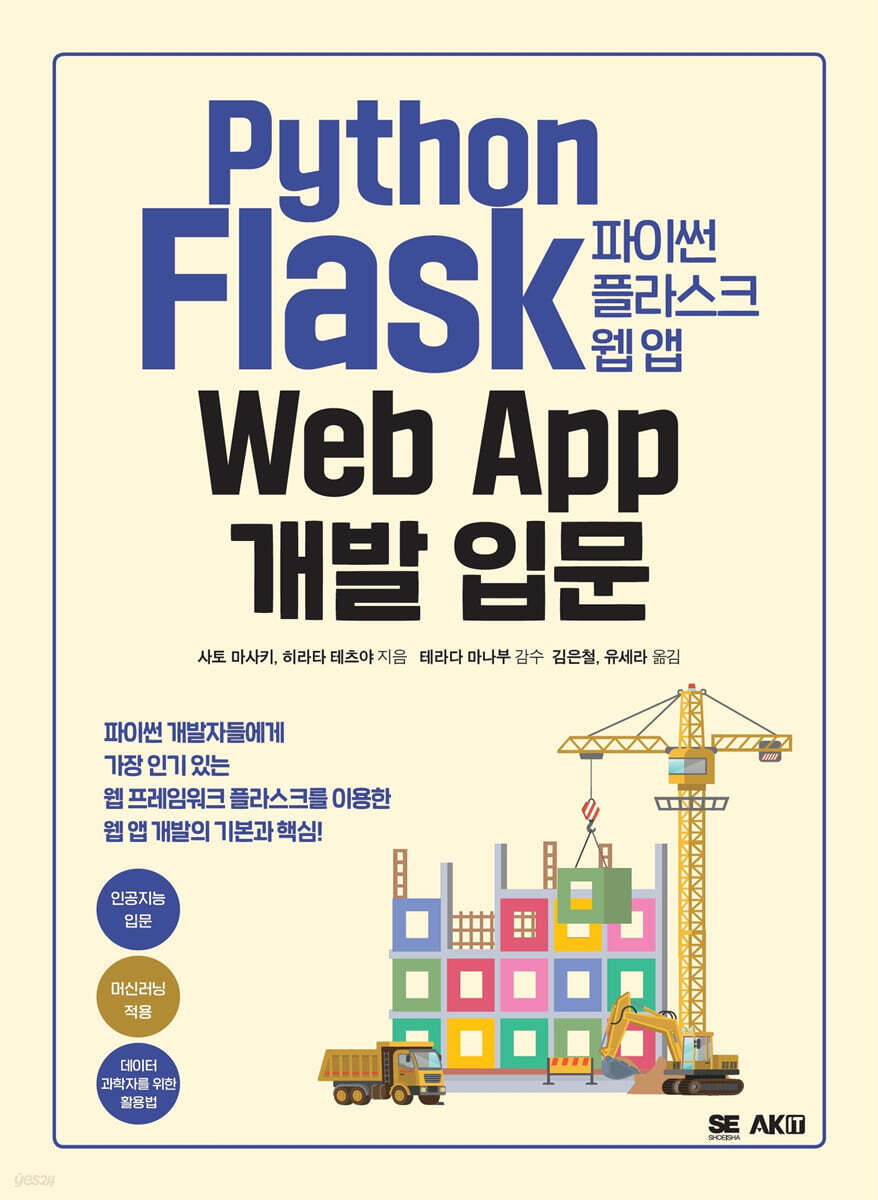
Introduction to Python Flask Web App Development
 |
Description
Book Introduction
The basics and core of web app development using Flask, the most popular web framework for Python developers!
From building simple apps to applying machine learning to apps, learn the basics and apply them in practice all in one place!
The purpose of this book is to help you create your own web apps using Flask.
First, you will learn the basics of app development by creating a simple app and then gradually implementing an app using an inquiry form, database, and authentication functions.
Next, we will create an object detection app that identifies objects in image data and explain how to make this app into a web API.
From building simple apps to applying machine learning to apps, learn the basics and apply them in practice all in one place!
The purpose of this book is to help you create your own web apps using Flask.
First, you will learn the basics of app development by creating a simple app and then gradually implementing an app using an inquiry form, database, and authentication functions.
Next, we will create an object detection app that identifies objects in image data and explain how to make this app into a web API.
index
Part 0 Introduction to Python Flask
Chapter 00 Flask Overview and Environment Setup
0.1 Flask, a simple and versatile way to write
0.2 Why use Flask?
0.3 Python Web Framework Comparison
Django
bottle
FastAPI
Setting up the 0.4 Flask environment
Installing Python
Creating a virtual environment in your local environment
Installing Flask
Flask commands
Installing Visual Studio Code
Using the code checker and formatter
Setting up a Python virtual environment in VSCode
.gitignore
Part 1: First Steps with Flask
Chapter 01 Creating a Minimal Functionality App
1.1 MVT (Model, View, Template) Model
1.2 Creating a minimally functional app
Create a working directory
Running the application
What is debug mode?
Setting environment variables using .env
Application Root
Using routing
Using a template engine
Generating URLs using the url_for function
Using static files
Application context and request context
1.3 Creating an inquiry form
Specifications of the inquiry form
PRG pattern
Flash message
Logging
Send email
1.4 Cookies
1.5 Session
1.6 Response
Chapter 02 Creating an App Using a Database
1.1 Directory Structure
2.2 Running the App: Using Blueprints
① Writing a CRUD app module
② Change the path of the environment variable FLASK_APP
③ Create an endpoint
④ Creating a template
⑤ Creating static files
⑥ Load CSS into the template
⑦ Check the operation
2.3 Setting up SQLAlchemy
Installing the extension
Preparing to use flask-sqlalchemy and flask-migrate
2.4 Manipulating the Database
Defining the model
Database initialization and migration
Basic data manipulation using SQLAlchemy
2.5 Creating a CRUD App Using a Database
Using the form's extended features
Create a new user
Display user list
Edit User
Delete user
2.6 Template Commonization and Inheritance
Creating a common template
Rewriting the new user creation screen and the user edit screen
2.7 Setting up config
How to use from_object
Another way to read config
Chapter 03 Creating a User Authentication Function
3.1 User authentication function to be written and directory configuration
3.2 Registering the authentication function in the app
Registering User Authentication Function in Blueprint
Creating a User Authentication Function Endpoint
Creating a template to verify authentication functionality
Create a confirmation screen to display the authentication page
Check the operation
3.3 Creating a membership registration function
Integrating with flask-login
Creating a form class for member registration functionality
Updating the User Model
Creating an endpoint for the membership registration function
Creating a template for the membership registration function
Change the crud app to require login
Check the operation
3.4 Creating a login function
Creating a form class for login functionality
Creating an endpoint for the login function
Creating a template for the login function
Check the operation
3.5 Creating a logout function
Check the operation
Show login status
Part 2: Flask in Practice ① Developing an Object Detection App
Chapter 04 App Specifications and Preparation
4.1 Specifications of the Object Detection App
Image List Screen 0
Authentication screen
Image upload screen
Object detection screen
Image search screen
Custom error screen
4.2 Directory Structure
4.3 Registering the Object Detection App
Creating an endpoint for the image list screen
Creating a template for the image list screen
Check the operation
Chapter 05 Creating an Image List Screen
5.1 Creating a UserImage Model
5.2 Creating an Endpoint for the Image List Screen
5.3 Creating a Template for the Image List Screen
5.4 Table Joins and Relationships in SQLAlchemy
Join tables with SQL
Preparation for SQL verification
Relationship
Chapter 06 Creating a Membership Registration and Login Screen
6.1 Updating the endpoint on the membership registration screen
6.2 Creating a Common Header
6.3 Updating the template on the membership registration screen
6.4 Refreshing the endpoint on the login screen
6.5 Updating the login screen template
6.6 Checking the operation of the membership registration/login screen
Chapter 07 Creating an Image Upload Screen
7.1 Specifying the image upload path
7.2 Creating an Endpoint to Display an Image
7.3 Adding an image upload screen link and image list to the image list screen
7.4 Creating a form class for the image upload screen
7.5 Creating an Endpoint for the Image Upload Screen
7.6 Creating a Template for the Image Upload Screen
7.7 Checking the operation of the image upload screen
Chapter 08 Implementing Object Detection Function
8.1 Creating the UserImageTags Model
8.2 Creating a Form Class with Object Detection Function
8.3 Setting up the library for object detection
8.4 Creating an Endpoint for Object Detection
8.5 Displaying tag information in the image list screen
8.6 Displaying detection buttons and tag information on the image list screen
8.7 Verifying the operation of the object detection function
8.8 Creating an Image Delete Function
Creating a form class with image deletion functionality
Creating an endpoint for the image deletion function
Add a delete form to the endpoint of the image list screen.
Displaying the [Delete] button on the image list screen
Checking the operation of the image deletion function
Chapter 09 Implementing the Search Function
9.1 Creating an Endpoint for the Image Search Feature
9.2 Creating a Template for Image Search
9.3 Verifying the operation of the image search function
Chapter 10: Creating a Custom Error Screen
10.1 Creating an Endpoint for a Custom Error Screen
10.2 Creating a Template for a Custom Error Screen
10.3 Checking the display of the custom error screen
Chapter 11: Running Unit Tests
11.1 Using pytest
Installing pytest
Directory structure and naming conventions
Run the test
Verifying the behavior of failing tests
Run only one test
11.2 Fixtures in pytest
Sharing fixtures using conftest.py
11.3 Testing the Object Detection App
Setting up a test image upload directory
Refreshing the test fixture
Testing the image list screen
Testing the image upload screen
Testing object detection and tag-based search features
Testing the image deletion feature
Testing a Custom Error Screen
Output test coverage
Output test coverage to HTML
Part 3: Flask in Practice ② Creating and Deploying an Object Detection API
Chapter 12 Web API Overview
12.1 The World Wide Web (WWW) and the Meaning of APIs
Client and Server
API and JSON
12.2 The Role of URIs in Identifying Resource Locations
URL
URI
URN
12.3 CRUD operations on resources using HTTP methods
Chapter 13 Object Detection API Specifications
13.1 Processing Flow of Object Detection API
13.2 Installing PyTorch and Saving the Trained Model
Installing PyTorch
Saving the trained model
Chapter 14: Implementing the Object Detection API
14.1 Directory structure and modules of the object detection API
__init__.py
14.2 Preparing for Implementation
14.3 [Implementation 1] Implementing API Execution Code
Read the config and create a Flask app
Managing common settings
Check the operation
14.4 [Implementation 2] Preparing Data and Implementing Preprocessing/Postprocessing Code
Preparing the data
Preprocessing
Post-processing
14.5 [Implementation 3] Implementing the execution code for the trained model
14.6 [Implementation 4] Implementing Routing
Check the operation
Chapter 15: Deploying the Object Detection App
15.1 Docker Overview
virtualization technology
15.2 Cloud Run Overview
characteristic
15.3 Preparing to Use Docker
Installing Docker Desktop
Running Docker Desktop
15.4 Preparing to Use Cloud Run
① Create a free Google Cloud account
② Creating a Google Cloud Project
③ Activating Cloud Run API and Container Registry API
④ Installing Cloud SDK
15.5 [Procedure 1] Initializing Google Cloud Configuration
15.6 [Step 2] Writing a Dockerfile
15.7 [Step 3] Building a Docker Image
Check the created image
15.8 [Step 4] Pushing the Docker Image to GCR
Check the push
15.9 [Step 5] Deploying to Cloud Run
Part 4: Developing a Machine Learning API
Chapter 16: Overview of Machine Learning
16.1 Machine Learning Concepts
16.2 Data in Machine Learning
16.3 Problems addressed by machine learning
statistics
machine learning
16.4 Expressing Algorithms with Formulas and Code
16.5 Python Libraries Used in Machine Learning
Libraries and Frameworks
16.6 Expressing Logistic Regression with Python Libraries
logistic regression
Sigmoid function formula
Formula for cross entropy error
Gradient descent formula
Logistic Regression with NumPy
Logistic regression with scikit-learn
Chapter 17: Machine Learning API Development Process and Practice
17.1 Selecting the Optimal Machine Learning Algorithm/Model
17.2 Implementing Machine Learning Algorithms/Models
Implementation process
17.3 Machine Learning API Specifications
17.4 Preparing for Development
Installing the library
Check the directory
17.5 [Implementation Process 1] Converting Analysis Code to Production Code
1.1 Code Reading/Code Documentation
1.2 Function Splitting/Module Splitting
1.3 Refactoring
17.6 [Implementation Process 2] Converting Production Code into an API
2.1 Routing: Establishing URI (Endpoint) Naming Conventions
2.2 Error Checking: Definition of Error Codes and Error Messages
2.3 Request Verification: Implementing the Verification Code
17.7 Verifying normal operation
17.8 [Assignment] From Machine Learning API to Machine Learning Foundation and MLOps
Index
Chapter 00 Flask Overview and Environment Setup
0.1 Flask, a simple and versatile way to write
0.2 Why use Flask?
0.3 Python Web Framework Comparison
Django
bottle
FastAPI
Setting up the 0.4 Flask environment
Installing Python
Creating a virtual environment in your local environment
Installing Flask
Flask commands
Installing Visual Studio Code
Using the code checker and formatter
Setting up a Python virtual environment in VSCode
.gitignore
Part 1: First Steps with Flask
Chapter 01 Creating a Minimal Functionality App
1.1 MVT (Model, View, Template) Model
1.2 Creating a minimally functional app
Create a working directory
Running the application
What is debug mode?
Setting environment variables using .env
Application Root
Using routing
Using a template engine
Generating URLs using the url_for function
Using static files
Application context and request context
1.3 Creating an inquiry form
Specifications of the inquiry form
PRG pattern
Flash message
Logging
Send email
1.4 Cookies
1.5 Session
1.6 Response
Chapter 02 Creating an App Using a Database
1.1 Directory Structure
2.2 Running the App: Using Blueprints
① Writing a CRUD app module
② Change the path of the environment variable FLASK_APP
③ Create an endpoint
④ Creating a template
⑤ Creating static files
⑥ Load CSS into the template
⑦ Check the operation
2.3 Setting up SQLAlchemy
Installing the extension
Preparing to use flask-sqlalchemy and flask-migrate
2.4 Manipulating the Database
Defining the model
Database initialization and migration
Basic data manipulation using SQLAlchemy
2.5 Creating a CRUD App Using a Database
Using the form's extended features
Create a new user
Display user list
Edit User
Delete user
2.6 Template Commonization and Inheritance
Creating a common template
Rewriting the new user creation screen and the user edit screen
2.7 Setting up config
How to use from_object
Another way to read config
Chapter 03 Creating a User Authentication Function
3.1 User authentication function to be written and directory configuration
3.2 Registering the authentication function in the app
Registering User Authentication Function in Blueprint
Creating a User Authentication Function Endpoint
Creating a template to verify authentication functionality
Create a confirmation screen to display the authentication page
Check the operation
3.3 Creating a membership registration function
Integrating with flask-login
Creating a form class for member registration functionality
Updating the User Model
Creating an endpoint for the membership registration function
Creating a template for the membership registration function
Change the crud app to require login
Check the operation
3.4 Creating a login function
Creating a form class for login functionality
Creating an endpoint for the login function
Creating a template for the login function
Check the operation
3.5 Creating a logout function
Check the operation
Show login status
Part 2: Flask in Practice ① Developing an Object Detection App
Chapter 04 App Specifications and Preparation
4.1 Specifications of the Object Detection App
Image List Screen 0
Authentication screen
Image upload screen
Object detection screen
Image search screen
Custom error screen
4.2 Directory Structure
4.3 Registering the Object Detection App
Creating an endpoint for the image list screen
Creating a template for the image list screen
Check the operation
Chapter 05 Creating an Image List Screen
5.1 Creating a UserImage Model
5.2 Creating an Endpoint for the Image List Screen
5.3 Creating a Template for the Image List Screen
5.4 Table Joins and Relationships in SQLAlchemy
Join tables with SQL
Preparation for SQL verification
Relationship
Chapter 06 Creating a Membership Registration and Login Screen
6.1 Updating the endpoint on the membership registration screen
6.2 Creating a Common Header
6.3 Updating the template on the membership registration screen
6.4 Refreshing the endpoint on the login screen
6.5 Updating the login screen template
6.6 Checking the operation of the membership registration/login screen
Chapter 07 Creating an Image Upload Screen
7.1 Specifying the image upload path
7.2 Creating an Endpoint to Display an Image
7.3 Adding an image upload screen link and image list to the image list screen
7.4 Creating a form class for the image upload screen
7.5 Creating an Endpoint for the Image Upload Screen
7.6 Creating a Template for the Image Upload Screen
7.7 Checking the operation of the image upload screen
Chapter 08 Implementing Object Detection Function
8.1 Creating the UserImageTags Model
8.2 Creating a Form Class with Object Detection Function
8.3 Setting up the library for object detection
8.4 Creating an Endpoint for Object Detection
8.5 Displaying tag information in the image list screen
8.6 Displaying detection buttons and tag information on the image list screen
8.7 Verifying the operation of the object detection function
8.8 Creating an Image Delete Function
Creating a form class with image deletion functionality
Creating an endpoint for the image deletion function
Add a delete form to the endpoint of the image list screen.
Displaying the [Delete] button on the image list screen
Checking the operation of the image deletion function
Chapter 09 Implementing the Search Function
9.1 Creating an Endpoint for the Image Search Feature
9.2 Creating a Template for Image Search
9.3 Verifying the operation of the image search function
Chapter 10: Creating a Custom Error Screen
10.1 Creating an Endpoint for a Custom Error Screen
10.2 Creating a Template for a Custom Error Screen
10.3 Checking the display of the custom error screen
Chapter 11: Running Unit Tests
11.1 Using pytest
Installing pytest
Directory structure and naming conventions
Run the test
Verifying the behavior of failing tests
Run only one test
11.2 Fixtures in pytest
Sharing fixtures using conftest.py
11.3 Testing the Object Detection App
Setting up a test image upload directory
Refreshing the test fixture
Testing the image list screen
Testing the image upload screen
Testing object detection and tag-based search features
Testing the image deletion feature
Testing a Custom Error Screen
Output test coverage
Output test coverage to HTML
Part 3: Flask in Practice ② Creating and Deploying an Object Detection API
Chapter 12 Web API Overview
12.1 The World Wide Web (WWW) and the Meaning of APIs
Client and Server
API and JSON
12.2 The Role of URIs in Identifying Resource Locations
URL
URI
URN
12.3 CRUD operations on resources using HTTP methods
Chapter 13 Object Detection API Specifications
13.1 Processing Flow of Object Detection API
13.2 Installing PyTorch and Saving the Trained Model
Installing PyTorch
Saving the trained model
Chapter 14: Implementing the Object Detection API
14.1 Directory structure and modules of the object detection API
__init__.py
14.2 Preparing for Implementation
14.3 [Implementation 1] Implementing API Execution Code
Read the config and create a Flask app
Managing common settings
Check the operation
14.4 [Implementation 2] Preparing Data and Implementing Preprocessing/Postprocessing Code
Preparing the data
Preprocessing
Post-processing
14.5 [Implementation 3] Implementing the execution code for the trained model
14.6 [Implementation 4] Implementing Routing
Check the operation
Chapter 15: Deploying the Object Detection App
15.1 Docker Overview
virtualization technology
15.2 Cloud Run Overview
characteristic
15.3 Preparing to Use Docker
Installing Docker Desktop
Running Docker Desktop
15.4 Preparing to Use Cloud Run
① Create a free Google Cloud account
② Creating a Google Cloud Project
③ Activating Cloud Run API and Container Registry API
④ Installing Cloud SDK
15.5 [Procedure 1] Initializing Google Cloud Configuration
15.6 [Step 2] Writing a Dockerfile
15.7 [Step 3] Building a Docker Image
Check the created image
15.8 [Step 4] Pushing the Docker Image to GCR
Check the push
15.9 [Step 5] Deploying to Cloud Run
Part 4: Developing a Machine Learning API
Chapter 16: Overview of Machine Learning
16.1 Machine Learning Concepts
16.2 Data in Machine Learning
16.3 Problems addressed by machine learning
statistics
machine learning
16.4 Expressing Algorithms with Formulas and Code
16.5 Python Libraries Used in Machine Learning
Libraries and Frameworks
16.6 Expressing Logistic Regression with Python Libraries
logistic regression
Sigmoid function formula
Formula for cross entropy error
Gradient descent formula
Logistic Regression with NumPy
Logistic regression with scikit-learn
Chapter 17: Machine Learning API Development Process and Practice
17.1 Selecting the Optimal Machine Learning Algorithm/Model
17.2 Implementing Machine Learning Algorithms/Models
Implementation process
17.3 Machine Learning API Specifications
17.4 Preparing for Development
Installing the library
Check the directory
17.5 [Implementation Process 1] Converting Analysis Code to Production Code
1.1 Code Reading/Code Documentation
1.2 Function Splitting/Module Splitting
1.3 Refactoring
17.6 [Implementation Process 2] Converting Production Code into an API
2.1 Routing: Establishing URI (Endpoint) Naming Conventions
2.2 Error Checking: Definition of Error Codes and Error Messages
2.3 Request Verification: Implementing the Verification Code
17.7 Verifying normal operation
17.8 [Assignment] From Machine Learning API to Machine Learning Foundation and MLOps
Index
Publisher's Review
The basics and core of web app development using Flask, the most popular web framework for Python developers!
From building simple apps to applying machine learning to apps, learn the basics and apply them in practice all in one place!
Recommended for these people!
-I want to start developing a simple web app with Python.
-I want to create my own web app or web API.
-I am interested in artificial intelligence.
-I've only used Python for data analysis purposes.
What if I want to create the web app I want, as light and free as possible, using only the features I need?
The most popular web framework for Python developers
Let's use flasks!
Flask is a Python web microframework for developing web services.
Unlike full-stack frameworks that have all the features necessary for web development, microframeworks are relatively lightweight and simple frameworks that only have the necessary features.
Flask was ranked as the most popular web framework in a 2018 Python developer survey and remains popular to this day. Compared to other web frameworks, Flask offers the advantage of allowing app development without being tied to its own specifications.
Additionally, since there are not many pre-implemented functions within the framework, it is suitable for learning app development or implementing functions freely by thinking on your own.
From building simple apps to applying machine learning to your apps, learn the basics and practical applications in one go!
The purpose of this book is to help you create your own web apps using Flask.
First, you will learn the basics of app development by creating a simple app and then gradually implementing an app using an inquiry form, database, and authentication functions.
Next, we will create an object detection app that identifies objects in image data and explain how to make this app into a web API.
In practice, Flask is widely used as a framework suitable for small projects such as product development for demo purposes, and is also widely used for product development that utilizes data such as machine learning.
Machine learning implementation code is embedded in products or generalized as a web API to provide services.
Considering that the history of data-driven product development is still relatively young and that machine learning has not been widely applied to products, this book covers easy-to-understand handwriting recognition analysis code and details how to apply machine learning to apps.
From building simple apps to applying machine learning to apps, learn the basics and apply them in practice all in one place!
Recommended for these people!
-I want to start developing a simple web app with Python.
-I want to create my own web app or web API.
-I am interested in artificial intelligence.
-I've only used Python for data analysis purposes.
What if I want to create the web app I want, as light and free as possible, using only the features I need?
The most popular web framework for Python developers
Let's use flasks!
Flask is a Python web microframework for developing web services.
Unlike full-stack frameworks that have all the features necessary for web development, microframeworks are relatively lightweight and simple frameworks that only have the necessary features.
Flask was ranked as the most popular web framework in a 2018 Python developer survey and remains popular to this day. Compared to other web frameworks, Flask offers the advantage of allowing app development without being tied to its own specifications.
Additionally, since there are not many pre-implemented functions within the framework, it is suitable for learning app development or implementing functions freely by thinking on your own.
From building simple apps to applying machine learning to your apps, learn the basics and practical applications in one go!
The purpose of this book is to help you create your own web apps using Flask.
First, you will learn the basics of app development by creating a simple app and then gradually implementing an app using an inquiry form, database, and authentication functions.
Next, we will create an object detection app that identifies objects in image data and explain how to make this app into a web API.
In practice, Flask is widely used as a framework suitable for small projects such as product development for demo purposes, and is also widely used for product development that utilizes data such as machine learning.
Machine learning implementation code is embedded in products or generalized as a web API to provide services.
Considering that the history of data-driven product development is still relatively young and that machine learning has not been widely applied to products, this book covers easy-to-understand handwriting recognition analysis code and details how to apply machine learning to apps.
GOODS SPECIFICS
- Date of issue: February 10, 2023
- Page count, weight, size: 440 pages | 1,010g | 189*258*20mm
- ISBN13: 9791127459321
- ISBN10: 1127459325
You may also like
카테고리
korean


korean

![GQ KOREA Mark (Monthly): December [2025]](http://librairie.coreenne.fr/cdn/shop/files/8ef265dbbfbf186523ed75ba7319009d.jpg?v=1765340328&width=3840)


