

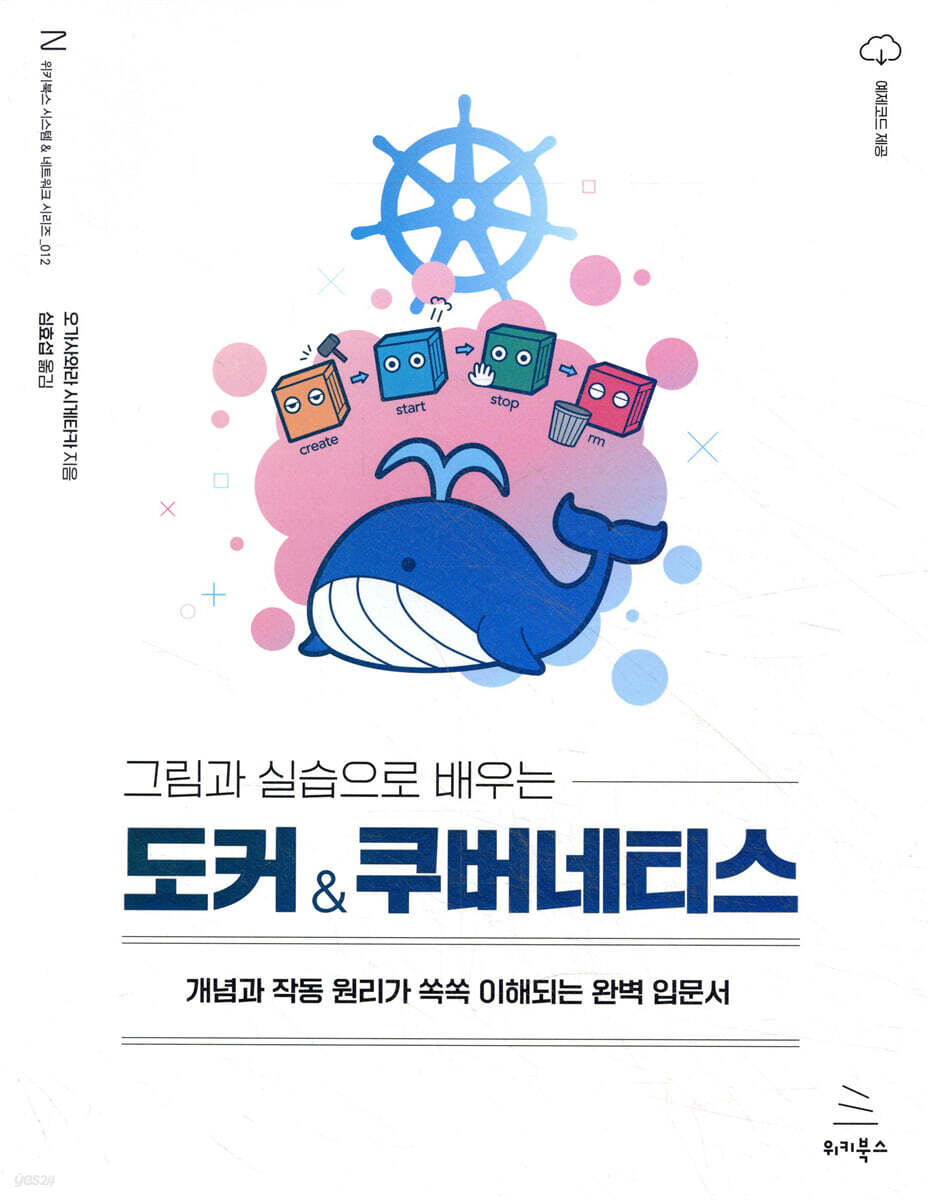
Learning Docker & Kubernetes with Pictures and Practice
 |
Description
Book Introduction
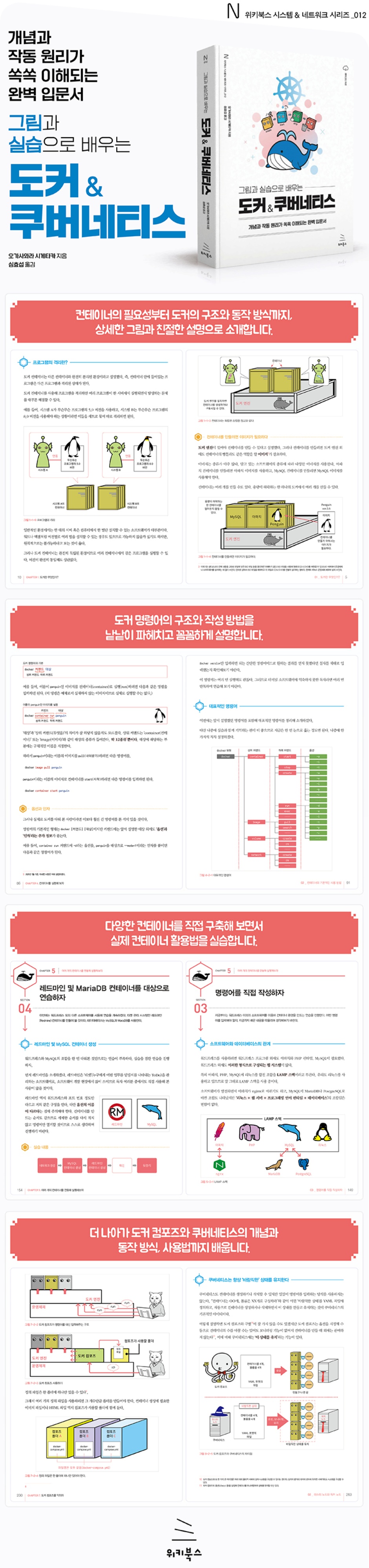
A thorough introduction to Docker for those who have difficulty understanding containers or Docker at all!
This book is an introductory guide to Docker for engineers who find container technology difficult or those who lack confidence in backend technology.
Detailed illustrations and friendly hands-on exercises make it easy to understand containers, Docker, and Kubernetes, even without prior Linux knowledge or server setup experience.
From the concept of Docker to how it works, how to use commands, how to operate containers, and even Docker Compose and Kubernetes, we guide you through the concepts and basic usage of Docker and Kubernetes so that even those with no background in container technology can learn them.
If you're a beginner looking to learn Docker or Kubernetes, take your first step into the world of Docker with this book, which is thoroughly designed for beginners.
This book is an introductory guide to Docker for engineers who find container technology difficult or those who lack confidence in backend technology.
Detailed illustrations and friendly hands-on exercises make it easy to understand containers, Docker, and Kubernetes, even without prior Linux knowledge or server setup experience.
From the concept of Docker to how it works, how to use commands, how to operate containers, and even Docker Compose and Kubernetes, we guide you through the concepts and basic usage of Docker and Kubernetes so that even those with no background in container technology can learn them.
If you're a beginner looking to learn Docker or Kubernetes, take your first step into the world of Docker with this book, which is thoroughly designed for beginners.
- You can preview some of the book's contents.
Preview
index
Chapter 1: What is Docker?
01 What is Docker?
__What is the identity of Docker hidden in the fog?
__Why data and programs should be isolated in an independent environment
What is program isolation?
02 Server and Docker
__Two meanings of server
__Run multiple server functions together safely using containers
__Freely movable containers
Chapter 2: How Docker Works
01 How Docker Works
__Docker's structure
__Docker is basically 'for Linux'
02 Docker Hub, Images, and Containers
__Images and Containers
__Docker Hub and Docker Images
03 Docker Container Lifecycle and Data Storage
__Docker containers are disposable items that are 'thrown away'
__Data storage
04 Docker's Pros and Cons
__Docker's structure and properties and its pros and cons
__Docker's Pros and Cons
__Docker's main purpose
Chapter 3: Let's Use Docker
01 To use Docker
__Docker is primarily for Linux, but can also be used on Windows and macOS.
Using Docker for Windows/macOS
__Conditions for running Docker
02 Docker Installation
__Docker can be installed easily
__Install Docker Desktop for Windows
__First launch of Docker Desktop and check the screen
__Check the screen of Docker Desktop
03 How to operate Docker and run the command prompt and terminal
__Docker is handled from the command prompt or terminal.
__Things to note about the command prompt and terminal
__[Practice] Let's use the command prompt and terminal.
Chapter 4: Let's Run a Container
01 Starting/Stopping the Docker Engine
__How to start/stop the Docker engine
02 Basic usage of containers
__The basics of using containers are Docker commands
__Basic Commands - Summary
__[Practice] Let's use simple commands.
__Representative commands
03 Creating, deleting, running, and stopping containers
__docker run command and docker stop, docker rm commands
__docker ps command
__[Practice] Let's create a container, run it, check its status, terminate it, and delete it.
04 Container Communication
__What is Apache?
__To communicate with the container
__[Practice] Creating a container that can communicate
05 Get familiar with container creation
__Various types of containers
__[Practice] Running multiple Apache containers
__[Practice] Running an Nginx Container
__[Practice] Running a MySQL Container
06 Delete Image
__Delete image
__docker image rm command
__docker image ls command
__[Practice] Deleting an image
Chapter 5: Let's run multiple containers together.
01 WordPress Setup
__WordPress site configuration and construction
__Create/delete Docker networks
__Options and arguments required when running MySQL container
__Options and arguments required when running a WordPress container
02 Creating and connecting WordPress and MySQL containers
__This section's practice content and commands to use
__Creating and running WordPress and MySQL containers
03 Let's write the command directly
__The relationship between software and databases
How to write the __run command yourself
04 Let's practice targeting Redmine and MariaDB containers.
__Creating Redmine and MySQL containers
__Creating Redmine and MariaDB Containers
Chapter 6: Learn how to use containers in real-world situations.
01 Organize what knowledge I need
__The knowledge you need to know varies depending on your role.
__Docker technology to be explained later
02 Copying files between containers and hosts
__copy file
__[Practice] Copying a file from the host into the container
__[Practice] Copying files from a container to the host
03 Volume Mount
__Volumes and Mounts
__Types of storage mounts
__Command to mount the storage area
__[Practice] Trying a bind mount
__[Practice] Application - Mounting a Volume
04 Creating an image with a container
__How to create an image with a container
__[Practice] Converting a container to an image using the commit command
__[Practice] Creating an image using a Dockerfile script
05 Container Modification
What is __container modification?
__Docker's structure, commands that must pass through the Docker engine and commands that must be executed inside a container
06 Docker Hub Registration and Login
__Where can I download the images?
__Docker Hub and Docker Registry
__Upload tags and images
How to create a __registry
Chapter 7: Mastering Docker Compose
01 What is Docker Compose?
__What is Docker Compose?
02 Installation and Usage of Docker Compose
__[Practice] Installing Docker Compose
__How to use Docker Compose
03 How to write a Docker Compose file
__Looking at the contents of a Docker Compose definition file
__How to create a compose file (definition file)
__[Practice] Creating a Compose File
04 Running Docker Compose
__Docker Compose Command
__[Practice] Running Docker Compose
Chapter 8: Learning Kubernetes
01 What is Kubernetes?
__What is Kubernetes?
02 Master Node and Worker Node
__Cluster Configuration - Master Node and Worker Node
__Kubernetes always maintains a 'desirable' state.
03 Kubernetes Configuration and Related Terminology
__Terms related to Kubernetes configuration (pod, service, deployment, replica set)
__Other Kubernetes Resources
04 Kubernetes Installation and Usage
__Types of Kubernetes
__What kind of Kubernetes should I use?
__[Practice] Preparing Kubernetes on Docker Desktop
05 Create a manifest file (definition file)
__What is a manifest file?
__What to write in the manifest file
__Writing metadata and specifications (1) - Pad
__[Practice] Writing a Manifest File (1) - Pad
__Writing Metadata and Specifications (2) - Deployment
__[Practice] Creating a Manifest File (Definition File) (2) - Deployment
__Writing Metadata and Specifications (3) - Service
__[Practice] Creating a Manifest File (3) - Service
06 Kubernetes Commands
__Kubernetes commands
__[Practice] Creating a Pod with a Manifest File (1) - Deployment
__[Practice] Creating a Pod with a Manifest File (2) - Service
07 Let's practice Kubernetes
__[Practice] Increasing the number of pods with a manifest file
__[Practice] Changing Apache to nginx with a manifest file
__[Practice] Check if automatic recovery occurs after manually deleting a pod
__[Practice] Deleting the created deployment and service
__Author's Note
supplement
01 (For Windows) Installation Information
__[Practice] Checking whether Windows is 32-bit or 64-bit and the version
02 (for macOS) How to install Docker Desktop
__[Practice] Installing Docker Desktop on macOS
03 (for Linux) Docker Installation
__[Practice] Linux Installation
__[Practice] Docker Installation
04 Port Forwarding Settings in VirtualBox
05 (for Linux) How to use the nano editor
06 (for Linux) Installing Kubernetes
__[Practice] Installing kubectl
__[Practice] Installing Minikube
07 How to Use the Docker Desktop Console
08 Docker Commands
09 Preparing for the practical training using VirtualBox
__[Practice] VirtualBox Practice Preparation (1) - VirtualBox Installation
__[Practice] VirtualBox Practice Preparation (2) - Creating a Virtual Machine
__[Practice] VirtualBox Practice Preparation (3) - Mounting and Fine-tuning ISO Images
__[Practice] VirtualBox Practice Preparation (4) - Linux (Ubuntu) Installation
10 Preparing for a Practical Exercise Using AWS
__[Practice] Installing Ubuntu on an AWS Virtual Machine
__[Practice] Connecting to an EC2 instance via SSH
01 What is Docker?
__What is the identity of Docker hidden in the fog?
__Why data and programs should be isolated in an independent environment
What is program isolation?
02 Server and Docker
__Two meanings of server
__Run multiple server functions together safely using containers
__Freely movable containers
Chapter 2: How Docker Works
01 How Docker Works
__Docker's structure
__Docker is basically 'for Linux'
02 Docker Hub, Images, and Containers
__Images and Containers
__Docker Hub and Docker Images
03 Docker Container Lifecycle and Data Storage
__Docker containers are disposable items that are 'thrown away'
__Data storage
04 Docker's Pros and Cons
__Docker's structure and properties and its pros and cons
__Docker's Pros and Cons
__Docker's main purpose
Chapter 3: Let's Use Docker
01 To use Docker
__Docker is primarily for Linux, but can also be used on Windows and macOS.
Using Docker for Windows/macOS
__Conditions for running Docker
02 Docker Installation
__Docker can be installed easily
__Install Docker Desktop for Windows
__First launch of Docker Desktop and check the screen
__Check the screen of Docker Desktop
03 How to operate Docker and run the command prompt and terminal
__Docker is handled from the command prompt or terminal.
__Things to note about the command prompt and terminal
__[Practice] Let's use the command prompt and terminal.
Chapter 4: Let's Run a Container
01 Starting/Stopping the Docker Engine
__How to start/stop the Docker engine
02 Basic usage of containers
__The basics of using containers are Docker commands
__Basic Commands - Summary
__[Practice] Let's use simple commands.
__Representative commands
03 Creating, deleting, running, and stopping containers
__docker run command and docker stop, docker rm commands
__docker ps command
__[Practice] Let's create a container, run it, check its status, terminate it, and delete it.
04 Container Communication
__What is Apache?
__To communicate with the container
__[Practice] Creating a container that can communicate
05 Get familiar with container creation
__Various types of containers
__[Practice] Running multiple Apache containers
__[Practice] Running an Nginx Container
__[Practice] Running a MySQL Container
06 Delete Image
__Delete image
__docker image rm command
__docker image ls command
__[Practice] Deleting an image
Chapter 5: Let's run multiple containers together.
01 WordPress Setup
__WordPress site configuration and construction
__Create/delete Docker networks
__Options and arguments required when running MySQL container
__Options and arguments required when running a WordPress container
02 Creating and connecting WordPress and MySQL containers
__This section's practice content and commands to use
__Creating and running WordPress and MySQL containers
03 Let's write the command directly
__The relationship between software and databases
How to write the __run command yourself
04 Let's practice targeting Redmine and MariaDB containers.
__Creating Redmine and MySQL containers
__Creating Redmine and MariaDB Containers
Chapter 6: Learn how to use containers in real-world situations.
01 Organize what knowledge I need
__The knowledge you need to know varies depending on your role.
__Docker technology to be explained later
02 Copying files between containers and hosts
__copy file
__[Practice] Copying a file from the host into the container
__[Practice] Copying files from a container to the host
03 Volume Mount
__Volumes and Mounts
__Types of storage mounts
__Command to mount the storage area
__[Practice] Trying a bind mount
__[Practice] Application - Mounting a Volume
04 Creating an image with a container
__How to create an image with a container
__[Practice] Converting a container to an image using the commit command
__[Practice] Creating an image using a Dockerfile script
05 Container Modification
What is __container modification?
__Docker's structure, commands that must pass through the Docker engine and commands that must be executed inside a container
06 Docker Hub Registration and Login
__Where can I download the images?
__Docker Hub and Docker Registry
__Upload tags and images
How to create a __registry
Chapter 7: Mastering Docker Compose
01 What is Docker Compose?
__What is Docker Compose?
02 Installation and Usage of Docker Compose
__[Practice] Installing Docker Compose
__How to use Docker Compose
03 How to write a Docker Compose file
__Looking at the contents of a Docker Compose definition file
__How to create a compose file (definition file)
__[Practice] Creating a Compose File
04 Running Docker Compose
__Docker Compose Command
__[Practice] Running Docker Compose
Chapter 8: Learning Kubernetes
01 What is Kubernetes?
__What is Kubernetes?
02 Master Node and Worker Node
__Cluster Configuration - Master Node and Worker Node
__Kubernetes always maintains a 'desirable' state.
03 Kubernetes Configuration and Related Terminology
__Terms related to Kubernetes configuration (pod, service, deployment, replica set)
__Other Kubernetes Resources
04 Kubernetes Installation and Usage
__Types of Kubernetes
__What kind of Kubernetes should I use?
__[Practice] Preparing Kubernetes on Docker Desktop
05 Create a manifest file (definition file)
__What is a manifest file?
__What to write in the manifest file
__Writing metadata and specifications (1) - Pad
__[Practice] Writing a Manifest File (1) - Pad
__Writing Metadata and Specifications (2) - Deployment
__[Practice] Creating a Manifest File (Definition File) (2) - Deployment
__Writing Metadata and Specifications (3) - Service
__[Practice] Creating a Manifest File (3) - Service
06 Kubernetes Commands
__Kubernetes commands
__[Practice] Creating a Pod with a Manifest File (1) - Deployment
__[Practice] Creating a Pod with a Manifest File (2) - Service
07 Let's practice Kubernetes
__[Practice] Increasing the number of pods with a manifest file
__[Practice] Changing Apache to nginx with a manifest file
__[Practice] Check if automatic recovery occurs after manually deleting a pod
__[Practice] Deleting the created deployment and service
__Author's Note
supplement
01 (For Windows) Installation Information
__[Practice] Checking whether Windows is 32-bit or 64-bit and the version
02 (for macOS) How to install Docker Desktop
__[Practice] Installing Docker Desktop on macOS
03 (for Linux) Docker Installation
__[Practice] Linux Installation
__[Practice] Docker Installation
04 Port Forwarding Settings in VirtualBox
05 (for Linux) How to use the nano editor
06 (for Linux) Installing Kubernetes
__[Practice] Installing kubectl
__[Practice] Installing Minikube
07 How to Use the Docker Desktop Console
08 Docker Commands
09 Preparing for the practical training using VirtualBox
__[Practice] VirtualBox Practice Preparation (1) - VirtualBox Installation
__[Practice] VirtualBox Practice Preparation (2) - Creating a Virtual Machine
__[Practice] VirtualBox Practice Preparation (3) - Mounting and Fine-tuning ISO Images
__[Practice] VirtualBox Practice Preparation (4) - Linux (Ubuntu) Installation
10 Preparing for a Practical Exercise Using AWS
__[Practice] Installing Ubuntu on an AWS Virtual Machine
__[Practice] Connecting to an EC2 instance via SSH
Detailed image
GOODS SPECIFICS
- Date of issue: April 5, 2022
- Page count, weight, size: 400 pages | 188*240*18mm
- ISBN13: 9791158393038
- ISBN10: 1158393032
You may also like
카테고리
korean


korean

![GQ KOREA Mark (Monthly): December [2025]](http://librairie.coreenne.fr/cdn/shop/files/8ef265dbbfbf186523ed75ba7319009d.jpg?v=1765340328&width=3840)


